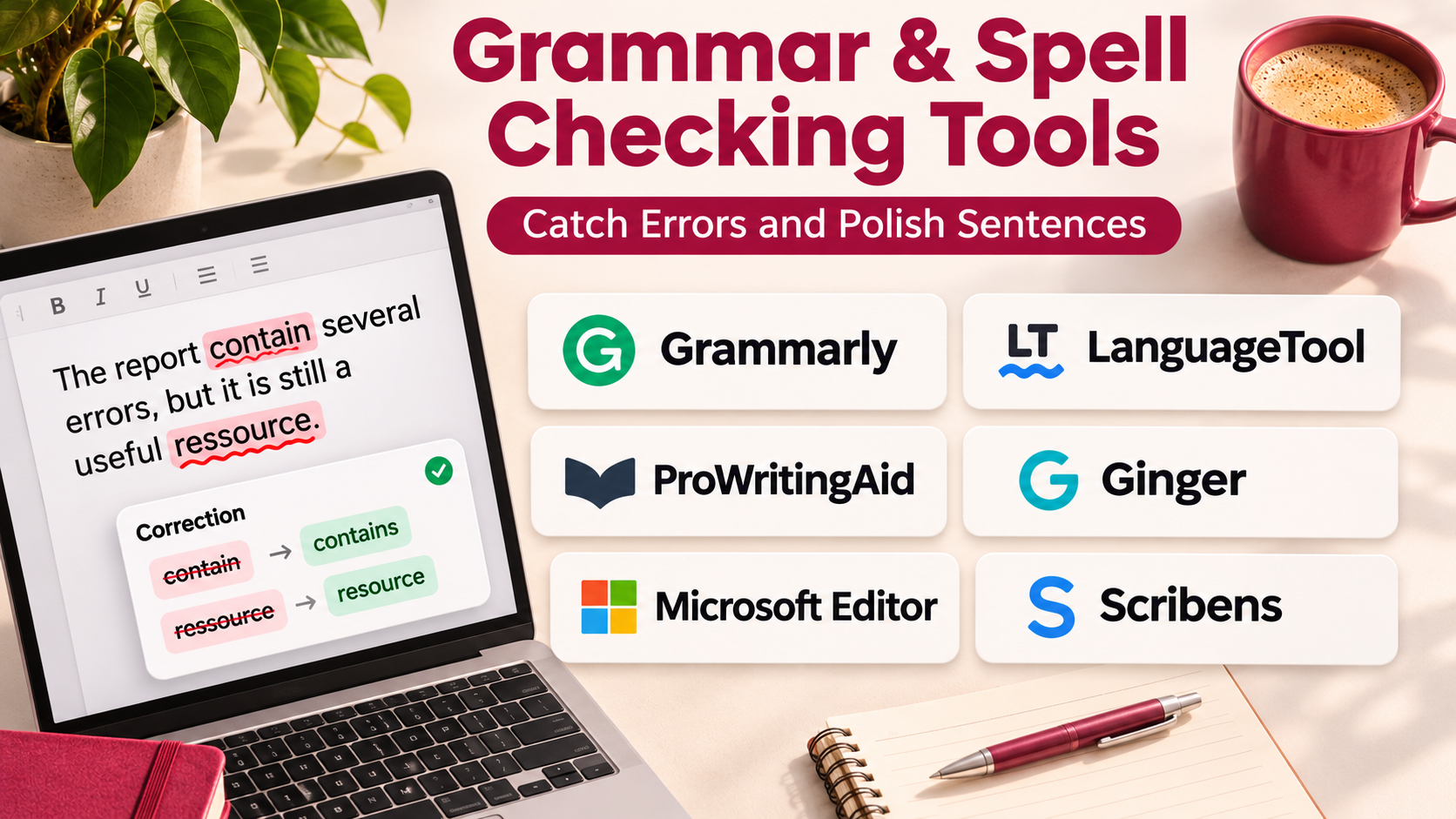
Introduction
Clear and accurate writing is essential for professional communication, academic work, marketing, customer support, and everyday digital interaction.
Even experienced writers make mistakes involving grammar, spelling, punctuation, word choice, and sentence structure.
These errors can reduce clarity and create misunderstandings.
Traditional spell checkers help identify misspelled words, but they often struggle with errors involving context, tone, or sentence construction.
Modern grammar and spell checking tools provide more advanced assistance.
They can identify grammatical patterns, suggest clearer wording, highlight difficult sentences, and recommend changes to writing style.
Some tools focus on multilingual grammar correction. Others specialize in academic writing, fiction editing, business communication, or readability.
AI-powered applications can also generate alternative sentences and explain selected corrections.
However, automated suggestions are not always accurate.
A grammar checker may misunderstand specialized terminology, change the intended meaning, or recommend unnecessary edits.
Choosing the right tool requires evaluating correction accuracy, writing style, language support, integrations, privacy, and cost.
This guide compares ten grammar and spell checking tools and explains how to select an appropriate solution.
What Are Grammar & Spell Checking Tools?
Grammar and spell checking tools are software applications that analyze written text and identify potential language errors.
They help users improve spelling, punctuation, grammar, readability, and selected aspects of style.
Common Types of Checks
Spelling checks: Identify misspelled words and typographical errors.
Grammar checks: Detect problems with sentence structure, verb agreement, tense, and word usage.
Punctuation checks: Identify missing or incorrect punctuation.
Contextual corrections: Distinguish between correctly spelled words used incorrectly.
Style suggestions: Highlight wordiness, repetition, passive constructions, and awkward phrasing.
Tone analysis: Suggest changes to make writing more formal, friendly, confident, or concise.
Readability analysis: Identify sentences that may be difficult to understand.
How Grammar Checkers Work
A typical workflow includes:
- Writing or importing text.
- Selecting the relevant language.
- Running automated analysis.
- Reviewing spelling suggestions.
- Inspecting grammar and punctuation warnings.
- Considering style recommendations.
- Accepting or rejecting individual changes.
- Reading the revised document.
- Checking technical terminology and factual accuracy.
- Approving the final version.
Top 10 Grammar & Spell Checking Tools
1. Grammarly
Best For: Everyday professional writing, business communication, and general English proofreading.
Short Description
Grammarly is a writing assistance platform that provides spelling, grammar, punctuation, clarity, and tone-related suggestions.
It is designed to help users improve writing across supported applications and websites.
Grammarly is particularly useful for professionals who frequently write emails, reports, messages, and business documents.
Its suggestions can identify straightforward errors and recommend alternative wording.
The platform also includes AI-assisted writing and rewriting capabilities in supported offerings.
For teams, Grammarly provides additional organizational features related to writing consistency and communication.
However, users should review suggestions carefully because automated edits can alter tone, technical meaning, or personal style.
Key Features
- Grammar correction: Identifies common grammatical errors and suggests alternatives.
- Spelling checks: Detects misspelled and contextually inappropriate words.
- Punctuation assistance: Flags selected punctuation problems.
- Clarity suggestions: Recommends simpler or more direct phrasing.
- Tone guidance: Helps writers evaluate how messages may sound.
- AI rewriting: Provides alternative wording in supported plans.
- Application integrations: Works across supported browsers and writing environments.
- Vocabulary suggestions: Identifies selected repetitive or awkward expressions.
- Team features: Supports organizational writing guidance in applicable offerings.
Benefits
Grammarly helps users identify errors during routine writing rather than only at the final proofreading stage.
Its integrations can reduce the need to move content between applications.
Pros
- Accessible interface.
- Broad everyday writing coverage.
- Grammar, spelling, and tone assistance.
- Useful integrations.
- Suitable for individuals and teams.
Cons
- Advanced functionality may require payment.
- Suggestions can be overly prescriptive.
- Technical language may trigger incorrect warnings.
- Primarily oriented toward English writing.
- Sensitive text requires privacy review.
Use Cases
Business emails: Improve clarity and professionalism.
Reports: Correct grammar and punctuation.
Customer communication: Review tone and wording.
Academic drafts: Identify language issues before manual proofreading.
Best Suited For
Professionals and students seeking general-purpose English writing assistance.
2. LanguageTool
Best For: Multilingual writers requiring grammar, spelling, and style assistance.
Short Description
LanguageTool is a grammar and style checking platform known for supporting multiple languages.
It provides corrections for spelling, grammar, punctuation, and selected stylistic problems.
LanguageTool is relevant to international teams and individuals who regularly write in more than one language.
Its multilingual orientation distinguishes it from tools primarily focused on English.
The platform offers browser-based checking and integrations with supported writing environments.
It also provides premium capabilities for more advanced writing assistance.
However, correction depth varies by language, and users should test the languages most important to their workflow.
Key Features
- Multilingual grammar checks: Analyzes supported languages.
- Spelling correction: Identifies typographical errors.
- Punctuation validation: Detects selected punctuation issues.
- Style suggestions: Highlights awkward or repetitive expressions.
- Language detection: Helps identify the language being checked.
- Browser integration: Provides writing assistance on supported websites.
- Document integrations: Supports selected office and writing applications.
- Custom dictionaries: Helps accommodate specialized vocabulary.
- Advanced checks: Offers additional correction capabilities in paid plans.
Benefits
LanguageTool helps multilingual users maintain writing quality across different languages.
Its custom dictionary capabilities can reduce unnecessary warnings for specialized terminology.
Pros
- Broad language support.
- Grammar and spelling checks.
- Useful browser integrations.
- Custom vocabulary options.
- Accessible entry-level offering.
Cons
- Quality varies by language.
- Some advanced features require payment.
- Style suggestions may be subjective.
- Technical writing still needs expert review.
- Integrations vary by environment.
Use Cases
International communication: Proofread multilingual emails.
Localization: Check translated text.
Academic writing: Review grammar in supported languages.
Content publishing: Improve multilingual articles.
Best Suited For
Writers who regularly work in multiple languages.
3. ProWritingAid
Best For: Authors, editors, and long-form writers seeking detailed style analysis.
Short Description
ProWritingAid is a writing analysis and editing platform designed to help users improve grammar, readability, and writing style.
It is especially relevant to authors and professionals working on long documents.
Beyond basic correction, ProWritingAid provides reports that highlight repetition, sentence structure, readability, and stylistic patterns.
These reports help writers understand recurring weaknesses rather than simply correcting isolated mistakes.
The platform is useful for fiction, nonfiction, and other long-form writing projects.
Its editing capabilities can support multiple revision passes.
However, extensive reports may overwhelm users who only need quick spelling corrections.
Key Features
- Grammar checks: Identifies grammatical issues.
- Spelling correction: Detects misspellings.
- Style reports: Analyzes selected writing patterns.
- Readability analysis: Highlights difficult passages.
- Repetition detection: Identifies repeated words and phrases.
- Sentence analysis: Examines sentence length and variation.
- Word choice suggestions: Recommends alternative expressions.
- Writing integrations: Connects with supported writing environments.
- AI-assisted editing: Provides additional revision support in eligible offerings.
Benefits
ProWritingAid encourages writers to improve the overall quality of a manuscript.
Its analytical reports help identify patterns that basic spell checkers may overlook.
Pros
- Detailed style analysis.
- Useful for long-form writing.
- Repetition detection.
- Readability reports.
- Supports multiple revision stages.
Cons
- Reports can feel overwhelming.
- Some suggestions require interpretation.
- Advanced functionality requires payment.
- Primarily focused on English.
- Does not replace professional editing.
Use Cases
Novel editing: Improve sentence variation and style.
Nonfiction manuscripts: Identify wordiness and repetition.
Professional reports: Improve clarity.
Best Suited For
Authors and long-form writers who want detailed editorial feedback.
4. QuillBot
Best For: Students and writers seeking grammar checking alongside paraphrasing and rewriting.
Short Description
QuillBot is a writing assistance platform that combines grammar correction with paraphrasing and related text-processing tools.
Its grammar checker helps identify spelling, punctuation, and grammatical problems.
QuillBot is particularly relevant to users who want to revise sentences and explore alternative ways to express ideas.
The platform also provides summarization and other writing support capabilities.
For academic users, these features can help improve draft clarity.
However, paraphrasing must be used carefully to preserve original meaning and comply with academic integrity requirements.
Key Features
- Grammar checker: Detects common language errors.
- Spelling correction: Identifies misspelled words.
- Punctuation suggestions: Highlights selected punctuation problems.
- Paraphrasing: Generates alternative sentence formulations.
- Summarization: Condenses longer text.
- Writing modes: Supports different rewriting approaches.
- Browser-based editing: Provides accessible text processing.
- Additional academic tools: Offers related writing features in supported offerings.
Benefits
QuillBot helps writers combine proofreading with sentence-level revision.
It is useful when a draft needs clearer wording rather than only grammatical corrections.
Pros
- Grammar and paraphrasing in one platform.
- Accessible interface.
- Useful rewriting options.
- Supports draft revision.
- Helpful for concise communication.
Cons
- Paraphrasing can change meaning.
- Advanced features may require payment.
- Academic use requires care.
- Not a substitute for subject expertise.
- Some suggestions may sound unnatural.
Use Cases
Student drafts: Improve grammar and sentence clarity.
Business writing: Rewrite awkward expressions.
Content editing: Reduce repetition.
Best Suited For
Students and general writers seeking correction and rewriting tools.
5. Ginger Software
Best For: Everyday grammar correction and English writing support.
Short Description
Ginger Software provides grammar checking, spelling correction, and sentence rewriting capabilities.
It is designed to help users identify language errors and improve written communication.
Ginger is particularly relevant to people who want practical assistance with English writing.
Its correction features can help identify mistakes involving grammar and word usage.
Sentence rephrasing capabilities provide alternatives for selected expressions.
The platform is useful for routine communication, although users should evaluate current application compatibility and subscription features.
Key Features
- Grammar correction: Detects common grammatical mistakes.
- Spelling checker: Identifies misspellings.
- Contextual analysis: Considers word usage within sentences.
- Sentence rephrasing: Suggests alternative wording.
- Writing assistance: Helps improve everyday communication.
- Browser-based tools: Supports selected online workflows.
- Personalized correction: Provides assistance during editing.
- Language support features: Offers related language-learning functionality in supported products.
Benefits
Ginger can help users identify errors while drafting everyday content.
Its sentence rephrasing features are useful for exploring clearer alternatives.
Pros
- Straightforward grammar assistance.
- Contextual spelling correction.
- Sentence rewriting.
- Useful for everyday English.
- Accessible writing workflow.
Cons
- Advanced functionality may require payment.
- Integration support should be verified.
- Suggestions may not preserve intended meaning.
- Less specialized long-form analysis.
- Does not replace human proofreading.
Use Cases
Everyday emails: Correct common mistakes.
Student writing: Review grammar and sentence structure.
Workplace messages: Improve clarity.
Best Suited For
Individuals seeking practical grammar and spelling assistance.
6. Hemingway Editor
Best For: Writers focused on readability, concise sentences, and straightforward prose.
Short Description
Hemingway Editor is a writing tool designed to highlight readability problems.
Its central purpose is not comprehensive grammar correction but identifying passages that may be difficult to understand.
The editor highlights long or complex sentences, passive constructions, adverbs, and selected wording patterns.
This makes it particularly useful for blog writing, marketing copy, instructional content, and business communication.
Writers can use its feedback to simplify sentences and improve flow.
Some offerings also provide AI-assisted editing features.
However, Hemingway should be viewed primarily as a readability editor rather than a replacement for a dedicated grammar checker.
Key Features
- Readability analysis: Evaluates the complexity of written passages.
- Sentence highlighting: Identifies difficult sentences.
- Passive voice detection: Flags selected passive constructions.
- Adverb identification: Highlights potentially unnecessary modifiers.
- Wordiness checks: Identifies expressions that may be simplified.
- Readability grade: Provides an approximate difficulty indicator.
- Distraction-reduced editing: Supports focused revision.
- AI-assisted revision: Offers additional editing in supported versions.
Benefits
Hemingway helps writers identify where prose becomes unnecessarily complicated.
Its visual feedback encourages concise and direct communication.
Pros
- Clear readability feedback.
- Useful sentence highlighting.
- Simple editing approach.
- Effective for concise writing.
- Helpful for web content.
Cons
- Not a comprehensive grammar checker.
- Readability rules can oversimplify writing.
- Technical content may legitimately require complex sentences.
- Limited multilingual focus.
- Human editorial judgment remains essential.
Use Cases
Blog posts: Improve readability.
Instructional content: Simplify explanations.
Business reports: Reduce unnecessary complexity.
Best Suited For
Writers prioritizing readability and concise prose.
7. Microsoft Editor
Best For: Microsoft 365 users who want integrated spelling, grammar, and writing assistance.
Short Description
Microsoft Editor provides spelling, grammar, and selected writing suggestions within supported Microsoft applications and environments.
It is particularly relevant to people who already write in Microsoft Word, Outlook, and related productivity tools.
Its integrated approach allows users to correct errors without moving documents into a separate proofreading platform.
Microsoft Editor can also provide refinement suggestions beyond basic spelling correction.
Some capabilities depend on Microsoft 365 subscriptions and application availability.
Organizations should evaluate the exact features provided through their existing Microsoft licensing.
Key Features
- Spelling correction: Identifies misspelled words.
- Grammar checking: Detects selected grammatical problems.
- Writing refinements: Suggests improvements to clarity.
- Punctuation assistance: Highlights punctuation issues.
- Microsoft Word integration: Supports document editing.
- Outlook integration: Helps improve email writing.
- Language support: Provides checking for supported languages.
- Subscription enhancements: Adds selected advanced features.
Benefits
Microsoft Editor reduces workflow disruption for Microsoft 365 users.
Its integration makes proofreading part of normal document and email creation.
Pros
- Convenient Microsoft integration.
- Useful spelling and grammar checks.
- Familiar editing experience.
- Suitable for business documents.
- Supports multiple languages.
Cons
- Advanced features depend on subscriptions.
- Capabilities differ by application.
- Less specialized than dedicated editorial software.
- Some suggestions require review.
- Integration benefits are greatest within Microsoft products.
Use Cases
Corporate documents: Proofread reports.
Business email: Correct spelling and tone.
Student assignments: Improve Word documents.
Best Suited For
Individuals and organizations already using Microsoft 365.
8. Antidote
Best For: Detailed English and French language correction and linguistic reference.
Short Description
Antidote is a language assistance suite developed by Druide.
It combines correction tools with dictionaries and language guides.
Antidote is especially relevant to users writing in English and French.
Its correction environment helps identify grammatical, spelling, punctuation, and stylistic issues.
The associated dictionaries and guides provide additional linguistic context.
This makes Antidote useful for writers who want to understand language choices rather than simply accept automated changes.
However, users writing primarily in other languages should consider alternatives with broader language coverage.
Key Features
- Grammar correction: Detects language errors.
- Spelling checks: Identifies misspellings.
- Punctuation analysis: Flags selected punctuation problems.
- Style analysis: Highlights writing patterns.
- Integrated dictionaries: Provides linguistic reference.
- Language guides: Explains grammar and usage.
- English and French support: Focuses on these language environments.
- Application integration: Works with supported writing software.
- Revision tools: Supports detailed proofreading.
Benefits
Antidote combines automated correction with linguistic education.
Its reference materials can help users understand why a correction is appropriate.
Pros
- Detailed linguistic resources.
- Strong English and French focus.
- Grammar and style analysis.
- Integrated dictionaries.
- Useful for careful editing.
Cons
- Limited language coverage compared with multilingual platforms.
- Learning curve for extensive features.
- Licensing requires evaluation.
- Not primarily a content generation tool.
- Human review remains necessary.
Use Cases
French writing: Improve grammar and usage.
Professional editing: Consult language references.
Academic writing: Review detailed language choices.
Best Suited For
English and French writers seeking comprehensive language assistance.
9. Paperpal
Best For: Researchers and academic writers requiring language refinement.
Short Description
Paperpal is an AI-powered academic writing and editing platform.
It focuses on improving clarity, grammar, and language quality in scholarly writing.
Academic documents often require specialized terminology, formal style, and careful sentence construction.
Paperpal is designed to support these requirements through writing suggestions and related research-writing features.
It is relevant to researchers preparing manuscripts, literature reviews, and academic documents.
The platform can help improve language presentation, but it cannot verify every scientific claim or guarantee publication acceptance.
Users must also follow their institutions’ and publishers’ policies concerning AI assistance.
Key Features
- Academic grammar checks: Identifies language errors in scholarly writing.
- Spelling correction: Detects misspellings.
- Academic style suggestions: Helps improve formal expression.
- Clarity improvements: Recommends clearer sentence construction.
- AI rewriting: Provides alternative formulations.
- Research writing support: Offers academic-oriented assistance.
- Document editing: Supports selected academic workflows.
- Language refinement: Helps improve manuscript readability.
- Related academic tools: Provides additional capabilities in supported offerings.
Benefits
Paperpal addresses the language requirements of academic manuscripts.
It can help researchers improve presentation while preserving responsibility for scientific accuracy.
Pros
- Academic writing focus.
- Useful grammar refinement.
- Formal language suggestions.
- Supports manuscript editing.
- Relevant to researchers.
Cons
- Not a substitute for scientific peer review.
- AI suggestions can alter technical meaning.
- Some features require payment.
- Publication policies must be followed.
- Citation and factual accuracy require independent checking.
Use Cases
Research manuscripts: Improve language clarity.
Literature reviews: Refine academic wording.
Journal submissions: Perform a final language review.
Best Suited For
Researchers and academic authors seeking discipline-aware language assistance.
10. Outwrite
Best For: Writers seeking grammar correction and style improvement in everyday content.
Short Description
Outwrite is an AI-powered writing assistant that provides grammar, spelling, and style-related suggestions.
It is designed to help users identify errors and improve sentence construction.
The platform can highlight issues involving wordiness, phrasing, and readability.
Outwrite is particularly relevant to users who want more than basic spelling correction without adopting a complex editorial system.
Its writing assistance can support emails, articles, and business documents.
However, the suitability of its integrations and advanced capabilities should be evaluated against current product offerings.
Key Features
- Grammar checks: Identifies selected grammatical errors.
- Spelling correction: Detects misspellings.
- Punctuation suggestions: Flags punctuation problems.
- Style improvement: Recommends clearer expressions.
- Sentence rewriting: Provides alternative phrasing.
- Readability assistance: Highlights difficult wording.
- Writing integrations: Supports compatible environments.
- AI-powered suggestions: Helps revise selected passages.
Benefits
Outwrite combines proofreading with practical sentence improvement.
It can help users refine everyday writing without requiring a complicated workflow.
Pros
- Grammar and style support.
- Useful sentence suggestions.
- Accessible editing approach.
- Suitable for everyday writing.
- Helps reduce wordiness.
Cons
- Advanced features may require payment.
- Integration coverage should be verified.
- AI suggestions may change meaning.
- Less specialized for complex academic editing.
- Human review remains necessary.
Use Cases
Business writing: Improve email clarity.
Blog editing: Reduce awkward phrasing.
General proofreading: Correct common errors.
Best Suited For
Writers seeking combined grammar and style assistance.
Comparison Table: Top 10 Grammar & Spell Checking Tools
| Tool | Primary Strength | Best For | Main Limitation |
|---|---|---|---|
| Grammarly | Everyday grammar and tone | Professionals | English-centered |
| LanguageTool | Multilingual correction | International writers | Varying language depth |
| ProWritingAid | Long-form style analysis | Authors | Extensive reports |
| QuillBot | Grammar and paraphrasing | Students | Meaning changes |
| Ginger | Everyday grammar | General users | Limited specialist analysis |
| Hemingway Editor | Readability | Bloggers | Not full grammar checking |
| Microsoft Editor | Office integration | Microsoft 365 users | Ecosystem dependence |
| Antidote | Detailed language reference | English/French writers | Limited languages |
| Paperpal | Academic language | Researchers | Cannot validate research |
| Outwrite | Grammar and style | Everyday writers | Integration considerations |
How to Choose the Right Grammar Checker
1. Identify Your Writing Needs
Business emails, academic manuscripts, novels, and multilingual documents require different types of feedback.
2. Evaluate Correction Accuracy
Test the tool with real writing samples that include common and specialized errors.
3. Check Language Support
Confirm the languages and regional variants used in your work.
4. Review Integrations
The tool should work with your preferred word processor, browser, or publishing platform.
5. Evaluate Style Suggestions
Consider whether the software improves clarity without eliminating your intended voice.
6. Examine Privacy
Review how the provider processes, stores, and uses submitted text.
7. Consider Team Requirements
Organizations may need style guides, terminology policies, and administrative controls.
8. Test False Positives
A useful checker should not overwhelm writers with unnecessary corrections.
9. Compare Free and Paid Features
Identify which functions are included in each plan.
10. Maintain Human Review
Always check meaning, technical accuracy, and important factual statements manually.
Best Grammar & Spell Checking Software by User Type
| User Type | Recommended Tool | Reason |
|---|---|---|
| Business professionals | Grammarly | Everyday writing assistance |
| Multilingual writers | LanguageTool | Language coverage |
| Novelists | ProWritingAid | Long-form style analysis |
| Students | QuillBot | Grammar and rewriting |
| Casual writers | Ginger | Everyday correction |
| Bloggers | Hemingway Editor | Readability |
| Microsoft 365 users | Microsoft Editor | Native integration |
| French-language writers | Antidote | Detailed language reference |
| Researchers | Paperpal | Academic editing |
| General content writers | Outwrite | Grammar and style refinement |
Practical Example: Proofreading a Business Report
A consulting team must deliver a 30-page business report to a client.
Step 1: Complete the First Draft
Writers focus on structure, evidence, and recommendations.
Step 2: Establish a Style Guide
The team defines spelling conventions, terminology, tone, and formatting.
Step 3: Run Grammar Checks
Microsoft Editor or Grammarly identifies common errors.
Step 4: Review Readability
Hemingway highlights overly complicated sentences.
Step 5: Check Repetition
A style analysis tool identifies repetitive wording.
Step 6: Review Technical Terms
Subject-matter experts verify industry expressions.
Step 7: Verify Facts
All numbers, claims, and references are checked against reliable sources.
Step 8: Conduct Human Editing
An editor reviews organization, logic, and clarity.
Step 9: Proofread the Final Layout
The team inspects headings, tables, captions, and formatting.
Step 10: Approve the Document
The report is finalized only after language and factual review.
Expected Outcome
The team produces a clearer report with fewer avoidable writing errors.
Frequently Asked Questions
1. What is the best grammar checker?
The best tool depends on the language, writing type, integrations, and required feedback.
2. Are grammar checkers accurate?
They can identify many errors but also produce false positives and incorrect suggestions.
3. Can grammar tools improve writing style?
Many provide clarity, readability, tone, and sentence structure suggestions.
4. Which tool supports multiple languages?
LanguageTool and Microsoft Editor support multiple languages, although depth varies.
5. Which grammar checker is useful for academic writing?
Paperpal, Grammarly, and other proofreading tools can help, but scientific content needs expert verification.
6. Is Hemingway a grammar checker?
Hemingway primarily focuses on readability and style rather than comprehensive grammar correction.
7. Can grammar checkers replace editors?
No. Human editors evaluate meaning, structure, audience needs, and context.
8. Are free grammar checkers useful?
Yes. Free versions can identify many common errors.
9. Can grammar tools change the meaning of text?
Yes. Rewriting suggestions can unintentionally alter meaning.
10. Should confidential documents be checked online?
Only after reviewing organizational policies and the provider’s data handling terms.
Conclusion
Grammar and spell checking tools help writers improve accuracy, readability, and communication.
Grammarly offers broad everyday assistance, while LanguageTool supports multilingual writing.
ProWritingAid provides detailed long-form analysis, and QuillBot combines grammar correction with paraphrasing.
Ginger and Outwrite support general writing improvement.
Hemingway emphasizes readability, while Microsoft Editor integrates with familiar office workflows.
Antidote provides detailed English and French linguistic resources, and Paperpal focuses on academic writing.
The most effective proofreading process combines automated suggestions with careful human review.
Writers should choose software that supports their language, audience, writing environment, and editorial goals.