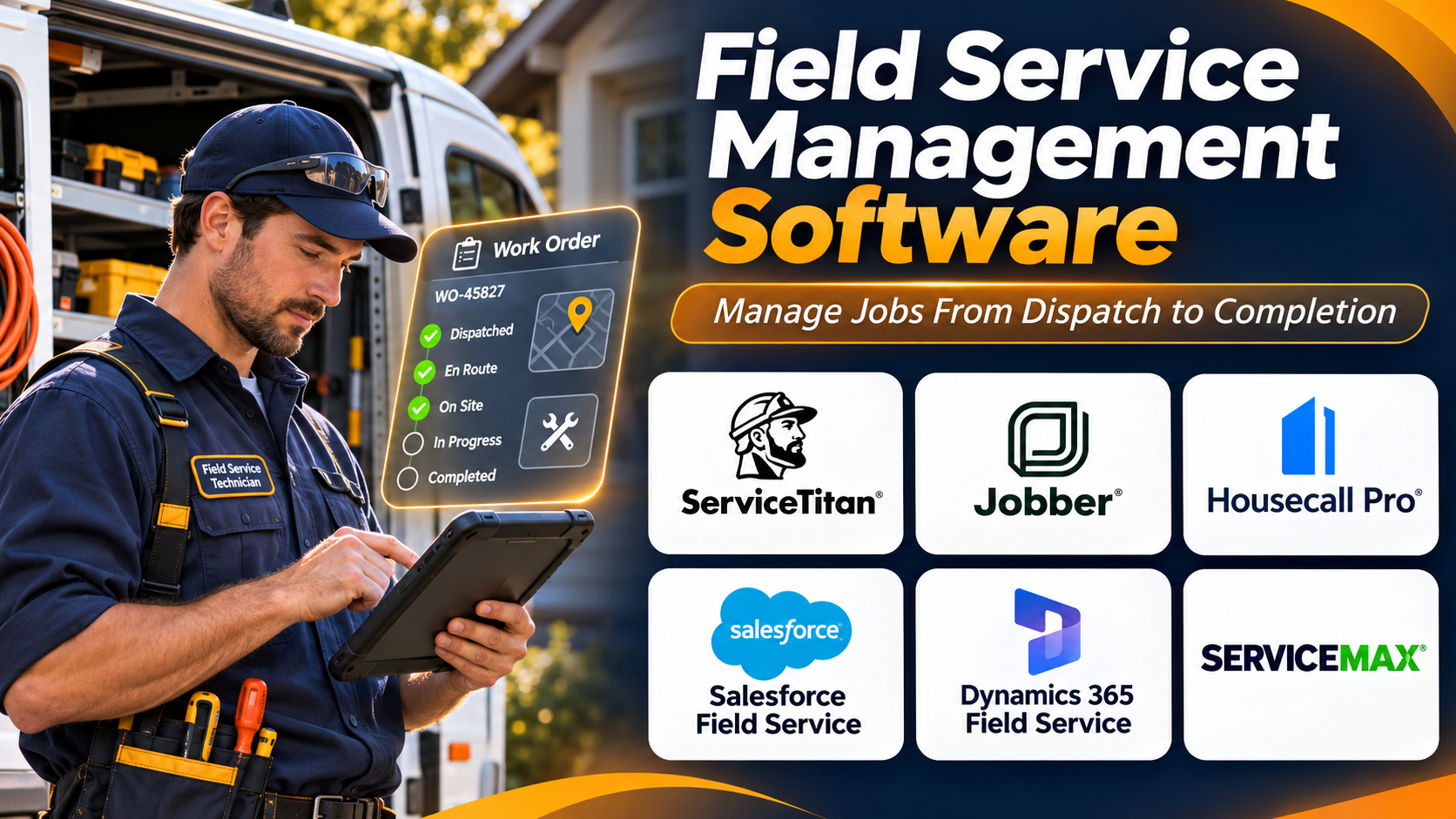
Introduction
Field service organizations manage work that takes place outside a traditional office. Technicians travel to customer locations, inspect equipment, complete repairs, perform installations, and provide maintenance services.
Coordinating these activities can be difficult. Dispatchers must assign jobs, technicians need accurate service information, customers expect timely communication, and managers must monitor productivity and service quality.
When businesses rely on spreadsheets, paper work orders, phone calls, and disconnected scheduling tools, important information can become difficult to track.
Field Service Management (FSM) software helps organizations coordinate these activities through centralized systems.
A typical FSM platform supports work orders, technician scheduling, dispatch, mobile access, customer records, service history, and reporting. More advanced solutions may include inventory management, route optimization, preventive maintenance, contract management, and automated customer communication.
For example, an HVAC service company can receive a maintenance request, assign an appropriately qualified technician, provide service history through a mobile application, and generate an invoice after the work is completed.
The software can also help managers understand technician availability, job completion rates, travel time, and recurring service issues.
However, field service management platforms differ significantly in scope. Some are designed for small home service businesses, while others support large utility companies, industrial equipment manufacturers, and enterprise service operations.
This guide compares ten established FSM platforms, including their features, benefits, limitations, and practical applications. It also provides selection guidance, comparison tables, and a step-by-step implementation example.
What Is Field Service Management Software?
Field Service Management software is a category of business applications used to organize and manage services delivered at customer sites or other field locations.
These systems connect office employees, dispatchers, technicians, supervisors, and customers through shared service information.
A typical service workflow begins when a customer requests assistance.
The company creates a work order, identifies the required skills and equipment, and schedules an available technician.
The technician receives job information through a mobile application, travels to the site, performs the service, and records the outcome.
The organization can then update customer records, manage billing, and analyze service performance.
Core Components of FSM Software
Work order management: Creates and tracks service activities.
Scheduling: Assigns work according to availability and requirements.
Dispatch: Coordinates technician assignments and changes.
Mobile applications: Give field employees access to job information.
Customer management: Maintains contact details and service history.
Asset information: Records equipment and maintenance history.
Inventory: Tracks parts and materials used during service.
Billing: Supports invoices, payments, and related financial processes.
Reporting: Measures operational performance.
Common Applications
- HVAC installation and maintenance.
- Plumbing and electrical services.
- Telecommunications equipment installation.
- Utility maintenance and repair.
- Industrial machinery servicing.
- Appliance repair.
- Facilities maintenance.
- Medical equipment field servicing.
Top 10 Field Service Management Software
1. Salesforce Field Service
Overview
Salesforce Field Service is an enterprise field service management solution built within the Salesforce ecosystem.
It helps organizations coordinate service appointments, work orders, technicians, assets, and customer information.
The platform is particularly relevant to businesses that already use Salesforce for customer relationship management or service operations.
Dispatchers can manage appointments, while technicians access relevant work information through supported mobile capabilities.
Salesforce Field Service is suited to complex organizations where customer service and field operations must remain closely connected.
Key Features
- Work order management: Organize service requests and tasks.
- Scheduling: Assign appointments according to configured requirements.
- Dispatch console: Coordinate technician assignments.
- Mobile application: Provide field access to service information.
- Asset management: Maintain equipment service records.
- Customer information: Connect work with Salesforce records.
- Service territories: Organize geographic coverage.
- Inventory-related capabilities: Support configured parts workflows.
- Reporting: Monitor service operations.
Benefits
Salesforce Field Service can connect customer support with field execution, helping organizations maintain consistent service records.
Pros
- Strong Salesforce integration.
- Suitable for complex service organizations.
- Supports technician scheduling.
- Provides mobile field capabilities.
- Connects customer and asset information.
Cons
- Implementation can be complex.
- Licensing requires careful evaluation.
- Customization needs administration.
- May be excessive for small service businesses.
Use Cases
Enterprise maintenance: Coordinate large technician teams.
Equipment servicing: Manage customer assets and repairs.
Customer support integration: Connect service cases with field visits.
Best For: Large service organizations and Salesforce customers.
2. Microsoft Dynamics 365 Field Service
Overview
Microsoft Dynamics 365 Field Service is a business application for managing field work orders, scheduling, service assets, and technician operations.
It is particularly relevant to organizations using Microsoft Dynamics 365 and the wider Microsoft ecosystem.
The platform helps businesses coordinate service requests from creation through completion.
Technicians can access work details through supported mobile experiences, while dispatchers manage schedules and assignments.
It is suitable for organizations requiring integration between service operations, customer records, and enterprise applications.
Key Features
- Work order management: Track service activities.
- Resource scheduling: Assign qualified resources.
- Schedule board: Coordinate appointments.
- Mobile service application: Support field execution.
- Customer asset records: Maintain equipment information.
- Preventive maintenance: Support recurring service requirements.
- Inventory management: Track eligible parts and products.
- Microsoft integration: Connect supported business applications.
- Service analytics: Review operational performance.
Benefits
Dynamics 365 Field Service can provide a consistent service workflow for organizations already using Microsoft business systems.
Pros
- Strong Microsoft ecosystem alignment.
- Supports work orders and scheduling.
- Provides mobile capabilities.
- Useful for asset-based service.
- Suitable for enterprise operations.
Cons
- Configuration can be demanding.
- Licensing and integration costs require review.
- Advanced scheduling needs careful setup.
- Smaller teams may prefer simpler products.
Use Cases
Industrial maintenance: Schedule equipment repairs.
Facilities services: Manage recurring maintenance.
Enterprise service: Connect customer and field operations.
Best For: Microsoft Dynamics customers and mid-sized to large service organizations.
3. ServiceNow Field Service Management
Overview
ServiceNow Field Service Management helps organizations coordinate field service activities within the ServiceNow platform.
It is relevant to enterprises that manage service operations alongside IT, customer service, asset management, or broader business workflows.
The platform supports work tasks, dispatch coordination, technician activities, and related operational processes.
ServiceNow is particularly useful when field service forms part of a larger enterprise service management environment.
Key Features
- Work task management: Organize field service activities.
- Scheduling and dispatch: Assign service resources.
- Mobile support: Provide technician access.
- Workflow automation: Coordinate operational processes.
- Asset-related integration: Connect service tasks with equipment information.
- Customer service connectivity: Link field work with service requests.
- Task prioritization: Organize work according to requirements.
- Operational visibility: Monitor service progress.
- Reporting: Analyze performance.
Benefits
ServiceNow can help enterprises manage field work within a unified service workflow environment.
Pros
- Strong enterprise workflow orientation.
- Connects with broader ServiceNow capabilities.
- Supports complex service processes.
- Provides operational visibility.
- Useful for large organizations.
Cons
- Enterprise implementation complexity.
- Requires platform administration.
- Licensing needs evaluation.
- Not designed primarily for very small contractors.
Use Cases
Enterprise support: Coordinate on-site service requests.
Equipment maintenance: Manage asset-related field tasks.
Integrated service operations: Connect field activities with enterprise workflows.
Best For: ServiceNow enterprises and complex service organizations.
4. Oracle Fusion Field Service
Overview
Oracle Fusion Field Service is an enterprise solution for scheduling, routing, and coordinating mobile field workers.
It is designed for organizations with substantial service volumes, complex scheduling requirements, and geographically distributed teams.
The platform emphasizes workforce coordination, appointment management, and field service execution.
Oracle’s approach is relevant to telecommunications, utilities, and other organizations where efficient scheduling is essential.
Key Features
- Automated scheduling: Assign work using configured requirements.
- Route optimization: Improve technician travel planning.
- Capacity management: Coordinate available resources.
- Mobile workforce support: Provide field access to assignments.
- Appointment management: Organize customer visits.
- Customer notifications: Support service communication.
- Workforce tracking: Monitor assignment progress.
- Enterprise integrations: Connect with supported business systems.
- Performance analytics: Review scheduling and service outcomes.
Benefits
Oracle Fusion Field Service can help organizations coordinate large field workforces and reduce scheduling inefficiencies.
Pros
- Strong enterprise scheduling focus.
- Useful for distributed technician teams.
- Supports routing and capacity planning.
- Relevant to high-volume service operations.
- Provides operational analytics.
Cons
- Implementation requires planning.
- Enterprise pricing may be substantial.
- Integration complexity varies.
- Smaller businesses may not need its full scope.
Use Cases
Telecommunications: Coordinate installation appointments.
Utilities: Schedule field maintenance.
Large service networks: Optimize technician assignments.
Best For: Utilities, telecommunications providers, and enterprise field operations.
5. SAP Field Service Management
Overview
SAP Field Service Management is designed to help organizations plan, execute, and monitor field service operations.
It is particularly relevant to businesses using SAP enterprise applications and managing complex equipment or service processes.
The platform supports service planning, technician activities, and connected operational information.
SAP Field Service Management can help organizations coordinate field work with broader enterprise processes, including asset and service management.
Key Features
- Service planning: Organize field work.
- Scheduling and dispatch: Assign service technicians.
- Mobile execution: Support field employees.
- Service documentation: Record completed work.
- Asset information: Connect service activities with equipment.
- Enterprise integration: Work with supported SAP applications.
- Service workflows: Coordinate operational stages.
- Technician collaboration: Share relevant work information.
- Operational reporting: Monitor service performance.
Benefits
SAP Field Service Management can help organizations connect field execution with enterprise asset and service processes.
Pros
- Strong SAP ecosystem alignment.
- Suitable for equipment-intensive service.
- Supports mobile technicians.
- Provides scheduling capabilities.
- Useful for enterprise service integration.
Cons
- Implementation can be complex.
- Requires integration planning.
- Enterprise costs need evaluation.
- Smaller organizations may prefer simpler tools.
Use Cases
Industrial equipment servicing: Coordinate maintenance activities.
Manufacturing support: Manage field repairs.
Enterprise asset service: Connect field tasks with equipment records.
Best For: SAP customers, manufacturers, and industrial service organizations.
6. IFS Cloud
Overview
IFS Cloud provides enterprise capabilities for service management, asset management, and related operational processes.
It is relevant to organizations managing complex service contracts, equipment, and technician operations.
IFS is particularly associated with asset-intensive industries and service organizations requiring coordinated enterprise workflows.
Its field service capabilities can support scheduling, work execution, asset information, and operational management.
Key Features
- Service management: Organize field service operations.
- Work order handling: Track service activities.
- Scheduling: Coordinate technician assignments.
- Mobile field support: Provide access to work information.
- Asset management integration: Connect equipment and service records.
- Service contracts: Support relevant commercial workflows.
- Resource management: Coordinate personnel and requirements.
- Enterprise integration: Connect service with related operations.
- Analytics: Review operational performance.
Benefits
IFS Cloud can help asset-intensive organizations manage field service as part of a broader enterprise service lifecycle.
Pros
- Strong enterprise service orientation.
- Useful for complex equipment.
- Connects service and asset information.
- Supports large operational environments.
- Provides broad service capabilities.
Cons
- Extensive implementation requirements.
- May be excessive for small contractors.
- Requires experienced administration.
- Total cost must be evaluated carefully.
Use Cases
Industrial maintenance: Coordinate equipment service.
Complex asset support: Manage recurring maintenance requirements.
Enterprise service contracts: Organize contracted field operations.
Best For: Asset-intensive enterprises and industrial service providers.
7. ServiceTitan
Overview
ServiceTitan is a business management platform designed primarily for residential and commercial trade service businesses.
It supports scheduling, dispatch, customer information, estimates, invoicing, and related operational processes.
ServiceTitan is particularly relevant to HVAC, plumbing, electrical, and other contractor businesses.
Its industry-specific focus distinguishes it from broad enterprise field service platforms.
Key Features
- Scheduling: Organize technician appointments.
- Dispatch management: Coordinate daily assignments.
- Customer records: Maintain service history.
- Mobile technician tools: Support field execution.
- Estimates: Prepare service quotations.
- Invoicing: Manage customer billing.
- Payment workflows: Support eligible payment collection.
- Reporting: Review business performance.
- Marketing-related capabilities: Support customer engagement workflows.
Benefits
ServiceTitan can help trade service businesses manage customer appointments, field work, and financial processes within a connected environment.
Pros
- Designed for trade service businesses.
- Combines scheduling and billing.
- Supports mobile technicians.
- Provides customer history.
- Useful for operational reporting.
Cons
- May be costly for very small businesses.
- Implementation requires training.
- Industry focus may not suit every field service model.
- Advanced features require evaluation.
Use Cases
HVAC services: Coordinate installation and maintenance.
Plumbing: Manage emergency and scheduled appointments.
Electrical contractors: Track jobs, estimates, and invoices.
Best For: Established home and commercial trade service businesses.
8. Jobber
Overview
Jobber is a field service business management platform designed for small and growing service companies.
It helps businesses manage customer requests, quotes, scheduling, jobs, invoices, and payments.
Jobber is especially relevant to cleaning, landscaping, maintenance, and other service businesses.
Its emphasis on accessible business workflows makes it suitable for owners and small teams that need to organize daily operations.
Key Features
- Job scheduling: Organize service appointments.
- Customer management: Maintain contact and service records.
- Quotes: Prepare customer estimates.
- Invoicing: Generate bills for completed work.
- Payment collection: Support eligible payment workflows.
- Mobile access: Help field employees manage jobs.
- Client communication: Send supported reminders and updates.
- Recurring jobs: Schedule repeat services.
- Business reporting: Review operational performance.
Benefits
Jobber can help small service businesses reduce administrative work and keep customer, job, and billing information organized.
Pros
- Accessible for small businesses.
- Combines scheduling and invoicing.
- Supports recurring services.
- Useful mobile experience.
- Provides customer management.
Cons
- Less suitable for highly complex enterprise operations.
- Advanced capabilities vary by plan.
- Specialized asset management may require other tools.
- Integration requirements need evaluation.
Use Cases
Landscaping: Manage recurring maintenance visits.
Cleaning: Coordinate customer appointments.
Property services: Track jobs and invoices.
Best For: Small and growing field service businesses.
9. Housecall Pro
Overview
Housecall Pro is a field service management platform focused on home service businesses.
It provides scheduling, dispatch, customer management, invoicing, and payment-related capabilities.
The platform helps contractors coordinate service activities while maintaining customer communication.
Housecall Pro is particularly relevant to businesses that need a practical system for managing appointments and daily service operations.
Key Features
- Scheduling: Organize service appointments.
- Dispatch: Assign jobs to technicians.
- Customer records: Maintain service information.
- Mobile application: Support field work.
- Estimates: Prepare service quotations.
- Invoicing: Generate customer bills.
- Payment collection: Support eligible transactions.
- Customer notifications: Communicate appointment updates.
- Business reporting: Review performance.
Benefits
Housecall Pro can simplify scheduling, customer communication, and billing for service contractors.
Pros
- Home service industry focus.
- Combines operational and billing workflows.
- Supports mobile technicians.
- Useful for appointment management.
- Accessible to growing contractors.
Cons
- Not intended for complex industrial service networks.
- Subscription capabilities vary.
- Specialized integrations may be limited.
- Advanced enterprise governance requires other platforms.
Use Cases
Home repairs: Manage customer appointments.
HVAC services: Coordinate technicians.
Cleaning businesses: Schedule recurring visits.
Best For: Home service contractors and small to mid-sized service companies.
10. FieldEdge
Overview
FieldEdge is a field service management platform designed for service contractors, particularly HVAC, plumbing, and electrical businesses.
It helps organizations manage dispatch, customer information, service agreements, and operational workflows.
The platform is relevant to businesses seeking a connected environment for office dispatchers and mobile technicians.
FieldEdge also provides capabilities related to financial and business operations through supported integrations.
Key Features
- Dispatch management: Coordinate technician assignments.
- Scheduling: Organize service appointments.
- Customer history: Maintain service records.
- Mobile technician tools: Support field work.
- Service agreements: Manage recurring service relationships.
- Work order tracking: Record service activities.
- Invoicing: Support billing workflows.
- Accounting integrations: Connect with supported financial systems.
- Reporting: Review operational performance.
Benefits
FieldEdge can help service contractors coordinate dispatch, customer records, and recurring maintenance activities.
Pros
- Industry-specific contractor functionality.
- Supports dispatch and scheduling.
- Provides mobile technician tools.
- Useful for service agreements.
- Connects with supported accounting workflows.
Cons
- Industry focus may limit suitability for other businesses.
- Implementation requires training.
- Pricing needs direct evaluation.
- Advanced enterprise needs may exceed its scope.
Use Cases
HVAC maintenance: Manage service agreements.
Plumbing: Coordinate repair appointments.
Electrical services: Track technician work.
Best For: HVAC, plumbing, and electrical service contractors.
Field Service Management Software Comparison Table
| Software | Primary Focus | Key Strength | Best For |
|---|---|---|---|
| Salesforce Field Service | Enterprise service | Salesforce integration | Large service organizations |
| Dynamics 365 Field Service | Enterprise operations | Microsoft integration | Dynamics customers |
| ServiceNow FSM | Enterprise workflows | Service management integration | ServiceNow users |
| Oracle Fusion Field Service | Scheduling and routing | Workforce optimization | Utilities and telecom |
| SAP Field Service Management | Enterprise service | SAP integration | Industrial businesses |
| IFS Cloud | Asset-intensive service | Enterprise asset and service workflows | Industrial enterprises |
| ServiceTitan | Trade services | Contractor business management | HVAC and plumbing |
| Jobber | Small business service | Scheduling and billing | Small service companies |
| Housecall Pro | Home services | Customer and job management | Home service contractors |
| FieldEdge | Trade contractor FSM | Dispatch and service agreements | HVAC and electrical |
How to Choose the Right Field Service Management Software
1. Identify Your Service Business Model
A residential cleaning company has different requirements from a utility maintenance provider.
Define the types of jobs, customers, technicians, and equipment involved.
2. Evaluate Scheduling and Dispatch
Determine whether scheduling is manual, automated, territory-based, or dependent on technician qualifications.
3. Review Mobile Capabilities
Technicians should be able to access relevant work information and record completed activities.
Test offline requirements where connectivity is unreliable.
4. Examine Work Order Management
Check whether the system supports job creation, status tracking, service notes, attachments, and completion records.
5. Consider Asset and Inventory Requirements
Equipment-intensive businesses may need detailed asset history and spare parts tracking.
6. Evaluate Customer Communication
Review appointment reminders, arrival notifications, service updates, and customer portals.
7. Check Financial Integrations
Determine whether estimates, invoices, payments, and accounting information must be connected.
8. Review Reporting
Identify important measures such as first-time fix rate, technician utilization, travel time, and job profitability.
9. Compare Implementation and Costs
Include subscriptions, user licenses, migration, integration, training, and support.
10. Conduct a Pilot
Test the software with dispatchers, technicians, supervisors, and administrative employees.
Best FSM Software by User Type
| User Type | Tool to Evaluate | Reason |
|---|---|---|
| Salesforce enterprises | Salesforce Field Service | Connected CRM workflows |
| Microsoft enterprises | Dynamics 365 Field Service | Microsoft integration |
| ServiceNow organizations | ServiceNow FSM | Enterprise service processes |
| Utilities | Oracle Fusion Field Service | Scheduling and routing |
| SAP enterprises | SAP Field Service Management | Enterprise service integration |
| Industrial service providers | IFS Cloud | Asset-intensive operations |
| Established trade contractors | ServiceTitan | Contractor business workflows |
| Small service businesses | Jobber | Accessible scheduling and billing |
| Home service companies | Housecall Pro | Customer appointments |
| HVAC contractors | FieldEdge | Dispatch and service agreements |
Practical Example: Implementing FSM Software for an HVAC Company
An HVAC company employs 25 technicians who handle installations, emergency repairs, and preventive maintenance.
The company currently uses spreadsheets for scheduling and phone calls for dispatch.
Managers want to reduce scheduling conflicts and improve service documentation.
Step 1: Review Existing Operations
Document how customer requests become completed service jobs.
Identify delays and duplicate administrative tasks.
Step 2: Define Service Categories
Separate emergency repairs, installations, inspections, and recurring maintenance.
Step 3: Organize Customer and Asset Data
Prepare customer contact details, equipment records, and service history.
Step 4: Configure Scheduling
Define technician availability, territories, qualifications, and appointment requirements.
Step 5: Set Up Mobile Work Orders
Provide technicians with job details, checklists, service notes, and supported photo capture.
Step 6: Connect Billing
Configure the approved process for estimates, invoices, and payment records.
Step 7: Run a Pilot
Test scheduling, dispatch, mobile updates, and job completion with a small technician group.
Step 8: Measure Performance
Track appointment completion, first-time fix rates, travel time, customer feedback, and administrative effort.
This process can improve coordination while giving managers better visibility into field operations.
Common Mistakes to Avoid
- Choosing software based only on features: Evaluate actual operational requirements.
- Ignoring technician usability: Field employees need practical mobile interfaces.
- Migrating inaccurate customer records: Clean data before implementation.
- Overcomplicating scheduling rules: Start with clear, manageable requirements.
- Neglecting inventory: Ensure parts availability is considered where relevant.
- Failing to train dispatchers: Scheduling quality depends on effective system use.
- Skipping integration testing: Verify accounting, CRM, and inventory connections.
- Ignoring performance measurement: Monitor service outcomes after deployment.
Frequently Asked Questions
1. What is field service management software?
It is software used to coordinate field work orders, technicians, scheduling, dispatch, and related operations.
2. What does FSM stand for?
FSM stands for Field Service Management.
3. Who uses FSM software?
Service contractors, utilities, telecommunications providers, manufacturers, and other field service organizations.
4. Can FSM software schedule technicians?
Yes. Scheduling is a core capability of most FSM platforms.
5. What is field service dispatch?
Dispatch is the process of assigning and coordinating field work.
6. Can technicians use FSM software on mobile devices?
Most modern platforms provide mobile capabilities.
7. Can FSM software track work orders?
Yes. Work order management is a common feature.
8. Does FSM software include customer management?
Many platforms maintain customer details and service history.
9. Can FSM software generate invoices?
Several platforms provide invoicing or accounting integrations.
10. What is route optimization in FSM?
It is the process of improving technician travel plans based on defined constraints.
11. Can FSM software support preventive maintenance?
Many products support recurring maintenance schedules.
12. What is first-time fix rate?
It measures the proportion of service issues resolved during the initial visit.
13. Can FSM software manage equipment assets?
Some platforms provide asset information and maintenance history.
14. Is FSM software suitable for small businesses?
Yes. Products such as Jobber and Housecall Pro target smaller service operations.
15. Can FSM software support large enterprises?
Yes. Several enterprise platforms manage complex service organizations.
16. Does FSM software integrate with CRM?
Many solutions connect with customer relationship management systems.
17. Can FSM software manage inventory?
Some products support parts and inventory workflows.
18. Can customers receive appointment reminders?
Many platforms provide automated customer notifications.
19. What is technician utilization?
It measures how available technician time is used for assigned activities.
20. Can FSM software improve customer satisfaction?
It can help through better scheduling, communication, and service consistency.
21. What industries benefit from FSM?
HVAC, plumbing, electrical, utilities, telecom, industrial maintenance, and other field-based services.
22. Can FSM software support service contracts?
Some products manage recurring agreements and maintenance commitments.
23. How long does FSM implementation take?
It varies according to business size, integrations, data quality, and workflow complexity.
24. What should companies test before buying?
Test scheduling, dispatch, mobile workflows, work orders, integrations, and reporting.
25. How do businesses choose the best FSM software?
They should compare industry fit, technician workflows, scheduling, integrations, scalability, usability, and total cost.
Final Thoughts
Field Service Management software helps businesses coordinate technicians, appointments, work orders, customers, and service information.
Enterprise platforms such as Salesforce Field Service, Microsoft Dynamics 365 Field Service, ServiceNow FSM, Oracle Fusion Field Service, SAP Field Service Management, and IFS Cloud address complex operational environments.
ServiceTitan, Jobber, Housecall Pro, and FieldEdge provide industry-oriented options for contractors and service businesses.
The right platform depends on organizational size, service complexity, existing systems, and technician requirements.
Businesses should begin with a clear understanding of their current workflows, test the software with real users, and establish measurable service goals.
When implemented effectively, FSM software can reduce administrative effort, improve scheduling, strengthen service documentation, and help organizations deliver more consistent customer experiences.