Introduction
Route planning and dispatch are essential to businesses that operate vehicles, delivery fleets, mobile technicians, and geographically distributed service teams. Every day, dispatchers must coordinate customer appointments, employee availability, vehicle capacity, travel distances, and changing operational priorities.
Manual scheduling can become difficult when businesses manage dozens or hundreds of daily stops. A single cancellation, traffic delay, emergency request, or unavailable driver can disrupt an entire schedule.
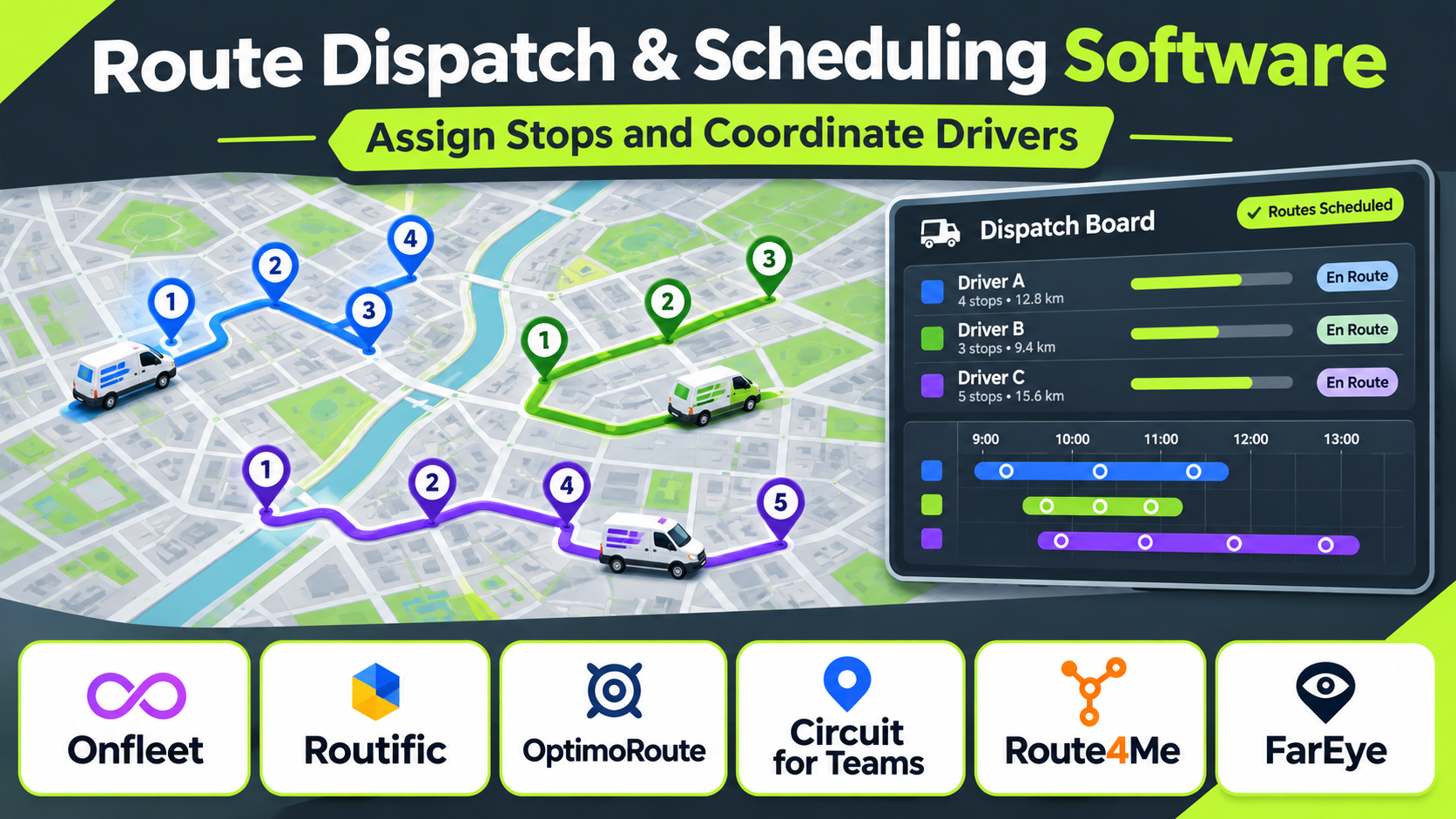
Route dispatch and scheduling software helps organizations manage these challenges through centralized planning, automated route calculations, assignment tools, and real-time operational visibility.
For example, a delivery company may need to distribute 200 customer orders among 15 vehicles. Each delivery has a destination, service duration, customer availability window, and sometimes special handling requirements. Route optimization software can help planners create feasible assignments while reducing unnecessary travel.
Service businesses face similar problems. HVAC technicians, maintenance workers, utility crews, and healthcare professionals must reach different locations while respecting appointments, qualifications, and workload constraints.
Modern route dispatch platforms can combine scheduling, driver communication, vehicle tracking, proof of delivery, customer notifications, and performance analytics. However, not every product supports all these capabilities.
Some platforms focus on delivery operations, while others specialize in field service scheduling, fleet routing, or complex vehicle routing optimization.
This guide compares ten route dispatch and scheduling software solutions, explains their capabilities and limitations, and provides practical guidance for choosing and implementing an appropriate platform.
What Is Route Dispatch & Scheduling Software?
Route dispatch and scheduling software helps businesses plan where mobile workers or vehicles should go, determine when they should arrive, and coordinate the execution of assigned work.
Route planning determines the order and geographic sequence of stops.
Scheduling determines when each job or delivery should occur.
Dispatch assigns the work to a driver, vehicle, technician, or team.
These activities are related but serve different purposes. A route may be geographically efficient but still violate appointment windows or vehicle capacity limits.
Advanced systems evaluate multiple constraints simultaneously.
Core Capabilities
Route optimization: Calculates routes according to travel and operational constraints.
Job scheduling: Assigns appointments or deliveries to suitable time windows.
Dispatch management: Distributes assignments to drivers and field employees.
Vehicle capacity planning: Accounts for supported weight, volume, or stop limits.
Driver applications: Provide routes, instructions, and job updates.
Live tracking: Displays vehicle or job progress when supported.
Customer communication: Sends arrival estimates and delivery notifications.
Proof of service: Records delivery confirmation, signatures, or photographs.
Reporting: Measures distance, completion rates, delays, and operational performance.
Common Applications
- Last-mile delivery and courier services.
- Field technician scheduling.
- Food and grocery distribution.
- Waste collection.
- Healthcare home visits.
- Utility maintenance.
- Wholesale distribution.
- Multi-stop business transportation.
Top 10 Route Dispatch & Scheduling Software
The following products represent different approaches to routing, dispatch, and scheduling. Their inclusion does not imply that all are directly interchangeable.
1. OptimoRoute
Overview
OptimoRoute is route planning and scheduling software designed for businesses managing deliveries and field service visits.
It helps organizations assign jobs to drivers or technicians while considering operational constraints such as time windows, vehicle capacity, and working hours.
Dispatchers can prepare daily routes and provide assignments to mobile workers. This can reduce the effort involved in manually arranging large numbers of stops.
OptimoRoute is relevant to delivery companies, distributors, and service businesses that need practical route optimization without building their own routing algorithms.
Key Features
- Multi-stop route optimization: Organizes multiple destinations into planned routes.
- Time-window scheduling: Accounts for customer availability requirements.
- Driver scheduling: Coordinates available personnel.
- Vehicle constraints: Supports configured vehicle limitations.
- Mobile driver application: Provides assignments and route information.
- Order planning: Organizes delivery and service tasks.
- Live tracking: Supports visibility into active operations.
- Proof of delivery: Records supported completion evidence.
- Performance reporting: Reviews route and workforce efficiency.
Benefits
OptimoRoute can reduce manual route planning and improve coordination between dispatchers and mobile workers.
Pros
- Strong multi-stop routing focus.
- Supports deliveries and field services.
- Handles operational constraints.
- Provides mobile workforce functionality.
- Useful for recurring route planning.
Cons
- Advanced requirements need careful configuration.
- Not a complete enterprise fleet maintenance platform.
- Integrations require evaluation.
- Subscription costs depend on operational needs.
Use Cases
Distribution: Schedule customer deliveries.
Field maintenance: Assign daily technician visits.
Home services: Coordinate multiple customer appointments.
Best For: Small and mid-sized delivery and field service organizations.
2. Routific
Overview
Routific is route optimization software focused on delivery planning and dispatch operations.
It helps delivery businesses organize stops, assign routes, and coordinate drivers.
The platform is especially relevant to organizations seeking a practical system for daily delivery routing rather than an extensive enterprise transportation management suite.
Routific can help businesses move from spreadsheet-based planning to structured route operations.
Key Features
- Route optimization: Organizes delivery stops.
- Delivery scheduling: Supports planned delivery windows.
- Driver assignments: Allocates work to drivers.
- Route visualization: Displays planned routes geographically.
- Driver mobile access: Shares route information.
- Delivery progress tracking: Monitors supported job statuses.
- Customer notifications: Communicates delivery information.
- Proof of delivery: Captures eligible completion records.
- Operational reporting: Reviews delivery performance.
Benefits
Routific can help delivery teams reduce planning time and coordinate daily routes more consistently.
Pros
- Delivery-focused design.
- Accessible route planning.
- Useful for multiple daily stops.
- Supports driver coordination.
- Suitable for growing delivery operations.
Cons
- Less suitable for complex industrial field service.
- Advanced transportation requirements may exceed its scope.
- Pricing depends on usage.
- Specialized integrations need verification.
Use Cases
Local delivery: Coordinate daily customer orders.
Food distribution: Schedule multiple drop-offs.
Courier operations: Organize driver assignments.
Best For: Local delivery businesses and small to mid-sized fleets.
3. Onfleet
Overview
Onfleet is a delivery management platform that combines dispatch, route optimization, driver communication, and delivery tracking.
It is particularly relevant to last-mile delivery businesses that need operational visibility throughout the delivery process.
Dispatchers can coordinate assignments while drivers use mobile applications to manage their tasks.
Onfleet also supports customer communication and delivery completion records, making it useful for organizations where delivery experience is a priority.
Key Features
- Automated dispatch: Supports assignment workflows.
- Route optimization: Improves multi-stop delivery planning.
- Driver applications: Provides mobile task management.
- Real-time tracking: Monitors active deliveries.
- Customer notifications: Sends supported delivery updates.
- Proof of delivery: Captures signatures and other evidence.
- Delivery analytics: Reviews performance.
- API integrations: Connects with supported business systems.
- Task management: Organizes delivery assignments.
Benefits
Onfleet can improve delivery coordination and customer visibility while reducing dependence on manual status updates.
Pros
- Strong last-mile delivery focus.
- Provides driver tracking.
- Supports customer notifications.
- Offers proof-of-delivery capabilities.
- Useful integration options.
Cons
- Primarily focused on delivery operations.
- Costs can rise with operational scale.
- Not a full field service asset management system.
- Advanced routing requirements should be tested.
Use Cases
Retail delivery: Manage customer orders.
Courier services: Coordinate mobile drivers.
Same-day delivery: Track urgent deliveries.
Best For: Last-mile delivery companies and logistics operations.
4. Route4Me
Overview
Route4Me is a route planning and optimization platform used by organizations managing mobile workers and vehicle fleets.
It supports multi-stop routing and related operational workflows.
The platform is relevant to delivery businesses, service teams, and organizations requiring configurable route planning.
Its modular approach can support different operational requirements, although buyers should carefully review which capabilities are included in their chosen configuration.
Key Features
- Multi-stop optimization: Plans routes across many destinations.
- Route scheduling: Organizes recurring or daily work.
- Driver management: Coordinates assigned routes.
- Mobile navigation: Supports field execution.
- Territory planning: Organizes geographic coverage.
- Tracking capabilities: Provides supported operational visibility.
- Proof-of-delivery options: Records completion information.
- Integration interfaces: Connects external systems.
- Route analytics: Reviews route performance.
Benefits
Route4Me can help businesses standardize routing processes across multiple drivers and operating areas.
Pros
- Flexible routing capabilities.
- Suitable for different industries.
- Supports mobile workers.
- Useful for multi-stop planning.
- Offers integration options.
Cons
- Feature packaging requires review.
- Complex configurations may require training.
- Pricing can vary with modules.
- Not every fleet requirement is covered.
Use Cases
Delivery fleets: Organize daily stops.
Field sales: Plan customer visits.
Service technicians: Coordinate geographic assignments.
Best For: Organizations needing configurable route planning.
5. Upper Route Planner
Overview
Upper Route Planner is a route optimization platform designed for businesses with delivery and mobile service operations.
It helps dispatchers organize multiple stops and communicate routes to field workers.
Upper is relevant to businesses transitioning from manual route planning toward centralized scheduling and dispatch.
Its primary strength is practical route planning rather than full enterprise resource management.
Key Features
- Multi-stop routing: Organizes destination sequences.
- Route optimization: Reduces inefficient travel patterns.
- Driver assignments: Allocates planned routes.
- Mobile route access: Provides driver instructions.
- Scheduling: Supports planned service windows.
- Proof-of-delivery capabilities: Records supported completion details.
- Route monitoring: Tracks operational progress.
- Data import: Supports structured stop information.
- Reporting: Reviews route results.
Benefits
Upper can simplify daily route preparation and reduce manual coordination.
Pros
- Accessible routing workflows.
- Useful for small fleets.
- Supports multi-stop planning.
- Provides mobile driver tools.
- Relevant to delivery operations.
Cons
- Enterprise logistics features may be limited.
- Advanced integrations require review.
- Complex constraints need testing.
- Subscription capabilities vary.
Use Cases
Local couriers: Plan delivery routes.
Service visits: Coordinate mobile workers.
Retail distribution: Organize customer stops.
Best For: Small and growing delivery businesses.
6. Circuit for Teams
Overview
Circuit for Teams is a delivery route planning and management solution designed to coordinate drivers and delivery assignments.
It focuses on making daily routes easier to plan, distribute, and execute.
The platform is relevant to delivery businesses that need shared operational visibility rather than individual route planning alone.
Its suitability depends on delivery volume, required integrations, and the complexity of scheduling constraints.
Key Features
- Route planning: Organizes delivery stops.
- Route optimization: Calculates efficient stop sequences.
- Driver assignment: Distributes work.
- Mobile navigation: Supports route execution.
- Delivery tracking: Monitors supported progress information.
- Recipient updates: Provides eligible delivery notifications.
- Proof of delivery: Records completion evidence.
- Team coordination: Shares route information.
- Delivery reporting: Reviews operational results.
Benefits
Circuit for Teams helps delivery managers coordinate drivers and maintain visibility into assigned work.
Pros
- Delivery-focused workflows.
- Accessible team routing.
- Supports mobile execution.
- Useful for multi-driver operations.
- Provides delivery status visibility.
Cons
- Not designed for every field service industry.
- Advanced logistics requirements may need other tools.
- Integration availability should be checked.
- Costs depend on the selected offering.
Use Cases
Parcel delivery: Organize driver routes.
Local distribution: Manage daily stops.
Courier teams: Coordinate delivery assignments.
Best For: Small and mid-sized delivery teams.
7. Samsara
Overview
Samsara is a connected operations platform with fleet management, vehicle telematics, routing, and operational visibility capabilities.
Unlike dedicated route optimization products, Samsara focuses on broader fleet operations.
It can help organizations monitor vehicles, review driving activity, and connect routing information with fleet operations.
This makes it relevant to companies that require dispatch visibility alongside vehicle safety and operational management.
Key Features
- GPS fleet tracking: Monitors connected vehicles.
- Routing tools: Supports planned vehicle routes.
- Dispatch visibility: Helps coordinate fleet operations.
- Vehicle telematics: Collects supported vehicle information.
- Driver applications: Supports mobile workflows.
- Safety monitoring: Reviews driving-related events.
- Maintenance information: Supports fleet maintenance processes.
- Operational alerts: Notifies teams about configured events.
- Analytics: Reviews fleet performance.
Benefits
Samsara can connect route operations with vehicle monitoring and fleet management.
Pros
- Broad fleet visibility.
- Strong telematics orientation.
- Supports driver management.
- Useful for vehicle-intensive businesses.
- Provides operational reporting.
Cons
- More extensive than basic routing software.
- Hardware requirements may apply.
- Contract and licensing costs require evaluation.
- Dedicated route optimization depth should be assessed separately.
Use Cases
Commercial fleets: Monitor routes and vehicles.
Distribution: Coordinate vehicle operations.
Field operations: Review fleet performance.
Best For: Vehicle-intensive organizations seeking connected fleet management.
8. Verizon Connect
Overview
Verizon Connect provides fleet management and vehicle tracking solutions with routing and dispatch-related capabilities.
It helps organizations understand vehicle locations and coordinate field operations.
The platform is relevant to businesses that manage commercial vehicles and need operational visibility beyond basic route sequencing.
Specific routing and scheduling capabilities depend on the selected Verizon Connect offering.
Key Features
- Vehicle tracking: Monitors connected fleet assets.
- Route visibility: Reviews vehicle movement.
- Dispatch support: Coordinates mobile operations.
- Fleet reporting: Analyzes operational activity.
- Driver information: Supports workforce oversight.
- Vehicle utilization: Reviews fleet use.
- Operational alerts: Identifies configured events.
- Mobile capabilities: Supports eligible field workflows.
- Integration options: Connects supported business systems.
Benefits
Verizon Connect can help fleet managers improve visibility into vehicle activity and coordinate dispatch decisions.
Pros
- Fleet management orientation.
- Supports vehicle tracking.
- Useful for commercial operations.
- Provides operational analytics.
- Relevant to geographically distributed teams.
Cons
- Hardware or contracts may be required.
- Routing capabilities vary by product.
- Not solely a route optimization solution.
- Implementation requires fleet planning.
Use Cases
Commercial fleets: Track vehicles.
Mobile services: Coordinate dispatched workers.
Distribution: Monitor operational routes.
Best For: Fleet-oriented businesses requiring vehicle visibility.
9. Tookan
Overview
Tookan is a delivery and task management platform designed to support dispatch, tracking, and mobile workforce coordination.
It is relevant to on-demand delivery services and businesses that assign location-based tasks.
The platform helps organizations manage task creation, assignment, and completion.
Its dispatch-oriented approach can be useful for delivery and mobile service workflows.
Key Features
- Task management: Organizes delivery and service assignments.
- Dispatch workflows: Assigns tasks to workers.
- Driver applications: Provides mobile task information.
- Tracking: Monitors supported delivery progress.
- Route-related capabilities: Supports operational routing.
- Customer notifications: Communicates task updates.
- Proof of delivery: Records supported completion evidence.
- Integrations: Connects supported applications.
- Analytics: Reviews operational activity.
Benefits
Tookan can help on-demand businesses coordinate tasks and provide customers with delivery visibility.
Pros
- Suitable for on-demand operations.
- Supports mobile workers.
- Provides dispatch functionality.
- Useful for delivery tracking.
- Offers integration possibilities.
Cons
- Advanced routing depth should be evaluated.
- Complex fleet requirements may need complementary systems.
- Pricing depends on usage.
- Setup requires process configuration.
Use Cases
On-demand delivery: Assign customer orders.
Courier services: Track tasks.
Mobile services: Coordinate field assignments.
Best For: On-demand delivery and task dispatch businesses.
10. WorkWave Route Manager
Overview
WorkWave Route Manager is route planning and optimization software associated with businesses that manage recurring routes and field operations.
It is particularly relevant to distribution, delivery, and service organizations seeking structured route planning.
The platform helps businesses coordinate stops, drivers, and operational schedules.
Organizations should evaluate its current product packaging and integrations against their specific routing requirements.
Key Features
- Route optimization: Plans multi-stop routes.
- Scheduling: Organizes service or delivery work.
- Driver assignments: Coordinates route execution.
- Territory-related planning: Supports geographic organization.
- Route visualization: Displays planned journeys.
- Operational constraints: Accounts for supported planning rules.
- Mobile workforce coordination: Shares assignments.
- Route monitoring: Reviews progress.
- Performance reporting: Analyzes route results.
Benefits
WorkWave Route Manager can help organizations reduce manual routing work and standardize recurring delivery schedules.
Pros
- Route management focus.
- Useful for recurring operations.
- Supports multiple stops.
- Relevant to delivery and service businesses.
- Provides route planning visibility.
Cons
- Current offering details require verification.
- Specialized integrations may need additional work.
- Advanced enterprise requirements need testing.
- Pricing is dependent on business needs.
Use Cases
Distribution: Plan recurring deliveries.
Service operations: Organize customer visits.
Route-based businesses: Coordinate daily work.
Best For: Distribution and service businesses managing repeated routes.
Route Dispatch & Scheduling Software Comparison Table
| Software | Primary Focus | Key Strength | Best For |
|---|---|---|---|
| OptimoRoute | Routing and scheduling | Operational constraints | Delivery and service teams |
| Routific | Delivery routing | Daily route planning | Local delivery |
| Onfleet | Last-mile delivery | Dispatch and tracking | Delivery businesses |
| Route4Me | Multi-stop routing | Configurable route planning | Mixed mobile operations |
| Upper Route Planner | Route optimization | Accessible planning | Small fleets |
| Circuit for Teams | Delivery teams | Driver coordination | Courier operations |
| Samsara | Connected fleets | Telematics and visibility | Commercial fleets |
| Verizon Connect | Fleet management | Vehicle tracking | Fleet operators |
| Tookan | On-demand dispatch | Task assignments | Delivery services |
| WorkWave Route Manager | Recurring routing | Route management | Distribution businesses |
How to Choose the Right Route Dispatch & Scheduling Software
1. Identify Your Operational Model
Determine whether the organization handles deliveries, service visits, recurring routes, or emergency assignments.
2. Evaluate Routing Constraints
Check support for appointment windows, driver hours, capacity, skills, and service durations.
3. Review Dispatch Flexibility
Dispatchers should be able to respond to cancellations, urgent requests, and unavailable workers.
4. Assess Mobile Applications
Drivers need clear assignments, navigation, job details, and completion procedures.
5. Consider Customer Communication
Determine whether arrival estimates, notifications, and proof of delivery are necessary.
6. Examine Fleet Integration
Vehicle-intensive businesses may require telematics, maintenance, and tracking information.
7. Evaluate Data Integrations
Check compatibility with order management, CRM, ERP, and field service systems.
8. Compare Reporting
Useful metrics include distance traveled, stops completed, on-time performance, and route utilization.
9. Review Total Cost
Include subscriptions, drivers, vehicles, hardware, implementation, and integrations.
10. Run a Realistic Pilot
Test actual delivery volumes, geographic areas, and scheduling constraints before deployment.
Best Route Dispatch Software by User Type
| User Type | Tool to Evaluate | Reason |
|---|---|---|
| Field service dispatchers | OptimoRoute | Multi-constraint scheduling |
| Local delivery businesses | Routific | Daily delivery planning |
| Last-mile operators | Onfleet | Delivery tracking |
| Mixed route operations | Route4Me | Configurable routing |
| Small delivery fleets | Upper Route Planner | Accessible optimization |
| Courier teams | Circuit for Teams | Team delivery coordination |
| Fleet managers | Samsara | Connected vehicle operations |
| Commercial fleet operators | Verizon Connect | Vehicle visibility |
| On-demand delivery teams | Tookan | Task dispatch |
| Recurring delivery businesses | WorkWave Route Manager | Route management |
Practical Example: Optimizing Daily Delivery Routes
A regional distributor operates twelve vehicles and handles approximately 180 daily deliveries.
Dispatchers currently divide orders manually and rely on driver experience to determine stop sequences.
Step 1: Collect Order Information
Prepare customer addresses, delivery quantities, service times, and appointment windows.
Step 2: Define Vehicle Constraints
Record available vehicles, capacity limits, operating hours, and geographic restrictions.
Step 3: Import Delivery Stops
Upload validated delivery records into the routing platform.
Step 4: Generate Routes
Use the software to calculate feasible assignments and stop sequences.
Step 5: Review Exceptions
Check unassigned stops, capacity violations, and unrealistic schedules.
Step 6: Dispatch Assignments
Send approved routes to drivers through supported mobile applications.
Step 7: Monitor Execution
Track delivery completion and adjust assignments when necessary.
Step 8: Measure Results
Compare travel distance, planning time, delivery punctuality, and failed deliveries against the previous process.
Common Mistakes to Avoid
- Using inaccurate addresses: Validate destination information before optimization.
- Ignoring service durations: Account for loading, unloading, and customer interaction.
- Overlooking vehicle constraints: Respect capacity and operational restrictions.
- Assuming optimized routes never change: Prepare for traffic and unexpected requests.
- Ignoring driver feedback: Field experience can reveal unrealistic assumptions.
- Failing to test integrations: Verify order and completion data synchronization.
- Overemphasizing distance: Balance efficiency with customer commitments.
- Neglecting performance monitoring: Review route outcomes regularly.
Frequently Asked Questions
1. What is route dispatch and scheduling software?
It helps businesses plan routes, assign mobile workers, and coordinate service or delivery schedules.
2. What is route optimization?
It is the process of finding efficient routes while respecting defined constraints.
3. How is routing different from dispatch?
Routing determines travel sequences, while dispatch assigns work to available resources.
4. Can routing software reduce travel distance?
It can reduce unnecessary travel when routes and input data are accurate.
5. Can software manage multiple drivers?
Yes. Many platforms support multi-driver operations.
6. Does routing software support delivery time windows?
Many products support configurable delivery windows.
7. Can routes be changed during the day?
Some platforms support dynamic changes and reassignment.
8. Can drivers access routes on mobile devices?
Most modern dispatch platforms provide mobile access.
9. What is proof of delivery?
It is evidence that a delivery was completed, such as a signature or photograph.
10. Can routing software send customer notifications?
Many delivery platforms support customer updates.
11. Does route optimization account for vehicle capacity?
Some products support weight, volume, or other capacity constraints.
12. Can route planning software support field technicians?
Yes. Several products support mobile service visits.
13. What is dynamic dispatch?
It involves updating assignments as operational conditions change.
14. Can routing software integrate with CRM?
Many platforms provide integrations or APIs.
15. Is GPS tracking included?
It depends on the product and selected features.
16. Can small businesses use routing software?
Yes. Several platforms target small fleets.
17. Can routes be planned for recurring customers?
Many systems support repeated delivery or service schedules.
18. What is fleet telematics?
It involves collecting vehicle-related operational information through connected devices.
19. Does routing software replace fleet management?
Not necessarily. Fleet management includes additional vehicle, maintenance, and safety functions.
20. How should businesses measure route efficiency?
Track travel distance, completed stops, punctuality, and operating costs.
21. Can routing software support urgent requests?
Some platforms allow dispatchers to insert or reassign urgent jobs.
22. What data is needed for route optimization?
Addresses, stops, time windows, resource availability, and relevant operational constraints.
23. Can routing software improve customer satisfaction?
It may help through more reliable schedules and better delivery communication.
24. How should businesses test routing software?
Use realistic routes, drivers, service durations, and constraints during a pilot.
25. What is the best route dispatch software?
The best option depends on the organization’s routing complexity, fleet size, integrations, and operational needs.
Final Thoughts
Route dispatch and scheduling software helps businesses coordinate mobile resources more efficiently.
OptimoRoute, Routific, Route4Me, Upper Route Planner, and Circuit for Teams focus on practical route planning and delivery coordination.
Onfleet and Tookan emphasize delivery and task dispatch, while Samsara and Verizon Connect provide broader fleet visibility.
WorkWave Route Manager is relevant to organizations managing recurring routes and service operations.
The right platform should support actual operational constraints rather than simply produce the shortest geographic route.
Organizations should evaluate scheduling flexibility, mobile usability, integrations, reporting, and cost before deployment.
With accurate data and well-designed processes, route dispatch software can reduce manual planning, improve operational visibility, and support more reliable customer service.