Introduction
Catering businesses operate at the intersection of food service, event planning, logistics, and customer relationship management.
A restaurant usually prepares meals within a relatively predictable operating environment.
A catering company may need to serve two hundred guests at a venue it has never visited, transport equipment across a city, accommodate dietary requirements, coordinate temporary staff, and deliver food at a precise time.
Each event creates a different combination of requirements.
A small change in guest count can affect ingredient purchasing, staffing, equipment, transportation, and profitability.
When these details are spread across emails, spreadsheets, calendars, and paper documents, mistakes become difficult to prevent.
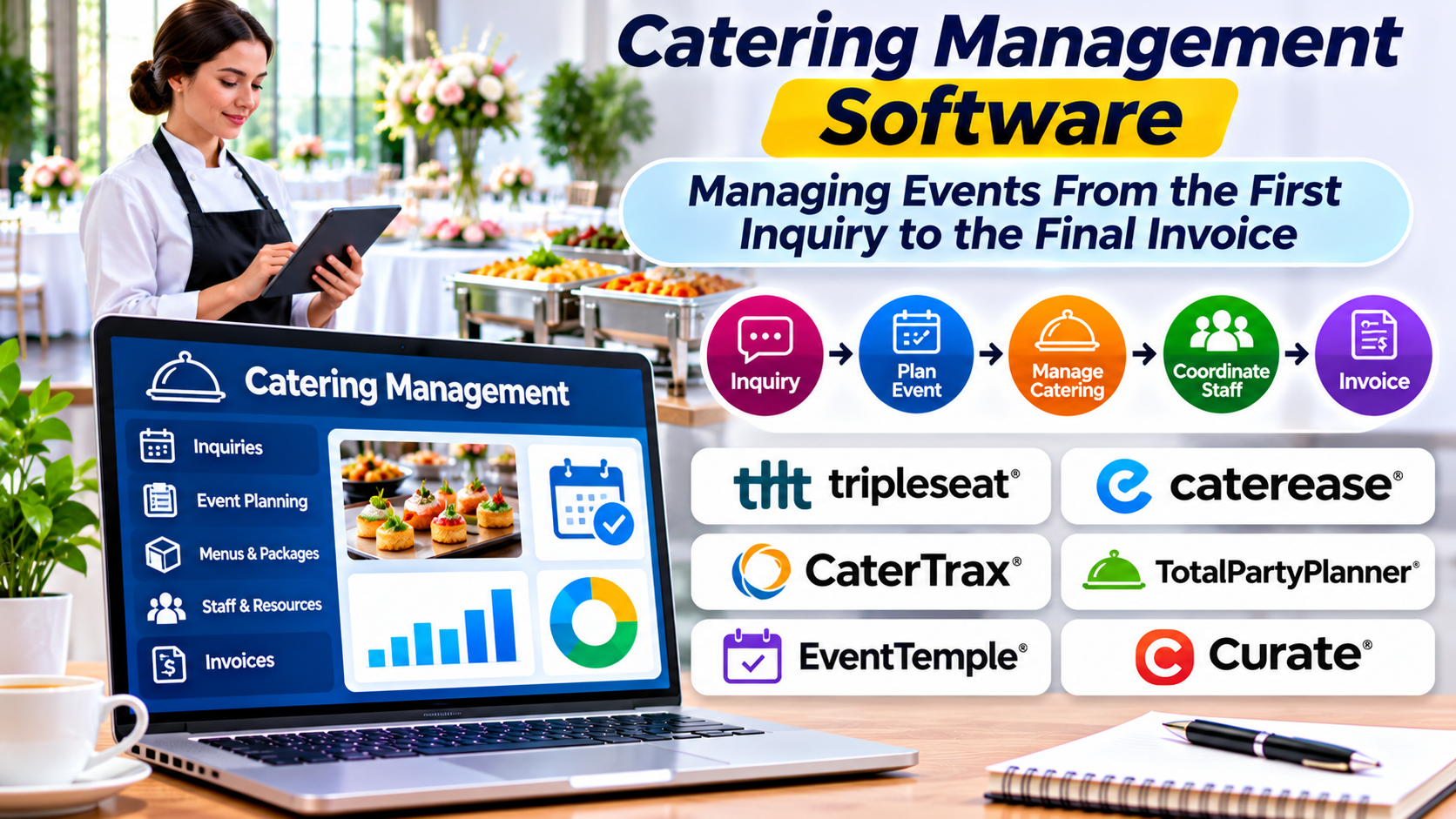
Catering management software helps businesses organize the complete event lifecycle.
It can connect inquiries, proposals, menus, production planning, staffing, delivery, billing, and reporting.
However, catering operations vary significantly.
A corporate lunch delivery service does not need the same system as a full-service wedding caterer.
The right platform should reflect the events the business actually delivers.
What Is Catering Management Software?
Catering management software is a category of applications designed to coordinate the commercial and operational activities involved in catering services.
Depending on the platform, it may support:
- Customer inquiries
- Event bookings
- Sales pipelines
- Proposals and quotations
- Contracts
- Menu planning
- Guest counts
- Dietary requirements
- Kitchen production
- Ingredient purchasing
- Equipment management
- Staff scheduling
- Delivery coordination
- Event timelines
- Deposits and payments
- Invoicing
- Profitability reporting
Some products focus on catering sales and event administration.
Others emphasize online ordering and delivery.
More comprehensive platforms may connect sales planning with kitchen production and event execution.
Businesses should examine the actual workflows supported rather than relying on broad descriptions such as all-in-one catering software.
Why Catering Requires Different Software From Restaurants
Catering involves several operational characteristics that distinguish it from ordinary restaurant service.
Every Event Has a Different Scope
An event may require a simple boxed lunch or a multi-course banquet.
Guest counts, service styles, venue requirements, and delivery arrangements can vary substantially.
Software must support these differences without requiring employees to rebuild every document manually.
Planning Begins Before Production
Catering work often starts days or weeks before food preparation.
The business may need to prepare a proposal, negotiate the menu, collect a deposit, and confirm event details.
These commercial activities influence operational planning.
Changes Have Multiple Consequences
An increase in guest count affects more than the number of meals.
It may change ingredient purchasing, staffing, equipment, transportation, and service timing.
A catering platform should help employees recognize and communicate these dependencies.
Service Happens Outside the Kitchen
Many catering businesses operate at customer venues.
They must coordinate loading, transportation, setup, service, cleanup, and equipment return.
These tasks require more than conventional restaurant order management.
The Complete Catering Event Lifecycle
A useful way to evaluate software is to follow an event from the first customer inquiry to financial closure.
1. Customer Inquiry
A potential customer contacts the catering company.
The inquiry may include event date, venue, estimated guest count, budget, and preferred service style.
The software should capture this information in a structured record.
2. Qualification
The business determines whether it can accommodate the event.
Relevant questions include kitchen capacity, staff availability, venue logistics, and required equipment.
A booking should not be accepted solely because the calendar appears open.
3. Proposal Development
The catering team prepares menu options, service details, pricing, and relevant conditions.
The software may generate a branded proposal or quotation.
4. Contract and Deposit
Once the customer accepts the proposal, the business records the agreement and payment arrangements.
The platform may support contracts, electronic signatures, or integrations with relevant services.
5. Event Planning
The team finalizes guest counts, menus, dietary needs, staffing, equipment, and transportation.
These details should be accessible to the employees responsible for execution.
6. Kitchen Production
The kitchen receives production instructions and prepares the required quantities.
Ingredient purchasing and preparation schedules should reflect the confirmed event requirements.
7. Delivery and Event Service
Staff transport food and equipment, set up the venue, and provide the agreed service.
The business may use checklists and event timelines to coordinate responsibilities.
8. Financial Reconciliation
After the event, the company reviews additional charges, final payments, expenses, and profitability.
This closes the operational and financial record.
Essential Catering Management Features
Inquiry and Customer Relationship Management
Catering sales often involve multiple conversations before a booking is confirmed.
A useful CRM workflow should preserve customer information, event requirements, quotations, and follow-up activity.
This helps prevent opportunities from being lost when employees are busy with existing events.
Proposal and Quotation Management
Proposals should clearly describe what the customer will receive.
Relevant details may include menus, quantities, service hours, equipment, staffing, and pricing.
Software should make revisions manageable.
If a customer changes the menu or guest count, the updated proposal should reflect those changes consistently.
Event Calendar
An event calendar provides visibility into upcoming commitments.
However, calendar availability alone is insufficient.
The business also needs to consider kitchen capacity, delivery resources, and staff availability.
A platform that supports resource planning can provide a more useful operational picture.
Menu and Package Management
Catering businesses may sell standard packages, custom menus, or combinations of both.
Software should support the relevant pricing structure.
It should also preserve the details necessary for production.
A menu description suitable for a customer proposal may not contain enough information for kitchen preparation.
Guest Count Management
Guest counts frequently change during event planning.
The system should track confirmed quantities and relevant deadlines.
Changes should update affected operational records where supported.
Businesses should establish clear approval procedures for late changes.
Production Planning
Production planning connects event requirements with kitchen activity.
Useful outputs may include preparation lists, quantities, production schedules, and packing instructions.
The system should help prevent employees from working from outdated event information.
Staffing and Equipment
Full-service catering may require servers, chefs, bartenders, drivers, and event coordinators.
Equipment requirements may include tables, service stations, warming equipment, and serving utensils.
Resource planning should help identify conflicts between events.
Billing and Payments
Catering payments often involve deposits, scheduled installments, and final invoices.
Software should support the business’s commercial arrangements and maintain accurate financial records.
Catering Management Software Worth Evaluating
The following examples illustrate different approaches to catering operations.
They are not an independently tested ranking.
Caterease
Caterease provides catering and event management software covering sales and operational planning workflows.
Its offering is relevant to businesses managing event proposals, bookings, and detailed catering administration.
Consider it when: The company handles complex catered events requiring structured planning.
Evaluate: Proposal workflows, event documentation, integrations, reporting, and implementation requirements.
Total Party Planner
Total Party Planner focuses on catering and event management workflows.
Its capabilities are relevant to caterers coordinating sales, menus, event details, and operational planning.
Consider it when: The business needs a dedicated catering administration platform.
Evaluate: Menu management, production documents, customer records, financial workflows, and staff usability.
Curate
Curate provides software associated with event business workflows, including proposal and operational management capabilities.
Its suitability depends on the specific event services and product modules involved.
Consider it when: The catering company wants structured sales and event documentation.
Evaluate: Catering-specific functionality, contract workflows, integrations, and current product scope.
Flex Catering
Flex Catering provides catering management technology covering ordering and operational workflows.
It may be relevant to businesses coordinating catering orders and production activities.
Consider it when: The organization needs catering ordering connected with day-to-day fulfillment.
Evaluate: Ordering workflows, production planning, customer interfaces, and integration requirements.
CaterZen
CaterZen provides catering management software associated with catering sales, ordering, and operational workflows.
It may be relevant to businesses seeking software designed around recurring catering activity.
Consider it when: The company wants to coordinate catering sales and fulfillment in a focused application.
Evaluate: Ordering, event management, production records, payments, and reporting.
Vendor capabilities and availability should be confirmed directly before selection.
Different Catering Businesses Need Different Systems
Corporate Catering
Corporate catering often involves recurring customers, predictable delivery windows, and repeatable menu packages.
Important capabilities may include online ordering, customer accounts, invoicing, and production planning.
Wedding and Social Event Catering
These businesses frequently manage customized proposals, long planning periods, contracts, staffing, and venue logistics.
Event documentation and change management become especially important.
Drop-Off Catering
Drop-off catering focuses on preparing and delivering food without extensive on-site service.
Order management, packaging, delivery timing, and kitchen coordination may be the highest priorities.
Institutional Catering
Schools, healthcare facilities, and other institutions may require recurring meal planning, dietary controls, and formal purchasing arrangements.
Software requirements can extend beyond conventional event catering.
Multi-Location Catering Operations
Businesses operating several kitchens may need centralized sales administration and location-specific production planning.
The platform should support consistent reporting without ignoring local capacity constraints.
How Catering Software Helps Control Event Costs
Catering profitability depends on accurate estimates and disciplined execution.
The business must account for more than food ingredients.
Relevant expenses may include:
- Food and beverages
- Preparation labor
- Event service labor
- Equipment rental
- Transportation
- Packaging
- Venue-related charges
- Cleaning
- Administrative work
- Payment processing
Consider a hypothetical event with a customer price of $5,000.
Estimated direct costs might include $1,400 for ingredients, $1,200 for labor, $400 for transportation and equipment, and $200 for other direct expenses.
The estimated contribution before overhead and other excluded costs would be $1,800.
If staffing increases unexpectedly or ingredient costs rise, the actual contribution may be lower.
This is why catering software should help compare estimated and actual event costs.
A proposal can appear profitable at the quotation stage but produce a disappointing outcome after execution.
Managing Event Changes Without Losing Control
Change management is one of the most valuable capabilities in catering software.
Imagine a customer increasing an event from 100 guests to 130 guests three days before service.
The additional thirty guests may require more ingredients, additional staff, larger transportation capacity, and extra equipment.
The business should determine whether it can accommodate the change before confirming it.
A reliable workflow should record the revised guest count, update affected plans, and communicate the approved changes.
It should also preserve a history of important revisions.
Without version control, kitchen employees may prepare quantities from an outdated document.
Dietary Requirements and Food Safety
Catering businesses may receive requests involving allergies, intolerances, religious dietary practices, and other food preferences.
These requirements must be communicated accurately.
Software can help record relevant instructions and connect them with event planning.
However, entering a dietary note does not guarantee that the kitchen can safely fulfill the request.
Businesses need appropriate ingredient information, preparation procedures, cross-contact controls, and employee training.
Catering software should support these practices without making unsupported safety guarantees.
Equipment and Resource Planning
Equipment shortages can disrupt an event even when food production is successful.
A catering business may need warming units, serving equipment, transport containers, tables, and other resources.
Some equipment may be owned, while other items are rented.
Resource planning tools can help track requirements and identify conflicts.
For example, two events scheduled on the same evening may require the same limited equipment.
The software should make that conflict visible before employees finalize both plans.
Measuring Catering Business Performance
Inquiry Conversion Rate
Inquiry conversion rate measures how many qualified inquiries become confirmed bookings.
The business should define the calculation consistently.
Average Event Value
Average event value shows the typical monetary value of booked events.
It can help evaluate customer mix and sales trends.
Estimated Versus Actual Event Cost
This comparison reveals whether quotations accurately reflect operational expenses.
Large differences may indicate purchasing changes, staffing problems, or incomplete estimates.
Event Contribution Margin
Contribution margin measures the amount remaining after the defined variable or direct costs are deducted.
Businesses should document which costs are included.
Customer Repeat Business
Repeat bookings can be important in corporate and institutional catering.
The metric should be interpreted alongside the normal booking cycle.
Operational Errors
Missing equipment, incorrect quantities, delivery delays, and other failures can reveal weaknesses in planning.
Recording these incidents helps identify recurring problems.
Integration Requirements
Catering management software may need to connect with accounting applications, payment providers, calendars, inventory systems, and customer communication tools.
Some businesses also require integrations with online ordering or restaurant POS software.
Integration quality should be evaluated using real workflows.
For example, a confirmed event may need to create a financial record and a kitchen production plan.
If the software requires employees to enter the same details repeatedly, administrative errors may persist.
Businesses should determine which system owns each record and how updates are synchronized.
Security and Customer Data
Catering platforms may store customer contact details, event locations, payment references, contracts, and dietary information.
Access should be limited according to employee responsibilities.
A kitchen employee may need menu and dietary instructions without requiring unrestricted access to customer financial records.
Businesses should examine vendor security practices, data retention, backups, and export options.
They should also establish policies for protecting event information and customer records.
A Practical Software Evaluation Checklist
Before purchasing, use a representative event to test the platform.
Start with a customer inquiry.
Create a proposal and revise the guest count.
Add dietary requirements and equipment needs.
Confirm the booking and record a deposit.
Generate production instructions and assign staff.
Then simulate a last-minute change.
Finally, produce the final invoice and review estimated versus actual costs.
This exercise reveals whether the software supports the complete catering lifecycle.
It also exposes workflows that still require spreadsheets or manual coordination.
Common Catering Software Selection Mistakes
Choosing a General CRM Without Operational Planning
A CRM may help manage inquiries but lack kitchen production, equipment, and event execution capabilities.
Ignoring Event Changes
Catering plans rarely remain completely static.
Software should support revisions without creating conflicting records.
Underestimating Staff Training
Sales teams, kitchen employees, and event coordinators use different parts of the system.
Training should reflect their responsibilities.
Focusing Only on Proposal Appearance
Attractive proposals are useful, but they do not replace accurate production and financial records.
Overlooking Delivery and Equipment Logistics
Transportation and equipment can be major sources of event problems.
They should be included in the evaluation.
Failing to Compare Estimated and Actual Costs
Without this comparison, businesses may repeat unprofitable pricing decisions.
Frequently Asked Questions
What is catering management software?
It is software that helps catering businesses coordinate inquiries, proposals, bookings, menus, production, staffing, delivery, billing, and reporting.
Is catering software different from restaurant POS software?
Yes. Restaurant POS software primarily handles transactions and restaurant ordering. Catering software often supports longer event planning cycles and more complex operational coordination.
Can catering software manage weddings and corporate events?
Some platforms support both. Businesses should verify whether the product handles their specific event formats and service requirements.
Does catering software include inventory management?
Some systems include inventory or purchasing capabilities, while others integrate with separate applications.
Can catering software help improve profitability?
It can improve cost visibility and planning. Actual profitability depends on accurate estimates, pricing, purchasing, and execution.
Is dedicated catering software necessary for small businesses?
Not always. Small operations may initially manage events with simpler tools. Dedicated software becomes more valuable as event volume and complexity increase.
Final Thoughts
Catering management software should connect the promises made during sales with the work required to deliver an event successfully.
A polished proposal is only the beginning.
The business must also purchase ingredients, schedule staff, prepare food, transport equipment, meet service expectations, and collect accurate payments.
The right platform helps employees work from consistent information throughout that process.
Corporate caterers may prioritize repeat ordering and efficient production.
Full-service event caterers may need detailed proposals, resource planning, and change control.
Larger businesses may require financial integration and multi-location oversight.
The best choice comes from testing a complete event workflow and identifying where information is currently lost, duplicated, or misunderstood.
When software supports those real operational needs, catering businesses can deliver more consistent events while maintaining better control over time, resources, and profitability.