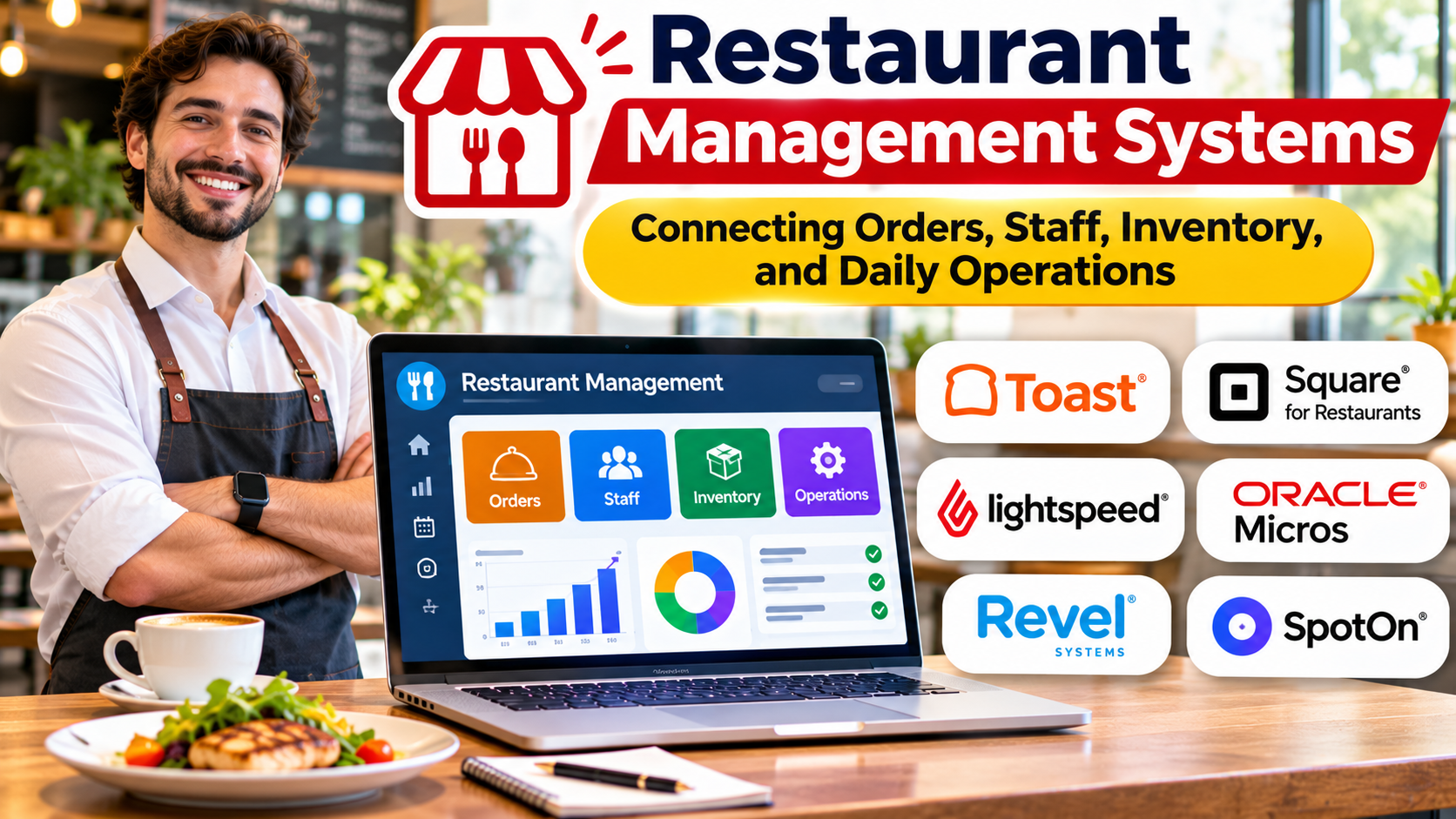
Introduction
A restaurant can serve excellent food and still struggle to operate profitably.
Orders may reach the kitchen late. Ingredient costs may increase without anyone noticing. Employees may work unexpected overtime, while managers spend hours reconciling sales across different ordering channels.
These problems rarely exist in isolation.
A delayed order affects customer satisfaction. Poor inventory visibility increases waste. Inaccurate sales information makes purchasing and staffing decisions more difficult.
Restaurant management systems help operators coordinate these activities through connected software.
However, restaurant management is not one universal workflow.
A quick-service restaurant needs fast order processing and dependable kitchen coordination. A fine-dining restaurant may prioritize table service, reservations, and guest experience. A multi-location operator may need centralized reporting, purchasing controls, and standardized procedures.
The right system should reflect how the restaurant actually operates rather than forcing every business into the same process.
What Is a Restaurant Management System?
A restaurant management system is software that supports the operational, administrative, and commercial activities of a food service business.
It may combine several functions within one platform or connect specialized applications through integrations.
Common capabilities include:
- Point-of-sale transactions
- Order management
- Menu administration
- Kitchen communication
- Inventory tracking
- Purchasing
- Employee scheduling
- Time and attendance
- Online ordering
- Delivery integration
- Customer management
- Financial reporting
- Multi-location administration
Some products focus primarily on POS functionality.
Others offer broader restaurant operations platforms.
Businesses should examine the actual modules included rather than assuming every advertised restaurant management system provides complete coverage.
Why Restaurant Operations Need Connected Technology
A restaurant’s operational activities are closely related.
Consider a customer ordering a burger, fries, and a drink.
The order enters the POS system.
The kitchen must receive the correct preparation instructions.
The inventory system may need to account for the ingredients consumed.
The payment system records the transaction.
Sales reporting must reflect the purchase accurately.
If the order came through a delivery channel, the restaurant may also need to coordinate pickup timing and external fees.
When these systems operate independently, staff may repeatedly enter the same information.
That increases the risk of errors and creates administrative work.
Connected technology can reduce unnecessary duplication and improve operational visibility.
However, integration quality matters more than the number of available applications.
A restaurant should understand which system owns each important record and how updates move between systems.
The Core Operational Layers of Restaurant Management
Point-of-Sale Operations
The POS system is often the central transaction interface.
Employees use it to enter orders, process payments, apply discounts, and close transactions.
Restaurant-specific POS requirements can include:
- Menu modifiers
- Split bills
- Table assignments
- Tips and gratuities
- Order transfers
- Discounts
- Refunds
- Offline transaction handling
- Kitchen routing
The appropriate capabilities depend on the restaurant’s service model.
A counter-service café may need a streamlined checkout interface.
A full-service restaurant may require detailed table and bill management.
Kitchen Operations
Kitchen workflows determine how customer orders become prepared meals.
Restaurants may use printed tickets, kitchen display systems, or a combination of both.
A kitchen display system can organize orders by preparation station and status.
For example, grill items may appear on one screen while drinks appear at another station.
The system should communicate modifiers and special instructions clearly.
Reliable kitchen coordination becomes particularly important during peak service.
Inventory and Purchasing
Restaurant inventory management tracks ingredients, supplies, purchases, usage, and waste.
The objective is not merely to count stock.
Operators need to understand how purchasing and consumption affect food costs.
Useful capabilities may include ingredient records, supplier information, purchase orders, stock adjustments, and recipe-based consumption estimates.
More advanced systems may connect sales information with ingredient usage.
However, calculated inventory consumption should not be confused with physically verified stock.
Actual waste, portion variation, and preparation differences can create discrepancies.
Employee Management
Labor is a major operating expense for many restaurants.
Employee management tools may support scheduling, time tracking, shift changes, and labor reporting.
Some systems also integrate with payroll providers.
Managers should verify whether the software supports local employment requirements and applicable scheduling practices.
Labor optimization should not come at the expense of legal compliance or reasonable working conditions.
Online Ordering and Delivery
Restaurants increasingly receive orders through websites, applications, and third-party delivery services.
These channels may have different menus, prices, fees, and fulfillment requirements.
A restaurant management system can help coordinate incoming orders and reduce manual entry.
However, delivery integration should be tested carefully.
Operators need to know how cancellations, unavailable items, order changes, and refunds are handled.
Reporting and Business Analysis
Restaurant reporting should connect operational activity with financial performance.
Useful reports may include sales by channel, product mix, labor expenses, inventory costs, discounts, refunds, and location-level performance.
Reports should use consistent definitions.
For example, gross sales, net sales, collected payments, and revenue after delivery fees are not interchangeable figures.
Restaurant Management Needs Vary by Service Model
Quick-Service Restaurants
Quick-service operations prioritize speed, order accuracy, and high transaction volume.
Important capabilities include fast POS workflows, kitchen routing, menu consistency, and order status management.
Self-service ordering may also be relevant.
Full-Service Restaurants
Full-service restaurants need coordination between tables, servers, kitchen teams, and payments.
Table management, split checks, service timing, and guest communication may be particularly important.
Cafés and Bakeries
Cafés may require rapid checkout, product variations, loyalty programs, and straightforward inventory controls.
Businesses producing baked goods may also need production planning and waste tracking.
Delivery-Focused Kitchens
Delivery-focused operations depend heavily on order aggregation, preparation timing, and dispatch coordination.
Their requirements may differ substantially from restaurants serving customers on-site.
Multi-Location Restaurant Groups
Restaurant groups need centralized oversight without preventing individual locations from operating effectively.
They may require shared menus, purchasing controls, permissions, reporting, and location-specific configurations.
Restaurant Management Platforms Worth Evaluating
The following products illustrate different approaches to restaurant technology.
Their suitability depends on geographic availability, product configuration, and operational requirements.
Toast
Toast provides restaurant-focused technology covering POS and related operational functions.
Its ecosystem includes capabilities associated with ordering, payments, kitchen workflows, and restaurant administration.
Where it fits: Restaurants seeking a connected, restaurant-oriented technology environment.
What to evaluate: Geographic availability, hardware requirements, payment arrangements, integrations, and total cost.
Square for Restaurants
Square for Restaurants provides restaurant POS functionality within the broader Square ecosystem.
Its approach may appeal to restaurants seeking accessible payment and operational tools.
Where it fits: Smaller and growing restaurants evaluating integrated POS and payments.
What to evaluate: Service-model features, supported countries, hardware compatibility, and additional software requirements.
Lightspeed Restaurant
Lightspeed offers restaurant POS and management-related capabilities.
It is relevant to hospitality businesses evaluating restaurant-focused sales and operational technology.
Where it fits: Restaurants requiring POS workflows and connected business administration.
What to evaluate: Regional product availability, integrations, reporting, and implementation requirements.
Oracle MICROS Simphony
Oracle MICROS Simphony is an enterprise-oriented restaurant POS platform.
It is relevant to complex food service operations and larger organizations requiring extensive operational configuration.
Where it fits: Enterprise restaurants, hospitality environments, and multi-location operations.
What to evaluate: Deployment architecture, implementation resources, integration requirements, and long-term administration.
Odoo
Odoo provides a broader business application environment that includes POS, inventory, purchasing, accounting, and other modules.
Its modular approach may be relevant to businesses wanting restaurant operations connected with wider enterprise processes.
Where it fits: Organizations evaluating a configurable business software ecosystem.
What to evaluate: Restaurant-specific functionality, configuration effort, localization, and implementation support.
Comparing Restaurant Software Approaches
| Approach | Main advantage | Main trade-off |
|---|---|---|
| Integrated restaurant platforms | Connected workflows | Dependence on one ecosystem |
| POS-centered systems | Strong transaction handling | May require additional applications |
| Modular business software | Broad operational coverage | Configuration complexity |
| Enterprise restaurant systems | Multi-location and governance capabilities | Higher implementation demands |
| Specialized application stack | Focused functionality | Integration and support complexity |
The best architecture depends on the business’s size and operating model.
A single-location café may prefer a tightly integrated platform.
A restaurant group with established financial and workforce systems may need software that integrates with those investments.
How to Evaluate Restaurant Management Software
Test the Busiest Service Period
A restaurant system should be evaluated under realistic operating pressure.
A demonstration during a quiet period may not reveal problems that occur when dozens of orders arrive simultaneously.
Ask the vendor to demonstrate order entry, modifications, kitchen routing, payment processing, and exception handling.
The system should remain understandable when staff members are working quickly.
Examine Offline Operation
Internet connectivity can fail.
Restaurants should determine which functions remain available during an outage.
Some systems support limited offline operations, but the exact capabilities vary.
Businesses should verify how transactions synchronize after connectivity returns and what restrictions apply to payment processing.
Check Menu Management
Menus change frequently.
Operators may introduce seasonal items, adjust prices, remove unavailable products, or create location-specific offerings.
The system should make these changes manageable.
For multi-location businesses, central control and local flexibility must be balanced carefully.
Evaluate Hardware Requirements
Restaurant technology often depends on terminals, tablets, receipt printers, payment devices, kitchen screens, and network equipment.
Hardware compatibility can influence implementation cost.
Businesses should determine whether existing devices can be reused.
They should also understand maintenance and replacement responsibilities.
Verify Integration Depth
An integration listing does not guarantee that every workflow is supported.
Ask which data moves between systems, how frequently it updates, and what happens when synchronization fails.
For example, an inventory integration may transfer sales totals without supporting detailed ingredient consumption.
That difference can materially affect operations.
Understanding Restaurant Technology Costs
Restaurant software expenses may include:
- Software subscriptions
- POS hardware
- Payment processing
- Installation
- Employee training
- Integration services
- Support
- Maintenance
- Additional modules
Some vendors bundle hardware, software, and payment services.
Others price components separately.
A restaurant should compare the complete commercial arrangement rather than the advertised subscription price alone.
Contract terms, cancellation conditions, data export, and hardware ownership also deserve attention.
Measuring Restaurant Performance
Restaurant management systems can provide useful operational information.
However, managers need to interpret metrics carefully.
Food Cost Percentage
Food cost percentage generally compares food-related costs with relevant food sales over a defined period.
The exact calculation should be consistent.
Changes may reflect supplier prices, portion sizes, waste, or product mix.
Labor Cost Percentage
Labor cost percentage relates labor expenses to a defined sales or revenue measure.
It can help managers understand staffing economics.
However, reducing labor cost without considering service quality can create operational problems.
Average Order Value
Average order value measures the average monetary value of orders over a defined period.
It can help identify changes in purchasing patterns.
Table Turnover
Table turnover is relevant to dine-in restaurants.
It measures how frequently tables serve different parties during a period.
Higher turnover is not always desirable if it damages the dining experience.
Order Preparation Time
Preparation time helps operators understand kitchen performance.
It should be interpreted alongside order complexity and accuracy.
Inventory Variance
Inventory variance compares expected stock with physically verified quantities.
Large discrepancies may indicate waste, recording errors, portion inconsistency, or other operational problems.
Data Security and Access Control
Restaurant systems process payment-related information, employee records, sales data, and potentially customer information.
Businesses should evaluate access permissions, security documentation, payment compliance responsibilities, and audit records.
Employees should receive access appropriate to their roles.
For example, a server may need to process orders and payments without receiving permission to change financial reports or employee payroll information.
Administrative actions such as refunds, discounts, and price changes may require additional controls.
Restaurants should also understand how data can be exported if they change software providers.
A Practical Implementation Strategy
Document Existing Workflows
Before implementation, map how orders, payments, inventory, and employee records currently move through the business.
Identify manual work and recurring errors.
Configure Menus and Permissions
Set up menu items, modifiers, prices, taxes, and employee access rules.
Review configurations carefully before launch.
Test End-to-End Transactions
Place representative orders and follow them through kitchen preparation, payment, and reporting.
Include refunds, split bills, cancellations, and unavailable items.
Train Staff by Role
Servers, kitchen teams, managers, and administrators need different training.
Training should focus on real operating scenarios.
Plan for Technical Problems
Establish procedures for internet outages, hardware failures, and integration disruptions.
Employees should know how to continue service safely.
Review Results After Launch
Monitor order accuracy, payment problems, staff feedback, and reporting discrepancies.
Resolve critical issues before expanding to additional locations.
Common Restaurant Software Selection Mistakes
Choosing Based Only on POS Features
A strong checkout system may not provide the inventory, purchasing, or workforce capabilities the restaurant needs.
Ignoring Kitchen Workflows
Kitchen coordination affects service speed and order accuracy.
Software selection should include kitchen staff, not only managers.
Underestimating Training
Even well-designed systems require staff familiarity.
Poor training can increase errors during busy service periods.
Overlooking Contract Restrictions
Payment processing arrangements, hardware requirements, and cancellation terms can affect long-term flexibility.
Assuming Every Integration Is Complete
Businesses should verify actual data flows and exception handling.
Buying More Software Than Necessary
Complex systems can increase administrative effort.
The best solution supports essential workflows without introducing unnecessary operational burden.
Frequently Asked Questions
What is a restaurant management system?
It is software that helps restaurants coordinate operational activities such as orders, payments, inventory, staffing, and reporting.
Is restaurant management software the same as a POS system?
Not necessarily. POS software focuses on sales transactions, while restaurant management systems may cover a wider range of operational and administrative functions.
Can restaurant management software track food costs?
Some systems support inventory, recipes, purchasing, and food cost analysis. Businesses should verify the specific calculations and data requirements.
Do restaurants need cloud-based software?
Cloud-based systems offer certain management and integration advantages, but suitability depends on connectivity, operational requirements, and available alternatives.
Can one platform manage multiple restaurant locations?
Some products provide centralized multi-location administration. Businesses should evaluate permissions, menu management, reporting, and location-specific configuration.
How long does restaurant software implementation take?
Implementation time varies according to restaurant size, hardware requirements, integrations, data migration, and employee training.
Final Thoughts
Restaurant management systems are most effective when they connect the activities that determine daily service quality and financial performance.
A restaurant does not benefit from technology simply because it offers more features.
It benefits when orders reach the kitchen correctly, employees can work efficiently, inventory records become more dependable, and managers receive useful information.
Small restaurants may prefer straightforward integrated systems.
Larger operators may require enterprise controls and specialized integrations.
The right choice begins with observing real restaurant operations, identifying recurring problems, and testing software against the situations employees face during service.
When technology supports those workflows reliably, restaurant management becomes more consistent, measurable, and easier to improve.