Introduction
Legacy applications continue to support important business functions across banking, manufacturing, government, healthcare, and enterprise IT. Many of these systems remain reliable, but their underlying technologies can be expensive to maintain and difficult to integrate with modern applications.
Older applications may depend on proprietary runtimes, outdated operating systems, unsupported frameworks, or specialized hardware. Organizations may also face shortages of engineers familiar with these environments.
Legacy modernization and replatforming tools help businesses transition existing applications toward supported technologies. They can assist with code conversion, dependency analysis, runtime replacement, infrastructure migration, and application restructuring.
Replatforming typically involves changing an application’s underlying platform while preserving much of its business functionality. This differs from complete redevelopment, where the application is substantially rebuilt.
Modernization strategies must balance technical improvement with business continuity. Replacing a legacy platform without understanding application behavior can introduce significant operational risks.
This guide compares ten legacy modernization and replatforming tools in 2026. It explains their capabilities, advantages, limitations, and suitability for different enterprise environments.
What Are Legacy Modernization & Replatforming Tools?
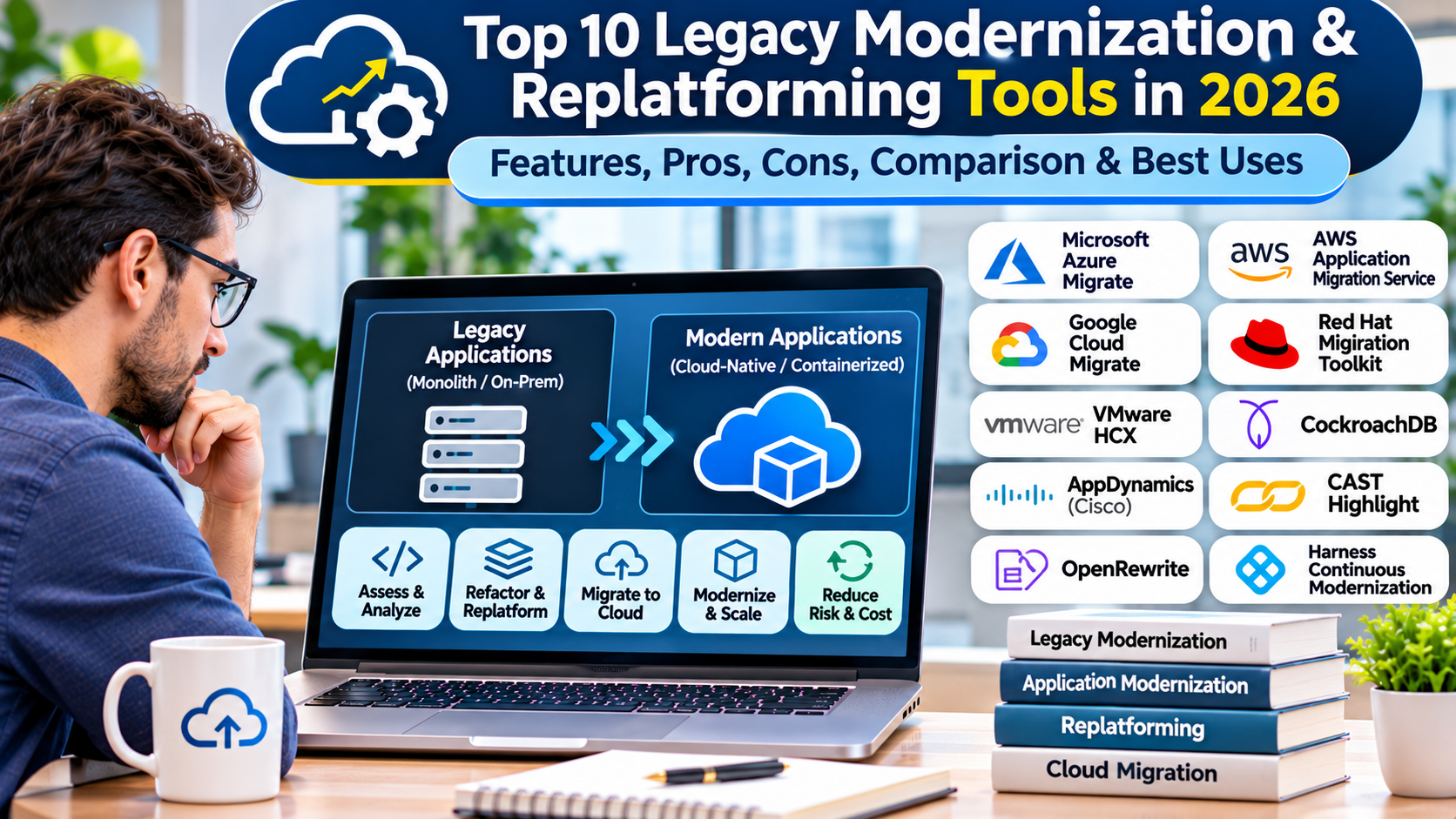
Legacy modernization and replatforming tools help organizations update older software systems or move them to newer technology platforms. Their capabilities range from automated source code transformation to mainframe workload migration.
Some products specialize in COBOL and mainframe applications. Others focus on enterprise Java, databases, application servers, or virtualized infrastructure.
These tools may preserve existing business logic while changing the underlying runtime, programming language, operating environment, or deployment model.
How Legacy Replatforming Works
System Inventory: Identify applications, data stores, interfaces, and operational dependencies.
Code Analysis: Examine source code and configuration.
Business Logic Assessment: Document important application behavior.
Target Platform Selection: Choose supported runtimes and infrastructure.
Transformation: Convert or adapt supported code and data structures.
Integration Remediation: Update interfaces and external dependencies.
Testing: Compare functional and operational behavior.
Cutover: Transition production activity to the new platform.
Why Legacy Modernization Matters
Unsupported platforms can create security, operational, and maintenance risks. Modernization may also improve integration with cloud services and development tools.
However, legacy systems often contain business rules that are poorly documented. Preserving those rules is essential to a successful transformation.
Top 10 Legacy Modernization & Replatforming Tools in 2026
1. AWS Transform for Mainframe
Short Description
AWS Transform for Mainframe provides AWS-oriented capabilities for selected mainframe modernization workflows. It is relevant to organizations considering the transition of mainframe applications and related workloads toward AWS environments.
Mainframe modernization can involve code transformation, application analysis, data migration, and operational redesign. AWS’s modernization offerings address supported portions of this process.
The platform is useful for organizations seeking to reduce dependence on certain legacy infrastructure technologies. Its capabilities can assist teams with understanding and transforming supported workloads.
However, mainframe applications often contain complex transaction processing, batch operations, and business logic. Automated transformation must therefore be accompanied by extensive validation.
Organizations should evaluate supported source technologies, current service capabilities, licensing, and destination architecture before adoption.
Key Features
- Mainframe modernization assistance.
- Supported workload assessment.
- Transformation workflows.
- AWS integration.
- Legacy application analysis.
- Modernization planning.
- Migration coordination.
- Technical validation support.
Benefits
AWS Transform for Mainframe can reduce selected manual modernization activities. It may help teams organize complex transformation programs.
Its value is strongest when organizations have a clearly defined AWS target architecture.
Pros
- AWS ecosystem integration.
- Mainframe modernization focus.
- Transformation assistance.
- Useful for enterprise migration planning.
- Supports selected automation.
Cons
- Supported technologies vary.
- AWS destination orientation.
- Requires specialized mainframe expertise.
- Testing remains extensive.
- Licensing and service scope require evaluation.
Use Cases
Mainframe application assessment, AWS modernization programs, and supported legacy workload transformation.
Best For
Enterprises evaluating mainframe modernization toward AWS.
2. AWS Mainframe Modernization
Short Description
AWS Mainframe Modernization is a managed AWS service and modernization ecosystem for supported mainframe workloads. It supports selected approaches for transitioning mainframe applications to AWS.
The offering is relevant to organizations operating COBOL-based and related enterprise applications. It provides capabilities associated with modernization execution and managed runtime environments.
Depending on the approach, organizations may preserve substantial portions of application logic or undertake more extensive transformation. The appropriate strategy depends on application requirements.
The service can reduce some infrastructure management responsibilities after migration. However, organizations must validate transaction behavior, batch processing, integrations, and operational requirements.
Its suitability depends on supported technologies and the organization’s willingness to adopt AWS-specific infrastructure.
Key Features
- Supported mainframe workload modernization.
- Managed runtime capabilities.
- Replatforming-oriented approaches.
- AWS infrastructure integration.
- Application deployment support.
- Operational monitoring integration.
- Migration workflow support.
- Enterprise workload management.
Benefits
The service can help organizations operate supported legacy workloads in modern AWS environments. It may reduce dependence on selected traditional mainframe infrastructure.
Managed runtime capabilities can also simplify portions of post-migration operations.
Pros
- Mainframe specialization.
- AWS managed environment.
- Supports selected replatforming scenarios.
- Enterprise workload focus.
- Cloud integration.
Cons
- AWS dependency.
- Complex migration requirements.
- Compatibility limitations.
- Significant testing effort.
- Specialized expertise needed.
Use Cases
COBOL application replatforming, mainframe infrastructure transition, and legacy workload operation on AWS.
Best For
Organizations seeking supported mainframe runtime and replatforming capabilities on AWS.
3. OpenText Enterprise Suite
Short Description
OpenText Enterprise Suite, associated with the Micro Focus modernization portfolio, provides capabilities for enterprise application modernization and supported legacy workloads. It is particularly relevant to organizations with COBOL and mainframe-oriented applications.
The portfolio includes technologies for application development, testing, and deployment in modern environments. These capabilities can support organizations preserving existing business logic.
The platform is useful when a complete rewrite would introduce excessive cost or risk. Replatforming can allow existing applications to operate on different infrastructure.
However, legacy application compatibility must be evaluated carefully. Operating system interfaces, batch processes, transaction behavior, and external dependencies may require adaptation.
Organizations should confirm current product naming, editions, and supported deployment environments.
Key Features
- Enterprise COBOL support.
- Legacy application runtime capabilities.
- Mainframe-oriented modernization.
- Application development integration.
- Supported replatforming workflows.
- Enterprise transaction processing support.
- Testing and debugging tools.
- Deployment flexibility.
Benefits
OpenText’s enterprise modernization technologies can help organizations preserve valuable business logic while updating infrastructure. This may reduce the risks associated with full redevelopment.
Its specialized capabilities are useful for enterprises with long-lived COBOL applications.
Pros
- Legacy application specialization.
- COBOL ecosystem support.
- Replatforming capabilities.
- Enterprise runtime focus.
- Supports staged modernization.
Cons
- Commercial licensing.
- Specialized technical expertise.
- Complex application compatibility.
- Vendor-specific runtime considerations.
- Requires extensive regression testing.
Use Cases
COBOL modernization, mainframe replatforming, legacy transaction processing, and enterprise application migration.
Best For
Organizations modernizing COBOL and mainframe-related application environments.
4. Rocket Software Enterprise Modernization
Short Description
Rocket Software provides enterprise modernization technologies for organizations operating legacy and mission-critical systems. Its portfolio includes capabilities related to mainframe modernization, application development, and integration.
The company serves enterprises that want to extend the useful life of existing systems while adopting modern infrastructure and development practices. This can involve modernization without immediately replacing core business logic.
Rocket’s solutions address different legacy technologies and operational environments. Organizations should select products according to their specific application stack.
Its modernization approach is relevant to businesses with substantial investment in established enterprise systems. Integration and operational continuity are important considerations.
However, the portfolio is broad, and capabilities vary by product. Buyers should evaluate the exact offering rather than treating the entire portfolio as one tool.
Key Features
- Legacy application modernization.
- Mainframe technology support.
- Enterprise integration capabilities.
- Application development tools.
- Supported runtime modernization.
- Data access and connectivity.
- Operational management.
- Migration-related services and tooling.
Benefits
Rocket Software can help organizations modernize legacy environments incrementally. This may preserve important business processes while improving integration.
Its specialized focus is useful for enterprises with complex existing systems.
Pros
- Legacy technology expertise.
- Broad modernization portfolio.
- Enterprise application focus.
- Integration capabilities.
- Supports staged transformation.
Cons
- Product selection can be complex.
- Commercial licensing.
- Technology-specific capabilities.
- Requires specialized skills.
- Not every offering performs automated replatforming.
Use Cases
Mainframe modernization, legacy integration, application development modernization, and enterprise platform transition.
Best For
Large enterprises managing complex legacy technology portfolios.
5. Heirloom
Short Description
Heirloom is associated with automated modernization and replatforming of supported legacy applications, particularly mainframe-oriented workloads. Its approach focuses on preserving application behavior while moving toward modern execution environments.
The platform is relevant to organizations seeking alternatives to traditional mainframe infrastructure. It can assist with transforming supported application components for different deployment models.
Automated replatforming can reduce some manual conversion work. However, the complexity of business logic and operational dependencies remains significant.
Heirloom’s capabilities should be evaluated against the exact source languages, transaction systems, and data structures involved. Organizations should also verify current product availability and support arrangements.
A successful implementation requires comprehensive testing and operational validation.
Key Features
- Legacy application transformation.
- Mainframe-oriented replatforming.
- Supported code conversion.
- Modern runtime deployment.
- Business logic preservation objectives.
- Migration planning.
- Integration adaptation.
- Application testing support.
Benefits
Heirloom can provide an alternative to rebuilding certain legacy applications from scratch. Its transformation approach may reduce the amount of manual code rewriting.
It is particularly relevant when preserving established business behavior is a priority.
Pros
- Specialized replatforming focus.
- Potential code transformation automation.
- Business logic preservation approach.
- Relevant to mainframe migration.
- Supports modernization planning.
Cons
- Narrow technology applicability.
- Requires compatibility assessment.
- Specialized expertise.
- Commercial terms require verification.
- Testing and operational redesign remain necessary.
Use Cases
Mainframe application replatforming, legacy runtime replacement, and infrastructure modernization.
Best For
Organizations evaluating automated replatforming of supported legacy applications.
6. Astadia
Short Description
Astadia is associated with mainframe modernization services and technologies for transitioning legacy workloads to modern environments. Its offerings focus on complex enterprise migration scenarios.
The company is relevant to organizations seeking specialist assistance with mainframe application and data transformation. Such projects often require coordinated changes across software, databases, and operations.
Astadia’s modernization approach can involve preserving or transforming existing application logic. The appropriate method depends on the source system and target architecture.
Its service-oriented model may be useful when internal teams lack sufficient mainframe modernization expertise. However, organizations must evaluate project scope and delivery responsibilities carefully.
Current offerings and ownership should be verified before procurement.
Key Features
- Mainframe modernization expertise.
- Legacy application migration.
- Replatforming support.
- Data migration assistance.
- Application assessment.
- Target architecture planning.
- Transformation services.
- Migration validation.
Benefits
Astadia can provide specialized expertise for complex mainframe transitions. This may reduce the burden on organizations without dedicated modernization teams.
Its focus on application and data dependencies is relevant to large enterprise projects.
Pros
- Mainframe specialization.
- Migration expertise.
- Application and data focus.
- Enterprise transformation experience.
- Suitable for complex programs.
Cons
- Service-oriented engagement.
- Commercial project costs.
- Requires detailed scoping.
- Migration complexity remains high.
- Current offerings should be verified.
Use Cases
Mainframe exit programs, legacy application migration, and enterprise replatforming projects.
Best For
Organizations requiring specialist support for complex mainframe modernization.
7. IBM Application Modernization Accelerator
Short Description
IBM Application Modernization Accelerator helps organizations analyze enterprise applications and plan transitions to supported modern platforms. It is especially relevant to IBM middleware and Java environments.
The platform can help identify modernization candidates and technical dependencies. This supports decisions about runtime upgrades and deployment changes.
For legacy Java systems, modernization may involve moving from older application servers to modern runtimes. The accelerator can assist with assessing these transitions.
Its analysis capabilities can reduce uncertainty during planning. However, actual replatforming still requires engineering changes and validation.
The tool is best used alongside a clearly defined target runtime and deployment architecture.
Key Features
- Enterprise application assessment.
- Dependency analysis.
- Runtime modernization guidance.
- Java application support.
- Cloud readiness insights.
- Migration planning.
- IBM middleware integration.
- Technical reporting.
Benefits
The accelerator helps organizations understand the work required to move legacy Java applications to newer environments. It supports structured planning and prioritization.
Its integration with IBM modernization technologies is useful for existing IBM customers.
Pros
- Enterprise Java focus.
- Assessment capabilities.
- Runtime migration planning.
- Dependency analysis.
- IBM ecosystem integration.
Cons
- Not a complete automatic replatforming engine.
- Commercial considerations.
- Requires technical expertise.
- Technology coverage varies.
- Testing remains necessary.
Use Cases
WebSphere migration, Java runtime modernization, and enterprise application replatforming planning.
Best For
Organizations modernizing legacy Java and IBM application server environments.
8. Red Hat Migration Toolkit for Applications
Short Description
Red Hat Migration Toolkit for Applications helps analyze applications and identify changes needed for migration to modern environments. Its capabilities are particularly relevant to Java applications and Red Hat platforms.
The toolkit uses rules-based analysis to locate outdated technologies and compatibility issues. These findings can guide developers during modernization.
It is useful for organizations moving applications toward OpenShift or supported modern runtimes. The toolkit can help estimate effort and prioritize work.
Its value lies in identifying and organizing changes rather than automatically resolving every issue. Application-specific modifications remain the responsibility of engineering teams.
Organizations should verify supported source technologies and target platforms.
Key Features
- Source code analysis.
- Migration rules.
- Java modernization assessment.
- Dependency identification.
- Effort estimation.
- OpenShift migration guidance.
- Developer tooling.
- Modernization reporting.
Benefits
The toolkit can reduce manual investigation during legacy Java modernization. It helps teams identify technical obstacles before deployment changes.
Its analysis is useful for staged replatforming projects.
Pros
- Rules-based analysis.
- Java ecosystem support.
- OpenShift integration.
- Modernization planning.
- Developer guidance.
Cons
- Limited to supported technologies.
- Not a universal code converter.
- Manual remediation required.
- Testing remains essential.
- Subscription considerations.
Use Cases
Java application server migration, OpenShift adoption, and runtime compatibility assessment.
Best For
Java development teams replatforming applications toward Red Hat environments.
9. CloudFrame
Short Description
CloudFrame is associated with automated modernization of legacy application code, particularly COBOL-oriented workloads. It is relevant to organizations seeking to transform existing applications while retaining important business functionality.
Its approach can help teams reduce manual code conversion effort in supported scenarios. This may be useful when organizations want to move selected workloads toward modern programming environments.
Automated transformation can accelerate repetitive conversion tasks. However, generated code must be reviewed for correctness, maintainability, and operational suitability.
The platform is most relevant to enterprises with substantial legacy code portfolios. Source compatibility and target language support require evaluation.
Organizations should verify current product capabilities and commercial availability before adoption.
Key Features
- Legacy code transformation.
- COBOL-oriented modernization.
- Automated conversion assistance.
- Business logic preservation objectives.
- Modern language transition.
- Application assessment.
- Transformation workflows.
- Migration validation support.
Benefits
CloudFrame can help organizations explore code transformation as an alternative to manual redevelopment. Its automation may reduce repetitive conversion work.
It is particularly relevant to organizations facing shortages of legacy programming expertise.
Pros
- Legacy code focus.
- Automated transformation approach.
- COBOL modernization relevance.
- Supports language transition.
- Useful for large code portfolios.
Cons
- Technology-specific applicability.
- Generated code requires testing.
- Commercial licensing.
- Business logic validation remains essential.
- Current capabilities need verification.
Use Cases
COBOL code modernization, legacy language transition, and application transformation programs.
Best For
Organizations evaluating automated conversion of supported legacy code.
10. OpenLegacy
Short Description
OpenLegacy provides integration and modernization capabilities for connecting legacy systems with modern applications and services. Its approach focuses on exposing existing business functionality through contemporary interfaces.
The platform is relevant to organizations that want to modernize access to legacy systems without immediately replacing them. This can support gradual transformation.
OpenLegacy can help teams create APIs and integration layers around supported legacy environments. Such capabilities allow modern applications to interact with established business systems.
This approach differs from full replatforming because the underlying legacy application may remain operational. It is useful when organizations want to reduce modernization risk through incremental changes.
However, integration modernization does not eliminate the costs or limitations of the underlying legacy platform. Organizations should plan for long-term architecture requirements.
Key Features
- Legacy system integration.
- API enablement.
- Supported system connectivity.
- Application interface modernization.
- Integration workflow automation.
- Modern application access.
- Legacy functionality reuse.
- Incremental modernization support.
Benefits
OpenLegacy can help organizations make legacy functionality accessible to modern applications. This may deliver business value without requiring immediate platform replacement.
Its integration approach supports staged modernization strategies.
Pros
- Legacy integration focus.
- API enablement.
- Incremental modernization.
- Preserves existing systems.
- Supports modern application connectivity.
Cons
- Not a full replatforming engine.
- Legacy infrastructure may remain.
- Integration complexity.
- Commercial licensing.
- Underlying technical debt may persist.
Use Cases
Legacy API modernization, core system integration, digital application development, and staged transformation.
Best For
Organizations modernizing access to legacy systems before undertaking full platform replacement.
Comparison Table: Top 10 Legacy Modernization & Replatforming Tools
| Tool | Primary Focus | Best For | Modernization Approach | Pricing |
|---|---|---|---|---|
| AWS Transform for Mainframe | Mainframe transformation | AWS migration teams | Transformation assistance | Service-dependent |
| AWS Mainframe Modernization | Mainframe runtime and migration | AWS enterprises | Replatforming | Usage-based |
| OpenText Enterprise Suite | COBOL and enterprise applications | Mainframe teams | Runtime modernization | Commercial |
| Rocket Software | Enterprise legacy systems | Large enterprises | Portfolio modernization | Commercial |
| Heirloom | Legacy application replatforming | Mainframe modernization | Automated transformation | Commercial |
| Astadia | Mainframe modernization services | Complex enterprises | Migration services | Project-based |
| IBM Modernization Accelerator | Enterprise Java | IBM customers | Assessment and guidance | Commercial |
| Red Hat MTA | Java migration analysis | OpenShift teams | Rules-based analysis | Subscription-related |
| CloudFrame | Legacy code conversion | COBOL teams | Automated code transformation | Commercial |
| OpenLegacy | Legacy API integration | Integration teams | Incremental modernization | Commercial |
Which Legacy Modernization & Replatforming Tool Is Right for You?
1. Identify the Legacy Technology
COBOL, mainframe transaction systems, enterprise Java, and proprietary databases require different modernization approaches. A tool suitable for Java may not support COBOL applications.
2. Choose Between Replatforming and Rewriting
Replatforming can preserve much of the existing business logic. Rewriting may offer architectural flexibility but often introduces greater scope and validation risk.
3. Evaluate Business Logic Preservation
Legacy applications may contain undocumented business rules. Modernization teams should identify and test these rules before transformation.
4. Assess Data Compatibility
Data formats, encoding, transaction semantics, and database structures may differ between platforms. Data migration must be planned alongside application changes.
5. Review Integration Dependencies
Legacy systems often communicate with other applications through specialized interfaces. These connections must remain functional or be replaced.
6. Plan Operational Changes
Modern platforms require updated monitoring, security, deployment, backup, and incident response procedures.
7. Compare Long-Term Costs
Organizations should evaluate migration expenses alongside licensing, infrastructure, staffing, maintenance, and future modernization costs.
Best Legacy Modernization Tools for Different Users
| User Type | Recommended Tools | Main Reason |
|---|---|---|
| AWS Mainframe Teams | AWS Mainframe Modernization | AWS runtime transition |
| COBOL Enterprises | OpenText, CloudFrame | Legacy code and runtime support |
| Mainframe Transformation Programs | Heirloom, Astadia | Specialized modernization |
| IBM Java Teams | IBM Modernization Accelerator | Runtime assessment |
| Red Hat Java Teams | Red Hat MTA | Migration analysis |
| Legacy Integration Teams | OpenLegacy | API modernization |
| Large Legacy Portfolios | Rocket Software | Broad modernization capabilities |
Practical Example: Replatforming a COBOL Business Application
A financial organization operates a COBOL application that processes important business transactions. The company wants to reduce infrastructure dependence while preserving transaction behavior.
Step 1: Inventory the Application
The team identifies programs, databases, batch jobs, interfaces, and operational procedures. Business owners document critical functions.
Step 2: Establish a Functional Baseline
Representative transactions and outputs are recorded. These become reference results for later testing.
Step 3: Select a Target Platform
The organization evaluates supported replatforming runtimes and cloud environments. Security, performance, and compliance requirements guide the decision.
Step 4: Assess Compatibility
Modernization tools analyze supported code and dependencies. Engineers identify components requiring manual adaptation.
Step 5: Transform the Application
Supported code and configuration changes are applied. Data structures and interfaces are migrated according to the target architecture.
Step 6: Perform Parallel Testing
The legacy and modernized applications process representative workloads. Results are compared for correctness.
Step 7: Validate Operations
The team tests batch processing, monitoring, backup, recovery, and access controls.
Step 8: Execute Controlled Cutover
Production workloads transition according to an approved plan. Rollback procedures remain available until acceptance criteria are met.
Frequently Asked Questions (FAQs)
1. What is legacy application modernization?
It is the process of updating older software systems to improve supportability, security, integration, or operational efficiency.
2. What is replatforming?
Replatforming moves an application to a different platform while preserving much of its existing functionality.
3. How is replatforming different from rehosting?
Rehosting generally moves workloads with minimal changes. Replatforming modifies selected runtime or infrastructure components.
4. What is mainframe modernization?
It involves updating or transitioning applications, data, and operations associated with mainframe environments.
5. Can COBOL applications run in cloud environments?
Supported COBOL applications can operate through compatible cloud-hosted runtimes or modernization approaches.
6. Is rewriting always better than replatforming?
No. The appropriate strategy depends on business value, risk, cost, and technical requirements.
7. Can legacy code conversion be automated?
Some transformations can be automated. Complex business logic still requires validation.
8. What is application encapsulation?
Encapsulation exposes existing functionality through interfaces while leaving much of the underlying application unchanged.
9. What is a legacy API?
A legacy API provides access to functionality or data from an older system.
10. Why are legacy dependencies difficult?
They may be undocumented, tightly coupled, or dependent on specialized technologies.
11. Can modernization reduce maintenance costs?
It may reduce selected costs, but migration expenses and new platform requirements must be considered.
12. Does replatforming improve security?
It can reduce dependence on unsupported technology. Secure configuration and ongoing maintenance remain necessary.
13. What is a parallel run?
A parallel run operates old and new systems simultaneously to compare results.
14. Why is data migration important?
Applications depend on accurate and consistent data. Data incompatibility can undermine otherwise successful code migration.
15. Can legacy systems be modernized gradually?
Yes. Incremental modernization can reduce risk and spread investment over time.
16. What is the biggest risk in legacy modernization?
A major risk is unintentionally changing critical business behavior.
17. Do modernization tools replace developers?
No. They assist with analysis and transformation, while engineers remain responsible for design and validation.
18. How should a modernization project begin?
It should begin with application inventory, business objectives, technical assessment, and risk analysis.
19. How long does replatforming take?
Duration depends on application complexity, data volume, dependencies, and testing requirements.
20. What is the future of legacy modernization?
Automation and AI-assisted analysis will continue expanding, but business logic validation and operational readiness will remain essential.
Conclusion
Legacy Modernization & Replatforming Tools help organizations transition older applications toward supported technology environments. They can preserve important business functionality while improving maintainability and infrastructure flexibility.
AWS, OpenText, Rocket Software, Heirloom, Astadia, IBM, Red Hat, CloudFrame, and OpenLegacy address different modernization requirements.
The best approach depends on source technologies, target architecture, business logic complexity, data dependencies, and acceptable risk.
Successful modernization requires disciplined assessment, comprehensive testing, secure operations, and carefully managed production transitions.