Introduction
Consistent terminology is essential for clear communication, especially when organizations publish technical, legal, medical, financial, or multilingual content.
A company may use different names for the same feature across product interfaces, documentation, marketing materials, and customer support articles.
These inconsistencies can confuse customers and increase the effort required to translate content into other languages.
Terminology problems become more serious when inaccurate expressions affect safety instructions, regulatory information, contractual obligations, or technical specifications.
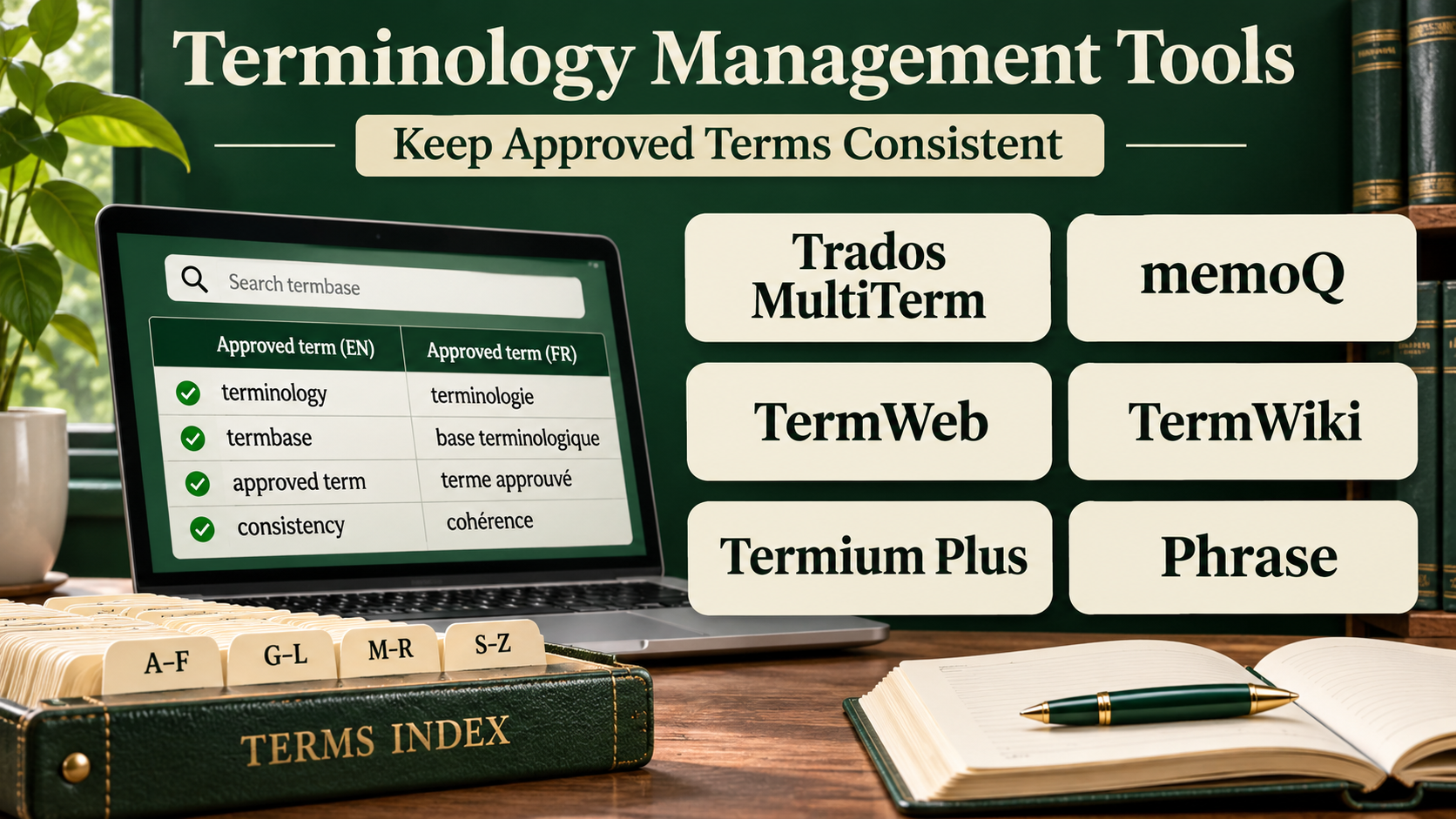
Terminology management tools help organizations define, approve, store, distribute, and maintain specialized vocabulary.
Instead of relying on disconnected spreadsheets, teams can create structured terminology databases containing approved terms, definitions, translations, usage notes, and review information.
Modern terminology platforms can also integrate with translation environments, content authoring systems, and automated language quality checks.
However, terminology management is not simply a software configuration exercise.
It requires clear ownership, subject-matter expertise, approval processes, and ongoing maintenance.
This guide compares ten terminology management tools and platforms, explains their capabilities, and provides practical guidance for establishing consistent multilingual terminology.
What Are Terminology Management Tools?
Terminology management tools are software systems used to create and maintain controlled collections of words and expressions.
These collections are commonly called termbases.
A termbase contains structured information about specialized concepts and their approved linguistic representations.
Unlike a simple word list, a professional termbase may include definitions, subject areas, usage examples, language variants, synonyms, forbidden terms, and approval status.
What Does a Terminology Record Contain?
A terminology entry may include:
- Concept identifier: A unique reference for the underlying concept.
- Preferred term: The approved expression.
- Definition: An explanation of the concept.
- Language: The language associated with the term.
- Approved translations: Accepted equivalents in other languages.
- Synonyms: Alternative expressions.
- Forbidden terms: Expressions that should not be used.
- Usage notes: Guidance for writers and translators.
- Subject domain: The relevant technical or business category.
- Approval status: Information about review and authorization.
Terminology Management vs. Translation Memory
Terminology management focuses on individual concepts and their approved expressions.
Translation memory stores previously translated segments, such as sentences or phrases.
Both resources improve consistency, but they solve different problems.
A translation memory may suggest an entire sentence, while a termbase tells the translator which expression must be used for a specific concept.
Typical Terminology Workflow
- Identify important terms.
- Define the underlying concepts.
- Research approved expressions.
- Add language equivalents.
- Assign subject-matter reviewers.
- Approve or reject proposed terms.
- Publish the termbase.
- Integrate it with authoring and translation tools.
- Monitor terminology usage.
- Update entries when products or policies change.
Top 10 Terminology Management Tools
1. RWS MultiTerm
Best For: Professional translators and enterprises requiring structured multilingual terminology databases.
Short Description
RWS MultiTerm is a terminology management solution associated with the Trados translation technology ecosystem.
It is designed to create, maintain, and share multilingual terminology resources.
MultiTerm supports structured entries containing concepts, terms, definitions, and related information.
Its terminology resources can be used during translation to help linguists follow approved expressions.
This is especially useful for organizations translating technical documentation or specialized content.
MultiTerm is particularly relevant to teams already using Trados products because terminology can be incorporated into established translation workflows.
However, organizations should evaluate deployment, licensing, and collaboration requirements before implementation.
Key Features
- Multilingual termbases: Stores approved terminology across languages.
- Structured entries: Organizes concepts, terms, and descriptive fields.
- Terminology search: Helps users locate approved expressions.
- Trados integration: Connects terminology with translation workflows.
- Import and export: Supports compatible terminology exchange.
- Custom fields: Allows specialized metadata.
- Terminology maintenance: Supports updates to existing entries.
- Translation assistance: Displays terminology during compatible translation work.
- Data organization: Helps manage specialized terminology collections.
Benefits
MultiTerm helps professional translation teams maintain consistent vocabulary.
Its integration with translation tools reduces the need to consult separate reference documents.
Pros
- Established terminology technology.
- Strong multilingual support.
- Structured terminology entries.
- Useful Trados integration.
- Suitable for technical translation.
Cons
- Learning curve for advanced termbase design.
- Licensing requires evaluation.
- Collaboration depends on the deployment environment.
- Less convenient outside compatible workflows.
- Requires ongoing terminology governance.
Use Cases
Technical manuals: Maintain consistent equipment terminology.
Legal documents: Standardize specialized expressions.
Translation agencies: Share client-specific termbases.
Best Suited For
Professional translators and organizations using the Trados ecosystem.
2. memoQ Qterm
Best For: Organizations requiring collaborative terminology management integrated with memoQ.
Short Description
memoQ Qterm is a web-based terminology management system designed to help teams store, manage, and share terminology.
It extends terminology management beyond individual translators by making resources accessible to different organizational participants.
Teams can maintain approved and prohibited terms, add definitions, and coordinate terminology decisions.
Qterm is particularly useful when subject-matter experts need to participate in terminology approval.
Its connection with memoQ translation environments helps ensure that approved expressions are available during translation.
The platform is relevant to organizations that want centralized terminology governance rather than isolated project glossaries.
However, its greatest value generally comes when integrated with existing memoQ workflows.
Key Features
- Centralized termbases: Maintains shared terminology resources.
- Web-based access: Allows authorized users to consult terminology.
- Custom terminology fields: Stores specialized entry information.
- Approval workflows: Supports controlled terminology decisions.
- Preferred and forbidden terms: Helps enforce vocabulary policies.
- memoQ integration: Makes terminology available during translation.
- Terminology suggestions: Allows contributors to propose entries.
- Multilingual management: Stores language equivalents.
- Role-based collaboration: Supports different terminology participants.
Benefits
Qterm helps organizations establish a shared source of approved terminology.
It also allows terminology decisions to involve subject-matter experts rather than only translators.
Pros
- Collaborative terminology environment.
- Strong memoQ integration.
- Structured terminology governance.
- Supports prohibited terms.
- Useful web access.
Cons
- Best suited to memoQ environments.
- Licensing depends on the selected memoQ offering.
- Requires terminology administration.
- Initial termbase design takes effort.
- Not a complete content authoring system.
Use Cases
Enterprise terminology: Coordinate approved vocabulary.
Technical translation: Maintain consistent specialized terms.
Subject-matter review: Collect and approve terminology proposals.
Best Suited For
Organizations using memoQ that need collaborative terminology governance.
3. TermWeb
Best For: Enterprises requiring centralized multilingual terminology governance.
Short Description
TermWeb is a terminology management platform designed for creating, organizing, and distributing multilingual terminology.
It supports structured terminology databases that can be used by translators, writers, and subject-matter experts.
The platform is particularly relevant to organizations managing specialized vocabulary across multiple departments and languages.
Its terminology-focused approach helps teams establish controlled definitions and approved expressions.
TermWeb can serve as a central reference for terminology decisions that affect documentation and translation.
This is valuable in industries where inconsistent vocabulary can create operational or regulatory problems.
However, organizations should evaluate integration requirements and governance configuration before deployment.
Key Features
- Central terminology repository: Stores approved multilingual concepts.
- Structured term entries: Maintains definitions and descriptive metadata.
- Multilingual equivalents: Connects terms across languages.
- Terminology search: Supports reference and lookup workflows.
- Approval processes: Helps control terminology changes.
- Import and export: Supports terminology exchange.
- User access management: Controls participation.
- Terminology distribution: Makes approved terms available to stakeholders.
Benefits
TermWeb helps organizations centralize terminology decisions.
Its structured approach can reduce inconsistent language across business units.
Pros
- Dedicated terminology focus.
- Suitable for multilingual organizations.
- Structured concept management.
- Collaborative governance.
- Useful terminology exchange.
Cons
- Implementation requires planning.
- Integration needs vary.
- Enterprise licensing requires evaluation.
- Terminology maintenance remains labor-intensive.
- Less focused on general document editing.
Use Cases
Manufacturing: Standardize product terminology.
Healthcare documentation: Maintain controlled vocabulary.
Global enterprises: Coordinate terminology across regions.
Best Suited For
Organizations requiring formal multilingual terminology governance.
4. Kaleidoscope quickTerm
Best For: Organizations seeking terminology collaboration and approval workflows.
Short Description
Kaleidoscope quickTerm is a terminology management solution designed to support structured terminology processes.
It helps organizations collect terminology suggestions, review entries, and distribute approved language.
The platform is relevant to businesses where terminology decisions involve writers, translators, technical experts, and reviewers.
Its workflow-oriented approach supports the lifecycle of terminology from initial proposal to approval.
This is especially useful when product names and technical concepts change frequently.
By organizing terminology decisions, quickTerm can reduce conflicting expressions across departments.
However, successful adoption depends on clearly assigned reviewers and consistent participation.
Key Features
- Terminology collection: Supports proposing new terms.
- Approval workflows: Routes terminology decisions through review.
- Multilingual term management: Maintains language equivalents.
- Definitions and metadata: Stores contextual information.
- Collaborative review: Involves subject-matter experts.
- Terminology search: Helps users find approved expressions.
- Controlled terminology status: Distinguishes approved and pending entries.
- Terminology exchange: Supports compatible resource workflows.
Benefits
quickTerm helps formalize terminology decisions.
Its collaborative approach reduces the risk that different departments independently approve conflicting expressions.
Pros
- Strong terminology workflow orientation.
- Supports expert participation.
- Useful approval processes.
- Multilingual terminology management.
- Helps establish governance.
Cons
- Requires defined organizational processes.
- Licensing and integration should be evaluated.
- Terminology review can become a bottleneck.
- Users need training.
- Not a full translation management platform.
Use Cases
Product terminology: Approve new feature names.
Technical writing: Coordinate terminology decisions.
Localization programs: Distribute approved multilingual expressions.
Best Suited For
Organizations requiring structured terminology proposal and approval processes.
5. Acrolinx
Best For: Enterprise content governance and terminology enforcement during writing.
Short Description
Acrolinx is a content governance platform that helps organizations improve consistency and compliance with language standards.
Its capabilities include terminology-related guidance within supported authoring workflows.
Unlike traditional termbase applications focused primarily on translators, Acrolinx emphasizes the quality of source content.
This is important because inconsistent source terminology can create problems across every translated language.
Acrolinx can help writers identify expressions that conflict with approved terminology or content guidelines.
It is particularly relevant to organizations producing large volumes of technical, regulated, or branded content.
However, buyers should distinguish its content governance role from a dedicated multilingual terminology database.
Key Features
- Terminology enforcement: Identifies departures from approved vocabulary.
- Content guidance: Helps writers follow organizational language standards.
- Authoring integrations: Connects with supported writing environments.
- Consistency checks: Detects selected language inconsistencies.
- Style guidance: Supports approved communication practices.
- Governance workflows: Helps standardize content rules.
- Terminology exchange: Supports integration with external terminology resources.
- Content analytics: Provides visibility into selected quality patterns.
- Enterprise administration: Supports organizational language policies.
Benefits
Acrolinx helps prevent terminology problems before content reaches translation.
This can reduce downstream corrections and improve consistency across documentation teams.
Pros
- Strong source-content governance.
- Useful terminology enforcement.
- Integrates with authoring workflows.
- Supports enterprise language standards.
- Helps improve upstream content quality.
Cons
- Not a traditional standalone CAT termbase.
- Enterprise implementation requires planning.
- Licensing may be substantial.
- Rules need ongoing maintenance.
- Human editorial judgment remains important.
Use Cases
Technical documentation: Enforce approved terminology.
Corporate content: Maintain consistent brand language.
Regulated writing: Support controlled language requirements.
Best Suited For
Enterprises prioritizing terminology consistency during content creation.
6. XTM Terminology Management
Best For: Enterprise localization teams maintaining terminology within XTM Cloud.
Short Description
XTM Cloud provides terminology management as part of its enterprise localization environment.
Its terminology capabilities help translators and reviewers access approved vocabulary during translation.
Organizations can maintain multilingual terminology resources and apply them across localization projects.
This is particularly useful for businesses handling technical documentation, product interfaces, and customer-facing content.
The integration with translation workflows helps reduce the need to maintain separate terminology spreadsheets.
XTM also supports broader project governance, making terminology part of an organized localization process.
However, organizations requiring a standalone terminology governance system should evaluate whether the integrated functionality meets their needs.
Key Features
- Multilingual terminology: Stores approved language equivalents.
- Translation integration: Provides terms during localization.
- Centralized resources: Shares terminology across projects.
- Terminology consistency: Helps reduce inconsistent expressions.
- Project-level use: Applies resources to relevant content.
- Import and export: Supports compatible terminology exchange.
- Collaboration: Coordinates terminology-related work.
- Quality assurance integration: Supports terminology validation.
Benefits
XTM terminology management helps organizations apply consistent vocabulary across enterprise translation programs.
Its integration with the TMS reduces resource fragmentation.
Pros
- Integrated enterprise localization.
- Shared terminology resources.
- Supports multilingual projects.
- Useful QA integration.
- Centralized management.
Cons
- Best suited to XTM customers.
- Advanced governance requires configuration.
- Standalone use may be less appropriate.
- Licensing depends on the platform.
- Requires ongoing maintenance.
Use Cases
Enterprise translation: Standardize approved vocabulary.
Technical content: Maintain specialized terms.
Global localization: Share terminology across languages.
Best Suited For
Organizations using XTM Cloud for enterprise localization.
7. GlobalLink Term Manager
Best For: Large organizations managing terminology across enterprise translation operations.
Short Description
GlobalLink Term Manager is associated with the GlobalLink localization technology ecosystem.
It supports centralized terminology resources for multilingual content operations.
The solution is relevant to organizations that need to maintain approved terminology across departments, language service providers, and content systems.
Its connection to broader localization workflows helps ensure that terminology decisions are available during translation.
This can be especially useful for global enterprises managing technical products or regulated documentation.
Organizations can use terminology governance to reduce repeated corrections and inconsistent product language.
However, implementation should account for the broader GlobalLink environment and relevant integration requirements.
Key Features
- Central terminology management: Maintains approved vocabulary.
- Multilingual termbases: Supports language equivalents.
- Structured entries: Stores definitions and related metadata.
- Enterprise integration: Connects with localization workflows.
- Terminology search: Helps stakeholders locate approved terms.
- Collaboration: Supports terminology maintenance activities.
- Terminology distribution: Shares resources with relevant teams.
- Controlled vocabulary: Helps enforce consistent expressions.
Benefits
GlobalLink Term Manager can help large organizations establish centralized terminology practices.
Its connection to enterprise localization operations supports consistent multilingual delivery.
Pros
- Enterprise-oriented terminology.
- Supports multilingual operations.
- Integrates with localization workflows.
- Useful centralized governance.
- Suitable for large organizations.
Cons
- Ecosystem integration requires evaluation.
- Enterprise implementation may be complex.
- Licensing needs direct review.
- Smaller teams may not require its scope.
- Requires formal terminology ownership.
Use Cases
Global manufacturing: Standardize technical terminology.
Enterprise documentation: Maintain approved expressions.
Multilingual publishing: Share terminology across content teams.
Best Suited For
Large enterprises operating within the GlobalLink ecosystem.
8. Across crossTerm
Best For: Organizations using Across Language Server for terminology-sensitive translation.
Short Description
crossTerm is the terminology management component associated with Across translation technology.
It supports the creation and maintenance of structured multilingual terminology resources.
The tool is designed to make approved terminology available within Across translation workflows.
This is particularly useful for organizations handling specialized content where translators must follow controlled vocabulary.
crossTerm helps maintain consistency across translation projects and language teams.
Its value is strongest when terminology is managed alongside the broader Across environment.
However, organizations using several unrelated translation systems should evaluate terminology exchange and integration requirements.
Key Features
- Multilingual termbases: Stores language-specific terminology.
- Structured terminology entries: Maintains concept-related information.
- Across integration: Provides terminology during translation.
- Terminology search: Supports approved-term lookup.
- Centralized resources: Shares terminology within configured environments.
- Terminology maintenance: Supports updates to entries.
- Consistency support: Helps translators follow approved vocabulary.
- Terminology exchange: Supports compatible resource workflows.
Benefits
crossTerm helps Across users maintain consistent terminology throughout translation projects.
Its integration with the translation environment reduces manual reference work.
Pros
- Integrated terminology management.
- Useful multilingual resources.
- Suitable for specialized translation.
- Centralized vocabulary control.
- Supports consistency.
Cons
- Closely tied to the Across ecosystem.
- Requires compatible infrastructure.
- Training may be necessary.
- Standalone suitability is limited.
- Governance processes still need human oversight.
Use Cases
Technical translation: Maintain specialized terminology.
Enterprise language operations: Share approved expressions.
Translation production: Support consistent terminology use.
Best Suited For
Organizations using Across translation technology.
9. Smartling Glossary Management
Best For: Marketing and enterprise content teams managing brand terminology across languages.
Short Description
Smartling provides glossary and terminology capabilities within its translation management platform.
These resources help organizations maintain consistent product names, brand expressions, and specialized vocabulary.
The platform is particularly relevant to businesses publishing customer-facing content across multiple markets.
Glossary entries can guide translators and reviewers during localization.
This is useful when organizations need to preserve brand identity while adapting content to local audiences.
Smartling also combines terminology resources with translation memory and workflow management.
However, teams seeking a standalone terminology governance product should evaluate the integrated approach carefully.
Key Features
- Multilingual glossaries: Stores approved expressions.
- Translation integration: Makes terminology available during translation.
- Brand terminology: Supports consistent product language.
- Centralized management: Shares resources across projects.
- Terminology guidance: Helps translators follow preferred expressions.
- Quality workflows: Supports terminology-related review.
- Content integration: Connects terminology with localization processes.
- Collaboration: Allows teams to maintain shared vocabulary.
Benefits
Smartling glossaries help organizations preserve brand consistency across multilingual content.
Their integration with translation workflows makes approved terms easier to apply.
Pros
- Useful enterprise glossary capabilities.
- Strong localization integration.
- Supports brand terminology.
- Centralized resources.
- Suitable for multilingual marketing.
Cons
- Primarily part of a broader TMS.
- Standalone terminology needs may require other software.
- Licensing requires evaluation.
- Complex governance may need additional processes.
- Human review remains important.
Use Cases
Brand localization: Maintain approved product expressions.
Global marketing: Coordinate multilingual campaign terminology.
Help centers: Standardize customer support language.
Best Suited For
Smartling customers managing brand and content terminology.
10. Phrase Terminology Management
Best For: Localization teams requiring terminology resources across translation and software localization workflows.
Short Description
Phrase provides terminology management capabilities within its localization platform.
These resources help translators and content teams maintain consistent vocabulary across multilingual projects.
Phrase terminology features are relevant to organizations managing both software strings and broader translation content.
Approved terms can be incorporated into translation workflows to guide linguistic decisions.
This helps reduce inconsistency between application interfaces, documentation, and customer-facing content.
The platform’s broader localization capabilities also support translation memory, automated processing, and quality assurance.
However, terminology capabilities and workflows differ across Phrase products, so organizations should verify the exact configuration they need.
Key Features
- Multilingual terminology: Maintains approved terms across languages.
- Glossary resources: Stores vocabulary guidance.
- Translation integration: Makes terminology available during translation.
- Centralized management: Supports shared linguistic resources.
- Quality assurance: Helps identify terminology inconsistencies.
- Translation memory coordination: Complements reusable translations.
- Software localization support: Applies terminology to product content.
- Workflow integration: Connects terminology with managed localization.
- Collaboration: Supports coordinated terminology maintenance.
Benefits
Phrase terminology management helps organizations apply consistent language across localization projects.
Its integration with broader translation workflows can reduce manual terminology distribution.
Pros
- Broad localization ecosystem.
- Integrated terminology resources.
- Suitable for software and content teams.
- Supports multilingual consistency.
- Useful QA connections.
Cons
- Product-specific capabilities vary.
- Licensing requires evaluation.
- Complex governance may need configuration.
- Not always a standalone terminology solution.
- Requires ongoing terminology maintenance.
Use Cases
SaaS products: Maintain consistent interface terminology.
Technical documentation: Standardize specialized expressions.
Enterprise localization: Share terminology across projects.
Best Suited For
Organizations already using Phrase for translation and localization.
Comparison Table: Top 10 Terminology Management Tools
| Tool | Primary Strength | Best For | Approach | Main Limitation |
|---|---|---|---|---|
| RWS MultiTerm | Structured multilingual termbases | Trados users | Dedicated terminology | Learning curve |
| memoQ Qterm | Collaborative terminology governance | memoQ organizations | Web-based terminology | Ecosystem dependence |
| TermWeb | Enterprise terminology repositories | Global enterprises | Dedicated terminology | Implementation effort |
| Kaleidoscope quickTerm | Terminology approval workflows | Content governance teams | Collaborative terminology | Process complexity |
| Acrolinx | Terminology enforcement in writing | Enterprise authors | Content governance | Not a traditional CAT termbase |
| XTM Terminology | Enterprise localization integration | XTM users | TMS-integrated | Platform dependence |
| GlobalLink Term Manager | Enterprise terminology operations | Large organizations | Enterprise ecosystem | Procurement complexity |
| Across crossTerm | Across terminology integration | Across users | CAT/TMS-integrated | Ecosystem dependence |
| Smartling Glossaries | Brand terminology | Marketing localization | TMS-integrated | Limited standalone focus |
| Phrase Terminology | Cross-project localization terms | Phrase users | Platform-integrated | Product-specific capabilities |
How to Choose the Right Terminology Management Tool
1. Define the Terminology Scope
Determine whether the organization needs a simple multilingual glossary or a comprehensive concept-oriented terminology database.
2. Identify Stakeholders
Terminology decisions may involve translators, writers, product managers, engineers, legal teams, and subject-matter experts.
3. Evaluate Data Structure
Professional terminology records should support definitions, language variants, usage examples, and approval information.
4. Review Approval Workflows
Organizations need a reliable method for proposing, reviewing, approving, and retiring terms.
5. Examine Integration Requirements
Terminology should be available inside the applications where writers and translators work.
6. Check Import and Export
Evaluate compatibility with relevant terminology exchange formats, including TBX where supported.
7. Assess Search Capabilities
Users should be able to locate terms by language, subject area, concept, and approved expression.
8. Consider Quality Enforcement
A terminology database is more useful when integrated tools can detect inconsistent usage.
9. Establish Maintenance Procedures
Terms become outdated when products, regulations, or organizational language changes.
10. Compare Total Cost
Consider licenses, integration, migration, terminology research, reviewer time, and ongoing administration.
Best Terminology Management Software by User Type
| User Type | Recommended Tool | Reason |
|---|---|---|
| Trados translation teams | RWS MultiTerm | Professional termbase integration |
| memoQ enterprises | memoQ Qterm | Collaborative terminology |
| Global terminology departments | TermWeb | Centralized concept management |
| Approval-focused teams | Kaleidoscope quickTerm | Terminology workflows |
| Technical writing organizations | Acrolinx | Source-content enforcement |
| XTM localization teams | XTM Terminology | Enterprise workflow integration |
| GlobalLink enterprises | GlobalLink Term Manager | Enterprise terminology |
| Across translation teams | Across crossTerm | Integrated terminology |
| Brand localization teams | Smartling Glossaries | Brand consistency |
| Phrase localization teams | Phrase Terminology | Cross-project language resources |
Practical Example: Creating a Multilingual Terminology Program for a Manufacturing Company
Consider an international manufacturer producing industrial equipment.
The company publishes product manuals, safety instructions, maintenance procedures, and training materials in twelve languages.
Different departments currently use inconsistent names for equipment components.
Step 1: Identify High-Risk Terminology
The company prioritizes safety-related expressions, component names, technical specifications, and regulatory terms.
Step 2: Create a Terminology Committee
Technical writers, engineers, translators, and compliance specialists are assigned review responsibilities.
Step 3: Collect Existing Vocabulary
The team gathers terminology from manuals, product databases, translation memories, and existing glossaries.
Step 4: Define Concepts
Each important concept receives a clear definition before language equivalents are approved.
Step 5: Select a Platform
The organization evaluates MultiTerm, Qterm, TermWeb, and quickTerm against its collaboration and integration requirements.
Step 6: Build Structured Entries
Entries include preferred terms, definitions, languages, synonyms, forbidden expressions, and subject areas.
Step 7: Approve Multilingual Equivalents
Qualified language specialists and engineers verify technical accuracy.
Step 8: Integrate Terminology
Approved resources are connected with translation and authoring tools where supported.
Step 9: Run Terminology Checks
Reviewers identify deviations from approved expressions.
Step 10: Maintain the Database
Product changes trigger terminology review, and obsolete expressions are marked appropriately.
Expected Outcome
The company establishes a consistent vocabulary across documentation and translation.
This can reduce terminology-related corrections and make multilingual technical communication easier to maintain.
Frequently Asked Questions
1. What is terminology management software?
Terminology management software stores, organizes, approves, and distributes specialized vocabulary and multilingual equivalents.
2. What is a termbase?
A termbase is a structured database containing terminology entries and related information.
3. What is the difference between a glossary and a termbase?
A glossary is often a simpler list of expressions. A professional termbase can contain structured concept information, definitions, metadata, and approval status.
4. What is the difference between terminology management and translation memory?
Terminology management controls approved concepts and expressions. Translation memory stores previously translated segments.
5. Which terminology tools work with CAT software?
MultiTerm, memoQ Qterm, crossTerm, and terminology capabilities within major TMS platforms support integrated translation workflows.
6. Can terminology management improve machine translation?
Approved terminology can help guide supported machine translation workflows, although the degree of enforcement varies by system.
7. What is TBX?
TermBase eXchange is a standard format used to exchange structured terminology data between compatible systems.
8. Should terminology be managed before translation?
Yes. Establishing important terminology before translation can reduce ambiguity and repeated corrections.
9. Who should approve terminology?
Approval should involve appropriate subject-matter experts, language specialists, and designated terminology owners.
10. How often should a termbase be updated?
Terminology should be reviewed when products, policies, regulations, or approved language changes. Organizations should also establish periodic maintenance.
Conclusion
Terminology management tools help organizations maintain accurate and consistent vocabulary across languages, departments, and content types.
RWS MultiTerm, memoQ Qterm, TermWeb, and Kaleidoscope quickTerm provide terminology-focused capabilities.
Acrolinx emphasizes terminology enforcement during content creation.
XTM, GlobalLink, Across, Smartling, and Phrase integrate terminology management into broader localization environments.
The best solution depends on terminology complexity, collaboration requirements, integration needs, governance, and existing translation technology.
Successful terminology management requires more than selecting software.
Organizations must establish clear definitions, assign ownership, approve language equivalents, and maintain terminology throughout the content lifecycle.
With these practices in place, terminology management becomes an important foundation for consistent global communication.