A well-designed part can still be difficult or expensive to manufacture. A cutting tool may not reach a narrow pocket. A machining operation may take longer than expected. A small programming error can damage a workpiece, tool, or machine.
These problems often begin when design and manufacturing teams work with disconnected systems.
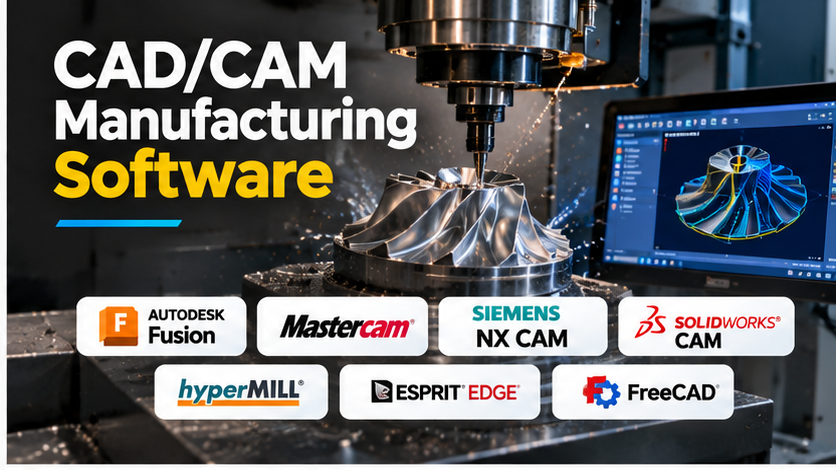
CAD/CAM manufacturing software helps connect product design with machine production. Engineers can create or import digital models, plan machining operations, generate toolpaths, and prepare instructions for CNC equipment.
However, CAD/CAM platforms differ considerably. Some focus on accessible machining workflows. Others support complex five-axis operations, high-volume manufacturing, or detailed production planning.
This guide examines the main CAD/CAM software options, explains their strengths and limitations, and helps manufacturers select tools based on actual production needs.
What Is CAD/CAM Manufacturing Software?
CAD/CAM combines two related technologies:
- Computer-Aided Design (CAD): Software used to create, edit, and document digital product designs.
- Computer-Aided Manufacturing (CAM): Software used to plan manufacturing operations and generate machine instructions from digital designs.
CAD defines what a part should look like. CAM helps determine how the part will be manufactured.
For example, a mechanical engineer may design an aluminum housing in CAD software. A CNC programmer then uses CAM software to select cutting tools, define machining operations, and generate toolpaths.
A postprocessor converts those toolpaths into instructions suitable for a particular machine and controller.
The resulting program must still be checked before production.
CAD/CAM is widely used in CNC milling, turning, mold manufacturing, aerospace, automotive production, and precision engineering.
How CAD/CAM Works: From Digital Design to Finished Part
A simplified CAD-to-CNC manufacturing workflow
A typical workflow includes six stages.
1. Create or import the part design
The process begins with a digital model. This may be created in an integrated CAD/CAM application or imported from another CAD system.
Common exchange formats include STEP and IGES, although support varies by product.
2. Prepare the manufacturing setup
The programmer defines the raw material, machine orientation, work coordinate system, fixtures, and machining boundaries.
Incorrect setup information can cause serious problems later.
3. Select tools and machining strategies
CAM software helps programmers define operations such as facing, drilling, pocket milling, contouring, and finishing.
Advanced systems may support multi-axis machining, turning, mill-turn operations, and automated feature recognition.
4. Generate toolpaths
The CAM engine calculates the movements needed to remove material.
The programmer must consider tool access, cutting conditions, material behavior, and machine limits.
5. Simulate and verify operations
Simulation can reveal certain collisions, excessive tool movements, or unmachined material.
Its reliability depends on the simulation model, machine configuration, and available verification capabilities.
6. Postprocess and manufacture
A postprocessor converts toolpath information into machine-specific code.
The program is then checked using the machine shop’s established safety procedures before machining begins.
CAD/CAM Manufacturing Software Platforms Worth Evaluating
The following products serve different manufacturing needs. They are organized by practical use case rather than an unsupported numerical ranking.
Autodesk Fusion: Integrated Design and Manufacturing
Autodesk Fusion Manufacturing Solution
Fusion Mill 2.5 & 3 Axis | cadcampilot
July 2024 Post Processor and Machine Simulation What’s New – Autodesk Community
Autodesk Fusion combines product design, manufacturing preparation, and related engineering workflows in one platform.
Its integrated approach allows designers and manufacturing specialists to work with the same underlying project rather than repeatedly exporting models between separate applications.
Fusion supports a range of milling and turning operations. More advanced manufacturing capabilities may depend on the selected subscription and extensions.
Where Fusion makes sense
Fusion is particularly worth considering for product development teams, smaller machine shops, prototyping businesses, and manufacturers that want to connect design changes with machining workflows.
Its integrated environment can reduce the effort involved in moving between separate CAD and CAM tools.
Limitations to consider
Specialist machining features may require additional licensing. Organizations should also review cloud connectivity requirements, data management policies, and machine-specific postprocessor support.
Fusion is not automatically the best option for every complex production environment.
Official website: Autodesk Fusion
Mastercam: CNC Programming for Production Shops
Mastercam 2018
Faire de la programmation cnc mastercam pour des pièces petites à plus complexe
Mastercam is a CAM-focused platform used for CNC machining.
It supports manufacturing workflows including milling, turning, and multi-axis programming, with available functionality depending on the product configuration.
Unlike a design-first platform, Mastercam places strong emphasis on preparing machining operations.
Where Mastercam makes sense
Mastercam deserves consideration for machine shops that work with CAD models supplied by customers and need dedicated CNC programming capabilities.
Its machining focus can be useful when a shop operates several types of CNC equipment.
Limitations to consider
The full cost depends on the modules, licensing arrangement, support, and training requirements.
Manufacturers should verify postprocessors for their specific controllers and machine configurations before purchasing.
Official website: Mastercam
Siemens NX CAM: Advanced Manufacturing and Engineering Integration
Siemens NX CAM 5 Eksen
Optimized Toolpaths and Simulation with CAM Software
NX CAM Reviews & Ratings 2026 | TrustRadius
Siemens NX CAM supports machining workflows within the broader Siemens NX engineering environment.
Its capabilities cover a wide range of CNC programming requirements, including complex multi-axis machining and manufacturing automation.
NX CAM is relevant when manufacturing operations must connect closely with detailed engineering models and enterprise production processes.
Where NX CAM makes sense
Large manufacturers and engineering organizations may find NX CAM suitable for complex components, advanced machining, and coordinated product development.
It is particularly worth evaluating when the business already uses Siemens NX or related manufacturing systems.
Limitations to consider
Implementation can involve substantial licensing, training, configuration, and integration work.
Smaller workshops with straightforward machining requirements may not need its broader capabilities.
Official website: Siemens NX Manufacturing
SOLIDWORKS CAM: Manufacturing Within a Familiar CAD Environment
Phần mềm SolidWorks CAM Professional bản quyền
SOLIDWORKS CAM Powered by CAMWorks | GoEngineer
What’s New in SOLIDWORKS CAM
SOLIDWORKS CAM supports manufacturing preparation within the SOLIDWORKS design environment.
Its feature-based machining approach helps users define operations using recognized part features and machining knowledge.
The available operations depend on the edition and licensing configuration.
Where SOLIDWORKS CAM makes sense
This solution is worth considering for engineering teams that already design parts in SOLIDWORKS and want to introduce CAM without moving every model into a separate application.
Limitations to consider
Manufacturers should check which machining operations are included in their licenses.
Advanced requirements may call for additional CAM products or modules.
Official website: SOLIDWORKS CAM
hyperMILL: Complex Geometry and Multi-Axis Machining
hyperMILL is a specialist CAM solution developed by OPEN MIND Technologies.
It supports machining applications that require detailed toolpath control, including complex five-axis operations.
Its capabilities make it relevant to industries that manufacture intricate parts, molds, and high-value components.
Where hyperMILL makes sense
Manufacturers working with complex surfaces or demanding multi-axis processes should consider evaluating hyperMILL.
Limitations to consider
Specialist capabilities bring training and configuration demands. Shops should test their own components and machine configurations before committing.
Official website: hyperMILL
ESPRIT EDGE: Programming Complex CNC Equipment
ESPRIT EDGE is a CAM platform associated with Hexagon’s manufacturing software portfolio.
It focuses on CNC programming and machine-aware manufacturing workflows, including applications involving complex machine configurations.
Where ESPRIT EDGE makes sense
It is worth evaluating for manufacturers that need detailed programming and simulation for advanced CNC equipment.
Limitations to consider
Machine-specific support, postprocessors, licensing, and simulation requirements should be confirmed during evaluation.
A demonstration using the shop’s actual machine configuration is particularly important.
Official website: Hexagon Manufacturing Intelligence
FreeCAD: Open-Source CAD With CAM Capabilities
FreeCAD is a free, open-source parametric CAD application.
Its CAM workbench, previously known as Path, supports toolpath creation for selected machining operations.
FreeCAD offers an alternative for users who want to explore CAD/CAM workflows without committing immediately to a commercial license.
Where FreeCAD makes sense
It can be useful for education, experimentation, hobby machining, and selected small-scale manufacturing workflows.
Limitations to consider
Its CAM capabilities and production workflow may not match the requirements of advanced commercial machining environments.
Users must carefully verify available operations, postprocessors, and output before using generated programs on equipment.
Official website: FreeCAD
CAD/CAM Software Comparison
| Software | Primary use case | Key strength | Main consideration |
|---|---|---|---|
| Autodesk Fusion | Integrated design and manufacturing | Connected CAD/CAM workflows | Advanced features may require extensions |
| Mastercam | CNC production programming | Milling, turning, and machine-specific workflows | Licensing and postprocessor costs |
| Siemens NX CAM | Complex industrial manufacturing | Advanced machining and engineering integration | Implementation and training requirements |
| SOLIDWORKS CAM | SOLIDWORKS-based manufacturing | Feature-based machining | Edition-dependent capabilities |
| hyperMILL | Complex multi-axis machining | Specialized toolpath strategies | Advanced programming expertise |
| ESPRIT EDGE | Complex CNC machines | Machine-aware programming | Machine configuration and support |
| FreeCAD | Open-source CAD/CAM | No commercial license required | More limited specialist capabilities |
The comparison reflects product positioning, not independently measured performance.
What Actually Matters When Choosing CAD/CAM Software?
The most expensive CAM system is not necessarily the most useful.
A small workshop manufacturing simple aluminum brackets has different needs from an aerospace supplier machining complex turbine components.
The following factors usually matter more than the length of a software feature list.
Machine and controller compatibility
Start with the equipment already on the shop floor.
Record each machine’s manufacturer, model, controller, number of axes, and special functions.
A CAM application may support five-axis machining in general but still require a specific postprocessor and machine configuration for your equipment.
For mill-turn machines, verify spindle transfers, turret synchronization, and supported cycles.
Toolpath quality and machining efficiency
Different CAM strategies can produce different machining results.
Important considerations include cutting engagement, tool motion, stock awareness, finishing strategies, and the ability to reduce unnecessary movements.
Do not accept claims about faster machining without testing representative parts.
Simulation and collision checking
Toolpath simulation and full machine simulation are not the same.
Toolpath simulation helps inspect cutting movements and material removal. Machine simulation can also account for modeled machine components, fixtures, holders, and machine kinematics.
Neither guarantees a safe program if the digital setup is incomplete or incorrect.
CAD interoperability
Many manufacturers receive designs from customers who use different CAD applications.
Check how the CAM system handles imported geometry, including assemblies, surfaces, tolerances, and revised models.
A practical test should include a customer design change after the initial machining program has been created.
Automation and repeatability
Feature recognition, machining templates, reusable tools, and standardized operations can reduce repetitive programming work.
These features are most valuable when they reflect the shop’s actual processes.
For example, automatic drilling can save time on parts containing many similar holes, but complex or unusual features may still require manual programming.
Total cost of ownership
The real cost extends beyond the software subscription.
It may include postprocessors, machine simulation models, additional modules, training, workstations, support, and production downtime during implementation.
How to Test CAD/CAM Software Before Purchasing
A short pilot can reveal problems that are difficult to identify during a sales demonstration.
Choose three representative parts from your own production environment:
- A straightforward part with pockets, holes, and external profiles.
- A moderately complex part with several setups or difficult surfaces.
- A demanding part that represents your shop’s most important machining requirements.
Use the same machine, material, tooling assumptions, and quality requirements for each shortlisted system.
Evaluate the time needed to prepare the program, the clarity of the toolpaths, the verification process, and the effort required to handle design changes.
Record the results instead of relying on impressions.
Example evaluation scorecard
| Evaluation area | What to measure |
|---|---|
| Programming effort | Time needed to create and review operations |
| Postprocessing | Compatibility with the target controller |
| Toolpath verification | Errors or risks identified before machining |
| Design changes | Time needed to update affected operations |
| Machine utilization | Actual production time under comparable conditions |
| Support | Quality of help with realistic technical problems |
| Training | Time required for programmers to become productive |
This approach provides a more useful basis for a purchasing decision than arbitrary product ratings.
Common CAD/CAM Purchasing Mistakes
Buying for machines the business does not own
Advanced capabilities may look attractive, but they create little value if the workshop cannot use them.
Prioritize current production needs while allowing reasonable room for growth.
Ignoring postprocessors
A well-generated toolpath is not enough if the output is unsuitable for the CNC controller.
Confirm postprocessor availability and validation requirements before finalizing a purchase.
Confusing simulation with guaranteed safety
Simulation is a valuable verification tool, not a substitute for machine-specific checks, operator training, and controlled first-run procedures.
Underestimating training
A technically capable CAM system can still reduce productivity if programmers do not understand its workflow.
Include training time in the implementation budget.
Evaluating only simple sample parts
Most commercial CAM systems can demonstrate basic milling.
The differences become more meaningful when programming difficult geometry, multiple setups, or specialized machines.
CAD/CAM Software Recommendations by Manufacturing Scenario
Research and Development | Engineering Innovation
Small CNC workshop
Autodesk Fusion and Mastercam are useful starting points. Compare the required operations, postprocessors, and overall cost.
CNC Zerspanung & Präzisionsteile für Luftfahrt und Motorsport
Advanced multi-axis manufacturer
Siemens NX CAM, hyperMILL, Mastercam, and ESPRIT EDGE deserve closer evaluation based on machine configuration and part complexity.
Ingegneri introvabili in Italia: oltre 7mila posti vacanti mettono a rischio crescita e competitività delle imprese | Articoli | Ingenio
Product design and prototyping team
Autodesk Fusion may be attractive for its integrated design-to-manufacturing workflow. SOLIDWORKS CAM is relevant when the team already uses SOLIDWORKS.
Electrical & Computer Engineering | Boston University College of Engineering
Education and experimental machining
FreeCAD provides an open-source entry point for learning CAD/CAM concepts and selected CNC workflows.
Frequently Asked Questions
What is the difference between CAD and CAM?
CAD is used to design parts and create digital geometry. CAM uses that geometry to plan manufacturing operations and produce machine instructions. Integrated CAD/CAM systems support both activities.
Can CAD/CAM software control a CNC machine directly?
Most CAM workflows generate machine programs through postprocessing. Those programs are then transferred to and executed by a CNC controller. Some systems support closer machine integration, but capabilities vary.
Is CAD/CAM software suitable for beginners?
Yes, although the learning curve depends on the software and machining complexity. Beginners should start with basic operations and learn machining safety, coordinate systems, tooling, and verification.
Is free CAD/CAM software good enough for manufacturing?
FreeCAD can support selected machining workflows. Whether it is suitable for commercial production depends on the required operations, machine compatibility, verification needs, and available technical expertise.
Do all CAM applications support five-axis machining?
No. Five-axis capabilities vary by product, edition, and license. There is also an important difference between indexed machining and simultaneous five-axis tool movement.
Can CAM software eliminate CNC programming errors?
No. CAM software can automate many calculations and help detect problems, but incorrect setup information, tooling assumptions, postprocessors, or machine configurations can still create unsafe programs.
Making the Right CAD/CAM Investment
CAD/CAM software should help manufacturers move from design to production with fewer unnecessary steps, more consistent programming, and better control over machining operations.
For a small workshop, the most valuable features may be reliable three-axis toolpaths, straightforward programming, and affordable support.
For a complex manufacturing operation, machine simulation, advanced toolpath control, and integration with engineering systems may be more important.
The strongest purchasing decision comes from testing real parts on representative equipment, checking postprocessor compatibility, and calculating the full implementation cost.
Choose the system that fits your machines, programmers, and production requirements—not simply the one with the longest feature list.