A customer finds the right product, selects the preferred size, and adds it to the shopping cart.
Everything appears to be working.
Then the customer reaches checkout.
Shipping costs are unclear. A discount code fails. The checkout form asks for unnecessary information, and the selected delivery option disappears after the customer updates the address.
The customer leaves without completing the order.
This illustrates why shopping cart software deserves careful attention.
A shopping cart is not simply a place to collect products before purchase.
It connects product selection, pricing, inventory, shipping, taxes, payment, and order creation.
When these functions work together, customers can complete purchases confidently.
When they fail, even a well-designed online store can lose sales.
The right shopping cart solution should make purchasing straightforward while supporting accurate and secure business operations.
What Is Shopping Cart Software?
Shopping cart software allows customers to select products, review their intended purchases, and proceed through checkout.
It typically manages information such as product quantities, selected variations, prices, discounts, and estimated order totals.
Depending on the platform, it may also coordinate shipping, taxes, payment processing, and order submission.
A basic shopping cart workflow includes:
- Adding a product.
- Reviewing selected items.
- Changing quantities or removing products.
- Applying available discounts.
- Reviewing shipping and tax information.
- Entering required checkout details.
- Selecting a payment method.
- Confirming the purchase.
- Creating the order record.
Some systems combine the cart and checkout within a single page.
Others separate them into several steps.
Neither design is automatically better.
The correct approach depends on usability, business requirements, and how clearly the interface communicates the purchasing process.
Shopping Cart Software Versus E-commerce Platforms
The terms are sometimes used interchangeably, but they describe different scopes.
An e-commerce platform generally provides a broader environment for online selling.
It may include product management, storefront design, inventory, marketing, order management, and reporting.
Shopping cart software focuses more directly on the process of collecting products and converting selections into orders.
However, many commerce platforms include built-in shopping carts.
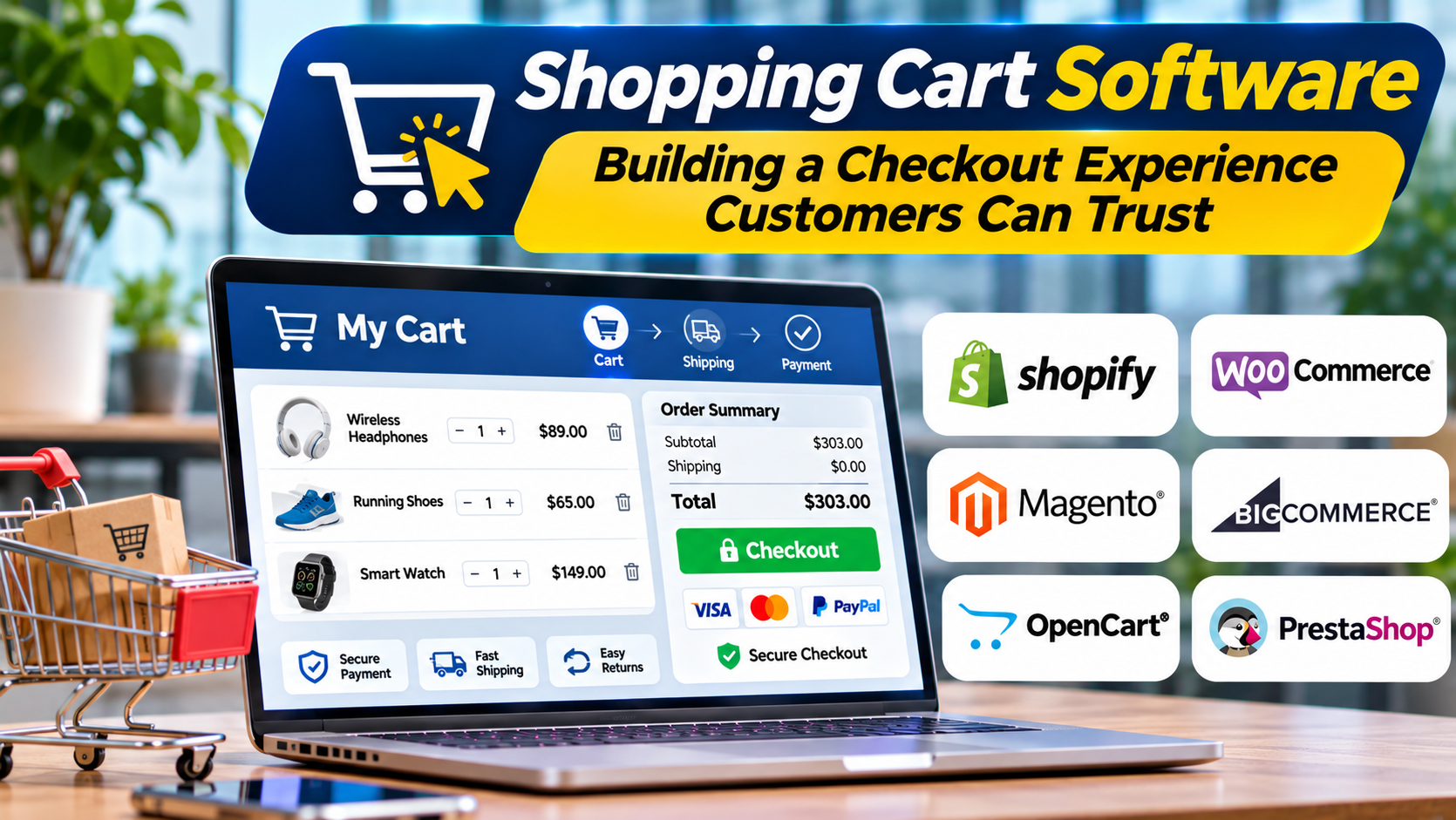
For example, WooCommerce, Shopify, and OpenCart provide cart and checkout capabilities as part of broader commerce systems.
Other products can add commerce functionality to an existing website.
The practical question is whether a business needs a complete online store platform or a shopping cart and checkout solution that fits its current website.
The Main Shopping Cart Software Models
Built-in platform shopping carts
Most full e-commerce platforms provide a native cart and checkout.
This can simplify integration because product information, inventory, and orders already exist within the same environment.
However, customization may depend on the platform’s architecture and subscription requirements.
Shopping cart applications for existing websites
Some businesses already have websites and want to add online selling without rebuilding everything.
An embeddable commerce solution can provide product listings, cart functionality, and checkout.
This approach may reduce initial development work.
The business must still verify compatibility with its website and operational systems.
Open-source shopping cart software
Open-source commerce systems provide access to software that can be hosted and customized.
This may offer substantial flexibility.
However, the business becomes responsible for important aspects of hosting, updates, security, and maintenance.
Custom and headless carts
Some organizations develop customized cart experiences using commerce APIs or specialized checkout services.
This approach may support unusual purchasing workflows or highly customized storefronts.
However, it introduces engineering and testing responsibilities.
A custom cart should be justified by genuine business requirements rather than a preference for unnecessary complexity.
Shopping Cart Software Worth Evaluating
Ecwid by Lightspeed
Ecwid provides commerce functionality that can be added to existing websites.
Its shopping cart supports product selection, quantity adjustments, discounts, and checkout workflows.
It may be relevant to businesses that want to introduce online selling while retaining an existing website.
Potential fit: Small and growing businesses adding commerce to an established website.
Important consideration: Website integration, customization requirements, subscription capabilities, and payment availability.
WooCommerce
WooCommerce provides shopping cart and checkout functionality within the WordPress environment.
It supports a flexible commerce model through themes, extensions, and customization.
Businesses already using WordPress may find this approach attractive.
However, extension compatibility, hosting, updates, and security require ongoing attention.
Potential fit: WordPress-based stores seeking flexible commerce functionality.
Important consideration: Maintenance responsibility and the complexity of the extension environment.
OpenCart
OpenCart is an open-source e-commerce system with product management, cart, and checkout capabilities.
It may appeal to organizations seeking a self-managed commerce application.
Its extension ecosystem can support additional functionality, but buyers should evaluate the quality and maintenance of the components they intend to use.
Potential fit: Businesses comfortable managing an open-source commerce environment.
Important consideration: Hosting, technical support, security updates, and customization.
PrestaShop
PrestaShop provides an open-source commerce platform with shopping cart and checkout capabilities.
It is relevant to merchants seeking control over their online store and access to a broader commerce feature set.
Its suitability depends on the business’s technical resources and required extensions.
Potential fit: Retailers seeking a customizable commerce environment.
Important consideration: Hosting, module costs, maintenance, and implementation effort.
Shopify
Shopify provides cart and checkout functionality within its hosted commerce platform.
It may be appropriate for businesses that prefer to manage their storefront, products, and orders within a coordinated environment.
Potential fit: Merchants seeking an integrated, managed online selling platform.
Important consideration: Platform customization boundaries, payment arrangements, and ongoing subscription or application costs.
Comparing Shopping Cart Approaches
| Platform | General approach | Key evaluation question |
|---|---|---|
| Ecwid | Add commerce to existing websites | How well does it integrate with the current site? |
| WooCommerce | WordPress commerce | Can the business maintain the technical environment? |
| OpenCart | Open-source commerce | Is self-managed hosting appropriate? |
| PrestaShop | Customizable commerce platform | What extensions and maintenance are required? |
| Shopify | Managed commerce platform | Does the integrated ecosystem fit the business? |
These products are not identical in scope.
A business seeking only an embeddable cart should not evaluate them in exactly the same way as a retailer replacing its entire commerce platform.
What Makes a Shopping Cart Easy to Use?
A good cart helps customers understand what they have selected and what happens next.
Clear product information
Customers should see the product name, relevant image, quantity, selected variation, and price.
For products with sizes or colors, the selected option should remain visible.
Simple quantity adjustments
Customers should be able to increase, decrease, or remove items without confusion.
Changes should update the order summary accurately.
Transparent pricing
The cart should distinguish product subtotals, discounts, shipping charges, taxes, and other applicable fees.
Unexpected costs near the end of checkout can create frustration.
Clear next steps
Customers should understand how to continue shopping or proceed to checkout.
Important actions should be easy to identify on desktop and mobile devices.
Reliable state management
A cart should preserve selections appropriately as customers navigate the website.
The exact persistence behavior depends on the platform and the customer’s session or account status.
Helpful error messages
If a product becomes unavailable or a discount cannot be applied, the interface should explain the problem.
Generic error messages create uncertainty.
Cart Persistence and Inventory Accuracy
Customers often browse before deciding to purchase.
They may add products to a cart, leave the website, and return later.
Cart persistence can improve continuity, but it introduces important questions.
How long should selections remain available?
What happens if the product price changes?
What if the selected variation becomes unavailable?
Does adding a product to the cart reserve inventory?
The answer to the last question is especially important.
In many commerce systems, adding an item to a cart does not guarantee that stock has been reserved.
The platform may check availability again during checkout.
Businesses should verify the exact behavior of their chosen system.
If inventory is limited, customers should receive clear information when availability changes.
Guest Checkout Versus Account Creation
Some businesses encourage customers to create accounts.
Accounts can support order history, saved information, and repeat purchases.
However, mandatory registration may create unnecessary friction for customers who want to make a single purchase.
Guest checkout can simplify the process.
The appropriate approach depends on the business model and operational requirements.
For example, a subscription service may need an ongoing customer account.
A retailer selling ordinary consumer products may be able to support guest purchases.
Businesses should avoid collecting information that is not necessary for the transaction.
Payment Processing and Checkout Security
Shopping cart software must coordinate with payment processing systems.
The cart may calculate the order total, while a payment provider handles sensitive payment information and authorization.
The exact architecture depends on the platform.
Retailers should understand which systems process payment data and what responsibilities remain with the business.
Important evaluation areas include:
- Supported payment methods.
- Regional payment availability.
- Refund processing.
- Payment failures.
- Fraud prevention.
- Secure communication.
- Access controls.
- Relevant payment security requirements.
Using a recognized payment provider does not remove every security responsibility.
Businesses still need to protect administrative accounts, customer records, and integrations.
Shipping and Tax Calculations
Shipping and tax calculations can introduce significant checkout complexity.
A retailer may offer standard delivery, express delivery, pickup, or local delivery.
Rates may depend on destination, package weight, order value, or product type.
Taxes may vary by jurisdiction and transaction characteristics.
Shopping cart software should support the business’s actual requirements.
A simple flat-rate shipping option may work for a small local store.
An international retailer may need more sophisticated calculation and integration capabilities.
Before launch, test several representative destinations and order types.
Incorrect totals can lead to customer disputes, lost margin, and operational problems.
Discounts, Coupons, and Promotions
Promotional functionality is common in shopping cart systems.
However, promotions can create complicated interactions.
For example, a retailer may offer a percentage discount, free shipping above a minimum order value, and a product-specific promotion.
The business must determine whether these offers can be combined.
The cart should calculate the result consistently.
Important questions include:
- Can discounts apply to selected products?
- Are minimum order requirements supported?
- Can multiple promotions be combined?
- How are discounts handled during refunds?
- What happens when a promotion expires?
- Can employees review the discount history?
Promotion rules should be tested before campaigns begin.
A discount that behaves incorrectly can create financial and customer service problems.
Mobile Checkout and Accessibility
A shopping cart must work effectively on smaller screens.
Mobile customers should be able to review products, change quantities, select delivery options, and complete payment without excessive effort.
Forms should use clear labels and appropriate input types.
Buttons should be easy to operate.
Error messages should identify what needs correction.
Accessibility testing should also cover keyboard navigation, screen readers, focus behavior, and readable text.
A cart that works visually may still create barriers for customers using assistive technologies.
These issues deserve attention before launch.
Understanding Cart Abandonment
Cart abandonment occurs when a customer adds products to a cart but does not complete a purchase.
However, not every abandoned cart represents a failed buying experience.
Some visitors use carts to compare products, estimate costs, or save items for later.
Others may decide not to purchase for reasons unrelated to the website.
Businesses should investigate abandonment patterns rather than assume every incomplete cart can be recovered.
Potential causes of avoidable friction include unexpected charges, confusing forms, unsupported payment methods, technical errors, and unclear delivery information.
Analytics, usability testing, and customer feedback can help identify which problems matter.
Measuring Shopping Cart Performance
Cart-to-checkout rate
This measures the proportion of relevant carts that progress to checkout.
The definition should remain consistent across reporting periods.
Checkout completion rate
This measures how often initiated checkouts result in completed orders.
It can help identify friction during the final purchasing stages.
Payment failure rate
Payment failures may reflect technical problems, customer circumstances, or provider-related issues.
Investigate causes before drawing conclusions.
Average order value
Average order value helps describe the value of completed orders.
It should not be increased at the expense of customer trust or overall profitability.
Cart abandonment rate
This measure can reveal trends, but it requires careful interpretation.
A high abandonment rate does not independently identify the cause.
Refund and cancellation rates
These measures can help identify problems involving product information, order accuracy, or fulfillment expectations.
No single metric provides a complete picture.
Cart Recovery and Customer Communication
Some commerce systems support abandoned cart reminders.
These may involve email or other communication channels.
Such features can help customers return to incomplete purchases.
However, businesses should respect applicable marketing consent, privacy, and communication requirements.
Messages should be relevant and accurate.
A customer who left because of a technical error may need a different response from someone who was simply comparing products.
Recovery campaigns should not substitute for fixing checkout problems.
Improving the purchasing experience is usually more sustainable than repeatedly reminding customers to return to a broken process.
How to Evaluate Shopping Cart Software
A practical evaluation should involve complete purchasing scenarios.
Scenario 1: A straightforward purchase
Add a product, proceed to checkout, and complete payment.
Review every step from the customer’s perspective.
Scenario 2: Product variations
Add products with different sizes or colors.
Confirm that the cart displays the correct options and prices.
Scenario 3: Quantity changes
Increase and decrease quantities.
Verify that totals and availability update correctly.
Scenario 4: Discounts
Apply valid and invalid discount codes.
Check whether error messages are understandable.
Scenario 5: Shipping changes
Select different delivery methods and destinations.
Verify the calculations.
Scenario 6: Payment failure
Simulate an unsuccessful payment.
Determine whether the customer can retry safely without creating duplicate orders.
Scenario 7: Inventory changes
Make a product unavailable after it has been added to the cart.
Review how the system handles the situation.
Scenario 8: Mobile and accessibility testing
Complete the purchase using a mobile device and appropriate accessibility testing methods.
These scenarios provide stronger evidence than a demonstration of the cart interface alone.
Common Shopping Cart Implementation Mistakes
Hiding important charges
Customers should understand the full cost before confirming a purchase.
Requiring unnecessary information
Every additional field should have a clear purpose.
Installing excessive checkout extensions
Extensions can introduce compatibility, performance, and maintenance problems.
Failing to test payment errors
Payment failures are unavoidable in real commerce environments.
The system should handle them clearly and safely.
Ignoring inventory synchronization
Incorrect availability information can lead to overselling and cancellations.
Measuring only conversion
A checkout that generates more orders but creates more refunds or customer complaints may not represent a genuine improvement.
Total Cost of Shopping Cart Software
Shopping cart costs depend on the chosen architecture.
A hosted platform may include cart functionality within its subscription.
An open-source solution may require hosting, development, extensions, and ongoing maintenance.
An embeddable commerce application may charge according to its plan and supported capabilities.
Additional expenses may include payment processing, fraud prevention, shipping integrations, customization, and technical support.
Businesses should estimate total cost using realistic order volumes and operational requirements.
A low software price is not necessarily the lowest overall cost.
Choosing the Right Shopping Cart Solution
An existing website that needs basic commerce functionality may benefit from an embeddable solution such as Ecwid.
A WordPress-based business may consider WooCommerce.
Organizations seeking open-source control may evaluate OpenCart or PrestaShop.
A retailer wanting a managed commerce environment may prefer Shopify.
The decision should reflect technical capacity, integration requirements, customer experience goals, and maintenance responsibilities.
Before selecting software, document the entire purchase journey.
Identify which information customers need, which payment methods must be supported, how inventory is checked, and how orders reach fulfillment.
Then test the complete process under realistic conditions.
Building a Cart That Helps Customers Complete Purchases
Shopping cart software is a small part of the storefront visually, but it performs a critical operational role.
It must preserve product selections, calculate totals, communicate charges, coordinate payments, and create accurate orders.
A reliable cart also supports customers when something goes wrong.
It explains unavailable products, invalid discounts, payment failures, and other problems without creating unnecessary confusion.
The best solution is not necessarily the one with the most checkout features.
It is the one that makes purchasing clear, dependable, secure, and appropriate for the business.
By combining thoughtful design with reliable commerce operations, retailers can reduce avoidable friction and build greater confidence throughout the buying process.