Introduction
A diagnostic image is useful only when the right clinician can retrieve it, view it accurately, and connect it to the correct patient.
Medical imaging departments generate large volumes of information from CT scanners, MRI systems, ultrasound equipment, X-ray devices, and other modalities.
Those images must be stored, organized, transmitted, and displayed in ways that support clinical care.
Picture archiving and communication systems, commonly called PACS, provide much of this infrastructure.
However, choosing a PACS involves more than comparing storage capacity or viewing interfaces.
Healthcare organizations must consider image quality, DICOM interoperability, diagnostic workflows, cybersecurity, long-term retention, disaster recovery, and integration with clinical systems.
A system that performs well in a small imaging center may not be suitable for a hospital network with multiple facilities and complex specialist services.
The right decision begins with the imaging environment and the clinical work it must support.
What Is a Medical Imaging PACS System?
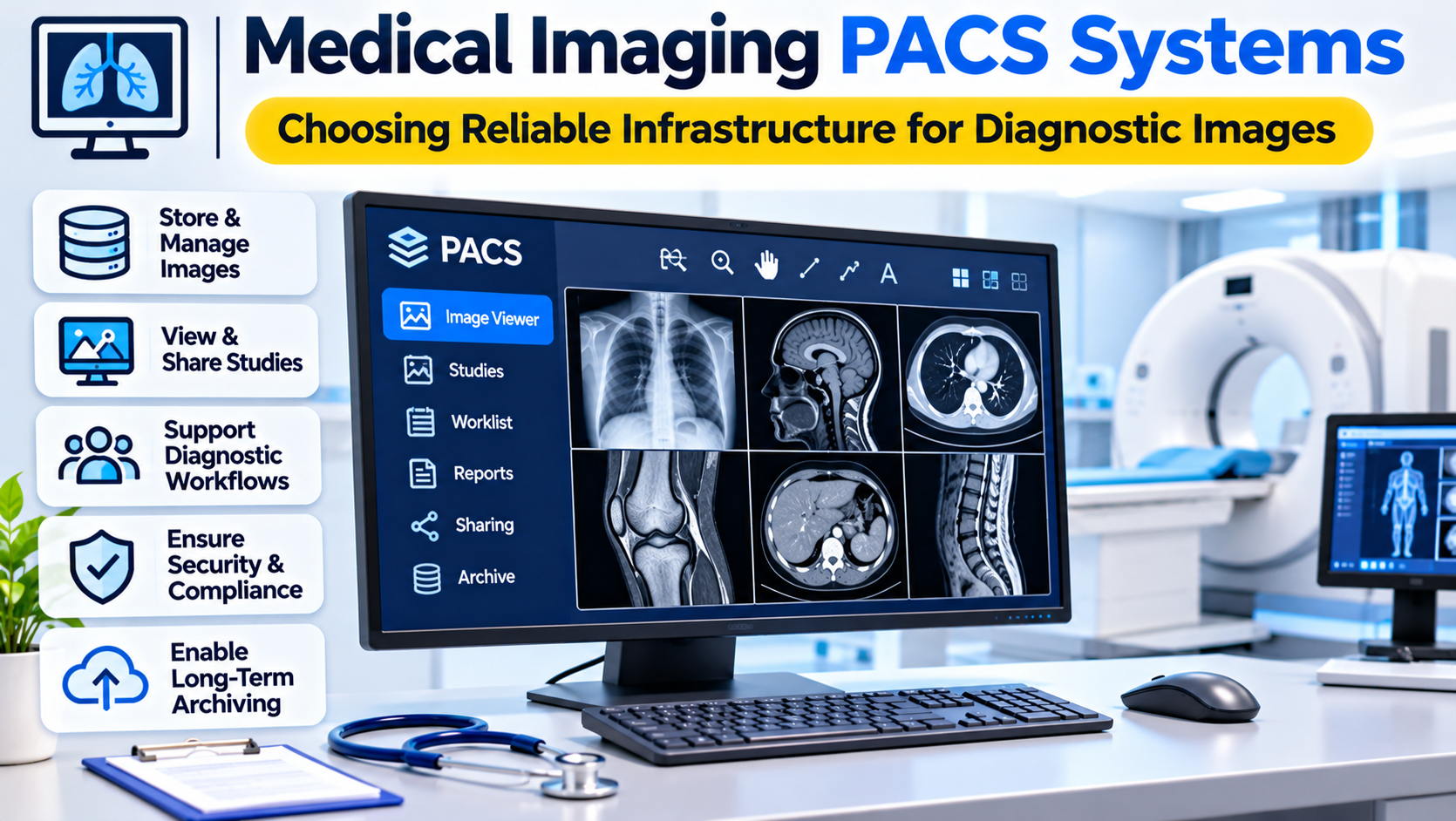
A picture archiving and communication system is software and supporting infrastructure used to store, retrieve, distribute, and display medical images.
PACS commonly works with images generated by medical imaging equipment.
Typical components include:
- Image acquisition interfaces
- DICOM communication services
- Image archives
- Diagnostic viewing applications
- Image retrieval and routing
- Workstation access
- User authentication
- Audit logging
- Integration with clinical systems
- Backup and recovery processes
A PACS may be deployed within a hospital, across several facilities, or through a managed cloud environment.
Some products combine image management and viewing in a single platform.
Others use separate systems for archival storage, image distribution, and diagnostic interpretation.
Understanding the Difference Between PACS, VNA, and RIS
These three technologies are closely related but serve different purposes.
PACS
PACS primarily manages the storage, retrieval, distribution, and viewing of medical images.
It supports imaging specialists who need to inspect studies and compare current findings with previous examinations.
Vendor Neutral Archive
A vendor neutral archive, or VNA, is designed to manage imaging information across different applications and systems.
Its purpose is often to reduce dependence on a single PACS vendor and support broader enterprise imaging strategies.
However, the term vendor neutral does not guarantee that every migration or integration will be simple.
Organizations should examine supported formats, metadata handling, and export capabilities.
Radiology Information System
A radiology information system, or RIS, manages radiology-related operational workflows.
These can include scheduling, examination status, worklists, reporting, and administrative processes.
The RIS coordinates the examination process, while PACS manages the images.
The two systems frequently exchange information.
Some commercial platforms combine RIS and PACS capabilities.
How Images Move Through a PACS Environment
Understanding image movement is essential when evaluating a PACS.
Examination Ordering
A clinician requests an imaging examination through an appropriate clinical system.
The order may include patient information, examination details, and clinical context.
Scheduling and Preparation
The radiology department prepares the examination.
A RIS or other workflow system may manage scheduling and status.
Image Acquisition
The imaging modality produces image data.
Depending on the environment, the modality may receive patient and procedure information through a worklist.
Image Transfer
Images are transmitted to PACS or another designated imaging repository.
DICOM is central to many of these exchanges.
Storage and Indexing
The system stores image objects and associated metadata.
Correct patient and study association is critical.
Diagnostic Viewing
A radiologist or another authorized clinician retrieves the study.
The viewer may provide tools for windowing, measurements, comparison, and specialized image manipulation.
Reporting and Clinical Access
The interpreting clinician creates a report through the relevant reporting workflow.
Images and reports may then become available to authorized care teams.
A PACS implementation should support this entire sequence without creating unnecessary delays or data inconsistencies.
DICOM Is the Foundation of Medical Imaging Interoperability
Digital Imaging and Communications in Medicine, or DICOM, is a standard for medical imaging information and communication.
It defines image-related data structures and services used across many medical imaging systems.
DICOM is essential to PACS interoperability.
However, support for DICOM is not a single yes-or-no capability.
Different systems may support different services, transfer syntaxes, and object types.
Organizations should request a DICOM conformance statement from vendors.
The statement helps identify which functions and communication capabilities a product supports.
DICOM Storage
DICOM storage services support the transfer of imaging objects between compatible systems.
A modality may use these services to send images to an archive.
DICOM Query and Retrieval
Query and retrieval services help authorized systems locate and obtain studies.
Implementation details influence interoperability and performance.
Modality Worklist
Modality worklist capabilities can help imaging devices receive examination information from scheduling or workflow systems.
This reduces some manual entry but requires reliable integration and patient identification.
DICOMweb
DICOMweb provides web-based services for accessing and exchanging DICOM information.
It can be relevant to browser-based viewing and modern imaging architectures.
However, organizations must verify the exact services supported by each application.
Medical Imaging PACS Solutions Worth Evaluating
The following platforms represent different approaches to image management. They are illustrative options, not a ranking.
Sectra Enterprise Imaging
Sectra provides enterprise imaging technology used in diagnostic imaging environments.
Its solutions support image management and clinical imaging workflows across relevant specialties.
Where it fits: Hospitals and healthcare networks evaluating enterprise-scale imaging infrastructure.
Important trade-off: Buyers should examine specialty coverage, deployment requirements, integrations, diagnostic viewing capabilities, and long-term contractual commitments.
Philips IntelliSpace PACS
Philips has offered IntelliSpace PACS technology for diagnostic imaging environments.
Its imaging portfolio is relevant to organizations evaluating enterprise image access and radiology workflows.
Where it fits: Healthcare organizations considering PACS technology within a broader imaging environment.
Important trade-off: Product availability, deployment options, migration paths, and support arrangements should be confirmed for the specific market and offering.
Fujifilm Synapse
Fujifilm Synapse provides medical imaging informatics capabilities, including PACS-related technology.
Its portfolio supports imaging workflows and enterprise imaging use cases.
Where it fits: Hospitals and imaging organizations seeking integrated image management and diagnostic workflow capabilities.
Important trade-off: Evaluate product modules, viewing requirements, storage architecture, and interoperability with existing systems.
Visage Imaging
Visage Imaging provides enterprise imaging and diagnostic viewing technology.
Its solutions are relevant to organizations managing complex image interpretation and distribution requirements.
Where it fits: Healthcare networks evaluating advanced viewing and enterprise imaging workflows.
Important trade-off: Buyers should examine infrastructure requirements, supported imaging modalities, clinical workflows, and integration dependencies.
Orthanc
Orthanc is an open-source DICOM server designed for medical imaging workflows.
It can store and manage DICOM information and support integration and development projects.
Where it fits: Research environments, technical teams, and organizations developing imaging infrastructure.
Important trade-off: Orthanc is not automatically a complete enterprise diagnostic PACS. Organizations may need additional viewing, workflow, security, support, and operational components.
dcm4chee
dcm4chee is an open-source collection of medical imaging archive and related software components.
It is relevant to organizations developing or maintaining DICOM-based imaging infrastructure.
Where it fits: Technically capable teams that require configurable imaging archive capabilities.
Important trade-off: Deployment and maintenance require appropriate technical expertise. Diagnostic workflow suitability must be assessed separately.
Comparing PACS Architecture Options
| Architecture | Potential advantage | Main consideration |
|---|---|---|
| Integrated commercial PACS | Coordinated archive and viewing functions | Vendor dependencies and licensing |
| Enterprise imaging platform | Broader access across facilities and specialties | Implementation and integration complexity |
| PACS with separate VNA | Greater separation between archive and viewing layers | Additional architecture and governance requirements |
| Cloud-hosted PACS | Flexible infrastructure and managed service options | Network dependence, security, and recurring costs |
| Open-source DICOM infrastructure | Customization and integration flexibility | Internal expertise and operational responsibility |
These options are not mutually exclusive.
An enterprise imaging environment may combine commercial diagnostic viewers with separate archives and specialized integration services.
Diagnostic Viewing Is Not Ordinary Image Display
A diagnostic viewer must support the clinical tasks for which it is intended.
Radiologists may need to compare studies, adjust window settings, measure structures, and navigate large image series.
Some examinations require advanced reconstruction or specialized visualization.
Performance matters because delays can disrupt interpretation.
However, display speed is not the only consideration.
Organizations should assess whether the viewer supports the relevant imaging modalities, workflows, and clinical requirements.
Diagnostic use may also involve applicable regulatory requirements for software and display environments.
A general-purpose image viewer should not automatically be treated as suitable for primary diagnostic interpretation.
Image Quality and Display Requirements
Medical images may contain clinically important details that are difficult to appreciate on unsuitable displays.
Viewing conditions, monitor characteristics, calibration, and software behavior can affect interpretation.
Healthcare organizations should establish appropriate display quality procedures.
These may include relevant professional standards, quality assurance, and equipment maintenance.
A PACS should preserve image integrity through storage, transmission, and retrieval.
Image compression also requires attention.
Lossless compression preserves image information differently from lossy compression.
Organizations should evaluate the intended clinical use and applicable requirements before selecting compression strategies.
Storage Architecture and Capacity Planning
Medical imaging can produce substantial data volumes.
A hospital may retain images from multiple modalities over long periods.
Storage planning should account for:
- Current imaging volumes
- Expected growth
- Image sizes
- Retention obligations
- Replication
- Backup requirements
- Recovery objectives
- Network transfer
- Archive migration
- Access patterns
Frequently accessed studies may benefit from different storage arrangements than older examinations.
Some systems use storage tiers to balance performance and cost.
However, a low-cost archive is not useful if clinicians cannot retrieve important historical images when needed.
Capacity planning should consider both storage volume and retrieval performance.
Cloud PACS Versus On-Premises PACS
Cloud-hosted PACS can reduce some local infrastructure responsibilities.
It may support centralized image access across multiple locations.
However, large image datasets create network and data transfer demands.
Organizations must examine bandwidth, latency, service availability, data residency, and contractual terms.
On-premises PACS provides direct control over local infrastructure.
It also requires maintenance, capacity management, security, and recovery planning.
Hybrid models may combine local image access with remote archives or managed services.
No deployment model is automatically superior.
The correct choice depends on clinical requirements, organizational resources, and risk tolerance.
Image Retrieval Performance
Diagnostic workflows depend on timely access to studies.
A PACS should handle both routine and demanding retrieval scenarios.
For example, a radiologist may need to open a large CT study while comparing it with multiple historical examinations.
Performance can be influenced by storage design, network conditions, image compression, caching, and viewer architecture.
Vendor demonstrations should use realistic study sizes and workflows.
A small sample image does not establish performance for complex clinical workloads.
Organizations should test concurrent access and remote sites where relevant.
Integration With RIS and EHR Systems
A PACS rarely operates independently.
It may receive examination information from a RIS and make images available through an EHR.
The integration architecture should preserve patient identity, study context, and reporting relationships.
HL7 messaging and DICOM services may both be involved.
FHIR-based interfaces may also support selected healthcare information exchange requirements.
A critical design question is which system maintains authoritative information.
For example, the RIS may manage examination status while PACS maintains image objects.
When systems disagree, staff need a defined reconciliation process.
Patient Identity and Imaging Data Integrity
Incorrect patient identification is a serious imaging risk.
An image may be stored successfully but associated with the wrong patient or examination.
This can occur through manual entry mistakes, incorrect worklist information, or integration problems.
Organizations should establish procedures for detecting and correcting mismatches.
Corrections must preserve appropriate auditability.
A PACS should support data integrity, but operational procedures remain essential.
The system should also distinguish between original images, derived images, and other imaging objects where relevant.
Cybersecurity and Access Control
Medical imaging systems contain sensitive patient information.
They also connect to devices and applications that may have different security characteristics.
Security planning should include:
- User authentication
- Role-based access
- Encryption
- Audit logging
- Network segmentation where appropriate
- Vulnerability management
- Secure remote access
- Backup and recovery
- Vendor access controls
- Incident response
Imaging equipment may have specialized maintenance and software requirements.
Organizations should coordinate security planning with clinical engineering and imaging departments.
A PACS vendor’s security documentation is useful evidence, but it does not replace a deployment-specific risk assessment.
Disaster Recovery and Clinical Continuity
PACS outages can disrupt diagnostic services.
Hospitals need procedures for maintaining essential imaging operations when systems are unavailable.
Recovery planning should address image acquisition, temporary storage, reporting, and access to previous studies.
Backups should be tested.
Organizations should establish recovery objectives that reflect clinical requirements.
A storage replica does not automatically guarantee successful recovery if application configuration or supporting services are unavailable.
Recovery exercises should include the systems and staff required to restore clinical workflows.
Migrating Between PACS Vendors
PACS migration is often one of the most difficult parts of an imaging technology project.
Historical archives may contain large numbers of studies and specialized imaging objects.
Data transfer can require substantial time and network capacity.
Metadata inconsistencies may complicate migration.
Organizations should determine how patient identifiers, study information, annotations, and relevant presentation states will be handled.
They should also validate image completeness and accessibility.
A migration should not be considered successful merely because the expected number of files has been transferred.
Clinical users need to confirm that representative studies can be retrieved and interpreted appropriately.
Evaluating Vendor Lock-In
Long-term dependence on a single vendor can create financial and operational constraints.
Before signing a contract, organizations should review:
- Image export capabilities
- Supported standard formats
- Migration assistance
- Data retrieval charges
- Contract termination conditions
- Integration documentation
- Archive ownership
- Support arrangements
A VNA may help reduce certain dependencies.
However, organizations should verify the actual portability of their data and workflows.
Vendor neutrality should be demonstrated through practical export and retrieval testing.
A Practical PACS Evaluation
A meaningful pilot should include representative clinical studies.
Test images from the modalities and specialties the organization uses.
Include large examinations and historical comparisons.
Evaluate how quickly authorized users can retrieve studies.
Test image navigation, measurement tools, and diagnostic workflows.
Examine integration with the RIS and EHR.
Include scenarios involving incorrect patient information, interrupted transfers, and unavailable network connections.
The evaluation should involve radiologists, technologists, clinical engineers, IT teams, and information security personnel.
Each group identifies different risks.
Common PACS Selection Mistakes
Comparing Storage Capacity Alone
A large archive does not guarantee fast retrieval or useful clinical workflows.
Ignoring DICOM Conformance Details
General DICOM support does not establish compatibility with every modality or imaging object.
Underestimating Migration
Historical images and metadata require careful planning and validation.
Treating Cloud Hosting as a Complete Security Strategy
Cloud services still require appropriate configuration, governance, and contractual review.
Overlooking Diagnostic Workstations
Viewing software and display environments must be suitable for the intended clinical use.
Failing to Test Disaster Recovery
Backups and redundancy should be evaluated through realistic recovery exercises.
Choosing PACS for Different Healthcare Environments
A small imaging center may prioritize straightforward acquisition, viewing, reporting integration, and dependable support.
A hospital may need complex modality integration, high availability, and historical image access.
A multisite healthcare network may prioritize enterprise image distribution, centralized governance, and scalable infrastructure.
A research organization may need flexible DICOM services and integration with analytical software.
These environments should not use identical evaluation criteria.
The strongest choice is the one that supports the actual imaging workload and the organization’s ability to maintain it.
Building a Sustainable Imaging Environment
Medical imaging PACS systems are foundational to diagnostic operations.
They must preserve image integrity, support timely retrieval, and connect imaging specialists with the information needed for clinical interpretation.
Reliable PACS design requires more than storage technology.
It depends on standards-based integration, suitable diagnostic viewing, secure access, capacity planning, and tested recovery procedures.
Healthcare organizations should evaluate the complete imaging workflow and the long-term consequences of their architecture.
The best PACS is not simply the system that stores the most images.
It is the system that makes the right images available to the right professionals, with the quality, context, and reliability required for patient care.