Introduction
Veterinary clinics operate in a demanding environment where clinical care and business administration overlap throughout the day.
A veterinarian may move between routine vaccinations, diagnostic examinations, emergency treatments, surgery, and follow-up consultations.
Meanwhile, reception teams manage appointments, technicians prepare treatments, and administrative staff coordinate inventory, payments, and client communication.
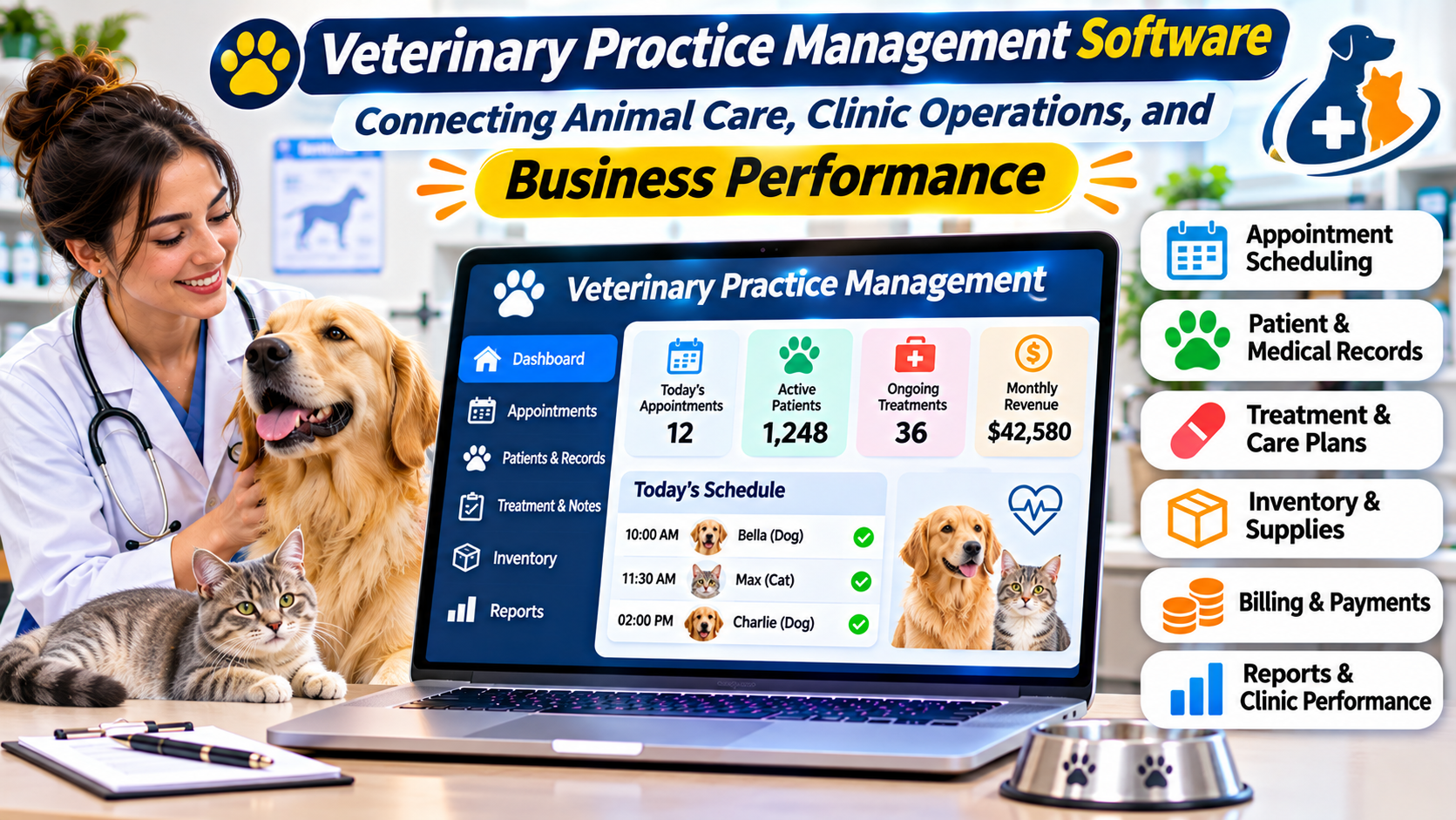
Veterinary practice management software helps connect these activities.
The right system can reduce repeated data entry, improve access to medical histories, support accurate billing, and help teams coordinate patient care.
However, veterinary software requirements vary widely.
A small companion-animal clinic has different needs from an emergency hospital, equine practice, or multi-location veterinary organization.
The best software decision begins with understanding those differences.
What Is Veterinary Practice Management Software?
Veterinary practice management software is a specialized platform for managing the clinical and operational activities of animal healthcare organizations.
It typically combines patient records with scheduling, treatment documentation, billing, inventory, and client management.
Unlike general medical practice software, veterinary systems must account for animal-specific information.
This may include species, breed, age, weight, owner details, vaccination history, and veterinary treatment records.
Core functions commonly include:
- Animal patient registration.
- Owner and client records.
- Appointment scheduling.
- Electronic veterinary medical records.
- Treatment and procedure documentation.
- Laboratory and diagnostic integrations.
- Prescription and medication records.
- Inventory and stock management.
- Estimates, invoices, and payments.
- Vaccination reminders and follow-up communication.
- Practice reporting and analytics.
Some platforms also support hospitalization, boarding, referral management, or specialized clinical workflows.
Why Veterinary Clinics Need Connected Systems
Veterinary care involves relationships between animals, owners, medical histories, and financial transactions.
One household may own several animals.
Each animal requires an independent clinical record, while billing and communication may connect to the same client account.
A veterinary system must represent these relationships accurately.
Consider a dog receiving diagnostic testing and treatment.
The clinic may need to review vaccination history, record examination findings, order laboratory tests, administer medication, update inventory, create an invoice, and schedule a follow-up.
When these activities share reliable data, staff can work with a more complete understanding of the visit.
When they are disconnected, information can become inconsistent.
Essential Veterinary Software Features
Animal Health Records
Electronic veterinary medical records provide a history of examinations, diagnoses, treatments, medications, and procedures.
A useful record should make important clinical information accessible without forcing veterinarians to navigate numerous unrelated screens.
Practices should evaluate how the system handles recurring conditions, multiple visits, allergies, and treatment histories.
Appointment and Resource Scheduling
Veterinary scheduling involves more than assigning a consultation time.
Certain appointments may require specific clinicians, equipment, treatment areas, or technicians.
Emergency cases can also disrupt planned schedules.
Software should allow staff to adjust appointments without losing important context.
Laboratory and Diagnostic Integration
Veterinary clinics frequently depend on laboratory testing and diagnostic imaging.
A practice management system may exchange information with laboratory instruments, reference laboratories, and imaging applications.
Buyers should verify compatibility with the diagnostic providers they actually use.
Integration should be tested with real orders and results rather than accepted solely as a feature-list claim.
Inventory Management
Veterinary inventory includes medicines, vaccines, consumables, and clinical supplies.
Poor stock visibility can create unnecessary expenses or treatment delays.
Useful capabilities include stock adjustments, purchasing records, reorder thresholds, and links between treatment activity and inventory consumption.
Practices must also account for applicable medication handling and recordkeeping requirements.
Client Communication
Pet owners often need reminders for vaccinations, medication reviews, and follow-up visits.
Communication tools may support email, text messaging, appointment confirmations, and educational messages.
The clinic should be able to control communication preferences and avoid unnecessary notifications.
Veterinary Practice Management Platforms to Evaluate
ezyVet
ezyVet is a cloud-based veterinary practice management platform associated with IDEXX.
It supports clinical records, scheduling, invoicing, inventory, and integrations.
Its configurable workflows make it relevant to organizations with more complex operational requirements, including specialty and emergency care.
However, extensive configuration options may increase the effort required for setup and training.
Practices should evaluate whether they need this flexibility or would benefit from a simpler platform.
IDEXX Neo
IDEXX Neo is a cloud-based practice management product positioned around accessible day-to-day veterinary workflows.
It may suit clinics that prioritize straightforward scheduling, medical records, and administrative tasks.
Its relationship with the IDEXX ecosystem can be relevant to practices using associated diagnostic services.
However, buyers should compare its functionality with their specialty, reporting, and customization requirements.
Provet
Provet offers cloud-based veterinary practice management software.
It is relevant to clinics evaluating connected clinical workflows, administrative management, and organizational reporting.
Practices should investigate the product’s configuration options, available integrations, and suitability for their location and clinical specialties.
OpenVPMS
OpenVPMS represents an alternative approach based on open-source veterinary practice management software.
It may interest organizations that value customization and greater control over their software environment.
However, open-source availability does not eliminate implementation, hosting, support, or maintenance responsibilities.
Technical resources and long-term support arrangements should be considered carefully.
Choosing Software for Different Veterinary Environments
| Veterinary environment | Key requirements |
|---|---|
| Small companion-animal clinic | Scheduling, medical records, billing, reminders |
| Emergency veterinary hospital | Rapid access to records, hospitalization workflows, flexible billing |
| Specialty referral practice | Referrals, detailed documentation, diagnostic coordination |
| Multi-location organization | Central reporting, shared administration, consistent permissions |
| Mixed or large-animal practice | Species-specific records, mobile workflows, appropriate billing |
A practice should demonstrate its most demanding workflows before purchasing software.
For example, an emergency hospital may need to track ongoing inpatient treatments and rapidly changing clinical priorities.
A routine outpatient clinic may not require the same operational complexity.
Cloud Versus Server-Based Veterinary Software
Cloud-based systems generally provide application access through internet-connected devices.
They may reduce the need for locally maintained application servers.
However, practices remain dependent on connectivity, vendor availability, and appropriate security controls.
Server-based systems may offer greater local infrastructure control but require maintenance, backups, updates, and technical support.
The decision should consider clinic size, network reliability, available IT expertise, and continuity requirements.
A downtime plan is essential regardless of deployment model.
How to Evaluate Veterinary Software
An effective evaluation uses realistic clinical scenarios.
Ask vendors to demonstrate an entire appointment, from booking through medical documentation and payment.
Then introduce more difficult cases.
Examples include:
- Multiple animals associated with one owner.
- Emergency treatment without a scheduled appointment.
- Diagnostic results received after a visit.
- Medication changes during treatment.
- Partial payments or invoice corrections.
- Inventory adjustments following clinical procedures.
- Transfer of patient records between clinics.
These examples reveal whether the platform supports real veterinary work.
Data Migration and Implementation
Moving from an existing veterinary system can be challenging.
Historical records may include clinical notes, vaccination histories, medication information, client details, financial balances, and diagnostic attachments.
Migration plans should identify which information will transfer and how its accuracy will be checked.
Practices should also decide how they will access records that cannot be imported.
Staff training should reflect actual responsibilities.
Veterinarians, technicians, reception employees, and administrators need different workflows and permissions.
Security and Data Governance
Veterinary clinics handle client information, business records, and clinical histories.
Software should support appropriate authentication, access permissions, backups, and auditability.
Regulatory requirements vary by jurisdiction.
Practices should review privacy obligations, professional recordkeeping rules, and any applicable medication controls.
Cloud vendors should be assessed for their security practices, service availability, and data export arrangements.
Understanding Software Costs
Veterinary software pricing may depend on users, clinicians, locations, features, or service packages.
Additional expenses can include implementation, migration, integrations, payment processing, messaging, training, and support.
Practices should request a detailed quotation that reflects their expected usage.
A platform with a low starting subscription may become more expensive as the clinic adds staff or services.
The relevant comparison is the total cost of operating the system, not simply the entry-level price.
Common Purchasing Mistakes
Selecting Software Without Clinical Input
Administrative staff and veterinarians use different parts of the system.
Both groups should participate in evaluations.
Ignoring Diagnostic Compatibility
A platform may look excellent during a scheduling demonstration but create problems when connected to existing laboratory or imaging services.
Verify essential integrations early.
Underestimating Training
Complex veterinary workflows require more than a short product introduction.
Training should include realistic clinical and administrative scenarios.
Overlooking Future Growth
A growing clinic may eventually need additional clinicians, locations, or specialized services.
Software should support realistic expansion without requiring unnecessary complexity from the beginning.
Frequently Asked Questions
What does veterinary practice management software do?
It helps veterinary organizations manage animal health records, appointments, treatments, billing, inventory, communication, and administration.
Can veterinary software manage multiple pets under one owner?
Many veterinary systems support separate animal records linked to a shared client account.
Does veterinary practice software include inventory management?
Many platforms offer inventory functions, but the depth of purchasing, stock control, and medication tracking varies.
Is cloud veterinary software suitable for emergency hospitals?
It can be, provided the platform supports the required clinical workflows, performance expectations, and continuity arrangements.
Can veterinary software integrate with laboratory equipment?
Some products provide laboratory and diagnostic integrations. Buyers should verify compatibility with their specific providers and equipment.
Final Thoughts
Veterinary practice management software should support clinical decisions while reducing unnecessary administrative work.
The right platform connects animal records, client information, diagnostic activity, treatments, inventory, and financial processes in a way that reflects the clinic’s actual operations.
Rather than choosing software based on broad marketing claims, veterinary organizations should test realistic workflows, verify integrations, and assess long-term support.
A carefully selected system can provide a dependable foundation for both animal care and practice management.