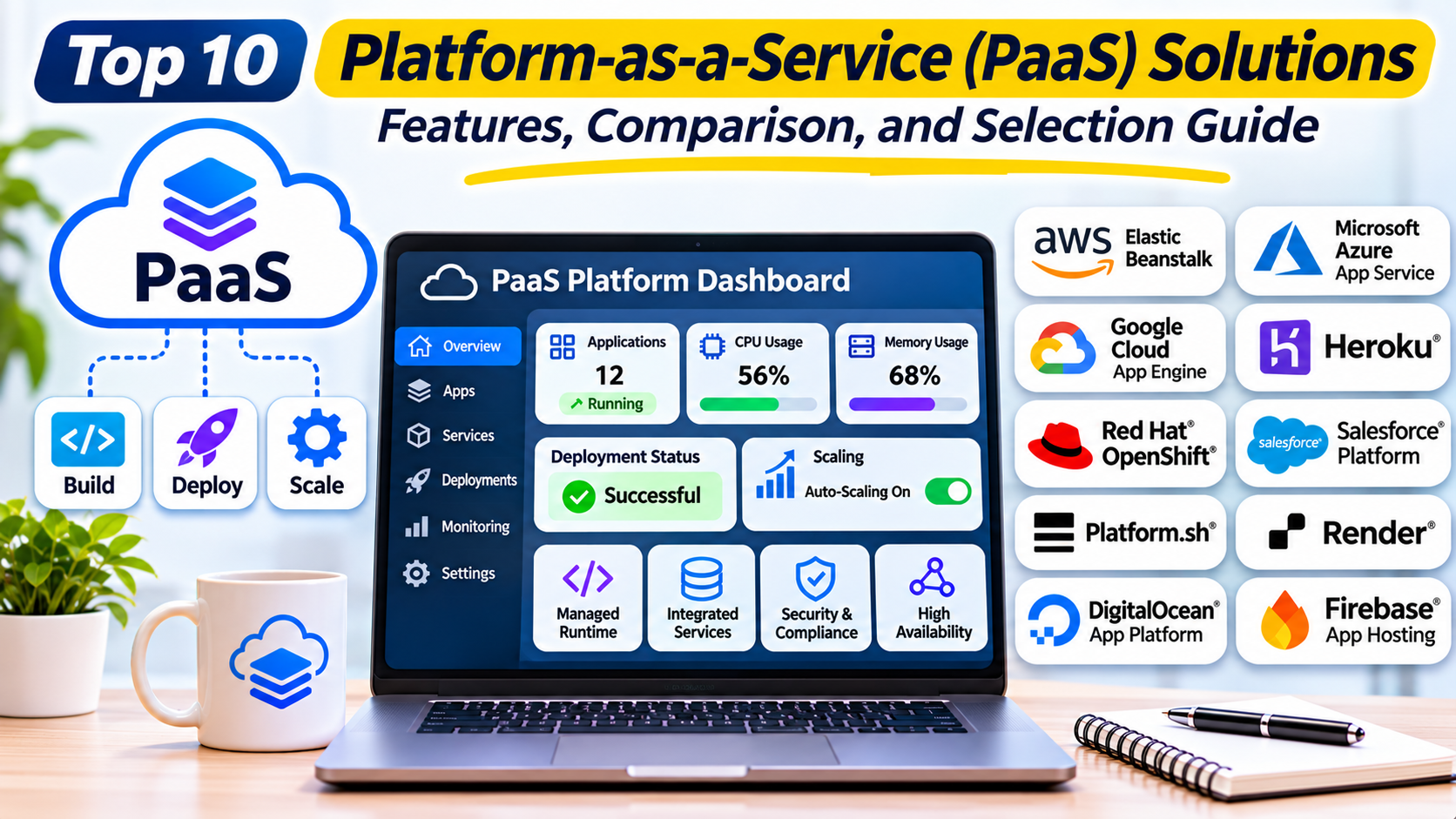
Introduction
Developing a modern application involves much more than writing code.
Teams must configure application servers, install runtime dependencies, manage deployments, connect databases, secure infrastructure, and ensure that applications remain available as traffic grows.
These operational responsibilities can slow development, particularly for small teams that do not have dedicated infrastructure engineers.
Platform-as-a-Service, commonly called PaaS, provides a managed environment for building, deploying, and operating applications.
Instead of managing every server and operating system component, developers deploy application code or containers to a platform that handles many infrastructure responsibilities.
PaaS can simplify software delivery, reduce operational complexity, and help organizations release updates more frequently.
However, different platforms offer different levels of control.
Some focus on simple Git-based deployments, while others provide enterprise application environments, container orchestration, advanced networking, or integration with broader cloud ecosystems.
Choosing the right PaaS platform requires understanding application requirements, runtime compatibility, scalability, security, pricing, and operational responsibilities.
This guide compares ten PaaS solutions and explains how organizations can select an appropriate application development platform.
1. What Is Platform-as-a-Service?
Platform-as-a-Service is a cloud computing model that provides a managed environment for deploying and running applications.
A PaaS provider typically manages much of the underlying infrastructure, including operating systems, runtime environments, application hosting components, and selected scaling capabilities.
Developers remain responsible for application code, configuration, dependencies, and data security.
How PaaS Works
A typical PaaS workflow includes:
- Developers write application code.
- Code is stored in a version control repository.
- The application is connected to a PaaS platform.
- The platform builds or accepts a deployable artifact.
- Application resources are provisioned.
- The application becomes accessible through a configured endpoint.
- Monitoring and scaling services manage supported operational behavior.
- Developers deploy updates through automated workflows.
Common PaaS Capabilities
Managed application runtimes: Support for programming languages and frameworks.
Automated deployment: Integration with Git repositories and CI/CD systems.
Application scaling: Ability to adjust application capacity.
Environment configuration: Management of application settings and secrets.
Managed services: Integration with databases, caches, storage, and messaging systems.
Monitoring: Visibility into application health and resource consumption.
Deployment environments: Support for development, staging, and production workflows.
PaaS vs. IaaS vs. SaaS
Infrastructure-as-a-Service provides virtual machines, networking, and storage that customers configure and manage.
Platform-as-a-Service provides a higher-level application runtime and deployment environment.
Software-as-a-Service delivers finished applications that users access without managing the underlying software platform.
These models differ mainly in how operational responsibilities are divided between the provider and customer.
2. Top 10 Platform-as-a-Service Solutions
1. Heroku
Best For: Developer-friendly application deployment and managed application runtimes.
Overview
Heroku is an established PaaS platform designed to simplify application deployment and operations.
It allows developers to deploy applications without directly managing traditional server infrastructure.
Heroku uses managed execution environments called dynos to run application processes.
Developers can deploy through supported Git workflows, container approaches, and deployment integrations.
For example, a startup building a customer relationship management application can deploy its backend to Heroku and connect it to a managed PostgreSQL database.
The team can focus on application features rather than maintaining virtual machines and operating system packages.
Heroku also provides configuration variables, logging integrations, application scaling, and a marketplace of additional services.
Its managed runtime approach is useful for organizations that value developer productivity.
However, teams should evaluate its current product direction, support commitments, runtime policies, and long-term platform fit before adopting it for a new critical workload.
Key Features
- Managed application dynos.
- Multiple programming language runtimes.
- Git-based deployment workflows.
- Application scaling.
- Configuration variables.
- Managed data service integrations.
- Add-on ecosystem.
- Application monitoring and operational tooling.
Advantages
Heroku provides a straightforward developer experience.
Its application-focused workflows can reduce deployment complexity.
The add-on ecosystem supports common backend requirements.
Limitations
Infrastructure-level customization is more limited than with virtual machines or self-managed Kubernetes.
Costs can rise as application capacity and supporting services increase.
Organizations should evaluate lifecycle and support considerations for long-term deployments.
Ideal Users
Startups, application developers, small engineering teams, and organizations prioritizing managed deployment workflows.
2. AWS Elastic Beanstalk
Best For: Managed application deployment within AWS.
Overview
AWS Elastic Beanstalk is an application platform that helps developers deploy and operate supported applications on AWS infrastructure.
It automates many tasks involved in provisioning application environments.
Developers can supply application code or supported deployment artifacts, and Elastic Beanstalk manages the surrounding environment according to the selected configuration.
For example, a company developing a Java web application can use Elastic Beanstalk to deploy the application with integrated compute, load balancing, and scaling capabilities.
The platform connects with AWS monitoring, networking, identity, and database services.
This makes it attractive to organizations that want simplified application deployment while retaining access to the broader AWS ecosystem.
Elastic Beanstalk is not identical to a fully abstracted serverless environment. Its underlying resources and operational responsibilities depend on the chosen deployment mode and configuration.
Key Features
- Managed application deployment.
- Supported language platforms.
- Application environment provisioning.
- Load balancing integration.
- Scaling capabilities.
- Environment configuration.
- AWS monitoring integration.
- Deployment lifecycle management.
Advantages
Elastic Beanstalk provides a convenient path for deploying applications within AWS.
It integrates with the surrounding cloud infrastructure and operational services.
Limitations
Underlying AWS resource charges still apply.
Teams must understand networking, permissions, resource configuration, and application architecture.
Ideal Users
AWS developers, enterprise cloud teams, and organizations deploying conventional applications to AWS.
3. Google App Engine
Best For: Managed web applications integrated with Google Cloud.
Overview
Google App Engine is a PaaS offering for building and hosting applications on Google Cloud.
It provides managed application environments that reduce the need for direct server administration.
App Engine supports different environment models with distinct runtime and infrastructure characteristics.
For example, a development team can deploy a Python-based business application and configure the platform to scale according to demand.
App Engine integrates with Google Cloud services for data storage, monitoring, security, and other application needs.
Its application versioning capabilities can support controlled deployments and traffic management.
The platform is particularly relevant to teams seeking a managed runtime rather than operating their own compute instances.
However, runtime support, scaling behavior, and configuration flexibility differ between available environments.
Key Features
- Managed application hosting.
- Supported runtime environments.
- Automatic scaling options.
- Application versioning.
- Traffic splitting capabilities.
- Google Cloud integrations.
- Monitoring and logging.
- Deployment automation.
Advantages
App Engine reduces server management requirements.
It integrates naturally with Google Cloud services.
Limitations
Runtime restrictions and environment-specific behavior must be considered.
Applications tightly integrated with App Engine services may require additional migration work.
Ideal Users
Google Cloud developers, web application teams, and organizations seeking managed application hosting.
4. Microsoft Azure App Service
Best For: Enterprise web applications and Microsoft-oriented development.
Overview
Azure App Service is a managed platform for hosting web applications, APIs, and supported application backends.
It supports several development languages and frameworks, including .NET, Java, Node.js, Python, and PHP.
Applications can run on supported Windows or Linux hosting environments.
For example, an enterprise developing a .NET customer portal can deploy the application to Azure App Service.
The team can integrate the application with Azure databases, identity services, monitoring, and networking capabilities.
Azure App Service also provides deployment slots for supported plans, allowing teams to test and prepare releases before directing production traffic toward them.
This is useful for organizations that need controlled application deployment processes.
Key Features
- Managed web application hosting.
- Multiple language and framework support.
- Windows and Linux hosting options.
- Deployment slots.
- Scaling capabilities.
- Custom domains and TLS.
- Azure identity and networking integration.
- Application monitoring.
Advantages
Azure App Service integrates well with Microsoft development tools.
It supports enterprise application hosting and deployment workflows.
Limitations
Pricing and capabilities depend on the selected hosting plan.
Advanced networking and scaling configurations require careful planning.
Ideal Users
Microsoft development teams, enterprises, and organizations running business web applications.
5. Render
Best For: Managed web services, background workers, and developer-friendly application hosting.
Overview
Render is a cloud application platform designed to simplify deployment and operation of modern software services.
It supports web services, background workers, scheduled jobs, and selected managed data services.
Developers can deploy applications from source repositories or supported container artifacts.
For example, a SaaS startup can deploy a Node.js API, a background processing worker, and a PostgreSQL database within one platform.
Render provides deployment automation and service configuration capabilities that reduce infrastructure administration.
Its support for private networking between services is useful for applications containing multiple backend components.
Render is particularly attractive to teams seeking a balance between simplicity and application architecture flexibility.
Key Features
- Git-connected deployments.
- Managed web services.
- Background workers.
- Scheduled jobs.
- Managed database options.
- Private service networking.
- Infrastructure configuration files.
- Deployment previews and monitoring capabilities.
Advantages
Render simplifies common application hosting workflows.
It supports multiple application components without requiring teams to operate a container orchestration cluster.
Limitations
Available regions, compute options, and advanced networking features may be narrower than those of hyperscale cloud platforms.
Costs depend on service types and resource allocation.
Ideal Users
Startups, independent developers, SaaS teams, and organizations deploying multi-component web applications.
6. DigitalOcean App Platform
Best For: Simple cloud application deployment and small development teams.
Overview
DigitalOcean App Platform is a managed application hosting service that allows developers to deploy code and supported containers.
It is designed to simplify application deployment for teams that do not want to manage virtual machines directly.
For example, a small business can deploy a web application from a Git repository and connect it to a managed database.
App Platform handles selected build, deployment, routing, and scaling responsibilities.
Its integration with DigitalOcean’s broader cloud services allows teams to expand their infrastructure when needed.
The platform is especially useful for straightforward web applications and APIs.
Key Features
- Source-based deployment.
- Container deployment support.
- Managed application hosting.
- Automatic build workflows.
- Application scaling options.
- Environment configuration.
- DigitalOcean service integration.
- Deployment and runtime monitoring.
Advantages
DigitalOcean App Platform provides an approachable application deployment experience.
It can reduce infrastructure management for smaller engineering teams.
Limitations
Its managed service ecosystem is smaller than those of major cloud providers.
Organizations with highly specialized networking or enterprise requirements may need additional infrastructure.
Ideal Users
Startups, small businesses, web developers, and teams seeking simple cloud deployments.
7. Railway
Best For: Rapid development, prototypes, and full-stack application deployment.
Overview
Railway is a developer-focused cloud application platform that simplifies deploying services and supporting infrastructure.
It supports workflows involving source repositories, containers, databases, and environment configuration.
For example, a product team building an early-stage SaaS application can use Railway to deploy an API, connect a database, and manage application variables.
Its interface is designed to reduce the steps required to move an application from development to a running environment.
Railway can also support more complex service architectures through networking and deployment configuration.
Its value is particularly clear when teams prioritize development speed and straightforward operations.
Key Features
- Source repository deployment.
- Container support.
- Managed application services.
- Database deployment options.
- Environment variables.
- Private networking capabilities.
- Deployment logs.
- Usage-based resource management.
Advantages
Railway supports rapid application deployment.
Its developer-oriented interface can reduce initial setup effort.
Limitations
Organizations should evaluate cost behavior under sustained production workloads.
Advanced enterprise governance and infrastructure customization requirements may favor other platforms.
Ideal Users
Independent developers, startups, prototypes, and small SaaS teams.
8. Red Hat OpenShift
Best For: Enterprise container application platforms and hybrid cloud.
Overview
Red Hat OpenShift is an enterprise application platform built around Kubernetes technologies.
It provides tools and services for deploying, managing, and operating containerized applications.
OpenShift is broader and more infrastructure-oriented than simple code-to-deployment PaaS products.
For example, a large enterprise may use OpenShift to provide standardized application environments across private data centers and public cloud infrastructure.
Development teams can deploy applications while platform administrators manage cluster governance, networking, security, and shared infrastructure services.
OpenShift supports application lifecycle workflows, container management, and integration with enterprise DevOps tooling.
It is particularly relevant to organizations requiring infrastructure portability and operational control.
Key Features
- Kubernetes-based application platform.
- Container orchestration.
- Enterprise security controls.
- Application deployment workflows.
- Hybrid cloud support.
- Operator ecosystem.
- Monitoring integration.
- Platform governance capabilities.
Advantages
OpenShift supports complex enterprise application architectures.
It provides control over infrastructure deployment and platform governance.
Limitations
Operating and administering the platform requires specialized expertise.
Infrastructure and licensing costs may be significant.
Ideal Users
Large enterprises, platform engineering teams, and organizations operating hybrid cloud environments.
9. Fly.io
Best For: Globally distributed applications and container-oriented deployment.
Overview
Fly.io is an application hosting platform designed to run workloads across distributed infrastructure locations.
It supports container-based application deployment and provides networking capabilities for geographically distributed services.
For example, a multiplayer application or latency-sensitive API can deploy application instances near important user populations.
This can reduce network distance for selected requests.
Fly.io provides deployment tooling and application configuration features that allow developers to manage their services without directly provisioning conventional virtual machine infrastructure.
Its architecture is particularly relevant to applications where geographic placement matters.
However, distributing application instances does not automatically solve data consistency or database latency challenges.
Key Features
- Container-based deployment.
- Distributed application locations.
- Application networking.
- Deployment automation.
- Scaling controls.
- Persistent volume options.
- Application configuration.
- Monitoring and operational tooling.
Advantages
Fly.io offers flexibility for geographically distributed application deployment.
It can be useful for latency-sensitive services.
Limitations
Distributed state and database architecture require careful planning.
Operational complexity increases when applications span multiple regions.
Ideal Users
Developers building global APIs, real-time applications, and geographically distributed services.
10. Platform.sh
Best For: Managed application environments and complex web development workflows.
Overview
Platform.sh is a managed application platform focused on hosting and operating web applications with repeatable environments.
It is particularly relevant to development teams that need consistent application infrastructure across multiple branches and deployment stages.
For example, a digital agency managing several client applications can use Platform.sh to create isolated environments for development and testing.
These environments can help teams validate application changes before promoting them to production.
Platform.sh supports application configuration, managed services, and deployment workflows designed around source-controlled infrastructure definitions.
Its approach is useful for organizations seeking reproducible application environments without managing every underlying server.
Key Features
- Managed application hosting.
- Git-based deployment workflows.
- Environment branching.
- Application configuration.
- Managed service integrations.
- Repeatable environments.
- Deployment automation.
- Monitoring and operational capabilities.
Advantages
Platform.sh supports structured application lifecycle workflows.
Its environment management capabilities can improve collaboration and release testing.
Limitations
Platform conventions and configuration requirements introduce a learning curve.
Organizations should evaluate current product branding, packaging, and supported technology stacks.
Ideal Users
Digital agencies, enterprise web teams, and organizations managing multiple application environments.
3. PaaS Platforms Comparison Table
| Platform | Best For | Deployment Model | Primary Strength |
|---|---|---|---|
| Heroku | Developer productivity | Managed PaaS | Simple application deployment |
| AWS Elastic Beanstalk | AWS applications | Managed AWS platform | AWS integration |
| Google App Engine | Google Cloud apps | Managed PaaS | Runtime management |
| Azure App Service | Enterprise web apps | Managed PaaS | Microsoft integration |
| Render | Web services and workers | Managed cloud | Multi-service deployment |
| DigitalOcean App Platform | Small teams | Managed PaaS | Deployment simplicity |
| Railway | Rapid development | Managed cloud | Developer experience |
| Red Hat OpenShift | Enterprise containers | Kubernetes platform | Hybrid cloud control |
| Fly.io | Distributed applications | Managed application platform | Geographic deployment |
| Platform.sh | Web development teams | Managed PaaS | Reproducible environments |
These platforms differ in infrastructure abstraction, application packaging, networking, and operational responsibility.
4. How to Choose the Right PaaS Platform
Identify Application Requirements
Determine whether the application is a website, API, background worker, enterprise system, or distributed service.
The deployment model should match the application’s architecture.
Evaluate Runtime Compatibility
Check programming languages, framework versions, build processes, and container support.
Review Database and Storage Options
Identify available managed databases, persistent storage capabilities, and external service integrations.
Assess Scaling
Review horizontal scaling, vertical scaling, autoscaling, and workload limits.
Evaluate Deployment Workflows
Consider Git integration, CI/CD support, staging environments, rollbacks, and deployment approvals.
Review Security and Compliance
Assess identity controls, network isolation, secrets management, audit logs, and relevant compliance capabilities.
Consider Operational Responsibility
Some PaaS products abstract nearly all infrastructure management.
Others expose underlying cloud resources or require Kubernetes administration.
Calculate Total Cost
Include application compute, databases, storage, networking, monitoring, support, and development labor.
5. Practical Example: Deploying a SaaS Customer Portal
Consider a startup developing a customer portal with a React frontend, Node.js API, and PostgreSQL database.
The team wants to launch quickly without hiring dedicated infrastructure administrators.
Step 1: Define the application architecture.
The team identifies frontend hosting, API execution, database storage, and background processing requirements.
Step 2: Compare platforms.
Developers evaluate Render, Heroku, Railway, and DigitalOcean App Platform.
Step 3: Verify runtime support.
The team confirms that the selected platform supports its application framework and dependencies.
Step 4: Configure the database.
A managed PostgreSQL instance is provisioned with appropriate access controls.
Step 5: Connect the repository.
The application is linked to its source control workflow.
Step 6: Configure environment variables.
Database credentials and application settings are managed securely.
Step 7: Deploy a staging environment.
Developers test application behavior before production release.
Step 8: Configure monitoring.
The team tracks application errors, response times, and resource usage.
Step 9: Test scaling and recovery.
Engineers simulate traffic increases and application failures.
The resulting workflow allows the startup to focus on application development while relying on the PaaS provider for many infrastructure operations.
6. Benefits and Challenges of PaaS
Major Benefits
Faster development: Teams spend less time provisioning servers.
Simplified deployment: Managed build and release workflows reduce manual steps.
Reduced infrastructure administration: Providers handle many operating system and runtime responsibilities.
Scalability: Supported platforms provide capacity management options.
Improved collaboration: Development teams can share consistent environments.
Integration capabilities: Managed services can simplify database and messaging connectivity.
Common Challenges
Vendor dependency: Platform-specific configuration may complicate migration.
Limited infrastructure control: Some products restrict operating system and networking customization.
Cost growth: Managed convenience can become expensive as workloads scale.
Runtime restrictions: Not every platform supports every application dependency.
Operational visibility: Abstracted infrastructure may limit certain debugging techniques.
Platform lifecycle risk: Product direction, supported runtimes, and commercial terms can change.
7. Frequently Asked Questions
What is the best PaaS platform?
Heroku, Render, and Railway are attractive for developer-friendly deployment. Azure App Service, Google App Engine, and AWS Elastic Beanstalk fit their respective cloud ecosystems. OpenShift suits enterprises needing container platform control.
What does PaaS stand for?
PaaS stands for Platform-as-a-Service.
What is the difference between PaaS and IaaS?
PaaS provides a managed application environment. IaaS provides infrastructure resources that customers configure and operate.
Can PaaS host databases?
Many PaaS providers offer managed databases or integrations with external database services.
Is PaaS suitable for enterprise applications?
Yes. Enterprise-oriented platforms provide governance, networking, security, and scaling capabilities.
Can PaaS support containers?
Yes. Many modern PaaS solutions support container-based deployment.
Is PaaS cheaper than virtual machines?
It depends on workload size, utilization, and operational costs. PaaS can reduce engineering effort but may have higher direct compute costs.
Can PaaS applications scale automatically?
Many platforms support automatic scaling, although capabilities vary by product and plan.
Is Kubernetes a PaaS?
Kubernetes is primarily a container orchestration system. Platforms built on Kubernetes, such as OpenShift, can provide PaaS-like capabilities.
Can applications move between PaaS providers?
Migration is possible, but platform-specific services, configuration, and networking can increase the effort required.
8. Conclusion
Platform-as-a-Service solutions help development teams deploy and operate applications without managing every layer of infrastructure.
Heroku, Render, Railway, and DigitalOcean App Platform emphasize developer productivity and simplified deployment.
AWS Elastic Beanstalk, Google App Engine, and Azure App Service integrate with major cloud ecosystems.
Red Hat OpenShift provides enterprise container platform capabilities, while Fly.io supports geographically distributed applications.
Platform.sh emphasizes repeatable application environments and structured deployment workflows.
The best choice depends on application architecture, runtime compatibility, operational requirements, security, and cost.
Organizations should test realistic deployments, review platform limitations, and consider long-term portability.
A well-selected PaaS platform can reduce operational friction and help engineering teams deliver applications more efficiently.