Introduction
Localization quality assurance is an essential part of delivering reliable multilingual products and content.
Translation alone does not guarantee that a website, application, document, or digital service will function correctly in another language.
A translation may contain accurate wording but still introduce broken placeholders, missing numbers, incorrect terminology, damaged formatting, or text that exceeds the available interface space.
These problems can reduce usability, confuse customers, and create costly publishing errors.
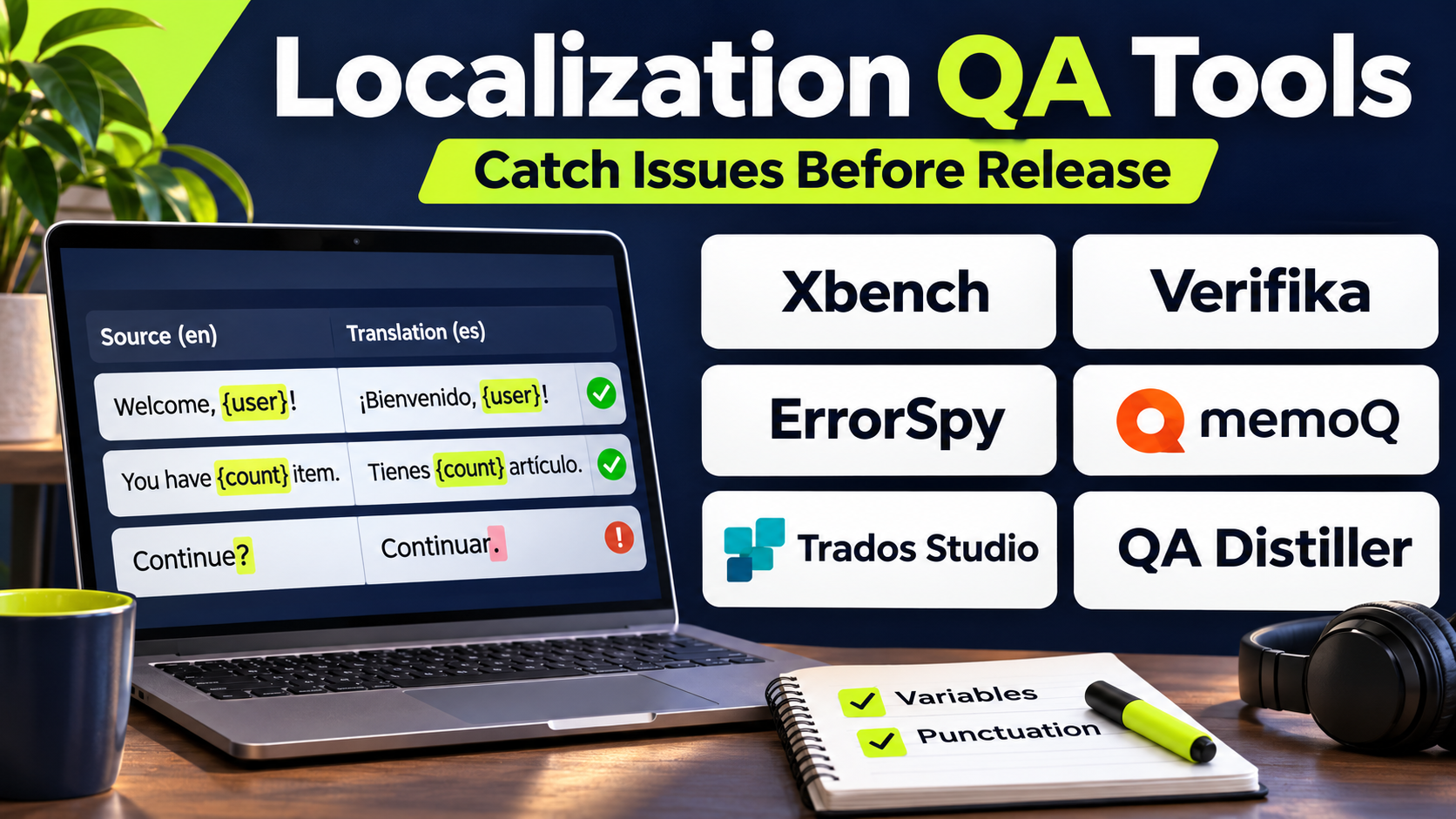
Localization QA tools help organizations detect and resolve issues before translated content reaches users.
Some applications specialize in linguistic checks, such as terminology consistency and untranslated segments.
Others focus on technical validation, including markup, file structures, placeholders, and localization resource formats.
Broader localization platforms may also include integrated QA features alongside translation editing and project management.
Choosing an appropriate solution requires understanding which errors must be detected, what file formats are involved, and how QA fits into the existing translation workflow.
This guide compares ten localization QA tools and platforms, explains their capabilities, and provides guidance for implementing reliable multilingual quality control.
What Are Localization QA Tools?
Localization quality assurance tools are applications that help identify errors in translated content and localized software resources.
They compare source and target material, apply configurable rules, and report potential problems requiring investigation.
Main Types of Localization QA
Linguistic QA checks terminology, spelling, punctuation, consistency, and translation completeness.
Technical QA checks tags, placeholders, numbers, formatting, encoding, and resource integrity.
Functional localization testing verifies that localized software behaves correctly.
Visual localization testing identifies clipped text, layout changes, and display problems.
Cultural review evaluates whether content is appropriate for a target audience.
Automated tools are particularly effective at identifying structured errors. They are less reliable at judging nuance, tone, intent, and cultural appropriateness.
Typical Localization QA Workflow
- Import bilingual content or localization resources.
- Select applicable language pairs.
- Load approved terminology.
- Configure error-detection rules.
- Run automated checks.
- Review detected issues.
- Correct genuine errors.
- Document acceptable exceptions.
- Repeat QA after corrections.
- Approve content for publication.
Top 10 Localization QA Tools
1. ApSIC Xbench
Best For: Professional translators and reviewers requiring independent linguistic QA across multiple files.
Short Description
ApSIC Xbench is a desktop application designed for translation quality assurance, terminology searching, and bilingual content analysis.
It is widely associated with professional localization workflows that involve translation memories, bilingual files, and CAT tools.
Xbench can examine translated content for inconsistencies, terminology problems, numerical mismatches, and other selected errors.
One of its strengths is the ability to analyze content across multiple files rather than limiting checks to a single document.
This is valuable for projects involving numerous translators or repeated technical terminology.
Xbench also provides powerful search capabilities that help reviewers investigate how terms have been used across available reference material.
However, its desktop-oriented workflow and technical configuration can require training.
Key Features
- Cross-file QA: Checks consistency across multiple bilingual resources.
- Terminology verification: Compares translations against approved term lists.
- Number checks: Detects selected numerical discrepancies.
- Tag validation: Identifies certain markup and formatting inconsistencies.
- Regular expressions: Supports configurable pattern-based checks.
- Bilingual search: Searches translation memories and project files.
- Custom checklists: Allows teams to define project-specific rules.
- CAT tool integration: Supports navigation and workflows with compatible tools.
- QA reporting: Produces findings for correction and review.
Benefits
Xbench provides an independent quality-control layer for translation projects.
Its cross-file searching and consistency checks are particularly valuable for large technical documentation sets.
Pros
- Dedicated linguistic QA focus.
- Strong cross-file analysis.
- Useful terminology searching.
- Customizable checks.
- Supports professional translation formats.
Cons
- Desktop-oriented workflow.
- Requires configuration knowledge.
- Not a complete translation management system.
- Automated findings may include false positives.
- Human review remains necessary.
Use Cases
Technical documentation: Detect inconsistent terminology.
Translation agencies: Review deliverables from multiple translators.
Regulated content: Check numbers and approved expressions.
Best Suited For
Professional localization reviewers requiring detailed independent QA.
2. Verifika
Best For: Translators and language service providers performing automated bilingual document checks.
Short Description
Verifika is a specialized translation quality assurance application.
It is designed to detect linguistic and technical inconsistencies in bilingual translation files.
The software supports checks for terminology, numbers, punctuation, tags, and related translation issues.
Verifika is particularly relevant to translation agencies that need a repeatable quality-control process before delivering files to clients.
Its workflow helps reviewers identify potential errors and inspect them in context.
The application complements CAT tools rather than replacing the translation environment.
Teams should verify supported file formats and compatibility with their existing translation workflow.
Key Features
- Terminology checks: Identifies deviations from approved terminology.
- Numerical comparison: Detects selected number mismatches.
- Consistency checks: Finds different translations of similar source segments.
- Punctuation validation: Flags selected punctuation differences.
- Tag checks: Detects formatting and markup problems.
- Untranslated content detection: Identifies suspicious source-language carryover.
- Issue navigation: Helps reviewers inspect findings.
- QA reporting: Produces reviewable error results.
Benefits
Verifika helps standardize translation review and reduce repetitive manual checks.
It is useful for teams handling substantial bilingual documentation.
Pros
- Dedicated QA functionality.
- Multiple linguistic checks.
- Useful for professional translation.
- Supports repeatable review.
- Helps identify consistency problems.
Cons
- Requires compatible bilingual formats.
- False positives need investigation.
- Not a full TMS.
- Complex rules require configuration.
- Visual application testing requires other tools.
Use Cases
Translation delivery: Validate files before submission.
Technical manuals: Check terminology and numbers.
Agency review: Standardize QA across translators.
Best Suited For
Translation agencies and professional reviewers seeking dedicated QA software.
3. QA Distiller
Best For: Batch-oriented linguistic quality assurance for professional translation projects.
Short Description
QA Distiller is a translation quality assurance application designed to detect errors in bilingual files.
Its primary purpose is to identify potential problems before translated documents are finalized.
The application can check terminology, punctuation, numbers, consistency, and formatting-related issues.
QA Distiller is particularly relevant when reviewers need to analyze many files within a structured project.
Its batch-oriented approach supports systematic validation of translated content.
Because the software focuses on QA rather than content creation, it works best alongside an existing translation environment.
Users should confirm compatibility with their current operating systems and translation file formats.
Key Features
- Batch QA: Checks multiple bilingual files.
- Terminology validation: Detects selected glossary violations.
- Consistency analysis: Finds inconsistent translations.
- Number comparison: Flags numerical discrepancies.
- Punctuation checks: Identifies suspicious punctuation differences.
- Tag validation: Detects certain markup issues.
- Configurable rules: Supports project-specific validation.
- Issue reporting: Produces findings for reviewers.
Benefits
QA Distiller helps reviewers perform repetitive checks consistently.
Its batch capabilities are useful when large translation projects involve many files.
Pros
- Specialized linguistic QA.
- Batch processing focus.
- Useful consistency checks.
- Supports structured review.
- Complements CAT workflows.
Cons
- Not a complete translation editor.
- Requires compatible file formats.
- Technical configuration may be necessary.
- Human judgment is still essential.
- Visual UI testing is outside its main scope.
Use Cases
Large documentation projects: Run checks across many files.
Localization agencies: Validate client deliverables.
Terminology-sensitive translation: Detect glossary inconsistencies.
Best Suited For
Professional reviewers processing substantial bilingual file collections.
4. Okapi CheckMate
Best For: Open-source localization QA and technical teams working with bilingual exchange formats.
Short Description
CheckMate is a quality-checking application associated with the Okapi Framework.
It is designed to examine bilingual translation files and identify potential localization problems.
The Okapi Framework provides a collection of tools and libraries for localization processing.
CheckMate focuses on validation, while other Okapi components support filtering, conversion, and workflow automation.
Its open-source ecosystem makes it attractive to technical localization teams that prefer customizable processing tools.
However, users may need familiarity with bilingual file formats and the broader Okapi environment.
Key Features
- Bilingual file checks: Validates supported translation formats.
- Terminology-related validation: Supports applicable rule-based checks.
- Text consistency checks: Identifies selected translation problems.
- Inline code validation: Helps detect markup issues.
- Configurable quality rules: Supports tailored checks.
- Okapi integration: Works within a broader localization toolkit.
- Open-source availability: Supports inspection and customization.
- Multiple format support: Processes compatible bilingual resources.
Benefits
CheckMate provides a flexible QA option for teams using open localization technologies.
It is particularly useful when validation must fit into custom processing pipelines.
Pros
- Open-source ecosystem.
- Supports technical localization workflows.
- Configurable checking.
- Useful format compatibility.
- No dependence on a full commercial TMS.
Cons
- Requires technical familiarity.
- Interface may feel less polished than commercial alternatives.
- Advanced integration needs engineering.
- Support depends on project resources.
- Not a complete visual localization testing system.
Use Cases
Open-source localization: Validate translated resources.
Custom pipelines: Add QA to automated processing.
Technical translation: Check bilingual exchange files.
Best Suited For
Technical localization teams seeking open-source validation tools.
5. memoQ QA
Best For: Translation teams already using memoQ for professional localization.
Short Description
memoQ includes integrated quality assurance capabilities within its translation environment.
These checks help translators and reviewers identify problems before finalizing translated content.
memoQ QA can evaluate terminology, numbers, tags, consistency, and other configurable conditions.
Its primary advantage is proximity to the translation workflow.
Users can inspect potential issues while working with the same project resources and term bases used during translation.
This reduces the need to export every project to a separate application.
However, organizations that use multiple CAT platforms may still benefit from an independent QA tool.
Key Features
- Integrated QA: Runs checks within translation projects.
- Terminology verification: Uses approved term bases.
- Number validation: Detects selected numerical mismatches.
- Tag checks: Helps identify inline formatting problems.
- Consistency rules: Flags inconsistent translations.
- Configurable settings: Supports project-specific QA requirements.
- Project resource integration: Uses memoQ linguistic assets.
- Issue review: Allows translators to investigate findings.
Benefits
memoQ QA reduces workflow switching for teams already using memoQ.
Its integration with terminology and translation memories supports consistent quality control.
Pros
- Integrated translation workflow.
- Strong terminology connections.
- Configurable checks.
- Useful for professional translators.
- Reduces separate file handling.
Cons
- Most valuable within memoQ environments.
- Not independent of the main CAT workflow.
- False positives require review.
- Visual interface testing requires other tools.
- Advanced configurations require training.
Use Cases
Professional translation: Validate segments before delivery.
Technical documents: Check approved terminology.
Agency workflows: Apply consistent project QA rules.
Best Suited For
memoQ users seeking integrated linguistic quality assurance.
6. Trados Studio QA Checker
Best For: Translators and agencies working within the RWS Trados ecosystem.
Short Description
Trados Studio includes quality assurance capabilities designed to validate translated content.
Its QA Checker and related verification functionality help detect selected errors in translation projects.
The software can examine numbers, punctuation, formatting, terminology-related conditions, and other configurable requirements.
Because the checks are integrated into Trados Studio, translators can review findings during their normal editing workflow.
This is useful for professional teams managing translation memories and terminology through the Trados ecosystem.
However, integrated QA should be supplemented with independent review when content carries significant legal, technical, or safety consequences.
Key Features
- Integrated verification: Checks translations inside Trados projects.
- Number checks: Flags selected numerical discrepancies.
- Punctuation validation: Detects suspicious punctuation patterns.
- Tag verification: Helps identify markup inconsistencies.
- Terminology integration: Supports terminology-related validation.
- Configurable rules: Allows project-specific settings.
- Batch verification: Checks multiple segments and files.
- Issue navigation: Helps reviewers locate detected problems.
Benefits
Trados QA provides a convenient quality-control stage for existing Trados users.
It reduces manual checking and helps enforce recurring translation requirements.
Pros
- Integrated with professional CAT workflows.
- Configurable validation.
- Useful for terminology-sensitive content.
- Supports project-level review.
- Familiar environment for Trados users.
Cons
- Closely tied to Trados workflows.
- Requires suitable licensing.
- Automated checks cannot assess all linguistic nuances.
- Configuration affects usefulness.
- Visual software testing requires separate tools.
Use Cases
Agency translation: Validate client deliverables.
Technical documentation: Check numbers and terminology.
Regulated content: Apply repeatable verification rules.
Best Suited For
Professional translators and language service providers using Trados Studio.
7. Phrase Quality Assurance
Best For: Organizations combining translation QA with centralized localization workflows.
Short Description
Phrase provides quality assurance capabilities within its localization platform.
Its tools help teams detect technical and linguistic issues during translation and review.
Phrase TMS supports configurable checks related to terminology, formatting, tags, and translation completeness.
Organizations can incorporate QA into managed localization workflows rather than treating it as a separate final activity.
This is particularly useful for businesses translating large volumes of content across multiple languages.
Phrase also provides broader quality-related capabilities within its localization ecosystem.
However, users should confirm which checks and quality features are available in the products and plans being evaluated.
Key Features
- Workflow-integrated QA: Runs checks during translation operations.
- Terminology validation: Helps enforce approved expressions.
- Tag checks: Identifies selected markup problems.
- Number validation: Flags potential numerical discrepancies.
- Completeness checks: Identifies missing or untranslated content.
- Configurable rules: Supports project-specific requirements.
- Translation memory integration: Uses existing linguistic resources.
- Automated processing: Supports repeatable quality workflows.
- Reporting: Provides visibility into selected quality results.
Benefits
Phrase can integrate quality control into the wider localization process.
This reduces manual coordination between translators, reviewers, and project managers.
Pros
- Integrated enterprise localization.
- Configurable checks.
- Useful terminology resources.
- Supports workflow automation.
- Suitable for multilingual programs.
Cons
- Capabilities vary across products.
- Licensing requires evaluation.
- Complex workflows need configuration.
- Automated checks require human review.
- Independent visual testing may still be needed.
Use Cases
Enterprise translation: Standardize quality checks.
Software localization: Validate translated strings.
Multilingual documentation: Coordinate translation and review.
Best Suited For
Organizations using Phrase for centralized localization management.
8. XTM Cloud QA
Best For: Enterprise localization teams requiring configurable QA within governed workflows.
Short Description
XTM Cloud includes quality assurance functionality as part of its translation management environment.
Its checks help organizations identify terminology, consistency, formatting, and technical issues.
XTM is especially relevant to enterprises with multiple translators, language vendors, and approval stages.
Quality checks can be incorporated into defined workflows, helping teams standardize validation across projects.
This approach supports localization governance because reviewers can work within the same managed environment.
However, organizations should configure rules carefully to avoid overwhelming reviewers with irrelevant warnings.
Key Features
- Integrated QA checks: Validates translated content.
- Terminology enforcement: Supports approved vocabulary.
- Consistency validation: Identifies selected inconsistent translations.
- Tag checks: Detects markup-related issues.
- Number checks: Flags potential discrepancies.
- Workflow integration: Incorporates QA into translation stages.
- Configurable rules: Supports organizational requirements.
- Project oversight: Helps managers monitor quality-related activity.
Benefits
XTM Cloud QA helps enterprises apply consistent validation procedures across localization programs.
Its integration with workflow management supports accountability and review.
Pros
- Enterprise workflow integration.
- Configurable QA.
- Terminology support.
- Suitable for large localization programs.
- Centralized review processes.
Cons
- Requires enterprise configuration.
- May be excessive for small projects.
- Automated warnings need review.
- Costs depend on platform licensing.
- Does not replace functional UI testing.
Use Cases
Global localization: Standardize QA across languages.
Vendor management: Apply consistent delivery requirements.
Enterprise documentation: Validate multilingual content.
Best Suited For
Large organizations already using XTM Cloud.
9. Weblate Quality Checks
Best For: Open-source and developer-led software localization.
Short Description
Weblate includes automated quality checks within its translation management environment.
These checks focus on problems commonly found in localized software resources.
Examples include missing placeholders, inconsistent formatting, translation completeness, and language-specific issues.
Because Weblate integrates with version-control workflows, developers can identify translation problems before incorporating localized resources into releases.
Its open-source model is useful for community projects and self-hosted applications.
However, Weblate’s checks primarily address structured localization problems and do not replace comprehensive linguistic or functional testing.
Key Features
- Automated translation checks: Detects common localization errors.
- Placeholder validation: Identifies selected variable mismatches.
- Formatting checks: Helps protect resource syntax.
- Translation completeness: Highlights missing translations.
- Glossary integration: Supports terminology consistency.
- Version-control workflows: Connects checks with repository changes.
- Configurable validation: Supports project-specific settings.
- Open-source deployment: Allows infrastructure control.
- Contributor feedback: Helps translators address issues during editing.
Benefits
Weblate helps development teams catch localization defects early.
Its integrated checks are particularly useful in continuous software localization.
Pros
- Open-source platform.
- Repository-oriented QA.
- Useful placeholder checks.
- Supports community translation.
- Can be self-hosted.
Cons
- Technical setup may be required.
- Linguistic checks are not exhaustive.
- Requires project administration.
- Does not provide complete visual UI testing.
- Quality depends on configured rules.
Use Cases
Open-source software: Validate contributor translations.
Application releases: Check localization resources.
Continuous localization: Detect errors during development.
Best Suited For
Developers and open-source maintainers managing multilingual software.
10. Crowdin Quality Assurance
Best For: Software teams seeking localization checks within a collaborative translation platform.
Short Description
Crowdin provides quality assurance capabilities as part of its localization management workflows.
Its checks help translators and reviewers detect selected issues involving placeholders, terminology, formatting, and translation consistency.
Crowdin is particularly relevant to software teams that synchronize language files with development repositories.
Quality checks can be incorporated into ongoing translation work, reducing the likelihood that common errors reach production.
The platform also provides collaboration features that help contributors discuss and resolve translation issues.
However, software localization QA should still include functional testing in the actual application.
Key Features
- Automated QA: Detects selected translation problems.
- Placeholder checks: Helps protect application variables.
- Terminology support: Uses glossary resources.
- Formatting validation: Identifies selected structural issues.
- Translation completeness: Tracks missing strings.
- Collaborative review: Supports issue discussion and correction.
- Repository integration: Connects QA with development workflows.
- Continuous localization: Supports recurring validation.
- Project-level settings: Allows configuration of supported checks.
Benefits
Crowdin makes quality assurance part of routine software localization.
Its collaborative environment helps developers and translators resolve issues before release.
Pros
- Integrated software localization QA.
- Useful placeholder validation.
- Strong collaboration.
- Developer workflow integration.
- Supports frequent releases.
Cons
- Not a dedicated independent QA application.
- Linguistic depth varies by check type.
- Complex projects require governance.
- Visual testing must be performed separately.
- Human review remains necessary.
Use Cases
Mobile apps: Validate localized strings.
SaaS platforms: Check frequent translation updates.
Community localization: Review contributor work.
Best Suited For
Software teams already using Crowdin for continuous localization.
Comparison Table: Top 10 Localization QA Tools
| Tool | Main Focus | Best For | QA Approach | Main Limitation |
|---|---|---|---|---|
| ApSIC Xbench | Cross-file linguistic QA | Professional reviewers | Independent desktop | Learning curve |
| Verifika | Bilingual validation | Translation agencies | Dedicated QA | Format compatibility |
| QA Distiller | Batch linguistic checks | Large translation projects | Independent desktop | Limited visual testing |
| Okapi CheckMate | Open-source validation | Technical localization teams | Open-source | Technical setup |
| memoQ QA | Integrated linguistic checks | memoQ users | CAT-integrated | Ecosystem dependence |
| Trados QA Checker | Translation verification | Trados users | CAT-integrated | Ecosystem dependence |
| Phrase QA | Managed localization quality | Enterprise teams | TMS-integrated | Product complexity |
| XTM Cloud QA | Enterprise quality workflows | Global localization teams | TMS-integrated | Configuration effort |
| Weblate Checks | Software resource validation | Open-source developers | Platform-integrated | Limited linguistic depth |
| Crowdin QA | Continuous localization checks | Software teams | Platform-integrated | Requires separate UI testing |
How to Choose the Right Localization QA Tool
1. Identify the Most Important Errors
Technical documentation may require strict number and terminology checks.
Software interfaces require placeholder, markup, and formatting validation.
Marketing content needs stronger linguistic and cultural review.
2. Check File Format Compatibility
Verify support for the bilingual files and localization resources used by the organization.
3. Decide Between Integrated and Independent QA
Integrated checks reduce workflow switching.
Independent tools can provide additional validation across different CAT environments.
4. Evaluate Terminology Checking
Approved and prohibited terminology should be applied consistently.
5. Assess False Positives
Excessive warnings can cause reviewers to ignore important findings.
6. Review Automation Options
Continuous localization benefits from checks that run during regular development and translation workflows.
7. Consider Reporting
Quality reports should help teams identify recurring issues and corrective actions.
8. Test Multilingual Behavior
Different languages have different punctuation, numbering, and grammatical conventions.
9. Include Human Review
Automated checks cannot reliably determine every issue involving meaning, cultural appropriateness, or tone.
10. Evaluate Total Cost
Include software licenses, configuration, training, review effort, and maintenance.
Best Localization QA Software by User Type
| User Type | Recommended Tool | Reason |
|---|---|---|
| Independent professional reviewers | ApSIC Xbench | Cross-file QA |
| Translation agencies | Verifika | Dedicated bilingual checks |
| Large batch projects | QA Distiller | Multi-file validation |
| Open-source QA developers | Okapi CheckMate | Customizable framework |
| memoQ translators | memoQ QA | Integrated workflow |
| Trados translators | Trados QA Checker | Native verification |
| Phrase customers | Phrase QA | Centralized localization |
| XTM enterprise teams | XTM Cloud QA | Governed review |
| Self-hosted software teams | Weblate Checks | Repository integration |
| Crowdin development teams | Crowdin QA | Continuous string validation |
Practical Example: QA for a Multilingual Mobile Application
Consider a company preparing a mobile application release in eight languages.
The application includes account registration, payments, notifications, and customer support screens.
Step 1: Define Quality Requirements
The team identifies placeholders, payment amounts, date formats, terminology, and interface layout as critical areas.
Step 2: Create a Test Inventory
Developers list localization files, screens, and language-specific configurations.
Step 3: Configure Automated Checks
The localization team enables appropriate terminology, placeholder, number, and formatting checks.
Step 4: Validate Translated Resources
All updated strings are checked before integration.
Step 5: Review Warnings
Linguists distinguish genuine errors from acceptable language differences.
Step 6: Correct Source and Target Problems
Developers and translators resolve identified issues.
Step 7: Run Pseudolocalization
The team uses expanded or modified text to expose potential layout problems.
Step 8: Test Real Interfaces
Reviewers inspect localized screens on supported devices.
Step 9: Conduct Human Linguistic Review
Native-language reviewers evaluate clarity, tone, and cultural appropriateness.
Step 10: Approve the Release
Critical issues are resolved and documented before publication.
Expected Outcome
The company reduces avoidable localization defects and establishes a more reliable multilingual release process.
Frequently Asked Questions
1. What is localization QA?
Localization QA is the process of checking translated content and localized products for linguistic, technical, functional, and cultural problems.
2. What is the difference between translation QA and localization testing?
Translation QA focuses mainly on translated content. Localization testing also evaluates application behavior, layout, formats, and usability.
3. Which tool is best for independent translation QA?
Xbench, Verifika, and QA Distiller are relevant dedicated options.
4. Can localization QA be automated?
Many structured checks can be automated, but human review remains necessary.
5. What are placeholder errors?
Placeholder errors occur when variables or formatting tokens are missing, changed, or incorrectly positioned.
6. What is pseudolocalization?
Pseudolocalization modifies interface text to expose potential localization problems before real translations are available.
7. Do CAT tools include QA?
Many professional CAT tools provide integrated quality assurance.
8. Are open-source localization QA tools available?
Yes. Okapi CheckMate and Weblate provide open-source capabilities.
9. Can QA tools detect incorrect meaning?
They can identify some suspicious patterns, but reliable semantic review often requires human expertise.
10. How should localization quality be measured?
Teams can track critical defects, terminology violations, false positives, review effort, and post-release issues.
Conclusion
Localization QA tools help organizations identify translation and software localization defects before publication.
Xbench, Verifika, and QA Distiller focus on dedicated linguistic validation.
Okapi CheckMate provides open-source checking capabilities.
memoQ, Trados Studio, Phrase, and XTM Cloud integrate QA into professional translation workflows.
Weblate and Crowdin support continuous software localization with automated resource checks.
The best approach often combines automated validation, independent review, and testing inside the final localized product.
Organizations should choose tools according to their file formats, content risks, existing workflows, and quality requirements.