Introduction
Enterprise mobile applications support a wide range of business operations, including field service, inventory management, employee communication, healthcare workflows, and internal approvals.
Unlike consumer applications distributed through public app stores, enterprise applications may be intended only for employees, contractors, business partners, or selected testing groups.
Organizations must ensure that these applications reach authorized users, remain updated, and comply with internal security requirements.
This creates challenges involving device enrollment, application installation, identity management, version control, access restrictions, and operating system policies.
Enterprise app distribution platforms help organizations manage these processes through controlled deployment workflows.
Some platforms specialize in distributing prerelease builds to testers. Others provide complete mobile application management and unified endpoint management capabilities.
The distinction is important because a beta distribution service does not necessarily provide the security controls required for production enterprise deployments.
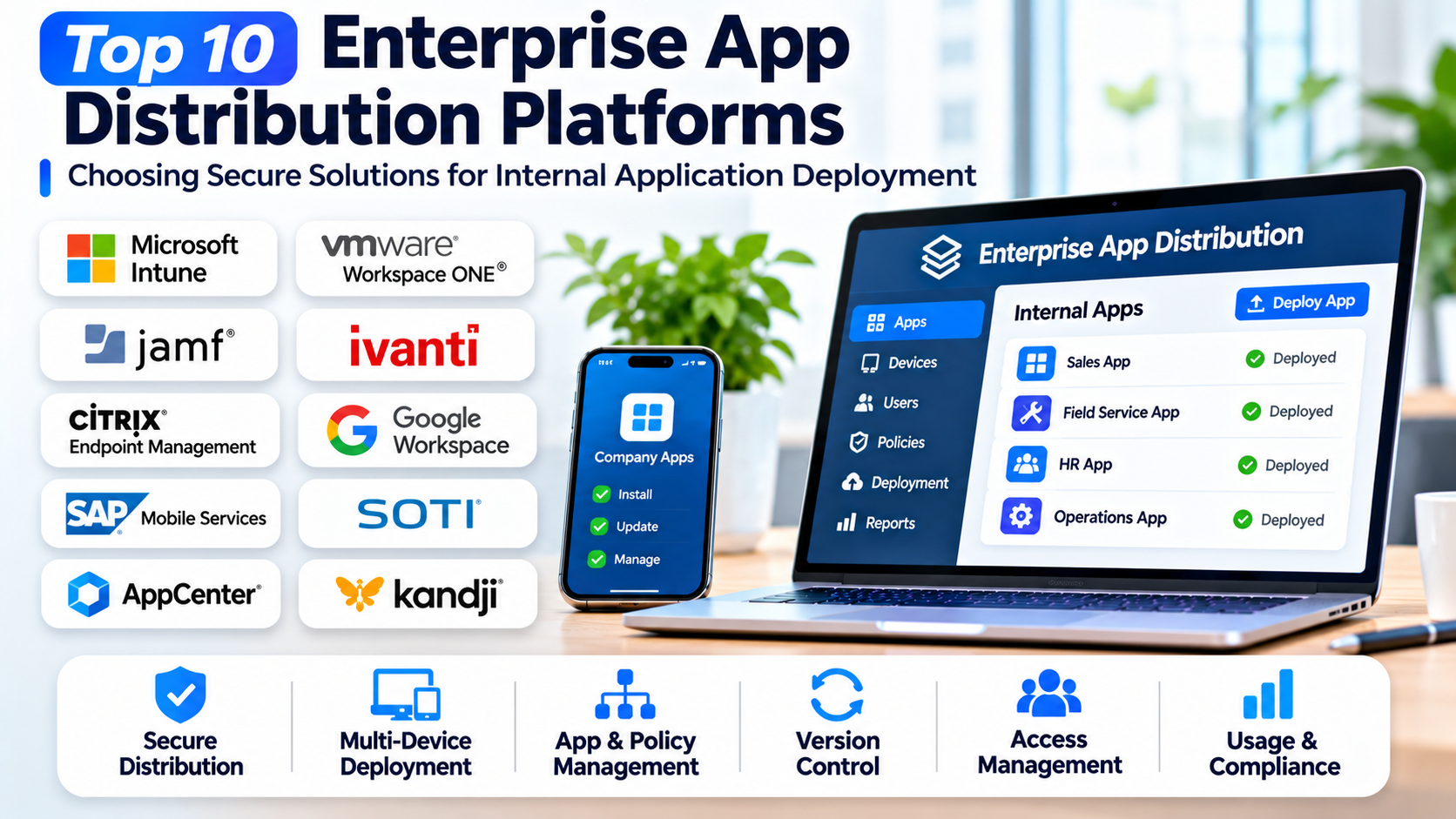
This article examines ten established platforms and explains how they support internal application distribution, testing, device management, and enterprise mobility.
What Are Enterprise App Distribution Platforms?
Enterprise app distribution platforms are systems used to deliver applications to authorized users or managed devices outside ordinary public consumer discovery workflows.
They may support private application catalogs, managed app stores, device-based deployment, beta testing, staged rollouts, and application lifecycle management.
The appropriate distribution method depends on the operating system, device ownership model, application purpose, and applicable platform policies.
Common Enterprise Distribution Models
Managed application deployment: IT administrators distribute approved applications to enrolled devices.
Private application catalogs: Employees access applications through organization-controlled catalogs.
Beta testing distribution: Development teams provide prerelease builds to selected testers.
Business-to-business distribution: Organizations make private applications available to specific business customers through supported platform programs.
Managed application configuration: IT teams deploy applications with predefined settings.
Application lifecycle management: Administrators manage installation, updates, removal, and access.
For Apple devices, distribution must comply with Apple’s supported business, custom app, TestFlight, and enterprise distribution rules.
For Android devices, organizations can use managed Google Play and supported enterprise management methods.
Top 10 Enterprise App Distribution Platforms
1. Microsoft Intune
Short Description
Microsoft Intune is a cloud-based endpoint management platform that supports application deployment and management across enterprise devices.
It is particularly relevant to organizations using Microsoft 365, Microsoft Entra ID, and related enterprise security services.
Intune allows administrators to assign applications to users or devices, configure deployment requirements, and manage supported application protection policies.
For example, a financial services company may distribute an internal employee application to managed smartphones while restricting access to approved corporate accounts.
The platform also supports mobile application management scenarios in which selected corporate data controls can apply without requiring full device management, depending on application and platform support.
Intune is more than a distribution service. It is a broader endpoint management platform, which makes it valuable for enterprises but potentially excessive for organizations needing only beta build sharing.
Key Features
- Managed App Deployment: Assigns supported applications to authorized users and devices.
- Application Protection Policies: Applies supported controls to corporate data within managed applications.
- Device Compliance Integration: Connects application access with device security requirements.
- Microsoft Entra Integration: Supports identity-based access and enterprise authentication workflows.
- Application Configuration: Deploys supported settings to managed applications.
- Private App Management: Supports approved internal and business application distribution methods.
- Update Management: Helps administrators maintain supported application versions.
- Reporting: Provides deployment and device management information.
- Cross-Platform Management: Supports multiple enterprise endpoint environments.
Benefits
Intune centralizes application deployment and security policy management.
Its integration with Microsoft identity services helps organizations enforce access requirements.
It can also reduce administrative work for enterprises already managing devices through Microsoft’s ecosystem.
Pros
- Strong Microsoft ecosystem integration.
- Application protection policies.
- Centralized deployment.
- Identity-based controls.
- Device compliance integration.
- Suitable for large organizations.
Cons
- Requires endpoint management expertise.
- Licensing must be evaluated.
- Platform capabilities vary by operating system.
- More complex than simple build distribution.
- Device enrollment and policy configuration require planning.
Use Cases
Corporate application deployment: IT teams distribute internal applications to employees.
BYOD management: Organizations protect supported corporate applications on personally owned devices.
Regulated operations: Businesses apply identity and device compliance controls.
Best For
Microsoft Intune is suitable for Microsoft-focused enterprises and organizations requiring secure application management.
2. VMware Workspace ONE UEM
Short Description
Workspace ONE UEM is an enterprise endpoint management platform historically associated with VMware and now part of the Omnissa portfolio.
It provides application management and device administration capabilities across supported enterprise environments.
Organizations can use Workspace ONE UEM to distribute approved applications, configure managed devices, and maintain application lifecycle controls.
For example, a logistics company may deploy a custom delivery application to thousands of managed devices used by field employees.
Administrators can manage application assignments, configurations, and supported deployment policies through a centralized environment.
Workspace ONE UEM is particularly relevant to organizations with diverse device fleets and complex enterprise mobility requirements.
Its broad scope provides flexibility but requires substantial operational planning.
Key Features
- Enterprise Application Catalog: Provides access to approved applications.
- Managed App Deployment: Distributes applications to supported devices.
- Application Assignment Rules: Targets deployments according to organizational requirements.
- Device Management: Supports endpoint enrollment and administration.
- Application Configuration: Applies supported managed settings.
- Security Policies: Connects application management with enterprise security requirements.
- Application Lifecycle Management: Supports installation, updates, and removal.
- Reporting: Provides information about deployment and device status.
- Cross-Platform Support: Manages multiple supported endpoint environments.
Benefits
Workspace ONE UEM helps organizations coordinate application deployment across diverse devices.
Its centralized management reduces the need for separate administration processes for every device group.
The platform can also support consistent security and configuration policies across enterprise application fleets.
Pros
- Broad endpoint management capabilities.
- Enterprise application catalogs.
- Flexible deployment assignments.
- Cross-platform management.
- Security policy integration.
- Suitable for large device fleets.
Cons
- Complex implementation.
- Commercial licensing.
- Requires trained administrators.
- More functionality than small teams may need.
- Platform-specific restrictions affect deployment methods.
Use Cases
Logistics operations: Businesses deploy applications to field devices.
Enterprise mobility: IT teams manage approved applications across departments.
Shared-device environments: Organizations maintain application configurations on managed devices.
Best For
Workspace ONE UEM is appropriate for large enterprises and organizations managing complex endpoint environments.
3. Jamf Pro
Short Description
Jamf Pro is an Apple device management platform that supports application deployment and lifecycle management for managed Apple devices.
It is particularly relevant to organizations operating fleets of iPhones, iPads, and Macs.
Jamf Pro integrates with supported Apple management frameworks and business deployment programs to help administrators distribute approved applications.
For example, a healthcare organization may deploy an internal patient workflow application to managed iPads used by clinical staff.
Administrators can assign applications, configure supported settings, and manage devices through centralized policies.
Jamf Pro’s Apple specialization is a major advantage for organizations standardized on Apple hardware.
However, it is not intended to provide the same cross-platform coverage as broader unified endpoint management products.
Key Features
- Apple Application Deployment: Distributes supported applications to managed Apple devices.
- Apple Business Manager Integration: Supports managed application acquisition and assignment workflows.
- Device Enrollment: Helps organizations enroll and configure Apple devices.
- Managed App Configuration: Applies supported application settings.
- Application Updates: Supports lifecycle management for deployed applications.
- Inventory Reporting: Provides information about managed devices and applications.
- Policy Management: Applies supported device and application policies.
- Security Integration: Supports enterprise Apple security management workflows.
- Apple Platform Specialization: Aligns with supported Apple management technologies.
Benefits
Jamf Pro simplifies application deployment for Apple-focused organizations.
Its integration with Apple management frameworks supports consistent device administration.
Centralized application management can also reduce manual installation work across large Apple fleets.
Pros
- Strong Apple ecosystem specialization.
- Managed application deployment.
- Apple Business Manager integration.
- Device inventory and policy management.
- Suitable for large Apple fleets.
- Mature enterprise administration workflows.
Cons
- Apple-focused rather than broadly cross-platform.
- Commercial licensing.
- Requires device management expertise.
- Internal application distribution must follow Apple rules.
- May be excessive for small testing groups.
Use Cases
Healthcare iPads: Organizations deploy approved clinical applications.
Corporate iPhones: IT teams distribute internal productivity applications.
Education environments: Administrators manage applications on institution-owned Apple devices.
Best For
Jamf Pro is suitable for enterprises, healthcare organizations, and educational institutions managing Apple devices.
4. IBM MaaS360
Short Description
IBM MaaS360 is a unified endpoint management platform that supports mobile device administration and enterprise application management.
It helps organizations distribute approved applications and apply supported security and compliance controls.
MaaS360 is particularly relevant to businesses that need centralized administration across multiple device types.
For example, an insurance organization may distribute a field assessment application to employees while applying device security requirements.
The platform can help administrators manage applications, monitor endpoint status, and maintain organizational policies.
Its value extends beyond application distribution into broader enterprise mobility management.
Organizations seeking only a lightweight build-sharing service may find its scope unnecessarily broad.
Key Features
- Enterprise App Catalog: Provides access to approved business applications.
- Managed Deployment: Distributes applications to supported endpoints.
- Device Management: Supports enrollment and administration.
- Application Policies: Applies supported management controls.
- Security Management: Connects endpoint policies with enterprise requirements.
- Application Inventory: Helps administrators track deployed applications.
- Compliance Reporting: Provides information about managed endpoint status.
- Application Configuration: Supports managed settings where available.
- Cross-Platform Management: Covers multiple supported enterprise environments.
Benefits
MaaS360 centralizes enterprise application administration.
Its endpoint security capabilities help organizations manage deployment and compliance through connected workflows.
It can also reduce operational fragmentation across different device categories.
Pros
- Unified endpoint management.
- Enterprise app catalogs.
- Security policy capabilities.
- Cross-platform administration.
- Compliance reporting.
- Suitable for regulated organizations.
Cons
- Requires management expertise.
- Commercial licensing.
- Complex policies need testing.
- Not optimized for simple beta distribution.
- Platform capabilities vary by device type.
Use Cases
Insurance field operations: Companies distribute assessment applications.
Enterprise mobility: IT teams manage applications across departments.
Regulated businesses: Organizations apply device and application security policies.
Best For
IBM MaaS360 is suitable for enterprises requiring integrated endpoint security and application distribution.
5. ManageEngine Mobile Device Manager Plus
Short Description
ManageEngine Mobile Device Manager Plus is an enterprise mobility management solution that supports application distribution, device administration, and security policies.
It is relevant to organizations seeking centralized mobile management without necessarily adopting a large enterprise observability or productivity ecosystem.
Administrators can manage approved applications, configure deployment assignments, and maintain device policies.
For example, a retail organization may deploy inventory management software to smartphones used by store employees.
The platform supports different device ownership and management scenarios, subject to operating system capabilities.
Its application management features are useful for IT teams that need consistent deployment across mobile fleets.
Key Features
- Application Distribution: Deploys approved applications to managed devices.
- Enterprise App Catalog: Provides access to authorized business applications.
- Device Enrollment: Supports onboarding of managed devices.
- Application Management Policies: Controls supported application behavior.
- Application Updates: Helps maintain deployed software versions.
- Device Inventory: Tracks managed endpoints and installed applications.
- Security Configuration: Applies supported device security settings.
- Reporting: Provides deployment and management information.
- Multiple Deployment Options: Supports relevant cloud and on-premises management models.
Benefits
ManageEngine Mobile Device Manager Plus helps IT teams automate application deployment and administration.
Its centralized management can reduce manual configuration across distributed device fleets.
The availability of different deployment approaches may also support organizations with specific infrastructure preferences.
Pros
- Centralized mobile application management.
- Enterprise app distribution.
- Device inventory.
- Security policy support.
- Flexible deployment options.
- Suitable for mid-sized organizations.
Cons
- Requires device enrollment planning.
- Advanced functionality varies by edition.
- Administrative configuration can be complex.
- Operating system policies limit certain actions.
- Not a specialized developer beta distribution platform.
Use Cases
Retail devices: Businesses distribute inventory and store management applications.
Field service: Organizations manage applications used by remote workers.
Corporate mobility: IT teams deploy approved apps across departments.
Best For
ManageEngine Mobile Device Manager Plus is suitable for small and medium-sized enterprises and IT teams requiring structured mobile application management.
6. Hexnode UEM
Short Description
Hexnode UEM is a unified endpoint management platform that supports application deployment, device configuration, and enterprise mobility management.
It is designed to help organizations manage diverse endpoint environments through centralized policies.
Hexnode includes application management capabilities that allow IT administrators to distribute approved software to supported devices.
For example, a hospitality company may deploy a guest service application to tablets used by front desk employees.
The platform can also support kiosk configurations and dedicated device scenarios where employees use devices for specific business functions.
Its combination of application distribution and device management makes it relevant to organizations operating specialized mobile fleets.
Key Features
- Enterprise App Distribution: Deploys supported business applications.
- Application Catalog: Organizes approved software for managed devices.
- Device Enrollment: Supports centralized endpoint onboarding.
- Kiosk Management: Restricts supported devices to selected applications or functions.
- Application Configuration: Applies managed settings where supported.
- Deployment Policies: Targets applications according to organizational requirements.
- Device Inventory: Tracks managed endpoints.
- Security Policies: Supports enterprise device controls.
- Cross-Platform UEM: Manages multiple supported endpoint environments.
Benefits
Hexnode helps organizations manage application deployment and dedicated device configurations through one platform.
Its kiosk capabilities are particularly useful for business devices with limited purposes.
Centralized policies can also reduce configuration differences across large device groups.
Pros
- Enterprise application deployment.
- Kiosk management.
- Cross-platform endpoint support.
- Centralized policy configuration.
- Useful device inventory.
- Suitable for specialized business devices.
Cons
- Requires endpoint management setup.
- Licensing varies by requirements.
- Advanced policies need careful testing.
- Device capabilities differ by platform.
- Not primarily designed for development build testing.
Use Cases
Hospitality tablets: Businesses deploy guest service applications.
Retail kiosks: Organizations configure devices for selected applications.
Field operations: IT teams manage approved applications on employee devices.
Best For
Hexnode UEM is appropriate for organizations managing dedicated devices, kiosks, and enterprise mobile fleets.
7. Esper
Short Description
Esper is an Android-focused device management and deployment platform designed for organizations operating dedicated or purpose-built device fleets.
It is particularly relevant to businesses using Android devices for kiosks, retail operations, logistics, and other specialized workflows.
Esper helps teams manage device configurations, application deployments, and software updates across distributed endpoints.
For example, a restaurant chain may operate Android ordering terminals in hundreds of locations. Esper can help the organization deploy application updates and maintain consistent device configurations.
Its approach emphasizes operational control over devices used for defined business functions.
This makes it different from general employee mobility platforms that primarily manage personal productivity applications.
Key Features
- Android Application Deployment: Distributes applications to supported managed Android devices.
- Device Provisioning: Supports onboarding and configuration of device fleets.
- Remote Management: Helps administrators manage distributed devices.
- Application Updates: Supports controlled software deployment.
- Device Configuration: Applies standardized settings.
- Kiosk Capabilities: Supports dedicated device workflows.
- Fleet Monitoring: Provides visibility into managed device status.
- Deployment Automation: Reduces repetitive application rollout work.
- Device Operations APIs: Enables integration with supported management workflows.
Benefits
Esper helps organizations maintain consistency across dedicated Android fleets.
Its deployment controls can reduce manual intervention when devices are distributed across many locations.
It is especially useful for operational applications where devices must remain configured for specific business tasks.
Pros
- Strong Android device fleet focus.
- Application deployment automation.
- Dedicated device management.
- Remote configuration.
- Kiosk use cases.
- Suitable for distributed operations.
Cons
- Android specialization limits broader platform coverage.
- Requires managed device provisioning.
- Commercial pricing needs evaluation.
- Less appropriate for ordinary employee BYOD programs.
- Device hardware compatibility should be validated.
Use Cases
Restaurant ordering devices: Businesses deploy updates to Android terminals.
Retail kiosks: Organizations maintain consistent application configurations.
Logistics devices: Teams manage purpose-built operational applications.
Best For
Esper is suitable for businesses operating dedicated Android devices and large distributed device fleets.
8. Google Play Managed Publishing and Private Apps
Short Description
Managed Google Play provides enterprise application distribution capabilities within Google’s Android enterprise ecosystem.
Organizations can make approved applications available through managed Google Play and distribute private applications to authorized enterprise environments.
This approach is particularly relevant to Android devices managed through compatible enterprise mobility management platforms.
For example, a manufacturing company may publish a private maintenance application for employees using managed Android devices.
The application can be distributed through the organization’s supported management workflow without being publicly discoverable in the ordinary consumer app catalog.
Managed Google Play is not a complete unified endpoint management system by itself. Organizations commonly use it together with a compatible management provider.
Key Features
- Private Android Applications: Supports distribution of applications restricted to authorized organizations.
- Managed Google Play: Provides enterprise-controlled application access.
- EMM Integration: Works with compatible enterprise management platforms.
- Application Approval: Allows organizations to manage approved application availability.
- Managed Configuration: Supports application settings through compatible management systems.
- Application Updates: Uses supported managed distribution mechanisms.
- Organizational Access Control: Restricts private application availability.
- Android Enterprise Compatibility: Aligns with supported Android enterprise deployment models.
- Centralized App Management: Supports administration through connected enterprise management workflows.
Benefits
Managed Google Play provides a platform-supported way to distribute private Android applications.
It reduces the need to invent unsupported application distribution mechanisms.
Integration with enterprise management systems also supports controlled deployment and lifecycle administration.
Pros
- Official Android enterprise distribution approach.
- Private application support.
- Managed Google Play integration.
- Compatible with enterprise mobility systems.
- Application update support.
- Suitable for corporate Android fleets.
Cons
- Android-only.
- Requires appropriate enterprise management configuration.
- Not a complete UEM solution by itself.
- Distribution rules depend on Google platform policies.
- Not intended to replace dedicated beta testing tools.
Use Cases
Corporate Android applications: Organizations distribute internal employee software.
Manufacturing operations: Companies deploy private maintenance applications.
Managed device fleets: IT teams maintain approved applications through EMM systems.
Best For
Managed Google Play is suitable for Android enterprise administrators and organizations distributing private applications through supported Android management workflows.
9. Apple Business Manager and Custom Apps
Short Description
Apple Business Manager provides organizational services for managing Apple devices, accounts, and application distribution workflows.
For enterprise application distribution, its Custom Apps capability allows developers to make applications available privately to selected organizations through Apple’s supported distribution process.
This approach is useful when businesses need to distribute applications to employees or business customers without making them broadly available to the public.
For example, a software vendor may develop a specialized inventory application for a particular retail company.
The application can be distributed as a custom app to the authorized organization through the appropriate Apple workflow.
Apple Business Manager commonly works alongside a mobile device management solution for deployment and administration.
It should not be confused with Apple’s Enterprise Developer Program, which has separate eligibility and internal-use rules.
Key Features
- Custom App Distribution: Supports private application availability for authorized organizations.
- Organization-Based Access: Restricts application availability through supported organizational assignments.
- App Store Connect Workflow: Uses Apple’s application submission and review processes.
- Managed App Assignment: Supports application distribution through compatible device management systems.
- Device Management Integration: Works with supported Apple management services.
- Application Licensing: Supports organizational application acquisition and assignment.
- Application Updates: Uses supported Apple distribution mechanisms.
- Organizational Administration: Centralizes relevant business account management.
- Apple Platform Compliance: Aligns distribution with Apple’s supported enterprise application programs.
Benefits
Apple Business Manager provides a supported approach to private Apple application distribution.
It helps organizations avoid unsupported installation methods and maintain appropriate control over application availability.
Custom Apps are particularly useful for business-to-business software distribution.
Pros
- Official Apple business distribution workflow.
- Private custom application availability.
- Organizational access controls.
- Integration with device management platforms.
- Supported application update process.
- Useful for business-to-business applications.
Cons
- Apple ecosystem only.
- Custom apps follow applicable Apple review requirements.
- Requires organizational setup.
- Device deployment commonly needs an MDM solution.
- Not a general-purpose cross-platform build distribution service.
Use Cases
B2B applications: Vendors distribute specialized applications to selected organizations.
Corporate iPads: Businesses deploy approved internal workflows.
Industry-specific software: Organizations manage custom applications for authorized users.
Best For
Apple Business Manager and Custom Apps are suitable for Apple-focused enterprises and developers distributing private business applications.
10. Firebase App Distribution
Short Description
Firebase App Distribution is a prerelease application distribution service that helps development teams share test builds with authorized testers.
It supports Android and Apple application testing workflows and integrates with the Firebase development ecosystem.
Unlike enterprise UEM platforms, Firebase App Distribution is primarily intended for development and quality assurance rather than long-term production application management.
Developers can upload builds, assign testers, and manage test releases through supported interfaces and automation tools.
For example, a SaaS company may distribute a new mobile application version to internal QA engineers before submitting it to public app stores.
The platform helps simplify build sharing and tester coordination.
However, organizations should not treat it as a replacement for enterprise application deployment, managed device security, or official production distribution programs.
Key Features
- Prerelease Build Distribution: Shares test application builds with authorized testers.
- Android and Apple Support: Supports compatible mobile testing workflows.
- Tester Management: Organizes access for selected testers.
- Tester Groups: Simplifies distribution to recurring testing audiences.
- Release Notes: Provides information about changes included in builds.
- Firebase Integration: Works with related Firebase development services.
- CLI Support: Enables scripted distribution workflows.
- CI/CD Integration: Supports automated build distribution from development pipelines.
- Release Management: Helps teams organize prerelease application versions.
Benefits
Firebase App Distribution reduces the manual effort required to share test builds.
Its automation capabilities help development teams distribute releases consistently.
Integration with Firebase makes it convenient for teams already using the platform for application development and monitoring.
Pros
- Straightforward beta distribution.
- Android and Apple testing support.
- Tester group management.
- CI/CD integration.
- Firebase ecosystem compatibility.
- Useful for internal QA workflows.
Cons
- Not a production enterprise UEM platform.
- Does not provide comprehensive device security policies.
- Apple installation remains subject to applicable signing and provisioning requirements.
- Limited enterprise application lifecycle management.
- Intended primarily for testing workflows.
Use Cases
Internal QA: Teams distribute prerelease builds to testers.
Continuous delivery: Development pipelines automatically share approved test builds.
Product validation: Stakeholders review application changes before production release.
Best For
Firebase App Distribution is suitable for mobile development teams, QA engineers, and organizations requiring controlled prerelease build sharing.
Comparison Table: Top 10 Enterprise App Distribution Platforms
| Platform | Best For | Supported Platforms | Standout Feature | Pricing Model |
|---|---|---|---|---|
| Microsoft Intune | Microsoft enterprises | Windows, Android, Apple, other supported endpoints | App protection and endpoint management | Subscription licensing |
| Workspace ONE UEM | Large device fleets | Multiple enterprise platforms | Unified application and device management | Enterprise licensing |
| Jamf Pro | Apple enterprises | Apple devices | Apple-specific app management | Subscription |
| IBM MaaS360 | Regulated organizations | Multiple endpoint platforms | Security-oriented UEM | Subscription |
| ManageEngine MDM Plus | Mid-sized IT teams | Supported mobile and desktop endpoints | Centralized app deployment | Free/paid editions |
| Hexnode UEM | Kiosks and business devices | Multiple supported endpoints | Dedicated device management | Subscription |
| Esper | Dedicated Android fleets | Android | Android fleet operations | Commercial |
| Managed Google Play | Private Android apps | Android | Official private app distribution | Platform-based; EMM costs may apply |
| Apple Business Manager | Private Apple apps | Apple platforms | Custom Apps distribution | Business platform; associated costs vary |
| Firebase App Distribution | Development and QA | Android, Apple | Automated prerelease distribution | Core service free |
These platforms serve different purposes. UEM products manage production devices and applications, while Firebase App Distribution primarily manages test builds. Apple Business Manager and managed Google Play provide official ecosystem distribution mechanisms rather than complete standalone UEM suites.
Which Enterprise App Distribution Platform Is Right for You?
For Microsoft-Based Organizations
Microsoft Intune is a strong option when an enterprise already uses Microsoft Entra ID and related security services.
Its application management and access controls can fit existing corporate workflows.
For Apple Device Fleets
Jamf Pro provides specialized Apple device management.
Apple Business Manager and Custom Apps support official private distribution workflows and can complement an MDM platform.
For Android Enterprise Applications
Managed Google Play is a relevant distribution mechanism for private Android applications.
Esper is particularly useful for dedicated Android device fleets.
For Mixed Device Environments
Workspace ONE UEM, IBM MaaS360, ManageEngine Mobile Device Manager Plus, and Hexnode UEM support broader enterprise mobility requirements.
For Development and Testing
Firebase App Distribution is appropriate for prerelease build sharing.
It should not be selected as the primary production management system when the organization needs device compliance, application protection, or enterprise lifecycle controls.
Important Selection Criteria
Organizations should evaluate device ownership, operating system support, identity integration, enrollment requirements, deployment automation, application updates, security policies, compliance reporting, and licensing.
The chosen platform must also comply with the relevant operating system’s application distribution rules.
Best Enterprise App Distribution Platforms for Different Users
| User Type | Recommended Platform | Reason |
|---|---|---|
| Microsoft IT administrator | Microsoft Intune | Identity and app management integration |
| Large enterprise mobility team | Workspace ONE UEM | Broad endpoint administration |
| Apple IT administrator | Jamf Pro | Apple device specialization |
| Regulated enterprise | IBM MaaS360 | Security and management controls |
| Mid-sized IT department | ManageEngine MDM Plus | Centralized mobile management |
| Kiosk administrator | Hexnode UEM | Dedicated device policies |
| Android fleet operator | Esper | Android deployment operations |
| Android enterprise developer | Managed Google Play | Private Android distribution |
| Apple B2B app developer | Apple Business Manager | Custom Apps workflow |
| Mobile QA engineer | Firebase App Distribution | Prerelease build distribution |
Practical Example: Deploying an Internal Inventory Application to Enterprise Devices
Consider a retail company operating 300 stores.
Employees use company-owned Android devices to scan inventory and update stock information.
The organization wants to deploy a new internal inventory application securely.
Step 1: Define Deployment Requirements
The IT team identifies supported Android versions, device models, network requirements, and security policies.
Step 2: Select a Management Platform
The company evaluates ManageEngine, Hexnode, and Microsoft Intune.
It selects Intune because its existing corporate identity and endpoint management workflows already use Microsoft services.
Step 3: Prepare the Application
Developers build and sign the production application according to Android requirements.
They validate the application against supported device configurations.
Step 4: Configure Private Distribution
The organization prepares the application for distribution through the appropriate managed Google Play workflow.
Step 5: Enroll Devices
IT administrators enroll company-owned devices through the supported Android enterprise management process.
Step 6: Configure Application Assignments
The inventory application is assigned to authorized store devices.
The organization configures relevant installation and management settings.
Step 7: Apply Security Policies
Administrators establish device compliance requirements, authentication controls, and application access policies.
Step 8: Run a Pilot Deployment
The company deploys the application to a small group of stores.
Employees test scanning, synchronization, offline operation, and inventory updates.
Step 9: Expand the Rollout
After resolving pilot issues, the organization distributes the application to additional stores in controlled stages.
Step 10: Monitor Deployment Health
IT teams review installation status, application versions, device compliance, and support incidents.
They also establish a process for urgent updates and application rollback where supported.
This approach creates a repeatable deployment process rather than relying on manual installation at every location.
Frequently Asked Questions (FAQs)
1. What is an enterprise app distribution platform?
It is a system or service used to deliver applications to authorized business users or managed devices through controlled distribution workflows.
2. How is enterprise app distribution different from public app stores?
Public app stores make applications available through consumer discovery and installation workflows.
Enterprise distribution restricts application availability to selected organizations, users, devices, or testing groups.
3. What is mobile application management?
Mobile application management involves controlling application deployment, configuration, access, updates, and selected security policies.
4. What is the difference between MDM and MAM?
Mobile Device Management focuses on device administration.
Mobile Application Management focuses on managing applications and their associated business data.
The capabilities often overlap within enterprise mobility platforms.
5. Can enterprises distribute iOS applications privately?
Yes, through supported Apple distribution mechanisms such as Custom Apps and eligible internal enterprise distribution programs.
Organizations must follow the applicable Apple requirements.
6. What is managed Google Play?
Managed Google Play provides enterprise-controlled application availability and distribution for compatible Android management environments.
7. Can organizations distribute applications without enrolling devices?
Some application management and distribution scenarios do not require full device enrollment.
Available controls depend on the operating system, application design, and management platform.
8. What is a private application catalog?
A private application catalog is a controlled collection of approved applications available to authorized users or managed devices.
9. Can enterprise app distribution platforms update applications automatically?
Many platforms support managed update workflows, but behavior depends on the operating system, device state, and deployment configuration.
10. Are beta distribution tools suitable for production deployment?
Not necessarily.
Beta distribution tools primarily support testing, while production enterprise deployment may require stronger identity, security, compliance, and lifecycle controls.
11. What is application signing?
Application signing uses cryptographic mechanisms to associate an application package with an authorized signing identity and help verify its integrity.
12. How do organizations protect internal applications?
They can combine identity controls, managed devices, application protection policies, secure authentication, encryption, and controlled distribution.
13. Can one platform manage both Android and Apple applications?
Many UEM platforms support both ecosystems.
However, distribution mechanisms and available management capabilities differ between operating systems.
14. How should enterprises handle application rollback?
Organizations should maintain version records, test updates before broad deployment, and establish recovery procedures.
Rollback capabilities vary by platform and application distribution method.
15. What should businesses consider before selecting a platform?
Important factors include device types, application ownership, user identity, security requirements, deployment scale, operating system policies, administrative expertise, and total licensing costs.
Final Thoughts
Enterprise app distribution platforms help organizations deliver internal applications securely and maintain control over software deployment.
Microsoft Intune, Workspace ONE UEM, IBM MaaS360, ManageEngine, and Hexnode provide broad endpoint and application management capabilities.
Jamf Pro specializes in Apple environments, while Esper focuses on dedicated Android fleets.
Managed Google Play and Apple Business Manager provide official private distribution mechanisms within their respective ecosystems.
Firebase App Distribution serves a different but important purpose by simplifying prerelease application testing.
The right platform depends on whether the organization needs secure production deployment, managed device administration, private application distribution, or developer testing.
Successful enterprise application distribution requires more than installing software. It requires consistent identity controls, supported distribution methods, reliable updates, and ongoing application lifecycle management.