Introduction
Modern organizations create and manage enormous quantities of digital content. Product images, marketing videos, logos, presentations, design files, documents, and campaign materials are often distributed across shared drives, cloud storage systems, employee devices, and creative applications.
Without a consistent management system, teams may struggle to find approved files, identify current versions, manage usage rights, and maintain brand consistency.
These problems become more significant as organizations expand their content operations across departments, agencies, markets, and distribution channels.
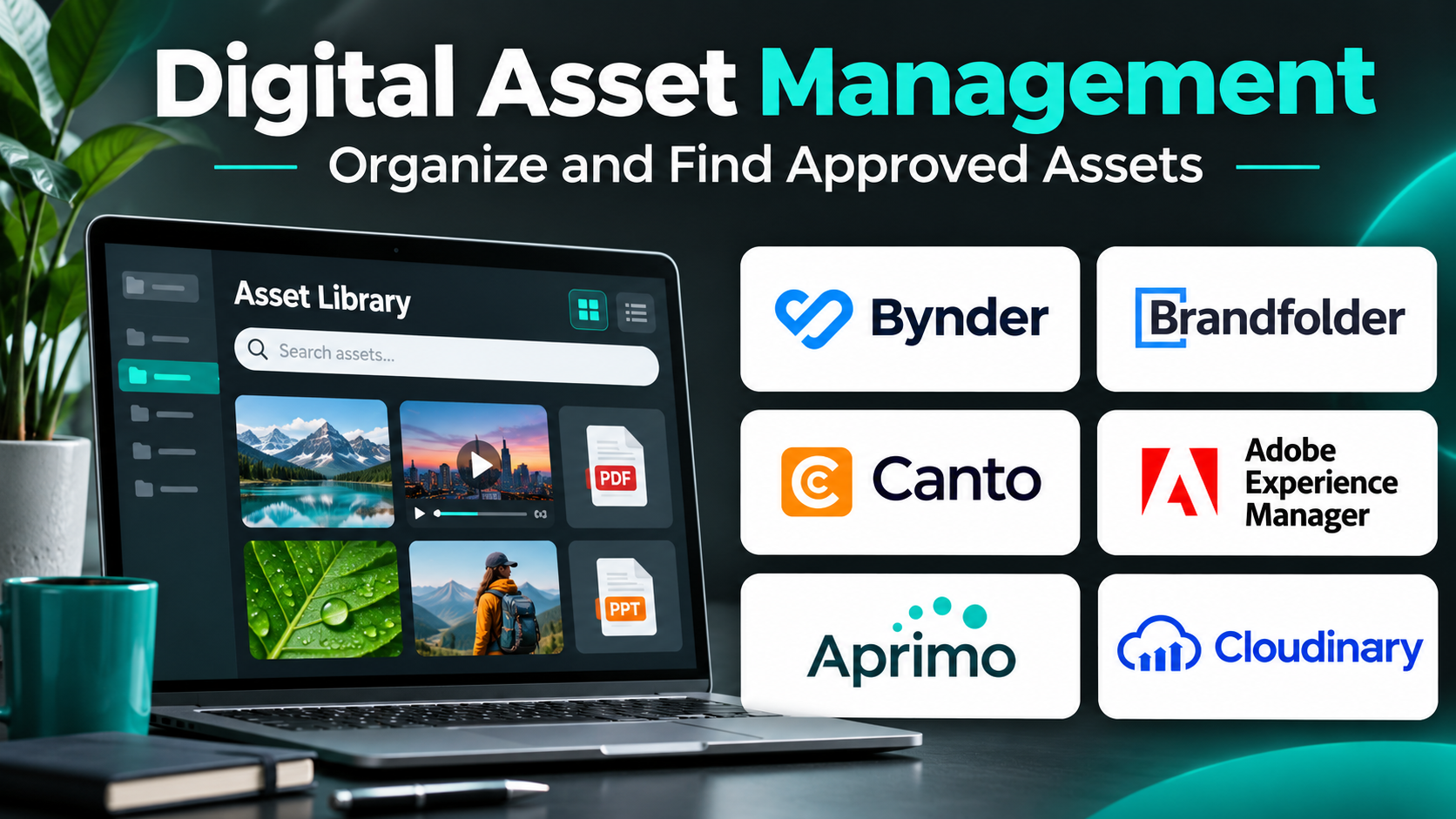
Digital Asset Management (DAM) platforms help organizations organize, search, secure, distribute, and govern digital content from a centralized environment.
Some platforms specialize in brand assets and creative collaboration. Others support enterprise metadata management, product content operations, automated asset transformation, or large-scale media distribution.
Choosing the right DAM platform requires evaluating asset volume, search capabilities, metadata structures, access permissions, integrations, version control, and content governance.
This guide compares ten established DAM platforms, examines their major capabilities and limitations, and provides practical recommendations for organizations with different content management requirements.
What Is Digital Asset Management?
Digital Asset Management is the practice of organizing, storing, finding, controlling, and distributing digital files through structured processes and specialized software.
A DAM platform acts as a managed repository for digital assets and their associated information.
Unlike ordinary file storage, DAM systems commonly provide structured metadata, searchable collections, usage permissions, version histories, approval workflows, and integrations with creative or publishing applications.
How DAM Software Works
A typical DAM workflow begins when an employee or partner uploads an asset.
The platform stores the file and associates it with relevant metadata such as campaign name, product category, creator, licensing information, or approval status.
Authorized users can then search for assets, preview files, download approved versions, or distribute content through supported integrations.
Administrators can define permissions and manage asset lifecycle rules.
Benefits of Digital Asset Management
- Centralized content: Reduce fragmented storage across teams.
- Faster asset discovery: Find files through metadata and search.
- Brand consistency: Distribute approved logos, images, and templates.
- Version control: Reduce accidental use of outdated assets.
- Rights management: Track relevant licensing and usage restrictions.
- Collaboration: Coordinate internal teams and external partners.
- Content reuse: Avoid recreating existing assets unnecessarily.
- Workflow automation: Reduce repetitive content administration.
- Governance: Apply permissions and asset lifecycle policies.
Top 10 Digital Asset Management Platforms
1. Bynder
Best For: Enterprise marketing teams requiring brand asset governance, creative collaboration, and scalable content operations.
Short Description
Bynder is a digital asset management platform designed to help organizations organize, manage, and distribute branded content.
It provides a centralized environment for marketing assets, product imagery, videos, design resources, and related files.
Bynder is particularly relevant to organizations with multiple departments, agencies, and geographic markets that need consistent access to approved content.
Its capabilities support structured metadata, asset discovery, permissions, and content distribution.
The platform also offers related creative and brand content workflows through available products.
For enterprise marketing teams, Bynder can reduce duplicated content and improve the consistency of materials used across channels.
However, implementation requires careful planning of taxonomy, permissions, migration, and integrations.
Key Features
- Centralized asset library: Stores approved digital files in a managed repository.
- Metadata management: Organizes assets through structured descriptive information.
- Advanced search: Helps users locate content through filters and keywords.
- Version management: Maintains controlled asset updates.
- Brand governance: Supports consistent use of approved content.
- Access permissions: Controls who can view, edit, and distribute assets.
- Creative workflow support: Connects selected content production processes.
- Integrations: Connects with supported marketing and creative applications.
- Asset distribution: Helps teams share content with internal and external users.
Benefits
Bynder helps large marketing organizations establish a reliable source of approved brand assets.
It can improve collaboration while reducing inconsistent content use.
Pros
- Strong enterprise DAM functionality.
- Brand governance.
- Metadata and search.
- Creative workflow capabilities.
- Broad integration orientation.
- Scalable content operations.
Cons
- Implementation may require significant planning.
- Enterprise pricing.
- Taxonomy design requires expertise.
- Advanced capabilities may involve additional products.
Use Cases
Global marketing teams can distribute approved campaign imagery. Brand departments can maintain official logos. Agencies can collaborate on controlled creative assets.
Best Suited For: Enterprises, global brands, and large marketing organizations.
2. Brandfolder
Best For: Marketing teams seeking accessible brand asset organization and distribution.
Short Description
Brandfolder is a digital asset management platform associated with Smartsheet.
It helps organizations organize branded content and make approved assets accessible to employees, partners, and other authorized users.
The platform emphasizes asset discovery, organization, and sharing.
Its interface and brand-focused workflows are relevant to marketing teams that want a practical repository for approved creative materials.
Brandfolder can support structured collections, asset metadata, and distribution workflows.
For organizations managing frequent campaign updates, centralized access can reduce confusion about which files are current.
However, buyers should evaluate its integration requirements, licensing structure, and broader workflow capabilities.
Key Features
- Asset library: Centralizes brand and marketing files.
- Metadata organization: Categorizes content for easier discovery.
- Search and filtering: Helps users locate relevant assets.
- Asset sharing: Distributes approved files to authorized users.
- Version control: Supports updated asset management.
- Brand collections: Organizes assets by campaign or business unit.
- Permissions: Controls access to selected content.
- Analytics: Provides information about asset usage.
- Integrations: Connects with supported business applications.
Benefits
Brandfolder helps organizations maintain a consistent and accessible library of approved creative content.
Pros
- Brand-oriented workflows.
- Accessible asset organization.
- Search and metadata.
- Sharing capabilities.
- Asset usage insights.
Cons
- Advanced enterprise needs require evaluation.
- Pricing varies.
- Migration requires planning.
- Some workflows depend on integrations.
Use Cases
Marketing asset libraries, campaign resource sharing, partner content distribution, and brand file organization.
Best Suited For: Marketing teams, brand departments, and agencies.
3. Acquia DAM (Widen)
Best For: Enterprises requiring structured digital asset governance and product content workflows.
Short Description
Acquia DAM, formerly known as Widen, is a digital asset management platform designed to support complex content operations.
It helps organizations manage images, videos, documents, and other digital files through structured metadata and access controls.
The platform is relevant to businesses with large asset collections and multiple content distribution requirements.
Its capabilities can support marketing teams, product departments, distributors, and other stakeholders that depend on consistent digital content.
Acquia DAM is particularly useful when organizations need formal asset lifecycle processes and integrations with broader digital experience systems.
However, businesses should evaluate the implementation effort required to design metadata structures and migrate existing assets.
Key Features
- Centralized asset repository: Stores managed digital content.
- Metadata taxonomy: Organizes assets using structured fields.
- Advanced search: Supports asset discovery.
- Asset permissions: Controls access and distribution.
- Version management: Helps maintain approved asset versions.
- Asset sharing: Supports internal and external content delivery.
- Workflow support: Coordinates selected asset processes.
- Product content capabilities: Supports related product information workflows through available offerings.
- Integrations: Connects with supported enterprise applications.
Benefits
Acquia DAM helps organizations establish structured content governance across complex teams and distribution channels.
Pros
- Enterprise asset management.
- Strong metadata organization.
- Product content relevance.
- Permissions and governance.
- Integration capabilities.
Cons
- Requires careful taxonomy design.
- Implementation may be complex.
- Commercial pricing varies.
- Smaller teams may not need its full functionality.
Use Cases
Manufacturing product imagery, enterprise marketing libraries, distributor content sharing, and regulated content workflows.
Best Suited For: Enterprises, manufacturers, and organizations with complex asset requirements.
4. Canto
Best For: Mid-sized organizations seeking practical digital asset organization and team collaboration.
Short Description
Canto is a digital asset management platform designed to help teams store, organize, search, and distribute creative files.
Its capabilities are relevant to marketing departments that have outgrown ordinary cloud storage but do not necessarily require highly complex enterprise infrastructure.
Canto provides a managed environment for images, videos, documents, and branded resources.
Users can organize assets into collections, apply metadata, and share content with authorized colleagues or partners.
The platform can reduce time spent locating files and confirming approved versions.
Its suitability depends on the organization’s asset volume, integration requirements, and governance expectations.
Key Features
- Centralized asset storage: Organizes digital files in one library.
- Search and filtering: Helps users find relevant content.
- Metadata tagging: Supports asset classification.
- Visual previews: Allows users to inspect supported media.
- Version control: Helps maintain current assets.
- Sharing portals: Supports distribution to selected audiences.
- Permissions: Restricts access according to user roles.
- Integrations: Connects with compatible creative and business tools.
- Collaboration: Supports shared asset workflows.
Benefits
Canto provides a practical transition from unstructured file storage to organized asset management.
Pros
- Accessible DAM workflows.
- Visual asset organization.
- Search and tagging.
- Sharing capabilities.
- Suitable for marketing teams.
Cons
- Advanced enterprise requirements may need evaluation.
- Metadata migration requires effort.
- Pricing depends on usage.
- Some integrations may require additional configuration.
Use Cases
Marketing image libraries, event photography, campaign resources, and creative team collaboration.
Best Suited For: Mid-sized businesses, marketing departments, and creative teams.
5. Adobe Experience Manager Assets
Best For: Large enterprises requiring DAM integrated with digital experience and content delivery operations.
Short Description
Adobe Experience Manager Assets is an enterprise digital asset management solution within the Adobe Experience Cloud ecosystem.
It helps organizations manage, organize, process, and distribute digital assets used across websites, applications, and marketing channels.
Its capabilities are particularly relevant to businesses already operating Adobe-based digital experience infrastructure.
The platform supports metadata, asset workflows, automated processing, and integration with broader content management systems.
For large organizations, this connection can help streamline content production and delivery across channels.
However, Adobe Experience Manager Assets generally requires substantial implementation expertise and careful architectural planning.
Key Features
- Enterprise asset repository: Manages large digital content collections.
- Metadata management: Supports structured asset information.
- Asset processing: Automates selected media preparation tasks.
- Search and discovery: Helps users find relevant files.
- Workflow automation: Supports content lifecycle processes.
- Permissions and governance: Controls access and asset use.
- Content delivery integration: Connects assets with supported digital experiences.
- Adobe ecosystem integration: Supports compatible creative and marketing workflows.
- Scalable architecture: Addresses large enterprise content requirements.
Benefits
Adobe Experience Manager Assets connects asset management with enterprise content production and digital delivery.
Pros
- Extensive enterprise capabilities.
- Strong digital experience integration.
- Automated processing.
- Structured governance.
- Scalable workflows.
Cons
- Complex implementation.
- Significant cost considerations.
- Specialist administration required.
- Excessive for simple asset libraries.
Use Cases
Enterprise website content, omnichannel marketing, global content operations, and complex digital experiences.
Best Suited For: Large enterprises and organizations using Adobe Experience Cloud.
6. Cloudinary
Best For: Developers and digital product teams requiring programmable image and video asset management.
Short Description
Cloudinary is a media management and delivery platform that helps organizations upload, organize, transform, optimize, and distribute images and videos.
Its capabilities extend beyond traditional marketing asset storage into application development and automated media processing.
Cloudinary is particularly useful for businesses that publish large volumes of images and videos through websites, ecommerce platforms, and mobile applications.
Developers can use APIs and delivery workflows to prepare assets for different devices and content requirements.
The platform also provides DAM-related capabilities for organizing and collaborating on media assets.
However, organizations seeking primarily brand governance and approval workflows should evaluate whether its media-centric approach meets their needs.
Key Features
- Media asset storage: Manages images and videos.
- Automated transformations: Resizes and converts supported media.
- Content optimization: Helps deliver appropriately formatted assets.
- API integration: Supports programmatic media workflows.
- Media delivery: Distributes assets through supported delivery infrastructure.
- Asset organization: Provides metadata and collection capabilities.
- Video processing: Supports selected video transformation workflows.
- Developer tooling: Integrates media operations into applications.
- DAM capabilities: Supports media discovery and collaboration.
Benefits
Cloudinary connects digital asset management with technical media delivery and optimization.
Pros
- Strong developer capabilities.
- Automated media transformations.
- Image and video support.
- API-based workflows.
- Scalable media delivery.
Cons
- Technical configuration may be necessary.
- Usage-based costs require monitoring.
- Not primarily a brand governance suite.
- Advanced creative approval processes may need other tools.
Use Cases
Ecommerce product imagery, responsive website media, user-generated content, and application media delivery.
Best Suited For: Developers, ecommerce platforms, and digital product teams.
7. Aprimo
Best For: Enterprises requiring DAM connected with marketing operations and content governance.
Short Description
Aprimo provides digital asset management and content operations capabilities for organizations managing complex marketing processes.
Its platform helps teams organize assets while coordinating related planning, workflow, and governance activities.
Aprimo is relevant to enterprises that want to connect content production with asset management and distribution.
This can be valuable when marketing teams must coordinate approvals, regulatory requirements, and multiple stakeholders.
The platform supports structured content operations that go beyond basic file storage.
However, implementing Aprimo effectively requires clear process design and stakeholder alignment.
Key Features
- Digital asset repository: Centralizes managed content.
- Metadata management: Organizes assets through structured information.
- Content workflows: Supports approval and production processes.
- Marketing operations integration: Connects assets with broader marketing activities.
- Permissions: Controls access to content.
- Version management: Helps maintain approved materials.
- Search and discovery: Supports asset retrieval.
- Content governance: Helps enforce organizational policies.
- Enterprise integrations: Connects with supported business systems.
Benefits
Aprimo helps organizations coordinate the content lifecycle from planning and production through approval and distribution.
Pros
- Strong content operations orientation.
- Enterprise governance.
- Workflow capabilities.
- Structured metadata.
- Marketing process integration.
Cons
- Complex deployment requirements.
- Enterprise pricing.
- Workflow design takes time.
- May be unnecessary for small teams.
Use Cases
Regulated marketing, enterprise content approvals, global campaign operations, and brand governance.
Best Suited For: Enterprises and organizations with complex marketing workflows.
8. Frontify
Best For: Brand teams combining digital asset management with brand guidelines and collaboration.
Short Description
Frontify is a brand management platform that includes digital asset management capabilities.
It helps organizations maintain brand guidelines, approved assets, and collaborative brand resources.
Frontify is particularly relevant to businesses that want employees and external partners to access both creative files and instructions for using them correctly.
Its approach connects asset storage with brand identity governance.
Teams can organize logos, templates, imagery, and other resources while maintaining consistency across campaigns.
However, businesses requiring highly specialized media transformation or enterprise product content management should evaluate complementary tools.
Key Features
- Brand asset library: Centralizes approved creative files.
- Brand guidelines: Documents rules for consistent brand use.
- Asset organization: Supports structured collections.
- Search and discovery: Helps users find relevant materials.
- Sharing: Distributes approved resources to authorized users.
- Brand collaboration: Connects teams and external partners.
- Permissions: Controls access to selected content.
- Templates and brand workflows: Supports consistent creative production through available capabilities.
- Integrations: Connects with supported design and business applications.
Benefits
Frontify helps organizations connect brand rules with the actual assets employees use.
Pros
- Integrated brand guidelines.
- DAM functionality.
- Collaboration support.
- Consistent brand resources.
- Useful partner access.
Cons
- Not primarily a developer media platform.
- Complex enterprise workflows may need integrations.
- Pricing depends on requirements.
- Asset taxonomy still requires planning.
Use Cases
Brand portals, design system resources, marketing asset libraries, and partner brand enablement.
Best Suited For: Brand teams, design departments, and marketing organizations.
9. MediaValet
Best For: Organizations requiring cloud-based DAM, enterprise search, and controlled content distribution.
Short Description
MediaValet is a cloud-based digital asset management platform designed to help organizations organize and distribute digital content.
Its capabilities support marketing teams, creative departments, and enterprises managing large collections of images, videos, and documents.
MediaValet emphasizes centralized access, asset discovery, metadata organization, and collaboration.
It can help organizations reduce content duplication and provide consistent access to approved files.
The platform is relevant to teams that want structured DAM capabilities without building custom asset infrastructure.
However, businesses should evaluate integration coverage, storage requirements, and governance features according to their specific workflows.
Key Features
- Cloud asset library: Centralizes digital content.
- Metadata management: Supports asset classification.
- Advanced search: Helps locate relevant files.
- Asset sharing: Distributes approved content.
- Version management: Supports controlled updates.
- Permissions: Restricts access to selected assets.
- Collaboration: Supports internal and external teams.
- Analytics: Provides selected asset activity insights.
- Integrations: Connects with compatible business applications.
Benefits
MediaValet helps organizations improve asset discoverability and controlled content sharing.
Pros
- Cloud-based DAM.
- Search and metadata.
- Enterprise collaboration.
- Permissions.
- Asset distribution workflows.
Cons
- Implementation requires metadata planning.
- Pricing varies.
- Some workflows depend on integrations.
- Specialized media processing needs may require additional tools.
Use Cases
Marketing asset libraries, global content sharing, creative team collaboration, and enterprise media organization.
Best Suited For: Mid-sized and enterprise organizations.
10. Pics.io
Best For: Small and medium-sized teams seeking DAM capabilities connected with cloud storage.
Short Description
Pics.io is a digital asset management platform that helps organizations organize and manage creative files using supported cloud storage environments.
Its approach can appeal to teams that already maintain content in cloud storage but need better asset discovery, metadata, and collaboration capabilities.
Pics.io provides tools for organizing assets, previewing files, managing versions, and coordinating content-related work.
This can help smaller creative teams establish more structured asset processes without immediately adopting a large enterprise DAM system.
The platform is useful for agencies, designers, and marketing departments managing growing asset libraries.
However, organizations should evaluate storage integration requirements and advanced governance needs.
Key Features
- Cloud storage integration: Works with supported storage environments.
- Asset organization: Structures creative files into manageable collections.
- Metadata tagging: Improves asset discovery.
- Search: Helps locate relevant files.
- Version management: Supports updated asset workflows.
- File previews: Enables inspection of supported formats.
- Collaboration: Supports shared creative work.
- Access permissions: Helps control file availability.
- Asset sharing: Supports distribution to authorized users.
Benefits
Pics.io helps teams improve asset management while retaining familiar cloud storage workflows.
Pros
- Cloud storage integration.
- Suitable for smaller teams.
- Metadata and search.
- Creative collaboration.
- Version management.
Cons
- Advanced enterprise governance may be limited.
- Storage configuration requires planning.
- Integration compatibility varies.
- Large-scale requirements need careful evaluation.
Use Cases
Agency asset libraries, design collaboration, marketing file organization, and cloud-based creative repositories.
Best Suited For: SMBs, creative agencies, and marketing teams.
Digital Asset Management Platforms Comparison Table
| Platform | Primary Strength | Main Orientation | Best For |
|---|---|---|---|
| Bynder | Brand asset governance | Enterprise marketing | Global brands |
| Brandfolder | Brand asset organization | Marketing collaboration | Brand teams |
| Acquia DAM | Structured asset governance | Enterprise content | Manufacturers |
| Canto | Accessible DAM | Creative asset libraries | Mid-sized teams |
| Adobe Experience Manager Assets | Digital experience integration | Enterprise content delivery | Large enterprises |
| Cloudinary | Media transformation and delivery | Developer and media workflows | Digital products |
| Aprimo | Content operations | Enterprise marketing governance | Complex marketing teams |
| Frontify | Brand guidelines and assets | Brand management | Design and brand teams |
| MediaValet | Cloud DAM | Enterprise asset collaboration | Distributed teams |
| Pics.io | Cloud storage-based DAM | SMB creative workflows | Agencies |
How to Choose the Best Digital Asset Management Platform
1. Audit Existing Assets
Identify the volume, types, sizes, and locations of current digital files.
2. Define Asset Categories
Establish a taxonomy that reflects how employees actually search for content.
3. Evaluate Search
Test keyword search, metadata filters, previews, and supported AI-assisted discovery.
4. Review Version Control
Confirm how the platform identifies current files and preserves relevant histories.
5. Examine Rights Management
Consider licensing information, usage restrictions, expiration dates, and access controls.
6. Assess Creative Workflows
Determine whether the platform needs to support approvals, comments, production stages, or creative integrations.
7. Review Distribution Requirements
Some teams need downloadable files, while others require automated delivery to websites, ecommerce systems, and applications.
8. Evaluate Security
Review authentication, role permissions, audit capabilities, and data handling policies.
9. Compare Total Cost
Consider storage, user licenses, asset volume, migration, integrations, and implementation services.
10. Conduct a Pilot
Import a representative sample of assets and test actual search, approval, and distribution workflows.
Best DAM Software by User Type
| User Type | Suggested Platform | Reason |
|---|---|---|
| Global marketing enterprises | Bynder | Brand governance |
| Brand marketing teams | Brandfolder | Asset discovery and sharing |
| Manufacturers | Acquia DAM | Structured product content |
| Mid-sized creative teams | Canto | Practical asset organization |
| Adobe-centered enterprises | Adobe Experience Manager Assets | Digital experience integration |
| Developers | Cloudinary | Automated media processing |
| Complex marketing operations | Aprimo | Content lifecycle governance |
| Brand guideline managers | Frontify | Brand standards and assets |
| Distributed enterprise teams | MediaValet | Cloud asset collaboration |
| Small creative agencies | Pics.io | Cloud storage integration |
Practical Example: Implementing DAM for an Ecommerce Company
An ecommerce company manages 15,000 product images, promotional graphics, videos, and campaign files.
Assets are scattered across shared drives, employee folders, and creative applications.
Step 1: Audit Existing Content
The company identifies duplicate files, outdated images, and missing metadata.
Step 2: Establish Governance
The marketing team defines asset ownership, approval responsibilities, and usage policies.
Step 3: Design a Taxonomy
Assets are categorized by product, campaign, region, content type, and approval status.
Step 4: Select a DAM Platform
The company evaluates search, ecommerce integrations, permissions, media processing, and total cost.
Step 5: Migrate Assets
Files are transferred in controlled batches, with checks for missing or corrupted content.
Step 6: Apply Metadata
The team adds product identifiers, usage rights, and descriptive tags.
Step 7: Configure Permissions
Designers can upload drafts, reviewers can approve content, and marketing teams can access approved files.
Step 8: Connect Publishing Systems
Approved product imagery is made available to supported ecommerce and marketing channels.
Step 9: Measure Operational Results
Suppose a pilot produces these hypothetical findings:
| Metric | Before DAM | After DAM |
|---|---|---|
| Average asset search time | 12 minutes | 3 minutes |
| Duplicate assets identified | Unknown | 2,100 |
| Approved assets centrally accessible | 35% | 95% |
| Average campaign asset preparation time | 5 days | 3 days |
Search time reduction:
(12 − 3) ÷ 12 × 100 = 75%
These results are illustrative.
Step 10: Maintain the Library
The company introduces regular metadata audits, asset archival policies, and permissions reviews.
Common Mistakes to Avoid
Migrating without cleanup: Moving disorganized files into a DAM system does not automatically make them useful.
Creating excessive metadata: Complicated tagging rules can discourage adoption.
Ignoring user workflows: The system should reflect how employees search for and distribute content.
Failing to manage rights: Assets may have licensing or usage restrictions.
Neglecting integrations: Manual downloading and reuploading can limit efficiency.
Overlooking governance: Asset approval and ownership should remain clear.
Assuming AI tagging is always accurate: Important metadata should be verified.
Frequently Asked Questions
1. What is Digital Asset Management?
Digital Asset Management is the process of organizing, controlling, and distributing digital content through structured systems.
2. What is DAM software?
It is software that stores digital assets and provides tools for metadata, search, permissions, versioning, and distribution.
3. How is DAM different from cloud storage?
DAM typically provides more specialized asset metadata, search, governance, and creative workflows.
4. Which DAM platform is best for enterprises?
Bynder, Acquia DAM, Adobe Experience Manager Assets, and Aprimo are strong candidates for different enterprise requirements.
5. Which tools are suitable for small businesses?
Canto and Pics.io may be appropriate depending on asset volume and workflow complexity.
6. What is metadata in DAM?
Metadata is descriptive information associated with an asset, such as product category, creator, usage rights, or approval status.
7. Can DAM software manage videos?
Many platforms support video assets, although processing and delivery capabilities differ.
8. Can DAM platforms integrate with ecommerce systems?
Some support ecommerce and product content integrations.
9. What is asset version control?
It is the process of managing updated files while maintaining appropriate version information.
10. Can DAM software manage licensing rights?
Many systems provide metadata and governance tools for tracking rights, but legal compliance still requires appropriate processes.
11. Is Cloudinary a DAM platform?
Cloudinary provides DAM-related capabilities alongside media management, transformation, and delivery services.
12. What is a brand asset portal?
It is a controlled destination where authorized users can access approved brand materials.
13. Can DAM improve marketing productivity?
It can reduce time spent searching for files, recreating assets, and coordinating distribution.
14. How long does DAM implementation take?
The timeline depends on asset volume, metadata complexity, integrations, migration, and organizational readiness.
15. What is the most important DAM feature?
Reliable asset discovery combined with governance appropriate to the organization’s content workflows.
Final Thoughts
Digital Asset Management platforms help organizations organize creative content, maintain approved versions, manage permissions, and improve asset reuse.
Bynder, Acquia DAM, Adobe Experience Manager Assets, and Aprimo support complex enterprise content operations.
Brandfolder, Canto, Frontify, and MediaValet provide different approaches to brand asset management and collaboration.
Cloudinary emphasizes programmable media workflows, while Pics.io offers DAM capabilities connected with cloud storage.
The best solution depends on content volume, metadata requirements, creative processes, distribution channels, and governance needs.
A successful DAM implementation is not simply a new place to store files. It establishes a reliable system for finding, approving, protecting, and reusing digital content across the organization.