Introduction
Creative teams manage a combination of structured deadlines and unpredictable production work. Designers, writers, video editors, marketers, and external agencies must coordinate briefs, concepts, feedback, revisions, approvals, and final deliverables.
Traditional task management methods can struggle with these requirements because creative projects rarely move through a perfectly linear process.
A campaign may require several rounds of design feedback, unexpected copy changes, legal approvals, and coordination across multiple channels.
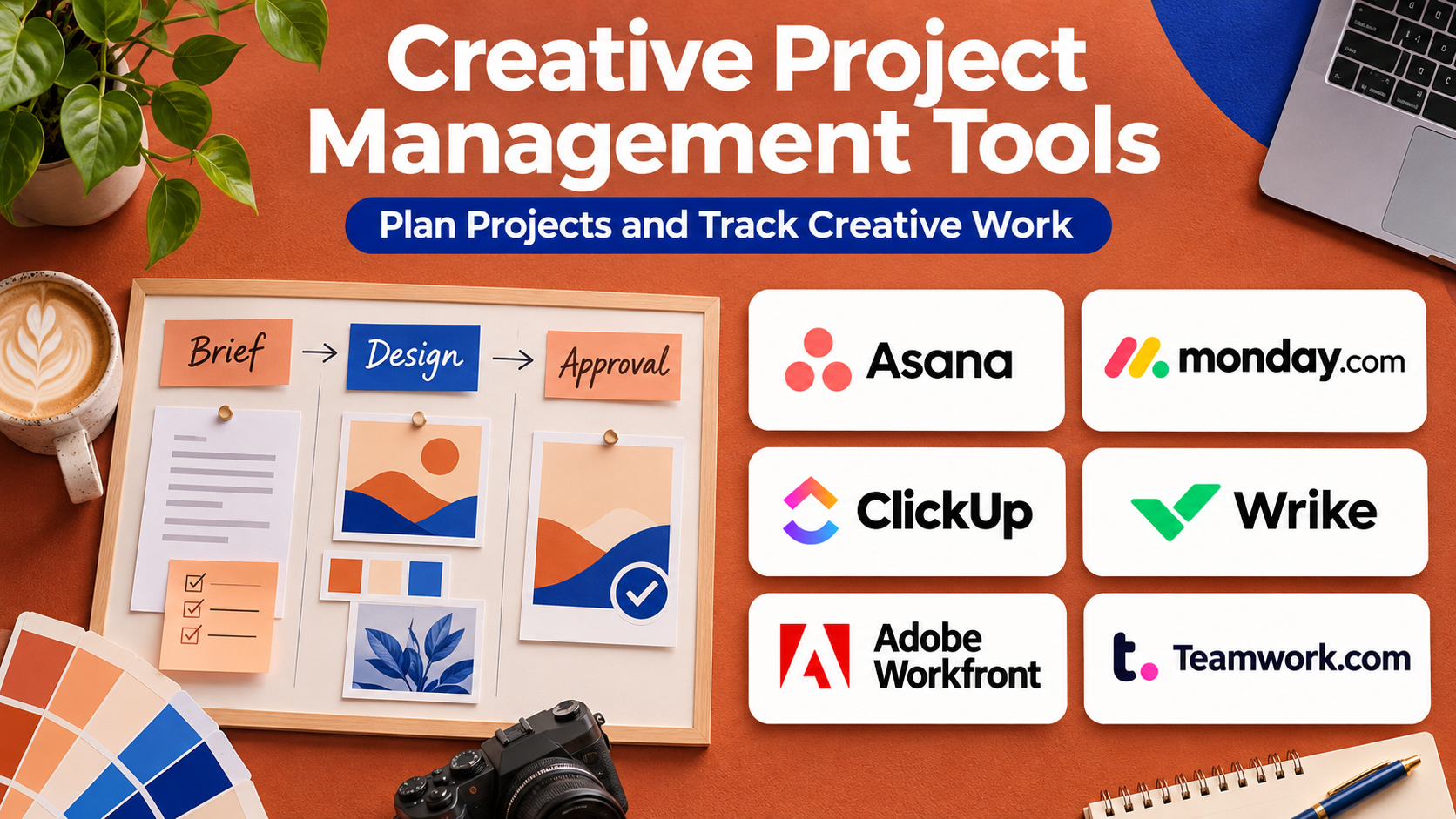
Creative project management tools help organizations plan, assign, track, review, and deliver creative work through centralized workflows.
Some platforms provide flexible task boards and collaboration. Others emphasize resource planning, marketing operations, proofing, approvals, and agency project profitability.
Choosing the right platform requires understanding how creative requests enter the team, how work is prioritized, how feedback is collected, and how projects move toward final approval.
This guide compares ten established creative project management platforms, explains their capabilities and limitations, and provides practical recommendations for different creative organizations.
What Are Creative Project Management Tools?
Creative project management tools are software platforms that help teams coordinate the planning, production, review, and delivery of creative work.
They typically provide task management, project timelines, file sharing, collaboration, workload visibility, and approval workflows.
Some also support creative briefs, proofing, time tracking, resource allocation, and client communication.
How Creative Project Management Works
A typical workflow begins when a stakeholder submits a creative request.
The team reviews the brief, estimates the required effort, assigns responsibilities, and establishes deadlines.
Designers and content creators produce drafts, stakeholders provide feedback, and reviewers approve final materials.
The platform records progress and helps prevent tasks, revisions, and approvals from becoming disconnected.
Benefits of Creative Project Management Software
- Centralized requests: Organize incoming creative work.
- Clear ownership: Assign responsibility for deliverables.
- Better scheduling: Coordinate production deadlines.
- Reduced communication fragmentation: Keep project discussions connected.
- Review visibility: Track feedback and approvals.
- Resource planning: Identify overloaded team members.
- Consistent workflows: Standardize recurring creative projects.
- Performance reporting: Understand workload and delivery trends.
Top 10 Creative Project Management Tools
1. Adobe Workfront
Best For: Enterprise marketing and creative organizations requiring advanced work management and approval workflows.
Short Description
Adobe Workfront is an enterprise work management platform designed to coordinate projects, resources, approvals, and cross-functional operations.
It is particularly relevant to large marketing organizations where creative work involves numerous stakeholders, departments, and formal review requirements.
Workfront helps teams manage requests, establish priorities, track production, and coordinate approval processes.
Its connection with the Adobe ecosystem can be valuable for organizations already using Adobe creative and digital experience products.
For enterprises managing large campaign portfolios, Workfront can provide visibility into workloads, project dependencies, and organizational priorities.
However, its flexibility and enterprise scope mean that implementation requires significant process design and administrator involvement.
Key Features
- Project planning: Organizes tasks, milestones, and dependencies.
- Creative request management: Standardizes incoming work.
- Approval workflows: Routes deliverables through review processes.
- Resource management: Helps assess team capacity.
- Workload visibility: Identifies assignments and scheduling conflicts.
- Portfolio reporting: Tracks multiple projects and campaigns.
- Collaboration: Centralizes project discussions.
- Adobe integrations: Connects with supported creative applications.
- Workflow automation: Reduces repetitive administrative tasks.
Benefits
Workfront connects creative execution with enterprise marketing operations and governance.
Pros
- Enterprise work management.
- Structured approvals.
- Resource planning.
- Portfolio visibility.
- Adobe ecosystem integration.
Cons
- Complex implementation.
- Significant administrative requirements.
- Commercial pricing.
- May be excessive for small studios.
Use Cases
Global campaign production, enterprise creative operations, marketing approvals, and cross-department resource planning.
Best Suited For: Large enterprises and established creative operations departments.
2. monday.com
Best For: Creative teams seeking customizable project boards, automation, and visual workflow management.
Short Description
monday.com is a flexible work management platform that helps teams organize projects through customizable boards, views, and workflows.
Creative departments can use it to track design requests, editorial calendars, campaign production, and approval status.
Its visual interface makes project progress accessible to team members who do not specialize in formal project management.
The platform also supports automations and integrations that can reduce manual status updates.
For creative agencies, monday.com can provide a shared environment for coordinating multiple clients and deliverables.
However, highly specialized proofing and resource management requirements may require additional products or integrations.
Key Features
- Customizable boards: Organizes projects around team workflows.
- Timeline views: Visualizes production schedules.
- Task assignments: Establishes ownership.
- Automation: Supports recurring workflow actions.
- Dashboards: Summarizes project activity.
- Forms: Collects structured creative requests.
- File attachments: Keeps supporting resources connected to tasks.
- Integrations: Connects with supported creative and business applications.
Benefits
monday.com helps creative teams establish transparent workflows without adopting rigid project management structures.
Pros
- Highly customizable.
- Visual interface.
- Workflow automation.
- Useful dashboards.
- Cross-team collaboration.
Cons
- Configuration can become complicated.
- Specialized proofing may require integrations.
- Pricing increases with users and features.
- Teams need consistent workflow standards.
Use Cases
Agency campaigns, design request queues, editorial production, and creative team coordination.
Best Suited For: Marketing teams, agencies, and mid-sized creative departments.
3. Asana
Best For: Marketing and creative teams managing campaigns, tasks, dependencies, and cross-functional collaboration.
Short Description
Asana is a work management platform that helps organizations coordinate projects and tasks across teams.
Its capabilities are well suited to creative projects involving multiple deliverables and stakeholders.
Teams can organize campaign tasks, establish deadlines, assign ownership, and monitor dependencies.
Asana also supports forms, templates, project views, and automation through available plans.
For creative teams, these features can help standardize processes such as design requests, content production, and campaign launches.
However, organizations requiring detailed visual proofing may need complementary software.
Key Features
- Task management: Organizes creative deliverables.
- Project timelines: Visualizes schedules and dependencies.
- Creative intake forms: Collects structured requests.
- Workflow templates: Standardizes recurring projects.
- Automation: Reduces manual coordination.
- Portfolio visibility: Tracks multiple initiatives.
- Collaboration: Centralizes task discussions.
- Reporting: Supports project progress analysis.
Benefits
Asana helps teams coordinate complex campaigns while maintaining clear ownership and deadlines.
Pros
- Strong task organization.
- Cross-functional collaboration.
- Flexible project views.
- Workflow templates.
- Portfolio capabilities.
Cons
- Advanced features depend on plan.
- Not a complete creative proofing platform.
- Resource planning requirements should be evaluated.
- Excessive task detail can create administrative overhead.
Use Cases
Content calendars, product launch campaigns, design requests, and marketing production.
Best Suited For: Marketing teams, content departments, and creative agencies.
4. Wrike
Best For: Creative operations teams requiring project management, proofing, and approval coordination.
Short Description
Wrike is a work management platform that supports project planning, collaboration, workflow automation, and selected creative review capabilities.
It is particularly relevant to organizations that want creative production and project tracking in a connected environment.
Teams can manage requests, assign work, monitor deadlines, and coordinate approvals.
Wrike also provides proofing-related functionality through eligible offerings, allowing reviewers to comment on supported creative files.
This can reduce the need to manage feedback through disconnected email conversations.
However, buyers should confirm the file types, proofing features, and resource planning capabilities included in their chosen plan.
Key Features
- Creative request forms: Standardizes incoming work.
- Task management: Tracks assignments and deadlines.
- Project timelines: Coordinates schedules.
- Proofing capabilities: Supports feedback on eligible assets.
- Approval workflows: Organizes review decisions.
- Resource management: Helps assess workloads.
- Automation: Reduces repetitive coordination.
- Dashboards: Presents project performance.
Benefits
Wrike helps creative teams connect project execution with review and approval processes.
Pros
- Creative workflow relevance.
- Proofing support.
- Project management.
- Resource visibility.
- Reporting and automation.
Cons
- Advanced features may require higher plans.
- Configuration takes time.
- Interface complexity varies by workflow.
- Specialized media reviews need testing.
Use Cases
Creative agency operations, campaign approvals, design production, and marketing project coordination.
Best Suited For: Creative operations teams and established marketing departments.
5. ClickUp
Best For: Creative teams seeking flexible task management, documentation, and customizable workflows.
Short Description
ClickUp is a work management platform that combines tasks, documents, dashboards, and collaboration capabilities.
Its flexible structure allows creative teams to organize work according to campaigns, clients, departments, or production stages.
Teams can create project templates, maintain creative briefs, assign tasks, and track deadlines.
ClickUp also provides automation and reporting capabilities through available plans.
For smaller agencies, its broad feature set can reduce reliance on multiple disconnected applications.
However, flexibility can become a disadvantage when teams create inconsistent structures or excessive custom fields.
Key Features
- Task management: Organizes deliverables and responsibilities.
- Multiple project views: Supports lists, boards, and timelines.
- Documents: Stores briefs and project instructions.
- Custom fields: Tracks campaign-specific information.
- Automation: Simplifies recurring tasks.
- Dashboards: Reports on project activity.
- Collaboration: Connects discussions with work.
- Templates: Standardizes repeatable creative processes.
Benefits
ClickUp provides a configurable workspace for coordinating creative production and related documentation.
Pros
- Flexible workflows.
- Broad feature set.
- Integrated documentation.
- Custom dashboards.
- Suitable for varied team structures.
Cons
- Configuration can become complex.
- Requires governance.
- Specialized proofing needs evaluation.
- Advanced features vary by plan.
Use Cases
Creative agency project tracking, editorial workflows, design production, and marketing operations.
Best Suited For: Small and mid-sized agencies and multidisciplinary creative teams.
6. Teamwork.com
Best For: Client-facing creative agencies managing projects, budgets, time, and profitability.
Short Description
Teamwork.com is a project management platform designed with client service organizations in mind.
Its capabilities are particularly relevant to creative agencies that need to manage project delivery alongside time tracking and financial performance.
Teams can organize client projects, assign tasks, monitor milestones, and track work against budgets.
The platform also provides collaboration and reporting features that help agencies maintain visibility across client accounts.
For agencies billing clients according to time or project scope, this combination can be valuable.
However, organizations focused primarily on internal creative production may not require its full client operations functionality.
Key Features
- Client project management: Organizes work by account.
- Task planning: Tracks deliverables and milestones.
- Time tracking: Records work effort.
- Budget visibility: Supports project financial oversight.
- Resource planning: Helps coordinate team availability.
- Client collaboration: Supports selected client-facing workflows.
- Reporting: Tracks delivery and project performance.
- Templates: Standardizes recurring agency projects.
Benefits
Teamwork.com connects project delivery with the operational requirements of client service businesses.
Pros
- Agency-oriented functionality.
- Time tracking.
- Budget management.
- Client collaboration.
- Resource visibility.
Cons
- Some capabilities depend on plan.
- Not primarily a creative proofing platform.
- Financial workflows require setup.
- Less relevant to teams without client projects.
Use Cases
Branding projects, website design engagements, agency retainers, and campaign delivery.
Best Suited For: Creative agencies, design studios, and client service teams.
7. Kantata
Best For: Professional services and creative agencies requiring resource planning and project financial management.
Short Description
Kantata is a professional services automation platform designed to coordinate project delivery, resource management, and business performance.
Its capabilities are relevant to larger creative agencies that manage multiple clients, specialist teams, and complex project budgets.
The platform helps organizations plan staffing, track project performance, and evaluate resource utilization.
For agencies where profitability depends on assigning the right people to the right work, these capabilities can provide operational value.
Kantata emphasizes business management more than creative proofing or visual collaboration.
Organizations should evaluate whether their main challenge is creative production coordination or professional services operations.
Key Features
- Resource planning: Coordinates staff assignments.
- Project management: Tracks client engagements.
- Capacity forecasting: Helps anticipate staffing needs.
- Time tracking: Records project effort.
- Financial management: Supports project profitability analysis.
- Utilization reporting: Evaluates resource allocation.
- Project forecasting: Supports delivery planning.
- Operational dashboards: Provides management visibility.
Benefits
Kantata helps agencies manage project resources and financial performance across complex portfolios.
Pros
- Advanced resource planning.
- Project financial visibility.
- Professional services focus.
- Capacity forecasting.
- Operational reporting.
Cons
- Not specialized in creative asset proofing.
- Implementation can be complex.
- Enterprise-oriented pricing.
- May be excessive for small studios.
Use Cases
Agency capacity planning, project profitability analysis, staffing forecasts, and client delivery operations.
Best Suited For: Large agencies and professional services organizations.
8. Airtable
Best For: Creative operations teams building customized content calendars, asset trackers, and production databases.
Short Description
Airtable is a flexible platform that combines database-like organization with collaborative work management.
Creative teams can use it to build structured systems for campaign planning, content calendars, creative requests, and asset tracking.
Its relational data model is useful when projects involve many connected elements, such as campaigns, channels, deliverables, owners, and approval statuses.
Teams can create customized views and interfaces to present relevant information to different stakeholders.
Airtable is particularly useful when off-the-shelf project structures do not match an organization’s workflow.
However, custom systems require ongoing administration and thoughtful data design.
Key Features
- Relational records: Connects projects, campaigns, and assets.
- Custom views: Presents information in different formats.
- Forms: Collects creative requests.
- Automation: Supports recurring workflow actions.
- Interfaces: Creates role-specific workspaces.
- Collaboration: Supports shared production data.
- Integrations: Connects with supported applications.
- Reporting views: Helps track project status.
Benefits
Airtable helps creative teams build structured workflows tailored to their production processes.
Pros
- Highly customizable.
- Strong structured data model.
- Useful content calendars.
- Flexible interfaces.
- Automation.
Cons
- Requires system design.
- Not primarily a visual proofing tool.
- Complex databases need maintenance.
- Advanced capabilities vary by plan.
Use Cases
Editorial calendars, campaign production databases, creative intake systems, and asset tracking.
Best Suited For: Creative operations specialists and marketing teams.
9. Trello
Best For: Small creative teams seeking simple visual task management.
Short Description
Trello is a visual project management platform built around boards, lists, and cards.
Its straightforward approach makes it useful for small creative teams that need to track work through stages such as requested, in progress, review, and completed.
Teams can attach files, assign members, add checklists, and establish deadlines.
Trello also supports automation and additional capabilities through available integrations and plans.
For teams with relatively simple production processes, its ease of use can be a major advantage.
However, complex resource planning, portfolio reporting, and specialized creative approvals may require additional tools.
Key Features
- Kanban boards: Visualizes production stages.
- Task cards: Organizes deliverables.
- Checklists: Tracks task requirements.
- Due dates: Supports scheduling.
- File attachments: Connects supporting resources.
- Team assignments: Establishes responsibility.
- Automation: Supports recurring actions.
- Integrations: Extends selected workflows.
Benefits
Trello helps smaller teams coordinate work without complex project administration.
Pros
- Easy to learn.
- Visual workflow.
- Flexible boards.
- Useful for small teams.
- Lightweight collaboration.
Cons
- Limited advanced resource planning.
- Complex projects can become difficult to manage.
- Specialized proofing is not its main strength.
- Portfolio analytics may require additional tools.
Use Cases
Small design projects, social content calendars, freelance production, and creative task queues.
Best Suited For: Freelancers, startups, and small creative teams.
10. Ziflow
Best For: Creative teams whose project workflows depend heavily on review, proofing, and approval.
Short Description
Ziflow is a creative review and approval platform that helps organizations coordinate feedback on visual and multimedia content.
Although it is not a general-purpose project management system, it plays an important role in managing the review stages of creative projects.
Teams can upload supported assets, invite reviewers, collect contextual comments, and coordinate approvals.
Its workflow capabilities help reduce confusion caused by feedback scattered across emails and messaging applications.
Ziflow is particularly relevant to agencies and marketing teams producing high volumes of creative assets.
Organizations requiring complete project scheduling or financial management may use it alongside a dedicated work management platform.
Key Features
- Online proofing: Supports review of eligible creative files.
- Contextual comments: Connects feedback to specific asset locations.
- Approval workflows: Organizes review decisions.
- Version comparison: Helps reviewers examine revisions.
- Reviewer collaboration: Supports internal and external stakeholders.
- Workflow automation: Coordinates recurring review stages.
- Audit information: Preserves relevant review activity.
- Integrations: Connects with supported project management tools.
Benefits
Ziflow helps teams manage one of the most difficult parts of creative projects: collecting clear feedback and reaching final approval.
Pros
- Specialized creative proofing.
- Structured approvals.
- Contextual feedback.
- Version review.
- External stakeholder collaboration.
Cons
- Not a full project management replacement.
- Pricing depends on requirements.
- File compatibility should be tested.
- Requires clear approval ownership.
Use Cases
Advertising approvals, video review, campaign creative feedback, and agency-client sign-off.
Best Suited For: Creative production teams and agencies with demanding approval workflows.
Creative Project Management Tools Comparison Table
| Platform | Main Strength | Resource Planning | Creative Proofing | Best For |
|---|---|---|---|---|
| Adobe Workfront | Enterprise work management | Strong | Supported | Enterprise marketing |
| monday.com | Custom workflows | Available | Integration-dependent | Creative teams |
| Asana | Task coordination | Available | Integration-dependent | Marketing teams |
| Wrike | Creative project workflows | Strong | Supported | Creative operations |
| ClickUp | Flexible work management | Available | Feature-dependent | Agencies |
| Teamwork.com | Client project management | Strong | Integration-dependent | Client-facing agencies |
| Kantata | Resources and profitability | Advanced | Not core | Large agencies |
| Airtable | Custom production databases | Customizable | Integration-dependent | Creative operations |
| Trello | Simple task boards | Limited | Integration-dependent | Small teams |
| Ziflow | Creative reviews | Not core | Advanced | Approval-intensive teams |
How to Choose the Best Creative Project Management Tool
1. Map the Creative Workflow
Document how requests enter the team and how projects progress through briefing, production, review, and delivery.
2. Evaluate Creative Intake
Structured request forms reduce missing information and unclear expectations.
3. Review Scheduling Capabilities
Choose appropriate timeline, dependency, and deadline management features.
4. Assess Resource Planning
Agencies and large creative departments may need visibility into workload and capacity.
5. Examine Proofing
If teams frequently review designs, videos, and documents, contextual feedback can reduce revision confusion.
6. Consider Client Collaboration
External reviewers may need secure access without full internal system permissions.
7. Review Integrations
Creative applications, file storage, messaging, and reporting systems should connect where necessary.
8. Evaluate Automation
Automate routine assignments and notifications without creating excessive administrative complexity.
9. Compare Costs
Consider user licenses, guest access, storage, proofing modules, and implementation.
10. Test a Real Campaign
Use a representative project to evaluate adoption and workflow efficiency.
Best Creative Project Management Software by User Type
| User Type | Suggested Platform | Reason |
|---|---|---|
| Enterprise marketing departments | Adobe Workfront | Enterprise governance |
| Growing creative teams | monday.com | Flexible workflows |
| Cross-functional marketing | Asana | Task coordination |
| Creative operations teams | Wrike | Projects and approvals |
| Small agencies | ClickUp | Broad work management |
| Client service agencies | Teamwork.com | Project budgets and clients |
| Large professional services firms | Kantata | Resource and financial planning |
| Content operations teams | Airtable | Custom production databases |
| Freelancers | Trello | Simple visual boards |
| Review-intensive creative teams | Ziflow | Proofing and approvals |
Practical Example: Managing a Multi-channel Marketing Campaign
A creative agency must deliver 30 campaign assets across social media, email, display advertising, and landing pages.
Step 1: Collect the Brief
The client submits campaign objectives, audience information, brand guidelines, deadlines, and required deliverables.
Step 2: Define the Scope
The agency breaks the campaign into copywriting, design, video, and quality assurance tasks.
Step 3: Assign Owners
Each deliverable receives a responsible creator and reviewer.
Step 4: Establish Dependencies
Final design production depends on approved messaging and creative direction.
Step 5: Schedule Work
The project manager assigns deadlines and reserves appropriate team capacity.
Step 6: Produce Initial Drafts
Creators upload working files and link relevant project resources.
Step 7: Coordinate Feedback
Reviewers submit consolidated comments through the agreed review process.
Step 8: Approve Final Assets
Authorized stakeholders verify brand, legal, and campaign requirements.
Step 9: Evaluate Performance
Suppose the agency records these hypothetical results:
| Metric | Previous Workflow | New Workflow |
|---|---|---|
| Average project duration | 20 days | 16 days |
| Average revision rounds | 4 | 2.5 |
| On-time deliverables | 21 of 30 | 27 of 30 |
| On-time delivery rate | 70% | 90% |
New on-time rate:
27 ÷ 30 × 100 = 90%
These figures are illustrative.
Step 10: Improve the Process
The team reviews bottlenecks and updates project templates for future campaigns.
Common Mistakes to Avoid
Using unclear briefs: Missing requirements create unnecessary revisions.
Overloading team members: Unrealistic schedules reduce quality.
Collecting feedback through disconnected channels: Conflicting comments cause confusion.
Failing to define approvers: Projects can stall without clear decision ownership.
Overconfiguring the platform: Excessive complexity discourages adoption.
Measuring only task completion: Creative quality and business outcomes also matter.
Frequently Asked Questions
1. What is creative project management software?
It is software that helps teams plan, coordinate, review, and deliver creative work.
2. How is it different from general project management?
Creative workflows often require briefs, asset reviews, version management, and stakeholder approvals.
3. Which platform is best for enterprise creative teams?
Adobe Workfront and Wrike are strong candidates.
4. Which tools are suitable for small agencies?
ClickUp, monday.com, Asana, and Trello are worth evaluating.
5. Can creative project management tools handle approvals?
Many support approvals directly or through integrations.
6. What is creative proofing?
Creative proofing is the process of reviewing visual or multimedia assets and providing contextual feedback.
7. Can agencies track project profitability?
Teamwork.com and Kantata provide capabilities relevant to agency financial management.
8. Are these platforms suitable for freelancers?
Yes. Simpler tools such as Trello may be sufficient.
9. Can project management tools integrate with Adobe applications?
Some offer direct or indirect integrations with supported Adobe products.
10. What is creative intake?
Creative intake is the structured process of collecting and evaluating new work requests.
11. Can these tools manage content calendars?
Yes. Several provide calendar, board, and timeline views.
12. Do they support external clients?
Many offer guest access or client collaboration, depending on the plan.
13. Can AI improve creative project management?
AI can assist with summaries, task organization, and administrative work, but creative judgment and approval remain important.
14. What metrics should creative teams track?
On-time delivery, revision rounds, workload, cycle time, and stakeholder satisfaction.
15. What matters most when selecting software?
A clear match between the platform’s workflows and the team’s actual production and approval process.
Final Thoughts
Creative project management tools help organizations coordinate briefs, deadlines, assignments, revisions, and approvals.
Adobe Workfront supports enterprise creative operations, while monday.com, Asana, ClickUp, and Trello provide different levels of flexible work management.
Wrike connects project coordination with creative reviews, Teamwork.com and Kantata address agency operations, and Airtable supports customized production systems.
Ziflow specializes in the review and approval stages of creative work.
The best platform should reduce coordination overhead while giving creative professionals more time to produce effective work.