Introduction
Creative work rarely receives final approval after its first draft. Marketing graphics, advertisements, videos, packaging designs, websites, and documents often require several rounds of review.
When feedback arrives through email threads, messaging applications, spreadsheets, and verbal conversations, it becomes difficult to determine which comments apply to the latest version.
Designers may receive contradictory instructions, reviewers may examine outdated files, and project managers may struggle to establish whether an asset is approved.
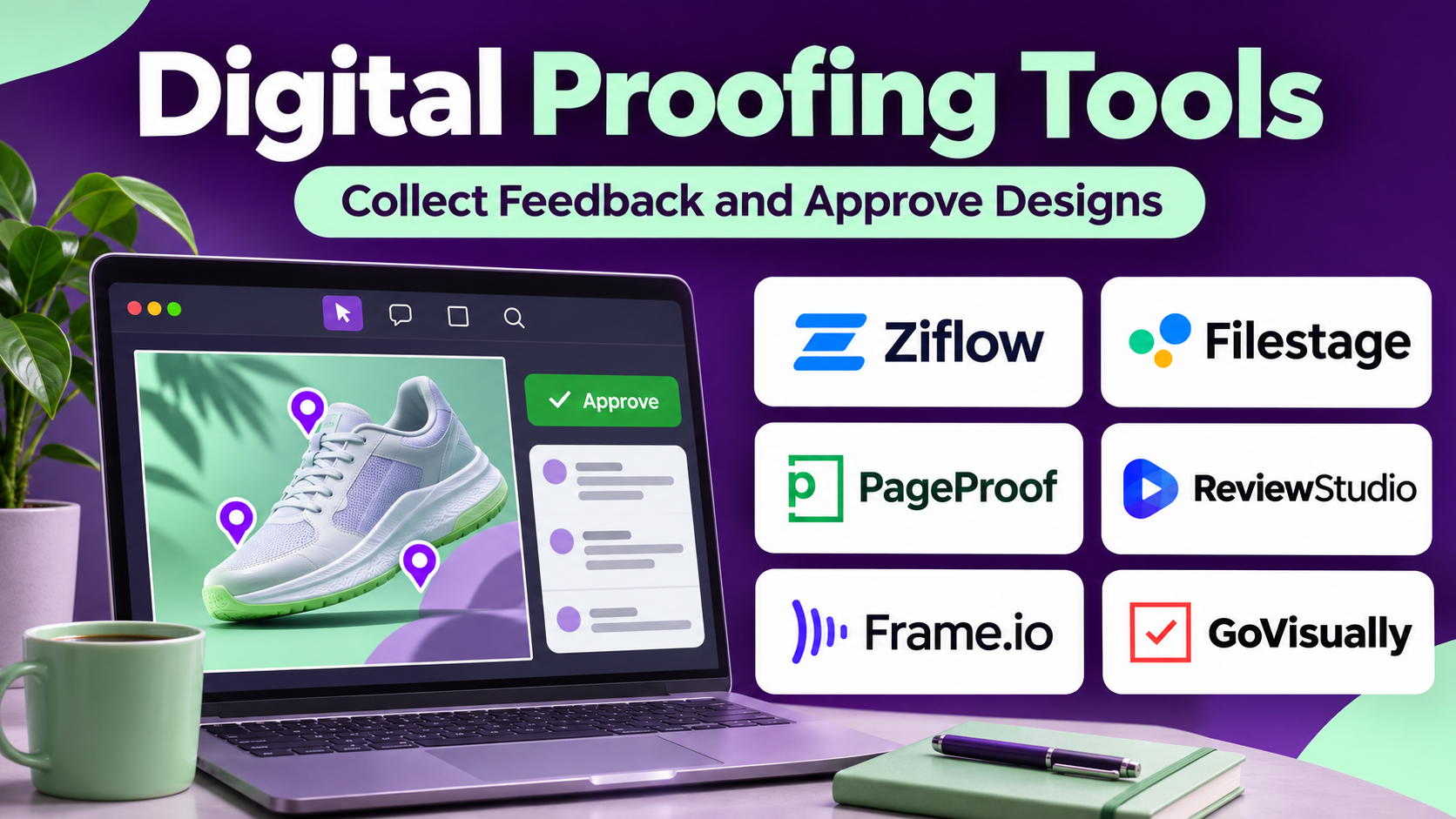
Digital proofing tools help organizations collect feedback directly on creative files and manage structured review processes.
These platforms support activities such as annotations, version comparisons, reviewer assignments, approval decisions, and audit records.
Some tools specialize in creative marketing assets. Others support packaging, print production, video review, or enterprise approval workflows.
Choosing the right platform requires evaluating supported file types, annotation capabilities, version control, stakeholder access, integrations, and the complexity of approval requirements.
This guide compares ten established digital proofing tools and explains how organizations can improve creative reviews without introducing unnecessary process complexity.
What Are Digital Proofing Tools?
Digital proofing tools are software platforms that allow teams to review, annotate, compare, and approve digital content through centralized workflows.
A digital proof is a reviewable representation of a creative asset.
Depending on the platform, reviewers may add comments to images, documents, videos, websites, or other supported formats.
The system records feedback and helps teams track whether revisions have been completed.
How Digital Proofing Works
A creator uploads an asset or shares a review link.
Reviewers examine the content and provide comments connected to specific locations or moments.
The creator revises the file and uploads a new version.
Reviewers then compare changes and provide approval or request additional revisions.
Benefits of Digital Proofing Software
- Contextual feedback: Connect comments to exact content locations.
- Fewer conflicting instructions: Centralize review discussions.
- Version visibility: Identify the current revision.
- Faster approvals: Reduce unnecessary email exchanges.
- Reviewer accountability: Record who reviewed and approved assets.
- External collaboration: Include clients and partners.
- Auditability: Preserve review history.
- Workflow consistency: Standardize recurring approval processes.
Top 10 Digital Proofing Tools
1. Ziflow
Best For: Creative teams requiring advanced online proofing, automated approvals, and multi-format review workflows.
Short Description
Ziflow is a creative review and approval platform designed to help organizations manage feedback on digital content.
It supports structured review workflows for creative teams, agencies, and marketing departments.
Reviewers can examine supported files, add contextual comments, and participate in approval processes.
Ziflow also provides version comparison and workflow automation capabilities that help reduce repetitive review administration.
Its functionality is particularly relevant to organizations producing high volumes of campaign assets.
For regulated or approval-intensive environments, maintaining clear review histories can be valuable.
However, organizations should verify file format support, integrations, and approval features according to their requirements.
Key Features
- Online proofing: Supports review of eligible creative assets.
- Contextual annotations: Connects comments to relevant content areas.
- Version comparison: Helps identify differences between revisions.
- Approval workflows: Coordinates formal review decisions.
- Automated routing: Supports recurring review processes.
- External reviewers: Allows authorized stakeholders to participate.
- Review history: Preserves comments and approval activity.
- Integrations: Connects with supported project management applications.
- Multi-format support: Accommodates various eligible creative file types.
Benefits
Ziflow centralizes creative feedback and helps teams establish consistent approval processes.
Pros
- Specialized digital proofing.
- Structured approval workflows.
- Version comparison.
- Contextual comments.
- Automation.
- External collaboration.
Cons
- Not a full project management replacement.
- Advanced capabilities may require higher plans.
- File compatibility should be tested.
- Workflow configuration takes time.
Use Cases
Advertising reviews, campaign asset approvals, video feedback, and regulated creative workflows.
Best Suited For: Agencies, enterprise marketing teams, and creative operations departments.
2. Filestage
Best For: Marketing teams and agencies requiring straightforward creative review and approval workflows.
Short Description
Filestage is an online proofing platform designed to simplify content reviews and approvals.
It helps teams collect feedback on supported files through a shared review environment.
Instead of exchanging multiple email attachments, stakeholders can review content and provide contextual comments.
Filestage supports review stages, version management, and approval tracking.
This makes it useful for organizations that need a clear record of who has reviewed an asset and what changes remain outstanding.
Its accessible workflow can appeal to marketing teams coordinating both internal and external reviewers.
However, organizations should evaluate advanced automation and enterprise governance requirements separately.
Key Features
- File review: Supports feedback on eligible assets.
- Annotations: Connects comments to specific content.
- Approval tracking: Records review decisions.
- Review stages: Organizes sequential stakeholder reviews.
- Version management: Keeps revisions connected.
- Reviewer collaboration: Supports internal and external participants.
- Notifications: Helps identify outstanding review tasks.
- Integrations: Connects with supported work management systems.
Benefits
Filestage helps teams reduce scattered feedback and establish a clearer approval process.
Pros
- Focused review workflows.
- Contextual comments.
- Approval visibility.
- External collaboration.
- Accessible interface.
Cons
- Not a complete project planning system.
- Advanced workflow requirements need evaluation.
- File support varies.
- Pricing depends on team needs.
Use Cases
Marketing content reviews, agency-client approvals, document proofing, and campaign production.
Best Suited For: Marketing departments, agencies, and creative teams.
3. PageProof
Best For: Organizations seeking online proofing, automated review workflows, and stakeholder collaboration.
Short Description
PageProof is an online proofing platform that helps creative teams review and approve digital content.
Its capabilities support contextual feedback, version management, and structured approval processes.
PageProof is particularly useful when several reviewers must examine the same asset before publication.
Teams can organize feedback around the relevant file rather than relying on disconnected conversations.
The platform also provides workflow automation capabilities for recurring review processes.
Organizations should evaluate supported file types, security requirements, and integration options before adoption.
Key Features
- Online proofing: Supports review of eligible files.
- Contextual feedback: Connects comments to content locations.
- Version comparison: Helps reviewers assess changes.
- Approval workflows: Coordinates review decisions.
- Automated review routing: Simplifies recurring approvals.
- Reviewer notifications: Helps manage outstanding tasks.
- Collaboration: Supports multiple stakeholders.
- Integrations: Connects with supported creative and business systems.
Benefits
PageProof helps teams create more organized and repeatable review processes.
Pros
- Dedicated proofing functionality.
- Approval automation.
- Contextual comments.
- Version management.
- Collaboration support.
Cons
- Not a full project management suite.
- Advanced workflows require configuration.
- Compatibility should be tested.
- Subscription requirements vary.
Use Cases
Creative campaign reviews, brand approvals, marketing production, and external stakeholder feedback.
Best Suited For: Creative teams and organizations with recurring approval workflows.
4. GoVisually
Best For: Designers and small agencies seeking accessible visual feedback and client approvals.
Short Description
GoVisually is an online proofing platform focused on creative review and collaboration.
It helps designers share work, collect comments, and coordinate revisions with clients and teammates.
The platform is relevant to smaller agencies where feedback frequently arrives through email or messaging applications.
By centralizing review activity, teams can reduce confusion about which comments apply to each asset.
GoVisually is particularly useful for visual design workflows and client-facing creative projects.
However, larger organizations with complex approval hierarchies may require more advanced enterprise proofing capabilities.
Key Features
- Visual proofing: Supports review of eligible creative files.
- Annotations: Allows comments on specific areas.
- Client collaboration: Supports external reviewer participation.
- Version management: Organizes revisions.
- Approval tracking: Helps identify completed reviews.
- Feedback organization: Centralizes comments.
- Notifications: Alerts participants to review activity.
- Project organization: Groups related proofs.
Benefits
GoVisually simplifies client feedback and helps designers maintain clearer revision histories.
Pros
- Designer-friendly workflows.
- Client review support.
- Contextual feedback.
- Accessible collaboration.
- Version tracking.
Cons
- Limited enterprise workflow depth.
- Specialized formats require testing.
- Not a full project management system.
- Advanced reporting may be limited.
Use Cases
Graphic design reviews, client branding projects, social media graphics, and advertising creatives.
Best Suited For: Freelancers, design studios, and small agencies.
5. ProofHub
Best For: Teams seeking project management with integrated proofing and collaboration.
Short Description
ProofHub is a project management and team collaboration platform that includes online proofing capabilities.
Its approach connects file feedback with broader task and project workflows.
Teams can organize projects, assign responsibilities, discuss deliverables, and review supported creative files.
This makes ProofHub relevant to organizations that prefer managing project execution and feedback in one environment.
Its proofing functionality can reduce the need for separate review conversations.
However, businesses requiring highly specialized video, packaging, or regulated approval workflows should evaluate dedicated proofing platforms.
Key Features
- Online proofing: Supports comments on eligible files.
- Task management: Organizes project responsibilities.
- Project timelines: Coordinates deadlines.
- Collaboration: Centralizes team discussions.
- File management: Keeps project assets accessible.
- Review comments: Connects feedback to supported content.
- Project reporting: Provides progress visibility.
- Team permissions: Controls access to project information.
Benefits
ProofHub combines project coordination and creative review in one workspace.
Pros
- Project and proofing integration.
- Task management.
- Team collaboration.
- File organization.
- Useful for smaller teams.
Cons
- Less specialized than dedicated proofing platforms.
- Advanced approval requirements may need other tools.
- Supported file types require verification.
- Complex media review may be limited.
Use Cases
Creative team projects, agency work, marketing approvals, and design collaboration.
Best Suited For: Small and mid-sized teams wanting combined project management and proofing.
6. ReviewStudio
Best For: Creative teams requiring visual feedback across images, video, and other supported media.
Short Description
ReviewStudio is an online proofing and creative collaboration platform designed to help teams collect feedback on visual content.
Its capabilities support review of eligible images, videos, and documents.
Reviewers can provide comments linked to relevant content areas or moments.
This makes it useful for teams that need more precise feedback than general email comments can provide.
ReviewStudio also supports version organization and approval-related workflows.
It is particularly relevant to agencies and media production teams managing repeated creative revisions.
Key Features
- Visual proofing: Supports feedback on eligible media.
- Video annotations: Connects comments to relevant moments.
- Image markup: Helps identify specific design changes.
- Version management: Organizes revisions.
- Reviewer collaboration: Supports multiple stakeholders.
- Approval tracking: Records review decisions.
- Project organization: Groups related assets.
- Review notifications: Helps coordinate feedback activity.
Benefits
ReviewStudio helps teams provide precise feedback and reduce misunderstandings during revisions.
Pros
- Visual review focus.
- Video and image feedback.
- Version management.
- Client collaboration.
- Approval support.
Cons
- Not a full production management system.
- Advanced workflow needs require evaluation.
- File compatibility varies.
- Integration coverage should be verified.
Use Cases
Video production, advertising creative, design reviews, and agency-client collaboration.
Best Suited For: Creative agencies, video teams, and designers.
7. Frame.io
Best For: Video production teams requiring time-based feedback, media collaboration, and review workflows.
Short Description
Frame.io is a media collaboration platform associated with Adobe.
It is particularly relevant to video production, post-production, and other media workflows requiring precise feedback.
Reviewers can provide comments connected to specific moments in a video, helping editors understand exactly where changes are needed.
Frame.io also supports media sharing, version management, and collaboration.
Its integration with supported Adobe creative workflows can help production teams coordinate reviews more efficiently.
The platform is especially useful when large media files and multiple review rounds are involved.
However, teams focused mainly on print documents or packaging may prefer other proofing solutions.
Key Features
- Time-based comments: Connects feedback to video moments.
- Media review: Supports collaborative inspection of eligible files.
- Version management: Organizes revised media.
- Secure sharing: Provides controlled reviewer access.
- Adobe integrations: Connects with supported creative workflows.
- Media collaboration: Supports production stakeholders.
- Review notifications: Helps coordinate feedback.
- Media transfer workflows: Supports selected production processes.
Benefits
Frame.io helps video teams collect actionable feedback without relying on vague descriptions of timecodes or scenes.
Pros
- Strong video review capabilities.
- Precise feedback.
- Media collaboration.
- Adobe ecosystem integration.
- Useful version workflows.
Cons
- Less focused on print proofing.
- Advanced production features may require specific plans.
- Media storage needs require evaluation.
- Not a complete project management platform.
Use Cases
Video advertising, post-production, social video campaigns, and client review.
Best Suited For: Video editors, production companies, and creative agencies.
8. Workfront Proof
Best For: Enterprise organizations coordinating creative approvals within Adobe Workfront.
Short Description
Workfront Proof refers to proofing capabilities associated with Adobe Workfront’s creative review workflows.
These capabilities help organizations collect feedback and coordinate approvals within broader enterprise work management processes.
They are particularly relevant to marketing departments that already manage creative projects through Workfront.
Reviewers can provide comments on supported files, while project managers track approval progress.
The connection between project tasks and proofing can reduce fragmented workflow management.
However, organizations should verify current proofing capabilities, product packaging, and supported integrations within Adobe Workfront.
Key Features
- Creative proofing: Supports review of eligible assets.
- Contextual comments: Connects feedback to relevant content.
- Approval workflows: Coordinates review decisions.
- Version management: Helps organize revisions.
- Project integration: Connects reviews with Workfront tasks.
- Reviewer assignments: Establishes approval responsibilities.
- Workflow reporting: Supports review progress visibility.
- Enterprise governance: Fits structured work management processes.
Benefits
Workfront proofing helps enterprise teams manage creative reviews within their broader project operations.
Pros
- Enterprise workflow integration.
- Structured approvals.
- Project and proofing connection.
- Governance capabilities.
- Useful for Adobe-centered organizations.
Cons
- Requires evaluation of current Workfront licensing.
- Implementation may be complex.
- Not ideal as a lightweight standalone tool.
- Specialized file workflows should be tested.
Use Cases
Enterprise campaign approvals, marketing asset reviews, regulated content workflows, and cross-department sign-off.
Best Suited For: Enterprise Adobe Workfront users.
9. Aproove
Best For: Organizations requiring structured proofing, workflow automation, and controlled approvals.
Short Description
Aproove is an online proofing and workflow management platform designed for creative production and approval processes.
It helps organizations collect feedback, coordinate revisions, and manage approval responsibilities.
Aproove is particularly relevant to businesses where content must pass through multiple review stages.
Its workflow capabilities can support formal processes involving marketing, legal, compliance, and external stakeholders.
The platform is useful when proofing is part of a broader controlled production environment.
However, organizations should evaluate workflow configuration requirements and supported file formats before implementation.
Key Features
- Online proofing: Supports review of eligible creative files.
- Contextual annotations: Connects comments to content.
- Approval workflows: Organizes formal decisions.
- Workflow automation: Coordinates recurring review stages.
- Version control: Maintains revision information.
- Reviewer collaboration: Supports multiple stakeholders.
- Audit records: Preserves relevant workflow activity.
- Integration capabilities: Connects with supported systems.
Benefits
Aproove helps organizations standardize review and approval processes involving several stakeholders.
Pros
- Structured approval workflows.
- Proofing and automation.
- Version management.
- Auditability.
- Suitable for complex production processes.
Cons
- Setup may require specialist planning.
- Enterprise requirements influence cost.
- Not a general project management replacement.
- Compatibility must be evaluated.
Use Cases
Marketing approvals, regulated creative reviews, packaging workflows, and production sign-off.
Best Suited For: Enterprise creative teams and approval-intensive organizations.
10. Esko WebCenter
Best For: Packaging, labeling, and print production organizations requiring specialized artwork approval workflows.
Short Description
Esko WebCenter is a packaging and artwork management platform designed to support collaboration, review, and approval processes.
Its capabilities are particularly relevant to businesses managing packaging designs, labels, and regulated product artwork.
Packaging production often requires detailed verification of text, graphics, barcodes, technical specifications, and approved versions.
WebCenter helps coordinate stakeholders and maintain structured artwork workflows.
Its specialization makes it useful for manufacturers, packaging suppliers, and consumer goods organizations.
However, companies seeking simple social media image proofing may find its broader packaging-oriented functionality unnecessary.
Key Features
- Artwork management: Organizes packaging and label files.
- Online proofing: Supports review of eligible artwork.
- Approval workflows: Coordinates stakeholder sign-off.
- Version management: Helps control revisions.
- Packaging collaboration: Connects designers and production stakeholders.
- Workflow automation: Supports recurring artwork processes.
- Audit information: Preserves relevant approval activity.
- Integration capabilities: Connects with supported packaging and enterprise systems.
Benefits
Esko WebCenter helps packaging teams coordinate detailed artwork reviews and maintain controlled production processes.
Pros
- Packaging specialization.
- Structured approvals.
- Artwork version control.
- Production collaboration.
- Enterprise workflow capabilities.
Cons
- Complex for general marketing proofing.
- Implementation requires specialist knowledge.
- Enterprise pricing.
- Not designed primarily for lightweight creative collaboration.
Use Cases
Packaging artwork approval, product labeling, print production, and regulated artwork workflows.
Best Suited For: Packaging manufacturers, consumer goods companies, and print production teams.
Digital Proofing Tools Comparison Table
| Platform | Primary Strength | Video Review | Approval Workflows | Best For |
|---|---|---|---|---|
| Ziflow | Multi-format creative proofing | Yes | Advanced | Creative operations |
| Filestage | Accessible online reviews | Supported | Strong | Marketing teams |
| PageProof | Automated review workflows | Supported | Strong | Creative teams |
| GoVisually | Client visual feedback | Product-dependent | Yes | Small agencies |
| ProofHub | Projects and proofing | Limited relative to specialists | Basic to moderate | Project teams |
| ReviewStudio | Visual and video review | Yes | Yes | Creative agencies |
| Frame.io | Video collaboration | Advanced | Review-focused | Video production |
| Workfront Proof | Enterprise project proofing | Supported | Strong | Workfront users |
| Aproove | Controlled approval workflows | Product-dependent | Advanced | Enterprise reviews |
| Esko WebCenter | Packaging artwork approval | Not primary focus | Advanced | Packaging teams |
How to Choose the Best Digital Proofing Tool
1. Identify the Content Types
Determine whether the team reviews images, PDFs, videos, websites, packaging files, or other formats.
2. Test Annotation Precision
Reviewers should be able to connect comments to exact locations or video moments.
3. Evaluate Version Comparison
The platform should make it clear which revision is current and what has changed.
4. Review Approval Requirements
Some teams need simple sign-off, while others require sequential approvals involving legal or compliance departments.
5. Consider External Reviewers
Clients and partners should be able to provide feedback without unnecessary account complexity.
6. Examine Workflow Automation
Automated notifications and routing can reduce administrative delays.
7. Review Integrations
Proofing may need to connect with project management, DAM, and creative applications.
8. Assess Security
Sensitive campaign materials require appropriate access controls and sharing policies.
9. Compare Pricing
Evaluate reviewer licenses, storage, workflow limits, and enterprise features.
10. Run a Real Review Cycle
Test an asset through upload, comments, revision, comparison, and final approval.
Best Digital Proofing Software by User Type
| User Type | Suggested Platform | Reason |
|---|---|---|
| Enterprise creative teams | Ziflow | Advanced proofing |
| Marketing departments | Filestage | Accessible approvals |
| Workflow-focused teams | PageProof | Automated reviews |
| Small design agencies | GoVisually | Client feedback |
| Project teams | ProofHub | Integrated work management |
| Creative studios | ReviewStudio | Visual review |
| Video production companies | Frame.io | Time-based feedback |
| Adobe Workfront enterprises | Workfront Proof | Integrated approvals |
| Complex approval teams | Aproove | Workflow governance |
| Packaging manufacturers | Esko WebCenter | Artwork specialization |
Practical Example: Approving a Product Advertising Campaign
A consumer goods company needs approval for 20 advertisements across print, digital, and video channels.
Step 1: Define Review Requirements
Marketing, brand, legal, and product teams establish approval criteria.
Step 2: Upload Initial Assets
Designers submit the first versions to the proofing platform.
Step 3: Assign Reviewers
Each stakeholder receives appropriate review responsibilities.
Step 4: Collect Contextual Feedback
Reviewers place comments directly on relevant design areas or video moments.
Step 5: Consolidate Changes
The creative team resolves conflicting comments before revising assets.
Step 6: Upload New Versions
Revised files are connected to the original proofs.
Step 7: Compare Revisions
Reviewers confirm that requested changes have been completed.
Step 8: Record Approvals
Authorized stakeholders approve the final versions.
Step 9: Measure Efficiency
Suppose the following hypothetical results are recorded:
| Metric | Previous Process | Digital Proofing Process |
|---|---|---|
| Average review cycle | 6 days | 3.5 days |
| Average revision rounds | 4 | 2 |
| Assets approved by deadline | 14 of 20 | 19 of 20 |
| On-time approval rate | 70% | 95% |
New on-time approval rate:
19 ÷ 20 × 100 = 95%
These figures are illustrative.
Step 10: Archive Final Proofs
The organization preserves approved versions and relevant review records according to its retention policies.
Common Mistakes to Avoid
Allowing feedback through multiple disconnected channels: Important comments may be missed.
Failing to identify final approvers: Review cycles can continue indefinitely.
Using outdated versions: Teams should always know which file is current.
Ignoring file compatibility: Specialized formats may not render accurately.
Overcomplicating review stages: Excessive approvals can delay production.
Treating approval as legal compliance by itself: Formal regulatory obligations may require additional controls.
Frequently Asked Questions
1. What is digital proofing software?
It is software that helps teams review, annotate, compare, and approve digital content.
2. What is online proofing?
Online proofing allows reviewers to examine and comment on content through a shared digital environment.
3. Which tool is best for marketing teams?
Ziflow, Filestage, and PageProof are strong candidates.
4. Which platform is best for video review?
Frame.io and ReviewStudio are worth evaluating.
5. Which tool is suitable for packaging?
Esko WebCenter specializes in packaging and artwork workflows.
6. Can digital proofing tools replace email feedback?
They can centralize much of the review process, reducing reliance on disconnected email threads.
7. Do these tools support external clients?
Many allow external reviewers, subject to access and licensing requirements.
8. What is version comparison?
It is the process of examining differences between successive versions of an asset.
9. Can digital proofing automate approvals?
Many platforms support automated routing, reminders, and approval stages.
10. Is digital proofing different from project management?
Yes. Proofing focuses on content review, while project management covers broader planning and execution.
11. Can proofing tools review PDFs?
Many support PDFs, although rendering and annotation features differ.
12. Do they integrate with creative applications?
Some provide integrations with supported design and production software.
13. Are approval records legally binding?
Not automatically. Legal validity depends on applicable requirements and the platform’s controls.
14. What metrics should teams monitor?
Review cycle time, revision rounds, overdue approvals, and approval completion rates.
15. What is the most important proofing feature?
Clear, contextual feedback combined with reliable version and approval management.
Final Thoughts
Digital proofing tools help creative teams replace scattered feedback with structured review and approval processes.
Ziflow, Filestage, and PageProof provide dedicated online proofing capabilities. GoVisually and ReviewStudio support creative collaboration, while ProofHub connects proofing with project management.
Frame.io specializes in media review, Workfront Proof integrates with enterprise work management, Aproove supports controlled approval workflows, and Esko WebCenter addresses packaging artwork.
The best platform depends on the content formats, review complexity, stakeholder structure, and governance requirements.
Effective digital proofing reduces confusion, accelerates approvals, and helps teams deliver accurate creative work with fewer unnecessary revisions.