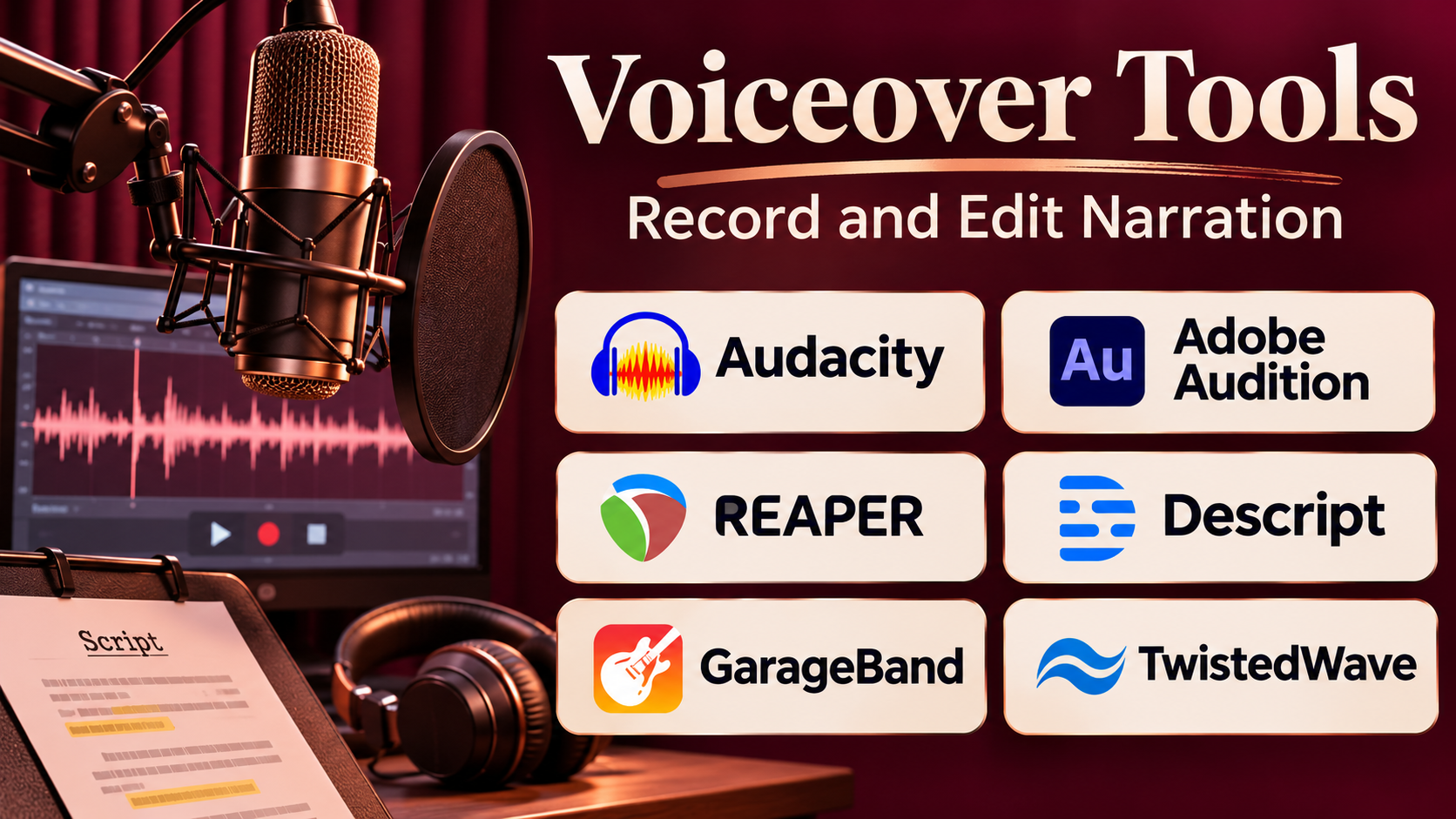
Introduction
Voiceovers help businesses, educators, content creators, and media professionals communicate information through spoken narration.
They appear in product demonstrations, online courses, advertisements, documentaries, training materials, audiobooks, podcasts, and instructional videos.
A well-produced voiceover can make complex information easier to understand and create a more engaging viewing or listening experience.
However, producing professional narration requires several coordinated activities.
Teams must prepare scripts, record or generate speech, correct pronunciation, edit unwanted sounds, balance audio levels, and synchronize narration with visuals.
Voiceover tools simplify these tasks.
Some applications use artificial intelligence to convert written scripts into synthetic speech. Others provide recording and audio editing capabilities for human voice actors.
Modern platforms may also offer multilingual voices, pronunciation controls, collaboration, background noise reduction, and integrations with video production workflows.
Choosing the right solution depends on whether the priority is synthetic narration, human performance, professional recording, or automated content production.
This guide compares ten voiceover tools, explains their strengths and limitations, and provides practical guidance for selecting software for different narration requirements.
What Are Voiceover Tools?
Voiceover tools are software applications or services used to create, record, generate, edit, and deliver spoken narration.
A voiceover typically involves speech added to video, audio, presentations, or other media without necessarily showing the speaker.
Main Categories of Voiceover Tools
AI voiceover generators convert written scripts into synthetic speech.
Voice recording software captures human narration using microphones and recording equipment.
Audio editing applications remove unwanted noise, correct mistakes, and improve recording quality.
Voiceover production platforms combine script preparation, speech generation, editing, and media synchronization.
Professional audio workstations provide detailed control over recording, processing, mixing, and mastering.
How Voiceover Production Works
A typical voiceover workflow includes:
- Preparing a clear script.
- Selecting a suitable voice or narrator.
- Recording or generating speech.
- Reviewing pronunciation and pacing.
- Editing mistakes and unwanted sounds.
- Adjusting audio levels and processing.
- Synchronizing narration with visual content.
- Exporting the final audio.
- Testing playback in the intended environment.
AI voiceover tools automate several of these activities, while recording applications provide greater control over human performance.
Top 10 Voiceover Tools
1. Murf AI
Best For: Businesses, educators, and marketing teams creating professional AI-generated narration.
Short Description
Murf AI is an AI voice generation platform designed to convert written scripts into spoken narration.
It provides a library of synthetic voices that can be used for presentations, training materials, marketing videos, and other business content.
Users can enter a script, select a voice, adjust supported speech characteristics, and generate audio without traditional recording sessions.
Murf AI is particularly relevant to organizations that produce recurring instructional or promotional content.
Its studio-oriented workflow helps teams create narration and coordinate it with visual media.
The platform can reduce production effort, although users should review pronunciation, emotional delivery, and commercial usage terms before publishing.
Key Features
- AI voice generation: Converts written scripts into synthetic speech.
- Voice library: Provides multiple voice styles and language options.
- Speech customization: Supports adjustments to pacing and other available characteristics.
- Pronunciation controls: Helps improve delivery of selected words.
- Multilingual voices: Supports narration in multiple languages.
- Voiceover studio: Provides a workspace for audio production.
- Media synchronization: Supports aligning narration with visual content.
- Collaboration: Helps teams coordinate production activities.
- Business integration options: Supports selected enterprise and developer workflows.
Benefits
Murf AI reduces the need to schedule recording sessions for routine narration.
Its reusable voice and script workflows can improve consistency across training and marketing content.
Pros
- Accessible AI voiceover workflow.
- Suitable for business narration.
- Multiple voice choices.
- Useful script-based editing.
- Supports multilingual content.
Cons
- Synthetic voices may lack nuanced emotion.
- Technical terminology may require corrections.
- Usage limits depend on the plan.
- Voice availability varies by language.
- Not a replacement for detailed professional audio editing.
Use Cases
Employee training: Produce narrated instructional modules.
Marketing videos: Add voiceovers to product demonstrations.
Presentations: Convert written explanations into spoken narration.
E-learning: Create consistent lesson narration.
Best Suited For
Business teams seeking convenient synthetic narration for recurring content.
2. ElevenLabs
Best For: Natural-sounding AI narration, multilingual voice production, and developer-integrated speech generation.
Short Description
ElevenLabs provides AI speech generation technology designed to produce expressive synthetic voices.
Its text-to-speech capabilities allow users to transform scripts into spoken audio for videos, audiobooks, applications, and other media.
The platform also offers voice design and authorized voice cloning capabilities.
This flexibility makes ElevenLabs relevant to both individual creators and software developers.
Its APIs can support automated narration workflows where speech must be generated dynamically.
However, realistic synthetic voices require responsible usage, particularly when reproducing characteristics associated with real people.
Key Features
- Text-to-speech generation: Produces spoken audio from written scripts.
- Expressive synthetic voices: Supports natural-sounding narration.
- Multilingual speech: Generates audio in supported languages.
- Voice customization: Provides controls for available speech characteristics.
- Voice design: Supports creation of synthetic voice identities.
- Authorized voice cloning: Reproduces permitted voice characteristics.
- API access: Integrates speech generation into applications.
- Audio project workflows: Supports longer narration projects.
- Speech technology ecosystem: Combines narration with related AI audio capabilities.
Benefits
ElevenLabs helps creators produce narration without recording every script manually.
Its expressive speech technology is useful for content requiring more natural delivery than basic synthetic voices.
Pros
- Strong natural-sounding voice generation.
- Multiple languages.
- Developer integration options.
- Useful for long-form narration.
- Flexible voice creation.
Cons
- Requires careful voice consent practices.
- Output may need pronunciation corrections.
- Usage costs increase with volume.
- Emotional consistency varies.
- Not a complete traditional recording workstation.
Use Cases
Audiobooks: Generate long-form narration.
Video production: Create explanatory voiceovers.
Software applications: Add dynamically generated speech.
Multilingual content: Produce language-specific narration.
Best Suited For
Creators and developers prioritizing expressive AI speech.
3. LOVO AI
Best For: Marketing videos, educational narration, and AI voiceovers combined with video production.
Short Description
LOVO AI provides synthetic voice generation and related content production tools.
Its Genny platform combines text-to-speech functionality with editing capabilities designed for creators and businesses.
Users can generate narration from scripts, select voices, and prepare audio for video projects.
LOVO is particularly relevant to teams creating promotional videos, online courses, and informational content.
Its integrated approach can reduce the need to switch between separate narration and video editing tools.
However, teams producing complex audio projects may still need dedicated editing software.
Key Features
- AI voice generation: Converts scripts into speech.
- Voice selection: Provides multiple synthetic voice options.
- Multilingual narration: Supports different language audiences.
- Voice customization: Adjusts supported delivery characteristics.
- Video production tools: Combines narration with visual content workflows.
- Script editing: Allows revisions to generated speech.
- Audio export: Produces narration files for other applications.
- Content creation workspace: Supports recurring production tasks.
Benefits
LOVO helps creators produce narrated media within a connected environment.
Its synthetic voice options make it practical for teams without dedicated recording equipment.
Pros
- Integrated AI voiceover workflow.
- Useful voice selection.
- Suitable for marketing and education.
- Supports multilingual content.
- Accessible interface.
Cons
- Speech quality varies across voices.
- Advanced audio mixing may require external software.
- Subscription restrictions apply.
- Technical pronunciation needs review.
- Not designed for traditional multitrack recording.
Use Cases
Explainer videos: Add narration to product demonstrations.
Online courses: Generate lesson voiceovers.
Social media: Produce short narrated content.
Best Suited For
Creators and marketing teams seeking AI narration with integrated media production features.
4. WellSaid Labs
Best For: Enterprise training and business narration requiring consistent professional synthetic voices.
Short Description
WellSaid Labs is an AI voice generation platform focused on professional business content.
It provides synthetic voice capabilities designed for organizations creating training, educational, and corporate communication materials.
The platform emphasizes voice consistency and production workflows suitable for repeated business use.
Teams can generate narration from approved scripts and make revisions without organizing new recording sessions.
This approach is particularly useful when training content changes frequently.
WellSaid Labs is less oriented toward casual entertainment effects and more toward professional spoken communication.
Key Features
- AI narration: Converts written content into spoken audio.
- Professional voice library: Provides business-oriented voice choices.
- Script editing: Supports revisions and regeneration.
- Pronunciation management: Helps improve delivery of specialized terms.
- Team collaboration: Supports shared production workflows.
- Consistent voice output: Helps standardize recurring content.
- Enterprise administration: Supports organizational requirements.
- Integration capabilities: Enables use in supported business workflows.
Benefits
WellSaid Labs can improve consistency across large training libraries.
Its script-based approach makes narration updates easier than repeating full recording sessions.
Pros
- Professional business voice focus.
- Useful for corporate training.
- Consistent narration workflows.
- Team-oriented capabilities.
- Supports recurring content updates.
Cons
- Less focused on entertainment voice effects.
- Pricing may be less attractive for occasional use.
- Voice selection should be tested for language needs.
- Emotional range varies by voice.
- Does not replace full audio production software.
Use Cases
Corporate learning: Produce standardized training narration.
Product education: Create instructional audio.
Internal communication: Prepare professional spoken presentations.
Best Suited For
Enterprises requiring consistent AI narration across recurring business content.
5. PlayHT
Best For: AI voice generation, developer speech applications, and scalable synthetic narration workflows.
Short Description
PlayHT is known for AI-generated speech and voice synthesis technology.
Its capabilities have included text-to-speech generation, voice options, and developer-oriented speech services.
The platform has been relevant to content creators and application developers seeking programmable voice generation.
However, buyers should treat PlayHT as a product requiring particular attention to current service availability and continuity.
Before selecting it for a new project, organizations should verify whether the required generation interfaces, APIs, commercial services, and support arrangements remain available.
This is especially important for production applications that depend on long-term speech infrastructure.
Key Features
- Text-to-speech technology: Generates audio from written content.
- Synthetic voice options: Provides voice generation capabilities.
- Speech customization: Supports configurable narration characteristics in applicable offerings.
- Developer APIs: Has offered programmable speech generation.
- Multilingual capabilities: Supports language-oriented speech workflows.
- Voice cloning technology: Supports voice-related generation where authorized.
- Audio output: Produces speech for media applications.
- Application integration: Enables speech use within custom software where services are available.
Benefits
PlayHT illustrates the value of programmable AI speech for content and application development.
For organizations evaluating existing implementations, understanding its capabilities and service status can help with migration and continuity planning.
Pros
- Established AI speech technology.
- Developer-oriented capabilities.
- Multiple synthetic voice options.
- Relevant to automated narration.
- Useful historical integration ecosystem.
Cons
- Current service availability must be confirmed before procurement.
- Long-term support and continuity require verification.
- API-dependent applications may face migration needs.
- Voice output requires quality review.
- Not a traditional audio recording workstation.
Use Cases
Existing AI speech integrations: Review and maintain deployed workflows.
Application migration: Assess alternatives for speech generation systems.
Narration workflows: Evaluate supported capabilities where available.
Best Suited For
Teams assessing existing PlayHT-based systems or verifying available speech-generation services, rather than assuming it is a suitable new purchase.
6. Speechify Studio
Best For: Creators and businesses producing AI narration for videos, presentations, and educational content.
Short Description
Speechify Studio provides AI voice generation capabilities for spoken content production.
It builds on Speechify’s broader speech technology ecosystem by offering tools for generating narration from text.
The platform is useful for creating voiceovers for presentations, educational videos, and other digital media.
Its accessible interface can help nontechnical users produce spoken content without traditional recording equipment.
Speechify Studio is particularly relevant to teams that prioritize straightforward script-to-audio production.
Users should distinguish its studio production features from Speechify’s consumer-oriented text-reading applications.
Key Features
- AI voiceovers: Converts scripts into spoken narration.
- Voice selection: Offers synthetic voice options.
- Multilingual capabilities: Supports selected language workflows.
- Speech customization: Provides available voice controls.
- Script-based editing: Simplifies narration revisions.
- Audio export: Supports use in external media projects.
- Studio workspace: Organizes voice production tasks.
- Digital content integration: Supports narration for different media formats.
Benefits
Speechify Studio reduces the complexity of generating narration from written scripts.
Its interface is useful for creators who want to produce spoken content quickly.
Pros
- Accessible AI voice generation.
- Useful for educational narration.
- Supports multiple voice styles.
- Script-based workflow.
- Suitable for nontechnical users.
Cons
- Advanced production controls may be limited.
- Speech quality varies by voice.
- Subscription features require evaluation.
- Pronunciation may need correction.
- Not a replacement for detailed audio editing.
Use Cases
Educational videos: Generate instructional narration.
Presentations: Convert scripts into spoken explanations.
Marketing: Produce voiceovers for promotional content.
Best Suited For
Creators and small teams seeking convenient AI narration.
7. Descript
Best For: Recording, editing, and producing voiceovers alongside video and podcast content.
Short Description
Descript combines audio recording, transcription, text-based editing, and AI-assisted speech tools.
Unlike platforms focused only on generating synthetic voices, Descript provides a broader production environment.
Users can record human narration, edit speech through transcripts, improve audio quality, and synchronize voiceovers with video.
Its workflow is particularly useful for podcasts, tutorials, interviews, and educational content.
Descript also offers AI speech capabilities for supported use cases.
This combination makes it attractive to teams that need both traditional recordings and automated editing assistance.
Key Features
- Voice recording: Captures spoken narration.
- Automatic transcription: Converts recordings into editable text.
- Text-based audio editing: Removes or revises spoken segments through transcripts.
- Audio enhancement: Improves selected recording characteristics.
- AI speech capabilities: Supports synthetic speech workflows.
- Video editing: Aligns narration with visual content.
- Collaborative editing: Supports shared projects.
- Export options: Produces finished audio and video content.
- Content repurposing: Helps transform recordings into shorter media assets.
Benefits
Descript reduces the need to use separate transcription, audio editing, and video production applications.
Its text-based editing approach makes dialogue-heavy content easier to revise.
Pros
- Combines recording and editing.
- Useful transcript-based workflow.
- Supports human and AI narration.
- Integrated video editing.
- Good for podcasts and tutorials.
Cons
- Advanced audio mixing is less extensive than dedicated DAWs.
- Transcription errors require correction.
- AI features depend on plan availability.
- Large projects can require careful organization.
- Not primarily a professional music production platform.
Use Cases
Tutorials: Record and edit instructional narration.
Podcasts: Improve spoken audio and remove mistakes.
Marketing videos: Add voiceovers to visual content.
Best Suited For
Creators and teams combining spoken narration with audio and video editing.
8. Audacity
Best For: Free voice recording, narration editing, and basic audio post-production.
Short Description
Audacity is a free, open-source audio recording and editing application.
It is widely used for recording voiceovers, editing spoken audio, removing unwanted sections, and applying audio effects.
Unlike AI voice generators, Audacity primarily works with recorded audio rather than automatically producing narration from text.
This makes it especially relevant to users who prefer human voices or need direct control over microphone recordings.
Audacity supports multitrack editing and a range of audio-processing functions.
Its accessible licensing model makes it attractive to students, educators, podcasters, and independent creators.
Key Features
- Audio recording: Captures microphone input.
- Waveform editing: Supports precise audio selection and editing.
- Noise reduction: Helps reduce certain background sounds.
- Equalization: Adjusts frequency balance.
- Compression: Helps control dynamic range.
- Multitrack editing: Combines multiple audio tracks.
- Plugin support: Extends audio processing functionality.
- Audio export: Supports common output formats.
- Cross-platform operation: Runs on major desktop operating systems.
Benefits
Audacity provides essential voiceover editing capabilities without a software subscription.
It is useful for learning recording techniques and preparing clean narration.
Pros
- Free and open-source.
- Suitable for human voice recording.
- Useful editing and processing tools.
- Supports multiple tracks.
- Large educational community.
Cons
- Does not provide a complete built-in AI voice generation platform.
- Interface may require practice.
- Advanced production workflows may need additional software.
- Audio quality depends heavily on recording equipment.
- Limited integrated video editing.
Use Cases
Podcast narration: Record spoken introductions and explanations.
Educational content: Prepare human-recorded lessons.
Video voiceovers: Edit narration before importing into video software.
Best Suited For
Beginners, educators, and independent creators who want free audio recording and editing.
9. Adobe Audition
Best For: Professional voice recording, dialogue editing, audio restoration, and post-production.
Short Description
Adobe Audition is a professional digital audio workstation designed for recording, editing, mixing, and restoring audio.
It provides detailed tools for voiceover production, including multitrack recording, waveform editing, effects processing, and noise reduction.
Adobe Audition is particularly relevant to professional video editors, audio engineers, and production studios.
Its integration with Adobe’s creative ecosystem helps teams move audio between video editing and sound production workflows.
Unlike AI-first voiceover generators, Audition focuses on controlling and improving recorded sound.
This makes it a strong choice for projects requiring professional human narration.
Key Features
- Multitrack recording: Captures and organizes multiple audio tracks.
- Waveform editing: Provides detailed control over recordings.
- Spectral editing: Helps identify and repair selected audio problems.
- Noise reduction: Reduces unwanted recording noise.
- Audio effects: Supports equalization, compression, and other processing.
- Loudness management: Helps maintain consistent output levels.
- Adobe integration: Connects with compatible creative applications.
- Audio restoration: Supports repair of problematic recordings.
- Professional export: Produces audio for different delivery requirements.
Benefits
Adobe Audition gives audio professionals extensive control over voice recording and post-production.
Its restoration and mixing tools help improve consistency across narration projects.
Pros
- Professional audio editing capabilities.
- Strong restoration tools.
- Multitrack workflow.
- Adobe ecosystem integration.
- Suitable for commercial production.
Cons
- Requires a paid subscription.
- Learning curve for beginners.
- Does not primarily generate AI narration.
- Professional workflows may require suitable hardware.
- More complex than basic voice recorders.
Use Cases
Commercial voiceovers: Record and process advertisements.
Documentary narration: Prepare professional spoken tracks.
Podcast production: Edit and mix dialogue.
Video post-production: Improve voice recordings before final delivery.
Best Suited For
Audio professionals and production teams requiring detailed control over human-recorded narration.
10. REAPER
Best For: Voice actors, audio engineers, and independent studios requiring flexible multitrack voiceover production.
Short Description
REAPER is a digital audio workstation designed for recording, editing, processing, and mixing audio.
It provides a highly configurable environment suitable for professional voiceover recording and post-production.
Voice actors can use REAPER to record narration, edit multiple takes, manage audio effects, and prepare final deliverables.
Its scripting and customization capabilities also make it useful for repetitive production workflows.
REAPER differs from AI voice generation platforms because it emphasizes traditional audio production and detailed control over recordings.
Its flexibility is a major advantage, although new users may need time to understand its extensive configuration options.
Key Features
- Multitrack recording: Captures and organizes voice recordings.
- Non-destructive editing: Supports revisions without permanently changing source media.
- Audio effects: Provides processing for equalization, compression, and other tasks.
- Take management: Helps compare and select recording performances.
- Automation: Controls audio parameters throughout a project.
- Scripting support: Enables customized production workflows.
- Plugin compatibility: Supports many third-party audio effects.
- Flexible routing: Provides detailed audio signal management.
- Export configuration: Supports different delivery formats and requirements.
Benefits
REAPER gives voiceover professionals substantial control over recording and editing.
Its customization capabilities can improve efficiency for users producing large volumes of narration.
Pros
- Flexible professional audio environment.
- Suitable for voice actors.
- Extensive customization.
- Strong editing capabilities.
- Useful scripting and automation.
Cons
- Requires learning and configuration.
- Does not provide native AI voice generation as its primary function.
- Audio restoration may require additional plugins.
- Interface can feel technical.
- Professional results depend on recording skills and equipment.
Use Cases
Voice acting: Record and edit character performances.
Audiobook production: Manage long-form narration.
Commercial narration: Prepare client-ready audio.
Podcast production: Edit and mix spoken recordings.
Best Suited For
Voice actors, independent studios, and audio professionals seeking a configurable recording workstation.
Comparison Table: Top 10 Voiceover Tools
| Tool | Primary Strength | Voiceover Type | Best For | Main Limitation |
|---|---|---|---|---|
| Murf AI | Business AI narration | Synthetic | Training and marketing | Limited nuanced performance |
| ElevenLabs | Expressive AI voices | Synthetic | Creators and developers | Usage and consent requirements |
| LOVO AI | AI voice and video creation | Synthetic | Marketing teams | Advanced mixing limitations |
| WellSaid Labs | Professional business voices | Synthetic | Enterprises | Commercial pricing |
| PlayHT | AI speech technology | Synthetic | Existing integrations | Service continuity verification |
| Speechify Studio | Accessible AI narration | Synthetic | Creators | Production control limitations |
| Descript | Recording and text-based editing | Human and AI | Podcasters and video creators | Limited advanced mixing |
| Audacity | Free audio recording | Human | Beginners | Fewer integrated production tools |
| Adobe Audition | Professional audio post-production | Human | Studios | Subscription cost |
| REAPER | Flexible audio workstation | Human | Voice actors | Learning curve |
How to Choose the Right Voiceover Tool
1. Decide Between Human and AI Narration
AI narration is useful for repeatable instructional content and frequently updated scripts.
Human narration remains valuable when emotional performance, artistic interpretation, and directorial control are priorities.
2. Identify the Content Type
Marketing videos, audiobooks, training modules, and documentaries have different narration requirements.
Choose a tool that supports the expected production workflow.
3. Evaluate Voice Quality
Listen for natural pronunciation, appropriate pacing, emotional consistency, and clarity.
Test actual project scripts rather than relying only on promotional demonstrations.
4. Consider Language Requirements
Multilingual projects require suitable language support and pronunciation quality.
Regional accents and specialized terminology should be evaluated separately.
5. Review Editing Capabilities
Some AI tools allow script-level changes but provide limited waveform editing.
Professional audio workstations offer greater control over recording and post-production.
6. Assess Recording Equipment
Human voiceover quality depends on microphones, recording environments, monitoring, and technique.
Software cannot fully compensate for severely distorted or poorly captured audio.
7. Check Commercial Rights
Verify whether generated voices and recordings may be used in advertisements, paid courses, applications, or other commercial products.
8. Establish Voice Consent
Do not reproduce a real person’s voice without appropriate authorization.
9. Evaluate Collaboration
Teams may need shared scripts, version control, review stages, and consistent voice settings.
10. Compare Long-Term Costs
Consider subscriptions, generated audio usage, recording equipment, plugins, editing time, and production staff.
Best Voiceover Software by User Type
| User Type | Recommended Tool | Reason |
|---|---|---|
| Corporate training teams | Murf AI | Business narration workflow |
| AI speech developers | ElevenLabs | Expressive voices and APIs |
| Marketing creators | LOVO AI | AI narration and video tools |
| Large enterprises | WellSaid Labs | Consistent professional voices |
| Existing PlayHT customers | PlayHT, subject to verification | Existing speech workflows |
| Independent AI creators | Speechify Studio | Accessible voice generation |
| Podcasters | Descript | Recording and text editing |
| Beginners | Audacity | Free recording and editing |
| Professional audio studios | Adobe Audition | Detailed post-production |
| Voice actors | REAPER | Flexible recording and editing |
Practical Example: Producing Voiceovers for an E-Learning Course
Consider a training company creating 25 instructional lessons.
Each lesson requires clear narration, consistent pronunciation, and audio synchronized with slides and demonstrations.
The company also expects to update the content regularly.
Step 1: Prepare the Scripts
Instructional designers write narration scripts using short, clear sentences.
Step 2: Define Voice Requirements
The team selects the desired language, tone, speaking speed, and audience characteristics.
Step 3: Compare Human and AI Production
The company evaluates synthetic narration for routine modules and human narration for content requiring specialized performance.
Step 4: Test Voiceover Tools
The team creates sample recordings using Murf AI, ElevenLabs, and a human-recording workflow.
Step 5: Review Pronunciation
Subject-matter experts check product names, technical terms, and abbreviations.
Step 6: Generate or Record Narration
Approved scripts are converted into spoken audio.
Step 7: Edit Audio
Editors remove unwanted noise, correct timing, and maintain consistent loudness.
Step 8: Synchronize With Video
Narration is aligned with slides, demonstrations, and visual transitions.
Step 9: Conduct Quality Assurance
Reviewers test clarity, pronunciation, pacing, and audio consistency.
Step 10: Publish and Maintain
The company stores approved scripts and audio files so future updates can be completed efficiently.
Expected Outcome
The training company establishes a repeatable narration workflow that supports consistent audio quality and easier content maintenance.
Actual production savings depend on the selected tools, revision frequency, and quality requirements.
Frequently Asked Questions
1. What is voiceover software?
Voiceover software helps users record, generate, edit, process, and export spoken narration for media projects.
2. What is the best AI voiceover tool?
Murf AI, ElevenLabs, LOVO AI, and WellSaid Labs are relevant options. The best choice depends on voice quality, language support, production workflow, and cost.
3. What is the best free voiceover recording software?
Audacity is a strong free option for recording and editing human narration.
4. Can AI voiceovers sound human?
Modern AI voices can sound natural, but quality varies by model, language, script, and speaking style.
5. Are AI voiceovers suitable for YouTube videos?
They can be suitable when used responsibly and in accordance with platform rules and applicable rights.
6. Can voiceover tools support multiple languages?
Many AI voiceover platforms support multilingual speech generation. Available languages and voice quality vary.
7. What is the difference between voiceover and dubbing?
Voiceover generally adds narration or spoken audio to content. Dubbing typically replaces original dialogue with speech in another language.
8. Do professional voice actors need AI software?
No. Voice actors can use recording and editing applications such as Audacity, Adobe Audition, or REAPER without AI voice generation.
9. What equipment is needed for professional voiceovers?
Common requirements include a suitable microphone, audio interface when needed, headphones, a quiet recording environment, and editing software.
10. How can businesses maintain consistent voiceover quality?
Use approved scripts, consistent voice settings, pronunciation guidelines, audio level standards, and a repeatable review process.
Conclusion
Voiceover tools support a broad range of narration workflows, from AI-generated speech to professional human recording.
Murf AI, ElevenLabs, LOVO AI, WellSaid Labs, and Speechify Studio focus on synthetic narration.
Descript combines recording, editing, and AI-assisted production, while Audacity, Adobe Audition, and REAPER provide greater control over human-recorded audio.
PlayHT is also relevant to the AI speech landscape, although organizations should verify current service availability before considering it for new deployments.
The right solution depends on the intended content, voice requirements, production volume, editing needs, commercial rights, and budget.
Organizations should evaluate actual script samples and prioritize clear communication, appropriate voice authorization, and consistent audio quality over automation alone.