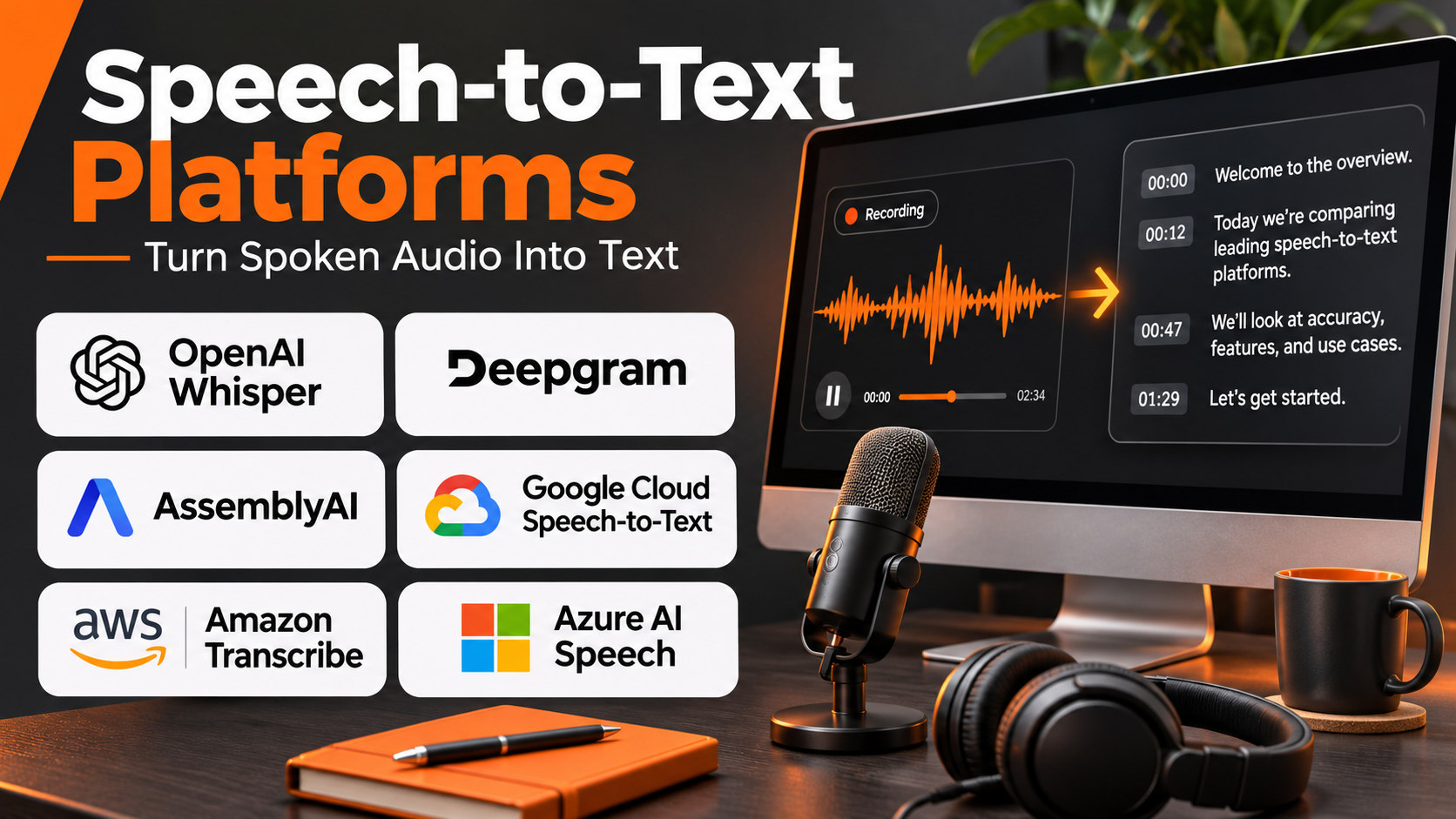
Introduction
Speech-to-text technology has become a critical component of modern communication, automation, and digital accessibility.
Businesses record customer calls, employees attend virtual meetings, educators deliver lectures, and media companies produce large volumes of spoken content.
Converting these recordings into searchable text helps organizations preserve information, improve accessibility, analyze conversations, and automate repetitive tasks.
Speech-to-text platforms perform this conversion using automatic speech recognition, commonly called ASR.
Modern speech recognition systems can process recorded files, transcribe live audio, identify speakers, and generate timestamps.
Some platforms also provide language detection, custom vocabulary, sentiment-related analysis, and integration with conversational AI applications.
However, transcription quality varies significantly depending on accents, background noise, microphone quality, language, and subject matter.
A platform that performs well on clear English narration may struggle with overlapping speakers or multilingual customer conversations.
This guide compares ten established speech-to-text platforms, explains their capabilities, and provides practical guidance for selecting transcription software for different organizational requirements.
What Are Speech-to-Text Platforms?
Speech-to-text platforms are software systems that convert spoken audio into written text using automatic speech recognition.
They analyze audio signals, identify speech patterns, and produce transcripts that represent spoken words.
These platforms can operate on prerecorded audio, live microphone input, telephone calls, or streaming media.
How Speech-to-Text Technology Works
A typical transcription pipeline includes:
- Audio capture: The application receives a recording or live audio stream.
- Preprocessing: Audio is prepared for speech recognition.
- Speech detection: The system identifies sections containing speech.
- Recognition: An ASR model predicts spoken words.
- Language processing: The system applies supported punctuation and formatting.
- Speaker diarization: Optional processing identifies different speakers.
- Timestamp generation: Words or segments are aligned with audio.
- Transcript delivery: Results are returned through an interface or API.
- Quality review: Users correct recognition errors where necessary.
Main Types of Transcription Platforms
Batch transcription services process previously recorded audio.
Streaming transcription APIs convert live speech into text.
Enterprise speech platforms provide transcription with administrative and compliance capabilities.
Open-source recognition systems allow developers to run models on controlled infrastructure.
Speech intelligence platforms combine transcription with downstream analysis and automation.
Important Transcription Metrics
Word Error Rate, or WER, measures recognition errors relative to a reference transcript.
A lower WER generally indicates better recognition accuracy on the tested dataset.
However, WER alone does not measure latency, speaker identification, punctuation quality, or the consequences of specific errors.
Organizations should test their own recordings rather than relying exclusively on published benchmarks.
Top 10 Speech-to-Text (Transcription) Platforms
1. Deepgram
Best For: Developers building real-time transcription, voice agents, and high-volume speech applications.
Short Description
Deepgram is a speech AI platform providing automatic speech recognition and related voice technologies through developer-oriented interfaces.
Its transcription capabilities are designed for applications that need to process spoken audio efficiently.
Deepgram is particularly relevant to conversational AI systems, contact centers, media applications, and real-time communication products.
Developers can use its APIs to transcribe recorded files or process streaming audio.
The platform also provides speech-related features that help applications identify speakers, handle utterances, and structure transcription results.
Its emphasis on real-time speech makes it attractive to engineering teams building interactive voice experiences.
However, the best model and configuration depend on language, audio conditions, and application requirements.
Key Features
- Real-time transcription: Processes live audio streams for responsive applications.
- Batch transcription: Converts prerecorded audio into text.
- Speech recognition models: Provides model options for different workloads.
- Speaker diarization: Helps distinguish speakers in supported recordings.
- Word timestamps: Aligns recognized words with audio.
- Language capabilities: Supports transcription in available languages.
- Utterance detection: Helps structure conversational speech.
- Developer APIs: Integrates recognition into custom applications.
- Voice AI ecosystem: Supports related speech processing workflows.
Benefits
Deepgram provides a programmable foundation for applications that depend on spoken input.
Its real-time capabilities are particularly valuable when users expect immediate responses.
Developers can integrate transcription into broader automation and conversational systems.
Pros
- Strong real-time speech orientation.
- Developer-friendly integration.
- Supports batch and streaming workflows.
- Useful conversation-related features.
- Suitable for voice AI applications.
Cons
- Requires development expertise.
- Accuracy varies with audio conditions.
- Model and language support differ.
- Usage costs require monitoring.
- Sensitive audio requires appropriate data controls.
Use Cases
Voice agents: Convert customer speech into text for automated responses.
Contact centers: Transcribe customer conversations.
Live applications: Generate captions or transcripts during speech.
Media processing: Convert recordings into searchable text.
Best Suited For
Development teams prioritizing real-time transcription and conversational applications.
2. AssemblyAI
Best For: Developers requiring transcription APIs combined with speech understanding and audio intelligence.
Short Description
AssemblyAI provides speech-to-text APIs and audio intelligence capabilities for software applications.
Its platform is designed to help developers convert recordings into transcripts and extract useful information from spoken content.
In addition to recognition, AssemblyAI offers features related to speaker identification, timestamps, and speech analysis.
These capabilities are relevant to organizations processing interviews, meetings, podcasts, customer calls, and other recorded conversations.
AssemblyAI is especially useful when the final goal extends beyond producing a transcript.
For example, a business may want to identify topics, structure conversations, or build searchable audio archives.
Its API-first architecture makes it suitable for integration into custom products.
Key Features
- Automatic transcription: Converts recorded audio into text.
- Streaming recognition: Supports real-time transcription workflows.
- Speaker diarization: Identifies different speakers where supported.
- Word-level timestamps: Associates text with audio positions.
- Audio intelligence: Provides speech-related analysis capabilities.
- Content identification: Supports selected classification and detection workflows.
- Language support: Processes supported languages.
- Developer APIs: Integrates with applications.
- Structured outputs: Returns transcription results suitable for downstream processing.
Benefits
AssemblyAI combines transcription with additional speech analysis capabilities.
This can reduce the need for developers to build every audio-processing component independently.
Pros
- Strong developer-oriented platform.
- Transcription and speech intelligence.
- Useful structured transcript outputs.
- Supports automated processing.
- Suitable for content analysis.
Cons
- Requires application integration.
- Advanced features may increase processing costs.
- Model support varies by language.
- Recognition errors still require review.
- Not primarily a manual transcription editor.
Use Cases
Podcast analysis: Create transcripts and searchable archives.
Meeting applications: Convert discussions into structured text.
Customer analytics: Analyze recorded conversations.
Media products: Add transcription and audio intelligence.
Best Suited For
Developers building products that combine transcription with downstream audio analysis.
3. Google Cloud Speech-to-Text
Best For: Cloud-native applications requiring managed speech recognition and Google Cloud integration.
Short Description
Google Cloud Speech-to-Text is a managed automatic speech recognition service that converts audio into text through cloud APIs.
It supports applications requiring prerecorded or streaming transcription.
The service provides recognition models and configuration options for different audio scenarios.
Developers can use it to process customer conversations, media recordings, voice commands, and other spoken input.
Its integration with Google Cloud makes it particularly relevant to organizations already using Google’s infrastructure.
The service is designed for programmatic use, although implementation requires understanding of API configuration, authentication, and audio-processing requirements.
Key Features
- Managed ASR: Processes audio without dedicated recognition servers.
- Streaming transcription: Supports compatible live audio workflows.
- Batch recognition: Processes recorded audio.
- Multilingual support: Recognizes supported languages.
- Speaker diarization: Helps distinguish speakers.
- Word timestamps: Aligns text with audio.
- Recognition adaptation: Supports configuration for domain-specific vocabulary.
- Cloud integration: Connects with Google Cloud services.
- API and SDK support: Enables application development.
Benefits
Google Cloud Speech-to-Text reduces infrastructure management for developers.
Its cloud ecosystem supports integration with storage, analytics, and application services.
Pros
- Managed cloud infrastructure.
- Multiple recognition models.
- Supports streaming and batch workflows.
- Cloud-native integration.
- Useful adaptation capabilities.
Cons
- Requires technical configuration.
- Model capabilities differ by language.
- Cloud costs depend on usage.
- Audio privacy requirements need review.
- Accuracy varies across recording conditions.
Use Cases
Customer service: Transcribe recorded interactions.
Mobile applications: Add speech input.
Media processing: Generate transcripts from uploaded recordings.
Business automation: Convert spoken information into structured workflows.
Best Suited For
Organizations building speech applications within Google Cloud.
4. Amazon Transcribe
Best For: AWS-based organizations requiring scalable transcription and speech analytics workflows.
Short Description
Amazon Transcribe is a managed automatic speech recognition service within AWS.
It converts recorded or streaming audio into text and supports a range of business and developer applications.
The service is particularly relevant to contact centers, media organizations, and enterprises already using AWS infrastructure.
Amazon Transcribe provides features such as speaker identification, timestamps, and vocabulary-related customization for supported scenarios.
It can also support workflows involving customer conversations and downstream analytics.
Its managed architecture eliminates the need to maintain a dedicated speech recognition infrastructure.
However, organizations must configure the service appropriately and evaluate the costs of processing large audio volumes.
Key Features
- Batch transcription: Converts recorded audio into text.
- Streaming transcription: Processes supported live audio streams.
- Speaker identification: Helps distinguish conversation participants.
- Custom vocabulary: Improves recognition of selected terms.
- Language identification: Supports automatic language-related workflows.
- Timestamp output: Aligns transcripts with audio.
- Content redaction: Supports selected sensitive-information handling.
- AWS integration: Connects with storage and automation services.
- Call analytics capabilities: Supports customer conversation analysis workflows.
Benefits
Amazon Transcribe integrates speech recognition into AWS-based applications.
Its managed service model helps organizations process audio without operating ASR servers.
Pros
- Strong AWS integration.
- Suitable for enterprise workloads.
- Batch and streaming support.
- Custom vocabulary options.
- Useful call-related capabilities.
Cons
- Requires AWS configuration.
- Costs depend on processing volume and features.
- Recognition quality varies by language.
- Data governance requires planning.
- Not a complete manual transcript editing environment.
Use Cases
Contact centers: Transcribe customer calls.
Media archives: Convert recordings into searchable text.
Voice applications: Process spoken input.
Enterprise automation: Extract text from audio files.
Best Suited For
AWS customers building automated transcription pipelines.
5. Microsoft Azure AI Speech
Best For: Enterprise speech recognition and applications integrated with Microsoft Azure.
Short Description
Microsoft Azure AI Speech provides speech recognition capabilities as part of Microsoft’s cloud AI services.
Its speech-to-text functionality supports both recorded and real-time audio processing.
The platform is relevant to enterprises developing voice interfaces, meeting applications, accessibility tools, and customer communication systems.
Azure AI Speech offers customization options for supported recognition scenarios.
These capabilities can help organizations adapt recognition to specialized terminology or acoustic environments.
Its enterprise integration makes it particularly useful for organizations already operating applications on Azure.
Key Features
- Speech-to-text APIs: Converts audio into written text.
- Real-time recognition: Supports live speech applications.
- Batch transcription: Processes stored recordings.
- Custom Speech: Supports adaptation for selected recognition requirements.
- Multilingual capabilities: Recognizes supported languages.
- Speaker-related processing: Supports selected conversation transcription workflows.
- Speech SDKs: Integrates recognition into applications.
- Azure integration: Connects with enterprise infrastructure.
- Security controls: Supports applicable enterprise governance requirements.
Benefits
Azure AI Speech provides a managed recognition service for enterprise applications.
Its customization options can be useful when general-purpose recognition does not handle specialized terminology effectively.
Pros
- Enterprise cloud integration.
- Supports real-time transcription.
- Customization capabilities.
- Developer SDKs.
- Suitable for business applications.
Cons
- Requires technical implementation.
- Feature support varies by region and language.
- Costs require monitoring.
- Customization involves additional work.
- Recognition errors remain possible.
Use Cases
Enterprise applications: Add speech input to software.
Customer support: Transcribe spoken interactions.
Accessibility: Provide live transcription features.
Specialized workflows: Adapt recognition to domain terminology.
Best Suited For
Enterprises building speech-enabled applications within Microsoft Azure.
6. OpenAI Speech-to-Text
Best For: AI application developers combining transcription with language-model workflows.
Short Description
OpenAI provides speech-to-text capabilities through audio transcription APIs and speech recognition models.
These services allow developers to convert audio recordings into text for applications that process spoken information.
The platform is particularly relevant to AI assistants, meeting analysis tools, educational applications, and software that combines transcription with language understanding.
Developers can use speech recognition results as inputs to downstream systems for summarization, search, or structured information extraction.
OpenAI’s speech capabilities include models suitable for different transcription requirements, including multilingual audio processing.
Organizations should verify the supported input formats, streaming capabilities, diarization options, and model-specific features for their intended implementation.
Key Features
- Audio transcription APIs: Convert supported recordings into text.
- Multilingual recognition: Supports transcription across multiple languages.
- Speech recognition models: Provides model options for different requirements.
- Developer integration: Connects transcription with applications.
- AI workflow compatibility: Supports downstream language processing.
- Structured processing: Enables transcript-based extraction and analysis.
- Audio input support: Processes supported media formats.
- Automation: Allows transcription within larger application pipelines.
- Model-specific advanced capabilities: Supports additional transcription features where available.
Benefits
OpenAI speech recognition can simplify applications that combine audio input with AI-generated analysis.
Developers can connect transcription with summarization, search, and conversational interfaces.
Pros
- Suitable for AI applications.
- Multilingual capabilities.
- Developer APIs.
- Integrates with language-model workflows.
- Useful for automated processing.
Cons
- Requires technical integration.
- Feature availability varies by model.
- Processing costs require monitoring.
- Sensitive recordings need appropriate safeguards.
- Important transcripts require verification.
Use Cases
Meeting assistants: Transcribe discussions for later analysis.
AI tutors: Process spoken student questions.
Content applications: Convert audio into searchable text.
Workflow automation: Extract information from recorded speech.
Best Suited For
Developers building AI systems that use speech as an input.
7. Speechmatics
Best For: Multilingual speech recognition and enterprise deployments requiring flexible infrastructure options.
Short Description
Speechmatics provides automatic speech recognition technology for businesses and developers.
Its platform supports transcription across multiple languages and different audio environments.
Speechmatics is particularly relevant to media organizations, contact centers, and enterprises that require speech recognition as part of larger applications.
The company offers deployment approaches that can address organizations with different infrastructure and data-control requirements.
Its recognition technology supports both recorded and real-time audio processing.
This makes it useful for businesses that need transcription while retaining flexibility over operational architecture.
Key Features
- Multilingual ASR: Recognizes speech across supported languages.
- Real-time transcription: Processes live audio.
- Batch transcription: Converts prerecorded files.
- Speaker diarization: Supports speaker separation workflows.
- Word timestamps: Aligns recognized text with audio.
- Flexible deployment: Offers deployment options for different organizational requirements.
- Developer APIs: Integrates recognition into software.
- Enterprise speech processing: Supports large-scale applications.
- Language and accent handling: Addresses diverse speech patterns.
Benefits
Speechmatics provides organizations with flexibility in speech recognition deployment.
Its multilingual focus is useful for businesses operating across different regions.
Pros
- Strong multilingual orientation.
- Supports live and recorded audio.
- Flexible deployment options.
- Suitable for enterprise applications.
- Useful speaker-related capabilities.
Cons
- Enterprise deployment requires planning.
- Commercial terms vary by configuration.
- Recognition accuracy depends on audio.
- Technical integration is necessary.
- Advanced features require evaluation.
Use Cases
International contact centers: Transcribe multilingual conversations.
Broadcast media: Create transcripts for recorded programs.
Enterprise systems: Integrate ASR into internal applications.
Best Suited For
Organizations requiring multilingual recognition and deployment flexibility.
8. Rev AI
Best For: Developers requiring transcription APIs with access to a broader professional transcription ecosystem.
Short Description
Rev AI provides speech recognition technology through developer APIs.
It is associated with Rev’s broader transcription and captioning services.
Developers can use Rev AI to convert audio into text and integrate recognition into media or business applications.
The platform is relevant to organizations processing interviews, meetings, customer conversations, and recorded media.
Its relationship with professional transcription services can be useful for businesses that need both automation and higher-touch review workflows.
However, API transcription and human transcription are distinct services and should be evaluated separately.
Key Features
- Speech recognition API: Converts audio into text.
- Asynchronous transcription: Processes recorded files.
- Streaming transcription: Supports compatible real-time workflows.
- Speaker diarization: Helps identify different speakers.
- Timestamp information: Aligns text with audio.
- Language support: Processes supported languages.
- Developer integration: Connects with custom software.
- Professional service ecosystem: Provides access to related transcription services.
Benefits
Rev AI supports automated transcription while offering a broader ecosystem of captioning and transcription services.
This is useful for organizations with different accuracy and review requirements.
Pros
- Developer-oriented transcription.
- Supports recorded audio.
- Related professional transcription services.
- Useful media workflows.
- Structured transcript outputs.
Cons
- Human services involve separate costs.
- API integration requires development.
- Language support varies.
- Automated transcripts require review.
- Not a complete audio editing platform.
Use Cases
Media publishing: Generate transcripts for recordings.
Interview archives: Make conversations searchable.
Business applications: Add transcription features.
Best Suited For
Developers and media teams seeking automated transcription with professional service options.
9. Gladia
Best For: Multilingual transcription APIs and applications processing conversations across languages.
Short Description
Gladia is a speech-to-text technology provider focused on API-based transcription and audio intelligence.
Its capabilities are particularly relevant to developers building applications that process multilingual conversations.
The platform supports recorded and real-time transcription workflows.
Gladia also provides features related to speaker identification, timestamps, and speech analysis.
Its focus on language handling makes it useful for international businesses and applications where speakers may use more than one language.
Developers should test the platform with representative recordings to evaluate accuracy, latency, and language coverage.
Key Features
- Speech-to-text API: Converts audio into text.
- Real-time transcription: Supports live audio workflows.
- Batch processing: Handles recorded files.
- Multilingual recognition: Processes supported languages.
- Code-switching support: Addresses speech containing language changes.
- Speaker diarization: Helps distinguish speakers.
- Timestamp generation: Aligns text with recordings.
- Audio intelligence: Supports selected downstream analysis.
- Developer integration: Enables custom applications.
Benefits
Gladia is useful for applications that need multilingual transcription within a programmable workflow.
Its language-related capabilities can reduce complexity in international speech applications.
Pros
- Multilingual orientation.
- Supports real-time transcription.
- Developer-friendly APIs.
- Useful conversation features.
- Suitable for international applications.
Cons
- Accuracy varies by language.
- Technical integration required.
- Usage costs need monitoring.
- Some advanced features depend on model availability.
- Human review remains important.
Use Cases
Multilingual meetings: Generate transcripts across languages.
International customer support: Process customer conversations.
Voice applications: Build language-aware speech interfaces.
Best Suited For
Developers building multilingual speech applications.
10. Whisper
Best For: Developers and organizations requiring open-source speech recognition with self-hosting options.
Short Description
Whisper is an open-source automatic speech recognition model family released by OpenAI.
It is designed for multilingual speech recognition and related audio-to-text tasks.
Unlike managed cloud transcription platforms, open-source Whisper models can be run on infrastructure controlled by the user.
This makes Whisper relevant to developers who want flexibility over deployment, data handling, and processing workflows.
Whisper can be integrated into applications through community tools and custom processing pipelines.
However, organizations must manage hardware resources, model deployment, monitoring, and scaling.
Traditional Whisper models are primarily designed around audio segments rather than providing a complete native enterprise streaming platform.
Key Features
- Open-source recognition models: Supports self-managed transcription.
- Multilingual transcription: Recognizes supported languages.
- Language identification: Helps detect spoken language.
- Translation-related capability: Supports selected speech-to-English workflows.
- Local deployment: Runs on compatible infrastructure.
- Model size options: Offers tradeoffs between resource use and performance.
- Developer integration: Supports custom application development.
- Community ecosystem: Provides tools for optimized inference and workflows.
- Batch processing: Supports transcription of recorded media.
Benefits
Whisper provides flexibility for organizations that prefer to manage recognition infrastructure.
Its open-source availability supports experimentation and custom deployment.
Pros
- Open-source models.
- Self-hosting capability.
- Multilingual support.
- Broad developer ecosystem.
- Flexible integration.
Cons
- Requires infrastructure management.
- Processing speed depends on hardware.
- Real-time use requires additional engineering.
- Speaker diarization generally needs separate components.
- Model output requires quality checks.
Use Cases
Private transcription: Process recordings on controlled infrastructure.
Research: Experiment with speech recognition.
Media archives: Convert large recording collections into text.
Custom applications: Build self-hosted transcription pipelines.
Best Suited For
Developers and organizations requiring deployment control and open-source speech recognition.
Comparison Table: Top 10 Speech-to-Text Platforms
| Platform | Primary Strength | Deployment | Ideal Users | Main Limitation |
|---|---|---|---|---|
| Deepgram | Real-time speech recognition | Cloud/API | Voice AI developers | Integration effort |
| AssemblyAI | Transcription and audio intelligence | Cloud/API | Application developers | Feature-related costs |
| Google Cloud STT | Managed cloud recognition | Google Cloud | Cloud developers | Configuration |
| Amazon Transcribe | AWS transcription workflows | AWS | Enterprises | AWS dependence |
| Azure AI Speech | Enterprise recognition | Azure | Microsoft organizations | Model configuration |
| OpenAI Speech-to-Text | AI-integrated transcription | Cloud/API | AI developers | Model-specific features |
| Speechmatics | Multilingual ASR | Flexible deployment | Enterprises | Deployment planning |
| Rev AI | Transcription APIs | Cloud/API | Media developers | Review requirements |
| Gladia | Multilingual conversation recognition | Cloud/API | International applications | Language variation |
| Whisper | Open-source recognition | Self-hosted | Developers | Infrastructure management |
How to Choose the Right Speech-to-Text Platform
1. Measure Accuracy on Real Recordings
Use representative audio containing actual accents, terminology, and background conditions.
Do not rely only on generic benchmarks.
2. Define Latency Requirements
Live captions and voice agents need fast recognition.
Archival transcription can tolerate longer processing times.
3. Evaluate Language Coverage
Verify supported languages, dialects, and code-switching capabilities.
4. Test Speaker Diarization
Multi-speaker recordings require reliable speaker separation.
Overlapping dialogue can remain challenging.
5. Review Vocabulary Adaptation
Technical terminology, names, and abbreviations may benefit from custom vocabulary or recognition hints.
6. Assess Privacy and Security
Consider data retention, encryption, access controls, regional processing, and contractual requirements.
7. Compare Deployment Models
Cloud APIs reduce infrastructure maintenance.
Self-hosted models provide greater operational control.
8. Evaluate Transcript Outputs
Review timestamps, punctuation, speaker labels, confidence information, and export formats.
9. Calculate Total Cost
Include audio duration, streaming time, advanced processing, infrastructure, and human correction.
10. Test Reliability
Measure failures, latency variation, rate limits, and recovery behavior.
Best Speech-to-Text Software by User Type
| User Type | Recommended Platform | Reason |
|---|---|---|
| Real-time voice developers | Deepgram | Streaming-oriented recognition |
| Audio intelligence developers | AssemblyAI | Transcript analysis features |
| Google Cloud teams | Google Cloud STT | Cloud integration |
| AWS enterprises | Amazon Transcribe | AWS workflows |
| Microsoft enterprises | Azure AI Speech | Enterprise integration |
| AI application developers | OpenAI Speech-to-Text | AI workflow compatibility |
| Multilingual enterprises | Speechmatics | Language and deployment flexibility |
| Media application developers | Rev AI | Transcription ecosystem |
| International voice applications | Gladia | Multilingual conversation processing |
| Self-hosted systems | Whisper | Infrastructure control |
Practical Example: Building a Customer Call Transcription System
Consider a customer support company processing 5,000 recorded calls each month.
The company wants searchable transcripts to support quality assurance and identify recurring service issues.
Step 1: Define Objectives
The team identifies transcription accuracy, speaker identification, privacy, and search as priorities.
Step 2: Prepare Representative Audio
The company selects calls with different accents, background noise, and conversation lengths.
Step 3: Evaluate Providers
Developers test Deepgram, AssemblyAI, Amazon Transcribe, and Speechmatics.
Step 4: Measure Recognition Quality
Human reviewers create reference transcripts and calculate recognition errors.
Step 5: Assess Speaker Separation
The team evaluates whether the software distinguishes agents from customers.
Step 6: Establish Data Protection
Administrators define access permissions, retention periods, and handling of sensitive information.
Step 7: Build the Processing Pipeline
Recorded calls are submitted automatically for transcription.
Step 8: Store Searchable Results
Approved transcripts are indexed for authorized employees.
Step 9: Add Quality Review
Selected recordings are reviewed to identify recognition problems.
Step 10: Monitor Performance
The team tracks accuracy, processing failures, latency, and costs.
Expected Outcome
The organization gains searchable conversation records and a more efficient foundation for customer service analysis.
The accuracy of downstream insights still depends on transcript quality and responsible interpretation.
Frequently Asked Questions
1. What is speech-to-text software?
Speech-to-text software converts spoken audio into written text using automatic speech recognition.
2. Which transcription platform is best?
The best platform depends on language, audio conditions, latency, deployment requirements, and integration needs.
3. What is Word Error Rate?
Word Error Rate measures substitutions, deletions, and insertions relative to a reference transcript.
4. Can speech recognition work in real time?
Yes. Platforms such as Deepgram, AssemblyAI, Google Cloud, Azure, and Speechmatics support real-time transcription workflows.
5. Can transcription software identify speakers?
Many platforms offer speaker diarization, although accuracy varies with audio quality and overlapping speech.
6. Is Whisper free?
The open-source Whisper models can be used under their applicable license. Running them still requires computing resources and maintenance.
7. Can AI transcription handle multiple languages?
Yes, but language coverage and recognition quality vary by platform and model.
8. Is automatic transcription completely accurate?
No. Recognition errors can occur, especially with background noise, specialized vocabulary, and overlapping dialogue.
9. Can speech-to-text platforms support accessibility?
Yes. They can help generate transcripts and live captions, although accessibility-critical output may require review.
10. How should organizations compare transcription pricing?
Compare audio-processing charges, streaming usage, additional features, infrastructure, and correction costs.
Conclusion
Speech-to-text platforms provide the foundation for transcription, voice applications, accessibility, and conversation analysis.
Deepgram emphasizes real-time recognition, while AssemblyAI combines transcription with audio intelligence.
Google Cloud Speech-to-Text, Amazon Transcribe, and Azure AI Speech support enterprise cloud workflows.
OpenAI provides transcription capabilities for AI applications, while Speechmatics and Gladia address multilingual recognition.
Rev AI supports developer transcription workflows, and Whisper offers open-source deployment flexibility.
The best choice depends on actual recognition performance, latency, language support, security requirements, integration needs, and operating costs.
Organizations should evaluate representative recordings and establish appropriate human review before relying on transcripts for important decisions.