Introduction
Businesses expanding into international markets must communicate with customers in their preferred languages. This involves much more than translating a few pages of website content.
Product interfaces, marketing campaigns, help centers, legal documents, customer communications, and technical documentation must remain accurate and consistent across different languages.
As content volumes grow, managing translations through spreadsheets, emails, and shared folders becomes increasingly difficult.
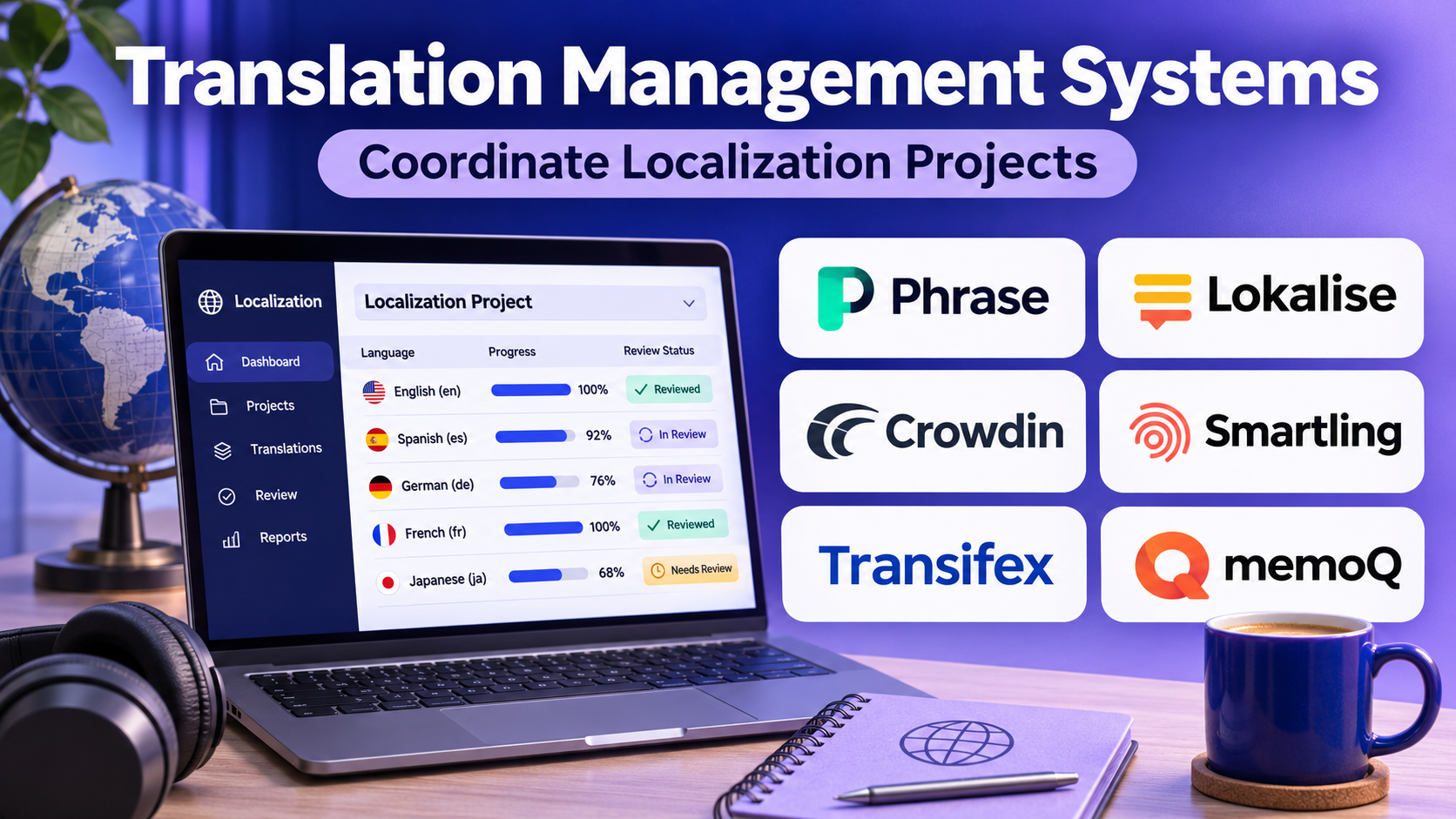
Translation management systems help organizations coordinate these activities through centralized workflows.
Modern platforms combine translation memory, terminology management, machine translation, human review, content integrations, and automated project management.
Some solutions focus on software localization and continuous development. Others support enterprise content operations, professional translation agencies, or complex multilingual documentation.
This guide compares ten translation management systems, examines their features and limitations, and explains how to select a platform that fits organizational requirements.
What Is a Translation Management System?
A translation management system, commonly called a TMS, is software that coordinates the translation and localization of content across languages.
It provides a central environment for managing source material, translators, reviewers, linguistic resources, project deadlines, and translated deliverables.
A TMS differs from a basic translation application because it manages the entire translation workflow rather than simply converting text between languages.
Core Components of a TMS
Translation memory: Stores previously translated segments for reuse in future projects.
Terminology management: Maintains approved translations of product names, technical expressions, and specialized vocabulary.
Workflow automation: Routes content between translation, review, approval, and publication stages.
Machine translation integration: Connects automated translation engines to localization workflows.
Content connectors: Transfers content between the TMS and external applications.
Quality assurance: Checks selected linguistic and technical requirements.
Project management: Tracks deadlines, responsibilities, progress, and costs.
How Translation Management Works
A typical localization workflow includes:
- Importing source content.
- Identifying target languages.
- Applying translation memory and terminology.
- Generating machine translation suggestions where appropriate.
- Assigning human translators.
- Reviewing translated content.
- Running automated quality checks.
- Approving localized deliverables.
- Publishing translations.
- Updating linguistic resources for future projects.
Top 10 Translation Management Systems
1. Phrase
Best For: Organizations requiring a broad localization platform covering software, documents, and enterprise translation workflows.
Short Description
Phrase is a localization technology platform that combines translation management with software string localization and related language technologies.
Its product ecosystem includes Phrase TMS and Phrase Strings, which address different but complementary localization requirements.
Phrase TMS supports professional translation workflows involving translators, project managers, reviewers, translation memories, and terminology resources.
Phrase Strings focuses more directly on managing application interface text and integrating localization with software development.
This combination makes Phrase relevant to organizations that localize both product interfaces and broader business content.
Companies can use shared linguistic resources to reduce repetitive translation and improve consistency across projects.
However, teams should evaluate which products and integrations are included in their selected configuration because capabilities are distributed across the platform.
Key Features
- Translation workflow management: Coordinates translation, editing, review, and approval activities.
- Translation memory: Reuses approved translations to improve consistency and reduce repeated work.
- Terminology management: Helps translators follow approved vocabulary.
- Machine translation integration: Incorporates automated translation into supported workflows.
- Software localization: Supports application strings and continuous product translation.
- Content integrations: Connects localization with selected content repositories and business applications.
- Automation: Reduces repetitive project creation, assignment, and processing tasks.
- Quality assurance: Detects selected translation and formatting problems.
- Analytics: Provides visibility into localization operations and performance.
Benefits
Phrase can consolidate different localization workflows within one technology ecosystem.
Translation memory and terminology reuse help organizations maintain consistency as content volumes increase.
Automated integrations also reduce the manual effort required to exchange content with developers and content teams.
Pros
- Broad localization capabilities.
- Suitable for professional translation teams.
- Strong linguistic resource management.
- Developer-oriented localization options.
- Supports enterprise automation.
Cons
- Product selection and licensing require evaluation.
- Implementation can become complex across departments.
- Advanced workflows require configuration.
- Total costs depend on usage and selected capabilities.
- Users may need training across multiple interfaces.
Use Cases
SaaS localization: Translate application interfaces and help content.
Enterprise documentation: Coordinate multilingual manuals and policies.
Marketing localization: Maintain consistent terminology across regional campaigns.
Translation agencies: Manage translators, projects, and reusable linguistic assets.
Best Suited For
Mid-sized and enterprise organizations requiring coordinated localization across multiple content types.
2. Lokalise
Best For: Software development teams localizing mobile applications, websites, and digital products.
Short Description
Lokalise is a cloud-based localization platform designed around software strings and product development workflows.
It helps engineering, design, and localization teams manage text displayed inside applications.
Instead of maintaining separate language files manually, developers can synchronize content through supported repositories, APIs, and integrations.
Translators receive contextual information that helps them understand where strings appear in the interface.
Lokalise is particularly relevant to organizations releasing software frequently.
Its design-oriented workflow also helps teams identify interface problems before translations reach production.
However, organizations with complex legal documents or large-scale enterprise publishing workflows should assess whether its software-first approach covers all requirements.
Key Features
- String management: Centralizes application text and translations.
- Repository integrations: Connects with supported development environments.
- Design integrations: Provides context from supported design workflows.
- Translation memory: Reuses previously translated strings.
- Glossaries: Maintains approved product terminology.
- Automated workflows: Supports recurring localization activities.
- Machine translation: Generates initial translations through supported services.
- Collaboration: Allows developers, translators, and reviewers to coordinate.
- API access: Enables custom localization automation.
Benefits
Lokalise helps reduce the operational friction between product development and translation.
Its integration capabilities make it easier to incorporate localization into regular software releases.
Pros
- Strong software localization focus.
- Developer-friendly workflows.
- Useful design context.
- Centralized string management.
- Supports continuous localization.
Cons
- Less suited to complex document-centric operations.
- Advanced features depend on plan selection.
- Large projects require careful string organization.
- Enterprise reporting needs should be evaluated.
- Translation quality still depends on linguistic review.
Use Cases
Mobile applications: Manage localized interface strings.
SaaS products: Translate dashboards and product features.
Agile teams: Update translations alongside development releases.
Best Suited For
Product and engineering teams prioritizing continuous software localization.
3. Crowdin
Best For: Software localization, developer workflows, and community translation projects.
Short Description
Crowdin is a cloud localization platform that helps teams translate applications, websites, documentation, and other digital content.
It supports collaboration between developers, professional translators, reviewers, and community contributors.
Crowdin is especially relevant to software projects that maintain language resources in version-controlled repositories.
Its integrations help synchronize source strings and translated files with development workflows.
The platform also supports translation memory, terminology, machine translation, and quality checks.
Community translation capabilities make it useful for open-source projects and products with engaged multilingual user communities.
However, organizations using volunteer translation should establish review procedures to ensure quality and consistency.
Key Features
- Localization project management: Organizes languages, files, contributors, and tasks.
- Version-control integrations: Synchronizes supported repository content.
- Translation memory: Reuses approved translations.
- Glossary management: Maintains consistent terminology.
- Community translation: Supports collaborative contributor workflows.
- Machine translation integration: Provides automated suggestions.
- In-context translation: Helps translators understand interface usage.
- Quality checks: Identifies selected translation problems.
- API and automation: Supports custom localization pipelines.
Benefits
Crowdin helps teams connect translation activities with software development.
Its community features can expand language coverage when supported by suitable review processes.
Pros
- Strong developer integrations.
- Useful community collaboration.
- Supports continuous localization.
- Flexible translation workflows.
- Suitable for open-source projects.
Cons
- Contributor quality can vary.
- Large projects require governance.
- Advanced functionality depends on plans.
- Some enterprise workflows need customization.
- Human linguistic review remains necessary.
Use Cases
Open-source software: Coordinate volunteer translations.
Game localization: Manage interface and community content.
Developer documentation: Translate frequently updated technical material.
Best Suited For
Engineering teams and community-driven localization projects.
4. Smartling
Best For: Enterprise website, marketing, and content localization.
Short Description
Smartling is an enterprise translation management platform designed to coordinate multilingual content operations.
It provides translation workflows, linguistic resources, automation, and integrations with content systems.
Smartling is particularly relevant to organizations that publish substantial amounts of website, marketing, and customer-facing content.
Its workflow capabilities help content teams manage translation requests, reviews, and approvals.
The platform also supports machine translation and AI-assisted localization within governed processes.
Organizations can use Smartling to connect localization with content management and digital publishing systems.
However, implementation complexity and enterprise commercial arrangements should be evaluated carefully.
Key Features
- Enterprise TMS: Centralizes translation projects and multilingual content.
- Workflow automation: Routes content through defined review stages.
- Translation memory: Reuses approved language segments.
- Glossaries: Supports terminology consistency.
- Content connectors: Integrates with supported publishing systems.
- Visual context: Helps translators understand content placement.
- AI translation workflows: Incorporates automated translation where appropriate.
- Quality management: Supports review and quality controls.
- Reporting: Provides localization performance visibility.
Benefits
Smartling can reduce manual content transfers and improve coordination across international content teams.
Its centralized workflows help organizations maintain consistent publishing processes.
Pros
- Enterprise content focus.
- Useful CMS integrations.
- Strong workflow coordination.
- Supports linguistic resources.
- Suitable for multilingual websites.
Cons
- Enterprise implementation may be complex.
- Pricing requires direct evaluation.
- Workflow design needs planning.
- Some integrations require configuration.
- Less focused on lightweight independent translator use.
Use Cases
Global websites: Coordinate multilingual page updates.
Marketing teams: Translate campaigns and landing pages.
Customer support: Localize knowledge bases.
Best Suited For
Enterprises managing high-volume customer-facing content across regions.
5. memoQ TMS
Best For: Professional translation organizations requiring detailed linguistic control.
Short Description
memoQ TMS is a translation management environment built around professional translation processes.
It combines project coordination with translation memories, term bases, translation editing, and quality assurance.
memoQ is widely relevant to language service providers and organizations managing specialized multilingual documentation.
Its linguistic resource capabilities help translators reuse previous work and follow client-specific terminology.
Project managers can coordinate different participants while maintaining control over resources and assignments.
memoQ is particularly useful when translation quality and terminology consistency are important operational requirements.
However, its professional feature set may require more training than simpler software localization platforms.
Key Features
- Translation project management: Organizes assignments and project stages.
- Translation memory: Stores and reuses approved segments.
- Term bases: Maintains multilingual terminology.
- Professional translation editor: Supports detailed segment-level work.
- Quality assurance: Checks terminology, tags, numbers, and consistency.
- Machine translation integration: Adds automated suggestions.
- Collaborative resources: Shares linguistic assets across teams.
- File format support: Handles professional translation formats.
- Server-based workflows: Supports centralized team operations.
Benefits
memoQ helps professional translators work consistently across complex projects.
Its terminology and translation memory capabilities are valuable for technical, legal, and regulated content.
Pros
- Strong linguistic resource management.
- Professional translation workflows.
- Detailed quality controls.
- Suitable for specialized documentation.
- Useful translator collaboration.
Cons
- Requires user training.
- Professional workflows can be complex.
- Licensing needs evaluation.
- Less focused on simple mobile string management.
- Integration requirements vary by environment.
Use Cases
Technical manuals: Maintain consistent specialized vocabulary.
Legal translation: Coordinate terminology-sensitive documents.
Translation agencies: Manage multiple translators and clients.
Best Suited For
Language service providers and organizations requiring professional translation control.
6. XTM Cloud
Best For: Enterprise localization programs with complex workflow and governance requirements.
Short Description
XTM Cloud is an enterprise translation management platform designed to coordinate large-scale localization operations.
It supports translation projects, linguistic resources, automation, and integration with business content systems.
XTM is relevant to organizations handling multiple languages, departments, suppliers, and content types.
Its workflow capabilities help localization managers define how content moves through translation and review.
The platform also supports machine translation and related automation capabilities.
Enterprise organizations can use XTM to standardize processes across distributed teams.
However, the breadth of configuration options means implementation should begin with clearly documented operational requirements.
Key Features
- Enterprise project management: Coordinates multilingual translation programs.
- Workflow configuration: Defines translation and approval processes.
- Translation memory: Reuses approved content.
- Terminology management: Maintains controlled vocabulary.
- Machine translation integration: Supports automated translation workflows.
- Quality assurance: Detects selected linguistic and technical issues.
- Content connectors: Links localization with external systems.
- Vendor management: Coordinates external translation resources.
- Analytics and reporting: Supports operational oversight.
Benefits
XTM can improve consistency across large localization programs.
Its configurable workflows help organizations manage complex translation responsibilities.
Pros
- Enterprise-oriented functionality.
- Configurable workflows.
- Strong localization governance potential.
- Useful linguistic resource support.
- Supports large translation operations.
Cons
- Implementation may require specialist expertise.
- Configuration complexity can be substantial.
- Enterprise pricing needs evaluation.
- User training is important.
- Smaller teams may not need its full capabilities.
Use Cases
Global enterprises: Coordinate translation across departments.
Regulated documentation: Manage structured approval workflows.
Language service providers: Handle large multilingual projects.
Best Suited For
Enterprises with complex localization governance and workflow requirements.
7. Smartcat
Best For: Organizations combining AI translation, human review, and language service collaboration.
Short Description
Smartcat is a language AI and translation workflow platform that combines automated translation with collaborative production.
It supports multilingual content processing, linguistic resources, and access to professional language services.
Organizations can use Smartcat to translate documents and other supported content while coordinating review activities.
Its platform approach is relevant to teams seeking to combine machine translation efficiency with human oversight.
Smartcat also offers tools for managing language-related workflows and external contributors.
This can simplify procurement and coordination for organizations without large internal localization departments.
However, buyers should evaluate how automated translation, human review, and service costs are structured.
Key Features
- AI-assisted translation: Generates initial multilingual content.
- Translation workflows: Coordinates production and review.
- Translation memory: Reuses previous translations.
- Glossaries: Supports terminology consistency.
- Language service collaboration: Connects projects with linguistic contributors.
- Document translation: Processes supported file formats.
- Workflow automation: Reduces repetitive coordination.
- Team collaboration: Supports shared translation projects.
- Integrations: Connects with selected content environments.
Benefits
Smartcat can reduce the need to manage separate translation tools and external contributor workflows.
Its combination of AI and human review is useful for organizations balancing speed and quality.
Pros
- Integrated AI and human workflows.
- Useful collaboration capabilities.
- Supports multiple content types.
- Translation memory and terminology.
- Suitable for distributed teams.
Cons
- Service costs require careful comparison.
- AI output needs human verification.
- Complex enterprise workflows require evaluation.
- Quality depends on reviewers.
- Integration coverage varies by system.
Use Cases
Marketing translation: Localize campaigns.
Corporate documentation: Translate business materials.
Distributed teams: Coordinate translators and reviewers.
Best Suited For
Businesses seeking a combined automated translation and human review environment.
8. Transifex
Best For: Continuous localization of SaaS products, websites, and applications.
Short Description
Transifex is a localization management platform designed for software and digital content.
It helps teams organize source strings, coordinate translators, and deliver multilingual content.
Its development-oriented integrations make it relevant to SaaS businesses and application teams.
Transifex supports translation memory, glossaries, machine translation, and collaboration.
Its localization workflows can be connected with software development and content release processes.
This is particularly useful when products receive frequent interface updates.
However, organizations with extensive document-based enterprise translation needs should evaluate its fit alongside broader TMS products.
Key Features
- String localization: Manages multilingual application text.
- Continuous localization: Supports frequent content updates.
- Developer integrations: Connects with supported repositories and workflows.
- Translation memory: Reuses approved strings.
- Glossaries: Maintains product terminology.
- Machine translation: Supports automated suggestions.
- Team collaboration: Coordinates translators and reviewers.
- API access: Enables localization automation.
- Quality checks: Helps identify selected string problems.
Benefits
Transifex helps software teams maintain localized content as products evolve.
It reduces reliance on manual language-file exchanges.
Pros
- Developer-oriented platform.
- Continuous localization support.
- Useful translation resources.
- Collaboration capabilities.
- Suitable for digital products.
Cons
- Less focused on complex document publishing.
- Some features depend on subscriptions.
- Requires organized string management.
- Integration setup may need engineering.
- Translation quality requires review.
Use Cases
SaaS localization: Translate application interfaces.
Website localization: Maintain multilingual digital content.
Continuous delivery: Synchronize translation updates with releases.
Best Suited For
Software companies managing ongoing product localization.
9. GlobalLink
Best For: Large enterprises managing translation across content systems and external language services.
Short Description
GlobalLink is an enterprise localization technology ecosystem associated with TransPerfect.
It provides solutions for managing multilingual content, translation workflows, and connections with enterprise publishing systems.
GlobalLink is relevant to organizations with substantial translation volumes and complex content operations.
Its ecosystem supports different aspects of localization, including project management and content connectivity.
Businesses can use GlobalLink to coordinate translation across departments and language service arrangements.
This makes it attractive to enterprises seeking technology alongside professional localization services.
However, buyers should identify which GlobalLink components are required rather than treating the ecosystem as a single uniform product.
Key Features
- Enterprise localization management: Coordinates multilingual content operations.
- Workflow automation: Supports translation project routing.
- Content integrations: Connects with selected enterprise systems.
- Translation memory: Supports reuse of translated content.
- Terminology management: Helps maintain controlled vocabulary.
- Project coordination: Organizes translation activities.
- Language service integration: Supports managed translation workflows.
- Reporting: Provides operational visibility.
- Enterprise configuration: Supports complex organizational processes.
Benefits
GlobalLink can help large organizations coordinate translation technology and service delivery.
Its content connectivity is valuable when localization spans multiple enterprise systems.
Pros
- Enterprise-oriented ecosystem.
- Broad localization workflow support.
- Content system integration.
- Suitable for large translation programs.
- Access to related language services.
Cons
- Product selection can be complex.
- Enterprise procurement may take time.
- Implementation requires planning.
- Costs depend on selected services.
- Smaller teams may find the ecosystem extensive.
Use Cases
Global publishing: Coordinate multilingual content.
Enterprise websites: Manage translation across content systems.
Large translation programs: Connect internal teams and language providers.
Best Suited For
Large organizations requiring enterprise localization infrastructure and service coordination.
10. Weblate
Best For: Open-source projects and development teams seeking self-hosted continuous localization.
Short Description
Weblate is an open-source localization management platform designed to integrate translation with version-controlled software projects.
It allows teams to manage translations through a web interface while maintaining connections with source code repositories.
Weblate is particularly relevant to open-source communities and organizations that prefer control over localization infrastructure.
Its workflows support translation collaboration, glossary management, automated checks, and repository synchronization.
Developers can incorporate translation changes into established version-control processes.
Self-hosting provides flexibility but introduces operational responsibilities such as updates, backups, security, and infrastructure maintenance.
Key Features
- Open-source platform: Supports self-managed deployment.
- Version-control integration: Synchronizes translations with repositories.
- Web translation interface: Enables collaborative translation.
- Glossaries: Supports terminology consistency.
- Translation memory: Reuses available translations.
- Automated checks: Identifies selected localization problems.
- Machine translation integration: Supports configured translation services.
- Community collaboration: Enables contributor workflows.
- API and automation: Connects with development pipelines.
Benefits
Weblate offers transparency and infrastructure control.
Its repository integration makes it useful for development teams that treat localization as part of software delivery.
Pros
- Open-source software.
- Self-hosting option.
- Strong version-control orientation.
- Community-friendly workflows.
- Useful automated checks.
Cons
- Self-hosting requires maintenance.
- Enterprise support arrangements vary.
- Initial configuration can be technical.
- Governance requires administration.
- Not primarily a document-heavy enterprise TMS.
Use Cases
Open-source projects: Manage community translations.
Self-hosted software: Maintain localized interface strings.
Privacy-conscious teams: Control localization infrastructure.
Best Suited For
Technical teams seeking open-source and repository-integrated localization.
Comparison Table: Top 10 Translation Management Systems
| Platform | Primary Strength | Best For | Deployment Orientation | Main Limitation |
|---|---|---|---|---|
| Phrase | Broad localization ecosystem | Enterprise and product teams | Cloud | Product complexity |
| Lokalise | Developer-first localization | SaaS and mobile apps | Cloud | Software-focused |
| Crowdin | Collaborative localization | Developers and communities | Cloud | Contributor governance |
| Smartling | Enterprise content localization | Marketing and web teams | Cloud | Implementation complexity |
| memoQ TMS | Professional translation control | LSPs and technical teams | Desktop/server/cloud workflows | Learning curve |
| XTM Cloud | Enterprise workflow governance | Global organizations | Cloud | Configuration effort |
| Smartcat | AI and human translation | Business content teams | Cloud | Service-cost evaluation |
| Transifex | Continuous software localization | SaaS developers | Cloud | Document workflow scope |
| GlobalLink | Enterprise content operations | Large enterprises | Enterprise ecosystem | Procurement complexity |
| Weblate | Open-source localization | Self-hosted development | Self-hosted/hosted | Infrastructure maintenance |
How to Choose the Right Translation Management System
1. Identify Content Types
Determine whether the organization translates application strings, marketing content, technical documentation, legal materials, or multimedia.
A software-first platform may not provide the same document-management capabilities as an enterprise TMS.
2. Evaluate Translation Volume
Consider the number of source words, languages, contributors, and monthly updates.
3. Review Integration Requirements
List the content management systems, repositories, design tools, and publishing platforms that must exchange data with the TMS.
4. Examine Translation Memory
Evaluate whether approved translations can be reused across projects, departments, and vendors.
5. Assess Terminology Management
A strong terminology workflow should distinguish approved, deprecated, and prohibited expressions.
6. Evaluate Automation
Look for automated project creation, content synchronization, reviewer assignment, and publication workflows.
7. Review Quality Assurance
Automated checks should identify technical problems, while human reviewers assess meaning and cultural suitability.
8. Consider Security and Governance
Evaluate permissions, audit records, data retention, regional hosting, and supplier access.
9. Compare Total Cost
Include licenses, translation volume, machine translation, implementation, integrations, professional services, and training.
10. Conduct a Pilot
Test the platform with real content, languages, translators, and publishing systems before committing to a large deployment.
Best Translation Management Software by User Type
| User Type | Recommended Platform | Reason |
|---|---|---|
| Enterprise localization departments | Phrase | Broad localization workflows |
| Mobile development teams | Lokalise | String and design integrations |
| Open-source communities | Crowdin | Contributor collaboration |
| Global marketing organizations | Smartling | Content publishing workflows |
| Professional translation agencies | memoQ TMS | Linguistic resource management |
| Complex global enterprises | XTM Cloud | Configurable governance |
| AI-assisted content teams | Smartcat | Automated and human workflows |
| SaaS development teams | Transifex | Continuous localization |
| Large enterprise content operations | GlobalLink | Enterprise ecosystem |
| Self-hosted development teams | Weblate | Repository integration |
Practical Example: Localizing a SaaS Product Into Five Languages
Consider a software company expanding its English-language application into French, German, Spanish, Japanese, and Portuguese.
The company releases product updates every two weeks.
Step 1: Audit Source Content
The team inventories interface strings, help articles, email templates, and onboarding content.
Step 2: Define Localization Ownership
Product managers approve source text, developers maintain string identifiers, and linguists review translations.
Step 3: Select a TMS
The company evaluates Phrase, Lokalise, Crowdin, and Transifex using actual development workflows.
Step 4: Establish Linguistic Resources
The team creates translation memories, style guides, and approved terminology.
Step 5: Connect Repositories
New and updated strings are synchronized with the localization platform.
Step 6: Translate and Review
Qualified translators work with contextual information and approved linguistic resources.
Step 7: Run Automated QA
Checks identify missing placeholders, inconsistent terminology, and formatting problems.
Step 8: Test the Localized Interface
Reviewers inspect translated screens for truncation, layout issues, and cultural suitability.
Step 9: Publish Approved Translations
The release pipeline incorporates verified localized resources.
Step 10: Monitor Performance
The company measures turnaround time, rework, translation reuse, and localization defects.
Expected Outcome
The organization establishes a repeatable localization process aligned with its software release cycle.
Frequently Asked Questions
1. What is a translation management system?
A TMS coordinates translation projects, linguistic resources, contributors, workflows, and delivery.
2. What is the difference between a TMS and a CAT tool?
A TMS manages localization operations, while a computer-assisted translation tool primarily supports the translator’s editing process. Many products combine both capabilities.
3. What is translation memory?
Translation memory stores previously translated segments for reuse.
4. Can a TMS translate content automatically?
Many platforms integrate machine translation or AI translation, but important content still requires suitable review.
5. Which TMS is best for software localization?
Lokalise, Crowdin, Transifex, Phrase Strings, and Weblate are relevant options.
6. Which platforms support enterprise localization?
Phrase, Smartling, XTM Cloud, memoQ TMS, and GlobalLink are commonly evaluated for enterprise requirements.
7. Can translation management integrate with Git?
Several developer-oriented platforms support repository integrations.
8. Is an open-source TMS available?
Yes. Weblate is an open-source localization platform.
9. How does a TMS improve consistency?
Translation memories, glossaries, review workflows, and quality checks help teams maintain approved language.
10. What should businesses test before buying?
They should test content integration, language coverage, workflow configuration, translation quality, security, and total cost.
Conclusion
Translation management systems provide the infrastructure needed to coordinate multilingual content at scale.
Phrase offers broad localization capabilities, while Lokalise, Crowdin, Transifex, and Weblate emphasize software-oriented workflows.
Smartling, XTM Cloud, and GlobalLink address enterprise content operations.
memoQ TMS supports professional translation processes, while Smartcat combines automated translation with collaborative language services.
The best platform depends on content types, workflow complexity, integration requirements, governance, and budget.
Organizations should prioritize operational fit and translation quality rather than choosing software solely by the number of advertised features.