Introduction
Nonprofit organizations depend on relationships with donors, volunteers, members, program participants, partners, and community supporters.
Maintaining these relationships requires accurate information, consistent communication, and a clear understanding of how individuals engage with the organization.
However, nonprofit teams often store supporter information across spreadsheets, donation platforms, email systems, event tools, and separate departmental databases.
This fragmentation makes it difficult to understand supporter histories, coordinate outreach, and measure fundraising effectiveness.
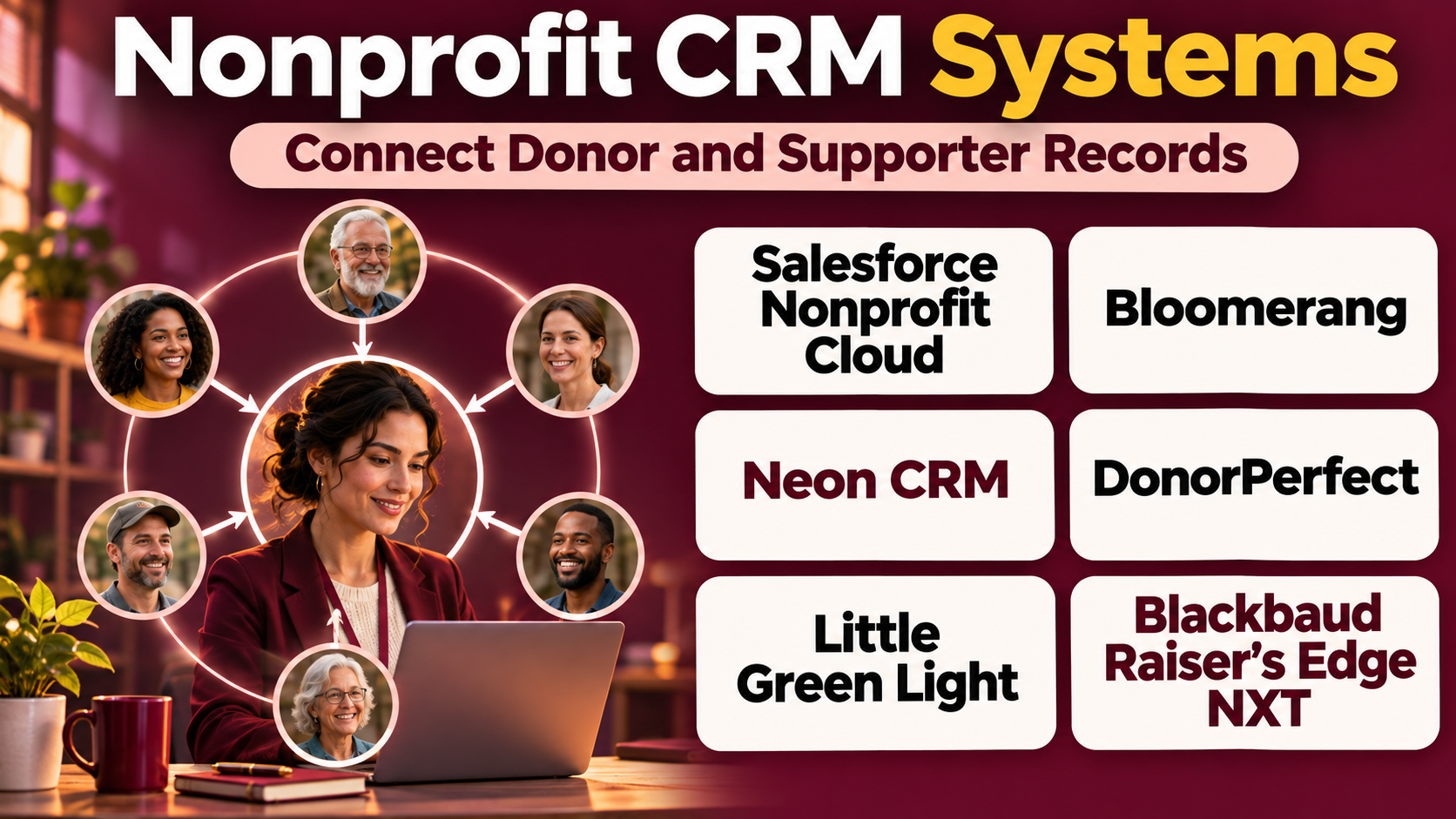
Nonprofit customer relationship management systems, commonly called nonprofit CRMs, address these challenges by bringing constituent information into a centralized environment.
Unlike general business CRMs, nonprofit-oriented systems often include features designed for donations, fundraising campaigns, memberships, volunteer relationships, and charitable program administration.
Some solutions emphasize straightforward donor tracking, while others provide enterprise-level customization, automation, and analytics.
Choosing the right CRM requires understanding organizational goals, data complexity, fundraising processes, staff capabilities, and long-term technology requirements.
This guide compares ten established nonprofit CRM systems and provides practical guidance for selecting a solution that supports stronger constituent relationships.
What Are Nonprofit CRM Systems?
Nonprofit CRM systems are software platforms used to manage relationships between charitable organizations and their supporters.
The term CRM traditionally means customer relationship management.
In nonprofit environments, the concept extends to constituent relationship management because organizations interact with many types of stakeholders.
A constituent may be a donor, volunteer, member, beneficiary, event participant, or community partner.
Core Functions of Nonprofit CRM Systems
Constituent records: Maintaining organized profiles and interaction histories.
Donation tracking: Recording contributions and related fundraising information.
Donor segmentation: Grouping supporters according to relevant engagement characteristics.
Communication management: Coordinating email, outreach, and acknowledgments.
Campaign administration: Organizing fundraising initiatives and appeals.
Relationship tracking: Recording interactions, meetings, and follow-up activities.
Reporting: Measuring fundraising and constituent engagement.
Workflow automation: Reducing repetitive administrative tasks.
Integrations: Connecting fundraising, accounting, event, and other nonprofit systems.
Benefits of Nonprofit CRM Systems
A centralized CRM can help organizations understand supporter relationships more completely.
It reduces duplicate records, supports consistent communication, and provides a more reliable foundation for fundraising decisions.
For development teams, it improves visibility into donor histories and engagement.
For leadership, reporting can provide a clearer picture of fundraising performance and organizational activity.
However, successful CRM implementation requires accurate data, appropriate privacy controls, staff training, and consistent operating procedures.
Top 10 Nonprofit CRM Systems
1. Salesforce Nonprofit Cloud
Best For: Nonprofits requiring extensive customization and enterprise relationship management.
Short Description
Salesforce Nonprofit Cloud is a nonprofit-oriented solution within the broader Salesforce technology ecosystem.
It provides capabilities for managing constituent relationships, fundraising activities, and other nonprofit processes.
Salesforce is particularly relevant to organizations requiring flexible data structures, sophisticated workflows, and connections with multiple business systems.
Nonprofits can use the platform to organize supporter records, coordinate fundraising processes, and develop customized operational applications.
Its ecosystem includes reporting, automation, integration, and development capabilities.
This flexibility is valuable for complex organizations but can increase implementation effort.
Nonprofits should evaluate whether they have sufficient internal technical resources or implementation support to maintain a customized Salesforce environment.
Key Features
- Constituent management: Maintains supporter and organizational records.
- Fundraising management: Supports donation and development processes.
- Relationship tracking: Records interactions among constituents and organizations.
- Workflow automation: Supports configurable administrative processes.
- Reporting and dashboards: Provides organizational performance information.
- Custom data models: Supports specialized nonprofit requirements.
- Integration capabilities: Connects with supporting applications.
- Access controls: Helps manage user permissions.
- Platform ecosystem: Supports extensions and specialized solutions.
Benefits
Salesforce Nonprofit Cloud provides a flexible foundation for complex nonprofit operations.
Its customization capabilities can help organizations align CRM processes with their specific programs.
Pros
- Extensive customization.
- Broad technology ecosystem.
- Advanced workflow capabilities.
- Enterprise reporting.
- Strong integration potential.
- Supports complex constituent relationships.
Cons
- Implementation can be demanding.
- Technical expertise may be necessary.
- Customization increases maintenance requirements.
- Total ownership costs require planning.
- Staff training is important.
Use Cases
Large nonprofit networks: Organizations can coordinate supporter information across programs.
Complex fundraising operations: Development teams can manage detailed relationships.
Custom nonprofit workflows: Organizations can build processes aligned with specialized requirements.
Best Suited For: Nonprofits with complex needs and sufficient implementation resources.
2. Bloomerang
Best For: Donor retention and relationship-focused nonprofit fundraising.
Short Description
Bloomerang is a nonprofit CRM designed to help organizations manage donors, contributions, communications, and fundraising relationships.
Its approach emphasizes helping nonprofits understand supporter engagement and maintain consistent donor relationships.
The platform is particularly relevant to small and medium-sized organizations seeking a nonprofit-specific CRM without extensive custom development.
Bloomerang provides donor records, giving histories, segmentation, reporting, and communication-related capabilities.
Organizations can use it to identify recurring supporters, organize fundraising activities, and coordinate acknowledgments.
Its broader nonprofit software ecosystem may also support fundraising and volunteer management requirements.
However, buyers should review which capabilities are included in the selected product package.
Key Features
- Donor profiles: Maintains supporter information.
- Giving histories: Records charitable contributions.
- Donor segmentation: Groups supporters for relevant outreach.
- Engagement information: Helps teams understand supporter activity.
- Communication tools: Supports donor contact workflows.
- Fundraising reports: Provides contribution analysis.
- Acknowledgment workflows: Supports donor recognition.
- Campaign management: Organizes fundraising activity.
- Nonprofit integrations: Connects with related fundraising services.
Benefits
Bloomerang can help nonprofits build more consistent donor engagement processes.
Its nonprofit-specific design reduces the need to adapt a general sales CRM to common fundraising workflows.
Pros
- Designed for nonprofits.
- Donor retention focus.
- Useful giving histories.
- Segmentation capabilities.
- Fundraising reporting.
- Relevant to growing organizations.
Cons
- Costs depend on product scope.
- Advanced requirements may need integrations.
- Data migration requires preparation.
- Some organizations may need deeper customization.
- Staff adoption affects value.
Use Cases
Annual giving programs: Teams can monitor repeat contributions.
Donor communication: Organizations can segment outreach.
Fundraising administration: Staff can maintain organized supporter records.
Best Suited For: Small and medium-sized nonprofits prioritizing donor relationships.
3. Blackbaud Raiser’s Edge NXT
Best For: Enterprise fundraising and complex donor relationship management.
Short Description
Blackbaud Raiser’s Edge NXT is a fundraising CRM designed for nonprofit organizations with established development operations.
It is particularly relevant to universities, foundations, healthcare fundraising organizations, and large charities.
The platform supports detailed constituent records, gift histories, fundraising campaigns, and development workflows.
Organizations can use it to manage complex donor relationships and coordinate fundraising activities across teams.
Its structured approach is valuable when organizations need extensive reporting and consistent administrative controls.
However, the platform may require significant implementation, training, and data management resources.
Key Features
- Constituent database: Maintains detailed supporter records.
- Gift management: Tracks contributions and related information.
- Fundraising campaigns: Organizes appeals and development initiatives.
- Relationship management: Records donor interactions.
- Prospect management: Supports major gift fundraising activities.
- Reporting: Provides fundraising performance information.
- Acknowledgments: Supports donor communication.
- Administrative controls: Helps maintain structured processes.
- Integrations: Connects with supporting nonprofit systems.
Benefits
Raiser’s Edge NXT can support complex fundraising operations requiring detailed donor histories and administrative consistency.
Its capabilities are particularly relevant to organizations with specialized development teams.
Pros
- Comprehensive fundraising CRM.
- Detailed constituent records.
- Major gift support.
- Enterprise reporting.
- Structured development workflows.
- Relevant to institutional fundraising.
Cons
- Implementation complexity.
- Training requirements.
- Higher potential ownership costs.
- Data migration challenges.
- May exceed smaller nonprofit needs.
Use Cases
University advancement: Institutions can manage alumni and donor relationships.
Major gifts: Development officers can coordinate prospect engagement.
Foundation fundraising: Teams can organize complex contribution records.
Best Suited For: Large nonprofits and institutional development departments.
4. Neon CRM
Best For: Growing nonprofits requiring fundraising, membership, and constituent management.
Short Description
Neon CRM is a nonprofit relationship management platform designed to help organizations manage donors, memberships, events, and related engagement activities.
Its nonprofit orientation makes it relevant to organizations with multiple types of constituent relationships.
Rather than focusing exclusively on financial contributions, Neon CRM supports broader nonprofit operational needs.
Organizations can use the platform to maintain supporter records, organize fundraising campaigns, administer memberships, and coordinate events.
This combination is useful for community organizations, associations, and nonprofits that engage supporters through several channels.
However, buyers should evaluate which features are included in their selected subscription.
Key Features
- Constituent records: Maintains supporter profiles.
- Donation tracking: Organizes giving histories.
- Membership management: Supports membership-related workflows.
- Event administration: Helps coordinate nonprofit events.
- Communication tools: Supports constituent outreach.
- Fundraising campaigns: Organizes donation initiatives.
- Reporting: Provides nonprofit performance insights.
- Workflow automation: Reduces repetitive tasks.
- Integrations: Connects with relevant services.
Benefits
Neon CRM can help organizations manage multiple constituent relationships without relying on separate disconnected databases.
Its combination of fundraising and membership functionality is useful for community-oriented nonprofits.
Pros
- Nonprofit-specific functionality.
- Donation and membership management.
- Event capabilities.
- Centralized constituent records.
- Useful reporting.
- Relevant to growing organizations.
Cons
- Feature availability varies by plan.
- Setup requires data organization.
- Complex workflows may need configuration.
- Integrations require evaluation.
- Staff training may be necessary.
Use Cases
Membership nonprofits: Organizations can administer members and donations.
Community associations: Teams can coordinate events and supporters.
Growing charities: Nonprofits can centralize fundraising and engagement.
Best Suited For: Organizations managing donations, memberships, and events together.
5. DonorPerfect
Best For: Detailed donor administration and fundraising operations.
Short Description
DonorPerfect is nonprofit fundraising CRM software focused on managing donors, contributions, campaigns, and related administrative workflows.
It provides a structured environment for maintaining supporter information and tracking fundraising activity.
The platform is particularly useful for organizations that require detailed gift records and consistent donor communication.
Development teams can use DonorPerfect to organize donor histories, create reports, and coordinate fundraising activities.
Its established nonprofit focus makes it relevant to organizations with recurring fundraising programs.
However, buyers should consider configuration requirements and the effort involved in migrating existing donor data.
Key Features
- Donor database: Centralizes supporter information.
- Gift records: Tracks charitable contributions.
- Campaign management: Organizes fundraising initiatives.
- Donor segmentation: Supports targeted communication.
- Acknowledgment workflows: Helps prepare donor recognition.
- Recurring gift administration: Supports ongoing contributions.
- Reporting: Provides fundraising analysis.
- Workflow automation: Supports repeated administrative tasks.
- Integration options: Connects with selected nonprofit tools.
Benefits
DonorPerfect can improve consistency across fundraising records and donor communication.
Its reporting capabilities help development teams evaluate giving patterns and campaign outcomes.
Pros
- Detailed donation records.
- Nonprofit fundraising focus.
- Useful segmentation.
- Campaign administration.
- Reporting capabilities.
- Supports recurring giving.
Cons
- Configuration requires planning.
- Advanced workflows may need training.
- Costs vary by service arrangement.
- Data migration can be time-consuming.
- Some integrations require additional setup.
Use Cases
Established fundraising teams: Organizations can manage multiple campaigns.
Recurring donor programs: Teams can monitor ongoing contributions.
Development reporting: Staff can prepare fundraising performance reports.
Best Suited For: Nonprofits needing detailed donor and gift administration.
6. Virtuous
Best For: Personalized donor engagement and fundraising automation.
Short Description
Virtuous is a nonprofit CRM and fundraising platform focused on helping organizations build stronger donor relationships through data-informed engagement.
Its approach emphasizes understanding supporter behavior and coordinating relevant communication.
The platform supports donor records, fundraising workflows, automation, and engagement-related analysis.
Virtuous is particularly relevant to organizations seeking to move beyond generic donor communication.
Fundraising teams can use constituent information to create more relevant outreach and follow-up activities.
However, effective personalization requires reliable data and careful communication practices.
Key Features
- Donor relationship management: Maintains supporter information.
- Giving histories: Records charitable contributions.
- Donor segmentation: Organizes supporters into relevant groups.
- Marketing automation: Supports communication workflows.
- Fundraising campaigns: Coordinates development activities.
- Engagement insights: Helps analyze supporter interactions.
- Reporting: Provides fundraising information.
- Workflow management: Supports administrative processes.
- Integration capabilities: Connects with relevant nonprofit technology.
Benefits
Virtuous can help nonprofits communicate with donors based on their interests and engagement histories.
Its automation capabilities can reduce repetitive outreach administration.
Pros
- Donor engagement focus.
- Communication automation.
- Segmentation capabilities.
- Fundraising workflows.
- Useful relationship insights.
- Supports personalized outreach.
Cons
- Requires accurate supporter data.
- Automation needs careful configuration.
- Costs may exceed basic CRM tools.
- Staff training may be necessary.
- Overly frequent outreach can reduce engagement.
Use Cases
Donor retention: Teams can coordinate relevant follow-up.
Fundraising communication: Organizations can create segmented campaigns.
Recurring giving: Staff can maintain ongoing donor relationships.
Best Suited For: Nonprofits prioritizing personalized fundraising communication.
7. Little Green Light
Best For: Small and medium-sized nonprofits seeking practical donor CRM functionality.
Short Description
Little Green Light is donor management software designed for nonprofit organizations seeking a straightforward way to maintain constituent records and fundraising information.
Its focus is practical donor administration rather than extensive enterprise customization.
Organizations can use the platform to record donations, maintain supporter profiles, organize communications, and generate fundraising reports.
Little Green Light is particularly relevant to smaller development teams that need reliable CRM functionality without complex infrastructure.
Its accessible approach can help organizations move away from spreadsheets.
However, nonprofits with extensive enterprise workflows or highly specialized requirements may need more configurable systems.
Key Features
- Donor records: Maintains supporter profiles.
- Gift tracking: Records charitable contributions.
- Communication history: Helps document donor interactions.
- Acknowledgments: Supports donor recognition.
- Fundraising reports: Provides contribution analysis.
- Constituent segmentation: Organizes supporter groups.
- Campaign tracking: Supports fundraising initiatives.
- Data import and export: Helps manage information exchange.
- Administrative tools: Supports daily development operations.
Benefits
Little Green Light can provide smaller nonprofits with a structured donor database without requiring extensive technical resources.
Its focused functionality supports essential fundraising administration.
Pros
- Practical nonprofit CRM.
- Suitable for small teams.
- Donor and gift tracking.
- Useful reporting.
- Supports acknowledgments.
- Straightforward operational focus.
Cons
- Less extensive enterprise customization.
- Some workflows may require integrations.
- Advanced automation needs should be evaluated.
- Data migration still requires care.
- Not every complex nonprofit program is covered.
Use Cases
Small charity development: Teams can organize donor records.
Annual appeals: Organizations can track contributions and acknowledgments.
Donor reporting: Staff can prepare fundraising summaries.
Best Suited For: Small and medium-sized nonprofits seeking focused donor management.
8. Keela
Best For: Donor relationship management and fundraising workflows for growing nonprofits.
Short Description
Keela is nonprofit CRM software designed to help charitable organizations organize donor information, fundraising activity, and supporter communication.
Its platform focuses on practical relationship management and fundraising administration.
Organizations can use Keela to maintain donor records, track contributions, organize campaigns, and coordinate outreach.
The platform is particularly relevant to growing nonprofits seeking to improve their fundraising processes.
Keela’s combination of donor management and engagement tools can reduce reliance on disconnected applications.
However, organizations should evaluate available features and integrations against their existing fundraising operations.
Key Features
- Donor profiles: Maintains supporter information.
- Donation tracking: Records contribution history.
- Fundraising campaigns: Organizes giving initiatives.
- Contact segmentation: Supports targeted outreach.
- Communication tools: Helps coordinate supporter messages.
- Fundraising reporting: Provides performance information.
- Workflow organization: Supports administrative tasks.
- Online fundraising connections: Supports digital giving workflows.
- Constituent engagement: Helps maintain supporter relationships.
Benefits
Keela can help growing nonprofits centralize donor information and establish more consistent fundraising workflows.
Its nonprofit focus supports organizations without extensive CRM administration teams.
Pros
- Designed for nonprofit fundraising.
- Centralized donor information.
- Communication capabilities.
- Campaign tracking.
- Useful reporting.
- Relevant to growing teams.
Cons
- Features depend on selected plans.
- Integration requirements vary.
- Advanced enterprise needs may require other systems.
- Data quality affects reporting.
- Implementation still requires staff training.
Use Cases
Growing fundraising programs: Nonprofits can organize supporter records.
Donor communication: Teams can coordinate outreach.
Campaign management: Organizations can monitor fundraising activity.
Best Suited For: Growing nonprofits seeking connected donor management and fundraising workflows.
9. Bonterra EveryAction
Best For: Nonprofit fundraising, engagement, and advocacy-oriented constituent management.
Short Description
Bonterra EveryAction is nonprofit technology designed to support fundraising, supporter engagement, and related organizational activities.
It is particularly relevant to organizations that combine fundraising with advocacy, outreach, and community mobilization.
The platform provides constituent management capabilities alongside communication and engagement tools.
Organizations can use it to maintain supporter information and coordinate fundraising and outreach activities.
Its broader engagement orientation distinguishes it from donor databases focused only on gift tracking.
However, buyers should verify current product packaging and the capabilities included within Bonterra’s offerings.
Key Features
- Constituent management: Maintains supporter information.
- Fundraising records: Supports donation-related workflows.
- Communication tools: Helps coordinate outreach.
- Supporter segmentation: Organizes audiences.
- Campaign administration: Supports fundraising and engagement initiatives.
- Advocacy-related capabilities: Supports selected mobilization activities.
- Workflow automation: Reduces repetitive communication tasks.
- Reporting: Provides campaign and engagement information.
- Integration options: Connects with supporting systems.
Benefits
EveryAction can help nonprofits coordinate fundraising and broader supporter engagement within a connected environment.
This is useful for organizations whose relationships extend beyond financial contributions.
Pros
- Fundraising and engagement capabilities.
- Relevant to advocacy organizations.
- Constituent records.
- Communication workflows.
- Campaign coordination.
- Supports broader supporter relationships.
Cons
- Product packaging requires verification.
- Implementation can be complex.
- Costs depend on selected capabilities.
- Data governance requires planning.
- May exceed simple donor database needs.
Use Cases
Advocacy nonprofits: Organizations can coordinate supporter engagement.
Fundraising campaigns: Teams can manage contributions and outreach.
Community mobilization: Organizations can communicate with supporter groups.
Best Suited For: Nonprofits combining fundraising with advocacy and engagement.
10. CiviCRM
Best For: Open-source constituent management and organizations seeking technical control.
Short Description
CiviCRM is an open-source constituent relationship management system designed for nonprofit and civic organizations.
It provides capabilities for managing contacts, contributions, memberships, events, and communication.
Unlike proprietary hosted CRM products, CiviCRM offers organizations greater control over software deployment and customization.
It is particularly relevant to nonprofits with technical resources or access to experienced implementation partners.
Organizations can configure CiviCRM to support specialized constituent management requirements.
Its open-source model can reduce dependence on a single proprietary software vendor, although hosting, maintenance, development, and support still create costs.
Key Features
- Contact management: Maintains constituent information.
- Contribution tracking: Records donations.
- Membership management: Supports member-related processes.
- Event registration: Helps administer activities.
- Communication tools: Supports constituent outreach.
- Reporting: Provides organizational data analysis.
- Custom fields: Supports specialized information requirements.
- Open-source extensibility: Allows technical customization.
- Website integration: Supports selected content management environments.
Benefits
CiviCRM provides flexibility for organizations that want greater control over their constituent management technology.
Its broad nonprofit functionality can support multiple operational processes.
Pros
- Open-source software.
- Customizable data structures.
- Donation and membership support.
- Event capabilities.
- Flexible deployment options.
- Relevant to technically capable nonprofits.
Cons
- Requires technical administration.
- Hosting and maintenance costs remain.
- Customization increases support requirements.
- User experience depends on implementation.
- Security updates must be managed.
Use Cases
Membership organizations: Teams can administer members and contributions.
Community nonprofits: Organizations can maintain constituent records.
Custom nonprofit systems: Technical teams can adapt CRM workflows.
Best Suited For: Nonprofits seeking open-source flexibility and willing to manage technical responsibilities.
Nonprofit CRM Systems Comparison Table
| Platform | Primary Strength | Best For | Main Limitation |
|---|---|---|---|
| Salesforce Nonprofit Cloud | Customization | Complex enterprises | Implementation effort |
| Bloomerang | Donor retention | Growing nonprofits | Product costs |
| Raiser’s Edge NXT | Enterprise fundraising | Large institutions | Complexity |
| Neon CRM | Membership and fundraising | Community nonprofits | Plan-dependent features |
| DonorPerfect | Gift management | Established fundraising teams | Configuration |
| Virtuous | Personalized engagement | Donor-focused organizations | Automation setup |
| Little Green Light | Practical donor CRM | Small nonprofits | Limited enterprise depth |
| Keela | Connected fundraising | Growing charities | Integration considerations |
| Bonterra EveryAction | Fundraising and advocacy | Engagement organizations | Product complexity |
| CiviCRM | Open-source flexibility | Technical nonprofits | Maintenance responsibility |
How to Choose the Best Nonprofit CRM System
Step 1: Identify Constituent Types
Determine whether the CRM must manage donors, volunteers, members, beneficiaries, partners, or several groups.
Step 2: Define Core Processes
Document donation management, communications, events, memberships, fundraising campaigns, and reporting requirements.
Step 3: Assess Data Quality
Review existing spreadsheets and databases for duplicates, missing information, and inconsistent records.
Step 4: Evaluate Customization
Choose a platform with enough flexibility for actual requirements without introducing unnecessary technical complexity.
Step 5: Review Communication Tools
Consider segmentation, acknowledgments, email integrations, and outreach history.
Step 6: Assess Fundraising Capabilities
Review gift tracking, recurring donations, pledges, campaigns, and development workflows.
Step 7: Examine Integrations
Important connections may include donation platforms, accounting, email, volunteer management, and event software.
Step 8: Evaluate Privacy and Security
Review access permissions, data retention, audit capabilities, and applicable privacy requirements.
Step 9: Compare Total Ownership Costs
Consider subscriptions, implementation, data migration, training, integrations, and ongoing support.
Step 10: Conduct a Pilot
Test real constituent records, donation workflows, reporting, and communication processes before full deployment.
Best Nonprofit CRM Systems by User Type
| User Type | Recommended Platform | Reason |
|---|---|---|
| Large customizable nonprofit | Salesforce Nonprofit Cloud | Flexible enterprise platform |
| Donor retention team | Bloomerang | Relationship-focused fundraising |
| University development office | Raiser’s Edge NXT | Complex advancement operations |
| Membership nonprofit | Neon CRM | Membership and fundraising |
| Established fundraising department | DonorPerfect | Detailed gift management |
| Donor engagement team | Virtuous | Personalized communication |
| Small charity | Little Green Light | Practical donor administration |
| Growing nonprofit | Keela | Connected fundraising workflows |
| Advocacy organization | Bonterra EveryAction | Supporter engagement |
| Technical nonprofit | CiviCRM | Open-source customization |
Practical Example: Implementing a CRM for a Growing Nonprofit
Consider a nonprofit supporting educational programs across five communities.
The organization has 8,000 supporter records distributed across spreadsheets, an online donation platform, and an email marketing service.
Step 1: Audit Existing Information
The nonprofit reviews donor records, contact information, communication preferences, and contribution histories.
Step 2: Define CRM Objectives
The organization wants centralized records, improved donor segmentation, reliable reporting, and consistent acknowledgments.
Step 3: Compare Platforms
The team evaluates Bloomerang, Neon CRM, and Salesforce Nonprofit Cloud.
It considers administrative capacity, integration requirements, and implementation costs.
Step 4: Clean Existing Data
Duplicate records are identified, inconsistent fields are standardized, and outdated information is reviewed.
Step 5: Design Constituent Categories
The organization defines donors, volunteers, event participants, partners, and program supporters.
Step 6: Configure Fundraising Workflows
Donation records are connected with campaigns, acknowledgments, and reporting categories.
Step 7: Establish Access Permissions
Staff receive access appropriate to their responsibilities.
Sensitive information is protected through defined policies.
Step 8: Migrate Data
The team imports records in stages and validates sample transactions.
Step 9: Train Staff
Fundraising, finance, and program teams learn how to maintain accurate constituent information.
Step 10: Monitor Adoption
Leadership reviews record completeness, duplicate rates, reporting accuracy, and staff usage.
Expected Outcome
The nonprofit gains a more consistent view of supporter relationships and fundraising activity.
Its success depends on accurate data, clear ownership of CRM processes, and continued staff participation.
Frequently Asked Questions
1. What is a nonprofit CRM?
A nonprofit CRM is software used to manage relationships with donors, volunteers, members, partners, and other supporters.
2. How is nonprofit CRM different from business CRM?
Nonprofit CRMs emphasize donations, constituent relationships, fundraising, memberships, and charitable engagement.
Business CRMs typically focus on sales opportunities and customer revenue.
3. Which nonprofit CRM is best for small charities?
Little Green Light, Bloomerang, Keela, and Neon CRM are relevant options.
The best choice depends on budget, donor volume, and required workflows.
4. Which nonprofit CRM is best for large organizations?
Salesforce Nonprofit Cloud and Blackbaud Raiser’s Edge NXT are relevant to complex enterprise requirements.
5. Can nonprofit CRMs track donations?
Yes. Most nonprofit-oriented CRMs provide donation records and giving histories.
6. Do nonprofit CRMs support volunteers?
Some systems support volunteer information directly or integrate with dedicated volunteer management software.
7. Can a nonprofit CRM manage memberships?
Certain platforms, including Neon CRM and CiviCRM, provide membership-related capabilities.
8. Is CiviCRM free?
CiviCRM is open-source software, but deployment, hosting, implementation, maintenance, and support may involve costs.
9. Can nonprofit CRMs integrate with accounting software?
Many systems support integrations or data exchange.
Compatibility should be verified before implementation.
10. How long does CRM implementation take?
Implementation time depends on data quality, customization, integrations, organizational size, and staff readiness.
11. What is donor segmentation?
Donor segmentation involves grouping supporters according to relevant characteristics, such as giving history, engagement, or communication preferences.
12. How can nonprofits measure CRM success?
Useful measures include data completeness, duplicate records, donor retention, reporting accuracy, staff adoption, and administrative efficiency.
13. Should nonprofits use a CRM and donation platform together?
This can be useful when a dedicated donation platform provides better payment experiences while the CRM manages broader supporter relationships.
14. How should organizations protect donor information?
Organizations should apply appropriate access controls, privacy policies, secure integrations, and data retention practices.
15. Can a nonprofit change CRM systems later?
Yes, although migration may require substantial planning.
Organizations should consider data export capabilities and integration dependencies before choosing a platform.
Final Thoughts
Nonprofit CRM systems provide a foundation for maintaining meaningful relationships with supporters.
Salesforce Nonprofit Cloud offers extensive customization, while Raiser’s Edge NXT supports complex institutional fundraising.
Bloomerang, DonorPerfect, Virtuous, and Keela focus on donor relationships and fundraising workflows.
Neon CRM combines constituent management with membership and event capabilities.
Little Green Light provides practical donor administration for smaller organizations, while Bonterra EveryAction supports broader engagement activities.
CiviCRM offers an open-source alternative for organizations seeking technical flexibility.
The best nonprofit CRM is not necessarily the system with the most features.
It is the platform that supports the organization’s actual processes, fits its technical capacity, protects constituent information, and provides reliable insight into supporter relationships.
With careful implementation and ongoing data management, a nonprofit CRM can help organizations spend less time managing fragmented information and more time advancing their mission.