Introduction
Charity auctions help nonprofit organizations raise funds while encouraging supporters to participate in memorable fundraising experiences.
Schools, community foundations, healthcare charities, cultural organizations, and nonprofit associations frequently use auctions to generate donations through items, experiences, and sponsorship packages.
However, running a successful auction requires much more than collecting bids.
Organizers must secure donated items, prepare descriptions, register participants, manage bidding, process payments, coordinate item fulfillment, and maintain accurate financial records.
Traditional paper bidding systems can create administrative delays and make it difficult to track auction activity.
Digital charity auction platforms simplify these processes by providing centralized tools for managing items, bidders, payments, and fundraising results.
Some solutions specialize in online silent auctions, while others support mobile bidding, live galas, ticketing, and integrated fundraising events.
Choosing the right platform depends on auction size, event format, volunteer resources, payment requirements, and budget.
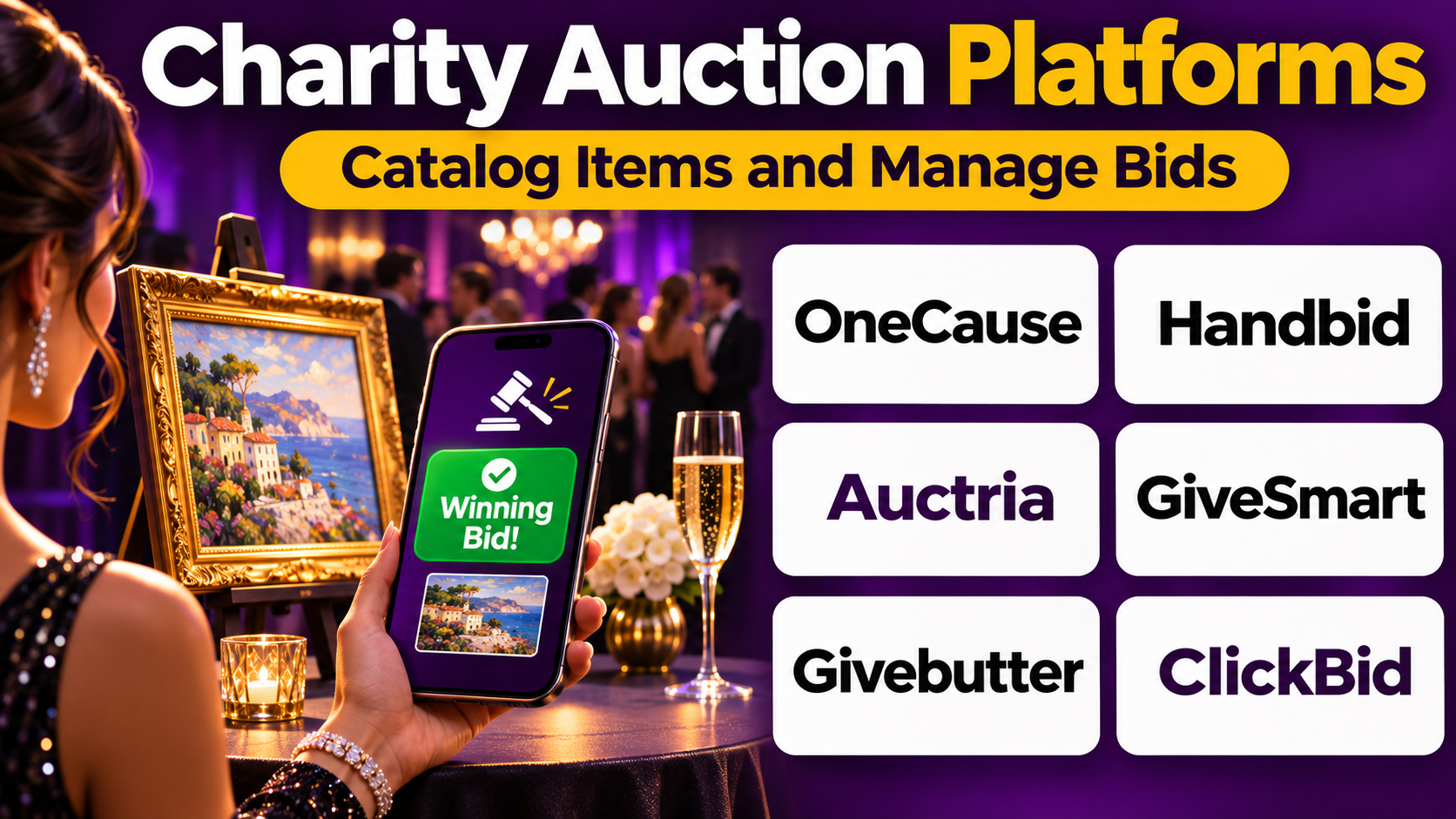
This guide compares ten charity auction platforms and explains how organizations can select technology that improves event administration and the supporter experience.
What Are Charity Auction Platforms?
Charity auction platforms are software applications used to organize and administer fundraising auctions.
They provide digital tools for listing items, registering bidders, accepting bids, recording winning offers, and coordinating payments.
Depending on the platform, organizations may also manage event tickets, sponsorships, donations, guest check-in, and post-event communications.
Types of Charity Auction Platforms
Online silent auction platforms: Allow participants to submit bids through web-based interfaces.
Mobile bidding platforms: Enable guests to participate through smartphones.
Live auction systems: Support auctioneers and event staff during in-person bidding.
Hybrid auction platforms: Combine online participation with physical events.
Integrated fundraising event systems: Connect auctions with ticketing, donations, sponsorships, and event management.
Benefits of Charity Auction Software
- Centralized auction item records.
- Easier bidder registration.
- Reduced paper administration.
- More convenient mobile participation.
- Automated bid notifications.
- Clearer winning-bid records.
- Faster payment coordination.
- Better fundraising reporting.
- Improved post-event reconciliation.
Software does not guarantee higher fundraising revenue. Auction results depend on item quality, supporter interest, event planning, and effective communication.
Top 10 Charity Auction Platforms
1. OneCause
Best For: Established nonprofits organizing complex fundraising galas and auctions.
Short Description
OneCause is a nonprofit fundraising technology platform with capabilities for charity auctions, fundraising events, and supporter engagement.
Its auction tools are particularly relevant to organizations running large in-person events that require coordinated registration, bidding, donations, and payment processing.
OneCause supports silent auctions, mobile bidding, and related fundraising activities.
Organizations can use it to prepare auction catalogs, register participants, coordinate bidding, and manage event-related transactions.
Its broader fundraising capabilities are useful for charities that organize multiple events throughout the year.
However, the platform may involve more implementation effort and expense than smaller organizations need for a single online auction.
Key Features
- Auction item management: Organizes donated items, descriptions, images, and bidding information.
- Mobile bidding: Enables guests to participate through supported mobile experiences.
- Silent auction workflows: Supports digital bidding during fundraising events.
- Event registration: Helps coordinate guest participation.
- Fundraising donations: Supports contributions alongside auction activity.
- Payment administration: Helps process winning bids and related transactions.
- Bid notifications: Keeps participants informed about relevant auction activity.
- Event reporting: Provides fundraising and participation information.
- Supporter records: Maintains information useful for post-event engagement.
Benefits
OneCause can help established nonprofits coordinate complex auctions within broader fundraising events.
It reduces the number of disconnected systems required to manage guests, bidding, and payments.
Pros
- Comprehensive event fundraising capabilities.
- Mobile bidding support.
- Suitable for complex galas.
- Integrated donation workflows.
- Event registration tools.
- Useful fundraising reports.
Cons
- May be costly for small auctions.
- Implementation requires planning.
- Staff and volunteer training is important.
- Feature packages need evaluation.
- Complex event workflows require testing.
Use Cases
Annual charity galas: Organizations can coordinate guests, auction items, and donations.
Large silent auctions: Participants can bid digitally.
Multi-event fundraising: Development teams can maintain consistent event processes.
Best Suited For: Established nonprofits with dedicated fundraising event teams.
2. GiveSmart
Best For: Charity galas requiring mobile bidding, event administration, and supporter engagement.
Short Description
GiveSmart provides fundraising event technology used by nonprofit organizations to coordinate auctions, donations, and related activities.
Its capabilities are particularly relevant to fundraising galas and events involving many guests and auction items.
Organizations can use GiveSmart to manage bidding, communicate with participants, and collect payments.
Its event-oriented approach helps connect auction administration with other fundraising activities.
GiveSmart is useful when an organization needs structured event workflows rather than a simple online item listing service.
However, buyers should confirm current packages, implementation requirements, and integrations before selecting the platform.
Key Features
- Mobile bidding: Supports smartphone participation.
- Auction catalogs: Organizes items and descriptions.
- Event registration: Helps manage attendees.
- Donation collection: Supports event-related contributions.
- Guest communication: Coordinates important updates.
- Auction tracking: Records bidding activity.
- Payment workflows: Supports checkout and transaction administration.
- Fundraising reporting: Provides event results.
- Supporter information: Maintains relevant participant records.
Benefits
GiveSmart helps nonprofits coordinate auction activity and event fundraising in a connected environment.
This can improve administrative consistency and reduce manual reconciliation.
Pros
- Strong event fundraising orientation.
- Mobile bidding.
- Auction management.
- Donation capabilities.
- Guest communication.
- Useful event reporting.
Cons
- Costs require evaluation.
- Event configuration can be demanding.
- Staff training may be necessary.
- Some capabilities depend on selected packages.
- May exceed basic online auction needs.
Use Cases
Fundraising galas: Teams can coordinate bidding and donations.
Silent auction events: Guests can participate digitally.
Annual nonprofit events: Organizations can maintain repeatable event processes.
Best Suited For: Nonprofits running established fundraising events.
3. Handbid
Best For: Mobile-first charity auctions and interactive bidding experiences.
Short Description
Handbid is auction software focused on helping organizations conduct fundraising auctions through mobile bidding.
Its approach emphasizes convenient bidder participation and event administration.
Nonprofits can use Handbid to create auction catalogs, register participants, and manage bidding activity.
The platform is particularly relevant to silent auctions where guests are encouraged to bid throughout an event.
Mobile notifications can help participants stay informed about auction activity.
However, organizations should test the bidding experience with their expected audience and evaluate whether the platform meets their ticketing, donor management, and financial requirements.
Key Features
- Mobile bidding: Supports smartphone-based auction participation.
- Auction catalog management: Organizes items and bidding information.
- Bid notifications: Alerts participants to relevant activity.
- Bidder registration: Maintains participant details.
- Silent auction administration: Coordinates digital bidding.
- Payment processing: Supports winning-bid transactions.
- Event fundraising: Connects bidding with selected donation workflows.
- Auction dashboards: Provides event activity visibility.
- Reporting: Summarizes auction results.
Benefits
Handbid can improve the convenience of participating in a charity auction.
Its mobile-oriented approach reduces reliance on paper bidding sheets.
Pros
- Mobile bidding specialization.
- Convenient participant experience.
- Bid notifications.
- Digital item catalogs.
- Auction reporting.
- Relevant to interactive events.
Cons
- Costs require review.
- Mobile participation may challenge some guests.
- Event setup requires preparation.
- Integration requirements vary.
- Internet connectivity is important.
Use Cases
Mobile silent auctions: Guests can bid from their devices.
Hybrid fundraising events: Participants can engage digitally.
Community galas: Organizers can reduce paper bidding.
Best Suited For: Organizations prioritizing mobile bidder participation.
4. Auctria
Best For: Small and medium-sized nonprofits seeking practical auction administration.
Short Description
Auctria is charity auction software designed to help organizations organize fundraising auctions and related event activities.
It provides tools for managing auction items, participants, bidding, and payments.
Auctria is particularly relevant to volunteer-led organizations that need a structured auction system without extensive enterprise infrastructure.
Teams can use it to maintain item catalogs, prepare bidding information, and coordinate auction administration.
Its capabilities can support different auction formats depending on configuration.
However, organizations should evaluate the available plan, transaction arrangements, and event requirements before adoption.
Key Features
- Item catalog management: Organizes auction lots.
- Bidder records: Maintains participant information.
- Online bidding: Supports digital auction participation.
- Silent auction workflows: Coordinates auction activity.
- Event administration: Supports fundraising event processes.
- Payment records: Helps manage winning bids.
- Donor information: Records relevant item donors and participants.
- Auction reporting: Summarizes results.
- Administrative tools: Helps volunteers coordinate event tasks.
Benefits
Auctria provides a practical environment for organizing auction details that might otherwise be scattered across spreadsheets.
Pros
- Dedicated auction functionality.
- Item management.
- Suitable for volunteer committees.
- Multiple auction workflows.
- Useful reporting.
- Relevant to smaller nonprofits.
Cons
- Plan limitations require evaluation.
- Advanced enterprise needs may exceed its scope.
- Payment arrangements vary.
- Volunteers still need training.
- Event configuration requires care.
Use Cases
School fundraising: Committees can organize donated items.
Community auctions: Teams can manage bidders and payments.
Annual nonprofit events: Organizers can repeat established workflows.
Best Suited For: Budget-conscious nonprofits and volunteer-led auction teams.
5. Greater Giving
Best For: Established nonprofits requiring auction, registration, and event payment workflows.
Short Description
Greater Giving provides fundraising event technology for nonprofit organizations.
Its capabilities include auction administration, event registration, and payment-related workflows.
The platform is relevant to organizations running established galas or events where guest registration and financial administration are closely connected.
Teams can use Greater Giving to coordinate attendee information, auction activity, and event transactions.
Its event administration focus is useful when organizations need a structured process from registration through checkout.
However, implementation effort, equipment needs, and commercial arrangements should be evaluated carefully.
Key Features
- Auction management: Organizes fundraising items.
- Event registration: Maintains guest information.
- Mobile bidding: Supports digital participation.
- Payment administration: Coordinates event transactions.
- Guest check-in: Supports arrival workflows.
- Donation collection: Records event contributions.
- Event reporting: Provides financial and participation summaries.
- Supporter records: Maintains relevant guest information.
- Fundraising administration: Connects multiple event processes.
Benefits
Greater Giving can help nonprofits manage auction events through coordinated registration, bidding, and payment processes.
Pros
- Comprehensive event administration.
- Auction and payment tools.
- Guest registration.
- Mobile bidding.
- Event reporting.
- Relevant to established nonprofits.
Cons
- Commercial costs may be significant.
- Training requirements.
- Setup complexity.
- Hardware or support requirements may vary.
- May be excessive for small online auctions.
Use Cases
Large galas: Organizations can coordinate guests and payments.
Fundraising dinners: Teams can combine event participation and donations.
Annual auctions: Staff can maintain repeatable processes.
Best Suited For: Established nonprofits managing complex fundraising events.
6. ClickBid
Best For: Nonprofits seeking mobile bidding and event fundraising tools.
Short Description
ClickBid provides charity auction software focused on mobile bidding and fundraising event administration.
It helps organizations create digital auction experiences and manage participant activity.
ClickBid is particularly relevant to nonprofits that want to move away from paper-based silent auctions.
Organizers can manage auction items, bidder registration, donations, and checkout workflows.
The platform can support in-person and online participation depending on event configuration.
However, nonprofits should verify package limits, payment arrangements, and available support before implementation.
Key Features
- Mobile bidding: Supports digital bids.
- Auction item listings: Organizes lots.
- Bidder registration: Maintains participant information.
- Donation collection: Supports additional fundraising.
- Auction notifications: Helps keep participants informed.
- Event administration: Coordinates fundraising workflows.
- Checkout: Supports winning-bid payments.
- Reporting: Provides auction results.
- Campaign customization: Supports event presentation.
Benefits
ClickBid can simplify silent auction participation and reduce manual bid administration.
Pros
- Mobile bidding focus.
- Auction catalog tools.
- Donation capabilities.
- Event workflows.
- Useful reporting.
- Supports digital participation.
Cons
- Costs depend on arrangements.
- Advanced needs require evaluation.
- Event setup takes time.
- Internet access matters.
- CRM integrations may be necessary.
Use Cases
Silent auction fundraisers: Guests can bid digitally.
Community charity events: Teams can coordinate donations.
Hybrid auctions: Organizers can support remote participation.
Best Suited For: Nonprofits seeking dedicated mobile auction software.
7. GalaBid
Best For: Digital charity auctions and fundraising events, particularly in supported international markets.
Short Description
GalaBid is a fundraising platform providing auction and event-related capabilities.
It supports digital bidding, fundraising campaigns, and selected additional event activities.
The platform is relevant to charities that want online auction participation without building custom systems.
GalaBid can support both in-person fundraising and digital participation.
Its availability in multiple markets makes it worth evaluating for organizations outside the United States.
However, organizations must verify regional payment arrangements, permitted fundraising activities, and current fee models.
Key Features
- Online auctions: Supports digital bidding.
- Silent auction management: Organizes items and offers.
- Mobile participation: Enables supported mobile bidding experiences.
- Donation collection: Supports fundraising contributions.
- Event ticketing: Helps administer selected events.
- Bid notifications: Supports participant engagement.
- Payment workflows: Facilitates eligible transactions.
- Campaign reporting: Provides fundraising information.
- Fundraising customization: Supports event-specific presentation.
Benefits
GalaBid can help charities run digital auction campaigns across different event formats.
Pros
- Online auction capabilities.
- Mobile-friendly participation.
- Donation functionality.
- Event-related tools.
- Relevant to international charities.
- Multiple commercial arrangements may be available.
Cons
- Regional availability varies.
- Fees require careful review.
- Legal requirements for fundraising activities differ.
- Advanced CRM functionality may require integrations.
- Event setup requires testing.
Use Cases
Charity dinners: Organizations can combine auctions and donations.
Online auctions: Supporters can bid remotely.
Community fundraising: Teams can administer digital campaigns.
Best Suited For: Charities seeking flexible auction formats in supported markets.
8. BiddingOwl
Best For: Smaller charities and schools running straightforward fundraising auctions.
Short Description
BiddingOwl provides auction management software for nonprofits and other fundraising organizers.
It supports online bidding and auction administration.
The platform is particularly relevant to smaller organizations that want to digitize fundraising auctions without adopting a complex enterprise event system.
Organizers can create item listings, manage bids, and coordinate auction results.
BiddingOwl can help volunteer teams replace paper-based auction records.
However, organizations should review the available fundraising formats, fee model, and checkout requirements.
Key Features
- Online auction listings: Displays items.
- Bidder registration: Organizes participants.
- Digital bidding: Records offers.
- Auction item management: Maintains lot information.
- Bid tracking: Provides auction activity records.
- Fundraising campaign administration: Supports charity auctions.
- Payment workflows: Helps coordinate transactions.
- Auction reporting: Summarizes results.
- Organizer tools: Supports event administration.
Benefits
BiddingOwl can make auction fundraising more accessible for organizations with limited administrative resources.
Pros
- Straightforward auction focus.
- Digital bidding.
- Item management.
- Suitable for small organizations.
- Volunteer-friendly workflows.
- Useful auction reporting.
Cons
- Advanced gala needs may require other tools.
- Fees need evaluation.
- Integration capabilities may be limited.
- Design flexibility varies.
- Event support requirements should be checked.
Use Cases
School auctions: Committees can list donated items.
Small charity events: Volunteers can manage bidding.
Community fundraising: Groups can organize online auctions.
Best Suited For: Small nonprofits and schools.
9. 32auctions
Best For: Simple online silent auctions.
Short Description
32auctions is an online auction platform focused on helping organizations and individuals run silent auctions.
Its relatively focused functionality makes it relevant to groups seeking a straightforward digital bidding experience.
Organizers can create auction listings, publish item information, and allow participants to submit bids online.
The platform is especially useful for small fundraising events that do not require extensive guest registration or gala management.
Its simpler approach can reduce setup effort.
However, larger organizations should evaluate item limits, optional features, payment arrangements, and reporting requirements.
Key Features
- Online silent auctions: Supports digital bidding.
- Item listings: Displays descriptions and images.
- Bidder participation: Enables online offers.
- Auction timing: Supports opening and closing periods.
- Bid records: Maintains bidding information.
- Auction sharing: Helps promote fundraising events.
- Winner identification: Supports auction closeout.
- Organizer administration: Maintains auction settings.
- Optional enhancements: Provides additional capabilities depending on plan.
Benefits
32auctions offers a focused approach to online silent auctions.
It is particularly useful when organizers do not need a full fundraising event management system.
Pros
- Straightforward silent auction functionality.
- Online participation.
- Simple item listings.
- Suitable for small events.
- Lower operational complexity.
- Useful for volunteer groups.
Cons
- Limited advanced event management.
- Plan limits may apply.
- Complex payment needs require review.
- Not a full nonprofit CRM.
- Less suitable for large galas.
Use Cases
Small school auctions: Parents can bid online.
Community fundraising: Groups can auction donated items.
Remote auctions: Supporters can participate without attending an event.
Best Suited For: Organizations running uncomplicated online silent auctions.
10. BetterWorld
Best For: Community nonprofits combining auctions with online donations.
Short Description
BetterWorld is a fundraising platform offering auction and donation tools.
Its auction functionality is relevant to community organizations seeking digital fundraising experiences.
Organizers can create auction campaigns, list donated items, and coordinate participant contributions.
The platform also supports broader fundraising activities, which can be useful when an auction is only one component of a campaign.
BetterWorld is particularly relevant to schools, local charities, and volunteer-led organizations.
However, organizations should review the fee model, reporting capabilities, and integration options before adoption.
Key Features
- Auction management: Organizes fundraising items.
- Online bidding: Supports digital participation.
- Donation campaigns: Collects contributions.
- Fundraising pages: Presents campaign information.
- Payment processing: Facilitates eligible transactions.
- Participant records: Maintains supporter information.
- Event-related workflows: Supports fundraising activities.
- Campaign reporting: Provides results.
- Administrative tools: Helps coordinate fundraising.
Benefits
BetterWorld can help community organizations manage auctions and donations through a connected fundraising environment.
Pros
- Auctions and donations.
- Community fundraising focus.
- Digital participation.
- Campaign administration.
- Useful for schools.
- Reporting capabilities.
Cons
- Enterprise event needs may exceed core functionality.
- Fees require evaluation.
- Advanced CRM needs may require integrations.
- Complex auctions need preparation.
- Feature availability can vary.
Use Cases
School auctions: Organizations can raise money through donated items.
Community charity events: Teams can combine bids and contributions.
Online fundraising campaigns: Nonprofits can coordinate digital giving.
Best Suited For: Community nonprofits seeking auction and donation tools.
Charity Auction Platforms Comparison Table
| Platform | Primary Strength | Best For | Main Limitation |
|---|---|---|---|
| OneCause | Full event fundraising | Large galas | Cost and complexity |
| GiveSmart | Auction event management | Established nonprofits | Implementation |
| Handbid | Mobile bidding | Interactive silent auctions | Mobile dependency |
| Auctria | Practical auction administration | Small and medium nonprofits | Plan limitations |
| Greater Giving | Registration and payments | Complex fundraising events | Ownership costs |
| ClickBid | Mobile auction workflows | Digital auctions | Package evaluation |
| GalaBid | Flexible auction formats | Supported international markets | Regional arrangements |
| BiddingOwl | Straightforward auctions | Schools and small charities | Enterprise depth |
| 32auctions | Simple online silent auctions | Small online events | Limited gala tools |
| BetterWorld | Auctions and donations | Community nonprofits | Advanced integrations |
How to Choose the Best Charity Auction Platform
Step 1: Define the Auction Format
Decide whether the event will be online, in-person, silent, live, or hybrid.
Step 2: Estimate Participation
Consider expected bidders, auction items, guests, and volunteers.
Step 3: Evaluate Mobile Bidding
Test bidder registration, item discovery, bid submission, notifications, and checkout.
Step 4: Review Item Management
Confirm support for item descriptions, photographs, donor details, starting bids, and restrictions.
Step 5: Examine Payment Workflows
Review payment processing, winning-bid collection, refunds, settlement schedules, and reconciliation.
Step 6: Assess Event Requirements
Determine whether ticketing, check-in, seating, sponsorships, and donations are necessary.
Step 7: Compare Total Costs
Include subscriptions, per-event fees, payment processing, equipment, support, and optional services.
Step 8: Consider Accessibility
Provide appropriate alternatives for guests who cannot or do not want to use mobile bidding.
Step 9: Review Reporting
Evaluate item performance, bidder activity, payments, and fundraising totals.
Step 10: Conduct a Trial
Test a sample auction with volunteers before the actual event.
Best Charity Auction Platforms by User Type
| User Type | Recommended Platform | Reason |
|---|---|---|
| Large nonprofit gala | OneCause | Comprehensive event workflows |
| Established fundraising event | GiveSmart | Auction and guest administration |
| Mobile-first auction | Handbid | Smartphone bidding |
| Volunteer-led nonprofit | Auctria | Practical item management |
| Complex event team | Greater Giving | Registration and payments |
| Digital silent auction | ClickBid | Mobile bidding workflows |
| International charity | GalaBid | Auction formats in supported markets |
| Small school fundraiser | BiddingOwl | Straightforward auction administration |
| Simple online auction | 32auctions | Focused silent auction tools |
| Community nonprofit | BetterWorld | Auctions and donations |
Practical Example: Organizing a Charity Gala Auction
Consider a nonprofit planning a fundraising gala for approximately 250 guests.
The event includes a silent auction, donated experiences, and an appeal for direct contributions.
Step 1: Establish Objectives
The team defines fundraising goals, event costs, and auction requirements.
Step 2: Create an Item Inventory
Volunteers collect descriptions, photographs, donor information, and relevant restrictions.
Step 3: Compare Platforms
The organization evaluates OneCause, GiveSmart, and Handbid.
Step 4: Configure the Auction
Staff create item listings, bidding rules, event information, and payment workflows.
Step 5: Test Registration
Volunteers simulate guest registration and bidding.
Step 6: Train Event Staff
The team practices bidder assistance, item questions, and checkout procedures.
Step 7: Launch the Auction
Guests receive clear instructions for participation.
Step 8: Monitor Activity
Organizers track bids, technical issues, and fundraising progress.
Step 9: Close Bidding
Winning bids are recorded according to the published auction rules.
Step 10: Reconcile Payments
Financial staff review transactions and outstanding balances.
Step 11: Coordinate Fulfillment
Winning bidders receive information about collecting or redeeming their items.
Step 12: Report Results
The organization reviews net proceeds, participation, and operational lessons.
Expected Outcome
The nonprofit gains a more coordinated auction experience with clearer records and fewer manual tasks.
The platform supports administration, while item quality, event preparation, and supporter relationships determine fundraising success.
Frequently Asked Questions
1. What is charity auction software?
Charity auction software helps organizations manage fundraising items, bidders, auction activity, payments, and reporting.
2. What is a silent auction?
A silent auction allows participants to submit bids during a defined period without a traditional live auctioneer calling every bid.
3. Can charity auctions be conducted online?
Yes. Many platforms support fully online auctions.
4. What is mobile bidding?
Mobile bidding allows participants to place bids through supported smartphone experiences.
5. Which platform is suitable for large galas?
OneCause, GiveSmart, and Greater Giving are relevant options for complex events.
6. Which platform is suitable for small schools?
Auctria, BiddingOwl, and 32auctions are worth evaluating.
7. Can auction software collect donations?
Many platforms support direct contributions in addition to auction bidding.
8. Does auction software process payments?
Many solutions provide payment integrations or transaction workflows, but arrangements vary.
9. Are charity auction platforms free?
Some offer free or low-direct-cost plans, but processing fees, optional contributions, and plan limits may apply.
10. Can participants bid remotely?
Online and hybrid auction systems can support remote participation.
11. What should organizers test before an event?
Registration, bidding, notifications, payments, reporting, and support procedures.
12. How should auction items be described?
Descriptions should clearly state the item, relevant conditions, restrictions, and fulfillment arrangements.
13. Can auction software integrate with a nonprofit CRM?
Some platforms offer integrations or data exports.
14. How should auction success be measured?
Useful measures include net proceeds, item participation, winning-bid collection, and operational costs.
15. What is the most important selection factor?
Choose a platform that matches the auction format, audience, budget, and event administration requirements.
Final Thoughts
Charity auction platforms help nonprofits coordinate bidding, payments, and event administration.
OneCause, GiveSmart, and Greater Giving support complex fundraising events.
Handbid and ClickBid emphasize mobile bidding, while Auctria and BiddingOwl offer practical auction administration.
GalaBid supports digital fundraising in selected markets, and 32auctions is relevant to straightforward online silent auctions.
BetterWorld combines auctions with broader donation capabilities.
The best platform depends on the organization’s auction format, event complexity, available staff, and financial requirements.
A carefully selected system can reduce administrative work and create a more convenient experience for supporters.