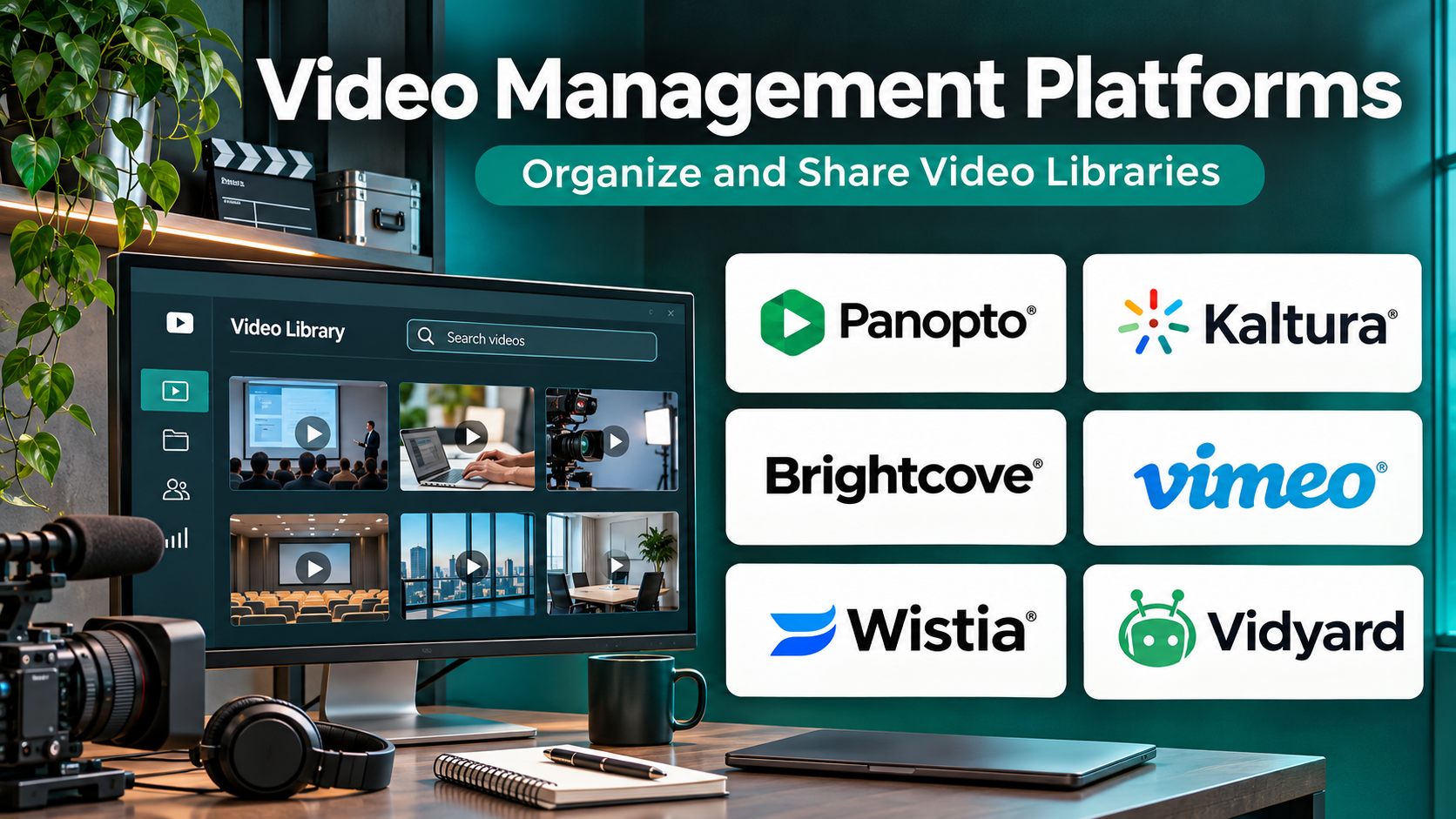
Introduction
Video has become an essential communication and information resource for businesses, educational institutions, media companies, and digital publishers. Organizations use videos for employee training, product demonstrations, customer education, marketing campaigns, virtual events, and internal knowledge sharing.
However, managing a growing collection of videos requires more than uploading files to cloud storage.
Organizations must organize content, control access, deliver reliable playback, track engagement, maintain accessibility, and manage video assets throughout their lifecycle.
Video management platforms bring these activities together within centralized systems.
Some platforms specialize in secure enterprise communication. Others focus on marketing performance, video monetization, educational content, or developer-controlled media delivery.
Selecting the right platform depends on the intended audience, content volume, security requirements, integration needs, and operational budget.
This guide compares ten established video management platforms, explains their major capabilities, and provides practical guidance for selecting software that supports both current requirements and future growth.
What Are Video Management Platforms?
Video management platforms are software systems that help organizations upload, store, organize, secure, publish, distribute, and analyze video content.
Unlike basic file storage services, these platforms typically provide specialized video capabilities such as adaptive streaming, metadata management, searchable libraries, video players, user permissions, engagement analytics, and integration interfaces.
An enterprise video management system may also support live broadcasting, automatic transcription, learning management integrations, and centralized governance.
How Video Management Platforms Work
A typical video management workflow involves several stages:
- Content ingestion: Users upload video files or capture recordings through integrated applications.
- Processing: The platform prepares videos for playback, sometimes generating multiple resolutions and formats.
- Organization: Administrators classify content using folders, tags, categories, and metadata.
- Access management: Permissions determine who can view, edit, publish, or share videos.
- Distribution: Content reaches viewers through embedded players, internal portals, applications, or streaming services.
- Analytics: Reporting tools measure views, engagement, completion, and audience behavior.
- Governance: Retention policies, ownership controls, and administrative workflows support long-term management.
The strongest platform is not necessarily the one with the most features. It is the one whose architecture and workflows match the organization’s video strategy.
Top 10 Video Management Platforms
1. Vimeo Enterprise
Best For: Organizations requiring branded video hosting, secure content management, collaboration, and professional live events.
Short Description
Vimeo Enterprise is a business-focused video platform that combines video hosting, content organization, distribution, collaboration, and audience analytics.
It extends Vimeo’s familiar video publishing environment with capabilities designed for organizations managing larger libraries and more complex access requirements.
Teams can create branded viewing experiences, share internal recordings, manage video permissions, and publish professional content without building a custom video infrastructure.
The platform is particularly relevant to corporate communications, marketing teams, training departments, and organizations that need a consistent video experience across internal and external audiences.
Its enterprise offering also addresses administration, integrations, and governance requirements that basic video hosting subscriptions may not satisfy.
Key Features
- Centralized video library: Stores and organizes videos in a shared environment, reducing scattered content and duplicate uploads.
- Customizable video player: Allows organizations to maintain consistent branding across embedded and hosted videos.
- Enterprise access controls: Supports centralized administration and controlled sharing of sensitive recordings.
- Live streaming: Enables broadcasts, company events, presentations, and interactive sessions.
- Video analytics: Provides engagement information to help teams understand viewing behavior.
- Collaboration tools: Supports review, feedback, and team-based video workflows.
- AI-assisted capabilities: Selected plans offer search and other intelligent content-management functions.
- Integrations and APIs: Connects video workflows with supported business applications and custom systems.
Benefits
Vimeo Enterprise reduces the need to operate separate systems for hosting, publishing, and video collaboration.
Its branded playback experience helps organizations deliver consistent content across websites and internal portals.
Centralized administration also makes it easier to manage access as teams and video libraries expand.
Pros
- Professional video presentation and branding.
- Familiar interface for nontechnical teams.
- Suitable for internal and external communication.
- Enterprise security and administration options.
- Integrated live-event and analytics capabilities.
Cons
- Advanced capabilities may require enterprise contracts.
- Not designed as a self-hosted media server.
- Less infrastructure-level control than developer-oriented media services.
- Some specialized workflows require integrations or additional products.
Use Cases
Corporate communications: Publish executive announcements, company updates, and internal broadcasts.
Marketing content: Manage product demonstrations, campaign videos, and branded website content.
Employee training: Organize instructional recordings and share learning resources with authorized users.
Professional events: Host live presentations and make recordings available afterward.
Best Suited For
Mid-sized and large organizations seeking a managed, professional video environment with enterprise administration and minimal infrastructure maintenance.
2. Kaltura
Best For: Enterprises, universities, and organizations requiring configurable video experiences and extensive integration capabilities.
Short Description
Kaltura provides a broad collection of video products and services covering video content management, live streaming, virtual events, educational video, and interactive experiences.
Its architecture is designed for organizations that need to incorporate video into established business systems rather than operate video as a separate publishing activity.
Educational institutions can connect video workflows with learning environments, while enterprises can use video portals for employee communication and knowledge sharing.
Kaltura also offers developer-oriented capabilities that allow organizations to create tailored video applications and workflows.
This flexibility makes it attractive for complex deployments, although implementation and administration may require more planning than simpler hosting services.
Key Features
- Video content management: Centralizes media assets, metadata, publishing, and administration.
- Video portals: Provides organized destinations for internal or external video audiences.
- Live broadcasting: Supports virtual events, webinars, and organizational streaming requirements.
- Learning integrations: Connects video content with supported learning management environments.
- Interactive video: Enables engagement-focused experiences and learning activities.
- Developer APIs: Allows custom integrations and video-enabled applications.
- Access management: Supports permissions and controlled distribution.
- Analytics: Helps administrators evaluate video consumption and engagement.
Benefits
Kaltura supports multiple video use cases through a configurable ecosystem.
Its integration capabilities reduce the need to maintain isolated video systems across departments.
Organizations can adapt video workflows to educational, corporate, and digital experience requirements.
Pros
- Broad enterprise video functionality.
- Strong suitability for educational environments.
- Extensive customization potential.
- Supports live and on-demand experiences.
- Useful for complex integrations.
Cons
- Implementation can be technically demanding.
- Product selection may require careful evaluation.
- Enterprise deployments can involve substantial configuration.
- Costs depend on products, scale, and contractual requirements.
Use Cases
Higher education: Deliver lecture recordings and course-related video content.
Enterprise training: Create centralized video learning environments.
Virtual events: Organize live sessions and distribute recorded presentations.
Custom video applications: Build integrated media experiences using APIs.
Best Suited For
Universities, large enterprises, and technical teams that prioritize configurability and integration over minimal setup.
3. Brightcove
Best For: Media organizations, publishers, and enterprises requiring professional video distribution and monetization capabilities.
Short Description
Brightcove is an enterprise video technology platform focused on hosting, managing, distributing, and measuring professional video content.
It is commonly considered by organizations delivering video to large audiences across websites, applications, and connected viewing environments.
The platform supports content operations that extend beyond basic hosting, including publishing workflows, player configuration, analytics, and selected monetization requirements.
Brightcove is particularly relevant when video contributes directly to audience engagement, advertising revenue, subscription services, or digital media distribution.
Its enterprise orientation makes it suitable for sophisticated video operations, but smaller teams may find the implementation and commercial arrangements more involved than necessary.
Key Features
- Video content management: Organizes media assets and publishing workflows.
- Adaptive streaming: Delivers playback formats suited to different network conditions.
- Custom video players: Supports branded viewing experiences.
- Audience analytics: Measures video consumption and engagement.
- Live streaming: Supports real-time video distribution.
- Monetization capabilities: Helps publishers support commercial video models.
- API integration: Connects video services with websites and applications.
- Security controls: Supports protected delivery and enterprise governance requirements.
Benefits
Brightcove brings video publishing, distribution, and measurement into a coordinated environment.
It can reduce operational complexity for media businesses managing significant content volumes.
Its analytics and commercial video capabilities support organizations treating video as a core digital product.
Pros
- Strong enterprise video infrastructure.
- Suitable for professional publishing.
- Supports sophisticated distribution requirements.
- Useful analytics capabilities.
- Monetization-oriented functionality.
Cons
- May be excessive for simple internal video libraries.
- Requires planning for advanced integrations.
- Enterprise pricing may limit smaller organizations.
- Some capabilities depend on the contracted product configuration.
Use Cases
Digital publishing: Distribute editorial video through websites and applications.
Streaming services: Manage professionally produced video catalogs.
Marketing: Publish campaigns with controlled branding and performance reporting.
Commercial media: Support advertising or other video monetization workflows.
Best Suited For
Media businesses, publishers, broadcasters, and enterprises with substantial external video distribution requirements.
4. Panopto
Best For: Enterprise training, academic lecture capture, and searchable organizational knowledge libraries.
Short Description
Panopto specializes in capturing, managing, searching, and distributing educational and enterprise video content.
Its central value is transforming recorded presentations, meetings, lectures, and training sessions into reusable knowledge resources.
Rather than treating recordings as isolated files, Panopto organizes them within searchable libraries where users can locate relevant information.
The platform supports workflows such as lecture capture, meeting recording, training delivery, and controlled content sharing.
This makes it particularly useful for institutions and businesses where the ability to find information within recordings matters as much as video playback itself.
Key Features
- Video capture: Records presentations, lectures, and training sessions.
- Searchable video libraries: Helps users locate information inside recordings.
- Automatic transcription: Converts speech into searchable text.
- Learning integrations: Connects recorded content with supported educational platforms.
- Meeting integrations: Supports ingestion from compatible conferencing systems.
- Access permissions: Restricts content according to organizational requirements.
- Engagement analytics: Measures viewing activity and learning-related consumption.
- Live streaming: Supports real-time presentations and events.
Benefits
Panopto improves the usefulness of existing organizational recordings.
Search capabilities reduce the time employees and students spend locating specific information.
Centralized video libraries also help preserve institutional knowledge beyond individual meetings or training sessions.
Pros
- Strong search and knowledge-management focus.
- Well suited to training and education.
- Useful recording and transcription workflows.
- Enterprise access management.
- Supports learning-related integrations.
Cons
- Less focused on consumer-facing video monetization.
- May be unnecessary for basic promotional video hosting.
- Enterprise deployment requires governance planning.
- Some advanced capabilities may depend on configuration or add-ons.
Use Cases
University lectures: Record and organize academic sessions.
Employee onboarding: Build reusable training libraries.
Knowledge management: Preserve demonstrations and expert presentations.
Compliance training: Distribute instructional content and monitor engagement.
Best Suited For
Educational institutions and enterprises that need searchable, governed video knowledge rather than primarily marketing-focused hosting.
5. Wistia
Best For: Marketing teams using video to improve website engagement, lead generation, and campaign performance.
Short Description
Wistia is a video marketing platform designed to help businesses create, host, publish, and analyze marketing-oriented video content.
Its capabilities emphasize the relationship between video engagement and broader marketing outcomes.
Teams can embed branded videos on websites, analyze viewer behavior, and connect video experiences with selected marketing workflows.
Wistia is particularly attractive to organizations using videos for product education, lead generation, customer acquisition, and conversion optimization.
Compared with broad enterprise video platforms, Wistia focuses more directly on the needs of marketers and growth teams.
Key Features
- Video hosting: Stores marketing videos for controlled website distribution.
- Customizable player: Supports branded presentation.
- Viewer analytics: Provides information about engagement and playback behavior.
- Lead-generation tools: Helps connect video experiences with marketing conversion goals.
- Interactive elements: Supports selected engagement and conversion features.
- Marketing integrations: Connects video workflows with compatible marketing applications.
- Video creation tools: Supports streamlined production and editing activities.
- Content organization: Helps teams manage reusable marketing video assets.
Benefits
Wistia helps marketers evaluate video as part of a measurable customer journey.
Its integrated publishing and analytics reduce reliance on separate hosting and reporting tools.
The platform also supports a consistent brand experience across marketing content.
Pros
- Marketing-focused feature set.
- Accessible to nontechnical users.
- Useful engagement analytics.
- Branded video presentation.
- Lead-generation capabilities.
Cons
- Not a complete enterprise learning platform.
- Less suitable for complex broadcast infrastructure.
- Advanced marketing features may require higher plans.
- Large video libraries can introduce cost considerations.
Use Cases
Product marketing: Embed product demonstrations on landing pages.
Demand generation: Use educational videos within lead-generation campaigns.
Customer education: Publish tutorials and onboarding content.
Content marketing: Measure engagement with webinars and promotional recordings.
Best Suited For
Marketing departments, SaaS businesses, and growth teams that need video performance data tied to marketing objectives.
6. Vidyard
Best For: Sales teams, revenue organizations, and businesses using personalized video communication.
Short Description
Vidyard is a video communication and engagement platform with a strong emphasis on sales and customer-facing workflows.
It enables teams to record, share, manage, and analyze videos used throughout the sales process.
Sales representatives can use personalized video messages to explain products, follow up with prospects, and communicate information that may be difficult to convey through text alone.
Organizations can also use Vidyard to support broader marketing and customer communication activities.
Its value comes from connecting video engagement with relationship-building and revenue workflows rather than simply hosting a general-purpose media library.
Key Features
- Video recording: Creates personalized messages and screen recordings.
- Video sharing: Distributes recordings through supported communication channels.
- Engagement analytics: Shows how recipients interact with shared content.
- Sales integrations: Connects video activities with compatible revenue tools.
- Video libraries: Organizes reusable sales and marketing recordings.
- Personalization: Supports individualized communication experiences.
- Team management: Helps organizations coordinate video usage.
- AI-assisted workflows: Selected offerings support faster creation and communication tasks.
Benefits
Vidyard makes video practical for everyday sales communication.
It can help teams explain complex products through short, reusable demonstrations.
Engagement reporting also gives sales representatives additional context for follow-up activities.
Pros
- Designed for revenue workflows.
- Simple personalized video creation.
- Useful sales engagement information.
- Supports asynchronous communication.
- Integrates with selected sales applications.
Cons
- Not intended as a full media broadcasting platform.
- Limited relevance for complex academic video management.
- Sales-focused features may not suit every department.
- Advanced functionality depends on plan selection.
Use Cases
Sales prospecting: Send personalized introductory videos.
Product demonstrations: Explain features through screen recordings.
Customer follow-ups: Share visual answers to product questions.
Account management: Communicate updates to existing customers.
Best Suited For
Sales teams and revenue-focused organizations using video as a direct communication and engagement tool.
7. Vbrick
Best For: Large enterprises delivering secure internal broadcasts and high-volume corporate video communication.
Short Description
Vbrick provides enterprise video capabilities focused on secure video management and distribution across large organizations.
It is particularly relevant to businesses conducting company-wide broadcasts, executive communications, and internal video events.
Large enterprises often face unique challenges when thousands of employees watch the same stream over corporate networks.
Vbrick addresses enterprise distribution and governance requirements that ordinary video hosting systems may not prioritize.
Its capabilities make it a strong consideration for organizations with demanding internal communication and network-delivery requirements.
Key Features
- Enterprise video management: Centralizes organizational video content.
- Live event delivery: Supports corporate broadcasts and internal events.
- Enterprise content delivery: Helps optimize distribution across organizational networks.
- Security controls: Protects internal content through managed access.
- Video portals: Provides structured viewing destinations.
- Analytics: Measures engagement and operational performance.
- Enterprise integrations: Connects with supported identity and collaboration systems.
- Administrative governance: Supports centralized management of video operations.
Benefits
Vbrick helps enterprises coordinate large internal video audiences.
Its distribution-oriented capabilities can reduce pressure on corporate networks during major broadcasts.
Centralized governance also helps IT and communications teams maintain control over sensitive recordings.
Pros
- Strong enterprise communication focus.
- Suitable for large internal audiences.
- Network distribution capabilities.
- Centralized governance.
- Designed for demanding corporate environments.
Cons
- May be too specialized for small businesses.
- Enterprise implementation requires technical planning.
- Less focused on marketing conversion workflows.
- Commercial arrangements generally require direct evaluation.
Use Cases
Executive broadcasts: Deliver leadership announcements across multiple offices.
Company town halls: Stream large internal events.
Internal knowledge libraries: Organize corporate recordings.
Enterprise training: Distribute instructional content across departments.
Best Suited For
Large organizations prioritizing secure internal video communication and scalable enterprise distribution.
8. Microsoft Stream
Best For: Organizations using Microsoft 365 for collaboration, employee communication, and document management.
Short Description
Microsoft Stream provides video experiences integrated with the Microsoft 365 ecosystem.
In its modern SharePoint-based model, video files benefit from the storage, sharing, search, and governance capabilities of SharePoint and OneDrive.
This approach allows organizations to manage videos alongside other business content rather than maintain a completely separate media repository.
Employees can access recordings through familiar Microsoft applications, including Teams and SharePoint.
Microsoft Stream is particularly useful when video forms part of everyday workplace collaboration and organizations already have established Microsoft 365 governance processes.
Key Features
- Microsoft 365 integration: Connects video with familiar workplace applications.
- SharePoint-based storage: Uses established document-management infrastructure.
- Permission management: Applies Microsoft 365 sharing and access controls.
- Meeting recording workflows: Supports access to compatible Teams recordings.
- Video playback: Provides browser-based playback experiences.
- Search and discovery: Helps users locate video content through Microsoft services.
- Transcripts and captions: Supports accessibility and content discovery where available.
- Organizational governance: Uses supported Microsoft 365 compliance and retention capabilities.
Benefits
Microsoft Stream can reduce the need for a separate video management vendor.
It fits naturally into organizations already using Microsoft Teams, SharePoint, and OneDrive.
Existing identity, access, and governance practices can also simplify administration.
Pros
- Familiar Microsoft 365 environment.
- Strong workplace integration.
- Uses existing organizational permissions.
- Convenient for meeting recordings.
- Reduces application fragmentation.
Cons
- Less suitable for sophisticated external video monetization.
- Dependent on Microsoft 365 architecture.
- Advanced broadcast workflows may require additional services.
- Capabilities vary with licensing and configuration.
Use Cases
Meeting recordings: Store and share internal discussions.
Employee training: Publish instructional videos through SharePoint.
Department communication: Organize updates within Microsoft workspaces.
Knowledge sharing: Preserve presentations and demonstrations.
Best Suited For
Organizations already committed to Microsoft 365 that need integrated internal video management.
9. Cloudinary Video
Best For: Developers and digital businesses requiring programmable video asset management and optimization.
Short Description
Cloudinary provides cloud-based media management capabilities for images and videos.
Its video functionality is particularly relevant to development teams building applications, websites, and digital experiences that depend on automated media processing.
Instead of manually preparing every video variation, developers can use transformation and delivery workflows to adapt media for different devices and presentation requirements.
Cloudinary also provides asset-management capabilities that help organizations maintain structured media collections.
Its API-oriented approach makes it attractive for businesses embedding video deeply into custom digital products.
Key Features
- Video asset management: Organizes media files and associated metadata.
- Programmable transformations: Processes videos through configurable workflows.
- Format optimization: Helps prepare video outputs for supported delivery environments.
- Responsive delivery: Supports media experiences across different devices.
- API access: Integrates media processing with custom applications.
- Automated workflows: Reduces manual asset preparation.
- Content delivery: Supports efficient distribution of processed media.
- Media administration: Helps teams manage digital assets centrally.
Benefits
Cloudinary reduces the development effort required to build media-processing pipelines.
Its automation capabilities help teams maintain consistent video outputs across applications.
Developers can integrate media transformations directly into publishing and product workflows.
Pros
- Developer-friendly integration model.
- Automated video transformations.
- Strong media optimization capabilities.
- Suitable for dynamic applications.
- Supports image and video management together.
Cons
- Requires technical expertise for advanced implementations.
- Less focused on traditional corporate video portals.
- Usage-based costs require monitoring.
- Complex workflows may need custom application development.
Use Cases
E-commerce: Optimize product videos for online stores.
Web applications: Deliver responsive video experiences.
Digital publishing: Automate video preparation.
Product platforms: Integrate media processing into custom software.
Best Suited For
Development teams, SaaS providers, and digital businesses requiring API-driven video management.
10. Mux
Best For: Developers building custom video applications, streaming experiences, and media-enabled digital products.
Short Description
Mux provides developer-oriented video infrastructure for ingesting, processing, delivering, and analyzing video.
Its services allow software teams to add professional video functionality to applications without constructing every component of a streaming pipeline themselves.
Developers can integrate video uploads, playback, and streaming capabilities using APIs and supporting tools.
Mux also emphasizes playback analytics, helping teams understand technical viewing performance and user experience.
The platform is particularly appropriate when video is part of the application itself rather than simply a collection of files managed by business users.
Key Features
- Video APIs: Integrates video processing and playback into applications.
- Video ingestion: Accepts uploaded media for managed processing.
- Adaptive playback: Supports delivery suited to varying network conditions.
- Live streaming: Enables real-time video experiences.
- Playback analytics: Measures video quality and viewing performance.
- Developer tools: Provides interfaces for custom application development.
- Automated processing: Reduces manual encoding and packaging work.
- Scalable infrastructure: Supports growing application video workloads.
Benefits
Mux allows development teams to focus on application features rather than operating an entire video infrastructure.
Its analytics capabilities help identify playback problems and improve user experiences.
API-driven integration also makes it suitable for products with specialized video interfaces.
Pros
- Developer-centered architecture.
- Managed video processing.
- Strong playback analytics.
- Supports live and on-demand video.
- Useful for custom software products.
Cons
- Not a complete ready-made corporate video portal.
- Requires development resources.
- Usage costs must be modeled carefully.
- Business-user content workflows may require custom interfaces.
Use Cases
Online learning applications: Add video lessons to custom platforms.
Media applications: Build branded streaming experiences.
User-generated content: Process and deliver uploaded videos.
Developer products: Add video capabilities through APIs.
Best Suited For
Software developers and product teams building applications where video is a core feature.
Comparison Table: Top 10 Video Management Platforms
| Platform | Primary Strength | Ideal Users | Deployment Approach | Main Consideration |
|---|---|---|---|---|
| Vimeo Enterprise | Branded enterprise video | Corporate teams | Managed cloud | Enterprise feature costs |
| Kaltura | Configurable video ecosystem | Enterprises, universities | Managed and integrated solutions | Implementation complexity |
| Brightcove | Professional publishing | Media organizations | Managed cloud | Enterprise-oriented scope |
| Panopto | Searchable video knowledge | Education, training teams | Managed enterprise platform | Specialized learning focus |
| Wistia | Video marketing | Marketing teams | Managed cloud | Marketing-centric features |
| Vidyard | Sales video engagement | Revenue teams | Managed cloud | Narrower video use cases |
| Vbrick | Internal enterprise broadcasting | Large corporations | Enterprise platform | Deployment planning |
| Microsoft Stream | Microsoft 365 video workflows | Microsoft-based organizations | Microsoft 365 | Ecosystem dependence |
| Cloudinary Video | Programmable media management | Developers | API-driven cloud | Technical configuration |
| Mux | Developer video infrastructure | Software teams | API-driven cloud | Custom development needs |
The comparison highlights a major distinction: enterprise video management, video marketing, and developer video infrastructure solve related but different problems.
How to Choose the Right Video Management Platform
1. Define the Primary Video Workflow
Start by identifying why the organization uses video.
Employee training, marketing campaigns, media publishing, and application streaming require different capabilities.
A platform designed for personalized sales videos may not support large corporate broadcasts effectively.
2. Identify the Audience
Determine whether viewers are employees, students, customers, subscribers, or anonymous website visitors.
Internal audiences often require identity integration and permission controls.
External audiences may require branded players, broad distribution, or monetization features.
3. Evaluate Content Organization
Review how the platform handles folders, categories, metadata, ownership, search, and content lifecycle management.
A growing library becomes difficult to maintain without consistent organizational practices.
4. Assess Security Requirements
Evaluate authentication, permissions, auditability, encryption, data handling, and administrative controls.
For sensitive content, verify whether the required capabilities are available in the proposed contract.
5. Review Streaming Performance
Assess playback quality across devices and network conditions.
Organizations with large internal broadcasts should also consider enterprise network distribution.
6. Examine Integrations
Identify required connections with learning management systems, identity providers, content management systems, marketing platforms, and collaboration tools.
Integrations should reduce manual work rather than create additional maintenance obligations.
7. Compare Analytics
Determine whether the organization needs basic view counts, learning completion data, marketing engagement, or technical playback metrics.
Different platforms measure different aspects of video performance.
8. Calculate Total Cost of Ownership
Include licensing, storage, bandwidth, streaming usage, implementation, integrations, administration, and support.
A lower initial subscription price does not necessarily produce a lower long-term cost.
Best Video Management Software by User Type
| User Type | Recommended Platform | Reason |
|---|---|---|
| Corporate communication teams | Vimeo Enterprise | Centralized branded video |
| Universities | Kaltura | Educational integrations |
| Media publishers | Brightcove | Professional distribution |
| Training departments | Panopto | Searchable learning libraries |
| Marketing teams | Wistia | Engagement and conversion workflows |
| Sales organizations | Vidyard | Personalized sales video |
| Large internal broadcasters | Vbrick | Enterprise distribution |
| Microsoft 365 organizations | Microsoft Stream | Workplace integration |
| Application developers | Cloudinary Video | Programmable transformations |
| Streaming product developers | Mux | Video APIs and playback analytics |
These recommendations reflect typical product strengths rather than universal rankings.
Practical Example: Implementing Video Management in a Growing Organization
Consider a company with 800 employees operating across multiple offices.
The company currently stores training recordings in shared folders, distributes leadership presentations through email, and publishes marketing videos through separate hosting accounts.
Employees struggle to locate training content, while administrators lack consistent access controls.
Step 1: Identify Content Categories
The company separates videos into employee training, leadership communication, product education, and public marketing content.
Step 2: Define Ownership
Each department assigns a content owner responsible for uploading, reviewing, and retiring videos.
Step 3: Select Platforms by Workflow
The organization evaluates Panopto for internal training and Wistia for public marketing content.
It also assesses whether an existing enterprise platform could consolidate both requirements.
Step 4: Establish Metadata Standards
Every video receives a title, description, department, content category, owner, and review date.
Step 5: Configure Permissions
Training videos are available to relevant employees, while leadership recordings receive more restrictive access.
Step 6: Migrate Existing Content
The company inventories current recordings, removes duplicates, and transfers approved videos.
Step 7: Integrate Existing Systems
The selected platform connects with supported identity and collaboration applications.
Step 8: Measure Adoption
Administrators monitor search activity, content usage, playback issues, and training engagement.
Step 9: Establish Review Processes
Content owners periodically review recordings to identify outdated information.
Expected Outcome
The company gains a more organized video environment, reduces time spent searching for recordings, and improves control over business-sensitive content.
Actual results depend on adoption, content quality, and operational governance.
Frequently Asked Questions
1. What is a video management platform?
A video management platform is software used to organize, store, secure, publish, distribute, and analyze video content. Advanced systems may also provide live streaming, transcription, search, and integrations.
2. How is video management software different from video hosting?
Video hosting primarily stores and delivers videos. Video management software adds capabilities such as metadata organization, permissions, workflows, analytics, and content governance.
3. Which video management platform is best for enterprises?
Vimeo Enterprise, Kaltura, Panopto, Brightcove, and Vbrick are established options. The right choice depends on whether the organization prioritizes internal communication, training, publishing, or broadcasting.
4. Which platform is suitable for educational institutions?
Panopto and Kaltura are strong candidates because they support educational video workflows, lecture-related content, and learning integrations.
5. Can video management platforms support live streaming?
Yes. Many enterprise platforms support live events, although audience capacity, latency, interaction, and distribution features vary.
6. Do video management platforms provide analytics?
Most professional platforms provide analytics, but the metrics differ. Marketing systems emphasize engagement and conversions, while developer platforms may focus on playback performance.
7. Are video management platforms secure?
Many offer authentication, permissions, and enterprise security controls. Organizations should verify the exact protections, certifications, and contractual terms required for their use case.
8. Can businesses integrate video platforms with existing software?
Yes. Many platforms provide APIs or integrations with collaboration, marketing, learning, and identity systems. Integration availability depends on the vendor and plan.
9. What is the difference between video management software and a media server?
Video management software focuses on content organization, administration, and workflows. A media server primarily handles media delivery, streaming protocols, and playback infrastructure. Some products combine both functions.
10. How should organizations evaluate video management pricing?
Organizations should compare subscription fees, storage, bandwidth, video processing, live streaming, user licensing, integrations, support, and implementation costs.
Conclusion
Video management platforms help organizations transform scattered recordings into accessible, secure, and useful digital resources.
Vimeo Enterprise provides broad business video capabilities, Kaltura supports configurable enterprise and educational experiences, Brightcove addresses professional media publishing, and Panopto emphasizes searchable organizational knowledge.
Wistia and Vidyard serve marketing and sales workflows, while Vbrick supports demanding internal broadcasts.
Microsoft Stream integrates video with Microsoft 365, and Cloudinary Video and Mux provide programmable media infrastructure for development teams.
The best choice depends on the audience, content strategy, security requirements, integration environment, and operational resources.
Organizations should evaluate realistic workflows, test representative content, and compare long-term costs before committing to a platform.