Introduction
Modern AI applications rarely depend on a single language model. Organizations increasingly use different models for reasoning, summarization, classification, coding, customer support, and document processing.
Each model provider introduces its own API conventions, authentication methods, pricing structures, rate limits, and operational characteristics.
Managing these differences directly inside every application creates complexity.
When a provider experiences an outage, developers may need to update application configurations. When a new model becomes available, teams must test compatibility and adjust integrations. When spending increases, identifying the responsible workloads can become difficult.
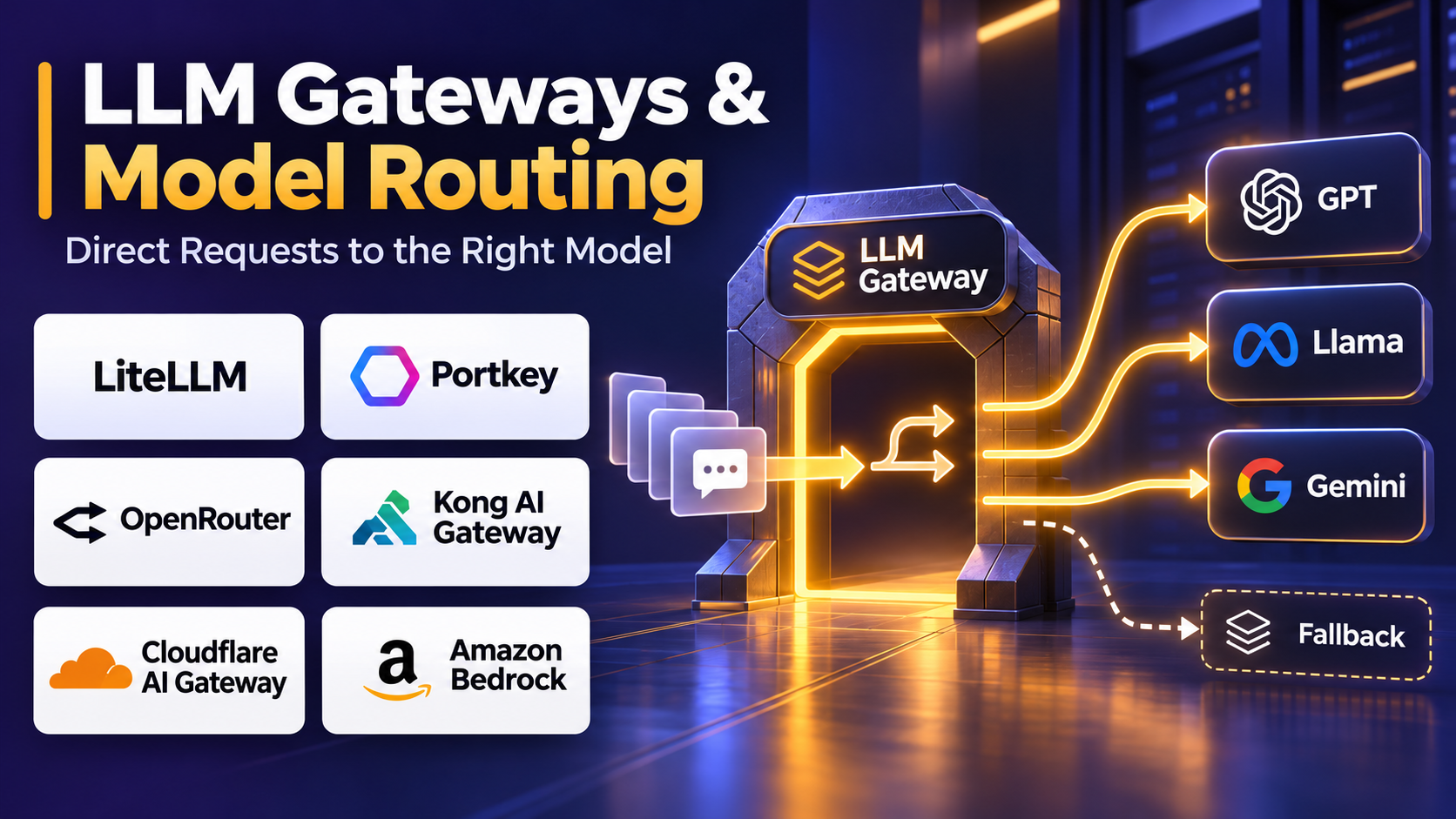
LLM gateways and model routing platforms address these challenges by creating a centralized layer between AI applications and model providers.
They help organizations standardize model access, manage credentials, route requests, monitor usage, and improve application resilience.
Some platforms also provide intelligent routing that selects models according to cost, latency, task requirements, or quality expectations.
This article examines ten LLM gateway and model routing platforms, their key capabilities, limitations, and practical use cases.
What Are LLM Gateways & Model Routing Platforms?
An LLM gateway is an infrastructure service that manages requests between applications and large language models.
Instead of connecting directly to every model provider, applications send requests through a gateway.
The gateway applies configured policies and forwards requests to appropriate models or deployments.
A model routing platform extends this concept by determining which model or provider should handle a particular request.
Routing decisions may consider:
- Model availability.
- Request complexity.
- Estimated inference cost.
- Latency requirements.
- Provider rate limits.
- Geographic deployment requirements.
- Application-specific quality targets.
- Organizational access policies.
- Model capabilities and context limits.
How LLM Gateways Work
A typical request follows this sequence:
- An application sends a model request to the gateway.
- The gateway authenticates the application.
- Routing rules identify eligible models.
- The gateway selects an appropriate deployment.
- The request is forwarded to the selected provider.
- The provider returns a response.
- The gateway records usage and operational metrics.
- The response is delivered to the application.
This architecture separates application development from model infrastructure management.
Why Organizations Use LLM Gateways
Simplified integration: Developers can work with a consistent interface across supported models.
Improved reliability: Fallback configurations can reduce disruption when a deployment fails.
Cost governance: Teams can monitor spending and establish usage limits.
Security: Credentials and access policies can be managed centrally.
Operational visibility: Request logs and performance metrics support troubleshooting.
Model flexibility: Organizations can test and adopt new models without rewriting every application.
Top 10 LLM Gateways & Model Routing Platforms
1. LiteLLM
Best for: Engineering teams that need a flexible multi-provider LLM gateway with centralized routing and spending controls.
Short Description
LiteLLM is an open-source-oriented LLM integration and proxy platform designed to simplify access to different AI model providers.
Its core value is the ability to present a consistent API interface while supporting multiple underlying models and deployments.
Applications can use a common integration pattern rather than implementing separate provider-specific request handling.
LiteLLM also supports routing, fallback behavior, usage tracking, virtual keys, and spending controls.
This makes it relevant for organizations building shared AI infrastructure for multiple engineering teams.
Its flexibility is a major advantage, but production deployments require careful configuration of authentication, persistence, monitoring, and routing policies.
Key Features
- Unified model interface: Standardizes requests across supported providers.
- Multi-provider routing: Directs traffic to configured models and deployments.
- Fallback mechanisms: Supports alternative deployments when primary requests fail.
- Load balancing: Distributes requests across eligible model endpoints.
- Virtual API keys: Separates application access and usage attribution.
- Budget controls: Supports spending limits for users, teams, and keys.
- Usage analytics: Tracks model consumption and estimated costs.
- Rate limiting: Helps control excessive requests and token consumption.
- Custom deployment configuration: Supports specialized infrastructure and provider settings.
Benefits
LiteLLM reduces integration duplication and provides a centralized point for managing model access.
Organizations can introduce new models, update routing policies, and investigate usage without changing every application independently.
Pros
- Flexible multi-provider architecture.
- Strong developer-oriented integration options.
- Supports cost tracking and budget governance.
- Suitable for shared internal AI infrastructure.
- Offers deployment flexibility.
Cons
- Production operation requires infrastructure expertise.
- Provider feature differences may still need special handling.
- Complex routing configurations require testing.
- Self-managed deployments introduce maintenance responsibilities.
Use Cases
LiteLLM supports internal AI platforms, enterprise chatbots, model experimentation, and applications using several model providers.
Best For
Engineering teams building a centralized model access layer.
2. Portkey
Best for: Production AI applications requiring gateway management, observability, and reliability controls.
Short Description
Portkey provides an AI gateway and observability platform that helps organizations manage requests across supported model providers.
It focuses on centralizing operational capabilities that would otherwise be implemented separately in individual AI applications.
These capabilities include model routing, request monitoring, reliability management, and governance.
Portkey is particularly useful when teams operate multiple production AI applications and want consistent operational policies.
Instead of managing model access independently within each application, organizations can establish common infrastructure practices.
Key Features
- Unified AI gateway: Centralizes supported model API interactions.
- Model routing: Directs requests to selected models and providers.
- Fallback configuration: Helps maintain service when primary deployments fail.
- Load balancing: Supports traffic distribution across configured endpoints.
- Request observability: Provides operational information about model interactions.
- Usage analytics: Helps examine request activity and consumption.
- Access management: Supports centralized control of model access.
- Operational policies: Helps standardize gateway behavior across applications.
- Performance monitoring: Supports analysis of latency and reliability.
Benefits
Portkey helps teams reduce operational fragmentation across AI applications.
It is particularly useful for organizations where reliability, visibility, and governance are equally important.
Pros
- Combines routing with observability.
- Relevant to production AI systems.
- Supports multi-provider infrastructure.
- Helps centralize operational controls.
- Reduces repeated application-level gateway logic.
Cons
- Requires integration into application infrastructure.
- Advanced configurations introduce operational complexity.
- Not a replacement for all application monitoring.
- Deployment and feature requirements should be reviewed carefully.
Use Cases
Portkey supports AI agents, customer-facing assistants, enterprise AI services, and applications with provider failover requirements.
Best For
Organizations managing production AI traffic across multiple providers.
3. Kong AI Gateway
Best for: Enterprises extending established API management practices to AI services.
Short Description
Kong AI Gateway brings AI-related traffic management into the broader Kong API gateway ecosystem.
Organizations familiar with API infrastructure can use this approach to apply centralized management principles to model access.
Rather than treating LLM requests as completely separate from traditional APIs, teams can manage authentication, traffic policies, observability, and governance through gateway infrastructure.
This is particularly valuable for enterprises with established API security and platform engineering teams.
Kong AI Gateway is best understood as an enterprise gateway approach rather than a standalone model evaluation framework.
Key Features
- AI traffic management: Supports centralized handling of model requests.
- Gateway authentication: Applies access controls to API traffic.
- Provider integration: Connects supported AI model services.
- Routing policies: Directs traffic according to configured gateway rules.
- Rate limiting: Helps control request volume and resource consumption.
- Observability integration: Supports monitoring of gateway activity.
- Security policies: Applies governance controls at the API layer.
- Enterprise deployment options: Fits established API infrastructure environments.
- Plugin architecture: Supports extensibility through gateway capabilities.
Benefits
Kong AI Gateway helps enterprises apply familiar API management practices to AI workloads.
It can reduce the need to create an entirely separate governance system for model access.
Pros
- Strong enterprise API management foundation.
- Useful security and traffic controls.
- Suitable for platform engineering teams.
- Integrates with broader API infrastructure practices.
- Supports centralized governance.
Cons
- May be more infrastructure-heavy than lightweight proxies.
- Advanced configuration requires gateway expertise.
- AI evaluation is not its primary purpose.
- Some capabilities depend on edition and deployment configuration.
Use Cases
Kong AI Gateway is useful for enterprise AI API governance, internal model access, and regulated application environments.
Best For
Large organizations with established API management operations.
4. Cloudflare AI Gateway
Best for: Teams seeking managed AI request visibility and gateway controls within Cloudflare infrastructure.
Short Description
Cloudflare AI Gateway provides a managed layer for monitoring and managing supported AI model requests.
It is designed to simplify operational oversight of applications interacting with AI providers.
Organizations can use gateway capabilities to investigate request behavior, apply supported traffic controls, and improve visibility into model consumption.
Its managed infrastructure approach may appeal to teams that want gateway functionality without maintaining an independent proxy deployment.
Cloudflare AI Gateway is especially relevant when AI applications already use Cloudflare services.
Key Features
- Managed gateway infrastructure: Reduces the need for self-hosted gateway operations.
- Request analytics: Provides visibility into AI traffic.
- Provider connectivity: Supports integrations with AI model services.
- Request logging: Helps investigate application behavior.
- Caching capabilities: Can reduce repeated model requests where appropriate.
- Rate limiting: Supports control of excessive traffic.
- Cost visibility: Helps analyze supported inference usage.
- Operational integration: Works within Cloudflare’s broader infrastructure ecosystem.
Benefits
Cloudflare AI Gateway provides a practical way to centralize AI traffic monitoring and management.
Its managed approach can reduce infrastructure maintenance responsibilities.
Pros
- Managed service model.
- Useful AI request analytics.
- Relevant to Cloudflare-based applications.
- Supports traffic control and caching workflows.
- Reduces self-hosting requirements.
Cons
- Feature coverage varies by provider and configuration.
- Not a complete model quality evaluation system.
- Some organizations may prefer self-managed infrastructure.
- Advanced routing requirements need compatibility assessment.
Use Cases
Cloudflare AI Gateway supports web applications, AI-powered APIs, chatbots, and services requiring managed request monitoring.
Best For
Teams prioritizing operational simplicity and managed gateway infrastructure.
5. OpenRouter
Best for: Developers seeking access to multiple models through a unified model API.
Short Description
OpenRouter provides a unified interface for accessing models from multiple providers.
Its primary appeal is simplifying model discovery and integration.
Developers can experiment with different models without independently configuring every underlying provider.
OpenRouter also supports provider selection and routing behaviors that can help applications manage availability and performance requirements.
It is useful for teams exploring model alternatives or building applications that benefit from broad model choice.
However, organizations should review data handling, provider selection, and routing requirements before using it for sensitive workloads.
Key Features
- Unified API access: Simplifies integration with supported models.
- Broad model selection: Provides access to different model families.
- Provider routing: Supports routing requests among available providers.
- Fallback behavior: Can help maintain availability when eligible routes fail.
- Model discovery: Makes it easier to explore model options.
- Usage visibility: Supports monitoring of API consumption.
- Model metadata: Helps developers compare supported model characteristics.
- Developer integration: Supports familiar API-based application workflows.
Benefits
OpenRouter reduces the effort required to experiment with multiple model providers.
It can accelerate prototyping and simplify model substitution.
Pros
- Broad model accessibility.
- Convenient developer experience.
- Useful for rapid experimentation.
- Supports provider flexibility.
- Reduces integration duplication.
Cons
- Introduces an additional service dependency.
- Routing behavior must be evaluated for sensitive workloads.
- Not a complete enterprise governance platform.
- Provider-specific features may differ.
Use Cases
OpenRouter supports AI prototypes, multi-model applications, model comparison projects, and developer experimentation.
Best For
Developers who prioritize model choice and simplified access.
6. Vercel AI Gateway
Best for: Developers building AI applications within modern web deployment workflows.
Short Description
Vercel AI Gateway provides centralized access to supported AI models through a managed gateway approach.
It is especially relevant to developers building AI-enabled web applications and services.
By separating model access from individual provider integrations, teams can simplify application configuration and experiment with alternative models.
The gateway approach also supports centralized visibility into usage and operational behavior.
Organizations should evaluate how well its routing and governance capabilities align with their existing application architecture.
Key Features
- Unified model access: Simplifies supported provider integrations.
- Managed gateway: Reduces the need to maintain custom proxy infrastructure.
- Model selection: Supports choosing among available models.
- Application integration: Fits modern JavaScript and web application workflows.
- Usage visibility: Helps monitor model consumption.
- Operational controls: Supports centralized gateway management.
- Provider abstraction: Reduces application coupling to individual providers.
- Development workflow compatibility: Supports rapid iteration and deployment.
Benefits
Vercel AI Gateway can simplify model infrastructure for web development teams.
It is useful when organizations want to spend more effort on application functionality and less on gateway maintenance.
Pros
- Developer-friendly managed approach.
- Relevant to modern web applications.
- Simplifies provider integration.
- Supports centralized model access.
- Reduces custom gateway development.
Cons
- Not a full enterprise API management replacement.
- Specialized routing requirements need evaluation.
- May be less suitable for highly customized infrastructure.
- Organizations must assess platform dependencies.
Use Cases
Vercel AI Gateway supports AI web applications, conversational interfaces, content generation tools, and developer-focused SaaS products.
Best For
Web development teams seeking managed model access.
7. Bifrost
Best for: Engineering teams evaluating self-hosted, performance-oriented AI gateway infrastructure.
Short Description
Bifrost is an AI gateway project designed to provide a unified interface across supported model providers.
Its architecture emphasizes centralized model access and efficient request handling.
For organizations seeking control over gateway deployment, Bifrost offers an alternative to fully managed services.
It can be considered when teams want to standardize provider integrations while retaining responsibility for infrastructure configuration.
As with any self-managed gateway, production suitability depends on testing reliability, security, observability, and compatibility with required models.
Key Features
- Unified provider interface: Standardizes supported model integrations.
- Centralized request handling: Routes application traffic through a shared layer.
- Multi-model support: Helps manage different model deployments.
- Routing configuration: Supports provider and deployment selection.
- Fallback workflows: Helps handle eligible request failures.
- Operational observability: Supports investigation of gateway behavior.
- Deployment control: Allows teams to manage their own infrastructure.
- Performance-oriented architecture: Emphasizes efficient gateway execution.
Benefits
Bifrost offers engineering teams an option for building a controlled AI access layer.
It may be attractive when infrastructure ownership and customization are important.
Pros
- Self-hosting flexibility.
- Multi-provider orientation.
- Centralized integration approach.
- Relevant to performance-sensitive environments.
- Suitable for technical customization.
Cons
- Requires deployment and maintenance.
- Operational maturity should be assessed against requirements.
- Smaller ecosystem than some established alternatives.
- Production reliability needs independent validation.
Use Cases
Bifrost supports internal AI platforms, custom model gateways, and organizations evaluating self-managed inference infrastructure.
Best For
Platform engineers seeking a customizable gateway.
8. TrueFoundry AI Gateway
Best for: Enterprise AI teams managing model access, deployment infrastructure, and operational governance.
Short Description
TrueFoundry provides AI infrastructure capabilities that include gateway-oriented model access and deployment management.
Its approach is relevant to organizations that need to manage model usage across development teams and production applications.
An enterprise AI gateway can help standardize authentication, routing, observability, and usage governance.
TrueFoundry is particularly relevant when gateway requirements overlap with broader AI infrastructure operations.
Organizations evaluating it should distinguish between gateway-specific functionality and features provided by the wider platform.
Key Features
- Centralized model access: Provides a shared interface for supported AI services.
- Provider integration: Connects multiple model environments.
- Access governance: Helps control model usage across teams.
- Routing management: Supports configured traffic distribution.
- Usage monitoring: Provides visibility into model consumption.
- Operational observability: Helps investigate application behavior.
- Infrastructure integration: Connects gateway operations with AI platform workflows.
- Enterprise management: Supports centralized administration requirements.
Benefits
TrueFoundry can help organizations manage model access as part of a broader AI infrastructure strategy.
It is particularly useful when teams want coordinated model operations rather than isolated gateway deployments.
Pros
- Enterprise AI infrastructure orientation.
- Centralized model access.
- Relevant governance capabilities.
- Supports multi-team environments.
- Connects gateway operations with platform workflows.
Cons
- May be more extensive than required for simple applications.
- Deployment planning can involve multiple infrastructure components.
- Feature availability requires product-level verification.
- Teams may need platform engineering expertise.
Use Cases
TrueFoundry supports enterprise AI platforms, internal model services, and centralized production model management.
Best For
Organizations building managed internal AI infrastructure.
9. Envoy AI Gateway
Best for: Cloud-native engineering teams seeking extensible gateway infrastructure.
Short Description
Envoy AI Gateway is an open-source project built around cloud-native gateway infrastructure.
It aims to provide AI-specific traffic management capabilities while leveraging established proxy and gateway technologies.
This approach is useful for organizations that already operate Kubernetes, Envoy, or related infrastructure.
Instead of introducing a completely separate application gateway architecture, teams can evaluate AI traffic management within familiar cloud-native systems.
Envoy AI Gateway is most relevant to technically mature organizations comfortable with infrastructure configuration and lifecycle management.
Key Features
- Cloud-native architecture: Fits containerized infrastructure environments.
- AI request routing: Supports management of model-related traffic.
- Provider integration: Connects supported model backends.
- Gateway policy enforcement: Applies configured traffic rules.
- Extensibility: Supports customization through gateway architecture.
- Infrastructure observability: Integrates with operational monitoring practices.
- Kubernetes compatibility: Aligns with cloud-native deployment patterns.
- Open-source development: Allows teams to inspect and adapt the implementation.
Benefits
Envoy AI Gateway provides a route toward integrating AI traffic management with existing cloud-native operations.
It can reduce architectural fragmentation for organizations already invested in gateway infrastructure.
Pros
- Open-source approach.
- Strong cloud-native alignment.
- Suitable for infrastructure customization.
- Relevant to Kubernetes environments.
- Builds on established proxy concepts.
Cons
- Requires infrastructure expertise.
- Feature maturity and compatibility should be tested.
- More operational effort than managed services.
- Not designed primarily for nontechnical users.
Use Cases
Envoy AI Gateway supports Kubernetes AI platforms, enterprise model access, and infrastructure teams building shared gateway services.
Best For
Cloud-native platform engineering teams.
10. Amazon Bedrock Intelligent Prompt Routing
Best for: AWS-centered applications seeking managed routing among supported models.
Short Description
Amazon Bedrock Intelligent Prompt Routing provides a managed approach to directing eligible prompts among supported models.
Unlike general-purpose multi-provider gateways, this capability operates within the Amazon Bedrock ecosystem.
It is designed to help organizations select models based on prompt requirements and routing configuration.
This can be useful when an application handles tasks with different complexity levels and does not require the same model for every request.
However, organizations should understand that intelligent prompt routing is a specialized routing capability rather than a complete replacement for enterprise API gateway management.
Key Features
- Managed prompt routing: Directs eligible requests among supported models.
- Task-aware selection: Uses routing logic to choose a model for a prompt.
- Bedrock integration: Operates within the AWS managed model ecosystem.
- Model flexibility: Supports eligible model choices without application-level selection logic.
- Operational simplification: Reduces custom routing implementation.
- AWS infrastructure integration: Fits applications already using Amazon Bedrock.
- Cost-performance consideration: Supports model selection strategies that balance efficiency and response requirements.
- Managed operation: Reduces maintenance of custom routing infrastructure.
Benefits
Intelligent Prompt Routing can simplify model selection for applications using compatible Amazon Bedrock models.
It may reduce unnecessary use of more expensive models when lower-cost alternatives can handle a task adequately.
Pros
- Managed AWS service approach.
- Reduces custom prompt routing logic.
- Useful for task-dependent model selection.
- Integrates with Amazon Bedrock.
- Relevant to cost-performance optimization.
Cons
- Limited to supported Bedrock routing configurations.
- Not a general cross-cloud LLM gateway.
- Model eligibility and routing options are constrained.
- Quality outcomes require application-specific validation.
Use Cases
Amazon Bedrock Intelligent Prompt Routing supports AWS-based assistants, document processing, and applications with mixed-complexity inference workloads.
Best For
Organizations primarily operating within Amazon Bedrock.
Comparison Table: Top 10 LLM Gateways & Model Routing Platforms
| Platform | Main Focus | Deployment Approach | Best For |
|---|---|---|---|
| LiteLLM | Multi-provider proxy | Self-managed and hosted options | Flexible model access |
| Portkey | Gateway and observability | Managed and deployment-dependent options | Production AI operations |
| Kong AI Gateway | Enterprise API governance | Enterprise gateway infrastructure | Centralized security |
| Cloudflare AI Gateway | Managed AI traffic | Cloud-managed | Web application teams |
| OpenRouter | Unified model access | Managed API service | Model experimentation |
| Vercel AI Gateway | Web application model access | Managed | Modern web development |
| Bifrost | AI gateway infrastructure | Self-managed | Custom engineering deployments |
| TrueFoundry | Enterprise AI infrastructure | Platform-dependent | Internal AI platforms |
| Envoy AI Gateway | Cloud-native traffic management | Self-managed | Kubernetes engineering |
| Bedrock Intelligent Prompt Routing | Managed model selection | AWS-managed | AWS AI applications |
How to Choose the Best LLM Gateway & Model Routing Platform
1. Evaluate Model Provider Coverage
Identify every model provider currently used by your organization.
Then consider which additional providers may be required.
Check whether the gateway supports the necessary request formats, streaming behavior, embeddings, tool calls, and multimodal capabilities.
2. Determine Your Routing Requirements
Basic routing selects a configured deployment.
Advanced routing may consider latency, cost, availability, or task characteristics.
Choose a platform that supports the routing logic your applications actually require.
3. Examine Reliability Features
Review retry policies, fallback behavior, timeout controls, and load balancing.
A gateway should improve resilience without causing uncontrolled repeated requests.
4. Review Security Architecture
Evaluate authentication, credential storage, access controls, logging policies, and data handling.
Enterprise applications may also require audit trails and regional deployment controls.
5. Assess Cost Management
Determine whether the gateway tracks request costs, supports budgets, and provides useful usage attribution.
Also consider whether routing decisions can reduce total inference spending.
6. Measure Gateway Overhead
Every additional infrastructure layer can affect request latency.
Benchmark the gateway under representative traffic rather than relying only on published performance claims.
7. Consider Deployment Preferences
Managed gateways reduce infrastructure responsibilities.
Self-managed gateways provide greater operational control but require maintenance, security updates, and capacity planning.
8. Evaluate Observability
Useful metrics include request volume, latency, error rates, fallback frequency, token usage, and spending.
9. Test Model Compatibility
Different models support different context sizes, parameters, and response formats.
A unified API does not guarantee identical behavior across providers.
10. Consider Long-Term Portability
A gateway should simplify model replacement rather than introduce unnecessary application dependence on proprietary behavior.
Best LLM Gateway Software by User Type
| User Type | Recommended Platform | Primary Reason |
|---|---|---|
| Open-source-oriented developers | LiteLLM | Flexible multi-provider access |
| Production AI teams | Portkey | Routing and operational observability |
| Enterprise API architects | Kong AI Gateway | Centralized governance |
| Cloudflare application teams | Cloudflare AI Gateway | Managed traffic visibility |
| Model experimentation teams | OpenRouter | Broad model access |
| Web application developers | Vercel AI Gateway | Developer-oriented integration |
| Self-hosting engineers | Bifrost | Custom gateway deployment |
| Enterprise AI platform teams | TrueFoundry | Infrastructure integration |
| Kubernetes platform engineers | Envoy AI Gateway | Cloud-native gateway architecture |
| AWS AI developers | Bedrock Intelligent Prompt Routing | Managed model selection |
Practical Example: Building a Cost-Aware Multi-Model Routing System
Consider a company operating an AI document assistant.
The application handles document classification, summarization, and complex reasoning.
Initially, every request uses the same high-capability model.
This simplifies development but may create unnecessary expenses.
Step 1: Classify Workloads
The team separates requests into three categories:
- Simple classification.
- Standard summarization.
- Complex reasoning.
Step 2: Define Model Requirements
Each category receives minimum quality, latency, and reliability requirements.
Simple classification may be suitable for a lower-cost model, while complex reasoning may require a more capable model.
Step 3: Configure the Gateway
The team connects eligible model deployments through a gateway such as LiteLLM or Portkey.
Applications send requests through the shared interface.
Step 4: Establish Routing Policies
The gateway directs each workload to a configured model.
Where task-aware routing is required, the team adds classification logic or uses a compatible intelligent routing service.
Step 5: Configure Fallbacks
If a selected deployment becomes unavailable, the gateway attempts an approved alternative.
Fallback behavior is constrained to avoid unexpected cost increases or quality changes.
Step 6: Measure Performance
The team records model selection, latency, token usage, request cost, and task success.
Step 7: Compare Financial Outcomes
Assume the application processes 1,000,000 requests monthly.
Its original average inference cost is $0.010 per request.
Original monthly inference spending:
1,000,000 × $0.010 = $10,000
After routing optimization, assume the average falls to $0.0065.
New monthly inference spending:
1,000,000 × $0.0065 = $6,500
Illustrative monthly savings:
$3,500, or 35%.
These estimates exclude gateway operating expenses and assume application quality remains acceptable.
Step 8: Continue Evaluation
The team periodically tests routing decisions against representative tasks.
This prevents cost optimization from silently reducing response quality.
Frequently Asked Questions
1. What is an LLM gateway?
An LLM gateway is a centralized infrastructure layer that manages requests between AI applications and model providers. It can handle authentication, routing, monitoring, and traffic controls.
2. What is model routing?
Model routing is the process of selecting which model or deployment should process a request. Selection may depend on cost, latency, availability, task type, or organizational policies.
3. How does an LLM gateway differ from a traditional API gateway?
Traditional API gateways manage general API traffic. LLM gateways introduce capabilities relevant to model inference, such as token tracking, model-specific routing, provider abstraction, and inference cost analysis.
4. Can an LLM gateway reduce AI costs?
Yes, when configured appropriately. Savings may come from routing simple tasks to less expensive models, caching suitable responses, controlling usage, or reducing inefficient retries.
5. What is intelligent model routing?
Intelligent routing uses request characteristics or optimization logic to select an appropriate model. It may consider task complexity, quality expectations, cost, or latency.
6. What happens when a model provider fails?
A gateway with configured fallback support may redirect eligible requests to an alternative deployment. However, successful fallback depends on compatibility, available capacity, and policy configuration.
7. Are LLM gateways suitable for enterprise applications?
Yes. They can help centralize authentication, usage reporting, provider governance, and operational controls. Enterprise suitability depends on the specific platform’s security and compliance capabilities.
8. Do gateways support streaming responses?
Many do, but streaming compatibility should be verified for the required models, providers, and application frameworks.
9. Can gateways route requests to self-hosted models?
Some platforms support compatible self-hosted inference endpoints. Integration depends on the model server’s API interface and gateway configuration.
10. Do LLM gateways add latency?
They can introduce additional processing and network overhead. The actual impact depends on deployment architecture, routing complexity, and infrastructure performance.
11. Is a managed gateway better than a self-hosted gateway?
Managed services reduce operational maintenance. Self-hosted gateways provide greater infrastructure control. The best choice depends on security, customization, staffing, and cost requirements.
12. Can organizations use multiple gateways?
Yes, but doing so increases architectural complexity. Multiple gateways may be justified for regional isolation, separate business units, or specialized infrastructure requirements.
Final Thoughts
LLM gateways and model routing platforms are important components of modern AI infrastructure.
They help organizations manage growing model diversity while improving operational consistency.
LiteLLM and Portkey provide flexible approaches to multi-provider access. Kong AI Gateway emphasizes enterprise API management. Cloudflare AI Gateway and Vercel AI Gateway offer managed infrastructure approaches.
OpenRouter simplifies model exploration, while Bifrost and Envoy AI Gateway appeal to teams seeking greater infrastructure control.
TrueFoundry addresses broader enterprise AI platform requirements, and Amazon Bedrock Intelligent Prompt Routing supports managed model selection within the AWS ecosystem.
The best platform depends on whether an organization prioritizes provider flexibility, intelligent routing, governance, operational simplicity, or infrastructure ownership.
A successful gateway strategy should improve reliability and financial efficiency without compromising model quality, application security, or long-term architectural flexibility.