Introduction
A successful software product needs more than an attractive interface and useful features. New users must understand how to navigate the application, complete important tasks, and experience meaningful value before frustration causes them to leave.
User onboarding tools help businesses create guided experiences that introduce product features, explain workflows, and encourage users to reach their goals. Instead of relying entirely on documentation or customer support, organizations can provide contextual assistance directly inside their applications.
Modern onboarding platforms offer interactive product tours, personalized checklists, tooltips, behavioral targeting, analytics, and automated engagement campaigns. These capabilities help product teams identify where users struggle and improve the experience through measurable changes.
However, not every onboarding solution serves the same purpose. Some emphasize no-code product tours, while others combine onboarding with product analytics, enterprise training, or digital adoption management.
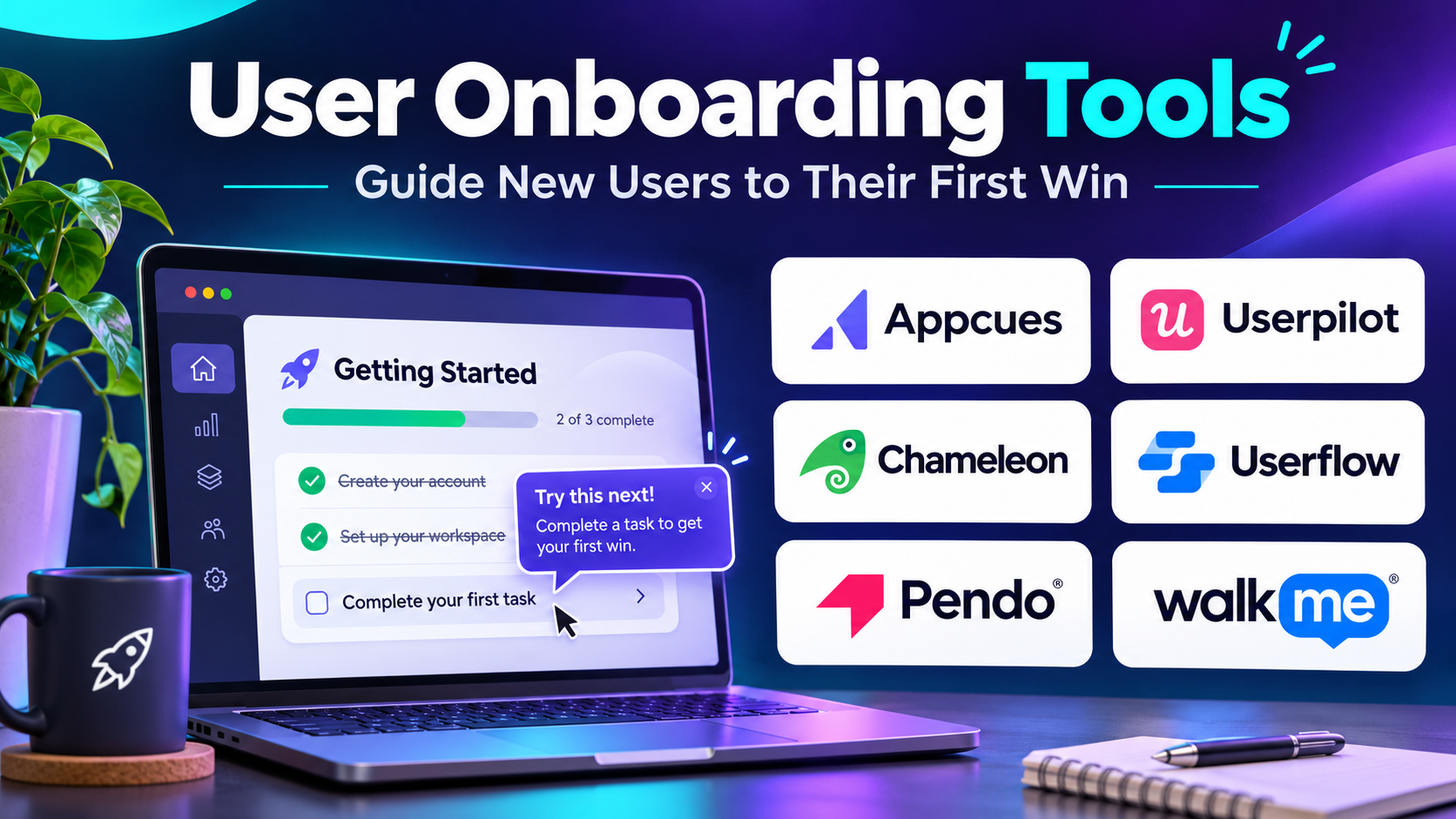
This guide examines ten established user onboarding tools, their capabilities, benefits, limitations, and ideal use cases. It also provides comparison tables, software selection guidance, and a practical implementation example.
What Are User Onboarding Tools?
User onboarding tools are software solutions that help new customers learn how to use a digital product effectively.
They provide interactive instructions and contextual guidance that introduce important features, simplify unfamiliar workflows, and help users complete tasks without requiring extensive assistance.
For example, a project management application might use an onboarding checklist to guide new users through creating a project, inviting teammates, and assigning their first task.
Instead of presenting a long tutorial, the application can introduce each action at the appropriate moment.
Why User Onboarding Tools Matter
Effective onboarding can improve several important business outcomes.
Faster time to value: Users reach their first meaningful result sooner.
Higher product activation: More users complete the actions associated with successful adoption.
Lower support demand: Contextual explanations reduce repetitive setup questions.
Improved feature discovery: Customers become aware of useful capabilities they might otherwise overlook.
Better retention opportunities: Users who understand the product are more likely to continue using it, although onboarding alone cannot guarantee retention.
More consistent experiences: Product teams can standardize guidance across customer segments.
Common Features
Most onboarding platforms offer some combination of:
- Interactive product tours and walkthroughs
- Contextual tooltips and hotspots
- User onboarding checklists
- In-app announcements and notifications
- Audience segmentation and behavioral targeting
- Product usage analytics
- Surveys and customer feedback collection
- Resource centers and self-service assistance
- Experimentation and onboarding performance reporting
The right combination depends on product complexity, customer expectations, and available technical resources.
Top 10 User Onboarding Tools
1. Appcues
Short Description
Appcues is a digital adoption and user onboarding platform designed to help product teams create contextual in-app experiences without building every interaction from scratch.
It allows organizations to introduce new users to important features through interactive walkthroughs, checklists, tooltips, and targeted messages.
A major advantage of Appcues is its emphasis on giving nontechnical teams control over product education. Product managers, growth specialists, and customer success teams can create and update many onboarding experiences without repeatedly requesting engineering changes.
The platform also supports audience targeting and behavioral triggers. This allows businesses to present different experiences depending on user activity, account characteristics, or onboarding progress.
Appcues is particularly useful for SaaS businesses that frequently introduce new features and need a structured approach to activation and adoption.
Key Features
- Interactive Product Tours: Guide users through important application workflows using contextual steps.
- Onboarding Checklists: Present essential setup activities and track user completion.
- Tooltips and Hotspots: Explain interface elements without interrupting the entire experience.
- Behavioral Targeting: Display guidance based on user properties, actions, or defined segments.
- In-App Announcements: Communicate feature releases and product changes.
- Engagement Analytics: Measure interactions with onboarding experiences and evaluate completion.
- Feedback Collection: Gather user responses through supported survey experiences.
- Experience Management: Create, update, and coordinate onboarding campaigns.
- Integrations: Connect onboarding activity with compatible analytics and customer engagement systems.
Benefits
Appcues helps teams replace generic onboarding with contextual guidance. It can reduce dependence on engineering for routine content updates and makes onboarding experimentation more accessible.
Pros
- Accessible no-code experience creation
- Strong support for contextual guidance
- Useful segmentation capabilities
- Suitable for ongoing feature adoption
- Supports collaboration across product and growth teams
Cons
- Costs can become significant as usage grows.
- Complex targeting requires careful event planning.
- Advanced custom behavior may still require engineering.
- Poorly designed tours can interrupt users.
Use Cases
A SaaS company can create a first-login checklist that guides customers through account setup, team invitations, and initial configuration.
A product team can also introduce a newly released feature only to customers who have not previously used it.
Best For: SaaS product teams, growth teams, and customer success organizations seeking flexible no-code onboarding.
2. Userpilot
Short Description
Userpilot is a product growth platform that combines user onboarding, product analytics, and in-app engagement.
It is designed for businesses that want to understand not only whether users interact with onboarding content but also whether those interactions contribute to meaningful product outcomes.
The platform allows teams to build interactive experiences while analyzing how customers move through their applications. This makes it useful for identifying activation barriers, evaluating feature adoption, and improving customer journeys.
Userpilot is particularly relevant for product-led growth organizations. These businesses depend on users discovering value through the product itself rather than relying entirely on sales representatives or onboarding specialists.
By connecting engagement experiences with product usage data, teams can develop a more evidence-based onboarding strategy.
Key Features
- No-Code Product Tours: Create interactive guidance for common workflows.
- Onboarding Checklists: Help users complete essential activation tasks.
- Product Analytics: Examine feature usage and customer behavior.
- Funnel Analysis: Identify where users abandon important workflows.
- User Segmentation: Create targeted experiences for different audiences.
- In-App Surveys: Collect customer feedback and satisfaction information.
- Feature Adoption Tracking: Monitor how customers discover and use capabilities.
- Experimentation: Evaluate alternative onboarding approaches where supported.
- Engagement Reporting: Connect user guidance with measurable outcomes.
Benefits
Userpilot brings onboarding and behavioral analysis into a more unified workflow. Product teams can use analytics to identify friction, design targeted guidance, and measure subsequent changes.
Pros
- Strong combination of onboarding and analytics
- Useful for product-led growth strategies
- Detailed behavioral segmentation
- Supports continuous onboarding improvement
- Reduces dependence on disconnected tools
Cons
- Requires reliable event instrumentation.
- Analytics can introduce a learning curve.
- Pricing may be challenging for small teams.
- Some advanced capabilities depend on subscription level.
Use Cases
A subscription software company can investigate why users abandon a setup workflow, introduce contextual guidance, and compare activation rates before and after the change.
A product manager can also identify underused features and create targeted adoption campaigns.
Best For: Product-led SaaS businesses seeking onboarding, engagement, and product analytics in one platform.
3. Pendo
Short Description
Pendo is a product experience platform that combines behavioral analytics, in-app guidance, and customer feedback capabilities.
Unlike onboarding solutions focused primarily on creating walkthroughs, Pendo places substantial emphasis on understanding how users interact with digital products.
Organizations can analyze feature engagement, investigate customer journeys, and identify areas where users encounter difficulties.
These insights can inform onboarding improvements and help product teams decide which experiences deserve additional guidance.
Pendo is especially relevant for organizations managing mature software products with complex feature sets and multiple customer segments.
Its analytics-oriented approach can also support broader product adoption initiatives beyond the initial onboarding period.
Key Features
- Product Usage Analytics: Analyze how users interact with application features.
- In-App Guides: Deliver contextual product education.
- Feature Engagement Tracking: Measure adoption of important capabilities.
- User Segmentation: Target guidance to relevant customer groups.
- Journey Analysis: Understand common navigation and usage patterns.
- Feedback Collection: Gather product sentiment and user input.
- Onboarding Measurement: Evaluate engagement with guided experiences.
- Resource Centers: Provide contextual access to helpful information.
- Product Reporting: Support decisions using behavioral evidence.
Benefits
Pendo helps businesses connect onboarding decisions with broader product performance. Teams can prioritize guidance based on observed behavior instead of assumptions.
Pros
- Strong product analytics orientation
- Suitable for complex applications
- Combines guidance and usage insights
- Supports ongoing feature adoption
- Useful for mature product organizations
Cons
- Implementation can require substantial planning.
- Advanced functionality may increase costs.
- Teams need analytical skills to interpret results.
- Smaller businesses may not need the full platform.
Use Cases
An enterprise software provider can analyze which configuration features customers rarely use and introduce targeted onboarding experiences.
A product team can evaluate whether newly released capabilities gain adoption after an in-app education campaign.
Best For: Mid-sized and enterprise product organizations prioritizing analytics-driven adoption.
4. Userflow
Short Description
Userflow is a user onboarding platform focused on creating interactive product tours, checklists, surveys, and contextual guidance.
It emphasizes streamlined experience creation and allows product teams to build onboarding journeys without developing each interface component manually.
The platform is particularly useful for SaaS businesses that need guided workflows with conditional steps.
Rather than presenting identical instructions to every customer, teams can create experiences that respond to user behavior and application state.
This flexibility helps organizations design onboarding journeys for different roles, subscription plans, and product configurations.
Userflow is a practical choice when interactive guidance is a primary requirement and a comprehensive product analytics suite is not essential.
Key Features
- Interactive Flows: Build guided product experiences.
- Onboarding Checklists: Organize setup activities.
- Conditional Logic: Adjust guidance according to user behavior.
- Tooltips: Explain interface elements contextually.
- User Segmentation: Target specific audiences.
- In-App Surveys: Collect onboarding feedback.
- Resource Centers: Offer self-service learning resources.
- Event-Based Triggers: Launch experiences when relevant conditions occur.
- Flow Analytics: Monitor engagement and completion.
Benefits
Userflow makes it easier to maintain structured onboarding experiences without extensive custom development.
Pros
- Focused onboarding functionality
- Flexible guided workflows
- No-code experience creation
- Suitable for B2B SaaS products
- Useful targeting and conditional logic
Cons
- Does not replace a comprehensive analytics platform.
- Advanced customization may need technical support.
- Usage-based pricing requires planning.
- Complex flows still require maintenance.
Use Cases
A B2B application can create separate onboarding journeys for administrators and ordinary users.
A software company can guide customers through integrations, configuration settings, and first-use activities.
Best For: SaaS businesses needing flexible onboarding flows and checklists.
5. UserGuiding
Short Description
UserGuiding is a digital adoption platform designed to help businesses create onboarding experiences without extensive coding.
It provides interactive product tours, onboarding checklists, contextual tooltips, and customer education components.
The platform is particularly appealing to organizations that want to establish a structured onboarding program without building a custom solution.
Teams can introduce users to application features and provide assistance at important points in the customer journey.
UserGuiding can also support ongoing product education through resource centers and in-app announcements.
Its straightforward approach makes it relevant for smaller businesses and growing SaaS companies with limited implementation resources.
Key Features
- Product Tours: Introduce application workflows.
- Onboarding Checklists: Organize essential tasks.
- Tooltips: Provide contextual instructions.
- Hotspots: Highlight important interface elements.
- Resource Centers: Centralize user assistance.
- In-App Announcements: Communicate updates.
- User Segmentation: Deliver relevant guidance.
- Survey Experiences: Collect customer input.
- Engagement Analytics: Evaluate onboarding interactions.
Benefits
UserGuiding helps businesses launch onboarding experiences quickly and maintain them through a visual interface.
Pros
- Accessible for nontechnical teams
- Useful onboarding components
- Supports self-service education
- Relatively straightforward implementation
- Suitable for smaller SaaS organizations
Cons
- Advanced customization may be limited.
- Some capabilities depend on plan level.
- Complex enterprise requirements may exceed its intended scope.
- Analytics may not replace specialized tools.
Use Cases
A startup can build a guided setup checklist for new customers.
A business application can provide contextual explanations for advanced settings and newly released features.
Best For: Startups, small businesses, and SaaS teams seeking accessible onboarding software.
6. Chameleon
Short Description
Chameleon is a product adoption platform that emphasizes customizable, targeted in-app experiences.
It enables businesses to create onboarding guidance that closely matches the appearance and behavior of their applications.
This focus on presentation makes it especially relevant for product teams that want onboarding to feel like a natural part of the interface.
Chameleon supports product tours, tooltips, launchers, and surveys that can be targeted to specific users.
Organizations can use these capabilities for first-time onboarding, feature announcements, and ongoing customer education.
The platform is particularly suitable for businesses that value visual consistency and precise engagement targeting.
Key Features
- Product Tours: Build interactive walkthroughs.
- Customizable Tooltips: Match guidance to product design.
- Launchers: Provide contextual access to assistance.
- Microsurveys: Gather focused customer feedback.
- Audience Targeting: Show relevant experiences to selected users.
- Behavioral Triggers: Respond to application events.
- Experience Analytics: Measure engagement.
- Experimentation: Test alternative guidance approaches.
- Design Customization: Adjust visual presentation and styling.
Benefits
Chameleon allows teams to create onboarding experiences that feel integrated into the product rather than externally attached.
Pros
- Strong visual customization
- Flexible targeting
- Suitable for polished SaaS interfaces
- Supports feedback collection
- Useful for ongoing feature education
Cons
- Detailed customization requires design effort.
- Advanced targeting can become complex.
- Pricing may be substantial for smaller teams.
- Careful testing is necessary across interface changes.
Use Cases
A design-focused SaaS company can introduce complex features using visually consistent tooltips and launchers.
A product team can target advanced guidance to users who repeatedly encounter a difficult workflow.
Best For: Product teams prioritizing design consistency, personalization, and contextual engagement.
7. Whatfix
Short Description
Whatfix is a digital adoption platform designed to help organizations guide users through complex applications and business workflows.
Its scope extends beyond basic SaaS onboarding into employee training, enterprise software adoption, and process standardization.
Businesses can create contextual walkthroughs and instructional experiences that help users complete tasks across supported applications.
This approach is especially valuable when organizations deploy large enterprise systems that require extensive training.
Whatfix can reduce reliance on static training manuals by providing assistance while employees perform actual work.
The platform is therefore more appropriate for complex adoption programs than for businesses seeking only a lightweight welcome tour.
Key Features
- Interactive Walkthroughs: Guide users through business processes.
- Contextual Assistance: Provide help within application workflows.
- Self-Service Support: Make relevant instructions accessible.
- User Segmentation: Target guidance by role or context.
- Digital Adoption Analytics: Monitor engagement and usage.
- Training Content Support: Reinforce learning during real tasks.
- Workflow Guidance: Standardize complex procedures.
- Enterprise Integrations: Support adoption across business systems.
- Content Management: Maintain instructional experiences over time.
Benefits
Whatfix helps enterprises improve software adoption and reduce repetitive training requirements.
Pros
- Strong enterprise adoption focus
- Useful for complex applications
- Supports contextual employee training
- Helps standardize business processes
- Suitable for large organizational deployments
Cons
- May be excessive for simple SaaS onboarding.
- Enterprise implementation requires planning.
- Licensing can involve significant investment.
- Governance and content maintenance remain necessary.
Use Cases
A company deploying a new CRM can guide sales employees through contact creation, opportunity updates, and reporting.
An enterprise can provide contextual training for complex ERP workflows.
Best For: Enterprises implementing complex business applications and digital adoption programs.
8. WalkMe
Short Description
WalkMe is a digital adoption platform designed to improve how employees and customers interact with software.
It provides contextual guidance, workflow assistance, and adoption insights across supported applications.
WalkMe is especially relevant for enterprises managing multiple software systems with complicated user journeys.
Rather than focusing exclusively on initial product tours, the platform helps organizations guide users through recurring business processes.
This makes it valuable for employee onboarding, application migrations, and operational transformation initiatives.
Organizations can use WalkMe to reinforce standardized procedures while identifying areas where employees encounter difficulties.
Key Features
- Interactive Guidance: Assist users during application workflows.
- Contextual Instructions: Display help when relevant.
- Workflow Assistance: Support complex business processes.
- Digital Adoption Analytics: Evaluate software engagement.
- User Segmentation: Target guidance to appropriate audiences.
- Application Support: Provide assistance across supported enterprise systems.
- Self-Service Resources: Reduce dependence on external documentation.
- Process Standardization: Reinforce consistent task execution.
- Adoption Reporting: Identify opportunities for improvement.
Benefits
WalkMe helps organizations improve enterprise software adoption and reduce friction in complicated workflows.
Pros
- Broad enterprise adoption capabilities
- Suitable for complex application environments
- Supports employee productivity initiatives
- Useful analytics and workflow guidance
- Relevant to digital transformation programs
Cons
- Implementation can be resource-intensive.
- Licensing may be expensive.
- Smaller teams may not require its full scope.
- Complex deployments require ongoing administration.
Use Cases
An enterprise can guide employees through a new human resources system.
A financial services organization can provide contextual assistance for standardized internal procedures.
Best For: Large enterprises managing software adoption across multiple applications.
9. Product Fruits
Short Description
Product Fruits is a user onboarding and product adoption platform designed to help software businesses educate and engage users.
It provides interactive tours, onboarding checklists, hints, and other contextual assistance components.
The platform focuses on making guidance accessible directly inside applications.
This approach can help businesses reduce the effort required to introduce new users to essential functionality.
Product Fruits is particularly relevant for SaaS companies that need practical onboarding features without investing in a large enterprise adoption suite.
It can also support ongoing product education through contextual announcements and self-service guidance.
Key Features
- Product Tours: Explain application workflows.
- Onboarding Checklists: Track important setup tasks.
- Hints and Tooltips: Provide contextual assistance.
- In-App Announcements: Highlight product updates.
- Help Resources: Improve access to instructional content.
- User Segmentation: Target relevant audiences.
- Feedback Collection: Gather user responses.
- Engagement Tracking: Monitor interaction with guidance.
- Experience Customization: Adjust onboarding presentation.
Benefits
Product Fruits offers a focused way to build onboarding journeys and provide contextual customer education.
Pros
- Practical onboarding functionality
- Accessible for smaller teams
- Supports multiple guidance formats
- Useful for product education
- Less complex than broad enterprise adoption suites
Cons
- Advanced analytics requirements may need additional software.
- Some customization can require technical work.
- Feature availability varies by plan.
- Enterprise governance capabilities may be limited.
Use Cases
A small SaaS business can guide users through account setup and first-project creation.
A software provider can introduce new functionality through contextual hints and announcements.
Best For: Small and mid-sized SaaS companies seeking practical onboarding and product adoption features.
10. Stonly
Short Description
Stonly is a knowledge management and interactive guidance platform that helps organizations create step-by-step support experiences.
Its approach differs from conventional onboarding platforms because it emphasizes interactive knowledge and troubleshooting.
Businesses can create guided instructions that adapt to user choices, allowing customers to find relevant answers without reading lengthy static articles.
This makes Stonly particularly useful when onboarding overlaps with customer support and technical configuration.
Organizations can use interactive guides to explain complicated setup procedures, answer common questions, and support self-service problem resolution.
Stonly is a strong option when the primary challenge involves helping customers understand processes rather than simply introducing interface elements.
Key Features
- Interactive Guides: Create step-by-step instructions.
- Conditional Content: Adapt guidance based on user selections.
- Knowledge Management: Organize support information.
- Self-Service Assistance: Help users solve common problems.
- Embedded Guidance: Present help in relevant contexts.
- Troubleshooting Workflows: Guide users through issue resolution.
- Content Analytics: Identify commonly accessed information.
- Support Workflow Integration: Connect knowledge with service processes.
- Content Maintenance: Update guidance as products evolve.
Benefits
Stonly helps businesses transform static support documentation into interactive learning experiences.
Pros
- Strong interactive knowledge capabilities
- Useful for technical onboarding
- Supports self-service troubleshooting
- Helps reduce repetitive support questions
- Suitable for complex instructional workflows
Cons
- Less focused on traditional product tours.
- Not a complete product analytics platform.
- Complex guide structures require planning.
- Some advanced workflows may require integration work.
Use Cases
A software provider can build interactive troubleshooting guides for integration setup.
A customer support team can create decision-based instructions for common configuration problems.
Best For: Businesses prioritizing interactive knowledge, technical onboarding, and self-service support.
User Onboarding Tools Comparison Table
| Tool | Primary Strength | Ideal Users | Main Consideration |
|---|---|---|---|
| Appcues | No-code in-app experiences | SaaS product teams | Usage-based costs |
| Userpilot | Onboarding and analytics | Product-led SaaS | Instrumentation needs |
| Pendo | Product analytics and guidance | Mid-market and enterprise | Implementation complexity |
| Userflow | Flexible guided flows | B2B SaaS | Analytics breadth |
| UserGuiding | Accessible onboarding | Startups and SMBs | Advanced feature limits |
| Chameleon | Design customization | Design-focused SaaS | Configuration effort |
| Whatfix | Enterprise digital adoption | Large organizations | Enterprise investment |
| WalkMe | Cross-application adoption | Enterprises | Deployment complexity |
| Product Fruits | Practical onboarding components | Small and mid-sized SaaS | Analytics limitations |
| Stonly | Interactive knowledge | Support-focused teams | Less tour-oriented |
The comparison reflects typical product positioning rather than a universal ranking. Buyers should verify current feature availability, supported platforms, and licensing terms.
How to Choose the Right User Onboarding Tool
1. Define Your Activation Goal
Begin by identifying what successful onboarding means for your product.
For a collaboration application, activation might involve creating a workspace and inviting teammates.
For an analytics platform, activation might require connecting a data source and viewing the first report.
Select software that can guide and measure these actions.
2. Understand Your Users
Different customers need different levels of assistance.
New users may need basic navigation, while experienced users may benefit from contextual feature education.
Look for segmentation and targeting capabilities that support these differences.
3. Evaluate Technical Requirements
Determine whether the platform requires an SDK, JavaScript installation, event tracking, or API integration.
Assess whether your engineering team can support implementation and ongoing maintenance.
4. Compare Guidance Components
Consider whether your product needs interactive tours, checklists, tooltips, embedded help, or conversational assistance.
Avoid purchasing a broad platform when a simpler tool satisfies your actual requirements.
5. Examine Analytics Capabilities
A good onboarding program should measure more than tour completion.
Important metrics include activation rate, time to value, setup completion, feature adoption, and subsequent retention.
Choose a platform that can support meaningful measurement.
6. Consider Accessibility and Localization
Onboarding content should work for users with different abilities, devices, and languages.
Evaluate keyboard accessibility, screen-reader compatibility, responsive behavior, and localization options.
7. Calculate Total Cost
Review pricing based on monthly active users, tracked users, feature limits, implementation, integrations, and support.
Forecast costs at current usage and expected growth.
8. Test With Real Users
Run a pilot using an important onboarding journey.
Observe whether customers complete tasks more successfully with the new guidance.
Avoid selecting software based only on its editor or feature list.
Best User Onboarding Software by User Type
| User Type | Recommended Tool | Why It Fits |
|---|---|---|
| SaaS product managers | Appcues | Flexible no-code guidance |
| Product-led growth teams | Userpilot | Analytics-driven onboarding |
| Analytics-focused enterprises | Pendo | Product behavior insights |
| B2B SaaS teams | Userflow | Conditional onboarding flows |
| Small startups | UserGuiding | Accessible onboarding creation |
| Design-focused teams | Chameleon | Visual customization |
| Enterprise training teams | Whatfix | Complex workflow guidance |
| Digital transformation teams | WalkMe | Cross-application adoption |
| Growing SaaS businesses | Product Fruits | Practical guidance components |
| Technical support teams | Stonly | Interactive self-service knowledge |
Practical Example: Implementing User Onboarding in a SaaS Application
Consider a project management SaaS company experiencing low activation among new customers.
Many users create accounts but fail to complete their first project.
The company wants to improve onboarding without requiring every customer to attend a training session.
Step 1: Identify the Activation Milestone
The product team defines activation as completing three actions:
- Creating a project.
- Adding at least one task.
- Inviting a teammate.
These actions represent the minimum workflow needed to experience the product’s collaborative value.
Step 2: Analyze Existing User Behavior
The team reviews product analytics and identifies where new users abandon the setup process.
Suppose many users create a project but never invite a teammate.
This suggests that the collaboration step needs additional attention.
Step 3: Select an Onboarding Platform
The team evaluates Appcues, Userpilot, and Userflow.
It selects a platform that supports checklists, behavioral targeting, and event-based guidance.
Step 4: Build the Onboarding Journey
The team creates a checklist containing the three activation actions.
A contextual tooltip explains how to add the first task.
Another prompt introduces the invitation feature after the user creates a project.
Step 5: Configure Behavioral Targeting
Users who have already completed a task do not receive unnecessary instructions.
Users who have not invited a teammate receive contextual assistance when they return to the project.
Step 6: Run a Controlled Experiment
The team divides eligible new users into comparable groups.
One group receives the new onboarding experience, while the other follows the existing journey.
The team measures activation using the same definition for both groups.
Step 7: Evaluate Results
The team reviews:
- Activation rate
- Median time to activation
- Checklist completion
- Invitation completion
- Support requests
- Early retention
For example, if activation improves from 35% to 45%, that represents a 10-percentage-point increase, or approximately 28.6% relative improvement.
This hypothetical result would still require statistical evaluation and consideration of other changes affecting users.
Step 8: Improve the Experience
The team uses feedback and behavioral evidence to refine guidance.
It removes unnecessary steps, improves unclear instructions, and tests alternative messages.
Over time, onboarding becomes a continuous product improvement process rather than a one-time implementation.
Frequently Asked Questions
1. What is the main purpose of user onboarding software?
User onboarding software helps customers understand how to use a product and reach meaningful outcomes.
It provides contextual guidance, interactive instructions, and educational experiences that reduce confusion during initial use.
2. What is the difference between user onboarding and product adoption?
User onboarding focuses on helping customers begin using a product successfully.
Product adoption covers the broader process of discovering, learning, and regularly using valuable features.
Onboarding is therefore one part of the overall adoption journey.
3. Which onboarding tool is best for SaaS startups?
UserGuiding, Userflow, and Product Fruits are reasonable options to evaluate.
The best choice depends on budget, required components, expected user volume, and technical capabilities.
4. Which platform is best for analytics-driven onboarding?
Userpilot and Pendo are strong candidates because they combine user guidance with product analytics.
Businesses should compare event tracking, reporting, segmentation, and experimentation requirements before selecting either platform.
5. Can onboarding tools work without coding?
Many platforms provide visual editors for building onboarding experiences.
However, initial installation, event instrumentation, advanced targeting, and custom integrations may still require engineering assistance.
6. How do onboarding tools improve customer retention?
They can help customers understand important features and experience value earlier.
Better onboarding may support retention, but product quality, pricing, customer needs, and ongoing support also influence whether users remain active.
7. What is an onboarding checklist?
An onboarding checklist presents important setup activities in a structured sequence.
It helps users understand what they should complete and provides visible progress toward an initial goal.
8. Are user onboarding tools suitable for enterprise applications?
Yes. Platforms such as Whatfix and WalkMe are particularly relevant for complex enterprise adoption programs.
They can support employee training, workflow guidance, and application transitions.
9. What metrics should businesses track?
Important metrics include activation rate, time to value, onboarding completion, feature adoption, support demand, and retention.
Metrics should be tied to meaningful product outcomes rather than superficial engagement.
10. Can onboarding tools replace customer support?
No. Onboarding tools can reduce repetitive questions and provide contextual assistance, but customers may still need human support for unusual problems, account issues, and complex technical requirements.
11. How long should a product onboarding experience be?
An effective onboarding experience should be only as long as necessary to help users reach their first meaningful result.
Rather than introducing every feature immediately, businesses should prioritize essential tasks and provide additional guidance when relevant.
12. What is the difference between product tours and interactive walkthroughs?
A product tour generally introduces interface elements or features.
An interactive walkthrough guides users through actions they perform inside the application.
Walkthroughs can be more effective for task-oriented onboarding because they encourage users to practice actual workflows.
Final Thoughts
Choosing the right user onboarding tool requires understanding how customers learn, where they struggle, and what actions demonstrate product value.
Appcues and Userflow offer flexible guidance creation, while Userpilot and Pendo combine onboarding with behavioral insights. Chameleon emphasizes customized experiences, and UserGuiding and Product Fruits provide practical options for growing SaaS teams.
Whatfix and WalkMe serve broader enterprise adoption requirements, while Stonly is particularly useful for interactive knowledge and technical support workflows.
No platform automatically creates successful onboarding. The strongest results come from clear activation goals, thoughtful experience design, reliable measurement, and continuous improvement.
Businesses should begin with their most important customer journey, test a focused onboarding experience, and expand only after demonstrating meaningful value.