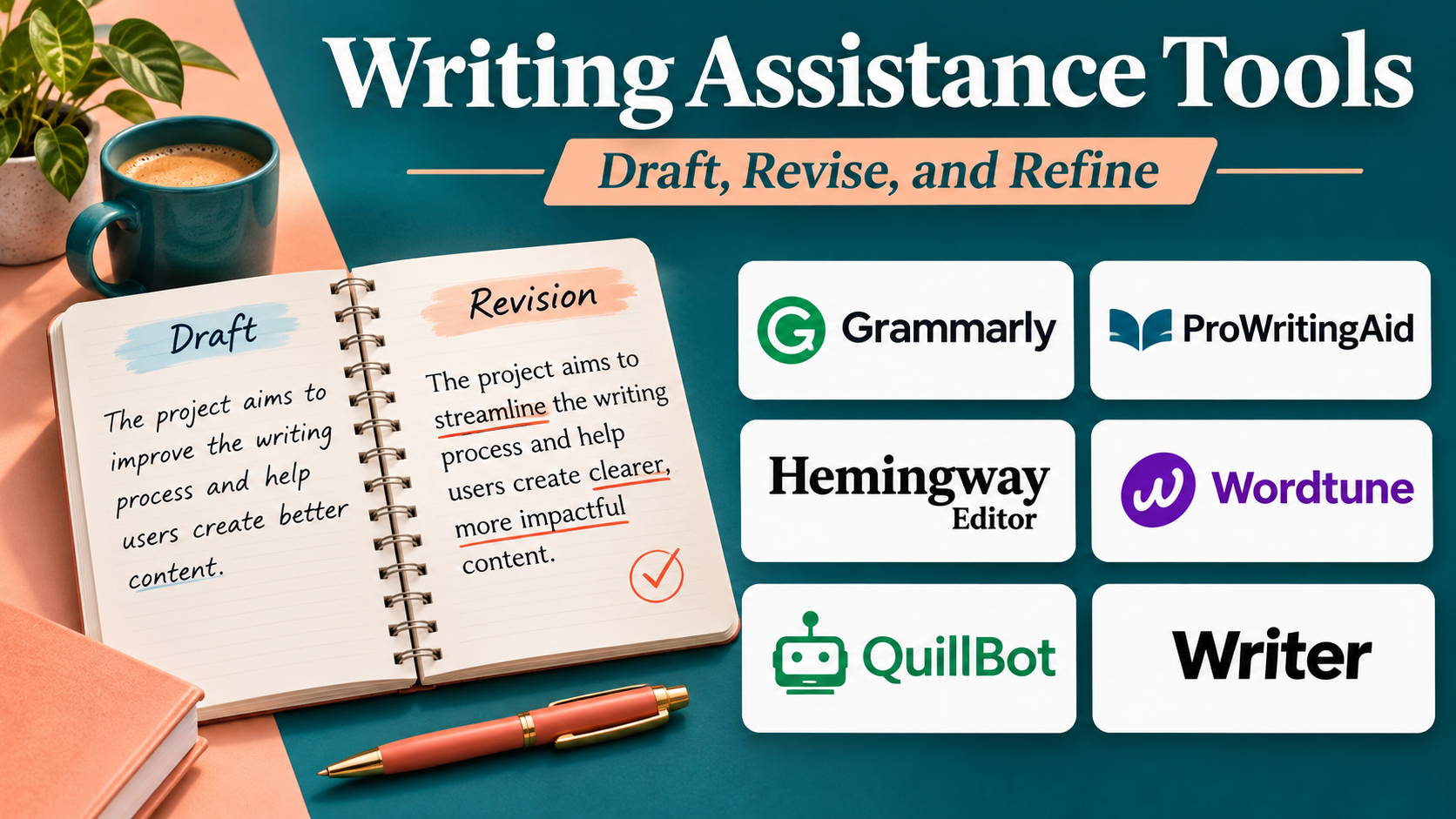
Introduction
Writing is an essential activity across education, business, marketing, research, and creative industries.
Professionals write emails, reports, proposals, articles, product descriptions, presentations, and customer communications every day.
Producing high-quality content requires more than correct grammar.
Writers must organize ideas, understand their audience, maintain a consistent tone, verify information, and communicate complex subjects clearly.
These tasks can become time-consuming, particularly when content must be produced regularly.
Writing assistance tools help users manage different stages of the writing process.
Some platforms specialize in brainstorming and drafting. Others provide grammar correction, rewriting, content optimization, or creative storytelling support.
Modern AI writing assistants can generate outlines, suggest alternative phrasing, summarize source material, and help users revise existing drafts.
However, AI-generated writing can contain factual errors, unsupported claims, repetitive language, and inappropriate wording.
Successful use therefore requires human oversight, clear instructions, and careful editing.
This guide compares ten writing assistance tools, examines their capabilities and limitations, and explains how to choose software for different writing requirements.
What Are Writing Assistance Tools?
Writing assistance tools are software applications that help users plan, draft, edit, organize, and improve written content.
They may use language rules, statistical analysis, natural language processing, or generative artificial intelligence.
Main Categories of Writing Assistance
AI drafting assistants: Generate initial text from instructions.
Grammar and style tools: Improve language accuracy and clarity.
Paraphrasing tools: Suggest alternative wording.
Content marketing platforms: Support branded marketing content.
Creative writing tools: Help develop characters, plots, and narratives.
Knowledge-based writing tools: Combine notes, documents, and AI assistance.
Readability editors: Identify difficult or unnecessarily complex sentences.
Typical Writing Workflow
- Define the audience and purpose.
- Research the subject.
- Organize ideas.
- Create an outline.
- Draft the content.
- Review structure and logic.
- Improve language and tone.
- Verify factual claims.
- Proofread the final document.
- Publish or deliver the content.
Different writing tools support different parts of this process.
Top 10 Writing Assistance Tools
1. ChatGPT
Best For: General-purpose writing assistance, brainstorming, outlining, drafting, and revision.
Short Description
ChatGPT is an AI assistant developed by OpenAI that supports a broad range of writing tasks.
Users can provide instructions, describe their audience, share draft text, and request revisions.
ChatGPT can help create outlines, generate alternative headlines, improve clarity, and explain complex subjects.
It is particularly useful for writers who need flexible assistance across different content formats.
For example, a marketing professional may use it to explore campaign ideas, while a technical writer may use it to simplify explanations.
ChatGPT can also support iterative editing through conversational feedback.
However, generated content should not be treated as automatically factual or publication-ready.
Users must verify important claims, review originality, and ensure that the final text reflects their intended meaning.
Key Features
- Brainstorming: Generates ideas and explores alternative approaches.
- Outlining: Organizes content into logical sections.
- Draft generation: Produces initial text from instructions.
- Rewriting: Revises passages for clarity, tone, or length.
- Summarization: Condenses supplied material.
- Audience adaptation: Adjusts explanations for different readers.
- Conversational editing: Supports iterative feedback and revisions.
- Document assistance: Helps analyze and work with supported uploaded material.
- Multilingual writing: Supports drafting and revision in multiple languages.
Benefits
ChatGPT provides flexible assistance throughout the writing process.
Its conversational interface allows writers to refine instructions without switching between separate tools.
Pros
- Versatile writing capabilities.
- Useful for brainstorming and drafting.
- Supports multiple content formats.
- Conversational revision workflow.
- Multilingual assistance.
Cons
- Can generate inaccurate information.
- Requires fact-checking.
- Generic prompts may produce generic content.
- Sensitive information requires appropriate handling.
- Final editorial responsibility remains with the user.
Use Cases
Blog writing: Develop outlines and article drafts.
Business communication: Draft professional messages.
Technical documentation: Simplify complex explanations.
Creative projects: Explore ideas and story concepts.
Best Suited For
Individuals and teams seeking flexible, general-purpose writing assistance.
2. Claude
Best For: Long-form drafting, document-based writing, and thoughtful revision.
Short Description
Claude is an AI assistant developed by Anthropic.
It supports writing, analysis, summarization, and document-oriented tasks.
Claude is particularly relevant to users working with substantial source material or long drafts.
Writers can use it to organize complex ideas, refine explanations, and evaluate document structure.
Its conversational workflow allows users to provide feedback and request targeted revisions.
Claude can assist with reports, essays, proposals, and other extended writing projects.
However, its generated responses still require verification and editorial review.
Users should also evaluate available features, file handling, and usage limits for their selected plan.
Key Features
- Long-form drafting: Supports extended written content.
- Document analysis: Works with supported source material.
- Summarization: Condenses lengthy information.
- Structural revision: Helps reorganize sections.
- Tone adaptation: Adjusts writing style.
- Brainstorming: Explores arguments and ideas.
- Editing assistance: Suggests improvements to existing drafts.
- Conversational refinement: Supports iterative changes.
- Multilingual writing: Assists with multiple languages.
Benefits
Claude can help writers organize and revise substantial documents.
Its conversational approach supports detailed feedback and progressive editing.
Pros
- Useful for long-form work.
- Strong document-oriented workflows.
- Flexible writing assistance.
- Supports iterative revision.
- Suitable for complex subjects.
Cons
- Generated facts require verification.
- Usage limits depend on plan.
- Output quality depends on instructions.
- AI may misinterpret source material.
- Human review remains essential.
Use Cases
Research reports: Organize complex material.
Proposals: Improve structure and clarity.
Long-form articles: Refine sections and transitions.
Best Suited For
Writers working on substantial documents and complex revisions.
3. Jasper
Best For: Marketing teams requiring branded AI content creation.
Short Description
Jasper is an AI content platform focused on marketing and business communication.
It helps teams create content that follows defined brand messaging and campaign objectives.
Jasper is particularly relevant to organizations producing marketing copy across multiple channels.
Teams can use it to develop campaign messaging, product descriptions, and promotional content.
Its brand-related capabilities help organizations maintain consistent communication.
Jasper also supports workflows intended to make content production more repeatable.
However, its marketing orientation may be less suitable for writers focused primarily on academic or literary work.
Key Features
- Marketing content generation: Produces campaign-oriented drafts.
- Brand voice guidance: Helps maintain consistent messaging.
- Content workflows: Supports repeatable production processes.
- Campaign assistance: Helps coordinate related marketing content.
- Copywriting support: Generates promotional text.
- Content rewriting: Adjusts existing copy.
- Team collaboration: Supports organizational content production.
- Audience adaptation: Helps tailor messaging.
- AI-assisted ideation: Generates campaign concepts.
Benefits
Jasper helps marketing teams standardize content creation.
Its brand-oriented features can reduce inconsistencies across campaigns.
Pros
- Marketing-focused capabilities.
- Brand consistency features.
- Team-oriented workflows.
- Useful campaign support.
- Suitable for recurring content production.
Cons
- Less focused on academic writing.
- Pricing requires evaluation.
- AI output needs factual review.
- Brand setup takes effort.
- Human creativity and strategy remain necessary.
Use Cases
Marketing campaigns: Draft coordinated messaging.
Product descriptions: Create consistent copy.
Brand communication: Maintain tone across channels.
Best Suited For
Marketing departments and content agencies.
4. Grammarly
Best For: Editing, rewriting, tone refinement, and everyday professional writing.
Short Description
Grammarly is a writing assistance platform that combines language correction with broader communication support.
It helps users identify grammatical errors, improve clarity, and revise tone.
Grammarly is especially useful for professionals who write frequently across email, documents, and online applications.
Its integrated suggestions can reduce the need for a separate proofreading stage.
AI-assisted writing features also support rewriting and selected drafting tasks.
Organizations can use applicable team features to promote consistent communication.
However, Grammarly is generally strongest as an editing and writing refinement tool rather than a complete research or publishing platform.
Key Features
- Grammar correction: Detects common errors.
- Spelling assistance: Identifies misspellings.
- Clarity suggestions: Recommends clearer wording.
- Tone guidance: Helps adjust communication style.
- AI rewriting: Generates alternative phrasing.
- Application integrations: Works across supported writing environments.
- Vocabulary improvements: Highlights awkward expressions.
- Team guidance: Supports organizational writing consistency.
- Proofreading: Helps prepare polished final drafts.
Benefits
Grammarly improves everyday writing quality with relatively little workflow disruption.
Its integrations make it convenient for professionals who work across multiple applications.
Pros
- Useful everyday editing.
- Grammar and tone assistance.
- Broad integrations.
- AI rewriting.
- Suitable for business teams.
Cons
- Less suited to extensive research.
- Advanced features may require payment.
- Suggestions can alter intended meaning.
- English-centered capabilities.
- Sensitive content requires privacy review.
Use Cases
Business email: Improve professionalism.
Reports: Refine grammar and clarity.
Customer communication: Review tone.
Best Suited For
Professionals seeking integrated editing and writing improvement.
5. Notion AI
Best For: Teams combining writing, notes, knowledge management, and project documentation.
Short Description
Notion AI provides AI assistance within the Notion workspace.
It helps users draft, summarize, reorganize, and improve content stored in supported Notion environments.
This makes it particularly relevant to teams that already use Notion for documentation and knowledge management.
Writers can develop meeting notes, internal documents, project summaries, and collaborative drafts without leaving their workspace.
Its context-oriented approach can help teams work with existing information.
However, the usefulness of workspace-based AI depends on the quality and organization of available documents.
Users should also evaluate permissions and access controls when working with internal information.
Key Features
- AI drafting: Generates text within supported Notion workflows.
- Summarization: Condenses notes and documents.
- Rewriting: Improves existing passages.
- Workspace context: Supports writing based on accessible information.
- Document organization: Combines writing with structured pages.
- Collaboration: Supports shared editing.
- Meeting notes: Helps organize discussion outcomes.
- Knowledge workflows: Connects writing with internal information.
- Content transformation: Converts notes into structured drafts.
Benefits
Notion AI reduces switching between documentation and AI writing applications.
It is useful for teams that want writing assistance inside their existing knowledge workspace.
Pros
- Integrated workspace experience.
- Useful summarization.
- Collaborative documentation.
- Supports internal writing.
- Combines notes and drafts.
Cons
- Most valuable for Notion users.
- AI access depends on subscription arrangements.
- Workspace organization affects results.
- Generated information needs verification.
- Not specialized for professional publishing.
Use Cases
Meeting summaries: Turn notes into action items.
Internal documentation: Draft process guides.
Project updates: Organize progress reports.
Best Suited For
Teams using Notion for knowledge management and documentation.
6. Copy.ai
Best For: Marketing and go-to-market teams automating repeatable content workflows.
Short Description
Copy.ai is an AI platform oriented toward marketing, sales, and go-to-market workflows.
It supports content generation and automation of selected business processes.
Its writing capabilities are particularly relevant to teams creating outreach messages, marketing copy, and campaign materials.
Copy.ai can help transform structured inputs into drafts that follow repeatable formats.
This makes it useful for organizations handling recurring content production.
Its broader workflow orientation distinguishes it from simple text generators.
However, businesses should evaluate whether they need a go-to-market automation platform or a dedicated writing editor.
Key Features
- AI content generation: Creates marketing-oriented drafts.
- Workflow automation: Supports repeatable content processes.
- Sales messaging: Helps draft outreach material.
- Marketing copy: Produces campaign text.
- Brand guidance: Supports consistent communication.
- Content transformation: Converts information into different formats.
- Team workflows: Supports coordinated business operations.
- Prompt-based customization: Allows task-specific instructions.
- Business integrations: Connects with selected workflow systems.
Benefits
Copy.ai helps organizations reduce repetitive writing tasks.
Its workflow capabilities can support consistent production across marketing and sales activities.
Pros
- Strong business workflow focus.
- Useful marketing content generation.
- Repeatable automation.
- Team-oriented capabilities.
- Supports outreach drafting.
Cons
- Broader platform may exceed simple writing needs.
- Workflow setup requires planning.
- AI content needs verification.
- Pricing depends on offerings.
- Not specialized for literary writing.
Use Cases
Sales outreach: Draft personalized message templates.
Marketing operations: Automate recurring content.
Campaign planning: Generate related copy.
Best Suited For
Marketing and sales teams seeking repeatable writing workflows.
7. Sudowrite
Best For: Fiction writers, novelists, and creative storytellers.
Short Description
Sudowrite is an AI writing application focused on creative fiction.
It provides tools to help writers brainstorm story ideas, develop scenes, and explore narrative possibilities.
Unlike business-oriented AI writing platforms, Sudowrite emphasizes storytelling.
Authors can use it to overcome creative blocks, explore descriptions, and develop alternative narrative directions.
Its capabilities are useful during planning, drafting, and revision.
Sudowrite is particularly relevant to novelists and other fiction writers who want AI support without making marketing content their primary focus.
However, writers must maintain control over narrative coherence, originality, and their personal creative voice.
Key Features
- Story brainstorming: Generates plot and scene ideas.
- Creative drafting: Supports narrative development.
- Description assistance: Suggests sensory and descriptive language.
- Character development: Helps explore character details.
- Story planning: Supports narrative organization.
- Rewriting: Provides alternative passages.
- Creative expansion: Helps develop short ideas into scenes.
- Revision assistance: Supports editing of fiction.
- Narrative experimentation: Explores different story directions.
Benefits
Sudowrite helps fiction writers generate possibilities during creative work.
It can be useful when developing scenes or overcoming writer’s block.
Pros
- Fiction-specific features.
- Useful creative brainstorming.
- Narrative development support.
- Helps explore alternatives.
- Designed for storytelling workflows.
Cons
- Less suitable for business documentation.
- AI output may feel generic.
- Story continuity requires review.
- Originality needs attention.
- Subscription costs must be evaluated.
Use Cases
Novel writing: Develop scenes and descriptions.
Short stories: Explore plot variations.
Creative revision: Test alternative narrative approaches.
Best Suited For
Fiction authors and creative storytellers.
8. Rytr
Best For: Individuals and small businesses seeking straightforward AI copywriting assistance.
Short Description
Rytr is an AI writing tool designed to generate short-form and general-purpose content.
It supports writing tasks such as marketing copy, emails, descriptions, and selected business communications.
Rytr is relevant to users who want a relatively straightforward interface for generating initial drafts.
Its writing templates and configurable inputs can simplify recurring content tasks.
Small businesses may find it useful for creating early versions of promotional materials.
However, generated content should be revised to avoid generic language and unsupported claims.
Rytr is generally better suited to straightforward drafting than complex research-heavy writing.
Key Features
- AI drafting: Generates text from instructions.
- Writing templates: Supports common content formats.
- Tone options: Adjusts communication style.
- Copywriting assistance: Helps create promotional text.
- Email drafting: Produces message templates.
- Rewriting: Revises existing passages.
- Idea generation: Suggests topics and approaches.
- Short-form content: Supports concise writing tasks.
Benefits
Rytr helps users create initial drafts quickly.
Its focused workflow is useful for individuals who do not need a complex enterprise content platform.
Pros
- Straightforward interface.
- Useful short-form drafting.
- Multiple writing formats.
- Tone customization.
- Suitable for small teams.
Cons
- Limited research capabilities.
- Generic output requires editing.
- Long-form depth varies.
- Feature availability depends on plan.
- Factual verification remains necessary.
Use Cases
Small-business marketing: Draft promotional text.
Email writing: Create message templates.
Social content: Generate initial captions.
Best Suited For
Individuals and small businesses seeking accessible AI copywriting.
9. Writesonic
Best For: Marketing teams combining AI content creation with search-oriented content workflows.
Short Description
Writesonic is an AI-powered marketing platform associated with content generation and search visibility workflows.
Its capabilities have evolved beyond basic AI copywriting into broader marketing and AI-search-related use cases.
Writesonic is relevant to organizations that want assistance producing content connected to online discoverability.
Writers can use applicable features to develop content ideas, create drafts, and support content optimization workflows.
The platform is especially relevant to marketing teams managing digital content.
However, buyers should verify the current division between writing features and broader search visibility products.
They should also avoid assuming that AI-generated content automatically satisfies search engine quality requirements.
Key Features
- AI content generation: Supports draft creation.
- Marketing writing: Helps produce promotional material.
- Content ideation: Generates topic and angle suggestions.
- Search-oriented workflows: Supports relevant content planning activities.
- Rewriting: Helps revise existing text.
- Content optimization: Supports selected improvement workflows.
- Brand-related guidance: Helps maintain messaging consistency.
- Marketing productivity: Reduces repetitive drafting.
- Related visibility tools: Provides additional capabilities in supported offerings.
Benefits
Writesonic can help marketing teams connect writing activities with broader digital content goals.
Its integrated approach may reduce switching between separate content tools.
Pros
- Marketing-oriented functionality.
- AI drafting assistance.
- Content planning support.
- Search-related workflows.
- Suitable for digital marketing teams.
Cons
- Product scope requires careful evaluation.
- Search performance is not guaranteed.
- AI content needs verification.
- Advanced capabilities may require higher plans.
- Less specialized for fiction or academic writing.
Use Cases
Content marketing: Draft articles and campaign materials.
Search-focused planning: Explore relevant content topics.
Digital marketing: Support recurring content production.
Best Suited For
Marketing teams connecting AI writing with online content visibility.
10. Anyword
Best For: Performance marketing teams creating audience-focused advertising and conversion copy.
Short Description
Anyword is an AI writing platform focused on marketing copy and performance-oriented content.
It helps organizations generate and refine messaging for different audiences and channels.
Anyword is particularly relevant to advertising teams and marketers who want to evaluate alternative copy approaches.
Its platform emphasizes the relationship between writing choices, audience targeting, and marketing performance.
Teams can use it to explore variations in headlines, advertisements, and promotional messaging.
However, predictive performance features should be treated as decision-support signals rather than guarantees.
Real campaign results must be validated through appropriate testing and analytics.
Key Features
- Marketing copy generation: Produces promotional drafts.
- Audience-focused writing: Supports messaging for different customer groups.
- Copy variations: Generates alternative headlines and text.
- Performance-oriented guidance: Provides selected predictive insights.
- Brand consistency: Helps align messaging with brand requirements.
- Campaign content: Supports advertising and promotional workflows.
- Content rewriting: Revises existing copy.
- Team collaboration: Supports coordinated marketing content.
- Testing support: Helps develop alternatives for campaign experiments.
Benefits
Anyword helps marketers explore different messaging strategies.
Its performance-oriented approach encourages testing rather than relying on a single draft.
Pros
- Marketing performance focus.
- Audience-oriented copy.
- Useful variation generation.
- Supports campaign experimentation.
- Brand messaging capabilities.
Cons
- Less suitable for general academic writing.
- Performance predictions are not guarantees.
- Enterprise pricing requires evaluation.
- Generated claims need verification.
- Requires real campaign measurement.
Use Cases
Advertising: Create headline variations.
Landing pages: Test different messages.
Email marketing: Develop audience-specific copy.
Best Suited For
Performance marketing teams and conversion-focused content professionals.
Comparison Table: Top 10 Writing Assistance Tools
| Tool | Primary Strength | Best For | Main Limitation |
|---|---|---|---|
| ChatGPT | General writing assistance | Broad writing tasks | Factual verification |
| Claude | Long-form document work | Reports and extended drafts | AI inaccuracies |
| Jasper | Branded marketing content | Marketing teams | Marketing specialization |
| Grammarly | Editing and tone | Professionals | Limited research focus |
| Notion AI | Workspace writing | Documentation teams | Notion dependence |
| Copy.ai | Business workflow automation | Sales and marketing | Workflow complexity |
| Sudowrite | Fiction writing | Novelists | Not business-oriented |
| Rytr | Straightforward AI copy | Individuals and SMBs | Limited research depth |
| Writesonic | Marketing and search workflows | Digital marketers | Evolving product scope |
| Anyword | Performance-focused copy | Advertising teams | Predictions need validation |
How to Choose the Right Writing Assistance Tool
1. Define Your Primary Writing Tasks
Determine whether you need help with business communication, academic writing, marketing, documentation, or fiction.
2. Evaluate Drafting Capabilities
Some tools generate complete drafts, while others primarily refine existing writing.
3. Assess Editing Quality
Test how well the tool improves clarity, structure, tone, and sentence flow.
4. Review Brand Voice Support
Marketing teams may need consistent terminology, tone, and messaging.
5. Examine Collaboration
Consider whether multiple writers and editors must work together.
6. Evaluate Research Support
Research-heavy writing requires reliable sources and independent factual verification.
7. Consider Privacy and Confidentiality
Review data handling, access permissions, retention policies, and organizational requirements.
8. Test Integrations
The software should fit the tools already used for writing and publishing.
9. Compare Total Cost
Consider subscription plans, usage limits, team licensing, and additional features.
10. Conduct a Real Writing Test
Compare the quality of outputs using the same representative assignment.
Best Writing Assistance Software by User Type
| User Type | Recommended Tool | Reason |
|---|---|---|
| General writers | ChatGPT | Versatile writing support |
| Long-form document writers | Claude | Extended drafting and revision |
| Marketing agencies | Jasper | Brand-focused workflows |
| Business professionals | Grammarly | Everyday editing |
| Internal documentation teams | Notion AI | Workspace integration |
| Sales and marketing operations | Copy.ai | Repeatable workflows |
| Fiction authors | Sudowrite | Story development |
| Small businesses | Rytr | Straightforward copywriting |
| Digital marketing teams | Writesonic | Content and search workflows |
| Performance marketers | Anyword | Audience-focused copy |
Practical Example: Building an AI-Assisted Content Production Workflow
Consider a software company publishing educational articles for its customers.
The company wants to improve production efficiency without sacrificing accuracy.
Step 1: Define the Audience
The content team identifies customer roles, experience levels, and information needs.
Step 2: Establish Editorial Standards
The team defines tone, article structure, terminology, and factual requirements.
Step 3: Research the Topic
Writers collect reliable source material and verify technical information.
Step 4: Create an Outline
ChatGPT or Claude helps organize the article into logical sections.
Step 5: Draft the Content
Writers use AI assistance to develop an initial draft while retaining editorial control.
Step 6: Apply Brand Guidance
A marketing-oriented platform helps align selected content with organizational messaging.
Step 7: Review Grammar and Clarity
Grammarly or another proofreading tool identifies language issues.
Step 8: Verify Technical Claims
Subject-matter experts check facts, product details, examples, and recommendations.
Step 9: Conduct Human Editing
An editor reviews originality, structure, relevance, and readability.
Step 10: Publish and Measure
The company tracks reader engagement, content usefulness, and required corrections.
Expected Outcome
The organization establishes a repeatable writing process that uses AI for assistance while maintaining human accountability for accuracy and quality.
Frequently Asked Questions
1. What are writing assistance tools?
They are applications that help users brainstorm, draft, edit, organize, and improve written content.
2. What is the difference between an AI writer and a grammar checker?
An AI writer can generate new content, while a grammar checker primarily identifies and corrects language errors. Some tools combine both.
3. Which writing assistant is best for general use?
ChatGPT and Claude are flexible options for many writing tasks.
4. Which tools are useful for marketing?
Jasper, Copy.ai, Writesonic, and Anyword provide marketing-oriented capabilities.
5. Which writing tool is suitable for fiction?
Sudowrite focuses on creative storytelling.
6. Can AI writing tools produce inaccurate information?
Yes. Generated content can contain fabricated facts, misleading statements, or unsupported claims.
7. Can AI tools replace professional writers?
They can automate selected tasks, but human expertise remains important for strategy, accuracy, originality, and judgment.
8. Are AI writing tools useful for SEO?
They can assist with content planning and drafting, but they do not guarantee search rankings or content quality.
9. Can businesses use AI writing tools for confidential documents?
Only after evaluating provider policies, access controls, data handling, and organizational requirements.
10. How should AI-generated writing be reviewed?
Check factual accuracy, relevance, originality, tone, structure, terminology, and compliance with applicable policies.
Conclusion
Writing assistance tools help individuals and organizations improve different stages of content creation.
ChatGPT and Claude provide versatile conversational writing support.
Jasper, Copy.ai, Writesonic, and Anyword focus on marketing and business content.
Grammarly emphasizes language correction and refinement.
Notion AI combines writing with workspace documentation.
Sudowrite supports creative storytelling, while Rytr offers straightforward AI drafting.
The best tool depends on the writer’s goals, workflow, audience, and editorial requirements.
AI writing software is most valuable when used to support human expertise rather than replace critical thinking.
A reliable writing process combines useful automation with research, fact-checking, careful editing, and accountability for the final content.