Introduction
Academic research depends on more than finding credible information. Researchers must also organize their sources, preserve accurate bibliographic details, cite evidence consistently, and maintain a reliable record of the publications supporting their work.
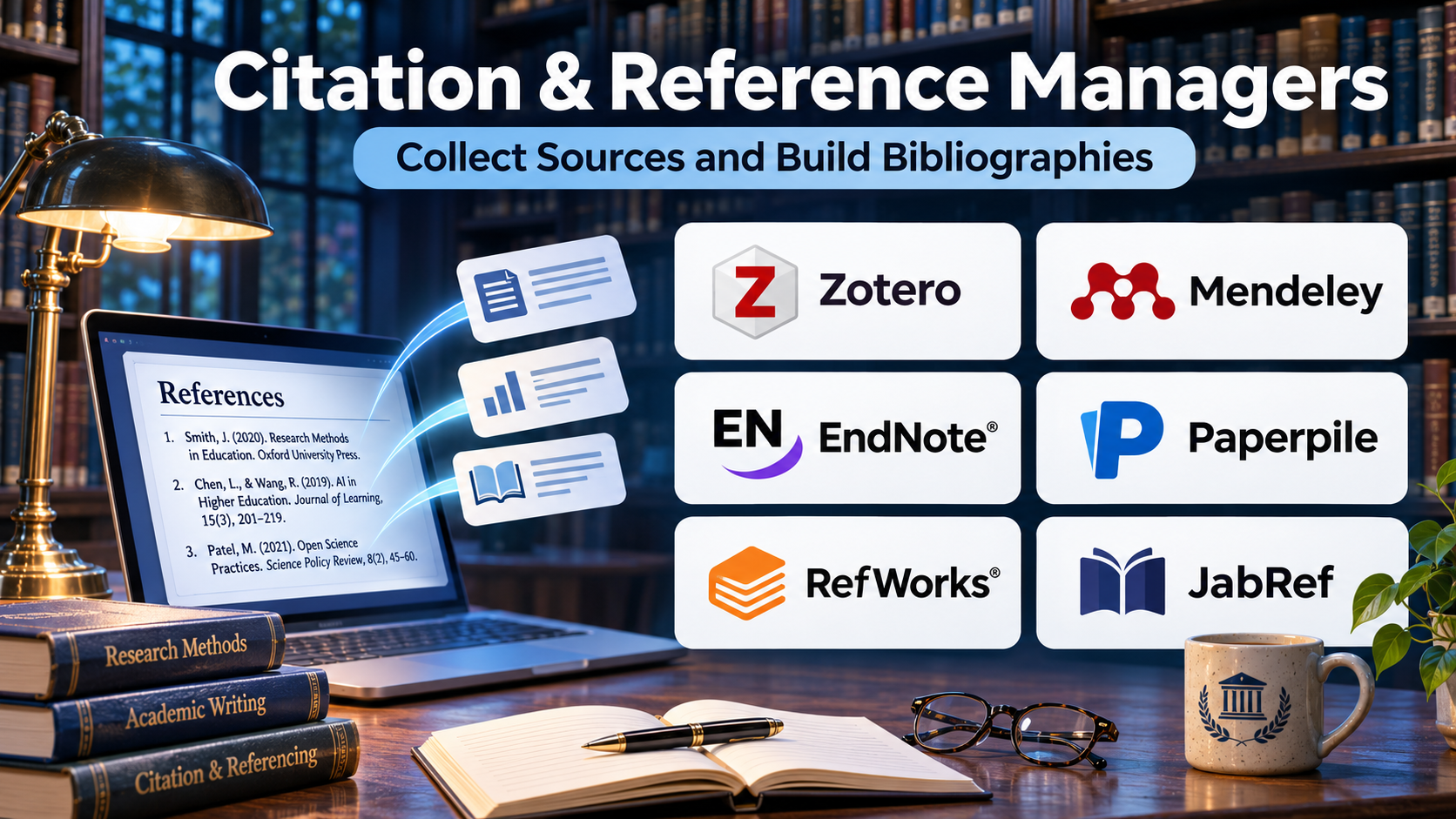
Citation and reference managers help solve these problems by bringing source collection, bibliographic organization, document annotation, and citation formatting into a structured workflow.
Without a dedicated reference management system, students and researchers often store journal articles in disconnected folders, copy citations manually, and lose track of which sources support specific arguments. These habits create avoidable errors, especially when projects involve hundreds of publications or multiple collaborators.
Modern reference management software offers browser-based source capture, PDF organization, citation insertion, bibliography generation, cloud synchronization, and collaborative research libraries. Some platforms also support literature discovery, research notes, and institutional workflows.
However, different tools prioritize different needs. A graduate student writing a dissertation may require extensive PDF annotation and Microsoft Word integration. A research team may prioritize shared libraries and consistent metadata. A humanities scholar may need support for specialized citation styles and complex source types.
This guide compares ten established citation and reference management tools, explains their capabilities and limitations, and provides practical guidance for selecting the right platform.
What Are Citation & Reference Managers?
Citation and reference managers are software applications designed to collect, organize, store, and format bibliographic information.
They maintain structured records for books, journal articles, conference papers, websites, reports, datasets, and other research materials.
A typical reference record includes the author’s name, publication title, publisher or journal, publication date, DOI, URL, and other relevant metadata.
These tools also help researchers insert citations into manuscripts and automatically generate reference lists according to established academic styles.
Common capabilities include:
- Importing references from academic databases and websites.
- Organizing sources into folders, collections, or groups.
- Attaching and annotating PDF documents.
- Detecting duplicate bibliographic records.
- Inserting citations into supported writing applications.
- Generating bibliographies using styles such as APA, MLA, Chicago, and Vancouver.
- Synchronizing research libraries across devices.
- Sharing references with collaborators.
Citation managers improve consistency, but they do not guarantee bibliographic accuracy. Researchers must still verify imported metadata, source credibility, and final citation formatting.
Top 10 Citation & Reference Managers
1. Zotero
Short Description
Zotero is a free, open-source reference management platform designed to help researchers collect, organize, annotate, and cite academic sources.
It is particularly useful for students, university researchers, and independent scholars who want a flexible system without committing to expensive proprietary software.
Zotero supports browser-based reference capture, desktop library management, PDF annotation, and integrations with common writing applications. Researchers can collect references while browsing academic databases and organize them into collections that reflect research topics, projects, or manuscript sections.
Its open-source ecosystem is another important advantage. Community-developed plugins and citation styles allow users to adapt Zotero to specialized academic workflows.
Zotero is especially attractive for long-term research because users can maintain control over their bibliographic data and export it in widely supported formats.
Key Features
- Browser Connector: Captures bibliographic records from journal websites, library catalogs, and research databases.
- Reference Collections: Organizes sources into collections and subcollections without requiring duplicate records.
- PDF Management: Stores research documents alongside their associated bibliographic information.
- PDF Annotation: Supports highlighting, notes, and extraction of useful research passages.
- Citation Integration: Inserts citations and bibliographies into Microsoft Word, LibreOffice, and Google Docs.
- Citation Style Library: Provides access to thousands of academic citation styles.
- Shared Libraries: Allows research teams to collaborate through group libraries.
- Synchronization: Keeps reference metadata and supported attachments available across devices.
- Extensible Plugins: Adds specialized functionality through community-supported extensions.
Benefits
Zotero reduces manual citation work and creates a central repository for research materials. Its flexible organization system is useful for both short assignments and extensive literature reviews.
Pros
- Free and open-source core software.
- Strong browser integration.
- Broad citation style support.
- Useful PDF annotation tools.
- Good collaborative research capabilities.
- Flexible data export options.
Cons
- Included cloud file storage is limited.
- Advanced configurations may require plugins.
- Large libraries require consistent organization.
- Some specialized workflows involve additional setup.
Use Cases
Zotero works well for dissertation research, systematic literature collection, academic manuscript preparation, and collaborative bibliography development.
For example, a doctoral researcher can create collections for each dissertation chapter, annotate journal articles, and insert citations directly into the manuscript.
Best For: Students, independent researchers, academic writers, and research teams seeking a flexible, cost-effective reference manager.
2. Mendeley Reference Manager
Short Description
Mendeley Reference Manager is a research organization platform associated with Elsevier. It combines bibliographic management, PDF reading, and citation workflows.
The platform is designed for researchers who regularly work with journal articles and want a connected environment for storing references and preparing manuscripts.
Users can import scholarly records, maintain organized libraries, and access documents through supported desktop and web workflows.
Mendeley Cite provides citation insertion and bibliography generation within Microsoft Word. This makes the platform particularly relevant to researchers whose writing process centers on Word documents.
Its research-oriented ecosystem can be convenient, although users should consider platform dependency and differences between current Mendeley products and older Mendeley Desktop workflows.
Key Features
- Reference Import: Adds records from files, databases, and supported research websites.
- Web Importer: Captures bibliographic information during online research.
- PDF Reading: Opens research documents within the reference management environment.
- Annotation Support: Allows users to highlight and annotate supported PDFs.
- Mendeley Cite: Inserts references and generates bibliographies in Microsoft Word.
- Library Collections: Groups references by research topic or project.
- Cloud Synchronization: Maintains access to library information across supported devices.
- Metadata Management: Helps users review and edit bibliographic fields.
Benefits
Mendeley provides a practical environment for researchers who primarily collect journal articles and write manuscripts in Microsoft Word.
Pros
- Familiar academic research workflow.
- Useful PDF organization.
- Word citation integration.
- Cloud-based library access.
- Straightforward reference import.
Cons
- Less extensible than some open-source alternatives.
- Certain workflows depend on Elsevier services.
- Collaboration capabilities vary by product and plan.
- Legacy feature comparisons can be confusing.
Use Cases
Mendeley suits journal manuscript preparation, graduate coursework, research article collections, and individual academic writing.
Best For: Researchers who want integrated reference organization and Microsoft Word citation management.
3. EndNote
Short Description
EndNote is a professional reference management platform widely used in academic institutions, research organizations, and publishing environments.
It focuses on managing extensive bibliographic libraries, formatting citations, and supporting complex academic writing projects.
EndNote is particularly useful when researchers must maintain large collections of references, work with institutional databases, or comply with specific journal submission requirements.
Its Microsoft Word integration allows users to insert citations and generate formatted bibliographies while writing.
EndNote also provides advanced library organization and reference editing tools that support demanding scholarly workflows.
However, its commercial licensing model and feature depth may be excessive for users who only need basic citation generation.
Key Features
- Large Reference Libraries: Manages extensive bibliographic collections.
- Cite While You Write: Integrates citation insertion with Microsoft Word.
- Reference Import: Supports importing records from academic databases.
- Duplicate Detection: Helps identify repeated bibliographic entries.
- PDF Attachment: Connects source documents to reference records.
- Reference Groups: Organizes records into structured and smart groups.
- Citation Styles: Supports a large selection of journal and academic formatting requirements.
- Library Sharing: Enables collaboration through supported shared-library workflows.
- Reference Editing: Provides detailed control over bibliographic fields.
Benefits
EndNote is valuable for managing complex reference libraries and reducing repetitive formatting work during manuscript preparation.
Pros
- Established academic reputation.
- Strong Word integration.
- Advanced bibliographic organization.
- Extensive citation style support.
- Suitable for large research projects.
Cons
- Commercial licensing costs.
- Learning curve for advanced features.
- Collaboration requires workflow planning.
- May be unnecessarily complex for casual users.
Use Cases
EndNote is appropriate for doctoral dissertations, multi-author research papers, institutional research programs, and journal submission preparation.
Best For: Professional researchers and academic institutions managing complex bibliographic workflows.
4. Paperpile
Short Description
Paperpile is a cloud-oriented reference management platform designed to simplify academic literature organization and citation workflows.
It emphasizes convenient reference collection, PDF management, and integration with common writing environments.
Paperpile is especially useful for researchers who prefer browser-centered workflows and want to avoid maintaining complicated local reference management configurations.
Users can organize academic references, attach PDFs, and generate citations while working on research manuscripts.
Its streamlined interface makes it accessible to researchers who prioritize usability over extensive customization.
Key Features
- Browser-Based Reference Capture: Collects scholarly records from supported websites.
- Cloud Library: Maintains references in an accessible online environment.
- PDF Organization: Associates research papers with bibliographic records.
- Citation Integration: Supports citation workflows in compatible writing applications.
- Reference Labels: Organizes sources using labels and folders.
- Metadata Import: Retrieves bibliographic information from supported sources.
- Citation Formatting: Generates citations and reference lists in academic styles.
- Research Search: Helps users locate records within their libraries.
Benefits
Paperpile reduces the friction involved in collecting research papers and inserting citations during academic writing.
Pros
- Clean interface.
- Convenient browser workflows.
- Good academic reference capture.
- Integrated PDF organization.
- Accessible for new users.
Cons
- Subscription-based access.
- Reliance on supported cloud workflows.
- Less suitable for users requiring extensive local customization.
- Feature availability depends on the selected product and integration.
Use Cases
Paperpile supports student research papers, collaborative manuscript preparation, literature reviews, and browser-based academic workflows.
Best For: Researchers who prefer streamlined, cloud-centered reference management.
5. RefWorks
Short Description
RefWorks is a web-based reference management solution commonly provided through universities and academic libraries.
It helps researchers collect bibliographic records, organize research materials, and prepare citations for academic writing.
RefWorks is particularly relevant in institutional environments where librarians provide training, support, and access through university subscriptions.
Its online architecture allows researchers to manage references without relying exclusively on a local desktop application.
The platform also supports collaboration and citation formatting for academic assignments and research manuscripts.
Key Features
- Web-Based Library: Stores and organizes references online.
- Database Import: Collects records from supported scholarly resources.
- Citation Generation: Formats references according to academic styles.
- Document Integration: Supports citation insertion in compatible writing environments.
- Folder Organization: Groups references by topic or project.
- Collaboration: Supports sharing references with research partners.
- Bibliography Creation: Produces formatted reference lists.
- Institutional Access: Integrates with university-supported research services.
Benefits
RefWorks provides a centralized citation workflow that can be especially convenient when an institution already supplies licenses and user support.
Pros
- Web-based accessibility.
- Institutional training availability.
- Useful bibliography tools.
- Collaborative reference organization.
- Suitable for student onboarding.
Cons
- Access may depend on institutional licensing.
- Less attractive when institutional support is unavailable.
- Feature differences may exist between product generations.
- Users should plan for library export when changing institutions.
Use Cases
RefWorks is suitable for university coursework, library-supported research, academic writing workshops, and collaborative student projects.
Best For: Students and researchers at institutions that already provide RefWorks.
6. Citavi
Short Description
Citavi combines reference management with research knowledge organization and project planning.
Unlike tools focused primarily on bibliographic formatting, Citavi helps researchers connect source materials with quotations, ideas, tasks, and manuscript structures.
This approach is particularly useful for literature-heavy disciplines where organizing arguments and evidence is as important as maintaining accurate references.
Researchers can manage bibliographic records while developing a structured knowledge base around their reading.
Citavi can therefore support the progression from literature collection to research synthesis and manuscript planning.
Key Features
- Reference Management: Stores structured bibliographic records.
- Knowledge Organization: Connects quotations and ideas to source references.
- Task Planning: Helps researchers manage research-related activities.
- PDF Annotation: Supports working directly with research documents.
- Category Systems: Organizes research knowledge into thematic structures.
- Citation Integration: Supports manuscript citation workflows.
- Research Search: Helps retrieve relevant references and notes.
- Project Organization: Connects bibliographic work with research planning.
Benefits
Citavi helps users transform large reading collections into structured research arguments.
Pros
- Strong knowledge organization.
- Useful for complex literature reviews.
- Combines references and research planning.
- Supports structured note-taking.
- Appropriate for long academic projects.
Cons
- More complex than basic citation managers.
- Licensing and platform compatibility require evaluation.
- Initial setup can take time.
- Some users may not need its knowledge management features.
Use Cases
Citavi works well for doctoral research, humanities scholarship, social science literature reviews, and complex research projects.
Best For: Researchers who need integrated reference management and knowledge organization.
7. JabRef
Short Description
JabRef is an open-source bibliographic reference manager built around BibTeX and BibLaTeX workflows.
It is especially popular among researchers who write academic documents using LaTeX.
Rather than emphasizing a general-purpose cloud writing experience, JabRef provides detailed control over structured bibliographic records.
Users can maintain bibliography databases, edit citation keys, manage metadata, and connect references with external research documents.
Its open-source design makes it appealing to technically comfortable researchers who value portability and transparent data formats.
Key Features
- BibTeX Management: Creates and edits structured bibliography databases.
- BibLaTeX Support: Works with modern LaTeX bibliography workflows.
- Citation Key Management: Helps maintain consistent reference identifiers.
- Metadata Retrieval: Supports importing and updating bibliographic information.
- Duplicate Detection: Identifies potentially repeated references.
- File Linking: Associates PDFs and other documents with entries.
- Group Organization: Organizes references using categories and groups.
- Data Export: Supports bibliography portability.
Benefits
JabRef provides precise bibliographic control without forcing researchers into proprietary reference storage formats.
Pros
- Free and open-source.
- Excellent for LaTeX workflows.
- Strong BibTeX support.
- Portable reference data.
- Detailed metadata editing.
Cons
- Less intuitive for nontechnical users.
- Limited appeal for Word-centered workflows.
- Interface is specialized.
- Collaboration may require external version-control or file-sharing arrangements.
Use Cases
JabRef is useful for mathematics, physics, engineering, computer science, and technical manuscript preparation.
Best For: LaTeX users who want structured, open-source bibliography management.
8. ReadCube Papers
Short Description
ReadCube Papers is a reference and literature management platform designed around scholarly reading, document organization, and research collaboration.
It combines bibliographic management with features that help researchers discover, read, annotate, and organize scientific literature.
The platform is relevant to research-intensive organizations where managing access to publications and maintaining organized literature collections are ongoing needs.
Its integrated reading environment can reduce the number of separate tools required for PDF management and research organization.
Researchers evaluating ReadCube Papers should distinguish individual research features from enterprise and institutional capabilities.
Key Features
- Literature Organization: Maintains structured research libraries.
- PDF Reading: Provides a dedicated environment for scholarly documents.
- Annotation Tools: Supports highlighting and research notes.
- Reference Capture: Adds bibliographic records from supported sources.
- Search and Discovery: Helps researchers locate relevant literature.
- Citation Support: Assists with reference formatting and manuscript workflows.
- Cloud Synchronization: Supports access across compatible devices.
- Collaboration Options: Provides research sharing capabilities according to the selected offering.
Benefits
ReadCube Papers can streamline literature reading and document management for researchers handling substantial publication collections.
Pros
- Research-focused reading environment.
- Integrated document organization.
- Useful annotation features.
- Supports literature-intensive workflows.
- Individual and organizational offerings.
Cons
- Subscription costs.
- Feature differences between plans.
- Less appropriate for users wanting a fully open-source stack.
- Organizational deployments require licensing review.
Use Cases
ReadCube Papers is suitable for scientific literature reviews, research teams, pharmaceutical research environments, and publication-heavy projects.
Best For: Researchers and organizations prioritizing literature reading and document management.
9. Sciwheel
Short Description
Sciwheel is a cloud-based reference management platform focused on organizing scholarly references and supporting collaborative research writing.
It combines reference collection, document management, citation generation, and research collaboration.
Sciwheel is useful for researchers who want shared bibliographic workflows without maintaining complicated local library systems.
Its collaborative orientation can help research groups coordinate source collections and manuscript preparation.
The platform is particularly relevant to academic and scientific teams that regularly exchange references and supporting documents.
Key Features
- Reference Collection: Imports scholarly bibliographic records.
- Cloud Library: Stores references in an online research workspace.
- PDF Management: Associates source documents with references.
- Citation Generation: Creates formatted academic citations.
- Writing Integration: Supports citation workflows in compatible editors.
- Shared Projects: Helps teams organize common reference collections.
- Research Notes: Connects notes to source material.
- Library Search: Helps retrieve references from growing collections.
Benefits
Sciwheel helps research collaborators maintain shared bibliographic resources and reduce duplication of reference collection work.
Pros
- Cloud-oriented access.
- Collaboration-focused design.
- Integrated research organization.
- Citation formatting support.
- Useful for scientific writing.
Cons
- Subscription considerations.
- Dependence on supported online services.
- Fewer customization options than some open-source tools.
- Integration requirements should be checked before adoption.
Use Cases
Sciwheel is appropriate for laboratory research groups, collaborative academic writing, and shared literature collections.
Best For: Research teams seeking online reference management and collaboration.
10. Paperlib
Short Description
Paperlib is an open-source reference management application focused on organizing scientific papers and supporting efficient literature workflows.
It is particularly relevant to researchers who want a desktop-centered approach to managing academic publications.
Paperlib emphasizes paper metadata, document organization, and extensibility.
Its approach can appeal to researchers who prefer controlling their research files locally while using specialized tools for citation and document preparation.
However, users should evaluate integration maturity and maintenance requirements before relying on it for large institutional projects.
Key Features
- Paper Library Management: Organizes academic publications in a dedicated library.
- Metadata Management: Maintains structured information about research papers.
- PDF Organization: Connects documents with bibliographic records.
- Search Tools: Helps locate publications within a personal collection.
- Extensible Architecture: Supports additional capabilities through extensions.
- Research Organization: Provides tools for managing growing paper collections.
- Desktop Workflow: Supports local research document management.
- Metadata Editing: Allows correction of incomplete or inaccurate records.
Benefits
Paperlib offers an alternative for researchers who value open-source software and specialized paper organization.
Pros
- Open-source approach.
- Research-focused interface.
- Local document organization.
- Extensibility.
- Useful for technically comfortable researchers.
Cons
- Smaller ecosystem than established competitors.
- Some workflows may need additional tools.
- Compatibility should be evaluated carefully.
- Institutional support may be limited.
Use Cases
Paperlib works well for individual scientific literature collections, technical research projects, and desktop-based paper organization.
Best For: Researchers interested in open-source, desktop-oriented scientific paper management.
Citation & Reference Managers Comparison Table
| Tool | Main Strength | Collaboration | Best Fit |
|---|---|---|---|
| Zotero | Open-source flexibility | Group libraries | Students and researchers |
| Mendeley | PDF and Word workflows | Product-dependent | Academic writers |
| EndNote | Advanced bibliography management | Shared libraries | Professional researchers |
| Paperpile | Streamlined cloud workflow | Supported sharing | Browser-focused researchers |
| RefWorks | Institutional research support | Shared references | Universities |
| Citavi | Knowledge organization | Plan-dependent | Complex research projects |
| JabRef | BibTeX and LaTeX | External workflows | Technical researchers |
| ReadCube Papers | Literature reading | Offering-dependent | Research-intensive teams |
| Sciwheel | Cloud collaboration | Shared projects | Scientific teams |
| Paperlib | Open-source paper organization | Limited/native capabilities vary | Individual researchers |
How to Choose the Right Citation & Reference Manager
Step 1: Identify Your Writing Environment
Determine whether you primarily use Microsoft Word, Google Docs, LibreOffice, or LaTeX.
Citation integration should be tested in the exact editor and version you use.
Step 2: Evaluate Reference Collection
Import sample references from your main academic databases.
Check whether the software captures authors, publication dates, journal names, and DOIs accurately.
Step 3: Assess PDF Management
Researchers who read hundreds of papers should prioritize document attachment, annotation, search, and organization.
Step 4: Examine Collaboration
Determine whether shared libraries support your team size, access requirements, and research workflow.
Step 5: Consider Data Portability
Look for export support through formats such as BibTeX, RIS, or other structured bibliography standards.
Step 6: Calculate Long-Term Costs
Compare licensing, storage, collaboration, and institutional access requirements.
Step 7: Test a Real Manuscript
Create a short document containing several citation types and generate a bibliography before making a final decision.
Best Citation & Reference Manager by User Type
| User Type | Recommended Tool | Reason |
|---|---|---|
| Undergraduate students | Zotero | Free, accessible, versatile |
| Graduate researchers | Zotero or EndNote | Strong manuscript workflows |
| LaTeX researchers | JabRef | Native bibliography format focus |
| University-supported users | RefWorks | Institutional access and training |
| Browser-centered researchers | Paperpile | Streamlined reference collection |
| Knowledge-intensive researchers | Citavi | Structured notes and evidence |
| Literature-heavy teams | ReadCube Papers | Reading and document organization |
| Collaborative scientific teams | Sciwheel | Shared research libraries |
| Word-focused researchers | Mendeley | Integrated citation workflow |
| Open-source desktop enthusiasts | Paperlib | Specialized paper management |
Practical Example: Managing References for a Graduate Thesis
Consider a graduate student preparing a thesis involving 150 journal articles.
Step 1: Create a Reference Library
Install Zotero and create collections for the thesis introduction, literature review, methodology, and discussion.
Step 2: Import Academic Sources
Use the browser connector to capture references from supported academic databases.
Step 3: Verify Metadata
Check each imported record for accurate titles, authors, publication dates, and identifiers.
Step 4: Attach Research Papers
Store available PDFs alongside their corresponding reference records.
Step 5: Annotate Important Findings
Highlight relevant passages and record notes describing how each source contributes to the thesis.
Step 6: Organize the Literature
Use tags and collections to group sources by theme, methodology, and research question.
Step 7: Insert Citations
Connect Zotero to the writing application and insert references while drafting.
Step 8: Generate the Bibliography
Choose the required academic style and generate the reference list.
Step 9: Perform Final Verification
Review citations, quotations, page numbers, capitalization, and bibliography entries against institutional requirements.
This workflow reduces repetitive formatting work while maintaining researcher responsibility for source accuracy.
Frequently Asked Questions
1. What is the best free citation manager?
Zotero and JabRef are strong free options. Zotero suits broad academic workflows, while JabRef is especially useful for BibTeX and LaTeX.
2. Is Zotero better than Mendeley?
Neither is universally better. Zotero offers open-source flexibility, while Mendeley may appeal to researchers who prefer its PDF and Word-centered workflows.
3. Can citation managers automatically generate bibliographies?
Yes. Most established reference managers generate bibliographies using selected academic citation styles.
4. Do citation managers prevent plagiarism?
They help users cite sources consistently, but they do not independently determine whether writing constitutes plagiarism.
5. Can I use a reference manager for a dissertation?
Yes. Reference managers are particularly useful for long manuscripts containing large numbers of citations.
6. Which reference manager is best for LaTeX?
JabRef is a strong choice because it is designed around BibTeX and BibLaTeX bibliography databases.
7. Can research teams share citation libraries?
Many platforms support shared libraries or collaborative projects. Access permissions and storage limits vary.
8. Are automatically imported citations always correct?
No. Imported metadata can contain errors, missing fields, or incorrect publication details.
9. Can I switch reference managers later?
Usually, references can be exported and imported using supported formats. However, annotations, folder structures, and attachments may not transfer perfectly.
10. Should I pay for a reference manager?
Paid software may be worthwhile when it provides institutional integration, specialized workflows, or collaboration features unavailable in your preferred free alternative.
Conclusion
Citation and reference managers are essential productivity tools for researchers who need reliable source organization and consistent academic citations.
Zotero provides an accessible and flexible starting point. EndNote supports demanding professional research workflows. JabRef is particularly suitable for LaTeX users, while Citavi offers deeper knowledge organization.
The right platform depends on your writing environment, reference volume, collaboration requirements, budget, and need for long-term data portability.
Before adopting a system, test it with real references and a representative manuscript. A dependable citation workflow should make research easier without reducing attention to scholarly accuracy.