Introduction
Understanding daily nutrition involves more than counting calories. Food choices affect energy intake, nutrient consumption, meal variety, and the ability to maintain a balanced eating routine.
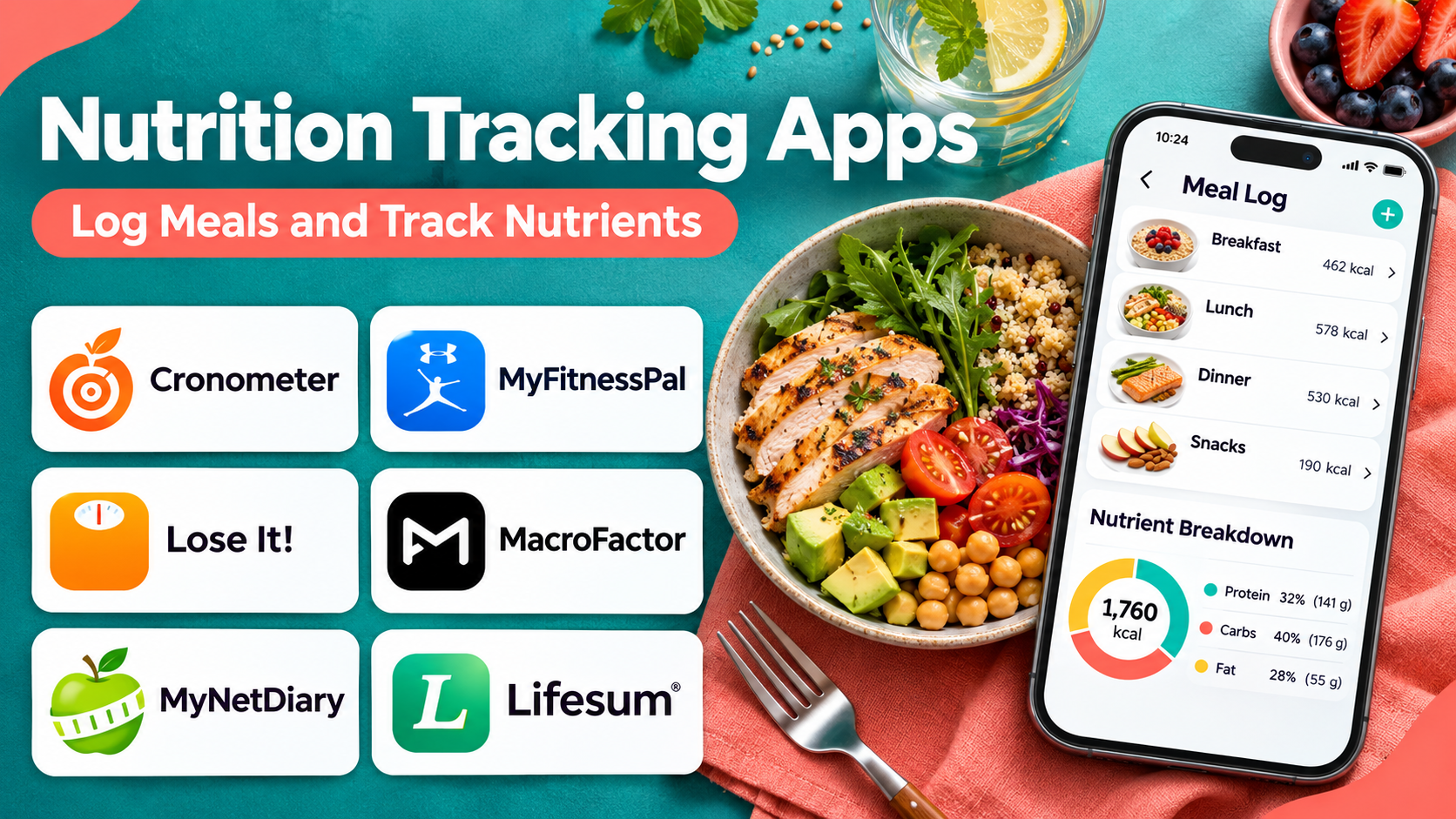
Nutrition tracking apps help users record meals, examine nutrient estimates, identify dietary patterns, and organize information about their eating habits.
These platforms can be useful for people who want to learn more about protein, carbohydrates, fats, fiber, vitamins, minerals, and overall food composition.
Some applications prioritize detailed nutrient analysis. Others emphasize convenient food logging, meal planning, barcode scanning, or integration with fitness devices.
However, food tracking has limitations. Nutrient databases contain estimates, portion sizes can be inaccurate, and packaged food information may differ from actual consumption.
Nutrition tracking should also remain flexible. Excessive monitoring can become stressful or counterproductive, particularly for people vulnerable to disordered eating.
The best application is one that provides useful information while supporting a sustainable and balanced relationship with food.
This guide compares ten nutrition tracking applications, explains their features and limitations, and provides practical guidance for choosing a suitable platform.
What Are Nutrition Tracking Apps?
Nutrition tracking apps are digital tools that help users record food and beverage consumption and estimate nutritional intake.
They typically use food composition databases, nutrition labels, user-entered recipes, and portion estimates to calculate nutrient information.
Common capabilities include:
- Food and beverage logging.
- Calorie and macronutrient estimates.
- Protein, carbohydrate, and fat tracking.
- Vitamin and mineral analysis.
- Barcode scanning.
- Recipe creation.
- Meal history and saved foods.
- Dietary preference settings.
- Nutrition reports.
- Integration with supported fitness and health platforms.
Some apps provide extensive micronutrient analysis, while others focus on simpler daily food records.
The quality of results depends on database accuracy, portion estimation, and consistent use.
Top 10 Nutrition Tracking Apps
1. MyFitnessPal
Short Description
MyFitnessPal is a widely used nutrition and food tracking platform that combines meal logging, nutrient estimates, and activity-related features.
Its extensive food database makes it convenient for users who consume a mixture of packaged products, restaurant meals, and home-cooked foods.
Users can search for foods, record portions, save meals, and review estimated daily nutrient intake.
MyFitnessPal also supports integrations with selected fitness and health platforms, allowing users to view food information alongside physical activity data.
The platform is particularly useful for people who value convenience and a large searchable database.
However, food records may include user-contributed information, so nutritional accuracy requires attention.
Key Features
- Food Database: Provides searchable food records across many categories.
- Meal Logging: Records food consumption by meal or snack.
- Macronutrient Tracking: Estimates protein, carbohydrates, and fat.
- Barcode Scanning: Supports packaged food lookup in eligible plans and regions.
- Recipe Tools: Allows users to create meals from multiple ingredients.
- Saved Foods: Simplifies repeated entries.
- Nutrition Reports: Displays historical intake estimates.
- Fitness Integrations: Connects with supported activity platforms.
- Goal Settings: Supports configurable nutrition-related targets.
Benefits
MyFitnessPal reduces repetitive food entry and makes basic nutrient tracking accessible to a broad audience.
Pros
- Large food database.
- Convenient meal history.
- Familiar interface.
- Broad fitness ecosystem.
- Useful recipe logging.
- Supports recurring food entries.
Cons
- User-submitted records may be inaccurate.
- Some features require a subscription.
- Portion estimates can be inconsistent.
- Calorie-focused features may not suit every user.
- Restaurant nutrition data can be approximate.
Use Cases
MyFitnessPal is useful for general food awareness, meal logging, and reviewing estimated macronutrient intake.
Best For: General users who want an extensive food database and convenient daily logging.
2. Cronometer
Short Description
Cronometer is a nutrition tracking platform known for detailed nutrient analysis and an emphasis on high-quality food composition data.
It is especially useful for people who want to understand micronutrient intake rather than focus exclusively on calories.
The application provides information about vitamins, minerals, macronutrients, and other nutritional components when reliable data is available.
Users can record individual foods, build recipes, and review nutritional patterns across multiple days.
Cronometer is also relevant to nutrition professionals who need detailed dietary records, although professional use requires appropriate workflows and expertise.
Its analytical depth can be valuable, but it may feel excessive for users seeking simple meal logging.
Key Features
- Detailed Nutrient Analysis: Tracks numerous macro- and micronutrients.
- Curated Food Data: Uses established nutritional databases and other food records.
- Recipe Builder: Calculates estimated nutrition for homemade recipes.
- Custom Foods: Supports manually entered nutritional information.
- Daily Diary: Organizes meals and beverages.
- Nutrition Targets: Allows configurable nutrient goals.
- Trend Reports: Displays historical intake patterns.
- Device Integrations: Connects with supported health platforms.
- Professional Features: Offers specialized capabilities through relevant products.
Benefits
Cronometer provides detailed nutritional visibility for users who need more than basic calorie estimates.
Pros
- Strong micronutrient analysis.
- Detailed food composition reporting.
- Useful recipe calculations.
- Transparent nutrient breakdowns.
- Suitable for data-oriented users.
Cons
- More complex than simple food diaries.
- Advanced reports may require payment.
- Missing nutrient fields can affect totals.
- Precise-looking numbers may create false confidence.
Use Cases
Cronometer supports dietary analysis, nutrient awareness, and structured food records for qualified nutrition consultations.
Best For: Users seeking detailed macro- and micronutrient information.
3. Lose It!
Short Description
Lose It! is a food tracking application designed around convenient meal logging and personalized nutrition-related goals.
It emphasizes an approachable interface that helps users maintain a consistent food diary.
Users can search for foods, save meals, review nutritional summaries, and use supported logging features to simplify repeated entries.
The application also offers progress-oriented reporting and integrations with selected health platforms.
Its straightforward approach can appeal to users who prefer simple food logging rather than extensive nutrient analytics.
However, users should avoid treating daily numerical targets as rigid requirements when their needs or circumstances change.
Key Features
- Food Logging: Records daily meals and snacks.
- Food Search: Finds packaged and common foods.
- Barcode Features: Supports eligible packaged food scanning.
- Meal History: Reuses frequently consumed meals.
- Macronutrient Reports: Summarizes estimated nutrient intake.
- Recipe Logging: Supports homemade meal entries.
- Progress Charts: Displays trends against configured goals.
- Health Integrations: Connects with selected devices and services.
Benefits
Lose It! simplifies regular food recording through accessible navigation and recurring meal tools.
Pros
- Easy-to-understand interface.
- Convenient daily logging.
- Useful saved meals.
- Clear visual summaries.
- Suitable for beginners.
Cons
- Some features require premium access.
- Nutritional database accuracy varies.
- Less detailed micronutrient analysis than specialized tools.
- Goal-oriented design may not suit everyone.
Use Cases
Lose It! works well for users who want a straightforward food diary and basic nutrient summaries.
Best For: Beginners seeking simple nutrition logging.
4. MacroFactor
Short Description
MacroFactor is a nutrition coaching and food tracking application that combines dietary logging with adaptive energy expenditure estimates.
It is particularly relevant to people who want to monitor nutrition alongside physical training or structured performance goals.
The platform analyzes logged food intake and body-weight trends to estimate energy expenditure over time.
Its coaching approach differs from static calorie calculators because recommendations can adapt to available data.
MacroFactor also offers food logging, macronutrient reporting, and flexible coaching configurations.
However, adaptive estimates depend on sufficient and reasonably consistent information. They should not be interpreted as direct metabolic measurements.
Key Features
- Food Logging: Records meals and nutritional intake.
- Macronutrient Analysis: Tracks estimated protein, carbohydrates, and fat.
- Adaptive Expenditure Estimates: Uses logged trends to update energy estimates.
- Nutrition Coaching: Provides configurable coaching approaches.
- Food Database: Supports searchable food entries.
- Recipe Creation: Calculates homemade meal nutrition.
- Trend Analysis: Displays changes in logged information.
- Goal Adjustments: Updates recommendations through supported coaching workflows.
- Flexible Tracking: Offers different levels of user control.
Benefits
MacroFactor provides a data-oriented approach to nutrition monitoring for users comfortable with structured logging.
Pros
- Adaptive analytical approach.
- Detailed macronutrient reporting.
- Useful for fitness-related workflows.
- Flexible coaching configurations.
- Strong historical trends.
Cons
- Subscription required.
- Requires consistent data for reliable estimates.
- May be unnecessarily complex for casual users.
- Not a substitute for individualized clinical nutrition advice.
Use Cases
MacroFactor is useful for fitness enthusiasts and athletes who want to examine nutrition and training-related trends.
Best For: Data-oriented fitness users seeking adaptive nutrition tracking.
5. Lifesum
Short Description
Lifesum is a nutrition and wellness application that combines food tracking with meal ideas, dietary preferences, and habit-oriented features.
It emphasizes a visually accessible experience rather than presenting nutrition solely as a technical spreadsheet.
Users can log meals, review nutrient estimates, and explore supported dietary plans and recipes.
The platform is relevant to people who want nutrition tracking alongside everyday meal inspiration.
Its broader wellness orientation can make it more approachable than highly analytical applications.
However, users should evaluate dietary plans carefully and avoid assuming that preset plans match their individual nutritional requirements.
Key Features
- Food Diary: Records meals and beverages.
- Nutrition Summaries: Displays estimated energy and macronutrients.
- Meal Ideas: Offers recipe and meal inspiration.
- Dietary Preferences: Supports selected eating patterns.
- Barcode Scanning: Provides supported packaged food lookup.
- Habit Tracking: Includes wellness-oriented routines.
- Progress Visualization: Displays food logging trends.
- Health Integrations: Connects with compatible services.
Benefits
Lifesum combines nutrition awareness and meal inspiration in an approachable interface.
Pros
- Attractive design.
- Convenient meal logging.
- Recipe inspiration.
- Beginner-friendly experience.
- Broad wellness focus.
Cons
- Premium subscription for some features.
- Preset plans may not suit individual needs.
- Less detailed micronutrient reporting than Cronometer.
- Food data quality varies.
Use Cases
Lifesum is useful for users seeking a combined food diary, recipe inspiration, and general wellness routine.
Best For: Users who prefer visually guided nutrition tracking.
6. YAZIO
Short Description
YAZIO is a food tracking and nutrition application that combines meal logging, recipe resources, and configurable dietary goals.
Its interface is designed to help users record food intake and review nutritional information without extensive setup.
The platform includes searchable food records, meal planning resources, and historical tracking.
YAZIO also offers optional fasting-related functionality, although fasting is not appropriate for everyone and should not be treated as a universal health recommendation.
Its combination of nutrition logging and lifestyle features makes it relevant to users seeking a broad wellness application.
Key Features
- Food Diary: Records meals and snacks.
- Nutrient Estimates: Displays calories and macronutrients.
- Food Search: Provides a searchable food database.
- Barcode Scanning: Supports packaged food entry.
- Recipe Collection: Offers meal ideas.
- Custom Meals: Allows recurring food combinations.
- Historical Reports: Tracks intake patterns.
- Optional Fasting Tools: Supports selected fasting-related workflows.
Benefits
YAZIO provides convenient food logging alongside recipes and optional lifestyle features.
Pros
- Accessible interface.
- Useful food search.
- Recipe resources.
- Convenient daily summaries.
- Flexible tracking options.
Cons
- Premium features require payment.
- Database coverage varies by region.
- Fasting features are not suitable for all users.
- Nutritional estimates require verification.
Use Cases
YAZIO suits people who want food tracking, meal inspiration, and an easy-to-navigate nutrition diary.
Best For: General wellness users seeking food logging and recipe support.
7. MyNetDiary
Short Description
MyNetDiary is a nutrition tracking application that emphasizes food logging, nutritional analysis, and structured dietary records.
It offers a combination of searchable food entries, nutrient summaries, recipes, and reporting tools.
The platform is particularly useful for users who want more detail than a minimal food diary but prefer a guided interface.
MyNetDiary supports meal records and nutrition analysis that can help users recognize recurring eating patterns.
Some specialized features are available through premium offerings.
As with other tracking applications, users should verify food entries and interpret reports as estimates.
Key Features
- Food Database: Provides searchable nutrition records.
- Meal Tracking: Organizes daily food entries.
- Barcode Scanning: Supports packaged food logging.
- Macronutrient Reports: Summarizes protein, carbohydrates, and fats.
- Nutrient Analysis: Offers additional dietary information.
- Recipe Tools: Supports homemade meal calculations.
- Progress Reports: Displays historical trends.
- Device Integration: Connects with supported health platforms.
Benefits
MyNetDiary offers a balanced combination of food logging convenience and nutritional detail.
Pros
- Structured interface.
- Useful nutrient summaries.
- Recipe support.
- Historical reports.
- Broad food tracking features.
Cons
- Premium features cost extra.
- Some food records may be incomplete.
- Detailed tracking requires regular input.
- Not intended to replace professional dietary assessment.
Use Cases
MyNetDiary is suitable for people maintaining food diaries and reviewing nutrient trends over time.
Best For: Users seeking structured nutrition reports and convenient meal logging.
8. FatSecret
Short Description
FatSecret is a food diary and nutrition tracking platform that provides meal logging, food search, and nutritional summaries.
It offers accessible core features and a community-oriented experience.
Users can record meals, review estimated nutrient intake, and maintain a history of commonly consumed foods.
The platform also supports selected recipes and integrations.
Its relatively accessible approach makes it relevant to users who want basic food tracking without a complex analytical environment.
However, nutritional information may vary across database entries, so verification remains important.
Key Features
- Food Diary: Records daily meals.
- Nutrition Database: Provides searchable food records.
- Barcode Scanning: Supports compatible packaged food lookup.
- Macronutrient Tracking: Summarizes basic nutrients.
- Meal History: Simplifies repeated logging.
- Recipe Resources: Supports food preparation information.
- Community Features: Offers optional user interaction.
- Progress Charts: Displays historical tracking information.
Benefits
FatSecret makes basic food tracking accessible and provides convenient tools for repeated meal entries.
Pros
- Accessible core functionality.
- Straightforward food diary.
- Barcode support.
- Useful food history.
- Community-oriented features.
Cons
- Database accuracy varies.
- Advanced functionality may be limited.
- Community features are not useful to everyone.
- Detailed nutrient analysis may require alternatives.
Use Cases
FatSecret is useful for basic food logging and reviewing daily nutrition estimates.
Best For: Budget-conscious users seeking a practical food diary.
9. Nutritionix Track
Short Description
Nutritionix Track is a nutrition logging application connected with the Nutritionix food database ecosystem.
It emphasizes convenient food entry, including common foods, branded products, and restaurant-related nutrition information.
The platform can be useful for people who regularly eat outside the home or want a searchable record of familiar food products.
Users can record meals and review estimated nutrient intake.
Its practical logging features make it a useful option for users who prioritize convenience.
However, restaurant portions and prepared meals can differ from standardized database records.
Key Features
- Food Search: Finds common and branded foods.
- Restaurant Food Data: Provides supported restaurant nutrition records.
- Meal Logging: Records daily intake.
- Natural-Language Entry: Supports convenient food entry workflows.
- Nutrient Summaries: Displays estimated nutrition.
- Food History: Reuses prior entries.
- Custom Foods: Supports additional food records.
- Daily Reports: Summarizes logged meals.
Benefits
Nutritionix Track reduces friction when recording common foods and restaurant meals.
Pros
- Convenient food entry.
- Branded food information.
- Restaurant-oriented records.
- Straightforward tracking.
- Useful for repeated meals.
Cons
- Restaurant data may not match actual portions.
- Food database coverage varies.
- Less extensive coaching functionality.
- Advanced analysis is limited compared with specialized platforms.
Use Cases
Nutritionix Track works well for users who frequently record branded products and restaurant meals.
Best For: Users prioritizing convenient food and restaurant nutrition lookup.
10. Carb Manager
Short Description
Carb Manager is a nutrition tracking application that emphasizes carbohydrate monitoring and related dietary planning.
It is particularly relevant to users who want detailed information about carbohydrate intake.
The platform offers food logging, recipes, nutrient reports, and configurable dietary goals.
Carb Manager is often associated with low-carbohydrate eating patterns, although users should evaluate restrictive dietary approaches carefully.
Its detailed carbohydrate information can be useful for specific food awareness goals, but it should not replace professional guidance for medical nutrition management.
Key Features
- Carbohydrate Tracking: Estimates carbohydrate intake.
- Macronutrient Reports: Displays protein, fat, and carbohydrate information.
- Food Database: Supports searchable food entries.
- Barcode Scanning: Simplifies packaged food logging.
- Recipe Library: Offers relevant meal ideas.
- Meal Planning: Supports selected dietary planning workflows.
- Custom Foods: Allows personalized entries.
- Historical Trends: Displays nutrition tracking patterns.
Benefits
Carb Manager provides focused carbohydrate analysis and food planning tools.
Pros
- Detailed carbohydrate information.
- Recipe support.
- Convenient food logging.
- Customizable nutrient reporting.
- Useful for carbohydrate-focused tracking.
Cons
- Dietary emphasis may not suit everyone.
- Premium features require payment.
- Food data can contain inaccuracies.
- Medical dietary decisions require qualified guidance.
Use Cases
Carb Manager is suitable for users interested in monitoring carbohydrate composition and exploring relevant recipes.
Best For: Users who specifically want carbohydrate-focused nutrition tracking.
Nutrition Tracking Apps Comparison Table
| App | Primary Strength | Tracking Depth | Best For |
|---|---|---|---|
| MyFitnessPal | Extensive food database | Broad | General users |
| Cronometer | Micronutrient detail | High | Nutrient analysis |
| Lose It! | Simple logging | Moderate | Beginners |
| MacroFactor | Adaptive estimates | High | Fitness users |
| Lifesum | Wellness and recipes | Moderate | Lifestyle tracking |
| YAZIO | Food diary and meal ideas | Moderate | Everyday wellness |
| MyNetDiary | Structured reports | High | Detailed food records |
| FatSecret | Accessible food diary | Moderate | Budget-conscious users |
| Nutritionix Track | Branded and restaurant foods | Moderate | Convenient logging |
| Carb Manager | Carbohydrate analysis | Specialized | Carb-focused users |
How to Choose the Right Nutrition Tracking App
Step 1: Define Your Information Needs
Decide whether you want general food awareness, macronutrient estimates, micronutrient details, or recipe analysis.
Step 2: Check Food Database Coverage
Search for foods you regularly consume, including regional dishes and homemade meals.
Step 3: Evaluate Portion Entry
Choose a platform that makes it easy to record realistic quantities without excessive effort.
Step 4: Review Nutritional Accuracy
Prefer verified records where possible and check packaged food labels against app entries.
Step 5: Consider Tracking Burden
A tool that requires too much daily effort may not be sustainable.
Step 6: Review Privacy and Data Sharing
Understand how food records, body measurements, and wellness information are stored and used.
Step 7: Assess Personal Suitability
If tracking encourages anxiety, guilt, or rigid eating behavior, a less numerical approach may be preferable.
Best Nutrition Tracking App by User Type
| User Type | Recommended App | Reason |
|---|---|---|
| General food loggers | MyFitnessPal | Large database |
| Micronutrient-focused users | Cronometer | Detailed nutrient analysis |
| Beginners | Lose It! | Simple interface |
| Fitness enthusiasts | MacroFactor | Adaptive reporting |
| Lifestyle-oriented users | Lifesum | Recipes and wellness |
| Meal inspiration seekers | YAZIO | Food diary and recipes |
| Detailed record keepers | MyNetDiary | Structured reports |
| Budget-conscious users | FatSecret | Accessible features |
| Restaurant meal loggers | Nutritionix Track | Branded food records |
| Carbohydrate-focused users | Carb Manager | Specialized tracking |
Practical Example: Reviewing Nutritional Variety Over Two Weeks
Step 1: Choose a Suitable App
Select Cronometer if detailed nutrient information is important, or MyFitnessPal for convenient general logging.
Step 2: Record Typical Meals
Enter ordinary meals without attempting to change eating patterns immediately.
Step 3: Verify Common Foods
Check nutrition labels and ingredient quantities when possible.
Step 4: Save Repeated Recipes
Create reusable entries for meals prepared frequently.
Step 5: Review Nutrient Trends
Examine patterns across several days rather than focusing on isolated daily totals.
Step 6: Identify Information Gaps
Notice whether the database lacks information for certain homemade or regional foods.
Step 7: Consider Food Variety
Review whether meals include a range of foods and nutrients without treating the app as a rigid rulebook.
Step 8: Consult a Qualified Professional When Needed
A registered dietitian or appropriate healthcare professional can help interpret nutritional concerns and individual requirements.
Frequently Asked Questions
1. What is the best nutrition tracking app?
Cronometer is strong for detailed nutrient analysis, while MyFitnessPal offers broad food logging convenience.
2. Are nutrition tracking apps accurate?
They provide estimates. Accuracy depends on food records, portion sizes, and data quality.
3. Which app tracks vitamins and minerals?
Cronometer is particularly known for detailed micronutrient tracking.
4. Can nutrition apps track homemade meals?
Yes. Many applications allow users to create recipes from individual ingredients.
5. Are free nutrition tracking apps useful?
Yes. Free features can support basic food awareness and meal logging.
6. Can apps accurately estimate restaurant meals?
They may provide useful approximations, but actual ingredients and portions can vary.
7. Do I need to track every meal?
No. Tracking frequency should reflect your goals and comfort.
8. Are nutrition apps appropriate for athletes?
Some are useful for sports nutrition records, but individualized advice may require a qualified sports dietitian.
9. Can nutrition tracking apps replace a dietitian?
No. They organize data but do not replace individualized professional assessment.
10. What should I do if tracking becomes stressful?
Consider reducing or stopping numerical tracking and seeking appropriate support if food-related anxiety persists.
11. Can these apps support vegetarian diets?
Many offer relevant food records, but nutrient completeness and database coverage vary.
12. Is a larger food database always better?
Not necessarily. Verified nutritional information and convenient logging may matter more than total database size.
Conclusion
Nutrition tracking apps can help users understand food composition, meal patterns, and estimated nutrient intake.
MyFitnessPal offers broad food logging convenience, while Cronometer provides detailed nutrient analysis. MacroFactor emphasizes adaptive tracking, and Lifesum and YAZIO combine food records with lifestyle-oriented features.
The right application should fit the user’s information needs, budget, dietary preferences, and comfort with tracking.
Nutrition software works best as a flexible information resource rather than a source of rigid rules or judgments about eating.