Introduction
Managing a busy schedule requires more than creating a list of tasks. Even when people know what needs to be done, they may struggle to decide when to complete each activity.
Meetings, unexpected requests, administrative work, and personal responsibilities can compete for the same limited hours.
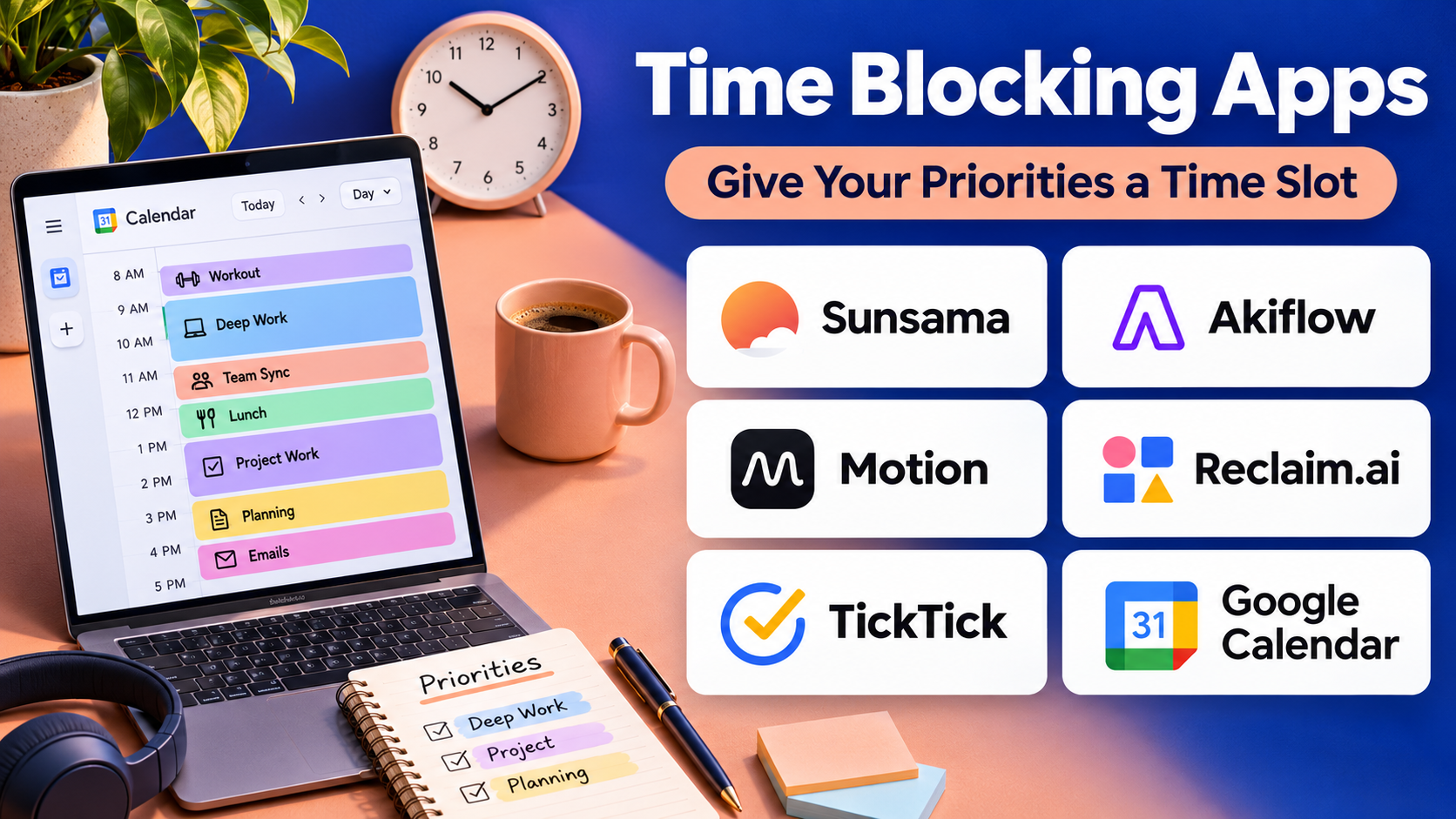
Time blocking apps address this challenge by helping users reserve specific periods for tasks, projects, meetings, and focused work.
Instead of maintaining a task list without a schedule, users assign activities to defined calendar blocks.
For example, a professional might reserve the first hour of the morning for planning, two hours for project development, and a separate period for communication.
Modern time blocking platforms combine calendars, task management, automatic scheduling, reminders, focus sessions, and workload planning.
Some applications automatically rearrange flexible tasks when meetings change. Others emphasize manual planning, giving users direct control over their daily schedules.
The right solution depends on how predictable the user’s work is, how frequently priorities change, and whether they prefer automation or hands-on planning.
This guide compares ten established time blocking applications, explains their features and limitations, and provides practical guidance for building a reliable scheduling workflow.
What Are Time Blocking Apps?
Time blocking apps are scheduling tools that help users allocate specific periods of time to defined activities.
The approach transforms an open-ended task list into a calendar-based plan.
A typical time block includes an activity, a start time, an end time, and an estimated duration.
Time blocking can be used for professional projects, studying, creative work, administrative responsibilities, and personal activities.
Common capabilities include:
- Calendar-based task scheduling.
- Drag-and-drop time blocks.
- Task duration estimates.
- Calendar synchronization.
- Automatic task scheduling.
- Recurring work sessions.
- Focus timers.
- Daily planning dashboards.
- Schedule conflict detection.
- Workload and productivity reporting.
Some tools also support time tracking, project management, and team availability.
Time blocking is not intended to eliminate flexibility. A useful schedule should include realistic estimates, breaks, and space for unexpected work.
Top 10 Time Blocking Apps
1. Motion
Short Description
Motion is an AI-assisted scheduling and productivity platform that combines task management, calendar planning, and automatic scheduling.
It is designed for professionals who want software to determine when tasks can fit into available calendar time.
Users create tasks with deadlines, priorities, and estimated durations. Motion then uses scheduling logic to place work into available time slots.
When meetings or priorities change, the platform can automatically adjust eligible tasks.
This approach is particularly useful for people whose schedules change frequently.
However, automated scheduling works best when users provide realistic task estimates and maintain accurate calendar information.
Key Features
- Automatic Task Scheduling: Places tasks into available calendar periods.
- Priority Management: Uses task priorities when planning work.
- Deadline Awareness: Considers due dates during scheduling.
- Calendar Integration: Connects with supported calendar services.
- Schedule Reorganization: Adjusts flexible work when calendar conditions change.
- Project Management: Organizes related tasks and project activities.
- Task Duration Estimates: Uses estimated work requirements to allocate time.
- Meeting Scheduling: Supports selected meeting coordination workflows.
- Daily Planning: Provides a calendar-based view of scheduled work.
Benefits
Motion reduces the manual effort involved in repeatedly reorganizing task schedules.
It can help users see whether their planned workload fits into available working hours.
Pros
- Automated task scheduling.
- Useful for changing priorities.
- Combines calendar and task management.
- Deadline-aware planning.
- Suitable for complex professional schedules.
- Reduces repetitive manual rescheduling.
Cons
- Subscription cost.
- Requires accurate task information.
- Automatic scheduling may not match personal preferences.
- Learning curve for advanced workflows.
- Less necessary for predictable schedules.
Use Cases
Motion is useful for consultants, managers, entrepreneurs, and professionals handling multiple deadlines.
For example, a consultant can enter client deliverables, estimated durations, and deadlines, then allow Motion to schedule work around existing meetings.
Best For: Busy professionals seeking automated time blocking.
2. Reclaim AI
Short Description
Reclaim AI is an intelligent calendar scheduling platform that helps users protect time for tasks, habits, breaks, and meetings.
It focuses on managing calendar availability while accommodating changing commitments.
Users can define recurring activities and flexible work requirements.
Reclaim then schedules eligible activities around existing calendar events and scheduling rules.
This makes it particularly useful for professionals who want to maintain regular routines without manually recreating calendar blocks.
Its calendar-centered approach also helps users coordinate personal productivity with meeting availability.
Key Features
- Smart Task Scheduling: Allocates calendar time for selected tasks.
- Habit Scheduling: Protects recurring activities.
- Calendar Synchronization: Connects supported calendar accounts.
- Flexible Time Blocks: Moves eligible blocks when schedules change.
- Focus Time Protection: Reserves periods for uninterrupted work.
- Meeting Scheduling: Supports scheduling links and meeting coordination.
- Buffer Time: Helps create space around calendar commitments.
- Scheduling Priorities: Uses configured rules to organize calendar time.
- Availability Management: Coordinates calendar commitments across supported accounts.
Benefits
Reclaim helps users maintain important routines while adapting to changing calendars.
Pros
- Strong calendar automation.
- Useful recurring habit scheduling.
- Focus time protection.
- Flexible scheduling rules.
- Helpful for meeting-heavy work.
Cons
- Depends on supported calendar integrations.
- Advanced features may require payment.
- Less comprehensive as a standalone project manager.
- Initial scheduling rules require attention.
Use Cases
Reclaim is suitable for managers, remote workers, and professionals who need recurring focus sessions.
Best For: Calendar-heavy professionals seeking flexible automated scheduling.
3. Sunsama
Short Description
Sunsama is a daily planning platform that combines tasks, calendars, and structured workday organization.
It emphasizes intentional planning rather than fully automated scheduling.
Users review tasks, select priorities, estimate durations, and place work into available calendar time.
Sunsama can also bring tasks from supported project management applications into a unified daily planning environment.
Its approach is particularly useful for people who want to make deliberate decisions about their workload.
Rather than encouraging users to schedule every available minute, it supports a more realistic view of daily capacity.
Key Features
- Daily Planning: Guides users through selecting work for the day.
- Calendar Time Blocking: Places tasks into scheduled periods.
- Task Integrations: Imports work from supported productivity tools.
- Duration Estimates: Helps users estimate task effort.
- Workload Visibility: Displays planned daily commitments.
- Task Prioritization: Organizes important work.
- Focus Mode: Supports concentration on selected activities.
- Daily Review: Encourages reflection on completed and unfinished work.
- Calendar Synchronization: Coordinates tasks with calendar events.
Benefits
Sunsama helps users build realistic schedules and maintain awareness of their workload.
Pros
- Thoughtful daily planning.
- Strong task integration.
- Clear calendar interface.
- Encourages realistic scheduling.
- Useful end-of-day reviews.
Cons
- Subscription required.
- Requires regular manual planning.
- Less automatic than Motion.
- May feel excessive for simple task lists.
Use Cases
Sunsama is useful for knowledge workers, freelancers, and professionals who prefer structured daily planning.
Best For: Users seeking intentional and realistic time blocking.
4. Akiflow
Short Description
Akiflow is a productivity platform that combines task collection, calendar planning, and time blocking.
It is designed for users who manage tasks across multiple applications.
Akiflow brings eligible tasks into a central inbox, allowing users to organize priorities and schedule work.
Its calendar-based interface helps users move from task collection to execution.
The platform is particularly useful for professionals who receive work through project management systems, communication tools, and personal task lists.
Its value depends partly on the quality of its integrations with the user’s existing software.
Key Features
- Unified Task Inbox: Collects tasks from supported sources.
- Calendar Time Blocking: Schedules tasks into available periods.
- Task Integrations: Connects external productivity platforms.
- Keyboard Shortcuts: Supports efficient task management.
- Daily Planning: Organizes planned work.
- Task Priorities: Helps identify important activities.
- Calendar Synchronization: Coordinates with supported calendars.
- Task Scheduling: Assigns dates and durations.
- Task Organization: Groups work for easier review.
Benefits
Akiflow reduces the need to switch between multiple task applications when planning a workday.
Pros
- Centralized task collection.
- Strong calendar workflow.
- Useful keyboard-driven controls.
- Multiple integrations.
- Suitable for professional task management.
Cons
- Subscription cost.
- Integration capabilities vary.
- Requires initial configuration.
- May be unnecessary for users with one task source.
Use Cases
Akiflow works well for professionals managing tasks from several applications.
Best For: Productivity-focused users seeking unified task collection and time blocking.
5. Morgen
Short Description
Morgen is a calendar and task planning application designed to bring scheduling and task management into one interface.
It supports calendar consolidation and time blocking across compatible services.
Users can review calendar commitments, organize tasks, and allocate work periods.
Morgen is particularly useful for people managing several calendars, such as personal, freelance, and professional schedules.
Its scheduling features can help prevent conflicts and improve visibility into available time.
Users should evaluate current integrations and automation capabilities against their preferred workflow.
Key Features
- Multiple Calendar Support: Consolidates compatible calendar accounts.
- Task Management: Organizes planned activities.
- Time Blocking: Assigns tasks to calendar periods.
- Task Integrations: Connects supported external task services.
- Scheduling Assistance: Supports calendar planning workflows.
- Availability Management: Helps coordinate meeting availability.
- Calendar Views: Displays commitments across different schedules.
- Cross-Platform Access: Supports compatible desktop and mobile environments.
Benefits
Morgen helps users manage multiple calendars and schedule tasks without constantly switching applications.
Pros
- Multiple calendar support.
- Integrated task planning.
- Clean scheduling interface.
- Useful for freelancers.
- Cross-platform availability.
Cons
- Subscription considerations.
- Integration support varies.
- Some advanced features require configuration.
- Not a full project management replacement.
Use Cases
Morgen is suitable for freelancers, consultants, and professionals maintaining multiple calendars.
Best For: Users who need consolidated calendars and task scheduling.
6. TickTick
Short Description
TickTick is a task management application that includes calendar planning, reminders, recurring tasks, and focus tools.
Its combination of task lists and calendar views makes it suitable for lightweight time blocking.
Users can organize activities, assign due dates, and use supported calendar features to visualize their schedules.
TickTick also includes a Pomodoro-style focus timer, which helps users divide work into manageable sessions.
Its relatively broad productivity feature set makes it appealing to students and individual professionals.
However, it is less specialized in automatic calendar scheduling than dedicated AI planning platforms.
Key Features
- Task Lists: Organizes activities and projects.
- Calendar Views: Displays scheduled work.
- Recurring Tasks: Supports repeated responsibilities.
- Reminders: Notifies users about upcoming activities.
- Pomodoro Timer: Supports focused work intervals.
- Task Priorities: Highlights important tasks.
- Tags and Lists: Organizes different work categories.
- Habit Tracking: Supports recurring personal routines.
- Device Synchronization: Keeps tasks accessible across supported devices.
Benefits
TickTick combines everyday task management and lightweight time blocking in one application.
Pros
- Broad productivity features.
- Accessible interface.
- Focus timer.
- Recurring task support.
- Suitable for personal use.
- Affordable relative to some advanced scheduling platforms.
Cons
- Advanced calendar features may require premium access.
- Limited automatic rescheduling.
- Less specialized for complex professional workloads.
- Some users may find the feature set crowded.
Use Cases
TickTick is useful for students, freelancers, and individuals combining task lists with calendar planning.
Best For: Users seeking an affordable all-in-one productivity tool.
7. Structured
Short Description
Structured is a visual daily planning application that presents tasks and activities along a timeline.
It emphasizes simplicity and clear daily organization.
Users can arrange activities into a sequence, assign durations, and review upcoming commitments.
Its timeline approach can make a busy day easier to understand.
Structured is especially useful for students, individuals managing personal routines, and people who prefer visual planning over complex project management systems.
However, it does not provide the same depth of professional scheduling automation as specialized calendar platforms.
Key Features
- Visual Timeline: Displays daily activities in chronological order.
- Task Scheduling: Assigns start times and durations.
- Daily Planning: Organizes tasks into a structured day.
- Reminders: Supports notifications.
- Recurring Activities: Helps maintain repeated routines.
- Task Notes: Stores supporting information.
- Calendar Integration: Supports compatible calendar workflows.
- Accessible Design: Emphasizes clear visual organization.
Benefits
Structured makes time blocking approachable for users who want a simple daily timeline.
Pros
- Clean visual interface.
- Easy daily planning.
- Suitable for beginners.
- Useful routine organization.
- Less overwhelming than complex tools.
Cons
- Limited advanced project management.
- Some features require premium access.
- Less suitable for large teams.
- Automation capabilities are comparatively limited.
Use Cases
Structured works well for students, personal routines, and people who benefit from a visual daily schedule.
Best For: Visual planners seeking straightforward time blocking.
8. Google Calendar
Short Description
Google Calendar is a widely used calendar application that can support manual time blocking without requiring a dedicated productivity subscription.
Users can create events for focused work, study sessions, administrative tasks, and personal responsibilities.
Its recurring events, reminders, and calendar sharing features make it useful for structured scheduling.
Google Calendar also integrates with numerous productivity applications.
Although it does not provide the same automatic task rescheduling as specialized platforms, its simplicity and accessibility make it a practical starting point.
Key Features
- Calendar Events: Creates scheduled time blocks.
- Recurring Events: Supports repeated work sessions.
- Multiple Calendars: Separates different areas of responsibility.
- Reminders and Notifications: Alerts users about upcoming events.
- Calendar Sharing: Coordinates availability with others.
- Google Workspace Integration: Connects with supported Google services.
- Time Zone Support: Helps manage distributed schedules.
- Calendar Views: Displays daily, weekly, and monthly commitments.
- Focus Time Features: Provides eligible focus time capabilities in supported Workspace offerings.
Benefits
Google Calendar offers an accessible foundation for manual time blocking.
Pros
- Familiar interface.
- Broad availability.
- Useful recurring events.
- Multiple calendar support.
- Strong ecosystem integration.
Cons
- Limited advanced task automation.
- Manual planning requires effort.
- Not a comprehensive task manager.
- Some professional features depend on Workspace eligibility.
Use Cases
Google Calendar is suitable for students, remote workers, and professionals beginning a time blocking routine.
Best For: Users seeking simple, accessible calendar-based planning.
9. Todoist
Short Description
Todoist is a task management platform that helps users organize activities, priorities, projects, and recurring responsibilities.
Its calendar-oriented features and integrations can support time blocking workflows.
Todoist is particularly useful for people who want task management to remain the center of their productivity system.
Users can organize projects, assign deadlines, and schedule work using supported calendar capabilities.
It also integrates with external calendars and productivity services.
However, users seeking extensive automatic time allocation may prefer a specialized scheduling platform.
Key Features
- Task Management: Organizes personal and professional activities.
- Project Organization: Groups related work.
- Recurring Tasks: Supports repeated responsibilities.
- Priority Levels: Helps identify important tasks.
- Calendar Features: Supports scheduling and visualization in eligible plans.
- Labels and Filters: Organizes work by context.
- Reminders: Supports selected notification features.
- Collaboration: Allows shared projects and assignments.
- Integrations: Connects with supported productivity tools.
Benefits
Todoist combines structured task management with flexible scheduling options.
Pros
- Strong task organization.
- Easy recurring tasks.
- Useful collaboration.
- Broad integrations.
- Accessible interface.
Cons
- Calendar capabilities vary by plan.
- Automatic time blocking is limited.
- Advanced features may require payment.
- Scheduling may depend on external calendar workflows.
Use Cases
Todoist is useful for professionals managing projects and gradually adopting calendar-based task scheduling.
Best For: Task-oriented users who want flexible time blocking.
10. TimeBloc
Short Description
TimeBloc is a daily planning application focused on organizing activities into scheduled blocks.
Its interface emphasizes the relationship between tasks and time.
Users can create daily schedules, assign durations, and organize recurring routines.
TimeBloc is particularly suitable for people who want a dedicated time blocking application without complex project management features.
Its focused approach makes it useful for building consistent daily routines.
However, users who need extensive integrations, collaboration, or AI scheduling may find it too limited.
Key Features
- Time Blocking: Assigns activities to defined periods.
- Daily Timeline: Displays the planned schedule.
- Routine Planning: Supports recurring activities.
- Task Organization: Groups scheduled responsibilities.
- Reminders: Helps users follow planned activities.
- Schedule Editing: Allows changes to planned blocks.
- Daily Overview: Presents upcoming work.
- Personal Planning: Supports individual productivity routines.
Benefits
TimeBloc provides a straightforward way to practice time blocking without unnecessary complexity.
Pros
- Dedicated time blocking focus.
- Simple interface.
- Useful routine scheduling.
- Accessible for beginners.
- Suitable for personal productivity.
Cons
- Limited advanced automation.
- Less suitable for teams.
- Fewer integrations than larger platforms.
- Some features may require premium access.
Use Cases
TimeBloc is useful for students, personal schedules, and individuals developing consistent daily routines.
Best For: Users seeking a dedicated, straightforward time blocking app.
Time Blocking Apps Comparison Table
| App | Scheduling Style | Main Strength | Best For |
|---|---|---|---|
| Motion | Automated | AI-assisted task scheduling | Busy professionals |
| Reclaim AI | Automated | Flexible calendar protection | Meeting-heavy workers |
| Sunsama | Manual and guided | Intentional daily planning | Knowledge workers |
| Akiflow | Manual and integrated | Unified task inbox | Productivity enthusiasts |
| Morgen | Calendar-centered | Multiple calendar management | Freelancers |
| TickTick | Manual | Tasks and focus timer | Individuals |
| Structured | Visual | Timeline planning | Students |
| Google Calendar | Manual | Accessible calendar blocks | Beginners |
| Todoist | Task-centered | Project and task organization | Task managers |
| TimeBloc | Manual | Dedicated daily time blocks | Personal routines |
How to Choose the Right Time Blocking App
Step 1: Decide Between Manual and Automated Scheduling
Automated platforms are useful when priorities change frequently. Manual tools provide more direct control.
Step 2: Review Calendar Compatibility
Confirm that the application works with your existing calendar accounts.
Step 3: Evaluate Task Management
Determine whether you need simple time blocks or a complete task and project management system.
Step 4: Test Rescheduling
Move a meeting and examine how easily planned tasks can be adjusted.
Step 5: Consider Focus Features
Focus timers and distraction-reduction tools may be useful for concentration-intensive work.
Step 6: Review Collaboration
Teams may need shared calendars, meeting coordination, and workload visibility.
Step 7: Compare Pricing
Evaluate whether advanced automation saves enough time to justify subscription costs.
Step 8: Protect Schedule Flexibility
Avoid scheduling every available minute. Include breaks, transition time, and room for unexpected responsibilities.
Best Time Blocking App by User Type
| User Type | Recommended App | Reason |
|---|---|---|
| Busy executives | Motion | Automatic scheduling |
| Meeting-heavy professionals | Reclaim AI | Flexible focus protection |
| Intentional planners | Sunsama | Guided daily planning |
| Multi-app task managers | Akiflow | Unified inbox |
| Freelancers | Morgen | Multiple calendars |
| Students | TickTick | Tasks and focus timer |
| Visual learners | Structured | Timeline interface |
| Beginners | Google Calendar | Simple time blocks |
| Project-oriented users | Todoist | Structured task management |
| Personal routine planners | TimeBloc | Dedicated time blocking |
Practical Example: Building a Time-Blocked Workday
Consider a professional working eight hours with meetings, project tasks, and administrative responsibilities.
Step 1: Review Existing Commitments
Open the calendar and identify meetings and fixed appointments.
Step 2: List Important Tasks
Select the most important activities that need attention.
Step 3: Estimate Task Durations
Assign realistic durations rather than optimistic minimums.
Step 4: Schedule Focused Work
Reserve a period for concentration-intensive work when attention is usually strongest.
Step 5: Group Similar Tasks
Place email, routine communication, and administrative activities into dedicated blocks.
Step 6: Include Breaks
Allow time between demanding activities.
Step 7: Protect Flexible Time
Leave some unscheduled capacity for unexpected requests.
Step 8: Adjust When Priorities Change
Move lower-priority blocks rather than abandoning the entire plan.
Step 9: Review the Day
Compare estimated durations with actual effort.
Step 10: Improve Future Planning
Use the observations to make tomorrow’s schedule more realistic.
Frequently Asked Questions
1. What is the best time blocking app?
Motion is useful for automated scheduling, while Sunsama is strong for intentional daily planning.
2. What is time blocking?
Time blocking is a scheduling method that assigns specific calendar periods to defined activities.
3. Are time blocking apps useful for students?
Yes. Students can schedule study sessions, assignments, classes, and breaks.
4. Can AI automatically schedule tasks?
Yes. Platforms such as Motion and Reclaim AI offer automated scheduling capabilities.
5. Is Google Calendar suitable for time blocking?
Yes. It is a practical option for manual calendar-based planning.
6. What is the difference between time blocking and task management?
Task management identifies what needs to be done. Time blocking determines when work will happen.
7. Can time blocking improve productivity?
It may improve planning and reduce decision-making, but results depend on realistic scheduling and work habits.
8. Should every minute be scheduled?
No. Flexible time and breaks help make schedules sustainable.
9. Can time blocking apps integrate with project management tools?
Many platforms support selected integrations, although compatibility varies.
10. Are free time blocking tools available?
Yes. Google Calendar and free features in selected task management applications can support basic time blocking.
11. Which app is best for freelancers?
Morgen, Sunsama, and Akiflow are worth considering depending on calendar and task requirements.
12. How should I handle unexpected work?
Maintain flexible blocks and reschedule lower-priority activities when necessary.
Conclusion
Time blocking apps help users convert task lists into realistic schedules.
Motion and Reclaim AI emphasize automation, while Sunsama and Akiflow support structured daily planning. Morgen helps consolidate calendars, and Google Calendar provides an accessible starting point.
The best application depends on scheduling complexity, task volume, preferred level of automation, and existing productivity tools.
Effective time blocking is not about filling every hour. It is about creating a practical plan that gives important work enough attention while preserving flexibility.