Introduction
Building a consistent habit often requires more than motivation. People may begin a new routine with enthusiasm but struggle to maintain it when schedules change, responsibilities increase, or progress becomes difficult to notice.
Habit building apps help users organize recurring activities, record completion, and maintain awareness of personal routines.
These applications can support habits related to reading, learning, exercise, organization, creative work, and everyday responsibilities.
Some platforms emphasize simple checklists and streak tracking. Others use reminders, visual progress reports, gamification, or structured behavioral techniques.
The best habit building application should make a desired activity easier to remember and repeat without creating unnecessary pressure.
A person establishing a reading routine may only need a daily reminder. Someone managing several recurring responsibilities may benefit from flexible schedules, categories, and progress reports.
Habit tracking should also accommodate missed days. A useful system supports returning to a routine rather than treating an interrupted streak as failure.
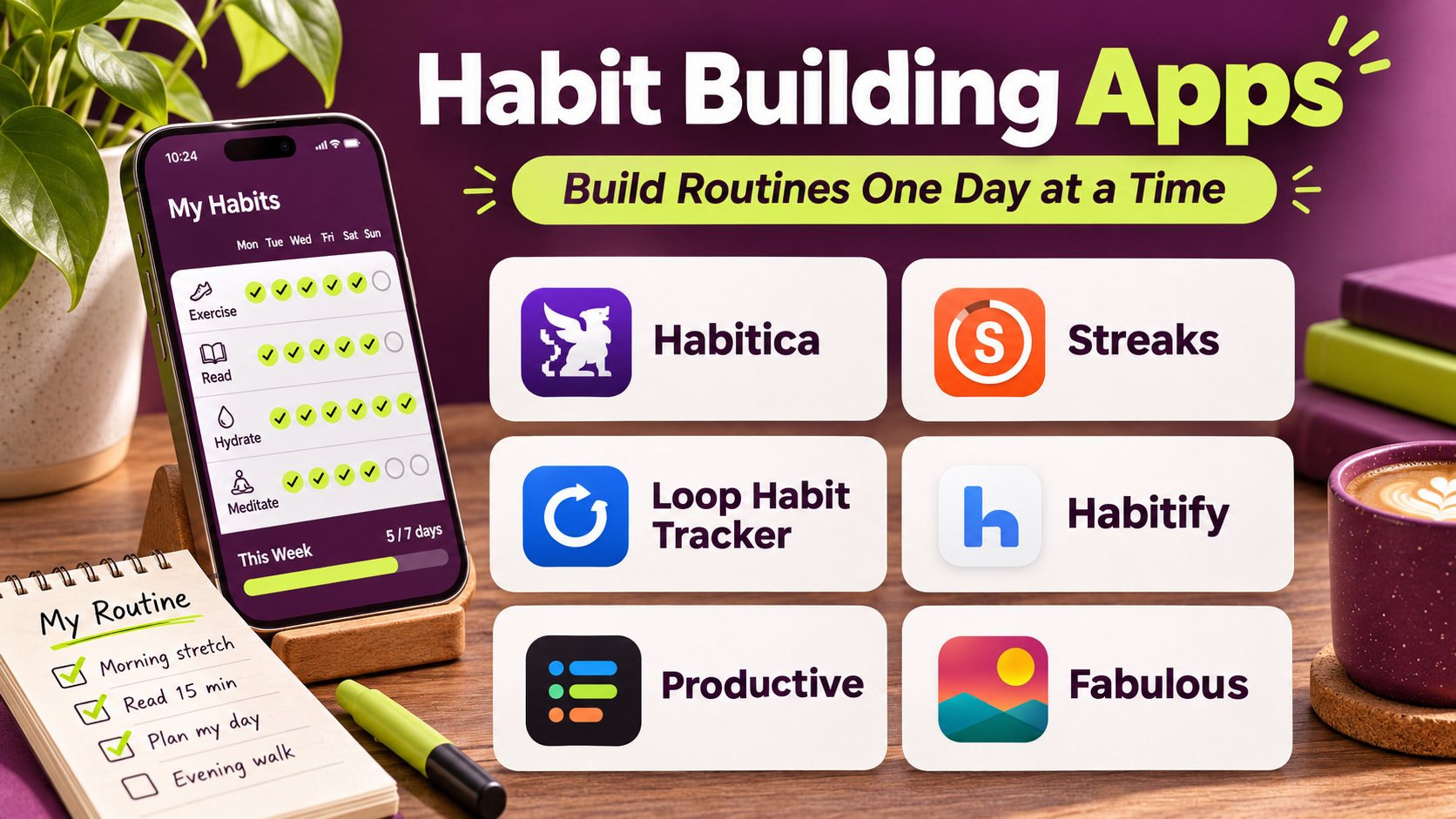
This guide compares ten established habit building apps, explains their strengths and limitations, and provides practical guidance for selecting a suitable platform.
What Are Habit Building Apps?
Habit building apps are digital tools designed to help users establish, maintain, and review recurring behaviors.
They typically allow users to define an activity, choose a frequency, and record whether it was completed.
Some applications also provide reminders, progress charts, motivational elements, and reflective notes.
Common capabilities include:
- Daily and weekly habit tracking.
- Custom recurring schedules.
- Reminders and notifications.
- Streak tracking.
- Progress visualization.
- Habit categories.
- Goal setting.
- Journaling and reflection.
- Gamification.
- Data export and synchronization.
Habit building apps can support behavioral consistency, but they cannot guarantee lasting change.
Successful habit formation also depends on environmental cues, manageable goals, personal motivation, and the practical conditions surrounding the behavior.
Top 10 Habit Building Apps
1. Habitica
Short Description
Habitica is a habit tracking and task management application that uses role-playing game mechanics to encourage routine completion.
Users create habits, daily tasks, and to-do items while developing a virtual character.
Completing activities can provide in-game rewards and progress.
This approach makes Habitica particularly appealing to users who enjoy games and find traditional productivity trackers unengaging.
The platform also includes social and collaborative elements that can make routine building feel more interactive.
However, gamification is not equally motivating for everyone. Some users may prefer a quieter interface without virtual rewards or penalties.
Key Features
- Gamified Habit Tracking: Connects real-world activities with game progress.
- Daily Tasks: Supports recurring responsibilities.
- To-Do Lists: Organizes one-time activities.
- Virtual Character Progression: Rewards completed tasks through game mechanics.
- In-Game Rewards: Provides motivational incentives.
- Social Features: Supports selected group interactions.
- Custom Habits: Allows users to define positive and negative behaviors.
- Progress Tracking: Records activity completion.
- Cross-Device Access: Supports compatible web and mobile workflows.
Benefits
Habitica makes routine tracking more engaging for users motivated by games, rewards, and visible progress.
Pros
- Distinctive gamification.
- Combines habits and tasks.
- Engaging visual progress.
- Social motivation options.
- Customizable activities.
- Useful for people who enjoy game-based systems.
Cons
- Game mechanics may feel distracting.
- Punishment-style features may discourage some users.
- Interface is more complex than minimalist trackers.
- Premium features may require payment.
- Not ideal for users who dislike gamification.
Use Cases
Habitica works well for students, gamers, and people who want to make routine tasks more engaging.
For example, a student can create recurring habits for reading, organizing notes, and preparing for classes while using in-game rewards as optional motivation.
Best For: Users who enjoy gamified habit tracking.
2. Streaks
Short Description
Streaks is a habit tracking application designed around maintaining recurring routines through a simple visual interface.
It emphasizes daily and scheduled habit completion.
Users create habits, define their frequency, and record progress.
The application is especially appealing to people who want a focused tracker without extensive project management features.
Its Apple ecosystem integration makes it convenient for compatible iPhone, iPad, and Apple Watch users.
However, users should avoid interpreting streak length as the only meaningful measure of progress.
Key Features
- Habit Creation: Defines recurring activities.
- Flexible Scheduling: Supports different completion frequencies.
- Streak Tracking: Displays consecutive completion patterns.
- Visual Progress: Shows habit status clearly.
- Reminders: Supports routine notifications.
- Apple Watch Support: Provides compatible wearable access.
- Health Integration: Supports selected Apple Health-related habits.
- Habit Customization: Allows personalized activities and settings.
Benefits
Streaks provides a simple way to monitor recurring routines within the Apple ecosystem.
Pros
- Clean interface.
- Easy habit creation.
- Useful reminders.
- Apple Watch compatibility.
- Strong visual feedback.
Cons
- Apple-focused availability.
- Streak emphasis may create pressure.
- Less suitable for complex task management.
- Limited social collaboration.
Use Cases
Streaks is useful for reading routines, daily organization, language practice, and other recurring personal activities.
Best For: Apple users seeking straightforward habit tracking.
3. HabitNow
Short Description
HabitNow is an Android-oriented habit tracking and task management application.
It combines recurring routines with task lists, reminders, and progress reporting.
The platform is particularly useful for users who want habit tracking and everyday responsibilities in one application.
Users can create recurring habits, assign schedules, and monitor completion.
HabitNow also offers visual progress reports that help users review consistency over time.
Its combination of habit and task features provides flexibility without requiring a full project management platform.
Key Features
- Habit Tracking: Records recurring activities.
- Task Management: Organizes one-time responsibilities.
- Custom Schedules: Supports different habit frequencies.
- Reminders: Sends scheduled notifications.
- Progress Reports: Displays completion history.
- Categories: Groups related habits and tasks.
- Calendar View: Shows scheduled activities.
- Goal Tracking: Supports selected completion targets.
Benefits
HabitNow helps users coordinate recurring habits and ordinary tasks within a single interface.
Pros
- Combines habits and tasks.
- Flexible schedules.
- Useful progress charts.
- Straightforward interface.
- Suitable for Android users.
Cons
- Primarily Android-focused.
- Advanced features may require payment.
- Less emphasis on social accountability.
- Some users may prefer a simpler habit-only tracker.
Use Cases
HabitNow works well for Android users managing daily routines, recurring chores, and personal productivity habits.
Best For: Android users seeking combined habit and task management.
4. Loop Habit Tracker
Short Description
Loop Habit Tracker is a free, open-source habit tracking application for Android.
It emphasizes simplicity, privacy, and long-term habit tracking.
Users can create habits, define schedules, and review completion patterns through visual reports.
Loop does not require users to adopt a complicated productivity system.
Its open-source design is particularly appealing to users who value transparent software and local control.
However, it offers fewer cloud collaboration and gamification features than some commercial alternatives.
Key Features
- Habit Creation: Defines recurring behaviors.
- Flexible Frequency: Supports daily and periodic schedules.
- Progress Charts: Displays habit history.
- Habit Scores: Provides app-defined consistency indicators.
- Reminders: Supports scheduled notifications.
- Open-Source Software: Provides a transparent development model.
- Local Data Storage: Emphasizes device-based tracking.
- Data Export: Supports selected backup and export workflows.
Benefits
Loop offers accessible habit tracking without requiring a commercial subscription.
Pros
- Free and open-source.
- Simple interface.
- Privacy-conscious approach.
- Useful visual reports.
- No complicated account workflow.
Cons
- Android-focused.
- Limited built-in cloud synchronization.
- No extensive gamification.
- Fewer collaborative features.
Use Cases
Loop is useful for individuals who want straightforward habit tracking and control over their data.
Best For: Android users seeking free, open-source habit tracking.
5. Habitify
Short Description
Habitify is a habit tracking application designed to help users build routines and monitor progress across supported devices.
It combines habit scheduling, reminders, statistics, and organization tools.
Habitify is particularly useful for people who want to track several habits while keeping them grouped by routine or context.
Users can create daily or periodic activities and review progress through visual reports.
Its cross-platform orientation makes it relevant to people who switch between devices.
However, the depth of available features depends on the selected plan.
Key Features
- Habit Scheduling: Defines recurring activities.
- Routine Organization: Groups habits by context.
- Reminders: Supports scheduled notifications.
- Progress Statistics: Displays completion trends.
- Streak Tracking: Shows consecutive completion patterns.
- Cross-Device Synchronization: Supports compatible devices.
- Habit Notes: Allows selected reflections.
- Goal Customization: Configures habit targets.
Benefits
Habitify provides structured habit organization for users maintaining several recurring routines.
Pros
- Clean interface.
- Cross-platform support.
- Useful statistics.
- Flexible habit scheduling.
- Suitable for multiple routines.
Cons
- Premium features may require payment.
- Streaks can encourage excessive focus on completion.
- Limited project management functionality.
- Some integrations depend on platform support.
Use Cases
Habitify works well for professionals and individuals maintaining routines across different devices.
Best For: Users seeking organized, cross-platform habit tracking.
6. Productive
Short Description
Productive is a habit tracking application that emphasizes routine building, reminders, and visual progress.
Its interface is designed to make recurring activities easy to organize.
Users can create habits, schedule reminders, and monitor completion over time.
Productive is particularly relevant to people who want a polished and accessible habit tracking experience.
The platform includes guided habit-related content and progress features in supported offerings.
However, users should evaluate subscription costs and avoid relying exclusively on streaks for motivation.
Key Features
- Habit Creation: Defines personal routines.
- Scheduling: Supports recurring activities.
- Reminders: Encourages timely practice.
- Progress Tracking: Records completed habits.
- Streak Visualization: Displays consistency patterns.
- Habit Categories: Organizes related routines.
- Motivational Content: Provides selected habit-building guidance.
- Personalization: Supports customized habit settings.
Benefits
Productive helps users maintain awareness of recurring activities through a simple visual workflow.
Pros
- Attractive interface.
- Easy habit setup.
- Useful reminders.
- Clear progress visualization.
- Suitable for beginners.
Cons
- Subscription requirements.
- Limited advanced task management.
- Streak-focused design may not suit everyone.
- Some guidance is general rather than individualized.
Use Cases
Productive is useful for everyday wellness routines, reading habits, and personal organization.
Best For: Beginners who prefer a polished habit tracking interface.
7. Way of Life
Short Description
Way of Life is a habit tracking application that emphasizes simple daily check-ins and behavioral awareness.
It allows users to record whether recurring activities were completed and review patterns over time.
The platform is especially useful for people who want quick tracking rather than extensive scheduling features.
Its visual reporting can help users identify consistent routines and periods when habits become difficult to maintain.
Way of Life also supports notes and reflections that provide context for daily entries.
This makes it useful for people who want to understand patterns rather than merely accumulate streaks.
Key Features
- Daily Habit Check-Ins: Records activity completion.
- Simple Status Tracking: Supports quick habit updates.
- Progress Charts: Displays historical patterns.
- Habit Notes: Adds context to entries.
- Reminders: Supports regular notifications.
- Trend Analysis: Helps identify consistency changes.
- Habit Categories: Organizes recurring behaviors.
- Historical Review: Supports reflection on previous periods.
Benefits
Way of Life makes habit tracking quick while providing enough history for meaningful reflection.
Pros
- Simple daily workflow.
- Fast check-ins.
- Useful progress charts.
- Supports personal notes.
- Minimal setup.
Cons
- Less advanced automation.
- Limited gamification.
- Some features require payment.
- Not designed for extensive project management.
Use Cases
Way of Life works well for users tracking a small number of recurring behaviors.
Best For: Individuals seeking quick habit check-ins and visual trends.
8. Done
Short Description
Done is a habit tracking application focused on helping users monitor recurring activities and completion goals.
It supports habit creation, frequency targets, and progress visualization.
The platform is particularly useful for people who want to track habits that occur more than once per day or on selected days.
Its straightforward interface helps users maintain awareness of routine completion.
Done emphasizes measurable activity tracking, making it relevant to users who prefer clearly defined targets.
However, numerical targets should remain flexible and appropriate to the activity.
Key Features
- Habit Tracking: Records recurring activities.
- Frequency Goals: Supports selected completion targets.
- Daily Check-Ins: Provides convenient progress updates.
- Progress Charts: Displays historical completion.
- Reminders: Supports routine notifications.
- Habit Categories: Organizes related activities.
- Streak Tracking: Shows consistency patterns.
- Custom Goals: Allows users to define personal targets.
Benefits
Done supports straightforward tracking of habits with measurable frequencies.
Pros
- Simple interface.
- Flexible frequency tracking.
- Useful visual progress.
- Easy daily check-ins.
- Suitable for measurable routines.
Cons
- Platform availability should be verified.
- Some features require payment.
- Limited advanced productivity integrations.
- Numerical tracking may not suit every habit.
Use Cases
Done is useful for reading sessions, language practice, and other recurring activities with defined frequencies.
Best For: Users who want simple, frequency-based habit tracking.
9. Finch
Short Description
Finch is a self-care and habit support application that uses a virtual pet and gentle gamification to encourage everyday routines.
Users complete selected activities and interact with a digital companion.
The platform emphasizes approachable self-care activities, reflection, and routine consistency.
Its friendly presentation can appeal to people who find conventional habit trackers overly formal or demanding.
Finch includes tools for organizing small goals and reflecting on personal experiences.
However, it should be understood as a self-care application rather than a substitute for mental health treatment.
Key Features
- Virtual Companion: Connects routine completion with a digital pet.
- Daily Goals: Organizes manageable activities.
- Self-Care Routines: Supports everyday wellness habits.
- Reflection Prompts: Encourages personal reflection.
- Motivational Rewards: Provides in-app encouragement.
- Progress Tracking: Records completed goals.
- Personalization: Allows customization of the experience.
- Supportive Interface: Emphasizes approachable engagement.
Benefits
Finch can make routine building feel less mechanical through gentle rewards and a supportive visual experience.
Pros
- Friendly gamification.
- Accessible daily goals.
- Encouraging interface.
- Useful reflection tools.
- Suitable for small routines.
Cons
- Virtual pet mechanics may not appeal to everyone.
- Premium features may require payment.
- Less suited to complex professional productivity.
- Not a clinical mental health service.
Use Cases
Finch is useful for people who want supportive reminders for simple daily routines and self-care activities.
Best For: Users seeking gentle, gamified habit support.
10. Everyday
Short Description
Everyday is a habit tracking application focused on visual consistency and long-term routine development.
It uses a simple habit grid that helps users see completed activities across days.
The visual design encourages users to recognize patterns without requiring complicated reports.
Everyday is particularly appealing to people who prefer minimalist tracking and clear visual feedback.
Users can define habits and monitor progress through a consistent interface.
Its focused design makes it suitable for personal routines rather than extensive task or project management.
Key Features
- Habit Grid: Displays daily completion patterns.
- Custom Habits: Supports personalized routines.
- Streak Visualization: Shows consecutive activity completion.
- Reminders: Encourages regular check-ins.
- Progress History: Records long-term consistency.
- Simple Interface: Minimizes unnecessary controls.
- Cross-Device Access: Supports compatible platforms.
- Habit Organization: Helps users maintain multiple recurring activities.
Benefits
Everyday provides clear visual feedback that helps users recognize patterns in routine completion.
Pros
- Minimalist design.
- Easy habit tracking.
- Clear visual progress.
- Suitable for long-term routines.
- Straightforward setup.
Cons
- Limited advanced analytics.
- Some features require payment.
- Less suited to collaborative work.
- Streak emphasis may create unnecessary pressure.
Use Cases
Everyday works well for reading, writing, studying, and other recurring personal activities.
Best For: Minimalist users who prefer visual habit tracking.
Habit Building Apps Comparison Table
| App | Main Strength | Motivation Style | Best For |
|---|---|---|---|
| Habitica | Gamification | RPG rewards | Gamers |
| Streaks | Simple consistency | Streak tracking | Apple users |
| HabitNow | Habits and tasks | Progress reports | Android users |
| Loop Habit Tracker | Open-source simplicity | Visual statistics | Privacy-focused users |
| Habitify | Routine organization | Progress tracking | Cross-platform users |
| Productive | Guided habit experience | Reminders and streaks | Beginners |
| Way of Life | Quick check-ins | Trend visualization | Simple tracking |
| Done | Frequency goals | Measurable targets | Goal-oriented users |
| Finch | Gentle gamification | Virtual companion | Self-care routines |
| Everyday | Visual consistency | Habit grid | Minimalists |
How to Choose the Right Habit Building App
Step 1: Define the Habit Clearly
Choose a specific activity that can be recognized and recorded.
For example, “read for ten minutes” is easier to track than “be more productive.”
Step 2: Select a Suitable Tracking Style
Decide whether you prefer checklists, streaks, visual grids, or game-based rewards.
Step 3: Evaluate Scheduling Flexibility
Not every habit needs daily completion.
Choose an app that supports realistic weekly or periodic schedules.
Step 4: Review Reminders
Notifications should support the habit without becoming distracting.
Step 5: Consider Data Privacy
Habit records may reveal personal routines and wellness-related information.
Review storage, synchronization, and sharing settings.
Step 6: Avoid Excessive Complexity
Begin with a small number of meaningful habits.
Step 7: Test the App for Several Weeks
Evaluate whether tracking makes the behavior easier to repeat.
Step 8: Allow Missed Days
A useful system should support returning to a routine after interruptions.
Best Habit Building App by User Type
| User Type | Recommended App | Reason |
|---|---|---|
| Gamers | Habitica | RPG-style motivation |
| Apple users | Streaks | Simple ecosystem integration |
| Android productivity users | HabitNow | Habits and tasks |
| Open-source enthusiasts | Loop Habit Tracker | Free, privacy-conscious tracking |
| Cross-platform users | Habitify | Routine organization |
| Beginners | Productive | Accessible interface |
| Minimal daily trackers | Way of Life | Quick check-ins |
| Frequency-focused users | Done | Custom completion targets |
| Gentle motivation seekers | Finch | Supportive gamification |
| Visual planners | Everyday | Habit grid |
Practical Example: Building a Daily Reading Habit
Consider someone who wants to develop a consistent reading routine.
Step 1: Define a Manageable Goal
Choose ten minutes of reading on most days.
Step 2: Select an App
Use Streaks, Loop Habit Tracker, or Everyday according to device compatibility and interface preference.
Step 3: Choose a Consistent Cue
Associate reading with an existing activity, such as finishing breakfast.
Step 4: Prepare the Environment
Keep a book or reading device in an accessible location.
Step 5: Set a Reminder
Use one notification at a convenient time.
Step 6: Record Completion
Mark the habit after reading.
Step 7: Review Weekly Patterns
Notice which days make reading easier or more difficult.
Step 8: Adjust the Routine
Change the time or duration if the original plan proves unrealistic.
Step 9: Respond Flexibly to Missed Days
Resume the habit without attempting to compensate excessively.
Step 10: Evaluate Long-Term Value
Consider whether reading has become easier to incorporate into daily life.
Frequently Asked Questions
1. What is the best habit building app?
Habitica is useful for gamification, while Streaks, Habitify, and Loop offer different approaches to straightforward tracking.
2. Do habit tracking apps work?
They can support reminders and awareness, but lasting behavior change depends on practical routines and personal circumstances.
3. Are free habit trackers available?
Yes. Loop Habit Tracker is a free, open-source option.
4. Which app is best for Android?
HabitNow and Loop Habit Tracker are strong Android-focused options.
5. Which app is best for iPhone?
Streaks is a popular Apple-focused choice.
6. Can habit apps track weekly activities?
Many support flexible schedules rather than requiring daily completion.
7. Are streaks necessary for habit formation?
No. Streaks can provide motivation, but consistent return to a behavior matters more than uninterrupted completion.
8. Can habit apps support study routines?
Yes. They can help organize reading, revision, practice sessions, and recurring assignments.
9. What is gamified habit tracking?
It uses game elements such as rewards, characters, and progress systems to encourage activity completion.
10. Should I track many habits at once?
Starting with a small number is often more manageable.
11. Can habit tracking become stressful?
Yes. Excessive monitoring or rigid streak expectations may make routines feel burdensome.
12. What makes a habit tracker sustainable?
Simple tracking, realistic goals, flexible schedules, and an interface that supports rather than pressures the user.
Conclusion
Habit building apps can help users establish routines through reminders, progress tracking, and consistent feedback.
Habitica and Finch offer gamified experiences, while Streaks, Loop, and Everyday emphasize straightforward tracking.
HabitNow combines habits with task management, and Habitify provides structured routine organization.
The best application depends on personal motivation, device compatibility, preferred tracking style, and the number of habits being managed.
A successful habit tracking system should make everyday routines easier to maintain while allowing flexibility, interruptions, and gradual improvement.