Introduction
Information is easy to collect but difficult to organize. Notes from meetings, research articles, project ideas, bookmarked resources, and personal observations often become scattered across applications and devices.
Over time, this fragmentation makes useful knowledge harder to retrieve.
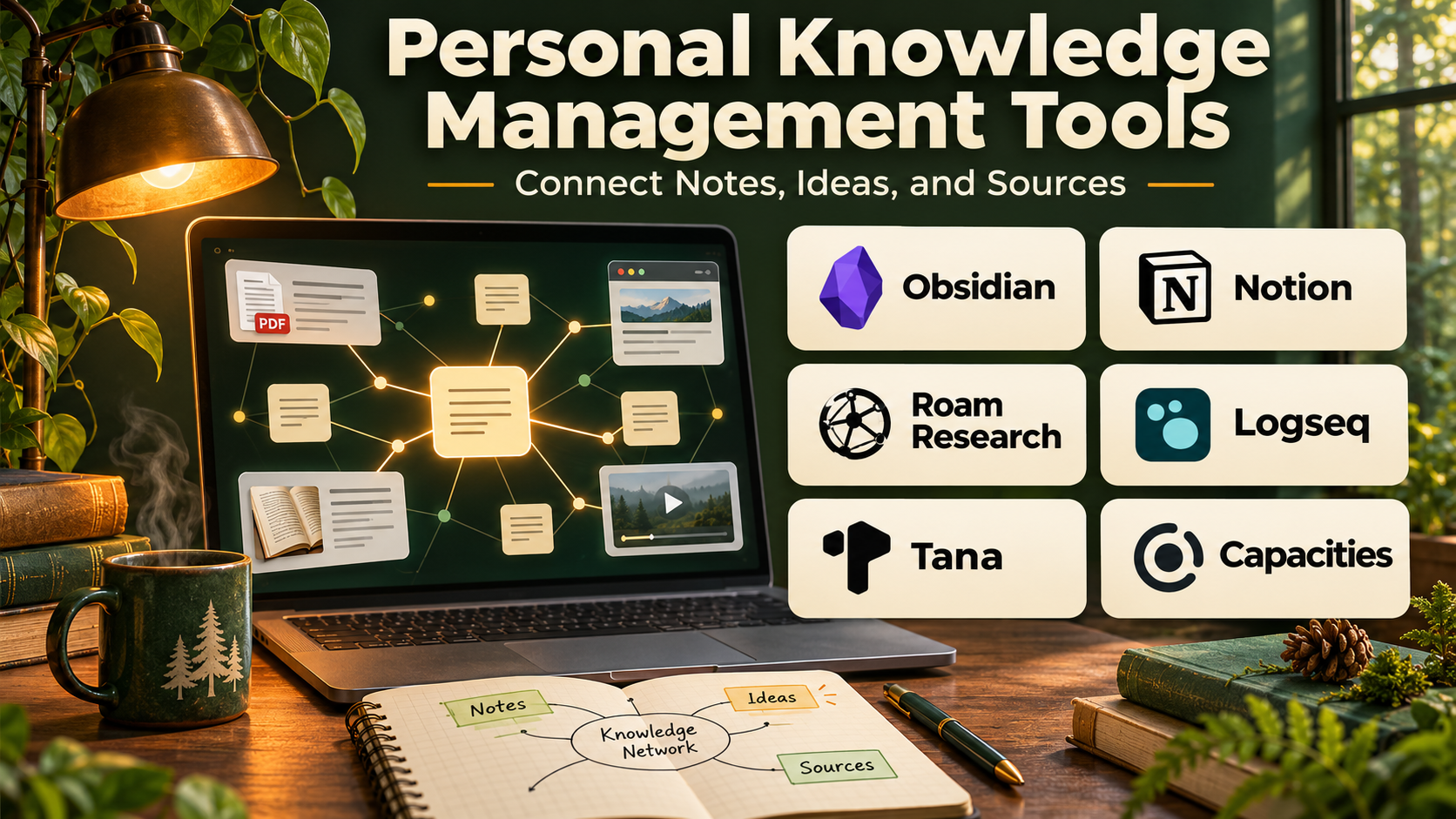
Personal knowledge management tools help individuals collect, organize, connect, and reuse information in a structured digital environment.
Some platforms function as flexible digital notebooks. Others emphasize linked notes, visual knowledge graphs, databases, document collaboration, or automatic information retrieval.
The goal is not simply to store more information. An effective personal knowledge management system should help users find relevant knowledge, understand relationships between ideas, and apply what they have learned.
Students may need organized lecture notes and research references. Writers may want connected ideas and source material. Professionals may prioritize meeting notes, project documentation, and searchable knowledge libraries.
This guide compares ten personal knowledge management tools, explains their features and limitations, and provides practical guidance for selecting the right solution.
What Are Personal Knowledge Management Tools?
Personal knowledge management, commonly abbreviated as PKM, is the practice of collecting, organizing, maintaining, and using information for personal learning and productivity.
Personal knowledge management software provides a digital environment for these activities.
A PKM system may contain written notes, links, documents, images, research references, and connected ideas.
Common capabilities include:
- Note creation and editing.
- Folders, tags, and databases.
- Bidirectional links.
- Knowledge graphs.
- Full-text search.
- Document attachments.
- Web clipping.
- Templates.
- Cross-device synchronization.
- Offline access.
- Information export.
- AI-assisted search and organization.
Different applications prioritize different approaches.
A traditional notebook system organizes information into hierarchical collections. A linked-note system emphasizes relationships between ideas. A database-oriented system allows users to structure knowledge using custom properties and views.
The best approach depends on how information will be retrieved and reused.
Top 10 Personal Knowledge Management Tools
1. Notion
Short Description
Notion is an all-in-one workspace that combines documents, databases, notes, project tracking, and collaborative knowledge management.
It provides a flexible environment where users can create pages, organize information, and build customized knowledge systems.
Unlike conventional note-taking applications, Notion allows information to be represented through structured databases with properties, filters, and multiple views.
A user can maintain a reading library, research archive, project dashboard, and personal reference collection within the same workspace.
Notion also supports templates and selected AI-assisted workflows.
Its flexibility is valuable, but it can encourage users to spend excessive time designing systems instead of using their knowledge.
Key Features
- Page-Based Notes: Creates rich documents containing text, images, tables, and embedded content.
- Structured Databases: Organizes information using custom properties.
- Multiple Database Views: Displays records as tables, boards, calendars, and other supported layouts.
- Templates: Standardizes recurring note and project structures.
- Search: Retrieves information across accessible workspace content.
- Collaboration: Supports shared pages and team documentation.
- AI Assistance: Provides eligible writing, summarization, and information retrieval features.
- Integrations: Connects with supported productivity services.
- Cross-Device Access: Makes workspaces available through compatible web and mobile applications.
Benefits
Notion combines structured knowledge storage with flexible productivity workflows.
It is especially useful when notes need to connect with projects, tasks, and reference databases.
Pros
- Highly customizable.
- Strong database capabilities.
- Rich document editing.
- Useful templates.
- Collaboration support.
- Suitable for multiple knowledge workflows.
Cons
- Initial setup can become complicated.
- Offline capabilities have limitations.
- Advanced features may require payment.
- Complex databases require maintenance.
- Users can overengineer their workspace.
Use Cases
Notion works well for personal research libraries, content planning, study notes, project documentation, and structured knowledge databases.
For example, a writer can maintain a database of article ideas, research sources, outlines, and publication notes.
Best For: Users seeking a flexible workspace combining notes, databases, and projects.
2. Obsidian
Short Description
Obsidian is a knowledge management application built around local Markdown files and interconnected notes.
It emphasizes user control, linking, and long-term knowledge preservation.
Users can create notes stored as Markdown documents, connect related ideas through internal links, and explore those connections visually.
This approach is particularly appealing to researchers, writers, students, and technically comfortable users.
Obsidian also supports community plugins that extend its capabilities.
Its local-first architecture provides significant flexibility, although synchronization, backups, and plugin maintenance require planning.
Key Features
- Markdown Notes: Stores notes in a widely supported text format.
- Bidirectional Links: Connects related notes.
- Knowledge Graph: Visualizes relationships between linked information.
- Local-First Storage: Keeps primary note files under user control.
- Plugin Ecosystem: Adds specialized functionality.
- Templates: Standardizes recurring notes.
- Search: Finds content across a vault.
- Canvas: Supports visual organization of notes and ideas.
- Synchronization Options: Offers supported synchronization workflows.
Benefits
Obsidian supports long-term knowledge ownership and flexible connections between ideas.
Pros
- Local Markdown storage.
- Strong linking capabilities.
- Extensive customization.
- Large plugin ecosystem.
- Useful for research and writing.
- Good data portability.
Cons
- Learning curve for advanced workflows.
- Plugin quality varies.
- Collaboration is not its primary strength.
- Synchronization requires configuration or a service.
- Large vaults need consistent organization.
Use Cases
Obsidian is useful for connected research notes, technical documentation, writing projects, and personal learning archives.
Best For: Writers, researchers, and users who value local files and linked knowledge.
3. Evernote
Short Description
Evernote is a digital note-taking and information organization platform designed to capture and retrieve personal information.
It supports notes, notebooks, attachments, and web clipping.
Evernote is particularly useful for users who collect information from different sources and want a familiar notebook-based system.
Its search capabilities help users retrieve stored material without manually browsing every notebook.
The platform also includes task and organizational features in supported plans.
However, users should review subscription requirements and device limits before adopting it as their primary knowledge repository.
Key Features
- Rich Notes: Stores formatted text and attachments.
- Notebooks: Organizes information into collections.
- Tags: Supports flexible classification.
- Web Clipper: Saves supported web content.
- Search: Retrieves stored information.
- Document Attachments: Stores relevant files.
- Task Features: Supports selected task workflows.
- Synchronization: Provides access across compatible devices.
Benefits
Evernote simplifies information capture and retrieval through a familiar notebook structure.
Pros
- Established note-taking workflow.
- Useful web clipping.
- Strong information capture.
- Familiar organization.
- Cross-device access.
Cons
- Subscription costs can be significant.
- Free-plan limitations.
- Less flexible than database-oriented tools.
- Limited knowledge graph functionality.
- Large collections require organization.
Use Cases
Evernote works well for meeting notes, personal records, web research, and document collections.
Best For: Users seeking a traditional digital notebook with strong capture features.
4. Microsoft OneNote
Short Description
Microsoft OneNote is a digital notebook application that organizes information into notebooks, sections, and pages.
Its flexible page layout allows users to combine typed text, handwriting, drawings, images, and other content.
OneNote is particularly useful for students and professionals working within the Microsoft ecosystem.
Its notebook structure is easy to understand and can accommodate extensive subject-based collections.
The application also supports synchronization and collaboration through compatible Microsoft services.
However, its flexible canvas and proprietary storage model may be less appealing to users who prioritize plain-text portability.
Key Features
- Notebook Organization: Structures information into notebooks, sections, and pages.
- Freeform Canvas: Allows flexible placement of content.
- Handwriting Support: Works with compatible stylus devices.
- Search: Retrieves notes across notebooks.
- Attachments: Stores documents and images.
- Synchronization: Connects through supported Microsoft accounts.
- Collaboration: Supports shared notebooks.
- Microsoft Integration: Works with compatible Microsoft productivity services.
Benefits
OneNote provides a familiar and flexible notebook environment for study and professional work.
Pros
- Strong notebook organization.
- Handwriting capabilities.
- Useful Microsoft integration.
- Flexible page layouts.
- Collaboration support.
- Accessible core functionality.
Cons
- Less suited to advanced linked-note workflows.
- Export and portability limitations.
- Complex notebooks may become difficult to navigate.
- Synchronization depends on account configuration.
Use Cases
OneNote is useful for lecture notes, meeting records, handwritten annotations, and team notebooks.
Best For: Students and Microsoft 365 users.
5. Logseq
Short Description
Logseq is an open-source knowledge management application built around outlining, linked notes, and local-first workflows.
It emphasizes structured blocks of information rather than conventional long-form documents.
Users can organize notes through daily journals, linked pages, and nested outlines.
This approach is particularly useful for people who think in bullet points and want to connect information across topics.
Logseq also supports graph-oriented knowledge exploration and selected plugin capabilities.
Its architecture and evolving product features require users to evaluate storage, synchronization, and compatibility carefully.
Key Features
- Outliner Interface: Organizes notes into nested blocks.
- Linked Pages: Connects related concepts.
- Daily Journals: Supports chronological information capture.
- Knowledge Graph: Visualizes note relationships.
- Local-First Workflows: Supports user-managed knowledge storage.
- Block References: Reuses and connects specific information blocks.
- Search: Retrieves notes and concepts.
- Plugin Support: Extends functionality in supported environments.
Benefits
Logseq supports structured thinking and interconnected note-taking.
Pros
- Open-source approach.
- Strong outlining.
- Linked knowledge structure.
- Daily journal workflow.
- Suitable for technical notes.
Cons
- Learning curve.
- Synchronization requires attention.
- Product features continue to evolve.
- Less suitable for conventional document collaboration.
- Migration between storage models may require planning.
Use Cases
Logseq works well for daily research notes, technical learning, and connected outlines.
Best For: Users who prefer outlining and linked daily notes.
6. Capacities
Short Description
Capacities is a personal knowledge management platform organized around objects and relationships.
Instead of treating every item as a generic page, it allows users to create different types of information, such as people, books, projects, and concepts.
This object-based approach helps users build structured knowledge collections without relying entirely on folders.
Capacities also supports connected notes, visual content, and daily information capture.
It is particularly useful for people who want a modern knowledge system with predefined relationships between different information types.
However, its conceptual model requires adjustment for users accustomed to traditional notebooks.
Key Features
- Object-Based Organization: Structures information by content type.
- Connected Notes: Links related knowledge items.
- Daily Notes: Supports ongoing information capture.
- Rich Content: Stores text and multimedia.
- Custom Properties: Adds structured information to objects.
- Search: Retrieves knowledge across collections.
- Visual Organization: Presents relationships between items.
- AI Features: Provides eligible assistance for selected knowledge workflows.
Benefits
Capacities makes it easier to build a structured personal knowledge system around meaningful information types.
Pros
- Modern interface.
- Flexible object model.
- Strong linked information.
- Useful daily notes.
- Suitable for creative knowledge work.
Cons
- Different learning model.
- Some features require payment.
- Data portability should be evaluated.
- Less mature ecosystem than some established competitors.
Use Cases
Capacities is useful for personal research, creative projects, reading collections, and connected reference libraries.
Best For: Users seeking object-based knowledge organization.
7. Reflect
Short Description
Reflect is a networked note-taking application that emphasizes connected notes, daily journaling, and fast information capture.
It is designed to reduce friction between recording an idea and retrieving it later.
Users can create notes, link concepts, and organize information around daily activity.
Reflect also offers selected AI-assisted functionality for note processing and retrieval.
Its streamlined interface makes it appealing to professionals who want connected notes without extensive workspace customization.
However, its subscription model and focused feature set may not suit users seeking complex databases or self-hosted storage.
Key Features
- Networked Notes: Connects related information.
- Daily Notes: Organizes ongoing thoughts and activities.
- Backlinks: Reveals relationships between notes.
- Search: Retrieves stored information.
- AI Assistance: Supports eligible summarization and writing workflows.
- Calendar Integration: Connects notes with supported calendar activities.
- Cross-Device Access: Supports compatible platforms.
- Quick Capture: Simplifies recording ideas.
Benefits
Reflect provides a focused environment for capturing and connecting personal knowledge.
Pros
- Clean interface.
- Useful linked notes.
- Daily note workflow.
- AI-assisted features.
- Suitable for professional notes.
Cons
- Subscription required.
- Limited advanced database functionality.
- Less customizable than Obsidian.
- Not designed for extensive team collaboration.
Use Cases
Reflect is useful for meeting notes, professional reflections, and connected personal knowledge.
Best For: Professionals seeking streamlined linked note-taking.
8. Tana
Short Description
Tana is a structured knowledge management application combining outlining, connected information, and flexible data models.
It allows users to organize information into nodes that can contain structured properties.
A distinctive feature is its use of reusable structured types that help transform informal notes into organized information.
Tana is particularly relevant to people who want to connect meeting notes, tasks, people, projects, and research.
Its advanced capabilities support complex workflows but require an investment in learning.
Key Features
- Node-Based Notes: Organizes information into connected units.
- Structured Types: Applies reusable schemas to information.
- Connected References: Links related nodes.
- Search and Views: Retrieves structured information.
- Daily Capture: Supports ongoing note entry.
- AI Assistance: Provides eligible automated processing.
- Task Organization: Connects tasks with notes and projects.
- Custom Workflows: Supports flexible information models.
Benefits
Tana combines flexible note-taking with structured knowledge organization.
Pros
- Powerful structured data model.
- Connected information.
- Useful for complex workflows.
- AI-assisted capabilities.
- Flexible customization.
Cons
- Significant learning curve.
- Can be excessive for simple notes.
- Subscription and feature limitations may apply.
- Requires thoughtful system design.
Use Cases
Tana is useful for consultants, researchers, and advanced knowledge workers managing interconnected information.
Best For: Power users seeking structured, connected knowledge management.
9. Anytype
Short Description
Anytype is a local-first knowledge management platform that emphasizes user control and object-based organization.
It supports notes, collections, linked information, and personal knowledge spaces.
Its design is particularly relevant to users concerned about data ownership and privacy.
Information can be organized through objects and relationships rather than relying only on folders.
Anytype also supports synchronization through its available architecture and services.
However, users should understand backup, synchronization, and recovery options before relying on it for critical information.
Key Features
- Local-First Design: Emphasizes user-controlled information.
- Object-Based Notes: Structures knowledge using reusable content types.
- Linked Information: Connects related objects.
- Collections: Organizes information.
- Offline Access: Supports local workflows.
- Synchronization: Provides supported device synchronization.
- Templates: Standardizes information structures.
- Privacy-Oriented Architecture: Emphasizes control over personal data.
Benefits
Anytype combines structured knowledge organization with a strong focus on data ownership.
Pros
- Local-first approach.
- Flexible object organization.
- Offline functionality.
- Privacy-oriented design.
- Useful connected knowledge.
Cons
- Learning curve.
- Some workflows differ from traditional notes.
- Integration ecosystem is comparatively limited.
- Users must understand backup and recovery arrangements.
Use Cases
Anytype is suitable for private knowledge libraries, personal documentation, and structured note collections.
Best For: Privacy-conscious users seeking local-first knowledge management.
10. Joplin
Short Description
Joplin is an open-source note-taking and knowledge management application that supports Markdown notes, notebooks, attachments, and synchronization.
It is designed for users who want a practical, portable note system.
Joplin provides conventional notebook organization while also supporting plugins and customization.
Its open-source model appeals to users who prefer greater control over their information.
The platform can synchronize through supported services and offers encryption options for compatible workflows.
Although less visually elaborate than some modern PKM platforms, it provides a dependable foundation for personal notes.
Key Features
- Markdown Notes: Supports portable text-based content.
- Notebook Organization: Groups notes hierarchically.
- Tags: Classifies information.
- Attachments: Stores files and images.
- Synchronization: Supports selected cloud and self-managed services.
- Encryption: Offers end-to-end encryption for supported synchronization.
- Web Clipper: Saves supported web content.
- Plugin Ecosystem: Extends note functionality.
- Data Export: Supports backup and migration workflows.
Benefits
Joplin offers an open-source alternative for users who value practical note-taking and data portability.
Pros
- Open-source software.
- Markdown support.
- Flexible synchronization.
- Encryption options.
- Useful web clipping.
- Cross-platform availability.
Cons
- Interface is less polished than some alternatives.
- Limited advanced database functionality.
- Collaboration is not its primary focus.
- Synchronization setup may require attention.
Use Cases
Joplin is useful for technical notes, personal documentation, research collections, and private knowledge archives.
Best For: Users seeking an open-source, portable notebook system.
Personal Knowledge Management Tools Comparison Table
| Tool | Organization Style | Main Strength | Best For |
|---|---|---|---|
| Notion | Pages and databases | Flexible workspaces | General knowledge management |
| Obsidian | Markdown and links | Connected local notes | Researchers |
| Evernote | Notebooks and tags | Information capture | Traditional note users |
| OneNote | Notebooks and sections | Handwriting and Microsoft integration | Students |
| Logseq | Outlines and graphs | Block-based knowledge | Technical thinkers |
| Capacities | Objects and relationships | Structured personal knowledge | Creative users |
| Reflect | Networked notes | Streamlined connected notes | Professionals |
| Tana | Structured nodes | Advanced knowledge models | Power users |
| Anytype | Local-first objects | Data ownership | Privacy-focused users |
| Joplin | Markdown notebooks | Open-source portability | Technical users |
How to Choose the Right Personal Knowledge Management Tool
Step 1: Identify Your Main Knowledge Sources
Determine whether you primarily collect meeting notes, research papers, web articles, project documents, or personal ideas.
Step 2: Choose an Organization Model
Traditional notebooks are easier for hierarchical information. Linked notes are useful when relationships between ideas matter.
Step 3: Evaluate Search and Retrieval
Create sample notes and test how quickly you can find them.
Step 4: Review Data Ownership
Check storage formats, export options, synchronization methods, and backup capabilities.
Step 5: Consider Collaboration
Shared workspaces may require permissions, comments, and simultaneous editing.
Step 6: Evaluate Offline Requirements
Users who travel or work without reliable internet should test offline capabilities.
Step 7: Assess Integrations
Check compatibility with calendars, task managers, research tools, and other applications.
Step 8: Avoid Excessive System Design
Start with a simple structure and add complexity only when it solves a real problem.
Best Personal Knowledge Management Tool by User Type
| User Type | Recommended Tool | Reason |
|---|---|---|
| General professionals | Notion | Flexible workspace |
| Researchers and writers | Obsidian | Linked Markdown notes |
| Traditional note users | Evernote | Notebook-based capture |
| Students | OneNote | Handwriting and organization |
| Outliner enthusiasts | Logseq | Block-based structure |
| Creative knowledge workers | Capacities | Object-based organization |
| Meeting-heavy professionals | Reflect | Streamlined connected notes |
| Advanced PKM users | Tana | Structured knowledge models |
| Privacy-conscious users | Anytype | Local-first design |
| Open-source enthusiasts | Joplin | Portable notes and synchronization |
Practical Example: Building a Personal Research Knowledge Base
Consider a professional researching a complex technical subject.
Step 1: Select a PKM Platform
Choose Obsidian for linked Markdown notes or Notion for structured databases.
Step 2: Define Core Categories
Create sections for concepts, sources, questions, examples, and project notes.
Step 3: Capture Information
Record useful ideas from books, articles, meetings, and personal observations.
Step 4: Preserve Source Context
Store titles, authors, publication details, and relevant references.
Step 5: Create Atomic Notes
Separate important concepts into manageable notes.
Step 6: Link Related Ideas
Connect concepts that explain, contradict, or expand on one another.
Step 7: Add Practical Examples
Include examples that make abstract information easier to understand.
Step 8: Review the Knowledge Base
Identify incomplete notes, duplicated information, and missing connections.
Step 9: Create a Summary
Use the collected knowledge to produce a project outline or research summary.
Step 10: Maintain Backups
Ensure important notes can be recovered if a device or service becomes unavailable.
Frequently Asked Questions
1. What is the best personal knowledge management tool?
Notion is useful for flexible workspaces, while Obsidian is strong for linked notes and local Markdown storage.
2. What is personal knowledge management?
It is the practice of collecting, organizing, connecting, and using information for learning and productivity.
3. Is Notion better than Obsidian?
Neither is universally better. Notion emphasizes flexible databases and collaboration, while Obsidian emphasizes linked local files.
4. What is a knowledge graph?
A knowledge graph visually represents relationships between connected information.
5. Are free PKM tools available?
Yes. Joplin, Logseq, and selected features of other platforms offer accessible options.
6. Can PKM tools replace note-taking apps?
Many PKM tools include note-taking, but they may also provide linking, databases, and advanced organization.
7. Which PKM tool is best for students?
OneNote, Notion, and Obsidian are relevant depending on study habits.
8. Which tool is best for privacy?
Local-first platforms such as Obsidian, Anytype, and Joplin are worth evaluating.
9. Can AI help organize personal knowledge?
Some platforms provide AI-assisted search, summarization, and note processing.
10. Should every note be linked?
No. Links are most useful when they represent meaningful relationships.
11. How often should a knowledge base be reviewed?
Review frequency depends on how actively the information is used.
12. What makes a PKM system successful?
Reliable capture, useful organization, quick retrieval, and regular application of stored knowledge.
Conclusion
Personal knowledge management tools help individuals transform scattered information into organized and reusable knowledge.
Notion provides flexible databases and workspaces, while Obsidian emphasizes connected Markdown notes.
OneNote and Evernote offer familiar notebook experiences, while Logseq, Tana, and Capacities support more specialized information structures.
Anytype and Joplin provide alternatives for users who prioritize data ownership and open workflows.
The best PKM platform is not necessarily the one with the most features. It is the system that makes important information easy to capture, retrieve, understand, and apply.