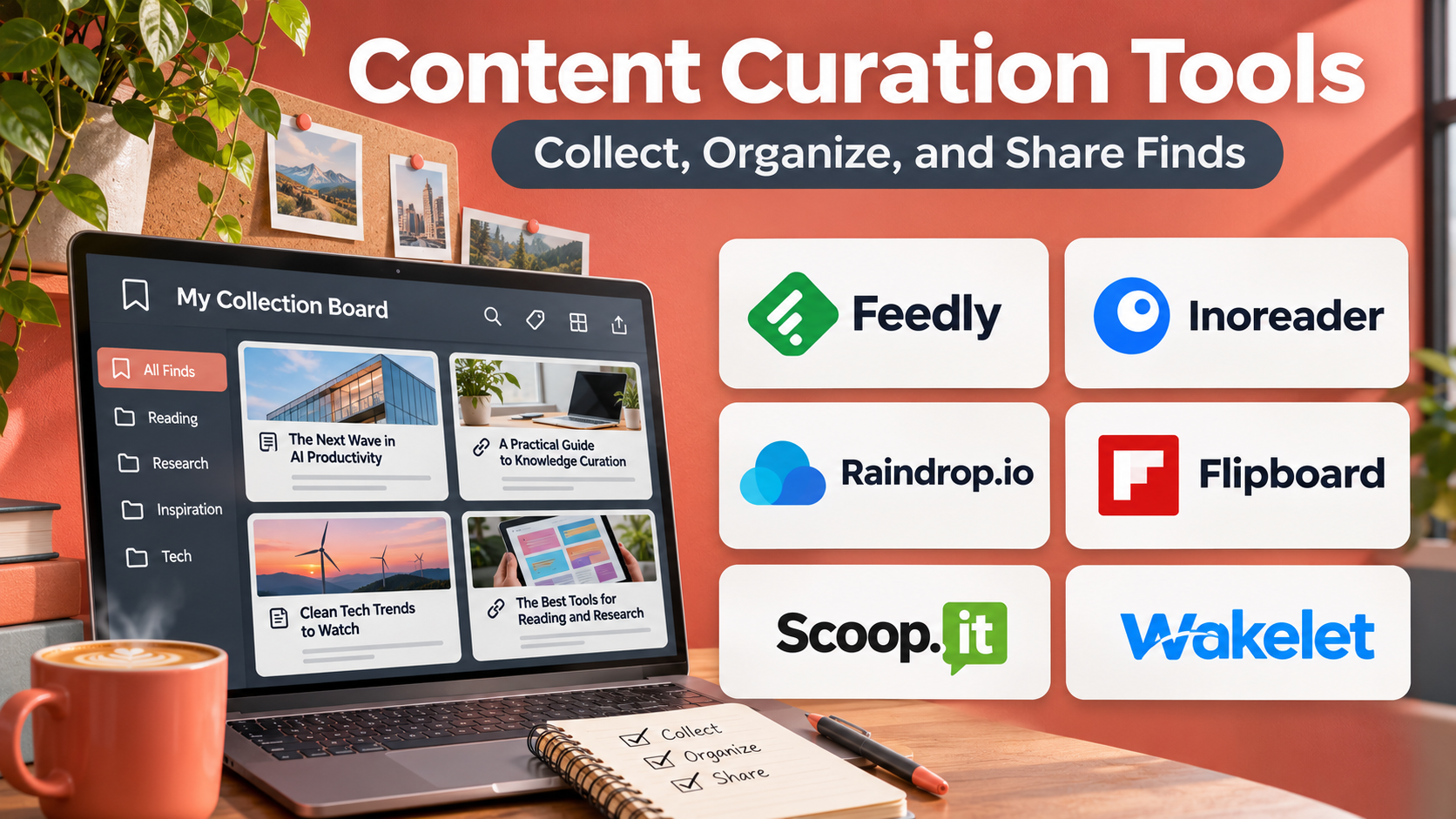
Introduction
The internet produces an enormous amount of information every day. News articles, research reports, industry publications, videos, newsletters, and social media discussions compete for attention.
Finding useful information is only the beginning. Professionals must also evaluate its reliability, organize relevant resources, and decide what is worth sharing.
Content curation tools help streamline this process.
These applications allow users to discover, collect, filter, organize, and distribute content from different sources.
Some platforms focus on RSS feeds and information monitoring. Others support social media publishing, newsletters, research collections, or collaborative content discovery.
Content curation is particularly useful for marketers, researchers, educators, journalists, and organizations that need to monitor changing topics.
However, effective curation requires more than automatically collecting links. Users must evaluate source credibility, preserve context, respect copyright, and add meaningful editorial judgment.
This guide compares ten content curation tools, explains their strengths and limitations, and provides practical advice for choosing the right platform.
What Are Content Curation Tools?
Content curation tools are applications that help users discover, select, organize, and share information from external sources.
They reduce the effort required to monitor multiple websites and maintain collections of relevant resources.
A content curation workflow generally includes discovering information, evaluating its relevance, organizing selected items, and distributing useful material to an intended audience.
Common features include:
- RSS feed aggregation.
- Topic monitoring.
- Keyword filtering.
- Content recommendations.
- Bookmarking and collections.
- Article tagging.
- Team collaboration.
- Social media scheduling.
- Newsletter creation.
- Content analytics.
- AI-assisted filtering.
- Integration with publishing platforms.
The right tool depends on whether the primary objective is research, monitoring, personal reading, team knowledge sharing, or audience distribution.
Top 10 Content Curation Tools
1. Feedly
Short Description
Feedly is an information aggregation and monitoring platform that helps users follow publications, websites, and topics from a central interface.
It is widely used for reading RSS feeds and organizing industry information.
Users can subscribe to relevant sources, group them into folders, and review new articles without visiting every website individually.
Feedly also provides more advanced intelligence and monitoring capabilities through eligible offerings.
These features can support professionals who need to identify relevant developments across large volumes of information.
However, the value of its advanced capabilities depends on the quality of monitored sources and the user’s filtering strategy.
Key Features
- RSS Aggregation: Collects articles from subscribed sources.
- Source Folders: Organizes publications by subject.
- Topic Monitoring: Supports tracking selected areas of interest.
- Filtering: Helps reduce irrelevant information.
- AI-Assisted Monitoring: Offers eligible automated intelligence capabilities.
- Saved Articles: Stores selected resources for later review.
- Team Workflows: Supports collaborative monitoring in relevant products.
- Integrations: Connects with supported productivity applications.
- Cross-Device Access: Provides compatible web and mobile reading.
Benefits
Feedly reduces repetitive website visits and provides a central environment for monitoring trusted publications.
Pros
- Strong RSS functionality.
- Flexible source organization.
- Useful for industry research.
- Advanced monitoring options.
- Cross-device accessibility.
- Suitable for regular information review.
Cons
- Advanced features may be expensive.
- Source selection requires maintenance.
- Information overload remains possible.
- Automated filtering may miss relevant material.
- Not primarily a publishing platform.
Use Cases
Feedly is useful for industry monitoring, competitive research, cybersecurity news, academic reading, and editorial research.
For example, a technology analyst can monitor selected publications, group articles by subject, and review important developments each morning.
Best For: Professionals who need organized information monitoring and RSS aggregation.
2. Pocket
Short Description
Pocket was a popular read-it-later application for saving online articles and reviewing them later.
Its historical strengths included simple bookmarking, distraction-reduced reading, and personal article collections.
However, Mozilla discontinued Pocket in 2025, so it should not be treated as an available service for new adoption.
It remains relevant when comparing the evolution of content curation software, particularly because many modern alternatives provide similar read-it-later workflows.
Users migrating from older collections should choose an actively maintained alternative rather than relying on discontinued infrastructure.
Key Features — Historical
- Article Saving: Stored online reading material.
- Read-It-Later Workflow: Separated discovery from reading.
- Reading View: Simplified article presentation.
- Tags: Organized saved content.
- Cross-Device Access: Synchronized saved articles.
- Recommendations: Suggested reading material.
- Offline Reading: Supported downloaded content.
- Personal Collections: Maintained reading archives.
Benefits
Pocket demonstrated how separating content discovery from consumption could reduce interruptions.
Pros
- Historically simple article saving.
- Clean reading experience.
- Useful tagging.
- Cross-device reading.
- Influential read-it-later design.
Cons
- Discontinued service.
- Not suitable for new adoption.
- Historical collections require migration planning.
- No ongoing feature development.
Use Cases
Pocket is primarily relevant to understanding legacy read-it-later workflows and evaluating migration alternatives.
Best For: Historical comparison only; current users should select an active alternative.
3. Inoreader
Short Description
Inoreader is an RSS reader and information monitoring platform designed for users who want detailed control over content sources.
It combines feed aggregation with organization, filtering, and automation features.
Users can subscribe to publications, organize feeds into folders, and create rules for handling incoming information.
This makes Inoreader particularly useful for researchers and professionals monitoring many sources.
Its automation capabilities can reduce repetitive sorting and improve information retrieval.
However, advanced configuration requires time, and users must regularly review their monitoring rules.
Key Features
- RSS Subscriptions: Collects content from supported feeds.
- Feed Folders: Organizes sources.
- Filtering Rules: Controls how incoming articles are handled.
- Keyword Monitoring: Tracks selected terms.
- Saved Articles: Maintains reading collections.
- Tags: Classifies content.
- Automation: Supports eligible rules and workflows.
- Search: Retrieves content from accessible feeds.
- Cross-Device Access: Supports compatible platforms.
Benefits
Inoreader provides detailed control over high-volume information streams.
Pros
- Powerful RSS management.
- Useful automation rules.
- Strong organization.
- Keyword monitoring.
- Suitable for advanced users.
Cons
- Advanced features require payment.
- Learning curve for automation.
- Feed quality depends on source availability.
- Large subscriptions can become overwhelming.
Use Cases
Inoreader is useful for research monitoring, professional reading, and tracking specialized publications.
Best For: Power users seeking advanced RSS filtering and automation.
4. Flipboard
Short Description
Flipboard is a content discovery and curation platform that presents articles and other resources through a magazine-style reading experience.
It emphasizes topic exploration and visual presentation.
Users can follow interests, discover publications, and organize selected stories into magazines.
This approach is especially appealing to readers who want a more visual experience than a conventional RSS reader.
Flipboard also supports sharing curated collections with others.
However, its discovery-oriented interface offers less granular filtering than specialist research monitoring platforms.
Key Features
- Topic Discovery: Recommends content around selected interests.
- Magazine-Style Interface: Presents stories visually.
- Custom Magazines: Organizes selected content.
- Source Following: Tracks supported publishers.
- Story Sharing: Distributes curated articles.
- Personalization: Adapts content discovery to selected interests.
- Mobile Reading: Supports convenient browsing.
- Community Discovery: Helps users explore curated collections.
Benefits
Flipboard makes content discovery visually engaging and supports thematic collections.
Pros
- Attractive reading experience.
- Easy topic exploration.
- Curated magazines.
- Simple sharing.
- Suitable for casual discovery.
Cons
- Less precise research filtering.
- Recommendations may not always match user needs.
- Limited advanced monitoring.
- Less suitable for complex editorial workflows.
Use Cases
Flipboard works well for personal reading, topic exploration, and sharing themed collections.
Best For: Readers who prefer visual content discovery.
5. Scoop.it
Short Description
Scoop.it is a content curation platform designed to help users discover, organize, and publish relevant resources.
It is particularly associated with professional content marketing and knowledge sharing.
Users can collect articles around specific topics and create curated content collections.
The platform supports workflows intended to make external content useful for audiences.
Its business-oriented capabilities can help marketing teams maintain topical collections and distribute selected information.
However, effective results require human editorial review rather than indiscriminate republication.
Key Features
- Topic-Based Curation: Organizes content around defined subjects.
- Content Discovery: Helps identify relevant resources.
- Curated Publishing: Supports sharing selected material.
- Editorial Organization: Maintains topic collections.
- Content Distribution: Supports eligible publishing workflows.
- Team Collaboration: Provides capabilities for supported business plans.
- Analytics: Offers selected performance insights.
- Integration Options: Connects with supported marketing systems.
Benefits
Scoop.it connects content discovery with organized publishing and audience engagement.
Pros
- Professional curation workflow.
- Topic-based organization.
- Publishing capabilities.
- Useful for content marketing.
- Team-oriented features.
Cons
- Business pricing may not suit individuals.
- Requires consistent editorial effort.
- Less suitable for personal read-it-later use.
- Source quality must be evaluated manually.
Use Cases
Scoop.it is useful for marketing teams, professional newsletters, and industry resource collections.
Best For: Organizations publishing curated industry content.
6. Curata
Short Description
Curata is historically known as a content curation and marketing platform that focused on discovering, organizing, and distributing relevant information.
Its approach combined content discovery with editorial workflows.
Curata is relevant to the development of enterprise content curation because it emphasized business publishing and marketing operations.
However, its current commercial availability and product support should be independently confirmed before procurement.
Organizations evaluating modern platforms should prioritize products with verifiable support, active development, and current security documentation.
Key Features — Historically Associated
- Content Discovery: Identified material from selected sources.
- Topic Monitoring: Tracked relevant subjects.
- Editorial Selection: Supported content review.
- Content Organization: Grouped curated resources.
- Publishing Workflows: Helped distribute selected content.
- Marketing Integration: Connected curation with broader marketing activity.
- Analytics: Supported selected performance measurement.
- Team Workflows: Helped coordinate content operations.
Benefits
Curata illustrates the value of connecting external content discovery with editorial and marketing processes.
Pros
- Enterprise-oriented curation model.
- Editorial workflow emphasis.
- Marketing-focused capabilities.
- Topic monitoring.
- Useful historical reference.
Cons
- Current availability requires verification.
- Procurement risk if support is unavailable.
- Not recommended without current product validation.
- Enterprise complexity may exceed individual needs.
Use Cases
Curata is primarily relevant when comparing enterprise content curation approaches and evaluating legacy workflows.
Best For: Historical enterprise comparison; verify current availability before consideration.
7. Wakelet
Short Description
Wakelet is a content collection and sharing platform that allows users to organize links, images, videos, and other resources into curated collections.
It is especially useful in education and collaborative knowledge sharing.
Users can create themed collections and present information in a format that is easier to navigate than a long list of bookmarks.
Wakelet also supports selected collaborative workflows.
Its simplicity makes it appealing to teachers, students, and teams organizing learning resources.
However, it is less suited to automated industry monitoring or complex marketing analytics.
Key Features
- Content Collections: Organizes resources into themed spaces.
- Link Saving: Stores web resources.
- Multimedia Support: Includes supported images and videos.
- Collaboration: Allows selected shared collection workflows.
- Collection Sharing: Distributes organized resources.
- Visual Layouts: Presents content clearly.
- Educational Workflows: Supports classroom resource organization.
- Cross-Device Access: Provides browser-based access.
Benefits
Wakelet makes it easy to organize and share useful resources in a clear format.
Pros
- Easy collection creation.
- Useful educational applications.
- Multimedia support.
- Collaboration options.
- Accessible interface.
Cons
- Limited advanced monitoring.
- Not a full editorial publishing system.
- Analytics are less extensive than marketing platforms.
- Manual collection maintenance is required.
Use Cases
Wakelet is useful for classroom reading lists, training resources, research collections, and team knowledge sharing.
Best For: Educators and teams creating shareable resource collections.
8. Raindrop.io
Short Description
Raindrop.io is a bookmark management and content organization platform designed to help users maintain searchable collections of web resources.
It emphasizes structured bookmarking, tagging, and retrieval.
Users can save articles, websites, images, and other supported resources into organized collections.
Its interface is particularly useful for people who save large numbers of links and need to retrieve them later.
Raindrop.io also supports collaborative collections and advanced organization features in eligible plans.
Unlike discovery-focused platforms, it primarily helps users manage resources they have already found.
Key Features
- Bookmark Saving: Stores web resources.
- Collections: Organizes bookmarks by subject.
- Tags: Supports flexible classification.
- Search: Retrieves saved resources.
- Browser Extensions: Simplifies saving content.
- Collaborative Collections: Supports selected sharing workflows.
- Cross-Device Synchronization: Makes bookmarks available across compatible devices.
- Backup and Export: Supports data portability.
- Permanent Copies: Offers eligible saved-page functionality.
Benefits
Raindrop.io transforms scattered bookmarks into an organized research library.
Pros
- Strong bookmark organization.
- Clean interface.
- Useful tagging.
- Cross-device access.
- Data export options.
- Suitable for long-term collections.
Cons
- Limited automated content discovery.
- Advanced features require payment.
- Manual tagging can become repetitive.
- Not primarily a social publishing tool.
Use Cases
Raindrop.io is useful for researchers, designers, developers, and professionals maintaining large resource collections.
Best For: Users seeking structured bookmark management.
9. ContentStudio
Short Description
ContentStudio is a social media management and content marketing platform that includes content discovery and curation capabilities.
It helps teams find relevant articles, organize publishing workflows, and distribute selected content across supported social channels.
The platform is particularly useful for marketing teams that want curation integrated with scheduling.
Users can discover content around topics and prepare posts for different audiences.
Its broader social media functionality distinguishes it from dedicated RSS readers.
However, organizations must review connected account permissions and ensure that curated posts add appropriate context and attribution.
Key Features
- Content Discovery: Identifies articles around selected topics.
- Social Scheduling: Plans posts for supported networks.
- Content Calendar: Organizes publishing activity.
- Post Composer: Prepares social content.
- Team Collaboration: Supports selected approval workflows.
- Analytics: Reports on eligible social performance.
- Content Categories: Organizes publishing themes.
- Automation: Supports selected repeatable workflows.
- Account Management: Coordinates supported social profiles.
Benefits
ContentStudio connects content discovery with social media distribution.
Pros
- Integrated discovery and scheduling.
- Useful content calendar.
- Team collaboration.
- Social analytics.
- Suitable for marketing operations.
Cons
- Subscription cost.
- More complex than simple bookmarking.
- Social network capabilities can change.
- Automated publishing requires editorial oversight.
Use Cases
ContentStudio is useful for social media managers, agencies, and businesses maintaining curated industry feeds.
Best For: Marketing teams combining content curation with social publishing.
10. Curated
Short Description
Curated is a newsletter-oriented content curation platform designed to help users collect links and assemble editorial newsletters.
It emphasizes the process of turning selected resources into a useful publication.
Users can collect articles, organize newsletter issues, and add commentary to curated links.
This approach is particularly useful for creators and organizations that publish regular industry roundups.
Unlike a general bookmark manager, Curated focuses on distributing selected information to subscribers.
Its effectiveness depends on editorial consistency and the quality of the selected resources.
Key Features
- Link Collection: Saves resources for newsletter use.
- Newsletter Builder: Organizes curated issues.
- Editorial Commentary: Adds context to selected links.
- Subscriber Management: Supports newsletter audiences.
- Email Distribution: Sends curated publications.
- Issue Organization: Maintains publication history.
- Publishing Workflow: Supports repeatable newsletter preparation.
- Performance Reporting: Provides selected newsletter metrics.
Benefits
Curated simplifies the process of transforming saved links into a recurring newsletter.
Pros
- Focused newsletter workflow.
- Easy link organization.
- Supports editorial commentary.
- Suitable for regular roundups.
- Combines collection and distribution.
Cons
- Less suitable for general research monitoring.
- Requires consistent newsletter production.
- Subscription costs may apply.
- Limited advanced social media functionality.
Use Cases
Curated is useful for industry newsletters, educational roundups, and professional resource digests.
Best For: Newsletter creators publishing curated links and commentary.
Content Curation Tools Comparison Table
| Tool | Primary Strength | Main Workflow | Best For |
|---|---|---|---|
| Feedly | RSS and intelligence monitoring | Discover and filter | Researchers |
| Historical read-it-later experience | Save and read | Discontinued | |
| Inoreader | Advanced RSS automation | Monitor and organize | Power users |
| Visual discovery | Explore and share | General readers | |
| Scoop.it | Professional curation | Discover and publish | Marketers |
| Curata | Historical enterprise curation | Editorial operations | Legacy comparison |
| Wakelet | Resource collections | Collect and share | Educators |
| Raindrop.io | Bookmark management | Save and retrieve | Researchers |
| ContentStudio | Social content publishing | Discover and schedule | Marketing teams |
| Curated | Newsletter curation | Collect and email | Newsletter creators |
Availability note: Pocket has been discontinued, and Curata’s current commercial status requires verification. They are included for historical comparison, not as confirmed active purchasing recommendations.
How to Choose the Right Content Curation Tool
Step 1: Define the Primary Objective
Determine whether the goal is personal reading, industry monitoring, research organization, social publishing, or newsletter creation.
Step 2: Evaluate Source Coverage
Check whether the platform supports the publications, feeds, and content formats you need.
Step 3: Test Filtering
Review keyword rules, topic organization, and methods for reducing irrelevant content.
Step 4: Examine Editorial Controls
Choose a platform that allows human review before content is shared publicly.
Step 5: Consider Collaboration
Teams may require shared collections, permissions, and approval workflows.
Step 6: Review Publishing Integrations
Verify compatibility with social media accounts, email systems, and websites.
Step 7: Evaluate Analytics
Determine whether you need reading history, newsletter engagement, or social performance reports.
Step 8: Verify Service Availability
Confirm that a product is actively maintained and offers current support before subscribing.
Step 9: Respect Copyright and Attribution
Curated content should preserve source attribution and avoid unauthorized reproduction.
Best Content Curation Tool by User Type
| User Type | Recommended Tool | Reason |
|---|---|---|
| Industry analysts | Feedly | Organized source monitoring |
| Advanced RSS users | Inoreader | Filtering and automation |
| Casual readers | Visual discovery | |
| Content marketers | Scoop.it | Curated publishing |
| Teachers | Wakelet | Shareable learning collections |
| Researchers | Raindrop.io | Structured bookmarks |
| Social media managers | ContentStudio | Discovery and scheduling |
| Newsletter publishers | Curated | Editorial email workflow |
| Former Pocket users | Raindrop.io or Inoreader | Active alternatives |
| Enterprise buyers | Feedly or a validated active platform | Current support and monitoring |
Practical Example: Creating a Weekly Industry Newsletter
Consider a marketing team preparing a weekly newsletter about software industry developments.
Step 1: Identify the Audience
Define the topics subscribers care about.
Step 2: Select a Monitoring Platform
Use Feedly or Inoreader to follow relevant publications.
Step 3: Build a Trusted Source List
Prioritize reputable publishers and primary sources.
Step 4: Collect Candidate Articles
Save potentially relevant material throughout the week.
Step 5: Verify Information
Check publication dates, original reporting, and factual claims.
Step 6: Remove Duplicates
Avoid repeating the same announcement from multiple sources.
Step 7: Add Editorial Context
Explain why each selected article matters to readers.
Step 8: Assemble the Newsletter
Use Curated or another suitable newsletter platform.
Step 9: Review Attribution
Credit original publishers and link to source material.
Step 10: Measure Engagement
Review available newsletter metrics and refine future selections.
Frequently Asked Questions
1. What is the best content curation tool?
Feedly is useful for monitoring publications, while Inoreader provides advanced RSS filtering.
2. What is content curation?
Content curation is the process of discovering, selecting, organizing, and sharing relevant information.
3. Are content curation tools different from content creation tools?
Yes. Curation focuses on selecting and contextualizing existing information, while creation produces original material.
4. Can content curation tools automatically find articles?
Many provide feed aggregation, recommendations, or topic monitoring.
5. Is Pocket still available?
No. Pocket was discontinued in 2025.
6. What is the best tool for curated newsletters?
Curated is designed for assembling newsletters from selected links.
7. Which tool is best for educators?
Wakelet is useful for organizing and sharing learning resources.
8. Can content curation tools schedule social media posts?
Some, including ContentStudio, support social publishing workflows.
9. Are RSS readers content curation tools?
Yes. RSS readers help collect and organize content from selected sources.
10. Can AI replace editorial review?
No. Automated filtering can assist discovery, but source verification and contextual judgment remain important.
11. Is it legal to curate online articles?
Linking and commentary are generally different from reproducing copyrighted material. Users should respect applicable copyright rules and licensing terms.
12. What makes a good content curation workflow?
Reliable sources, relevant selection, clear organization, accurate attribution, and useful editorial context.
Conclusion
Content curation tools help users manage information overload by bringing discovery, organization, and distribution into structured workflows.
Feedly and Inoreader are strong options for monitoring publications. Flipboard emphasizes visual discovery, while Wakelet and Raindrop.io support organized collections.
Scoop.it and ContentStudio serve publishing-oriented workflows, and Curated focuses on newsletter production.
Because product availability changes, users should verify current support before adopting any platform.
The most effective content curation system combines suitable software with careful source selection, editorial judgment, and responsible sharing.