Introduction
Interactive Voice Response (IVR) systems play an important role in modern customer communication. When customers call a business, an IVR system can greet them, identify their needs, provide automated information, and route them to the appropriate department.
However, poorly designed IVR systems often create frustration. Long menus, confusing options, repeated questions, and difficult agent transfers can make simple customer requests unnecessarily complicated.
IVR design tools help organizations create, test, deploy, and improve automated telephone interactions.
Modern platforms offer visual call flow builders, speech recognition, text-to-speech capabilities, CRM integrations, intelligent routing, and conversational AI.
Some platforms specialize in programmable telephony, while others provide complete cloud contact center environments. Enterprise solutions may also support advanced analytics, workforce management, and AI-powered customer assistance.
Selecting the right IVR design tool requires evaluating conversation complexity, routing capabilities, integrations, scalability, accessibility, security, and operational costs.
This guide compares ten established IVR design platforms and explains how businesses can choose the right solution for their customer communication needs.
What Are IVR Design Tools?
IVR design tools are software platforms that help businesses build automated telephone systems that interact with callers.
Traditional IVR systems use prerecorded prompts and keypad selections.
For example, a caller might hear:
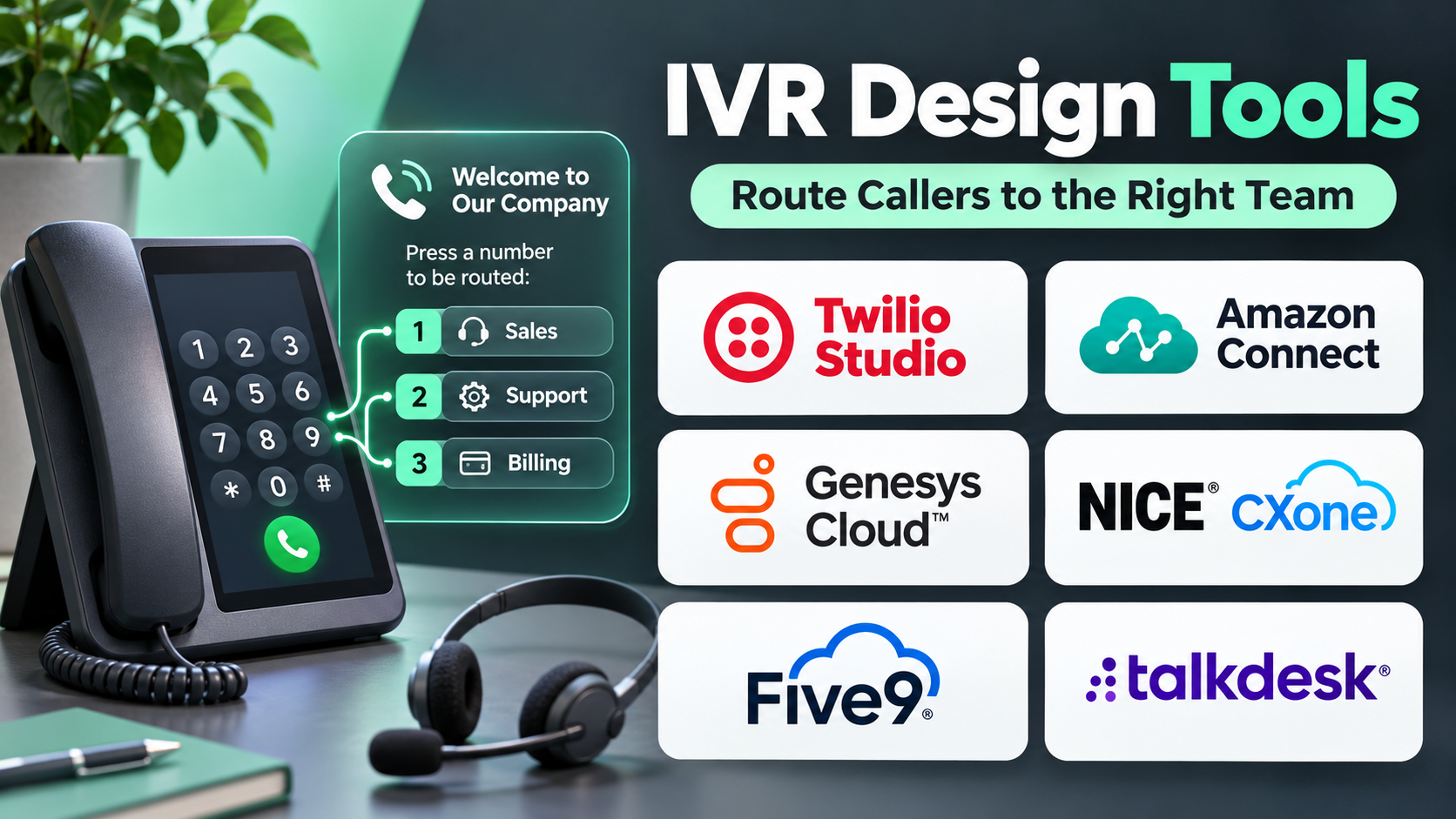
“Press 1 for sales, press 2 for support, or press 3 for billing.”
More advanced systems allow callers to describe their needs using natural language.
An IVR platform processes the caller’s input and determines whether to provide automated assistance, collect information, or transfer the call.
Common Components of an IVR System
Call Flow Designer: Defines how calls move between prompts, menus, conditions, and departments.
Automatic Speech Recognition: Converts spoken responses into information the system can interpret.
Text-to-Speech: Generates spoken responses from text.
DTMF Input: Recognizes telephone keypad selections.
Call Routing: Directs callers according to business rules, agent availability, or customer information.
CRM Integration: Connects caller interactions with customer records.
Analytics: Measures abandonment, transfers, completion rates, and other operational outcomes.
Benefits of IVR Design Tools
A well-designed IVR system can:
- Reduce unnecessary call transfers.
- Improve access to the correct department.
- Provide automated answers to common questions.
- Support customer service outside normal working hours.
- Collect information before an agent answers.
- Reduce repetitive agent workload.
- Improve call handling consistency.
- Support multilingual customer interactions.
These benefits depend on thoughtful design. Automation should simplify customer journeys rather than force callers through unnecessary steps.
Top 10 IVR Design Tools
1. Twilio Studio
Short Description
Twilio Studio is a visual workflow builder that enables developers and business teams to design communication workflows using Twilio services.
It is particularly useful for creating programmable IVR systems that combine telephone interactions with application logic.
Organizations can use Studio to create call menus, collect keypad input, play prompts, route calls, and connect with external applications.
Its visual approach reduces the amount of custom code required for basic call orchestration.
However, complex implementations may still require Twilio Functions, webhooks, APIs, and additional engineering.
Twilio Studio is especially suitable for organizations that need flexible telephony workflows rather than a complete contact center management suite.
Businesses can begin with a simple IVR and extend it with customer identification, scheduling, and service integrations.
Key Features
- Visual Flow Builder: Designs call workflows using connected components.
- DTMF Input Collection: Captures keypad selections for menus and routing.
- Voice Prompts: Plays recorded or generated telephone messages.
- Conditional Logic: Changes call paths based on collected information.
- Webhook Integration: Connects call flows with external applications.
- Programmable Routing: Directs calls using configured logic.
- Twilio API Connectivity: Extends workflows through communication services.
- Workflow Testing: Supports iterative development and debugging.
- Event-Based Automation: Connects voice interactions with broader communication workflows.
Benefits
Twilio Studio helps organizations create flexible IVR systems without building all call orchestration logic manually.
It is also useful when businesses want to connect telephone workflows with custom software.
Pros
- Flexible programmable telephony
- Visual workflow design
- Strong developer integration options
- Suitable for custom business processes
- Supports incremental development
Cons
- Advanced workflows require technical expertise.
- Telephony and related services create usage costs.
- Contact center features may require additional products.
- Complex flows need disciplined testing.
Use Cases
A delivery company can create an IVR that collects order numbers and retrieves shipment information through an API.
A service provider can route callers to departments based on their selected service category.
Best For: Developers and businesses building customized programmable IVR workflows.
2. Amazon Connect
Short Description
Amazon Connect is a cloud contact center platform that provides tools for designing and managing customer communication workflows.
Its contact flow capabilities allow organizations to create automated telephone experiences that collect information, play prompts, and route calls.
Amazon Connect is especially relevant for businesses already using Amazon Web Services.
Organizations can connect contact flows with AWS Lambda, Amazon Lex, and other supported cloud services.
This enables IVR experiences that combine traditional menu navigation with conversational assistance and business system integration.
Amazon Connect also provides broader contact center capabilities, including agent management, routing, reporting, and operational analytics.
Its flexibility makes it useful for growing and enterprise support environments, although implementation can require AWS expertise.
Key Features
- Visual Contact Flow Designer: Builds call routing and IVR workflows.
- Automated Prompts: Plays recorded or generated voice messages.
- Keypad Input Handling: Captures caller menu selections.
- Conversational AI Integration: Connects with supported language understanding services.
- AWS Lambda Integration: Executes custom business logic.
- Queue Management: Routes callers to available support resources.
- Contact Attributes: Uses relevant interaction information for routing.
- Operational Analytics: Monitors contact center activity.
- Cloud Scalability: Supports variable call volumes.
Benefits
Amazon Connect combines IVR design with broader contact center operations.
It can reduce the need to maintain separate infrastructure for routing, automation, and agent workflows.
Pros
- Integrated cloud contact center
- Strong AWS connectivity
- Flexible call flow configuration
- Supports conversational automation
- Scalable service architecture
Cons
- AWS knowledge may be required.
- Advanced integrations increase complexity.
- Costs depend on usage and connected services.
- Some organizations may prefer simpler hosted systems.
Use Cases
A financial services organization can create an IVR that authenticates callers before routing them to account support.
A retailer can provide automated order information and transfer unresolved inquiries to agents.
Best For: AWS-based organizations requiring integrated IVR and cloud contact center functionality.
3. Genesys Cloud CX
Short Description
Genesys Cloud CX is an enterprise customer experience platform offering voice communication, routing, automation, and contact center management.
Its IVR capabilities help organizations design sophisticated call flows and coordinate automated interactions with human support.
Genesys is particularly relevant for businesses managing substantial customer service volumes across multiple departments.
The platform supports routing decisions based on customer information, business rules, and available resources.
Organizations can combine automated prompts with conversational AI and other supported customer experience technologies.
Genesys Cloud CX also provides reporting and operational capabilities that help teams understand how IVR performance affects the broader contact center.
It is especially suitable for enterprises seeking an integrated approach to customer communication rather than a standalone menu builder.
Key Features
- Architect Flow Designer: Creates automated call and routing workflows.
- IVR Menu Management: Organizes caller options and navigation.
- Speech Integration: Supports conversational and speech-enabled experiences.
- Intelligent Routing: Directs calls using configured business conditions.
- Customer Context: Incorporates available interaction information.
- Queue Management: Coordinates agent availability and routing.
- Integration Framework: Connects with supported business systems.
- Contact Center Analytics: Measures call handling performance.
- Omnichannel Support: Coordinates voice with other communication channels.
Benefits
Genesys Cloud CX helps enterprises manage IVR design as part of a broader customer experience strategy.
Pros
- Strong enterprise routing capabilities
- Integrated contact center environment
- Advanced workflow configuration
- Useful operational analytics
- Supports complex service organizations
Cons
- Implementation may require specialists.
- Enterprise licensing can be substantial.
- Advanced features introduce complexity.
- Smaller teams may not need the full platform.
Use Cases
A telecommunications provider can route callers based on service category, account status, and agent availability.
A large retailer can coordinate telephone support across billing, orders, and technical assistance.
Best For: Enterprises requiring sophisticated IVR routing and contact center operations.
4. Five9
Short Description
Five9 is a cloud contact center platform that provides inbound and outbound customer communication capabilities.
Its IVR functionality helps organizations automate caller interactions and direct customers toward suitable support resources.
Five9 is particularly useful for customer service organizations that need IVR alongside agent routing, call management, and operational reporting.
Businesses can configure automated menus, collect caller information, and integrate selected workflows with customer data systems.
The platform also supports AI-related customer experience capabilities within its broader contact center offering.
Five9 is most appropriate when IVR is part of an established contact center operation.
Organizations seeking only a basic phone menu may find the platform broader than necessary.
Key Features
- IVR Flow Configuration: Defines automated caller journeys.
- Automated Voice Prompts: Communicates information to callers.
- Call Routing: Directs customers to appropriate resources.
- Caller Data Collection: Captures relevant interaction details.
- CRM Integration: Connects supported customer information systems.
- Queue Management: Coordinates waiting callers and agents.
- AI Automation Integration: Supports available conversational capabilities.
- Call Analytics: Measures routing and service performance.
- Contact Center Management: Combines automation with agent operations.
Benefits
Five9 enables businesses to integrate automated telephone interactions with broader customer service processes.
Pros
- Integrated contact center functionality
- Suitable for high-volume service teams
- Supports intelligent routing
- Useful CRM connectivity
- Strong operational orientation
Cons
- Enterprise-oriented pricing
- Implementation may require professional assistance
- Advanced configurations can be complex
- Limited appeal for basic standalone IVR needs
Use Cases
A healthcare administration team can route appointment and billing inquiries to appropriate departments.
A customer service center can collect account details before connecting callers with agents.
Best For: Mid-sized and enterprise contact centers requiring integrated IVR and call management.
5. Talkdesk
Short Description
Talkdesk is a cloud contact center platform that supports automated customer communication, routing, and AI-enabled service experiences.
Its IVR design capabilities allow organizations to create telephone workflows that guide callers through common requests.
Talkdesk is especially relevant for businesses that want to combine traditional IVR functionality with modern customer experience automation.
Organizations can configure call paths, integrate customer information, and direct callers to appropriate agents or automated services.
The platform also provides contact center reporting and management capabilities.
Its broader feature set makes it suitable for organizations seeking coordinated customer service operations.
However, businesses should evaluate which workflow and automation capabilities are included in their selected subscription.
Key Features
- Visual Flow Design: Configures automated call experiences.
- IVR Menus: Organizes caller options and prompts.
- Intelligent Routing: Directs calls using business rules.
- CRM Connectivity: Uses supported customer data.
- Automated Assistance: Supports compatible AI service capabilities.
- Agent Transfer: Connects callers with human representatives.
- Queue Management: Coordinates incoming call traffic.
- Reporting and Analytics: Tracks service performance.
- Contact Center Integration: Connects IVR with broader support operations.
Benefits
Talkdesk helps organizations build automated customer journeys while maintaining integrated contact center workflows.
Pros
- Cloud-based contact center environment
- Useful visual workflow capabilities
- Supports customer data integration
- Relevant for enterprise service automation
- Combines IVR with agent operations
Cons
- Licensing requires careful evaluation.
- Advanced automation may involve additional products.
- Complex integrations need technical support.
- Smaller organizations may prefer simpler systems.
Use Cases
A subscription service can create an IVR that routes account, billing, and technical support requests.
An insurance provider can automate general information inquiries before transferring specialized cases.
Best For: Organizations seeking modern cloud IVR within a broader contact center platform.
6. NICE CXone
Short Description
NICE CXone is an enterprise customer experience platform that provides contact center routing, automation, analytics, and workforce capabilities.
Its IVR-related tools help organizations build automated telephone interactions and manage caller journeys.
NICE CXone is particularly relevant for large service organizations where routing efficiency and customer experience consistency are important.
Businesses can configure automated interactions, integrate supported customer data, and direct callers based on business requirements.
The platform’s broader analytics capabilities can help teams identify friction in customer journeys.
NICE CXone is well suited to organizations managing complex contact center environments.
However, the breadth of the platform can increase implementation and administration requirements.
Key Features
- IVR Workflow Design: Creates automated call interactions.
- Voice Prompt Management: Delivers caller instructions.
- Routing Logic: Directs calls based on configured conditions.
- Customer Data Integration: Uses relevant business information.
- AI Automation Capabilities: Supports conversational service workflows.
- Queue and Agent Routing: Coordinates customer transfers.
- Interaction Analytics: Evaluates contact center performance.
- Operational Reporting: Tracks service outcomes.
- Enterprise Administration: Supports large-scale service management.
Benefits
NICE CXone helps enterprises connect IVR automation with customer experience analytics and operational management.
Pros
- Enterprise contact center capabilities
- Advanced routing options
- Strong analytics orientation
- Supports large service environments
- Integrates automation and human support
Cons
- Enterprise implementation can be demanding.
- Pricing may be significant.
- Advanced features require training.
- Not ideal for organizations needing only a simple IVR menu.
Use Cases
A financial institution can build routing workflows for multiple customer service departments.
A large utility provider can automate common service inquiries and direct complex issues to specialists.
Best For: Large enterprises requiring IVR, routing, analytics, and contact center governance.
7. Cisco Webex Contact Center
Short Description
Cisco Webex Contact Center is a cloud customer service platform offering voice communication, routing, and contact center management.
Its flow design capabilities help organizations build automated caller experiences.
Cisco is particularly relevant for enterprises with established communication infrastructure and complex customer service requirements.
Businesses can create IVR menus, collect caller information, and connect interactions with supported enterprise systems.
The platform also provides routing and operational capabilities that help coordinate automated and human service.
Webex Contact Center is especially useful when organizations want IVR design within a broader enterprise communications environment.
Implementation requirements depend on the existing telephony architecture and integration needs.
Key Features
- Flow Designer: Builds automated contact center interactions.
- IVR Menus: Supports caller navigation.
- Voice Prompts: Communicates automated instructions.
- Conditional Routing: Directs calls based on defined criteria.
- Enterprise Integrations: Connects supported business applications.
- Queue Management: Coordinates caller routing.
- Agent Connectivity: Transfers calls to human representatives.
- Operational Analytics: Monitors call performance.
- Cloud Contact Center Architecture: Supports enterprise service operations.
Benefits
Webex Contact Center helps enterprises coordinate IVR workflows with broader communications infrastructure.
Pros
- Enterprise communications integration
- Flexible flow configuration
- Suitable for large organizations
- Supports routing and analytics
- Useful for Cisco-oriented environments
Cons
- Deployment may require specialist expertise.
- Licensing and integration costs vary.
- Advanced configurations need training.
- Less appropriate for very small IVR projects.
Use Cases
A multinational business can route callers to regional support departments.
An enterprise IT service desk can use IVR to direct employees to appropriate assistance.
Best For: Cisco-oriented enterprises and large contact center environments.
8. RingCentral RingCX
Short Description
RingCentral RingCX is a cloud contact center solution designed to manage customer communication across supported channels.
It provides voice routing and automated interaction capabilities that help businesses create structured telephone experiences.
RingCX is particularly relevant for organizations seeking contact center functionality connected with cloud communications.
Businesses can configure caller routing, automate common interaction steps, and connect callers with appropriate agents.
Its integrated approach can simplify service operations for organizations using RingCentral communication products.
However, teams should evaluate the specific IVR design and automation capabilities available in their selected configuration.
Key Features
- Automated Call Routing: Directs incoming calls.
- IVR Configuration: Creates caller navigation workflows.
- Voice Prompts: Provides automated information.
- Queue Management: Organizes incoming contact traffic.
- Agent Transfer: Connects callers with support representatives.
- CRM Integrations: Connects supported customer systems.
- Contact Center Reporting: Measures call activity.
- Cloud Communications Integration: Coordinates telephone services.
- Administrative Controls: Manages service configuration.
Benefits
RingCX helps organizations manage automated telephone interactions within a cloud contact center environment.
Pros
- Integrated cloud communications
- Useful call routing capabilities
- Suitable for growing service teams
- Supports contact center workflows
- Centralized administration
Cons
- Feature availability varies by package.
- Advanced AI workflows may require additional services.
- Complex routing needs careful configuration.
- Less customizable than fully programmable telephony stacks.
Use Cases
A professional services company can direct callers to sales, billing, or support.
A growing customer service operation can organize incoming calls across multiple teams.
Best For: Businesses seeking IVR within an integrated cloud communications and contact center solution.
9. 3CX
Short Description
3CX is a business communications and phone system platform that provides call routing, digital receptionist, and related telephony capabilities.
It is particularly useful for organizations that need practical IVR functionality as part of their business telephone system.
3CX allows businesses to create automated greetings and menu-based call routing experiences.
The platform is relevant for small and mid-sized organizations that want to manage incoming calls without implementing a large enterprise contact center suite.
Its communication capabilities extend beyond IVR into broader business calling and collaboration.
However, highly advanced conversational AI workflows may require additional integrations or alternative platforms.
Key Features
- Digital Receptionist: Provides automated call menus.
- DTMF Routing: Directs callers using keypad input.
- Call Queues: Organizes incoming support calls.
- Business Hours Routing: Changes call handling by schedule.
- Extension Management: Connects callers with internal users.
- Voice Prompts: Plays recorded greetings and instructions.
- Call Reporting: Provides operational call information.
- Phone System Integration: Connects IVR with business telephony.
- Administrative Configuration: Manages routing and system settings.
Benefits
3CX provides practical automated call routing for businesses that need a manageable phone system.
Pros
- Suitable for SMB telephony
- Practical digital receptionist features
- Integrated business calling
- Supports straightforward routing
- Useful business hours configuration
Cons
- Less focused on advanced conversational AI.
- Complex workflows may need additional development.
- Telephony administration knowledge is helpful.
- Enterprise contact center requirements may exceed its scope.
Use Cases
A law firm can route callers to reception, appointments, and billing.
A regional business can provide after-hours announcements and voicemail routing.
Best For: Small and mid-sized businesses needing conventional IVR and phone system functionality.
10. Voximplant Kit
Short Description
Voximplant Kit is a cloud contact center and communication automation platform with tools for designing customer interaction workflows.
It is relevant for organizations seeking programmable voice automation and visual call handling capabilities.
Businesses can use the platform to configure telephone interactions, route calls, and connect communication workflows with supported external systems.
Its communication infrastructure orientation makes it useful for custom service automation.
Organizations can create workflows that collect caller information and trigger business processes.
However, more sophisticated implementations may require technical expertise and careful integration planning.
Key Features
- Visual Scenario Design: Builds communication workflows.
- IVR Menu Configuration: Supports automated caller navigation.
- Voice Prompt Handling: Delivers spoken information.
- Call Routing: Directs calls according to configured conditions.
- API Integration: Connects with external business systems.
- Contact Center Capabilities: Supports customer communication operations.
- Automated Workflows: Coordinates selected business processes.
- Call Analytics: Provides interaction reporting.
- Programmable Communication: Supports custom telephony behavior.
Benefits
Voximplant Kit helps businesses develop automated voice workflows connected to communication and service processes.
Pros
- Flexible communication automation
- Visual workflow capabilities
- Supports API connectivity
- Useful for custom telephone scenarios
- Combines automation and contact center functions
Cons
- Advanced use cases may require developers.
- Pricing depends on services and usage.
- Complex workflows need maintenance.
- Organizations should verify regional telephony availability.
Use Cases
A logistics provider can automate shipment information inquiries.
A service company can collect customer details and route calls based on request type.
Best For: Businesses seeking configurable cloud voice workflows and programmable IVR.
IVR Design Tools Comparison Table
| Platform | Primary Strength | Ideal Users | Main Consideration |
|---|---|---|---|
| Twilio Studio | Programmable IVR | Developers | Technical setup |
| Amazon Connect | AWS contact center | Cloud teams | AWS complexity |
| Genesys Cloud CX | Enterprise routing | Large contact centers | Enterprise investment |
| Five9 | Contact center automation | Service teams | Licensing |
| Talkdesk | Cloud IVR workflows | Mid-market and enterprise | Feature packaging |
| NICE CXone | Analytics and routing | Large enterprises | Implementation effort |
| Cisco Webex Contact Center | Enterprise communications | Cisco customers | Integration complexity |
| RingCentral RingCX | Cloud communications | Growing businesses | Feature scope |
| 3CX | Digital receptionist | SMBs | Limited advanced AI |
| Voximplant Kit | Programmable voice workflows | Technical teams | Configuration effort |
How to Choose the Right IVR Design Tool
1. Map the Customer Journey
Identify the main reasons customers call and the shortest route to resolving each request.
Avoid creating menus around internal departments when customers think in terms of problems.
2. Evaluate the Flow Builder
Look for clear visual design, reusable components, version management, and testing capabilities.
3. Determine Speech Requirements
Decide whether keypad menus are sufficient or whether natural-language interactions would improve usability.
4. Review Routing Capabilities
Evaluate skill-based routing, business hours, queue conditions, and customer-specific routing.
5. Examine Integrations
Determine whether the IVR must retrieve account information, check orders, or create support tickets.
6. Test Accessibility
Provide clear prompts, reasonable timeouts, and alternatives for callers who cannot use speech or keypad input comfortably.
7. Evaluate Security
Protect customer information and avoid collecting sensitive details unnecessarily.
Payment information and account authentication require appropriate safeguards.
8. Measure Performance
Track task completion, menu abandonment, incorrect transfers, repeat calls, and customer satisfaction.
9. Calculate Total Cost
Include platform fees, telephone usage, AI services, implementation, integrations, and maintenance.
10. Plan for Continuous Improvement
Review real call journeys and simplify flows that cause confusion.
Best IVR Design Software by User Type
| User Type | Recommended Platform | Reason |
|---|---|---|
| Software developers | Twilio Studio | Programmable call workflows |
| AWS organizations | Amazon Connect | Cloud integration |
| Enterprise service teams | Genesys Cloud CX | Advanced routing |
| High-volume support centers | Five9 | Contact center functionality |
| Cloud-first service organizations | Talkdesk | Integrated IVR |
| Analytics-focused enterprises | NICE CXone | Operational insights |
| Cisco enterprises | Webex Contact Center | Communications integration |
| Growing contact centers | RingCX | Cloud service workflows |
| Small businesses | 3CX | Practical digital receptionist |
| Custom voice automation teams | Voximplant Kit | Configurable workflows |
Practical Example: Designing an IVR for a Customer Support Center
Consider a software company receiving 10,000 calls each month.
Customers frequently contact support about account access, billing, and technical problems.
Step 1: Analyze Call Reasons
The company reviews call records and identifies the most common customer needs.
Step 2: Create a Simple Menu
The initial menu offers three clear choices: account help, billing, and technical support.
Step 3: Provide Self-Service Options
Customers with common account questions can access automated instructions.
Step 4: Connect Customer Information
The IVR uses approved integrations to identify relevant account context after authentication.
Step 5: Configure Routing
Technical requests go to specialists, while billing inquiries go to the billing team.
Step 6: Add Human Assistance
Callers can request an agent without repeatedly navigating menus.
Step 7: Test the System
The company tests invalid selections, silence, speech recognition failures, unavailable agents, and peak call volume.
Step 8: Launch a Pilot
A limited portion of calls uses the new IVR.
Step 9: Measure Results
Suppose incorrect transfers decrease from 18% to 11%.
This hypothetical result represents a seven-percentage-point reduction.
Step 10: Refine the Experience
The team reviews abandonment points and shortens confusing prompts.
Frequently Asked Questions
1. What is an IVR design tool?
An IVR design tool helps organizations create automated telephone menus, routing rules, and caller interactions.
2. What is the difference between IVR and a voice AI agent?
IVR commonly uses structured menus and rules, while voice AI agents support more flexible spoken conversations.
Modern systems may combine both approaches.
3. Which IVR platform is best for developers?
Twilio Studio is a strong option for programmable telephony workflows.
4. Which IVR tool is best for small businesses?
3CX is a practical candidate for organizations needing a digital receptionist and straightforward call routing.
5. Can IVR systems use artificial intelligence?
Yes. Some platforms integrate speech recognition, natural-language understanding, and AI-powered assistance.
6. What is DTMF?
Dual-tone multi-frequency signaling is the technology used to recognize telephone keypad inputs.
7. Can an IVR integrate with a CRM?
Many platforms support CRM integrations that can improve routing and customer context.
8. What is intelligent call routing?
Intelligent routing directs callers using business rules, customer information, agent skills, or availability.
9. How many menu options should an IVR contain?
There is no universal number. Businesses should minimize complexity and prioritize clear choices.
10. Can IVR systems support multiple languages?
Many platforms support multilingual prompts and speech capabilities.
11. What is IVR containment?
Containment measures calls handled without transferring to a human agent. It does not necessarily indicate successful resolution.
12. How can businesses reduce IVR abandonment?
Use shorter prompts, clear options, reliable routing, and accessible human assistance.
13. Are cloud IVR systems secure?
Security depends on platform configuration, integrations, access controls, and data handling practices.
14. What affects IVR pricing?
Costs may include subscriptions, call minutes, telephone numbers, AI processing, and integration services.
15. What is the most important IVR design principle?
Make it easy for callers to accomplish their goals with minimal effort.
Final Thoughts
IVR design tools help businesses create more efficient telephone experiences through automated prompts, routing, and service workflows.
Twilio Studio and Voximplant Kit provide programmable flexibility. Amazon Connect, Genesys Cloud CX, Five9, Talkdesk, NICE CXone, Cisco Webex Contact Center, and RingCentral RingCX offer broader contact center capabilities.
3CX is particularly relevant for businesses seeking conventional digital receptionist functionality.
The best IVR system is not necessarily the one with the most advanced automation. It is the one that helps callers reach the correct outcome quickly, reliably, and without unnecessary frustration.