Introduction
Business applications frequently depend on incomplete or outdated information. Customer records may lack company details, account databases may contain inconsistent names, and sales systems may not have enough context to qualify new prospects.
Manually researching every record is expensive and difficult to scale.
Data enrichment APIs solve part of this problem by allowing applications to request additional information from external data services.
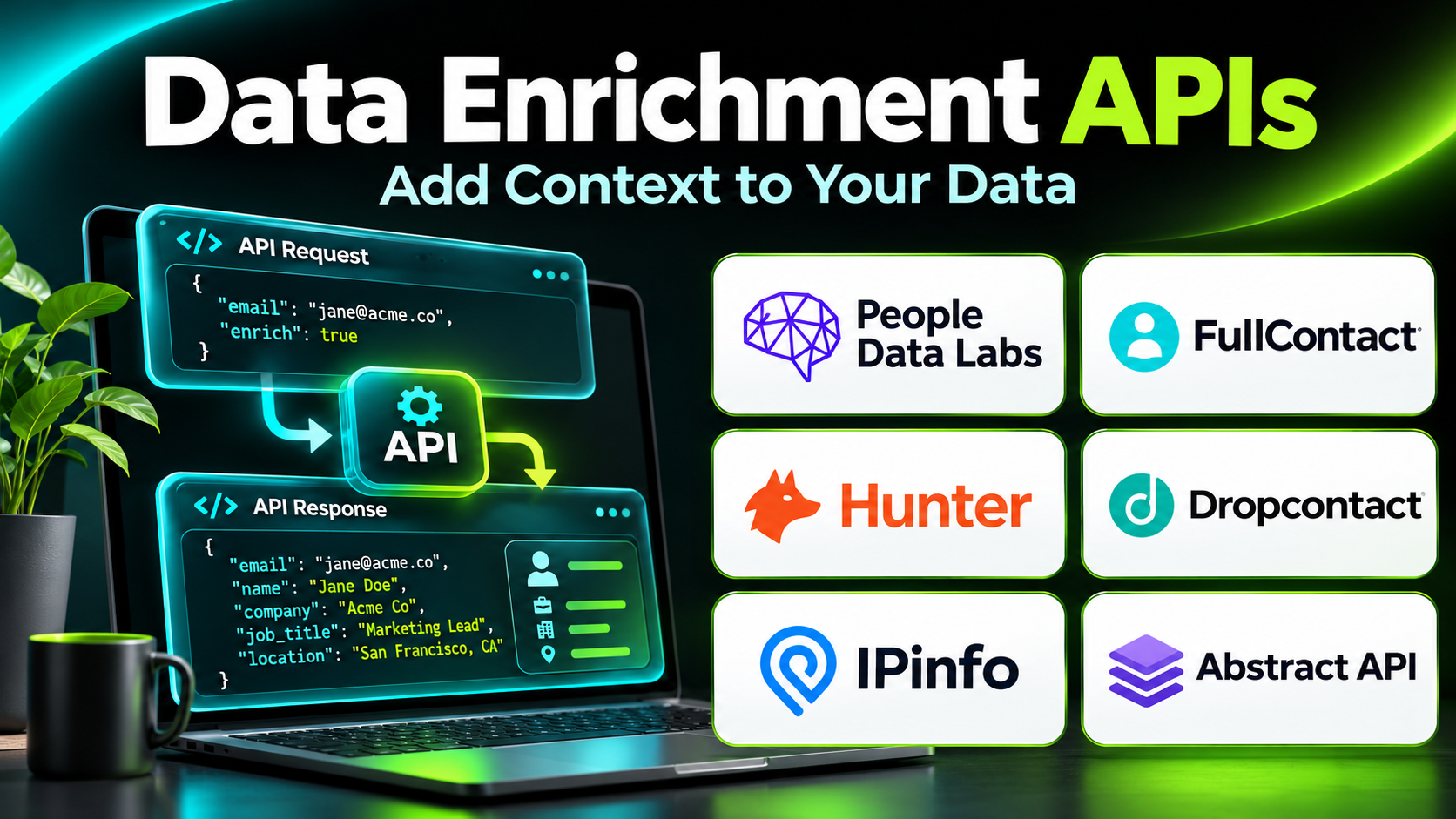
Instead of asking employees to search for company information, a software application can submit an approved identifier to an enrichment API and receive structured information.
For example, a CRM integration may submit a company domain and retrieve available firmographic attributes. A data pipeline may use an enrichment service to standardize company records or identify relevant business information.
Different APIs specialize in different datasets.
Some focus on people and company information. Others provide company registration details, technology intelligence, geographic data, or business contact information.
Choosing the right enrichment API requires more than comparing the number of available records.
Developers must evaluate matching accuracy, coverage, response formats, authentication, latency, rate limits, data provenance, pricing, and compliance requirements.
This guide compares ten data enrichment API providers and explains how organizations can design reliable enrichment workflows.
What Are Data Enrichment APIs?
Data enrichment APIs are application programming interfaces that allow software systems to retrieve additional information about existing records.
An API receives a request containing one or more identifiers.
The provider attempts to match those identifiers against available data and returns relevant information in a structured response.
Common Input Identifiers
- Company domain
- Company name
- Professional email address
- Business registration identifier
- Geographic location
- Approved professional profile identifier
- IP address
- Other supported record attributes
Common Enrichment Outputs
Firmographic Data: Industry, organization size, headquarters, and company information.
Professional Data: Job title, department, and available professional attributes.
Technographic Data: Technologies associated with an organization.
Company Registration Data: Legal entity information from available business records.
Contact Data: Available business contact information.
Location Data: Geographic and address-related attributes.
Identity Matching Information: Signals used to associate records with matching entities.
Benefits of Data Enrichment APIs
Data enrichment APIs can:
- Reduce manual data entry.
- Improve CRM completeness.
- Support automated lead qualification.
- Standardize business records.
- Enable real-time application workflows.
- Improve segmentation.
- Support data engineering pipelines.
- Connect internal systems with external business information.
However, an enrichment API cannot guarantee that every record will match or that every returned field is accurate.
Top 10 Data Enrichment APIs
1. People Data Labs
Short Description
People Data Labs is a data provider offering APIs and datasets for professional and company information.
Its enrichment APIs are designed for organizations that need programmatic access to structured business data.
Developers can submit supported identifiers and retrieve available matching records.
The platform provides person and company enrichment capabilities, along with related search and data processing services.
People Data Labs is particularly useful for businesses building custom CRM enrichment systems, data products, and internal analytics pipelines.
Its API-first approach allows technical teams to control when enrichment occurs and how returned information is processed.
However, developers must design appropriate matching thresholds, error handling, and data governance controls.
Key Features
- Person Enrichment API: Retrieves available information about matched professional records.
- Company Enrichment API: Adds organizational information to company records.
- Search APIs: Supports structured discovery of available records.
- Bulk Enrichment: Supports processing multiple records through appropriate endpoints.
- Matching Logic: Associates submitted identifiers with provider records.
- Structured API Responses: Returns machine-readable data.
- Developer Documentation: Supports technical integration.
- Supporting Data APIs: Provides related cleaning and enrichment functionality.
- Data Pipeline Integration: Supports automated internal applications.
Benefits
People Data Labs helps developers integrate professional and company enrichment directly into software workflows.
Pros
- Strong API-first orientation.
- Person and company data capabilities.
- Useful for custom integrations.
- Supports bulk processing.
- Structured data outputs.
Cons
- Requires engineering expertise.
- Match quality varies by input.
- Licensing and usage costs need review.
- Privacy requirements can be significant.
Use Cases
A CRM application can enrich company records when new business accounts are created.
A data team can process approved business records through a scheduled enrichment pipeline.
Best For: Developers building professional and company data enrichment systems.
2. Apollo.io API
Short Description
Apollo.io provides B2B sales intelligence and engagement capabilities, including API access to supported prospect and company data functions.
Its API is particularly relevant for organizations that want enrichment connected with sales workflows.
Developers can use supported endpoints to integrate selected Apollo data capabilities with internal applications.
Revenue operations teams may use API integrations to improve prospect records, support account research, and coordinate CRM processes.
Apollo is attractive when an organization already uses its prospect intelligence ecosystem.
However, developers should review current endpoint availability, subscription entitlements, rate limits, and permitted data usage before implementation.
Not every feature available in the Apollo interface is necessarily exposed through the API.
Key Features
- B2B Data Access: Provides supported professional and company information.
- Enrichment Capabilities: Supports selected record improvement workflows.
- API Authentication: Controls access to available endpoints.
- Company Information: Adds relevant organizational context.
- Contact Intelligence: Supports professional prospect data use cases.
- CRM Workflow Integration: Connects API data with sales systems.
- Structured Responses: Enables application processing.
- Prospecting Integration: Connects enrichment with outbound research.
- Developer Workflows: Supports custom automation within available API limits.
Benefits
Apollo API access can help organizations connect prospect intelligence with internal sales systems.
Pros
- B2B sales data orientation.
- Useful for Apollo customers.
- Supports custom sales workflows.
- Combines intelligence with engagement ecosystem.
- Relevant for CRM enrichment.
Cons
- Endpoint access depends on plan and permissions.
- Data coverage varies.
- Rate limits require evaluation.
- Contact accuracy must be verified.
Use Cases
A sales application can retrieve available company context for approved prospect records.
A revenue operations team can automate selected CRM enrichment processes.
Best For: B2B organizations integrating Apollo intelligence with custom sales applications.
3. Coresignal
Short Description
Coresignal provides business and professional datasets and API-based access to company-related information.
It is particularly relevant for data-driven organizations requiring structured external business intelligence.
The platform supports use cases involving company research, workforce information, and business data analysis.
Developers can integrate supported API products into internal applications and analytical workflows.
Coresignal is useful when organizations need broader company intelligence rather than only a simple email-to-company lookup.
Its dataset orientation makes it relevant for analytics, market research, and specialized business applications.
However, coverage, refresh frequency, licensing, and data usage rights should be carefully evaluated.
Key Features
- Company Data Access: Provides structured organizational information.
- Professional Data Products: Supports selected workforce-related research.
- API Integration: Enables programmatic retrieval.
- Business Data Search: Supports discovery through available services.
- Structured Records: Facilitates application processing.
- Data Pipeline Support: Connects with internal analytics systems.
- Company Research: Provides business intelligence context.
- Dataset Options: Supports different data consumption approaches.
- Custom Data Workflows: Enables specialized research applications.
Benefits
Coresignal helps organizations incorporate external business information into analytical and operational systems.
Pros
- Strong business data orientation.
- Relevant for custom analytics.
- API and dataset options.
- Useful company intelligence.
- Supports data engineering workflows.
Cons
- Technical integration is required.
- Data licensing needs careful review.
- Coverage varies by dataset.
- Not primarily a no-code CRM tool.
Use Cases
A market intelligence company can enrich organizational datasets.
A workforce analytics team can evaluate company-related data using approved processing methods.
Best For: Data teams requiring business intelligence APIs and datasets.
4. Crustdata
Short Description
Crustdata provides business intelligence and company-related data services through developer-oriented products.
It is relevant for organizations that need programmatic company research and data enrichment.
The platform emphasizes information that can support sales intelligence, company monitoring, and business analysis.
Developers can use available APIs to connect business information with internal applications.
Crustdata is particularly useful for technical teams building custom go-to-market systems.
However, organizations should verify current endpoint coverage, update frequency, and licensing conditions.
The platform is better suited to teams that can maintain integrations and validate returned information.
Key Features
- Company Intelligence: Provides available organizational data.
- API Access: Supports programmatic integration.
- Business Data Retrieval: Enables structured information requests.
- Company Research: Supports account analysis.
- Data Monitoring Capabilities: Helps examine selected business changes where supported.
- Structured Outputs: Supports automated processing.
- Custom Applications: Enables specialized enrichment workflows.
- Sales Intelligence Use Cases: Provides information relevant to prospect research.
- Developer Integration: Supports internal systems and data pipelines.
Benefits
Crustdata helps technical teams incorporate external business information into custom workflows.
Pros
- Developer-oriented data access.
- Useful for company intelligence.
- Supports custom applications.
- Relevant to go-to-market engineering.
- Structured integration possibilities.
Cons
- Requires technical implementation.
- Endpoint availability needs verification.
- Data quality varies by use case.
- Licensing and usage costs require evaluation.
Use Cases
A startup can enrich target account records in its internal sales application.
A market research team can incorporate business information into an approved analytical workflow.
Best For: Developers building custom company intelligence and enrichment applications.
5. FullContact
Short Description
FullContact provides identity resolution and enrichment-related capabilities for organizations managing customer information.
Its API-oriented approach is particularly relevant for businesses seeking to connect records and improve customer data consistency.
Unlike B2B prospecting databases, FullContact focuses more broadly on identity-related data workflows.
Developers may use supported services to improve matching between approved records and add relevant attributes.
This can help organizations manage fragmented customer information across applications.
However, identity resolution creates substantial privacy and governance responsibilities.
Businesses should evaluate whether their intended data processing is lawful, proportionate, and supported by the provider’s current capabilities.
Key Features
- Identity Resolution: Supports association of related customer records.
- Data Enrichment: Adds available information to supported records.
- API Integration: Connects identity services with applications.
- Record Matching: Helps evaluate relationships between records.
- Customer Data Workflows: Supports data consistency initiatives.
- Structured Responses: Enables automated processing.
- Marketing Data Integration: Supports selected audience use cases.
- Data Standardization: Helps organize customer information.
- Governance Requirements: Supports controlled implementation when appropriately configured.
Benefits
FullContact can help organizations improve customer record consistency through identity-related data capabilities.
Pros
- Identity resolution specialization.
- API-oriented integration.
- Useful for customer data workflows.
- Supports complex matching requirements.
- Relevant for data management teams.
Cons
- Significant privacy considerations.
- Less focused on B2B company enrichment.
- Technical implementation is required.
- Current product scope should be verified.
Use Cases
A customer data platform can evaluate identity matching across approved records.
A business can improve consistency between customer information systems.
Best For: Organizations requiring identity resolution and customer data enrichment.
6. Hunter API
Short Description
Hunter provides email discovery and verification capabilities, including APIs that developers can integrate into business workflows.
It is particularly relevant for B2B applications requiring work email discovery or email address validation.
Developers can use supported services to research professional email information associated with company domains.
The platform also provides email verification capabilities that help evaluate whether an address appears deliverable.
Hunter is useful for contact data workflows where email accuracy is important.
However, it is not a comprehensive company intelligence provider.
Email discovery and verification should also be distinguished from legal permission to send marketing messages.
Key Features
- Domain Search API: Supports discovery of available professional email information associated with domains.
- Email Finder: Helps identify work email addresses using supported inputs.
- Email Verification: Evaluates selected deliverability signals.
- API Authentication: Controls programmatic access.
- Structured Results: Returns machine-readable information.
- Contact Research: Supports B2B email-related workflows.
- Bulk Processing Options: Supports larger verification or discovery workflows where available.
- Developer Documentation: Helps integrate supported endpoints.
- CRM Workflow Support: Enables custom contact validation processes.
Benefits
Hunter helps developers integrate email discovery and verification into business applications.
Pros
- Focused email data capabilities.
- Useful verification services.
- Developer-friendly API approach.
- Relevant for B2B workflows.
- Supports contact data quality.
Cons
- Limited broader firmographic enrichment.
- Email discovery may return incomplete results.
- Verification does not guarantee delivery.
- Verification does not establish marketing consent.
Use Cases
A CRM integration can verify submitted work email addresses.
A sales research application can retrieve available professional email information associated with a company domain.
Best For: Developers requiring email discovery and verification APIs.
7. BuiltWith API
Short Description
BuiltWith provides technology intelligence about websites and organizations.
Its API capabilities are particularly useful for businesses that need technographic enrichment.
Technographic data helps organizations understand which technologies may be associated with a company’s website or digital infrastructure.
This information can support market research, account segmentation, and technology-focused sales qualification.
For example, a software vendor may want to identify organizations using a particular category of web technology.
BuiltWith is useful for these specialized enrichment workflows.
However, detected website technologies do not necessarily represent every system used internally by an organization.
Key Features
- Technology Detection: Identifies supported website technologies.
- Technographic Data: Adds technology-related attributes to records.
- API Access: Enables programmatic retrieval.
- Domain Research: Supports technology analysis by website.
- Technology Categorization: Organizes detected software categories.
- Market Research: Supports analysis of technology adoption.
- Account Segmentation: Helps group organizations by technology characteristics.
- Structured Outputs: Supports data processing.
- Custom Intelligence Workflows: Connects technology information with internal systems.
Benefits
BuiltWith helps organizations incorporate website technology information into account research and segmentation.
Pros
- Strong technographic specialization.
- Useful for technology-focused sales.
- Supports domain-based research.
- Relevant for market intelligence.
- Programmatic integration options.
Cons
- Primarily focused on detectable web technologies.
- Detection may be incomplete.
- Not a professional contact database.
- Licensing and API limits require review.
Use Cases
A web security vendor can identify companies using selected web infrastructure technologies.
A market research team can analyze adoption patterns across website categories.
Best For: Businesses requiring website technographic enrichment.
8. Wappalyzer API
Short Description
Wappalyzer is a technology identification platform that detects technologies associated with websites.
Its API capabilities support technographic research and automated enrichment workflows.
Wappalyzer is particularly relevant for businesses that need information about website frameworks, content management systems, analytics tools, and other detectable technologies.
Developers can connect supported technology data with internal applications.
Sales teams may use this information to identify organizations that fit technology-based customer criteria.
Researchers can also analyze selected technology adoption patterns.
However, results should be treated as observed indicators rather than a complete inventory of a company’s software environment.
Key Features
- Website Technology Detection: Identifies supported technologies.
- API Access: Enables automated technology lookups.
- Technology Categorization: Organizes detected products by type.
- Domain-Based Research: Supports website analysis.
- Technographic Enrichment: Adds technology information to company records.
- Structured Data: Supports programmatic processing.
- Lead Qualification Support: Helps identify technology-fit accounts.
- Market Research Applications: Supports adoption analysis.
- Integration Flexibility: Connects with custom data workflows.
Benefits
Wappalyzer helps organizations use observable website technology information for research and segmentation.
Pros
- Focused technology detection.
- Useful developer integrations.
- Relevant for technology sales.
- Supports company enrichment.
- Structured data outputs.
Cons
- Limited to detectable technologies.
- Results may be incomplete.
- Not a general contact enrichment service.
- API limits and licensing need review.
Use Cases
A website optimization vendor can identify organizations using selected content management systems.
A technology research company can compare web technology adoption across industries.
Best For: Developers requiring website technology enrichment.
9. Abstract API
Short Description
Abstract API provides developer-oriented APIs for data validation and enrichment-related tasks.
Its services include categories such as email validation, IP-related information, and company-related data capabilities.
Abstract is particularly useful for application developers who need focused data services rather than a comprehensive B2B prospecting database.
For example, an application may validate an email address during registration or retrieve available information associated with a company domain.
Its modular approach allows developers to select APIs relevant to specific workflows.
However, capabilities differ across individual products, so teams should evaluate each API separately.
Key Features
- Email Validation: Evaluates selected email address characteristics.
- Company Data Capabilities: Provides supported business information.
- IP-Related Data: Supports selected IP information workflows.
- REST API Access: Enables application integration.
- Structured Responses: Supports automated processing.
- Developer Documentation: Helps implement endpoints.
- Application Validation: Improves selected input workflows.
- Modular API Products: Allows teams to choose relevant services.
- Automation Support: Connects validation with application logic.
Benefits
Abstract helps developers add focused validation and data enrichment functions without building every capability internally.
Pros
- Modular developer-oriented APIs.
- Useful validation services.
- Straightforward integration concepts.
- Relevant for application workflows.
- Supports selected company data use cases.
Cons
- Not a complete enterprise enrichment platform.
- Data coverage differs by API.
- Product-specific limits require review.
- Multiple APIs may increase operational complexity.
Use Cases
A registration system can evaluate email addresses before creating customer records.
A B2B application can retrieve supported company information during onboarding.
Best For: Developers seeking modular validation and enrichment APIs.
10. OpenCorporates API
Short Description
OpenCorporates provides access to company information collected from available corporate registries and related sources.
Its API is particularly relevant for applications requiring legal entity research and company registration data.
Unlike sales intelligence platforms, OpenCorporates focuses on corporate information rather than professional contact discovery.
Developers can use supported services to research companies and retrieve available registry-related details.
This can help organizations improve company identity matching, supplier research, and business verification workflows.
OpenCorporates is useful when legal entity information matters more than marketing contact data.
However, registry coverage, freshness, and available fields vary across jurisdictions.
Organizations should verify critical information against authoritative sources when necessary.
Key Features
- Company Search: Supports discovery of registered organizations.
- Corporate Registry Information: Provides available legal entity data.
- API Access: Enables programmatic integration.
- Company Identifiers: Supports matching using available registration information.
- Jurisdiction Data: Provides context about company registration locations.
- Structured Results: Supports automated data processing.
- Entity Research: Helps examine organizational records.
- Data Integration: Connects registry information with internal systems.
- Business Verification Support: Provides information useful for selected due diligence workflows.
Benefits
OpenCorporates helps organizations improve company records using corporate registration information.
Pros
- Legal entity data specialization.
- Useful for company research.
- Programmatic access.
- Relevant for supplier and business verification.
- Supports entity matching.
Cons
- Coverage varies by jurisdiction.
- Registry information may be delayed.
- Not a contact enrichment platform.
- Critical verification may require authoritative registry checks.
Use Cases
A procurement platform can research registered supplier entities.
A data team can improve company matching using available registration identifiers.
Best For: Developers requiring corporate registry and legal entity information.
Data Enrichment APIs Comparison Table
| Provider | Primary Data Type | Best Use Case | Main Consideration |
|---|---|---|---|
| People Data Labs | People and companies | CRM and data enrichment | Matching accuracy |
| Apollo.io API | B2B contacts and companies | Sales applications | Endpoint entitlements |
| Coresignal | Business intelligence | Analytics pipelines | Licensing |
| Crustdata | Company intelligence | Custom GTM systems | API coverage |
| FullContact | Identity-related data | Customer data matching | Privacy |
| Hunter API | Professional email data | Email discovery and validation | Limited firmographics |
| BuiltWith API | Website technologies | Technographic enrichment | Detection coverage |
| Wappalyzer API | Website technologies | Technology-based targeting | Incomplete visibility |
| Abstract API | Validation and company data | Application workflows | Product-specific limits |
| OpenCorporates API | Corporate registry data | Legal entity research | Jurisdiction coverage |
How to Choose the Right Data Enrichment API
1. Identify the Required Data Category
Choose the provider based on the information needed.
Professional contact data, firmographics, technographics, and corporate registry records serve different purposes.
2. Test Matching Accuracy
Evaluate the provider using representative records.
Measure correct matches, incorrect matches, missing results, and ambiguous responses.
3. Review API Documentation
Check authentication, request parameters, response schemas, errors, pagination, and versioning.
4. Evaluate Latency
Real-time applications may need fast responses.
Batch processing systems can often tolerate slower enrichment.
5. Understand Rate Limits
Determine whether the provider supports expected request volumes and concurrency.
6. Examine Pricing
Compare successful-match charges, request fees, credits, minimum commitments, and bulk pricing.
7. Review Data Provenance
Understand where information originates and whether it can lawfully be used for the intended purpose.
8. Implement Error Handling
Applications should handle timeouts, invalid inputs, missing matches, and service outages.
9. Protect Sensitive Information
Use secure authentication, encryption, access controls, and appropriate retention policies.
10. Monitor Data Quality
Track match rates, field completeness, provider failures, and downstream corrections.
Best Data Enrichment API by User Type
| User Type | Recommended API | Reason |
|---|---|---|
| CRM developers | People Data Labs | Person and company enrichment |
| Sales application developers | Apollo.io API | B2B intelligence |
| Data analytics teams | Coresignal | Business datasets |
| GTM engineering teams | Crustdata | Company intelligence |
| Customer data teams | FullContact | Identity resolution |
| Email validation developers | Hunter API | Email discovery and verification |
| Technology sales teams | BuiltWith API | Technographic information |
| Web technology researchers | Wappalyzer API | Website technology detection |
| Application developers | Abstract API | Modular validation |
| Corporate data researchers | OpenCorporates API | Legal entity information |
Practical Example: Building a Company Enrichment API Workflow
Consider a B2B application that creates customer account records from submitted company domains.
Step 1: Define Required Fields
The application needs company name, industry, headquarters, and employee count where available.
Step 2: Select an API
Developers evaluate People Data Labs and other company data providers.
Step 3: Build a Test Dataset
The team selects representative companies from its target markets.
Step 4: Implement Authentication
API credentials are stored securely on the server.
Step 5: Submit Enrichment Requests
The application sends approved company identifiers to the selected provider.
Step 6: Validate Responses
Returned data is checked for match confidence, completeness, and expected formats.
Step 7: Handle Missing Matches
Records without reliable matches remain unchanged or enter a manual review queue.
Step 8: Update Internal Records
Approved fields are added without overwriting verified customer information unnecessarily.
Step 9: Monitor Performance
Suppose 820 of 1,000 records receive a valid company match.
The hypothetical match rate is 82%.
The team separately measures incorrect matches and field accuracy.
Step 10: Maintain the Integration
Developers monitor API changes, costs, errors, and data quality.
Frequently Asked Questions
1. What is a data enrichment API?
A data enrichment API allows software to retrieve additional information about existing records.
2. How does an enrichment API work?
An application submits supported identifiers and receives available matching information.
3. What is the difference between enrichment and validation?
Enrichment adds information. Validation evaluates whether existing information meets selected accuracy or format criteria.
4. Which API is best for professional data?
People Data Labs is a relevant option for programmatic person and company enrichment.
5. Which APIs provide technographic data?
BuiltWith and Wappalyzer specialize in website technology information.
6. Which API supports corporate registry research?
OpenCorporates provides corporate information from available registry-related sources.
7. What is a match rate?
A match rate is the proportion of submitted records for which the provider returns a matching result.
8. Does a high match rate guarantee accuracy?
No. Incorrect matches can occur even when a provider returns many results.
9. Can enrichment APIs update CRMs automatically?
Yes, developers can build integrations that update approved CRM fields.
10. What is batch enrichment?
Batch enrichment processes multiple records together rather than sending every record through a separate workflow.
11. How are enrichment APIs priced?
Providers may charge by request, successful match, credits, subscriptions, or negotiated data volume.
12. Are enrichment APIs suitable for real-time applications?
Some are, but developers must evaluate latency, rate limits, and reliability.
13. What happens when an API returns no match?
The application should handle the missing result without inventing information.
14. Are enrichment APIs subject to privacy laws?
Yes. Data processing must comply with applicable privacy and data protection requirements.
15. What is the most important technical consideration?
Reliable matching and data validation are essential because incorrect enrichment can damage downstream systems.
Final Thoughts
Data enrichment APIs help developers add external business information to applications and data pipelines.
People Data Labs, Apollo, Coresignal, and Crustdata are relevant for professional and company intelligence.
FullContact focuses on identity-related workflows, while Hunter supports email discovery and verification.
BuiltWith and Wappalyzer provide technographic information.
Abstract offers modular validation services, and OpenCorporates supports legal entity research.
The best API depends on the required data, accuracy, technical architecture, permitted use, and total operating cost.
Organizations should build enrichment systems that handle uncertainty, protect sensitive information, and preserve the integrity of existing records.