Introduction
Sales prospecting involves identifying potential customers, researching their needs, preparing outreach, managing follow-ups, and recording activity.
These tasks can consume substantial time, especially when sales representatives work with hundreds of target accounts.
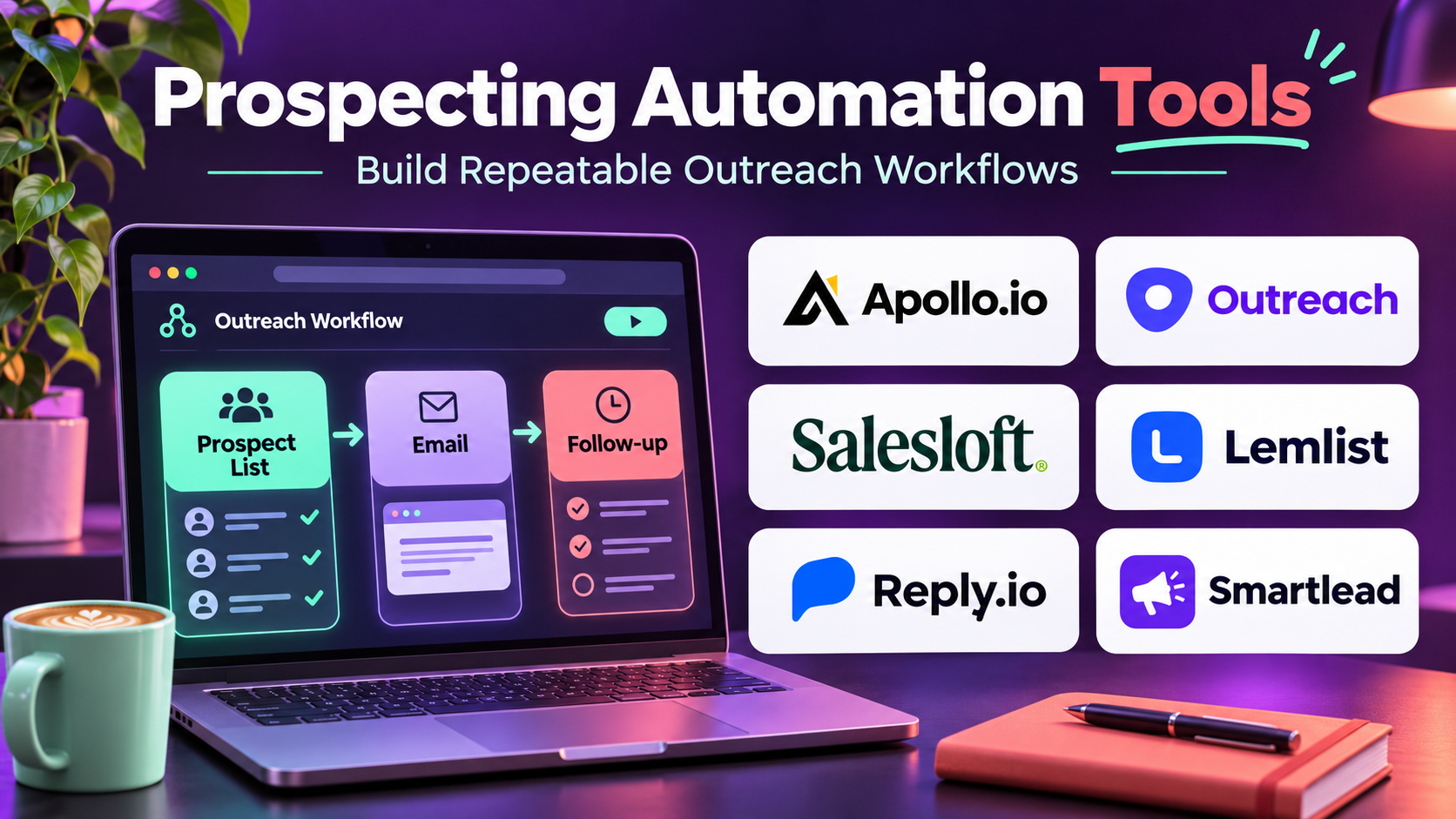
Prospecting automation tools help organizations reduce repetitive work and organize outreach activities.
Modern platforms combine contact discovery, CRM integration, workflow automation, sales engagement, AI-assisted research, and performance analytics.
Some tools focus on building prospect lists. Others specialize in multichannel outreach, email sequencing, account research, or automated data enrichment.
The right platform depends on the organization’s target customers, sales process, available data, and outreach requirements.
Automation can improve consistency, but poorly designed workflows may generate irrelevant messages, inaccurate prospect records, or excessive contact attempts.
Successful prospecting automation therefore requires clear targeting, reliable information, responsible communication, and meaningful performance measurement.
This guide compares ten established prospecting automation platforms, explains their strengths and limitations, and provides practical guidance for selecting and implementing the right solution.
What Are Prospecting Automation Tools?
Prospecting automation tools are software platforms that automate selected activities involved in identifying, researching, qualifying, and contacting potential customers.
They help sales teams reduce manual administration while maintaining organized prospecting workflows.
For example, a sales development representative may need to research a company, identify a relevant contact, add the contact to a CRM, prepare a personalized message, and schedule a follow-up.
A prospecting automation platform may support several of these activities within one workflow.
Common Prospecting Automation Capabilities
Prospect Discovery: Finds companies and contacts matching selected criteria.
Data Enrichment: Adds available business information to prospect records.
CRM Synchronization: Connects prospecting activity with customer databases.
Email Sequencing: Organizes permitted outreach and follow-up messages.
Multichannel Engagement: Coordinates supported email, calling, and professional networking activities.
AI-Assisted Research: Helps summarize account information and prepare relevant messaging.
Task Automation: Reduces repetitive administrative work.
Lead Prioritization: Helps identify prospects requiring attention.
Performance Analytics: Measures outreach activity and downstream sales outcomes.
Benefits of Prospecting Automation
Prospecting automation can help organizations:
- Reduce manual research.
- Improve follow-up consistency.
- Organize prospect information.
- Coordinate sales activities.
- Improve CRM data completeness.
- Support account-based outreach.
- Reduce repetitive administrative work.
- Provide visibility into prospecting performance.
However, automation should support relevant customer engagement rather than simply increase message volume.
Top 10 Prospecting Automation Tools
1. Apollo.io
Short Description
Apollo.io is a B2B sales intelligence and engagement platform that combines prospect discovery with outreach automation.
It is particularly relevant for startups and growing sales organizations that want to manage multiple prospecting activities within one environment.
Apollo helps users identify companies and professional contacts using business and role-based filters.
Sales teams can organize prospect lists and connect supported contacts with outreach sequences.
Its integration capabilities also help maintain CRM records and coordinate sales activity.
Apollo’s combined intelligence and engagement approach can reduce the need for separate tools.
However, data accuracy, outreach compliance, usage credits, and deliverability require ongoing attention.
Key Features
- B2B Prospect Database: Helps identify professional contacts and companies.
- Advanced Prospect Filters: Supports targeting by selected business attributes.
- Email Sequences: Organizes structured outreach.
- CRM Integration: Connects prospecting activity with customer records.
- Contact Enrichment: Adds available business information.
- Workflow Automation: Reduces repetitive prospecting tasks.
- Sales Analytics: Measures selected engagement activity.
- Lead List Management: Organizes prospect groups.
- Sales Engagement Tools: Coordinates supported outreach workflows.
Benefits
Apollo helps teams move from prospect discovery to organized engagement without extensive manual data transfer.
Pros
- Integrated prospecting and engagement.
- Useful B2B search capabilities.
- Supports CRM workflows.
- Suitable for growing sales teams.
- Reduces tool fragmentation.
Cons
- Contact data may be outdated.
- Usage limits require monitoring.
- Email deliverability depends on sending practices.
- Automated outreach requires compliance controls.
Use Cases
A SaaS startup can identify relevant operations managers and organize approved outreach.
A sales development team can create prospect lists based on its ideal customer profile.
Best For: B2B sales teams seeking integrated prospect discovery and outreach automation.
2. Outreach
Short Description
Outreach is a sales execution platform designed to help revenue teams coordinate prospect engagement and sales workflows.
It is particularly relevant for established B2B sales organizations with structured outbound processes.
Outreach supports sequences, activity management, CRM connectivity, and sales performance analysis.
Sales representatives can use the platform to organize outreach tasks and maintain consistent follow-up.
Managers can evaluate engagement activity and identify workflow improvements.
Its broader revenue capabilities make it useful when prospecting must connect with opportunity management.
However, Outreach is not primarily a contact database, so organizations may need complementary prospect intelligence providers.
Key Features
- Sales Sequences: Organizes multistep prospect engagement.
- Task Automation: Coordinates follow-up activities.
- CRM Integration: Synchronizes supported sales records.
- Email Engagement: Supports structured communication.
- Calling Workflows: Connects supported telephone activities.
- Sales Analytics: Measures outreach performance.
- Workflow Management: Standardizes prospecting processes.
- Team Reporting: Provides management visibility.
- Revenue Workflow Integration: Connects prospecting with broader sales execution.
Benefits
Outreach helps established sales teams maintain organized and repeatable prospecting processes.
Pros
- Strong sales execution capabilities.
- Useful workflow automation.
- Supports enterprise sales processes.
- CRM connectivity.
- Detailed activity visibility.
Cons
- Prospect data may require another provider.
- Enterprise investment can be substantial.
- Implementation requires process planning.
- Excessive automation can reduce message relevance.
Use Cases
An enterprise SDR team can coordinate email, calling, and follow-up tasks.
A sales manager can review prospecting activity across territories.
Best For: Established B2B organizations requiring structured sales execution automation.
3. Salesloft
Short Description
Salesloft is a sales execution platform that helps organizations coordinate customer engagement, sales activities, and revenue workflows.
Its prospecting capabilities support structured outreach and follow-up management.
Salesloft is particularly relevant for businesses with dedicated sales development and account executive teams.
Representatives can organize engagement activities and connect them with CRM records.
Managers can use reporting capabilities to evaluate prospecting processes and identify opportunities for improvement.
The platform also provides conversation-related capabilities that can support sales coaching.
However, organizations seeking extensive prospect discovery may require a separate intelligence provider.
Key Features
- Sales Cadences: Organizes multistep engagement activities.
- Email Automation: Supports planned outreach.
- Calling Integration: Connects supported telephone workflows.
- CRM Synchronization: Maintains relevant sales information.
- Task Management: Organizes prospecting responsibilities.
- Engagement Analytics: Measures selected outreach activity.
- Conversation Intelligence: Supports review of customer interactions.
- Workflow Standardization: Helps teams follow defined processes.
- Sales Performance Reporting: Provides operational insights.
Benefits
Salesloft helps organizations maintain consistent prospect engagement and connect activity with sales execution.
Pros
- Strong sales engagement workflows.
- Useful CRM integration.
- Supports sales coaching.
- Suitable for established teams.
- Provides operational visibility.
Cons
- Separate prospect databases may be necessary.
- Licensing requires evaluation.
- Complex workflows need administration.
- High activity volume does not guarantee quality.
Use Cases
A sales development organization can standardize follow-up procedures.
An account executive can coordinate outreach to multiple stakeholders within an opportunity.
Best For: B2B revenue teams seeking structured prospecting and sales engagement.
4. Clay
Short Description
Clay is a go-to-market data and workflow platform that helps teams research prospects, enrich records, and automate selected sales operations.
It is particularly useful for organizations that need customized prospecting processes.
Clay allows users to combine information from supported providers and organize workflows in structured tables.
Teams can use enrichment steps, conditional logic, and AI-assisted research to prepare prospect information.
Its flexibility makes it relevant for revenue operations, growth engineering, and technical sales teams.
Clay can also help organizations build differentiated account research workflows.
However, custom automation requires careful testing, cost controls, and verification of AI-generated information.
Key Features
- Data Enrichment: Adds information from supported providers.
- Multi-Provider Workflows: Combines complementary data sources.
- Conditional Automation: Controls workflow execution.
- AI-Assisted Research: Supports prospect and account analysis.
- Structured Tables: Organizes enrichment and research processes.
- CRM Integration: Connects information with sales systems.
- Data Transformation: Standardizes selected prospect fields.
- Workflow Templates: Supports repeatable processes.
- Custom Prospecting Automation: Enables specialized go-to-market workflows.
Benefits
Clay helps teams automate complex prospect research and data preparation.
Pros
- Highly flexible workflows.
- Useful multi-source enrichment.
- Supports AI-assisted research.
- Relevant for revenue operations.
- Customizable prospecting processes.
Cons
- Requires careful workflow design.
- Usage costs can grow.
- Provider quality varies.
- AI-generated findings require verification.
Use Cases
A revenue operations team can build a workflow that enriches target accounts and prepares relevant research notes.
A growth team can combine company attributes and approved contact information for segmentation.
Best For: Technical growth and revenue operations teams seeking customizable prospecting automation.
5. Reply.io
Short Description
Reply.io is a sales engagement platform that helps teams organize outbound prospecting and follow-up workflows.
It is particularly relevant for businesses seeking automated email sequences and multichannel sales engagement.
Reply.io supports structured outreach campaigns and provides tools for managing prospect interactions.
Sales representatives can create follow-up workflows and monitor responses.
The platform also offers AI-related capabilities within its broader sales engagement offering.
Reply.io is useful for teams that want to reduce repetitive outreach administration.
However, successful use requires relevant targeting, verified contact information, and careful control of sending practices.
Key Features
- Email Sequences: Organizes multistep outreach.
- Multichannel Workflows: Coordinates supported engagement channels.
- Prospect Management: Organizes contact lists.
- Email Personalization: Supports relevant message customization.
- CRM Integration: Connects outreach with customer records.
- AI-Assisted Capabilities: Supports selected sales workflow tasks.
- Response Management: Helps track prospect interactions.
- Campaign Analytics: Measures engagement performance.
- Task Automation: Reduces manual follow-up administration.
Benefits
Reply.io helps outbound teams maintain organized engagement workflows.
Pros
- Strong sales engagement focus.
- Useful sequence automation.
- Supports multichannel activities.
- Relevant for SDR teams.
- Provides campaign reporting.
Cons
- Data sourcing may require additional tools.
- Sending reputation requires monitoring.
- Automation can create irrelevant messages.
- Feature availability varies by subscription.
Use Cases
A B2B agency can organize targeted outreach to suitable business prospects.
A sales team can coordinate follow-up after approved event interactions.
Best For: Outbound sales teams seeking multichannel engagement automation.
6. Lemlist
Short Description
Lemlist is an outbound sales engagement platform focused on personalized prospecting campaigns.
It is particularly relevant for small and mid-sized B2B teams that want flexible email and supported multichannel outreach workflows.
Lemlist helps users create sequences, personalize messages, and organize follow-up activities.
The platform also provides prospecting-related capabilities within its product ecosystem.
Its emphasis on personalization can help teams avoid purely generic outreach.
However, personalized fields and AI-generated text should be verified to prevent inaccurate claims.
Businesses must also manage email authentication, sending reputation, and applicable communication requirements.
Key Features
- Email Sequencing: Automates planned outreach steps.
- Message Personalization: Supports prospect-specific content.
- Multichannel Engagement: Coordinates supported outreach activities.
- Prospect Data Capabilities: Supports selected lead research workflows.
- Campaign Management: Organizes outbound programs.
- CRM Integration: Connects with supported sales systems.
- Reply Tracking: Helps manage responses.
- Campaign Analytics: Measures engagement.
- Sending Workflow Controls: Supports management of outbound email processes.
Benefits
Lemlist helps teams combine repeatable outreach with message customization.
Pros
- Strong personalization orientation.
- Useful outbound sequences.
- Suitable for growing teams.
- Supports multiple engagement channels.
- Practical campaign management.
Cons
- Personalization quality depends on data.
- Deliverability requires active management.
- Prospect data capabilities vary by plan.
- High-volume automation can harm reputation.
Use Cases
A B2B consulting company can create tailored outreach for selected industries.
A software sales team can organize follow-up sequences for qualified prospects.
Best For: Small and mid-sized outbound teams prioritizing personalized outreach.
7. Instantly
Short Description
Instantly is an outbound email platform designed to help teams manage cold email campaigns and related prospecting workflows.
It is particularly relevant for organizations that conduct email-focused outbound sales.
Instantly provides campaign sequencing, account management, and analytics capabilities.
Teams can organize outreach across supported sending accounts and evaluate campaign activity.
The platform also offers prospecting-related functionality within its broader product offering.
Its specialization makes it useful for email-centric sales processes.
However, organizations should avoid treating high sending volume as a measure of success.
Deliverability, message relevance, consent requirements, and recipient preferences remain essential considerations.
Key Features
- Email Campaign Automation: Organizes outbound sequences.
- Sending Account Management: Coordinates supported email accounts.
- Prospect List Management: Organizes campaign audiences.
- Email Personalization: Supports customized message fields.
- Campaign Analytics: Measures selected outreach activity.
- Reply Management: Helps track responses.
- Prospecting Capabilities: Supports selected lead discovery workflows.
- Workflow Automation: Reduces repetitive campaign administration.
- Deliverability-Oriented Features: Supports monitoring of sending workflows.
Benefits
Instantly helps email-focused teams manage outbound campaigns through a centralized environment.
Pros
- Specialized outbound email workflows.
- Useful sequence management.
- Supports multiple sending accounts.
- Campaign reporting.
- Relevant for email-centric prospecting.
Cons
- Less comprehensive for complex enterprise sales.
- Deliverability cannot be guaranteed.
- High-volume sending increases compliance risk.
- Data quality and relevance remain critical.
Use Cases
A B2B service provider can organize targeted introductory email campaigns.
A small sales team can manage follow-up sequences for approved prospect lists.
Best For: Email-focused outbound teams seeking campaign automation.
8. Smartlead
Short Description
Smartlead is a cold email automation platform focused on managing outbound email campaigns and related communication workflows.
It is particularly relevant for agencies and businesses operating multiple outbound campaigns.
Smartlead supports email sequencing, sending account management, and response organization.
Teams can use the platform to coordinate outreach across approved accounts and campaign audiences.
Its infrastructure-oriented features are useful for organizations managing complex outbound email operations.
However, technical sending capabilities should not be used to bypass recipient preferences, provider restrictions, or applicable anti-spam requirements.
Successful prospecting still depends on targeting quality and relevant communication.
Key Features
- Email Sequence Automation: Coordinates multistep campaigns.
- Sending Account Management: Organizes supported mailboxes.
- Campaign Management: Supports multiple outreach programs.
- Reply Organization: Helps manage responses.
- Personalization Fields: Supports message customization.
- Campaign Analytics: Measures engagement activity.
- API and Integration Options: Connects with supported workflows.
- Automation Controls: Reduces manual campaign administration.
- Sending Performance Features: Supports monitoring of email operations.
Benefits
Smartlead helps teams manage complex outbound email operations from a centralized platform.
Pros
- Strong email automation specialization.
- Useful for agencies.
- Supports multiple campaigns.
- Integration capabilities.
- Centralized reply management.
Cons
- Primarily focused on email.
- Prospect intelligence may require other tools.
- Sending reputation requires careful management.
- Compliance and recipient preferences must be respected.
Use Cases
A B2B agency can manage separate approved campaigns for multiple clients.
A sales organization can coordinate targeted email follow-up workflows.
Best For: Agencies and outbound teams requiring centralized email campaign automation.
9. LinkedIn Sales Navigator
Short Description
LinkedIn Sales Navigator is a professional prospecting platform that helps sales teams research potential customers and manage account relationships.
It is not a complete automated outreach system, but it provides important capabilities for structured prospect identification.
Sales Navigator is particularly relevant for B2B organizations where professional roles and account relationships influence purchasing decisions.
Representatives can identify suitable contacts, organize lead lists, and monitor selected company developments.
The platform supports research-driven prospecting rather than unrestricted automated messaging.
Organizations should respect LinkedIn’s platform rules and avoid unauthorized scraping or automated account activity.
Sales Navigator works best when combined with compliant CRM and sales engagement processes.
Key Features
- Professional Search: Finds relevant business contacts.
- Company Search: Identifies target organizations.
- Lead Lists: Organizes selected prospects.
- Account Lists: Tracks target companies.
- Professional Insights: Provides available profile information.
- Account Updates: Supports monitoring of relevant developments.
- CRM Integration: Connects with compatible sales systems.
- Relationship Research: Helps identify professional connections.
- Prospecting Organization: Supports structured account research.
Benefits
Sales Navigator helps representatives conduct more informed and relevant prospect research.
Pros
- Strong professional research capabilities.
- Useful B2B targeting.
- Supports account-based selling.
- Helps identify stakeholders.
- Relevant for relationship development.
Cons
- Not a full sequencing platform.
- Automation is restricted by platform policies.
- Contact information may be limited.
- Requires complementary tools for some workflows.
Use Cases
An enterprise sales representative can research buying group members.
A consulting company can identify professional contacts within target organizations.
Best For: B2B teams emphasizing research-driven prospecting and relationship development.
10. HubSpot Sales Hub
Short Description
HubSpot Sales Hub is a CRM-connected sales platform that provides tools for managing prospecting activities, follow-ups, and sales workflows.
It is particularly relevant for growing businesses seeking automation within an integrated CRM environment.
Sales Hub supports contact management, task organization, email templates, and sales sequences in eligible configurations.
Teams can use these capabilities to coordinate prospecting without maintaining separate systems for every activity.
Its connection with HubSpot marketing and CRM products can help improve visibility across the customer journey.
However, HubSpot Sales Hub is not primarily a large professional contact database.
Organizations requiring extensive outbound prospect discovery may need complementary intelligence tools.
Key Features
- CRM Contact Management: Organizes prospect and customer records.
- Sales Sequences: Supports structured follow-up.
- Task Automation: Reduces repetitive administration.
- Email Templates: Standardizes common communication.
- Meeting Scheduling: Supports appointment coordination.
- Sales Pipeline Management: Connects prospecting with opportunities.
- Workflow Automation: Coordinates selected sales processes.
- Reporting: Measures sales activity and outcomes.
- Marketing Integration: Connects sales with inbound lead generation.
Benefits
HubSpot Sales Hub helps businesses manage prospecting activities within a unified CRM environment.
Pros
- Strong CRM integration.
- Useful sales automation.
- Suitable for growing businesses.
- Connects marketing and sales.
- Accessible workflow management.
Cons
- Advanced features depend on subscription.
- Limited native prospect database functionality.
- Costs may increase with team size.
- Complex automation requires configuration.
Use Cases
A B2B services company can automate follow-up after qualified inquiries.
A growing sales team can organize prospecting tasks and opportunity updates.
Best For: SMB and mid-market teams seeking CRM-connected prospecting automation.
Prospecting Automation Tools Comparison Table
| Platform | Primary Strength | Ideal Users | Main Consideration |
|---|---|---|---|
| Apollo.io | Prospect discovery and engagement | Growing B2B teams | Data accuracy |
| Outreach | Enterprise sales execution | Large SDR teams | Implementation |
| Salesloft | Sales engagement | Revenue organizations | Licensing |
| Clay | Custom research automation | Revenue operations | Workflow complexity |
| Reply.io | Multichannel outreach | Outbound teams | Sending practices |
| Lemlist | Personalized outreach | SMB sales teams | Data quality |
| Instantly | Email campaign automation | Email-focused teams | Deliverability |
| Smartlead | Multi-campaign email operations | Agencies | Compliance |
| LinkedIn Sales Navigator | Professional research | Relationship sellers | Automation restrictions |
| HubSpot Sales Hub | CRM-connected automation | Growing businesses | Feature tiers |
How to Choose the Right Prospecting Automation Tool
1. Define the Prospecting Process
Map how representatives identify, research, qualify, contact, and follow up with prospects.
2. Identify the Main Bottleneck
Determine whether the problem is insufficient prospect data, manual research, inconsistent follow-up, or poor CRM organization.
3. Evaluate Data Sources
Check whether the platform provides prospect information or requires a separate data provider.
4. Review Outreach Capabilities
Consider whether the team needs email, calling, professional networking research, or coordinated multichannel workflows.
5. Examine Personalization
Automation should use relevant, verified information.
Avoid messages that invent familiarity, customer problems, or business relationships.
6. Review CRM Integration
Ensure prospecting activities and customer records remain synchronized.
7. Assess Compliance
Follow applicable privacy, electronic communication, consent, and opt-out requirements.
Respect platform policies and email service provider rules.
8. Monitor Deliverability
Use authenticated domains, accurate lists, appropriate sending practices, and clear unsubscribe processes where required.
9. Evaluate Analytics
Focus on qualified conversations, meetings, opportunities, and customers rather than only message volume or open rates.
10. Run a Controlled Pilot
Test a limited campaign and evaluate relevance, data quality, recipient experience, and sales outcomes.
Best Prospecting Automation Software by User Type
| User Type | Recommended Platform | Reason |
|---|---|---|
| Startup SDR teams | Apollo.io | Integrated discovery and outreach |
| Enterprise outbound teams | Outreach | Structured sales execution |
| Established revenue teams | Salesloft | Engagement workflows |
| Revenue operations teams | Clay | Custom data automation |
| Multichannel sales teams | Reply.io | Outreach coordination |
| Personalized outreach teams | Lemlist | Message customization |
| Email-focused teams | Instantly | Email sequencing |
| Agencies | Smartlead | Multi-campaign management |
| Relationship-based sellers | LinkedIn Sales Navigator | Professional research |
| CRM-focused SMBs | HubSpot Sales Hub | Integrated automation |
Practical Example: Automating B2B Prospecting
Consider a B2B software company with ten sales development representatives.
The team spends substantial time researching accounts and manually organizing follow-up activities.
Step 1: Define the Ideal Customer Profile
The company identifies relevant industries, company sizes, and professional roles.
Step 2: Review Current Workflows
Managers measure time spent researching prospects, updating CRM records, and preparing outreach.
Step 3: Select a Platform
The team evaluates Apollo, Clay, and HubSpot Sales Hub.
Step 4: Build a Target Account List
Only organizations matching defined criteria enter the prospecting workflow.
Step 5: Verify Contact Information
The team checks relevant data before using it.
Step 6: Prepare Useful Messaging
Messages focus on genuine business relevance rather than generic claims.
Step 7: Configure Follow-Up Rules
Automation schedules permitted follow-up activities and stops when recipients respond or opt out.
Step 8: Synchronize the CRM
Prospect status, ownership, and relevant activity are recorded.
Step 9: Measure Results
Suppose manual prospect research time falls from 12 hours to 7 hours per representative each week.
This hypothetical reduction saves five hours per representative, or 50 hours weekly across ten representatives.
The company also checks whether meeting quality and customer experience remain strong.
Step 10: Refine the System
Managers review response quality, inaccurate data, and unsuccessful workflows.
Automation is adjusted to improve relevance rather than simply increase activity.
Frequently Asked Questions
1. What is prospecting automation software?
Prospecting automation software helps sales teams automate selected research, contact management, and outreach activities.
2. How does prospecting automation work?
Platforms combine data, workflow rules, integrations, and communication tools to reduce repetitive tasks.
3. Which platform combines prospect discovery and outreach?
Apollo.io is a relevant option for integrated B2B prospecting.
4. Which tools are suitable for enterprise sales teams?
Outreach and Salesloft are established sales execution platforms.
5. Which platform supports custom prospect research?
Clay is useful for configurable data enrichment and research workflows.
6. Which tools focus on email outreach?
Instantly, Smartlead, Lemlist, and Reply.io offer email engagement capabilities.
7. Can prospecting automation replace sales representatives?
It can automate repetitive tasks, but human judgment remains important for qualification, relationship development, and complex selling.
8. Can automation personalize messages?
Yes, but personalized details should be accurate and relevant.
9. Is automated prospecting legal?
Legality depends on jurisdiction, data processing, communication practices, and applicable marketing regulations.
10. Can sales teams automate LinkedIn activity?
Automation must comply with LinkedIn’s platform rules. Unauthorized scraping and account automation can create risks.
11. How can teams avoid spam?
Use relevant targeting, appropriate permissions, reasonable communication practices, and effective opt-out handling.
12. What is a sales sequence?
A sales sequence is a planned series of communication or follow-up activities.
13. Can prospecting tools integrate with CRMs?
Many platforms support CRM integrations.
14. How should prospecting automation ROI be measured?
Compare software and operational costs with qualified meetings, opportunities, revenue, and time savings.
15. What is the biggest prospecting automation mistake?
Automating large volumes of irrelevant outreach without verifying data quality or customer relevance.
Final Thoughts
Prospecting automation tools help sales teams reduce repetitive research and manage engagement more consistently.
Apollo combines prospect intelligence with outreach capabilities.
Outreach and Salesloft support structured sales execution.
Clay provides customizable research and enrichment workflows.
Reply.io, Lemlist, Instantly, and Smartlead emphasize outbound engagement and email automation.
LinkedIn Sales Navigator supports professional prospect research, while HubSpot Sales Hub connects prospecting with CRM workflows.
The best platform depends on the organization’s sales process, data requirements, communication channels, and resources.
Businesses should prioritize accurate information, relevant engagement, responsible automation, and measurable sales outcomes.