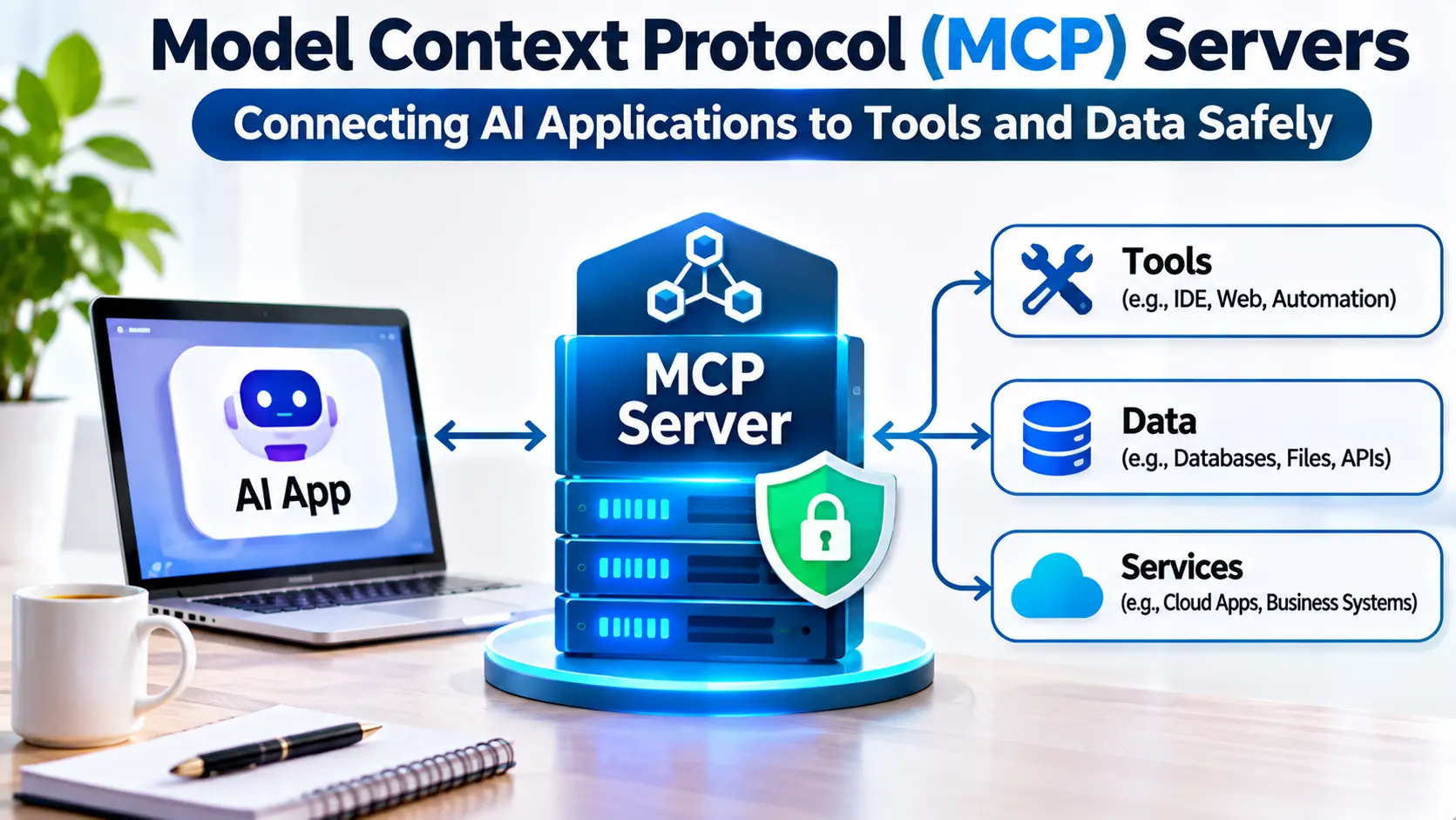
An AI assistant can answer questions about a database without having access to that database. But answering questions about actual business records requires something more: a controlled connection to the underlying information.
The same challenge appears when AI applications need to search documents, inspect code repositories, retrieve project information, or perform actions in external systems.
Developers can build a separate integration for every application and service. That approach works for small projects, but it becomes difficult to maintain as the number of tools and AI clients grows.
The Model Context Protocol, commonly called MCP, offers a standardized way for AI applications to discover and interact with external capabilities.
MCP servers are a central part of that architecture. They expose tools, resources, and other supported features through a defined protocol.
However, a standardized connection is not automatically a secure connection. Organizations must still decide what an AI application can access, which actions it may perform, and how those actions are authorized.
What Is an MCP Server?
An MCP server is a software component that exposes capabilities to compatible AI applications using the Model Context Protocol.
Those capabilities can include tools that perform operations, resources that provide information, and prompts that offer reusable interaction templates.
For example, an MCP server connected to an internal knowledge system might allow an AI assistant to search approved documents.
Another server might expose development tools that inspect a repository or retrieve information from an issue tracker.
The server acts as a defined interface between the AI application and the underlying system.
Importantly, an MCP server does not need to contain a language model. Its primary role is to provide capabilities through the protocol.
The AI application and its supporting components determine how those capabilities are used.
Why MCP Servers Matter
Without a common integration standard, developers may need custom connectors for each combination of AI application and external service.
That creates duplicated work.
A standardized protocol allows compatible applications to interact with servers through a shared set of concepts.
This can make integrations easier to reuse and maintain.
It also creates clearer boundaries between the AI application and the systems providing information or actions.
However, interoperability depends on actual protocol support.
Two products that advertise MCP compatibility may support different features, transport methods, or authentication arrangements.
Teams should test the precise capabilities they need rather than assuming universal compatibility.
Understanding MCP Architecture
MCP uses a host, client, and server architecture.
MCP Host
The host is the application in which the AI experience operates.
It may be a desktop assistant, development environment, or another AI-enabled application.
The host manages the broader application experience and coordinates access to connected capabilities.
MCP Client
The client is the protocol component that communicates with an MCP server.
A host can manage multiple client connections.
The client handles the relevant protocol interactions and exchanges messages with the server.
MCP Server
The server exposes capabilities that the client can discover and invoke.
It may connect to a local file system, an internal service, a database, or a remote application.
This separation helps developers build integrations without tightly coupling every external service to one AI interface.
The Three Core Capability Categories
MCP distinguishes between several kinds of capabilities.
Tools
Tools allow the client to request operations.
Examples include searching a repository, retrieving a customer record, or creating an approved issue.
A tool has a defined interface describing its expected inputs.
Tool execution may have side effects, so permissions and validation are essential.
Resources
Resources expose information that an application can read.
Examples may include documents, configuration data, or structured records.
Resources are useful when an AI application needs contextual information without necessarily performing an external action.
Prompts
Prompts provide reusable templates or workflows that a compatible client can access.
They can help standardize common interactions.
However, a prompt template is not a security boundary.
Sensitive operations still require application-level authorization.
Local and Remote MCP Servers
MCP servers can operate in different deployment environments.
Local Servers
A local server runs on the same computer or within a closely controlled execution environment as the host application.
Local integrations are useful for development tools, file operations, and personal workflows.
A local connection may avoid exposing the service over a public network.
However, local execution can still create serious security risks.
A server with broad file permissions may access sensitive information on the host machine.
Remote Servers
Remote MCP servers operate across a network.
They can provide shared access to organizational services and centralized infrastructure.
Remote deployment is useful when multiple users or applications need access to the same capabilities.
However, it introduces network security, authentication, availability, and operational concerns.
The choice between local and remote deployment should reflect the workflow, trust boundaries, and infrastructure requirements.
MCP Transport Mechanisms
MCP communication relies on supported transport mechanisms.
Local implementations commonly use standard input and output streams, often called stdio.
This approach allows a host to launch a local server process and exchange protocol messages.
Remote implementations may use Streamable HTTP, depending on the protocol version and supported software.
Older integrations may use transport approaches associated with earlier MCP specifications.
Organizations should verify compatibility against the protocol version supported by their chosen host and server.
Transport compatibility is an operational requirement, not merely a documentation detail.
MCP Server Implementations and Development Tools
The MCP ecosystem includes official SDKs, reference implementations, community projects, and vendor-provided servers.
Official MCP SDKs
Official MCP SDKs help developers implement protocol-compatible servers and clients.
They provide abstractions for common protocol operations.
Developers should use the maintained SDK appropriate for their programming language and deployment environment.
Reference Server Implementations
Reference implementations can help developers understand server architecture and protocol behavior.
They are particularly useful for experimentation and learning.
However, an example server should not automatically be treated as production-ready.
Security, maintenance, and operational requirements must be evaluated separately.
Vendor-Provided MCP Servers
Some software providers offer MCP integrations for their own products.
These can reduce the need to maintain custom connectors.
Organizations should verify the provider’s identity, supported operations, authentication method, and ongoing maintenance.
Community MCP Servers
Community projects can provide access to services that lack official integrations.
They may be valuable for experimentation or specialized workflows.
However, code provenance, maintenance activity, dependency security, and permission scope deserve careful review.
An MCP server should not be trusted merely because it appears in a public directory.
How to Choose an MCP Server
The first question is whether the server exposes the capabilities actually needed.
A server that supports reading records may not support creating or updating them.
That distinction matters for workflow design.
Next, examine its authentication and authorization model.
Does the server use appropriate credentials? Can access be restricted to individual users or operations?
Consider deployment requirements, supported transports, maintenance activity, and compatibility with the intended host.
Finally, evaluate error handling and observability.
A production integration should make failures understandable and avoid reporting success when an operation did not complete.
Security Risks in MCP Servers
MCP servers can expose powerful capabilities.
A server connected to a repository may access proprietary code.
A database server may expose confidential records.
An administrative server may allow changes to business systems.
These capabilities create a significant trust boundary.
Organizations should apply least-privilege permissions and restrict the operations available to each integration.
Tool inputs must be validated before execution.
Credentials should be stored securely and kept out of unnecessary model-visible context.
Servers should not assume that every tool request is safe simply because it originated from an MCP-compatible client.
Prompt Injection and Tool Descriptions
MCP introduces additional surfaces through which untrusted information can influence an AI application.
Tool descriptions, retrieved content, and external data may contain misleading or malicious instructions.
An attacker could attempt to redirect an agent toward an unauthorized operation.
Applications should distinguish trusted instructions from untrusted tool output.
Servers should validate actions independently.
Security-sensitive decisions must not rely exclusively on a language model interpreting natural-language instructions correctly.
Authentication and Authorization
Authentication establishes the identity of a connecting party.
Authorization determines what that party is permitted to do.
These controls are related but distinct.
A successfully authenticated user should not automatically receive access to every tool or resource.
Remote MCP deployments may use authorization mechanisms supported by the applicable specification and implementation.
Organizations should verify how identity, delegated access, token scope, and credential expiration are handled.
A secure deployment should avoid unnecessarily broad shared credentials.
MCP Servers and Database Access
Database integrations illustrate why permission design matters.
An AI assistant may need to retrieve selected information for analysis.
That does not mean it should receive unrestricted database privileges.
Read-only access may be sufficient for many use cases.
Additional restrictions can limit accessible tables, records, or operations.
For sensitive systems, an application-specific API may provide a safer interface than direct database access.
The goal is to expose the minimum capability needed to complete the task.
Operational Reliability
Production MCP servers require more than protocol compatibility.
They must handle unavailable services, invalid inputs, timeouts, and interrupted connections.
Tool operations should return clear outcomes.
Where actions may be repeated, developers should consider idempotency and duplicate-operation risks.
Monitoring should capture execution errors, response times, and relevant operational events.
However, logs should avoid unnecessarily exposing sensitive inputs or outputs.
Understanding MCP Server Costs
Open-source server software may be available without a license fee, but deployment still creates costs.
These can include infrastructure, authentication systems, maintenance, monitoring, and integration development.
Remote services may also charge for API usage or managed hosting.
Organizations should calculate the complete cost of operating the integration.
A server that is inexpensive to install may still require substantial effort to secure and maintain.
Building a Practical MCP Server
Begin by defining the exact capability the AI application needs.
Identify the underlying service and its permission requirements.
Choose an appropriate MCP SDK and supported transport.
Implement a narrow interface with clearly defined inputs and outputs.
Validate all requests and enforce authorization independently of the model.
Test normal operations, invalid inputs, unavailable services, and unauthorized requests.
Add monitoring and operational documentation before wider deployment.
Expand capabilities only when there is a demonstrated need.
When MCP Is Not Necessary
Not every application requires MCP.
A simple application that calls one stable API may be easier to maintain through a direct integration.
A deterministic workflow may not benefit from introducing a protocol server.
MCP becomes more attractive when multiple compatible AI applications need reusable access to external capabilities.
The decision should reflect integration complexity and long-term maintenance needs.
Choosing the Right MCP Server Strategy
MCP servers provide a useful foundation for connecting AI applications with external systems.
Their strongest advantage is standardized capability exposure.
However, standardization does not replace security engineering, authorization, or operational discipline.
Organizations should prioritize trusted implementations, narrow permissions, supported transports, and clear execution records.
The most effective MCP server is not the one exposing the greatest number of tools. It is the one providing the right capabilities through a secure, reliable, and maintainable interface.