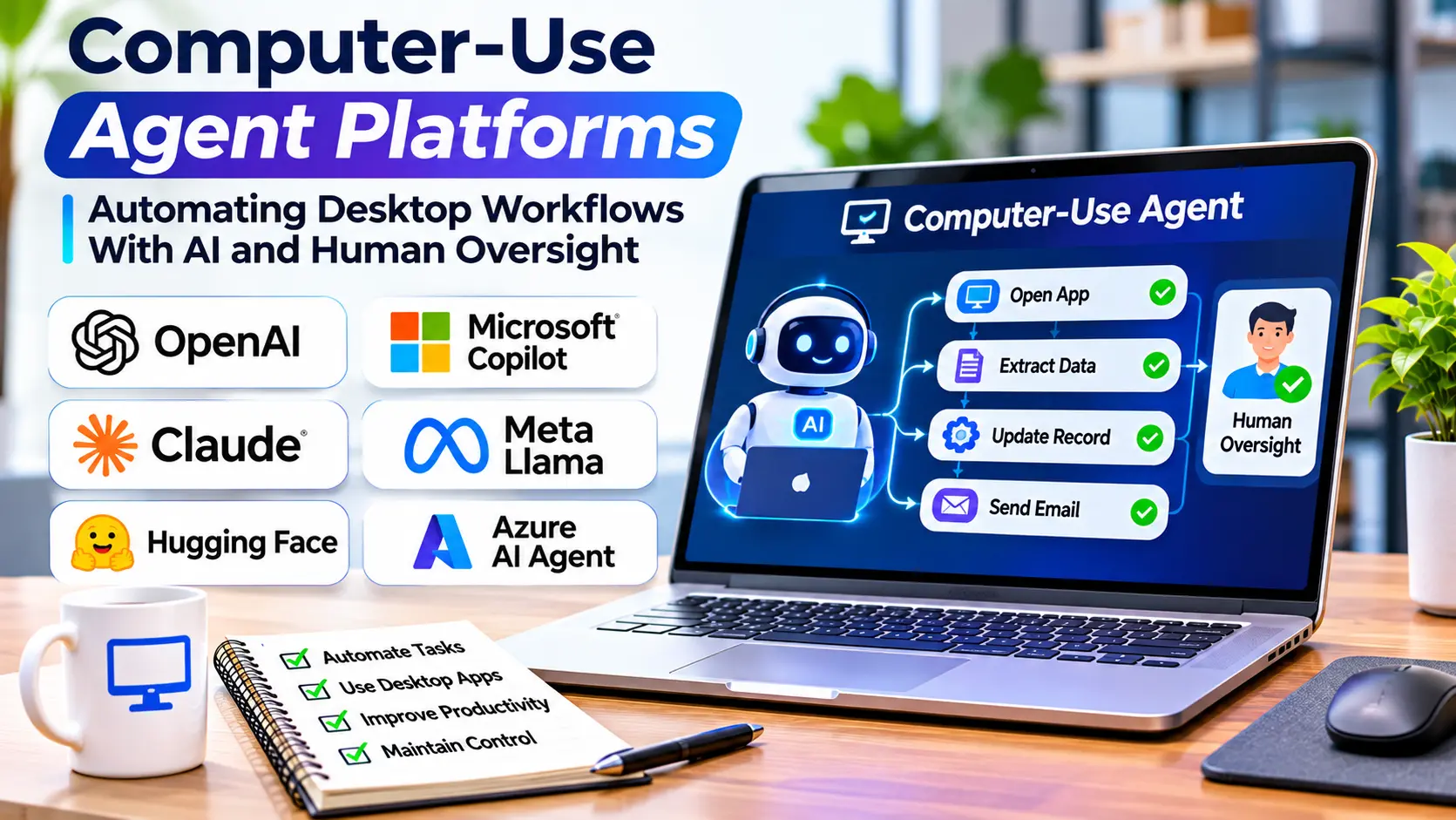
Many business processes still depend on software that was designed for people rather than automated systems.
Employees open applications, navigate menus, copy information between windows, enter data, and review results.
Some organizations rely on legacy desktop software without modern APIs. Others use a mixture of web applications, local programs, and remote desktop environments.
Traditional automation can handle many of these tasks, but creating reliable scripts across different interfaces can be expensive and difficult to maintain.
Computer-use agent platforms introduce an AI-assisted approach.
Instead of requiring every action to be programmed in advance, these systems can interpret visual interfaces and decide how to interact with them.
An agent may move a pointer, select a menu, enter text, switch applications, and examine the resulting screen.
This flexibility is powerful, but it also creates significant operational and security challenges.
A computer-use agent may interact with files, applications, and systems that contain confidential information or support critical business processes.
Successful adoption therefore depends on controlled execution rather than unrestricted automation.
What Are Computer-Use Agent Platforms?
Computer-use agent platforms are systems that enable AI agents to interact with graphical computer interfaces.
They typically combine AI reasoning with tools that can observe a screen and perform computer actions.
Depending on the implementation, these actions may include mouse movement, clicking, keyboard input, scrolling, application navigation, and file interaction.
The agent interprets a task, observes the available interface, and chooses actions intended to achieve the requested outcome.
For example, an agent might open a spreadsheet application, locate a report, and organize information according to specified rules.
However, computer-use platforms vary considerably.
Some provide model capabilities for interpreting screenshots and producing action instructions.
Others provide execution environments, desktop automation frameworks, or managed systems that combine several components.
A model capable of suggesting computer actions is not necessarily a complete enterprise automation platform.
Computer-Use Agents Versus Browser-Use Agents
Browser-use agents operate primarily within browser environments.
Computer-use agents have a broader potential operating scope.
They may interact with desktop applications, file dialogs, operating system controls, and browser windows.
This distinction matters because desktop environments introduce additional complexity.
An agent may need to recognize application windows, handle operating system dialogs, and manage interactions between unrelated programs.
Browser automation often benefits from structured page information.
Desktop automation may depend more heavily on screenshots, accessibility interfaces, and operating system automation capabilities.
Some systems combine these methods.
The broader operating environment makes permission management especially important.
How Computer-Use Agents Work
A computer-use system usually follows an observation-and-action cycle.
Step 1: Receive the Task
The user or application provides an objective.
For example, the task may involve organizing files or preparing information in an approved business application.
The system must interpret the goal and identify any restrictions.
Step 2: Observe the Environment
The agent receives information about the current computer state.
This may include screenshots, accessibility data, window information, or other supported observations.
The quality of this information affects the agent’s ability to identify controls accurately.
Step 3: Select an Action
The AI model determines a suitable next step.
It may choose to click a button, type into a field, open a menu, or switch windows.
The decision depends on the task and available context.
Step 4: Execute the Action
A computer-control component performs the requested operation.
This component may run inside a virtual machine, isolated desktop, or another controlled environment.
Step 5: Verify the Result
The agent observes the updated environment.
It determines whether the action succeeded and what should happen next.
The cycle continues until the task is complete, interrupted, or stopped.
This process can handle variable interfaces, but each step introduces opportunities for error.
Computer-Use Agent Technologies to Understand
The market includes AI computer-control capabilities, automation frameworks, and managed execution environments.
These should not be treated as identical product categories.
Anthropic Computer Use
Anthropic provides computer-use capabilities through supported model and tool workflows.
These capabilities are relevant to developers building systems that interpret visual computer interfaces and perform controlled actions.
A complete implementation still requires an appropriate execution environment and security architecture.
Teams should evaluate the current API, supported actions, limitations, and applicable safeguards.
OpenAI Computer-Use Capabilities
OpenAI provides computer-use capabilities intended for agent-based interaction with graphical interfaces.
These capabilities can support applications that interpret interface observations and request computer actions.
Developers must provide suitable execution infrastructure and enforce appropriate permissions and safety controls.
Organizations should distinguish model capabilities from the complete automation environment.
Microsoft Power Automate
Microsoft Power Automate provides workflow and robotic process automation capabilities, including desktop automation.
It is not simply an AI computer-use agent platform.
Its relevance lies in supporting structured business automation and integration with existing applications.
Organizations may combine deterministic automation with AI-assisted decision-making where appropriate.
UiPath
UiPath provides enterprise automation capabilities associated with robotic process automation and broader automation workflows.
It is relevant to organizations managing large-scale business processes across applications.
Its value should be assessed through orchestration, governance, integration, and operational controls.
AI-assisted capabilities should be evaluated separately from conventional RPA functionality.
Open-Source Desktop Automation Frameworks
Tools such as PyAutoGUI provide programmatic desktop interaction capabilities.
They can automate mouse and keyboard actions.
However, they do not independently provide language-model reasoning or enterprise agent governance.
Developers may combine such tools with AI components to create computer-use systems.
This approach offers flexibility but requires substantial engineering responsibility.
Computer-Use Agents Versus Robotic Process Automation
Robotic process automation, commonly called RPA, has been used for years to automate repetitive software interactions.
Traditional RPA generally follows predefined workflows.
Computer-use agents introduce model-driven interpretation and decision-making.
| Factor | Traditional RPA | AI computer-use agents |
|---|---|---|
| Workflow logic | Mostly predefined | Can include model-driven decisions |
| Interface handling | Selectors, rules, and automation scripts | Visual and contextual interpretation |
| Predictability | Stronger for stable workflows | More variable |
| Development approach | Explicit process design | Instructions plus execution controls |
| Main challenge | Script maintenance | Reliability and safe autonomy |
| Best suited for | Structured repetitive tasks | Variable interface-driven tasks |
Neither approach is universally superior.
A hybrid design may use AI to interpret ambiguous information while relying on deterministic automation for critical actions.
Business Applications of Computer-Use Agents
Legacy Software Automation
Some organizations depend on applications without modern integration interfaces.
Computer-use agents may help interact with these systems through their graphical controls.
However, legacy software can have unusual behavior and limited error reporting.
Careful testing is essential.
Administrative Workflows
Agents may assist with repetitive tasks involving spreadsheets, documents, and internal applications.
Examples include organizing information, preparing drafts, and moving data between approved systems.
Sensitive changes should remain subject to verification.
Software Testing
Computer-use agents can help explore desktop applications and reproduce user interactions.
They may assist testers in identifying unexpected interface behavior.
However, deterministic automated tests remain important for reliable regression testing.
IT Support
Agents may help navigate diagnostic tools and collect system information.
They can potentially reduce repetitive support work.
Administrative commands and system configuration changes should require appropriate authorization.
Document Processing
Computer-use agents may help move information between documents and business applications.
However, direct document-processing APIs are often more reliable when available.
The agent should not be used merely because the workflow is technically possible.
The Challenge of Visual Understanding
A computer interface contains many details that humans interpret almost automatically.
Buttons, menus, icons, overlapping windows, and notification dialogs may appear in different positions.
Screen resolution and display scaling can change the layout.
An agent may misidentify a control or click the wrong location.
This is especially problematic when similar buttons perform different actions.
For example, selecting “Delete” instead of “Archive” could create an unintended outcome.
Reliable systems should verify the interface state before sensitive actions.
They should also stop when the screen does not match expected conditions.
Why Desktop Automation Requires Strong Security
A computer-use agent may operate in an environment containing sensitive files, credentials, and business applications.
Granting unrestricted access creates unnecessary risk.
Organizations should apply least-privilege permissions.
Agents should receive access only to the applications and resources required for their tasks.
Execution should occur in isolated environments where practical.
Temporary virtual machines or restricted desktop sessions can reduce the consequences of mistakes.
Sensitive credentials should be handled through secure mechanisms rather than exposed directly in prompts.
Prompt Injection Through Computer Interfaces
Computer-use agents may encounter untrusted content in documents, emails, websites, or application windows.
An attacker could place instructions within that content in an attempt to redirect the agent.
For example, a malicious document might instruct the agent to open an unrelated application or disclose confidential information.
The system must distinguish between task data and authorized instructions.
This separation should be enforced through software controls.
Model instructions alone are not sufficient protection.
Tool permissions, destination restrictions, and approval requirements are necessary safeguards.
Human Oversight and Approval
Computer-use automation should distinguish between low-risk and high-risk actions.
Opening a document or reading a permitted report may require relatively limited controls.
Deleting files, changing account permissions, submitting payments, or modifying production systems requires stronger protection.
A useful design allows the agent to prepare an action while requiring human confirmation before execution.
The approval interface should clearly describe what the agent intends to do.
Users should be able to inspect relevant details before authorizing the operation.
Reliability and Error Recovery
Computer-use agents can fail for many reasons.
An application may freeze.
A dialog may appear unexpectedly.
A window may lose focus.
A network connection may interrupt a remote desktop session.
The agent may also misunderstand the interface.
Reliable systems need defined responses to these failures.
They should detect unexpected states, avoid uncontrolled retries, and preserve useful execution records.
For long-running workflows, checkpointing may help the system recover without repeating completed work.
However, recovery must account for actions that cannot safely be repeated.
For example, resubmitting a completed transaction could create duplicate records.
Evaluating Computer-Use Agent Performance
Testing should reflect actual operating conditions.
A useful evaluation includes different screen layouts, application states, and common error scenarios.
Measure successful task completion rather than counting individual clicks.
Also record execution time, intervention requirements, and unintended actions.
Test whether the agent can recognize uncertainty and stop safely.
A platform that completes tasks quickly but occasionally performs dangerous actions may be unsuitable for production use.
Evaluation should consider the severity of failures, not only their frequency.
Observability and Audit Records
Computer-use workflows can be difficult to investigate without detailed records.
Useful information may include action sequences, screenshots, application states, and execution outcomes.
These records can support debugging, compliance reviews, and incident investigations.
However, screenshots may capture confidential information.
Organizations should establish retention limits, access restrictions, and appropriate redaction procedures.
Auditability should be designed into the system from the beginning.
Understanding the Total Cost
Computer-use agent costs may include model inference, virtual machines, desktop infrastructure, storage, and monitoring.
Long workflows may require many observation-and-action cycles.
Repeated failures can increase costs significantly.
Organizations must also consider the expense of human review and maintenance.
The most useful metric is the cost per successfully completed business task.
This allows meaningful comparison with manual work, conventional RPA, and direct software integrations.
Building a Safe Computer-Use Agent Workflow
Start with a narrow task that has a clear expected result.
Identify the applications involved and the permissions required.
Determine whether APIs or conventional automation can handle parts of the process more reliably.
Use an isolated execution environment where possible.
Restrict the agent’s access to necessary resources.
Introduce verification after important actions.
Require human approval before sensitive or irreversible operations.
Record execution results and test common failure scenarios.
Expand the workflow only after observing reliable behavior under realistic conditions.
When Computer-Use Agents Are Not Appropriate
Computer-use agents are not always the best automation method.
Direct APIs are often preferable when they provide reliable access to the required functionality.
Traditional RPA may be more suitable for stable, repetitive workflows.
Highly sensitive systems may require deterministic execution and formal approval procedures.
Tasks involving irreversible financial, administrative, or security changes deserve particular caution.
The goal should be to select the most dependable automation approach rather than maximize AI involvement.
Choosing the Right Computer-Use Agent Platform
The right platform depends on the applications, operating environment, and consequences of failure.
Developers may prioritize flexible execution tools and model integration.
Enterprises may require isolated infrastructure, identity controls, centralized monitoring, and audit records.
Organizations with established RPA systems may benefit from combining existing automation with carefully limited AI capabilities.
Before deployment, test complete workflows and measure reliability, cost, and human intervention.
Computer-use agent platforms can make previously difficult desktop workflows easier to automate. Their greatest value emerges when AI-driven flexibility is supported by strict permissions, reliable execution controls, and accountable human oversight.