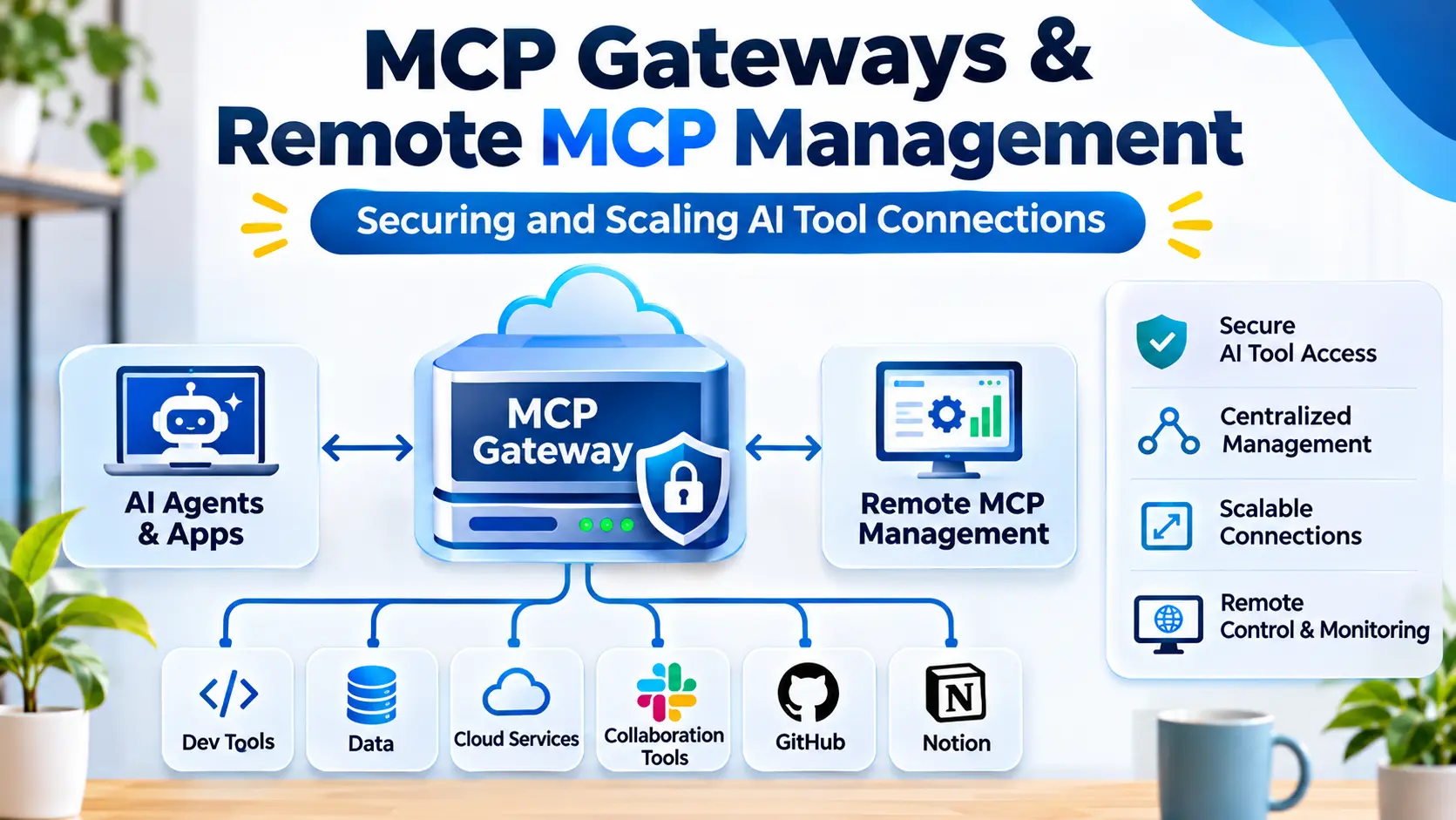
Connecting an AI assistant to one external service is relatively straightforward. Managing dozens of connections across departments, applications, and users is a different challenge.
As organizations adopt the Model Context Protocol (MCP), they may introduce servers for document repositories, development platforms, databases, customer systems, and internal applications.
Each connection creates operational responsibilities.
Administrators need to understand which servers are available, who can access them, what operations they expose, and how those operations are monitored.
Direct connections can become difficult to govern when different teams independently configure MCP integrations.
MCP gateways and remote MCP management platforms address these challenges by introducing shared infrastructure for connection management, routing, access control, and observability.
However, adding a gateway also introduces architectural complexity. Organizations must determine whether centralized management provides enough value to justify another component in the execution path.
What Are MCP Gateways?
An MCP gateway is an intermediary component that manages or mediates connections between MCP clients and MCP servers.
Depending on its implementation, a gateway may provide routing, authentication integration, policy enforcement, monitoring, and centralized configuration.
For example, an organization might operate several MCP servers connected to different business systems.
Rather than requiring every AI application to connect directly to each server, the organization could expose approved capabilities through a gateway.
The gateway can provide a common management point.
However, MCP gateways are not all equivalent.
Some focus on transport connectivity.
Others emphasize tool aggregation, security controls, enterprise governance, or managed remote deployment.
The term describes an architectural role rather than one universally standardized product category.
Why Remote MCP Management Matters
Local MCP integrations are often configured by individual users.
This can work well for development and experimentation.
Enterprise adoption introduces different requirements.
Multiple users may need access to shared services.
Different departments may require different permissions.
Security teams may need visibility into which tools are available and how they are used.
Infrastructure teams must manage availability, updates, and operational failures.
Without centralized management, organizations may accumulate inconsistent configurations.
A server could remain connected after its owner changes roles.
An outdated integration might continue using broad credentials.
Different teams might independently deploy connectors to the same service.
Remote MCP management provides an opportunity to establish consistent operational practices.
How an MCP Gateway Fits Into the Architecture
A basic MCP architecture connects a host application to a server through an MCP client.
A gateway introduces an additional component between clients and the underlying services.
A simplified architecture may look like this:
AI Host → MCP Client → MCP Gateway → MCP Server → Business System
The gateway receives requests and determines how they should be handled.
It may forward a request to the appropriate server, apply access policies, or record operational information.
The exact behavior depends on the implementation.
Some gateways expose multiple underlying servers through a consolidated interface.
Others primarily manage connectivity and authorization for individual remote servers.
Organizations should verify how the gateway preserves MCP semantics and handles server capabilities.
Core Capabilities of MCP Gateways
Centralized Connection Management
A gateway can provide a common location for managing server connections.
Administrators may configure approved endpoints and control which integrations are available.
This reduces the need to maintain independent configurations across every client application.
Request Routing
Routing determines which underlying server receives a request.
A gateway may route traffic according to endpoint configuration, capability mapping, or other rules.
Routing must preserve the intended operation.
Incorrect routing can create both reliability and security problems.
Authentication Integration
Remote MCP connections often require identity verification.
A gateway may integrate with supported authentication and authorization infrastructure.
However, authentication at the gateway does not automatically authorize every operation on an underlying service.
Policy Enforcement
A gateway may help enforce restrictions on which clients, users, or applications can access particular capabilities.
Effective policies should be explicit and testable.
Organizations should not rely solely on model instructions to determine whether an operation is permitted.
Observability
Centralized infrastructure can make it easier to monitor connection health, execution failures, latency, and usage patterns.
This visibility is valuable when several teams depend on shared MCP services.
Operational Controls
Some gateway implementations may provide rate limiting, request restrictions, or other traffic-management capabilities.
These features should be verified individually.
They should not be assumed to exist in every product described as an MCP gateway.
MCP Gateways Versus API Gateways
MCP gateways share some architectural similarities with traditional API gateways.
Both may sit between clients and backend services.
Both can support routing, authentication integration, and monitoring.
However, their operating contexts differ.
Traditional API gateways commonly manage HTTP APIs and related service traffic.
MCP gateways focus on interactions involving MCP-compatible clients and servers.
They may need to handle protocol-specific operations such as capability discovery and tool invocation.
An existing API gateway can sometimes support parts of an MCP deployment.
However, general HTTP routing does not automatically provide complete MCP-aware management.
Organizations should determine which protocol features and governance functions are required.
MCP Gateways Versus MCP Servers
An MCP server exposes capabilities.
A gateway manages access or connectivity to those capabilities.
This distinction is important.
A server might provide a tool for searching internal documentation.
A gateway might determine which users can reach that server and record relevant operational events.
Some products combine these roles.
For example, a platform may expose its own tools while also routing requests to other servers.
Organizations should examine actual functionality rather than relying on product labels.
Technologies and Platforms Relevant to MCP Gateway Architecture
The MCP management ecosystem includes dedicated gateway projects, infrastructure platforms, and API management technologies.
Docker MCP Gateway
Docker’s MCP-related tooling includes gateway capabilities intended to help manage access to MCP servers within supported environments.
It is relevant to teams already using containerized development and execution workflows.
Evaluation should focus on server configuration, isolation, credential handling, and the supported deployment model.
Kong
Kong is an established API gateway and API management technology with capabilities relevant to managing service traffic.
Its role in an MCP architecture depends on the specific MCP support available in the selected product and version.
Organizations should verify protocol-aware features rather than assuming ordinary API gateway functionality covers every MCP requirement.
Cloudflare
Cloudflare provides developer and network infrastructure that can support remote services and AI-related integrations.
Its technologies may be relevant to hosting or securing remote MCP deployments.
Teams should distinguish infrastructure capabilities from complete MCP gateway management.
The exact architecture and available controls depend on the chosen services.
Custom MCP Gateway Implementations
Organizations may develop their own gateway using supported MCP SDKs and existing infrastructure.
This provides flexibility over routing, authorization, and integration behavior.
However, custom development creates responsibility for protocol compatibility, security, maintenance, and operational reliability.
A custom gateway should be considered when established solutions cannot satisfy important requirements.
Choosing Between Direct Connections and a Gateway
Not every MCP deployment needs a gateway.
A developer connecting one local MCP server to an approved host may gain little from centralized infrastructure.
A gateway becomes more attractive when many applications require shared access to several servers.
It can also be useful when organizations need consistent authentication, policy management, and operational visibility.
The decision should consider deployment scale and governance requirements.
| Requirement | Direct MCP connection | MCP gateway |
|---|---|---|
| Small local setup | Usually simpler | May add unnecessary complexity |
| Shared remote services | Possible | Can centralize management |
| Multiple client applications | Independent configurations | Potentially consolidated configuration |
| Centralized policies | Requires supporting controls | May provide common enforcement |
| Operational monitoring | Per-connection visibility | Potential centralized visibility |
| Infrastructure complexity | Lower | Higher |
These differences describe architectural possibilities, not guaranteed product features.
Authentication and Identity Management
Identity is one of the most important concerns in remote MCP management.
A gateway may receive requests from several users or applications.
The system must establish which identity is associated with each request.
It must then determine whether that identity is permitted to access the requested capability.
Organizations should avoid treating all traffic as though it belongs to one privileged service account.
Where supported, delegated authorization can help preserve user-specific access boundaries.
Credentials should be securely stored and scoped to the minimum required permissions.
Token expiration, revocation, and rotation should be considered during design.
Authorization Must Extend Beyond the Gateway
A gateway may reject unauthorized requests before they reach a server.
This is useful, but it should not be the only security boundary.
The underlying MCP server and business system should enforce their own authorization requirements.
For example, a gateway might permit an employee to invoke a customer-record lookup tool.
The backend must still determine which customer records that employee is allowed to access.
This layered approach reduces the consequences of configuration errors.
It also prevents gateway access from becoming unrestricted access to every connected service.
Tool-Level Access Control
MCP servers may expose tools with different risk levels.
One tool might retrieve a document.
Another might update a record.
A third might delete information.
Organizations should avoid granting access to every tool merely because a user can connect to the server.
Tool-level restrictions can provide more precise control.
However, effective authorization may need to consider the operation’s arguments and underlying business context.
A simple allowlist cannot replace record-level permissions or transaction-specific checks.
Prompt Injection and Cross-System Risks
MCP gateways can connect AI applications to several external information sources.
This increases the importance of distinguishing trusted instructions from untrusted content.
A retrieved document may contain malicious instructions.
A tool response may include unexpected text intended to influence subsequent actions.
An attacker could attempt to move the agent from a low-trust information source toward a more privileged tool.
Gateways can help restrict which operations are available, but they cannot independently guarantee safe model behavior.
Sensitive operations should be protected through deterministic authorization and approval controls.
Monitoring and Auditability
Centralized monitoring is a major potential benefit of MCP gateways.
Organizations may want to understand which clients connect to which servers, how frequently tools are invoked, and where failures occur.
Useful operational metrics include request volume, error rates, response latency, and connection availability.
Audit records may also identify the requesting identity, selected capability, and execution outcome.
However, logging complete tool inputs and outputs can create privacy risks.
Monitoring systems should avoid collecting unnecessary secrets or confidential content.
Retention policies and access controls are essential.
Performance and Latency
A gateway introduces another component into the request path.
This can increase latency.
The effect depends on network architecture, processing overhead, routing behavior, and the underlying services.
Organizations should measure end-to-end task performance.
A gateway may improve operational consistency while introducing additional processing time.
The relevant question is whether its governance and management benefits justify that overhead.
For interactive AI applications, delays can affect user experience.
For background workflows, reliability and control may matter more than immediate response time.
High Availability and Failure Recovery
Centralized infrastructure can become a shared dependency.
If a gateway fails, several MCP integrations may become unavailable.
Production deployments should consider redundancy, health monitoring, and recovery procedures.
Timeouts should be defined for unavailable backend services.
Retries should be used carefully.
A repeated request that performs a state-changing operation could create duplicate actions.
Where appropriate, systems should use idempotency mechanisms or other safeguards against repeated execution.
Managing Server Discovery and Configuration
As the number of MCP servers grows, administrators need reliable configuration practices.
An organization may maintain an approved catalog of servers.
Each entry can identify the service owner, supported capabilities, authentication requirements, and deployment environment.
Changes should follow established review procedures.
Outdated or unused integrations should be removed.
Configuration should also be version-controlled where practical.
This helps teams understand when a capability was introduced, modified, or retired.
Deployment Models
MCP gateways can be deployed in different environments.
Self-Hosted Deployment
A self-hosted gateway gives organizations control over infrastructure and configuration.
It may be appropriate when internal services must remain within defined network boundaries.
However, the organization becomes responsible for maintenance, monitoring, and security updates.
Managed Gateway Services
Managed services may reduce infrastructure administration.
They can be useful for teams that prefer provider-operated components.
Organizations should evaluate service availability, data handling, access controls, and contractual requirements.
Hybrid Deployment
A hybrid architecture may combine local MCP servers, remote services, and centralized management.
This can support different security boundaries across development and production environments.
However, hybrid systems require careful identity and routing design.
Evaluating MCP Gateway Security
A security review should examine the complete request path.
Start with client authentication.
Determine how the gateway identifies users and applications.
Review how permissions are enforced and whether underlying services preserve their own access controls.
Inspect credential storage and token handling.
Test unauthorized requests and attempts to access restricted tools.
Examine whether sensitive information appears in logs.
Finally, evaluate how configuration changes are approved and audited.
A gateway should reduce operational risk rather than simply move it into a centralized component.
Understanding Gateway Costs
MCP gateway costs can include software licensing, hosting, networking, monitoring, and administration.
Managed services may introduce usage-based charges.
Self-hosted deployments may require infrastructure engineering and ongoing maintenance.
Additional costs arise from identity integration, policy configuration, and incident response.
Organizations should compare these expenses with the operational burden of managing direct connections.
A gateway may be worthwhile when it reduces duplicated administration and improves governance across many integrations.
For a small deployment, the added complexity may outweigh the benefits.
A Practical MCP Gateway Implementation Plan
Begin by inventorying existing MCP servers and connected applications.
Identify which integrations require centralized management.
Define authentication and authorization requirements before selecting infrastructure.
Choose a gateway that supports the required protocol features and deployment model.
Start with a limited set of low-risk capabilities.
Test routing, authentication, tool restrictions, and error handling.
Add monitoring and review logging practices.
Evaluate performance under realistic workloads.
Introduce sensitive operations only after confirming that authorization and approval controls work as intended.
Expand gradually as operational experience grows.
Common MCP Gateway Implementation Mistakes
One mistake is assuming that centralized routing automatically provides complete security.
A gateway may authenticate requests without enforcing appropriate permissions on backend records.
Another mistake is exposing every available tool to every connected client.
This increases complexity and unnecessary risk.
Organizations may also overlook protocol compatibility.
A gateway that supports one transport or protocol version may not support every intended client.
Finally, teams sometimes introduce centralized infrastructure before they have a clear management requirement.
Unnecessary components can increase costs and create additional failure points.
When an MCP Gateway Is Not Necessary
A gateway may be unnecessary for a single local integration.
Direct connections can also be appropriate for isolated development environments with limited capabilities.
Organizations should avoid introducing gateway infrastructure solely because it appears more sophisticated.
The architecture should solve an actual operational problem.
When the number of integrations grows, centralized management can become more valuable.
The decision should be revisited as deployment requirements change.
Choosing the Right MCP Gateway Strategy
MCP gateways and remote MCP management platforms can help organizations operate connected AI systems at scale.
Their potential value includes centralized configuration, consistent access controls, improved monitoring, and more manageable remote connectivity.
However, they also introduce infrastructure dependencies and additional security responsibilities.
The strongest approach begins with clear requirements.
Organizations should identify which capabilities need to be shared, which identities may access them, and what level of operational visibility is necessary.
A well-designed MCP gateway does not simply connect more tools. It helps ensure that the right tools remain available to the right applications and users under controlled conditions.
As MCP adoption expands, disciplined gateway architecture can become an important part of building reliable and accountable AI infrastructure.