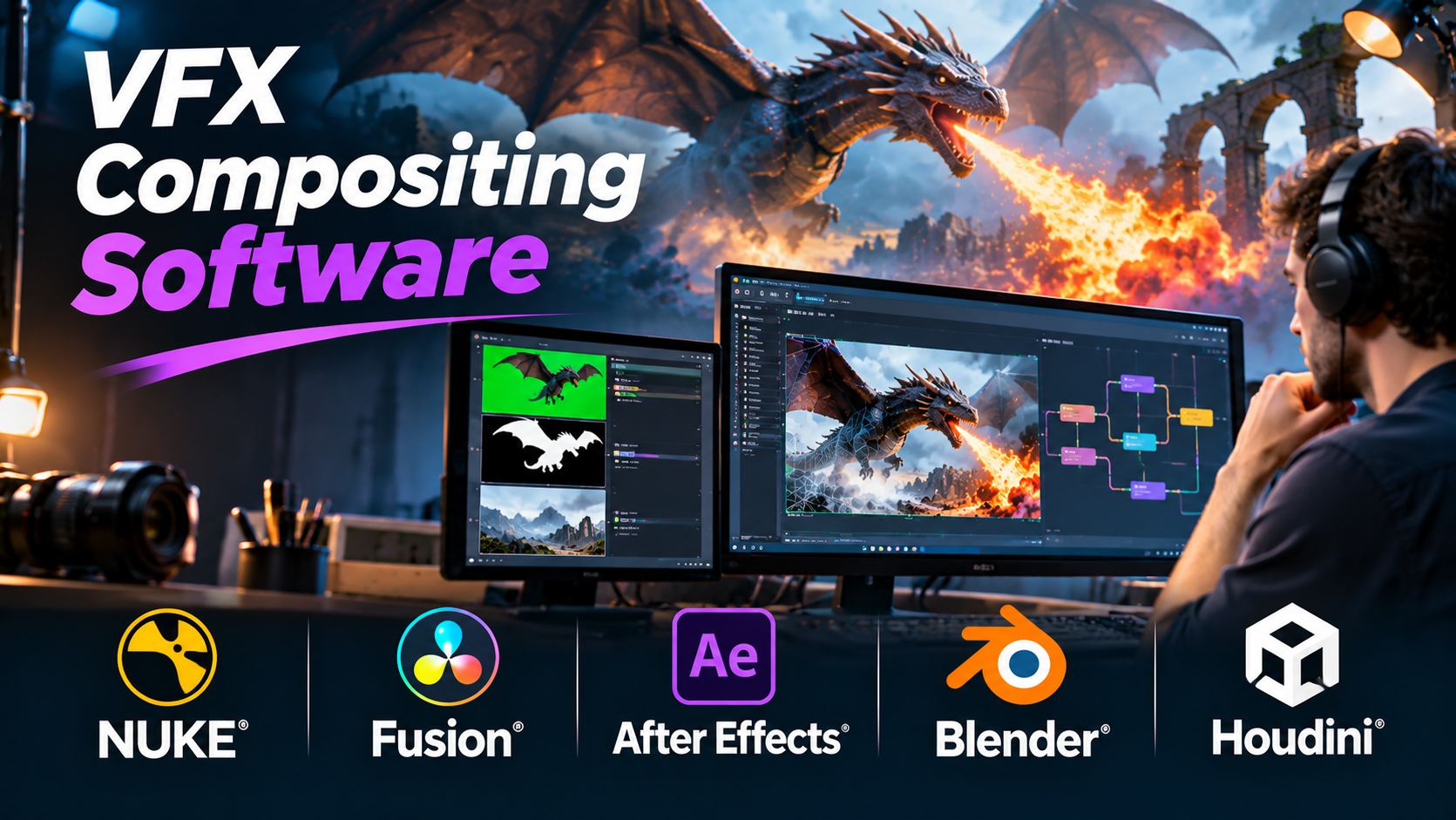
A convincing visual effect often succeeds because the audience does not notice it.
A digital building appears naturally within a filmed street. An animated creature shares the same lighting as the actors. A green-screen background disappears without leaving distracting edges.
Creating these results requires more than placing one image over another.
Visual effects compositing brings separate visual elements together into a coherent final shot. It involves color, lighting, perspective, motion, transparency, and detailed image processing.
VFX compositing software provides the tools to manage this work, but different applications are designed for different production needs.
Some focus on complex film pipelines. Others combine compositing with editing, motion graphics, or 3D animation.
What Is VFX Compositing?
VFX compositing is the process of combining multiple visual elements into a finished image or sequence.
A composite may contain live-action footage, computer-generated imagery, digital backgrounds, particles, atmospheric effects, and graphic elements.
The compositor’s responsibility is to make these elements appear visually consistent.
A typical workflow includes:
- Preparing source footage and digital assets.
- Removing unwanted backgrounds or objects.
- Tracking camera or object movement.
- Aligning elements within the scene.
- Matching color, lighting, and perspective.
- Adding shadows, reflections, and atmospheric effects.
- Reviewing the final image for visual consistency.
- Rendering the completed sequence.
Not every project needs every stage.
A simple screen replacement may require only tracking and masking, while a complex cinematic shot can involve dozens of elements.
Node-Based Versus Layer-Based Compositing
One of the most important differences between compositing applications is how they organize work.
Node-based compositing
Node-based systems represent image operations as connected processing nodes.
A compositor might connect a background plate, a keying operation, a color adjustment, and a merge operation into a visible processing graph.
This approach can help teams manage complex effects and reuse operations.
Node-based workflows are common in demanding VFX pipelines.
Layer-based compositing
Layer-based systems arrange visual elements in a stack, often with timeline controls.
This approach is familiar to editors, designers, and motion graphics artists.
Layer-based compositing can be efficient for titles, advertising graphics, and relatively compact effects.
However, complex processing relationships may become difficult to manage when many layers and precompositions are involved.
Neither approach guarantees better results.
The right choice depends on the work and the production team.
VFX Compositing Software Worth Considering
Foundry Nuke: For Complex Film and Episodic VFX
Nuke is a node-based compositing application developed by Foundry.
It is associated with professional visual effects pipelines and detailed shot-based compositing.
Nuke provides tools for keying, tracking, roto work, color processing, and integration of rendered elements.
Its node graph allows compositors to build processing workflows that can be inspected and revised.
Where it stands out
Nuke is well suited to shots with many separate image elements and repeated technical operations.
Its scripting and pipeline integration capabilities also make it relevant to studios that need automation and consistent production workflows.
Trade-offs
The learning curve can be substantial for artists unfamiliar with node-based compositing.
Licensing, infrastructure, and pipeline management also affect total cost.
Suitable for: Feature films, episodic visual effects, complex CGI integration, and established VFX studios.
Official website: https://www.foundry.com/products/nuke-family
Blackmagic Design Fusion: For Node-Based Compositing and 3D Integration
Fusion is a node-based visual effects and compositing application.
It includes tools for keying, tracking, masking, particles, and 3D compositing workflows.
Fusion is also available as part of DaVinci Resolve.
Where it stands out
Fusion offers a useful connection between editing, color grading, and visual effects when used inside Resolve.
This can reduce the need to move shots between separate applications for certain productions.
Its node-based structure also supports complex image-processing relationships.
Trade-offs
Artists moving from layer-based applications may need time to adapt.
Hardware demands and available features vary according to the project and software edition.
Suitable for: Independent films, commercial production, post-production teams, and artists who want node-based compositing within a broader finishing workflow.
Official website: https://www.blackmagicdesign.com/products/davinciresolve/fusion
Adobe After Effects: For Motion Graphics and Compositing
Adobe After Effects combines layer-based compositing with animation, motion graphics, tracking, and visual effects.
It is widely used for advertising, title design, promotional videos, and digital content.
Its timeline-based workflow makes it accessible to artists familiar with video editing and design applications.
Where it stands out
After Effects is particularly useful when compositing and graphic animation are closely connected.
Its ecosystem of templates, expressions, plugins, and Adobe application integrations can support a broad range of creative workflows.
Trade-offs
Large compositions with many layers, effects, and nested structures can become difficult to manage.
For complex shot-based film pipelines, a dedicated node-based compositor may offer a more suitable structure.
Suitable for: Motion graphics, advertising, branded content, title sequences, and smaller VFX projects.
Official website: https://www.adobe.com/products/aftereffects.html
Blender Compositor: For VFX Within a 3D Production Workflow
Blender includes a node-based compositor alongside its modeling, animation, and rendering tools.
This allows artists to combine rendered passes, adjust images, and apply effects within the same application used to create 3D content.
Where it stands out
Blender is useful for independent creators who want to keep 3D rendering and compositing closely connected.
Its open-source model also makes it accessible to individuals and small teams.
Trade-offs
Complex studio pipelines may require capabilities, automation, or specialized workflows beyond those provided by Blender’s compositor alone.
Suitable for: Independent animation, 3D artists, educational projects, and smaller VFX productions.
Official website: https://www.blender.org/
Natron: For Open-Source Node-Based Compositing
Natron is an open-source compositing application built around a node-based workflow.
It provides image-processing tools for tasks such as masking, keying, and compositing.
Its design is relevant to artists who want to explore node-based compositing without beginning with a commercial license.
Where it stands out
Natron provides an open-source approach to compositing and can be useful for learning node-based workflows.
Trade-offs
Before adopting it for a new production, teams should examine current maintenance activity, operating-system compatibility, plugin support, and pipeline requirements.
Suitable for: Learning, experimentation, and selected open-source compositing workflows.
Official website: https://natrongithub.github.io/
Autodesk Flame: For High-End Finishing and Visual Effects
Autodesk Flame combines visual effects, compositing, and finishing workflows.
It is particularly relevant to post-production environments that handle demanding commercial and high-end finishing work.
Flame provides tools for compositing, tracking, color-related operations, and shot finishing.
Where it stands out
Its integrated finishing environment can be valuable when creative changes, client reviews, and final delivery need to happen within a closely managed workflow.
Trade-offs
Flame is a specialized professional system. Licensing, hardware requirements, and operator expertise should be considered carefully.
Suitable for: Commercial finishing, premium advertising, and specialized post-production facilities.
Official website: https://www.autodesk.com/products/flame/
Silhouette: For Rotoscoping, Paint, and Specialized VFX Tasks
Silhouette, developed by Boris FX, focuses on tools used in detailed visual effects work.
It is particularly associated with rotoscoping, paint, tracking, and related image-processing tasks.
These operations are often essential before the final composite can be assembled.
Where it stands out
Silhouette can support artists who spend significant time creating masks, isolating subjects, and removing unwanted image elements.
Trade-offs
It is best evaluated as a specialized part of a compositing workflow rather than an automatic replacement for every full compositing application.
Suitable for: Rotoscoping artists, cleanup specialists, and VFX teams handling detailed image preparation.
Official website: https://borisfx.com/products/silhouette/
VFX Compositing Software Comparison
| Software | Main strength | Typical workflow |
|---|---|---|
| Nuke | Complex node-based compositing | Film and episodic VFX |
| Fusion | Node-based VFX and 3D integration | Post-production and independent film |
| After Effects | Motion graphics and compositing | Advertising and digital content |
| Blender | Integrated 3D and compositing | Independent animation |
| Natron | Open-source node compositing | Learning and selected VFX workflows |
| Flame | Integrated VFX finishing | High-end post-production |
| Silhouette | Rotoscoping and paint | Specialized VFX preparation |
The products serve overlapping but different roles.
A production may use several applications rather than relying on one system.
The Core Skills Behind Good Compositing
Software knowledge is important, but visual judgment matters just as much.
Keying
Keying removes or isolates selected image regions, often using color information.
Green-screen compositing is a common example.
A successful key must preserve important details such as hair, transparency, and soft edges.
Rotoscoping
Rotoscoping involves creating animated masks around subjects or objects.
It is useful when automatic keying cannot isolate the required area.
Tracking
Tracking follows movement in footage.
It allows digital elements to stay aligned with moving objects or camera motion.
Color matching
Separate visual elements must share a believable color and lighting relationship.
Differences in exposure, contrast, and color temperature can make a composite look artificial.
Depth and atmosphere
Real scenes contain atmospheric effects, focus differences, and changes in contrast with distance.
Compositors use these visual clues to help integrate digital elements.
Grain and image texture
Digital renders can look unnaturally clean beside camera footage.
Matching the texture and grain of the original image can improve consistency.
A Practical VFX Compositing Example
Imagine a short film scene in which an actor stands on a rooftop overlooking a futuristic city.
The actor was filmed against a green screen. The city was created in a 3D application.
How would the compositor combine them?
Step 1: Prepare the footage
Check the original camera footage, color information, resolution, and frame rate.
Step 2: Remove the green screen
Use keying tools to separate the actor from the background.
Step 3: Refine the edges
Correct visible green spill, unwanted transparency, and edge artifacts.
Step 4: Position the city background
Match the camera framing, horizon, and perspective.
Step 5: Match lighting
Adjust the actor and background so they appear to share the same light source.
Step 6: Add atmospheric depth
Introduce subtle haze or distance-based contrast changes where appropriate.
Step 7: Add contact and environmental details
Use shadows, reflections, or other cues when required by the scene.
Step 8: Match image texture
Adjust sharpness, grain, and other characteristics to create a consistent image.
Step 9: Review the moving sequence
Inspect the complete shot rather than judging only a single frame.
A composite that looks convincing in one still image may reveal problems during movement.
Color Management Is a Production Requirement
One of the most overlooked aspects of compositing is color management.
Footage, rendered images, textures, and display devices may use different color spaces and transfer functions.
Without a consistent workflow, colors can shift between applications.
A production should establish:
- The color spaces used by source footage.
- How computer-generated images are rendered.
- The working color space for compositing.
- How images are displayed for review.
- The required final delivery formats.
OpenColorIO is one technology used to manage color transformations across compatible applications.
For demanding production pipelines, color management should be planned before significant compositing work begins.
Working With Render Passes
A 3D renderer can produce separate image passes instead of one flattened image.
Depending on the renderer, these may include:
- Beauty or combined output.
- Diffuse lighting components.
- Specular components.
- Emission.
- Depth information.
- Motion vectors.
- Object masks or identifiers.
These passes can give compositors more control over the final image.
For example, a compositor may adjust a reflection component without requesting a complete change to the 3D scene.
However, render-pass workflows require careful planning.
Incorrect color handling or recombination can produce results that differ from the original render.
How to Choose Compositing Software
Consider the type of work
A motion graphics artist and a feature-film compositor may have very different requirements.
Choose software that supports the tasks performed most often.
Evaluate project complexity
A simple promotional video may not need the same compositing architecture as a complex cinematic shot.
Check pipeline compatibility
Review file formats, image sequences, color management, scripting, and supported plugins.
Consider collaboration
Large productions need consistent project organization, version control, and review workflows.
Test hardware performance
High-resolution footage, multiple image layers, and demanding effects can consume substantial memory and processing resources.
Calculate total cost
Include licensing, plugins, storage, training, and the time required to maintain the workflow.
Common VFX Compositing Mistakes
Ignoring the original camera characteristics
Digital elements should match the source footage’s perspective, motion blur, lens behavior, and image texture.
Using overly sharp edges
Real footage rarely has perfectly clean boundaries around every subject.
Edge treatment should match the shot.
Applying color corrections in the wrong order
The order of image-processing operations can affect the result.
Build a consistent pipeline and understand how each operation changes the image.
Overusing effects
Excessive glow, blur, grain, or atmospheric effects can make a composite less believable.
Use effects to solve visible problems rather than to decorate the image.
Failing to review at delivery resolution
Problems may appear differently at full resolution than in a reduced preview.
Always check the final output.
Treating compositing as a final repair stage
Better planning during filming and rendering can prevent expensive cleanup later.
Choosing Software for Different Production Needs
For complex film and episodic VFX pipelines, Nuke is a strong candidate.
For node-based compositing connected to editing and finishing, Fusion deserves consideration.
For motion graphics, titles, and advertising content, After Effects offers a practical workflow.
For independent creators working closely with 3D animation, Blender provides an integrated option.
For open-source experimentation, Natron may be useful after checking current compatibility and maintenance.
For specialized finishing environments, Flame offers a different production approach.
For detailed roto and paint tasks, Silhouette can complement a broader compositing pipeline.
Frequently Asked Questions
What is the difference between VFX and compositing?
Visual effects is the broader discipline of creating or modifying imagery. Compositing is the process of combining and refining visual elements into a finished shot.
Is After Effects suitable for professional VFX?
Yes. It is used in professional workflows, particularly motion graphics, advertising, and selected visual effects tasks. Suitability depends on project complexity and pipeline requirements.
Is Nuke better than Fusion?
Neither is universally better. Nuke is strongly associated with complex studio compositing, while Fusion offers node-based tools and close integration with DaVinci Resolve. The better choice depends on the production workflow.
Can Blender replace dedicated compositing software?
Blender can handle many compositing tasks, especially for projects created within its 3D environment. More complex pipelines may benefit from specialized applications.
What is the difference between rotoscoping and keying?
Keying isolates image regions using properties such as color. Rotoscoping uses masks that are manually created, tracked, or refined over time.
Do VFX artists need programming skills?
Not always. Many compositing tasks use visual interfaces. Scripting can become valuable for automation, pipeline integration, and repetitive operations.
Final Thoughts
VFX compositing software is most effective when it supports the entire production process, not just the final image.
The right application should make it easier to combine visual elements, manage revisions, preserve image quality, and deliver consistent results.
For independent artists, workflow simplicity and cost may be the deciding factors.
For larger studios, automation, collaboration, color management, and pipeline integration may carry more weight.
Before selecting a compositing platform, test one representative shot from source footage through final delivery.
That exercise will reveal the software’s practical strengths, its limitations, and the real effort required to produce finished visual effects.