A sales team prepares dozens of proposals every week. Each proposal needs the correct customer details, product terms, pricing, and approval information.
The team already has a template, yet employees still spend time copying data, replacing names, checking figures, and sending documents for review.
This is where document automation becomes valuable.
Document automation tools connect business data, templates, rules, and workflows to reduce repetitive document preparation. Instead of manually rebuilding similar documents, teams can generate consistent outputs using approved information.
The real opportunity is not simply creating files faster. It is reducing errors, maintaining document consistency, and making approval processes easier to manage.
However, the software market includes several different approaches. Some platforms specialize in legal documents. Others focus on sales proposals, form-based workflows, or automated document assembly from business systems.
Choosing the right approach depends on where your document process begins and what must happen after the document is created.
What Document Automation Actually Includes
Document automation is often confused with document generation.
The two concepts overlap, but they are not identical.
Document generation creates a file from structured data or a template.
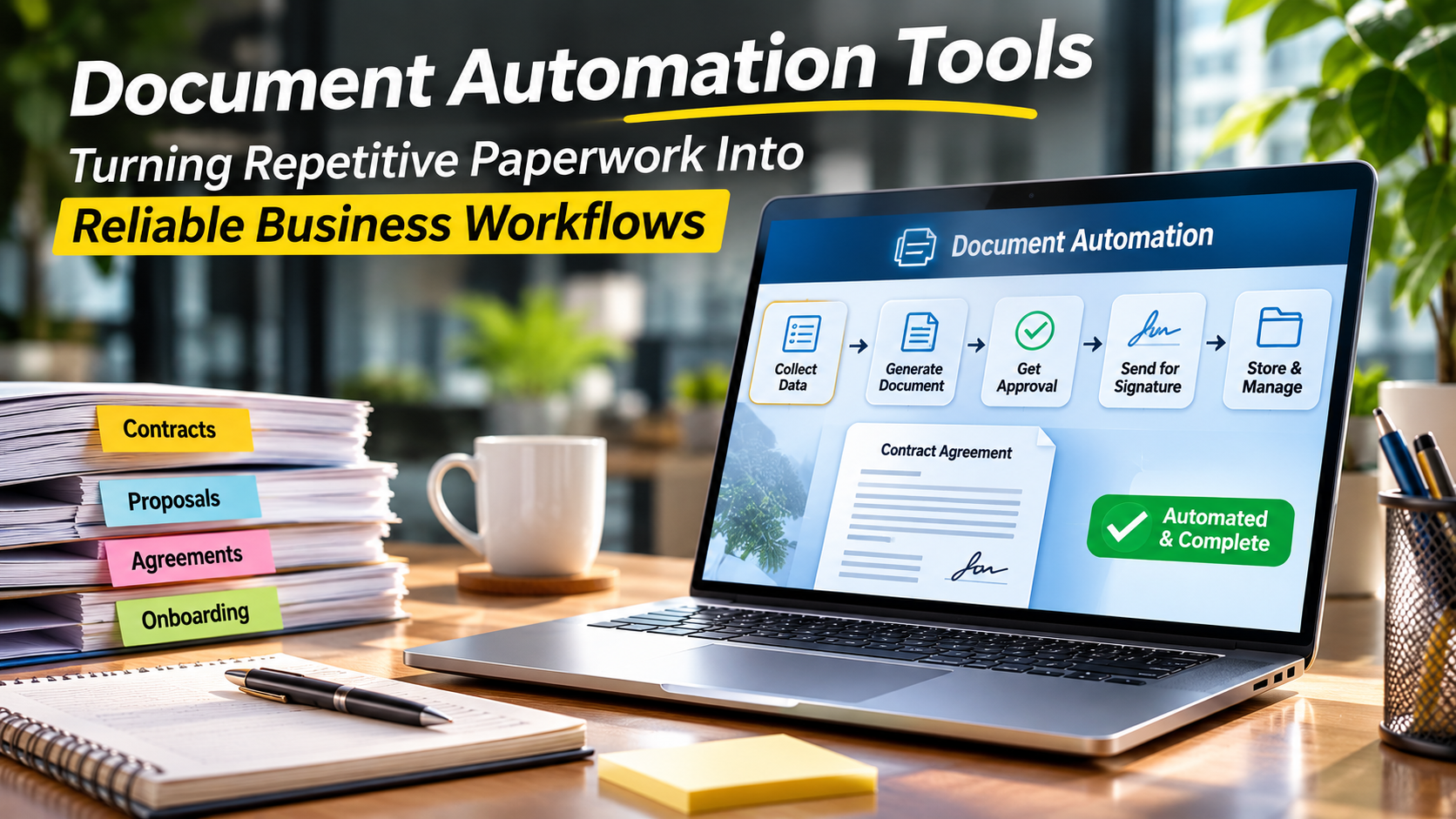
Document automation can manage a wider process that includes collecting information, selecting clauses, generating documents, routing approvals, requesting signatures, and storing completed records.
Consider an employee onboarding process.
A company may need to produce an employment agreement, confidentiality agreement, benefits information, and internal approval forms.
A document automation workflow could:
- Collect employee details through an approved form or HR system.
- Select the appropriate document templates.
- Insert the correct employee and employment information.
- Apply conditional clauses based on defined rules.
- Route documents for internal review.
- Send approved documents for signature.
- Store the completed files in the correct location.
Not every automation platform performs every step natively. Some depend on integrations with workflow, signing, or storage systems.
That distinction matters during product evaluation.
Four Common Approaches to Document Automation
Template-driven automation
A template contains fixed content and variable fields.
The system replaces placeholders with information from a database, form, spreadsheet, or business application.
This works well for invoices, standard letters, certificates, and recurring reports.
Rules-based document assembly
Rules determine which paragraphs, sections, or clauses appear in a document.
For example, a contract may include different provisions depending on the customer’s location, agreement type, or service category.
Rules-based assembly is especially useful for legal and regulated documents.
Workflow-driven automation
The focus is on moving documents through a business process.
This may involve approvals, notifications, assignments, signatures, and storage.
Workflow automation is useful when document preparation is only one stage in a larger operational process.
API-driven automation
Developers connect document generation capabilities directly to business applications.
An application can send structured data to a document service and receive a completed PDF or editable document.
This model is appropriate when document creation must happen inside a custom product or at significant volume.
Document Automation Tools for Different Business Needs
Gavel: Structured Legal Document Automation
Gavel focuses on document automation and workflows for legal professionals and other users preparing complex, rules-based documents.
Its approach is built around collecting information and applying that information to document templates.
A legal team might use this model to prepare agreements, intake documents, or repeatable legal forms.
Why it stands out
The combination of questionnaires and conditional document logic is useful when the document’s contents depend on multiple answers.
What to consider
Creating reliable questionnaires and clause rules requires careful planning. Complex legal logic still needs review by qualified professionals.
Organizations should also evaluate collaboration, client-facing workflows, and integration requirements.
Official website: Gavel
Formstack Documents: Data-Driven Document Workflows
Formstack Documents, formerly known as WebMerge, focuses on generating documents from templates and data.
It is relevant to teams that need to turn form submissions or application records into finished business documents.
Potential use cases include agreements, certificates, onboarding forms, and routine customer communications.
Why it stands out
Its document generation model fits workflows where structured information is already being collected.
What to consider
Buyers should distinguish document generation from the additional form, workflow, and signature capabilities they may require.
Packaging, integrations, and automation limits should be checked against the proposed subscription.
Official website: Formstack
PandaDoc: Sales Document Automation
PandaDoc focuses on creating, managing, and electronically signing business documents, particularly in sales-oriented workflows.
Sales teams can use its document preparation and collaboration capabilities for proposals, quotes, and agreements.
Why it stands out
PandaDoc brings document creation closer to the commercial process.
For sales organizations, the value may come from managing document preparation, recipient interaction, and signatures within a connected workflow.
What to consider
PandaDoc is not necessarily the right replacement for a specialist legal document assembly engine or a high-volume backend reporting system.
Buyers should evaluate CRM integration, approval needs, pricing workflows, and plan-specific functionality.
Official website: PandaDoc
Documint: Template-Based Document Creation
Documint is a document generation platform designed to create documents from reusable templates and structured data.
It is worth considering for businesses that want to automate recurring PDFs and other template-based outputs without developing a complete document rendering system.
Why it stands out
Its approach is relevant to teams that need to connect document templates with external data sources and automation workflows.
What to consider
Complex layout requirements, integration methods, and output capabilities should be tested using real business documents.
A simple certificate and a lengthy contract with conditional sections can place very different demands on a template system.
Official website: Documint
Microsoft Power Automate: Document Workflows Across Microsoft Applications
Microsoft Power Automate is a broader workflow automation platform rather than a dedicated document assembly product.
It can coordinate document-related activities across supported Microsoft services and other connected systems.
A business might use it to respond to a SharePoint event, retrieve data, populate a supported template, request approval, and store an output.
Why it stands out
Organizations already using Microsoft 365 may be able to automate document workflows within their existing technology environment.
What to consider
Power Automate does not eliminate the need for a suitable document generation method.
Some scenarios require Word templates, premium connectors, additional services, or custom integration.
Licensing and connector limitations should be examined carefully.
Official website: Microsoft Power Automate
HotDocs: Complex Document Assembly
HotDocs is a specialist document automation technology associated with complex document assembly.
It is relevant to organizations that generate documents containing extensive conditional text and structured business logic.
Legal, financial, and other document-intensive processes may benefit from this approach.
Why it stands out
Its focus on rules-driven assembly makes it relevant where document complexity matters more than visual presentation alone.
What to consider
Template design, authoring expertise, integration architecture, and the specific product offering should be evaluated before procurement.
Official website: HotDocs
Which Platform Fits Which Workflow?
| Tool | Main focus | Typical use case | Main evaluation issue |
|---|---|---|---|
| Gavel | Rules-based document assembly | Legal forms and agreements | Complexity of document logic |
| Formstack Documents | Data-driven document generation | Forms and recurring business documents | Workflow and integration scope |
| PandaDoc | Sales documents and signatures | Proposals and commercial agreements | Fit outside sales workflows |
| Documint | Template-based document generation | Automated business PDFs | Template and output requirements |
| Power Automate | Cross-application workflow automation | Microsoft-centric document processes | Connector and licensing dependencies |
| HotDocs | Complex document assembly | Rule-heavy legal and business documents | Authoring and implementation effort |
These tools solve overlapping problems, but they do not provide identical workflows.
A sales team creating proposals and a legal department preparing highly conditional agreements may both need automation, yet the most suitable software can be very different.
How to Design a Document Automation Workflow
The quality of the workflow matters as much as the software.
Start with one repeatable document
Choose a document that employees create frequently and that follows a relatively consistent structure.
A recurring agreement, certificate, or customer letter is usually a better pilot than a document requiring extensive individual judgment.
Identify the source of every data field
For each field, determine where the information comes from.
A customer’s legal name might come from a CRM record. An approved price might come from a pricing system. An employee’s start date might come from an HR application.
The goal is to reduce repeated manual entry.
Separate content rules from formatting
A template controls how information appears.
Business rules determine which information belongs in the document.
Keeping these concerns distinct makes changes easier to manage.
Define approval points
Automation should not remove necessary human judgment.
For example, a standard sales proposal may be generated automatically, while unusual contract terms require legal approval.
Plan document storage and retention
The completed document needs an appropriate destination.
A signed agreement may require controlled access, retention rules, and an audit history.
Document automation should connect with the organization’s document management and records governance processes.
The Hidden Costs of Document Automation
Subscription pricing is only part of the total cost.
Organizations should also consider:
- Template design and maintenance
- Integration development
- User training
- Workflow testing
- API or document-volume charges
- Premium connector licensing
- Security reviews
- Migration from existing templates
- Ongoing support for changing business rules
A platform with a low entry price may become expensive if every template change requires specialized development.
Conversely, a more sophisticated document assembly platform may be justified when the organization manages highly complex documents.
The right comparison is the total cost of maintaining the document process, not simply the cost of producing one file.
How to Evaluate Accuracy and Reliability
Document automation should be tested with realistic variations rather than ideal sample data.
Create a test set that includes:
Missing information: What happens when a required customer field is blank?
Long text: Does a lengthy company name break the layout?
Conditional rules: Does the system include the correct clauses when several conditions apply?
Currency and dates: Are values formatted correctly for the relevant region?
Multiple languages: Can templates handle different scripts and text lengths when required?
Approval changes: What happens if an approver rejects a document?
Duplicate requests: Can the workflow prevent or identify accidental duplicate generation?
Sensitive information: Are documents accessible only to authorized users?
A system that works with a perfect sample may still fail under ordinary business conditions.
Security and Governance Considerations
Document automation systems frequently handle confidential information.
Before implementation, review the data flow from the source system to the final document.
Important questions include:
- Where is source data processed?
- How are templates and generated documents stored?
- Who can edit document rules?
- Are access permissions role-based?
- Can administrators review workflow activity?
- How are API credentials protected?
- What happens to temporary generated files?
- Can documents be retained or deleted according to policy?
Organizations handling regulated information should assess vendor controls against their own legal and contractual obligations.
A vendor’s security claims should not replace an independent review of the intended configuration.
When Document Automation Is Not Worth the Complexity
Not every document requires an automation platform.
A document created once every few months may be easier to prepare manually.
Likewise, highly creative proposals requiring extensive individual writing may benefit more from collaborative editing than rigid template rules.
Automation becomes attractive when a process combines repetition, structured information, consistent rules, and a meaningful cost of manual errors.
Frequently Asked Questions
What is document automation software?
Document automation software uses templates, structured data, and business rules to reduce manual document preparation. Some platforms also support approvals, signatures, and related workflows.
Is document automation the same as robotic process automation?
No. Robotic process automation can automate interactions with applications, while document automation focuses on creating and processing documents. The two technologies can work together.
Can document automation tools create contracts?
Yes. Several platforms support contract templates and conditional document assembly. However, automated output should follow approved legal language and appropriate review procedures.
Can small businesses use document automation?
Yes. Small businesses may benefit from automating recurring quotes, agreements, certificates, and customer documents. The expected time savings should justify the setup and subscription costs.
Does document automation require programming?
Not always. Some platforms offer visual template editors and workflow builders. API-driven systems and complex integrations may require developers.
The Most Effective Automation Starts With a Better Process
Document automation works best when organizations understand their documents before selecting software.
Teams should know which information is required, where it originates, how decisions are made, and who is responsible for approving the result.
Gavel and HotDocs are worth investigating for complex document logic. PandaDoc serves a different need centered on commercial documents. Formstack Documents and Documint focus on repeatable document generation, while Power Automate can coordinate document-related activities across business applications.
The strongest implementation is usually not the one with the most automated steps.
It is the one that removes repetitive work while preserving accuracy, accountability, and necessary human review.