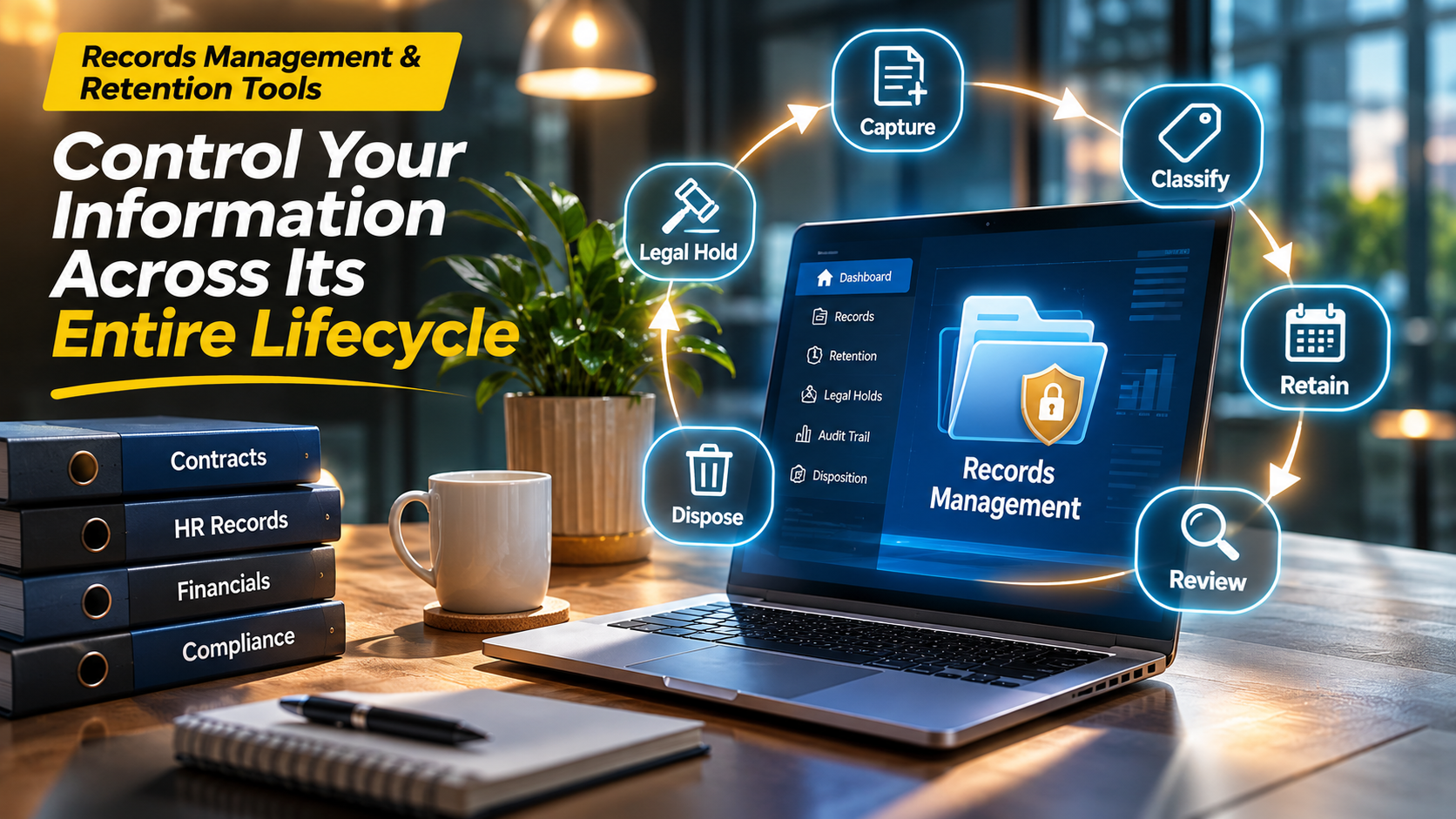
A contract may be signed in minutes, but the responsibility for managing it can last for years. The same applies to employee records, financial statements, customer communications, and regulatory documents.
The challenge is not simply keeping these files safe. Organizations must know which records to preserve, how long to retain them, who can access them, and when they can be destroyed.
A shared folder or ordinary cloud storage service rarely answers all these questions.
Records management and retention tools help organizations classify, preserve, protect, retrieve, and dispose of business records according to defined policies. The right system reduces information risk without making everyday work unnecessarily complicated.
However, not all records management products solve the same problem. Some govern Microsoft 365 content. Others manage physical and electronic records together. Specialist platforms focus on regulated industries, long-term archives, or information governance across several repositories.
Understanding these differences is essential before investing in a platform.
Why Records Management Is More Than Document Storage
Document storage focuses on keeping information available. Records management focuses on controlling information throughout its lifecycle.
A typical business record passes through several stages:
- Creation or capture: A document, email, transaction, or other information asset enters the organization.
- Classification: The record receives a category, owner, and relevant metadata.
- Active use: Authorized employees access the information for business activities.
- Retention: The organization preserves the record for a defined period.
- Review: Legal, regulatory, or operational requirements determine whether retention must continue.
- Disposition: The record is securely destroyed or transferred to an appropriate permanent archive.
These stages are not always linear. A legal hold, investigation, or change in regulatory requirements may interrupt the normal retention process.
For example, a company might normally destroy a category of records after its retention period expires. If those records become relevant to litigation, the organization may need to suspend destruction until the hold is released.
A capable records management system should support these exceptions rather than applying deletion rules blindly.
The Features That Matter Most
Retention schedules and policy management
A retention schedule defines how long different categories of records must be kept.
The system should support rules based on record type, business activity, jurisdiction, and relevant triggering events.
A retention period might begin when a contract expires rather than when it is created. This distinction matters because an incorrectly configured trigger can cause premature deletion or unnecessary storage.
Classification and metadata
Records must be classified consistently.
Useful metadata may include:
- Record category and business owner
- Creation and effective dates
- Retention category
- Security classification
- Relevant department or jurisdiction
- Disposition eligibility
- Legal hold status
Automated classification can reduce manual work, but organizations should test its accuracy before relying on it for high-risk records.
Legal holds and preservation
A legal hold prevents relevant information from being deleted during litigation, investigation, or another preservation obligation.
Buyers should examine how holds interact with retention policies, user deletion, and archived information.
Audit trails and defensible disposition
An organization should be able to explain what happened to a record and why.
Audit information may include classification changes, access events, retention decisions, approval actions, and disposition activities.
A defensible disposal process should follow approved policy, preserve required evidence, and account for active holds.
Search and retrieval
Records that cannot be located are difficult to govern.
Search quality depends on metadata, indexing, permissions, and repository coverage. A platform may search its own archive effectively while providing limited visibility into information held elsewhere.
Integration with existing systems
Records often originate in email, collaboration platforms, ERP systems, document repositories, and line-of-business applications.
A retention tool that governs only one repository may leave important information unmanaged.
Integration coverage should therefore be evaluated against the organization’s actual information landscape.
Records Management Platforms Worth Evaluating
The following products represent different approaches to records governance. They are not interchangeable, and their suitability depends heavily on existing systems and compliance needs.
Microsoft Purview Records Management
A strong starting point for organizations that already rely on Microsoft 365.
Microsoft Purview provides records management capabilities through retention labels, retention policies, disposition reviews, and related governance controls.
Its main advantage is proximity to information already stored in supported Microsoft 365 services.
Organizations can establish retention rules without necessarily moving every document into a separate records repository.
Where it fits well
Businesses using SharePoint, OneDrive, Exchange, and other supported Microsoft services can investigate Purview before purchasing an additional platform.
Important considerations
Licensing, supported workloads, label behavior, and advanced capabilities require careful review.
Purview should not automatically be treated as a complete solution for information held in unrelated business applications.
Official resource: Microsoft Purview
OpenText Content Management and Records Management
Relevant for large organizations with complex information governance requirements.
OpenText offers enterprise content management and governance technologies that can support structured records processes.
Its broader enterprise information management portfolio makes it relevant to organizations handling multiple content types and established business workflows.
OpenText is particularly worth investigating when records governance must connect with enterprise content services and complex operational processes.
The trade-off
Enterprise flexibility often brings implementation and administration complexity.
Buyers should confirm which specific OpenText products and modules deliver the records capabilities they require, rather than assuming every feature belongs to a single package.
Official resource: OpenText
IBM Enterprise Records
Designed for organizations requiring formal enterprise records governance.
IBM Enterprise Records provides records management capabilities associated with IBM’s enterprise content management ecosystem.
It is relevant to organizations that need structured record declarations, file plans, retention rules, and controlled disposition.
Its strongest fit is generally within environments that already use compatible IBM content technologies or require a formal records management architecture.
The trade-off
Deployment, integration, and administration may require specialized expertise. Buyers should validate product compatibility and the scope of the proposed implementation.
Official resource: IBM
Laserfiche
A practical option when document workflows and records governance must work together.
Laserfiche combines content management, workflow automation, and records management capabilities.
This makes it attractive for organizations where records originate from forms, approval processes, and operational document workflows.
Government offices, educational institutions, and other document-intensive organizations may find this combination particularly relevant.
The trade-off
Organizations should verify how records management capabilities are licensed and configured for their selected deployment.
They should also test whether classification and retention can be applied consistently to imported and newly created content.
Official resource: Laserfiche
Hyland OnBase
Relevant to organizations with document-heavy business processes.
Hyland OnBase combines enterprise content management with workflow and information governance capabilities.
It can be considered where records management is closely connected to document capture, case processing, and operational workflows.
Healthcare, financial services, and public-sector organizations may have requirements that align with this approach.
The trade-off
Capabilities can depend on the implementation and selected modules.
Buyers should request a demonstration using their actual retention categories, approval processes, and repository structure.
Official resource: Hyland
M-Files
A metadata-oriented alternative to traditional folder-based content management.
M-Files organizes information around metadata rather than relying solely on fixed folder structures.
This approach can help organizations connect documents with business context, such as customers, projects, contracts, and document types.
Its information governance and lifecycle capabilities are worth considering where document classification is central to the business.
The trade-off
Metadata quality becomes an important operational dependency.
Organizations should verify the specific retention and records controls available in their proposed M-Files configuration.
Official resource: M-Files
Preservica
A specialist choice for long-term digital preservation.
Preservica addresses a different but related problem: keeping digital information usable and trustworthy over long periods.
Its preservation-oriented capabilities are relevant to archives, public institutions, and organizations responsible for historically significant or long-lived digital assets.
Digital preservation involves more than retaining a file. Formats may become obsolete, software may disappear, and digital objects may need preservation actions to remain accessible.
The trade-off
Preservica should not be assumed to replace every operational records management workflow.
Organizations may need both a records governance platform and a digital preservation system.
Official resource: Preservica
Comparing the Different Approaches
| Platform | Primary focus | Suitable environment | Main consideration |
|---|---|---|---|
| Microsoft Purview | Microsoft 365 retention and governance | Microsoft-centric organizations | Licensing and repository coverage |
| OpenText | Enterprise content and information governance | Large, complex enterprises | Implementation scope |
| IBM Enterprise Records | Formal records governance | IBM content environments | Technical administration |
| Laserfiche | Content workflows and records control | Document-intensive operations | Configuration and licensing |
| Hyland OnBase | Content and process management | Workflow-heavy organizations | Module dependencies |
| M-Files | Metadata-driven information management | Organizations emphasizing classification | Metadata governance |
| Preservica | Long-term digital preservation | Archives and preservation programs | Not a full operational replacement |
The most important distinction is between governing records where they already exist and transferring them into a dedicated controlled repository.
Neither approach is universally superior.
In-Place Governance or Centralized Records Repository?
In-place governance
Under this approach, information remains within supported business applications while retention policies govern its lifecycle.
Potential advantages include less disruption to existing workflows and fewer unnecessary content migrations.
The challenge is ensuring that every relevant repository supports the required controls.
Centralized records repository
A centralized model transfers or captures records into a designated managed environment.
This can simplify control over formal record categories and provide a consistent records structure.
However, it introduces integration, migration, and user adoption requirements.
Hybrid governance
Many enterprises need a combination.
Active records may remain in collaboration systems, while selected information moves into a dedicated archive or preservation platform.
A hybrid model can be effective, provided ownership, classification, and retention responsibilities are clearly defined.
How to Build a Retention Schedule That Works
Buying software before defining retention policy often creates expensive rework.
A practical retention program begins with understanding the information itself.
Identify record categories
Group information by business purpose rather than treating every file as an independent category.
Examples include employment records, customer contracts, financial records, procurement documentation, and regulatory correspondence.
Identify applicable obligations
Retention requirements can arise from laws, regulations, contracts, litigation, and operational needs.
Requirements differ across jurisdictions and industries.
Organizations should obtain appropriate legal and compliance guidance rather than relying on a vendor’s default schedule.
Define retention triggers
A retention rule should specify both its duration and the event that starts the clock.
For example, a record might be retained for a defined period after employee separation, contract termination, or transaction closure.
Establish exceptions
Legal holds, investigations, audits, and preservation obligations may require records to remain available beyond their normal retention periods.
Approve disposition responsibilities
Decide who can authorize destruction, how decisions are recorded, and what evidence must be retained.
Review policies regularly
Business processes and legal requirements change.
Retention schedules should have named owners and a documented review process.
Common Implementation Mistakes
Treating backups as records management. Backups support recovery, but they do not automatically provide classification, retention decisions, or defensible disposition.
Retaining everything indefinitely. Excessive retention can increase storage costs, privacy exposure, and discovery burdens.
Automating deletion too early. Incorrect classification or retention triggers can create serious consequences.
Ignoring unstructured information. Email, chat, shared drives, and exported reports may contain important records.
Overlooking physical records. Some organizations still need to manage paper archives alongside electronic content.
Assuming compliance is automatic. Software can enforce configured policies, but it cannot independently determine every legal obligation.
A Practical Pilot Before Procurement
A useful pilot should test a complete record lifecycle rather than simply uploading documents.
Select representative records and verify that the platform can:
- Capture records with appropriate metadata.
- Apply the correct retention category.
- Restrict access according to business requirements.
- Locate records through search.
- Preserve records subject to a legal hold.
- Identify records eligible for disposition.
- Route disposition through the required approval process.
- Produce evidence of the completed action.
Include exceptional cases, such as missing metadata, conflicting policies, and migrated documents.
The pilot should also establish who will maintain retention rules after deployment.
Frequently Asked Questions
What is the difference between document management and records management?
Document management supports creating, storing, sharing, and collaborating on documents. Records management adds formal lifecycle controls, including retention, preservation, and authorized disposition.
Can Microsoft 365 manage business records?
Microsoft Purview provides records management capabilities for supported Microsoft 365 environments. Organizations must assess licensing, supported content locations, and requirements outside that ecosystem.
Is records management software necessary for small businesses?
Not always. A small organization with limited records requirements may manage its obligations through simpler systems and documented procedures. Dedicated software becomes more valuable as volume, complexity, and regulatory exposure increase.
What is defensible disposition?
Defensible disposition is the controlled destruction of records according to approved policies, with appropriate authorization, legal-hold checks, and supporting evidence.
Does records management software guarantee regulatory compliance?
No. Compliance depends on correct policies, configuration, governance, user behavior, and applicable legal requirements.
Choosing a System That Will Remain Manageable
The most capable platform is not necessarily the most suitable one.
A Microsoft-focused organization may benefit from extending existing governance capabilities. An enterprise with formal records processes may need a specialized records platform. An archive responsible for preserving digital materials may require dedicated preservation technology.
The strongest purchasing decision begins with a clear retention schedule, an inventory of information repositories, and a realistic understanding of operational responsibilities.
Records management succeeds when an organization can explain what it keeps, why it keeps it, who controls it, and how its lifecycle ends.
Software should make those decisions consistent, visible, and enforceable—not replace the governance required to make them correctly.